Word Guard – Content Scanning & Keyword Control
| 开发者 | wpsqr |
|---|---|
| 更新时间 | 2026年1月28日 21:41 |
| PHP版本: | 7.4 及以上 |
| WordPress版本: | 6.9 |
| 版权: | GPLv2 or later |
| 版权网址: | 版权信息 |
详情介绍:
Word Guard is a lightweight editorial styleguide and content consistency plugin for WordPress. It helps editors, publishers, and content teams enforce approved terminology and writing standards across posts and pages.
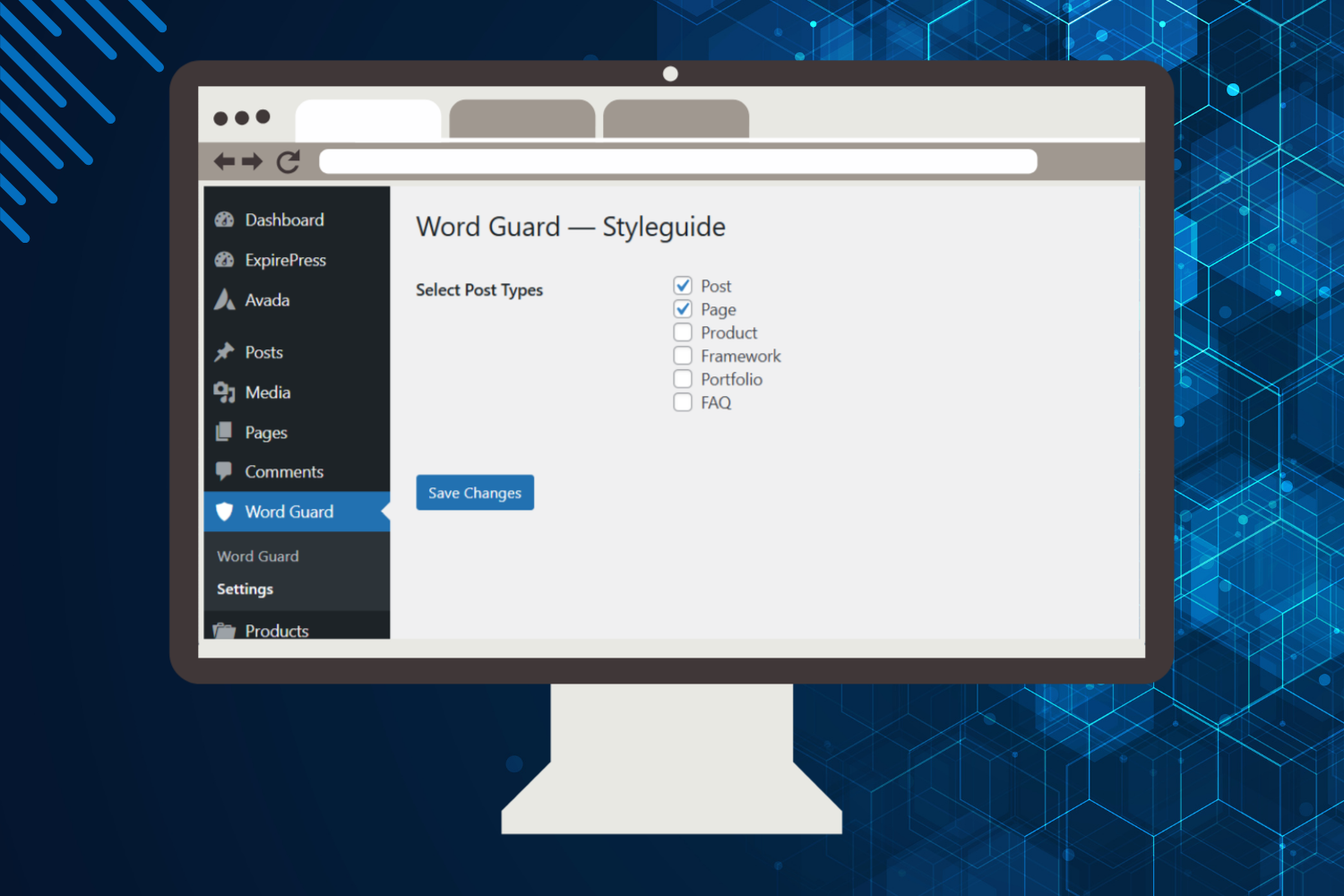
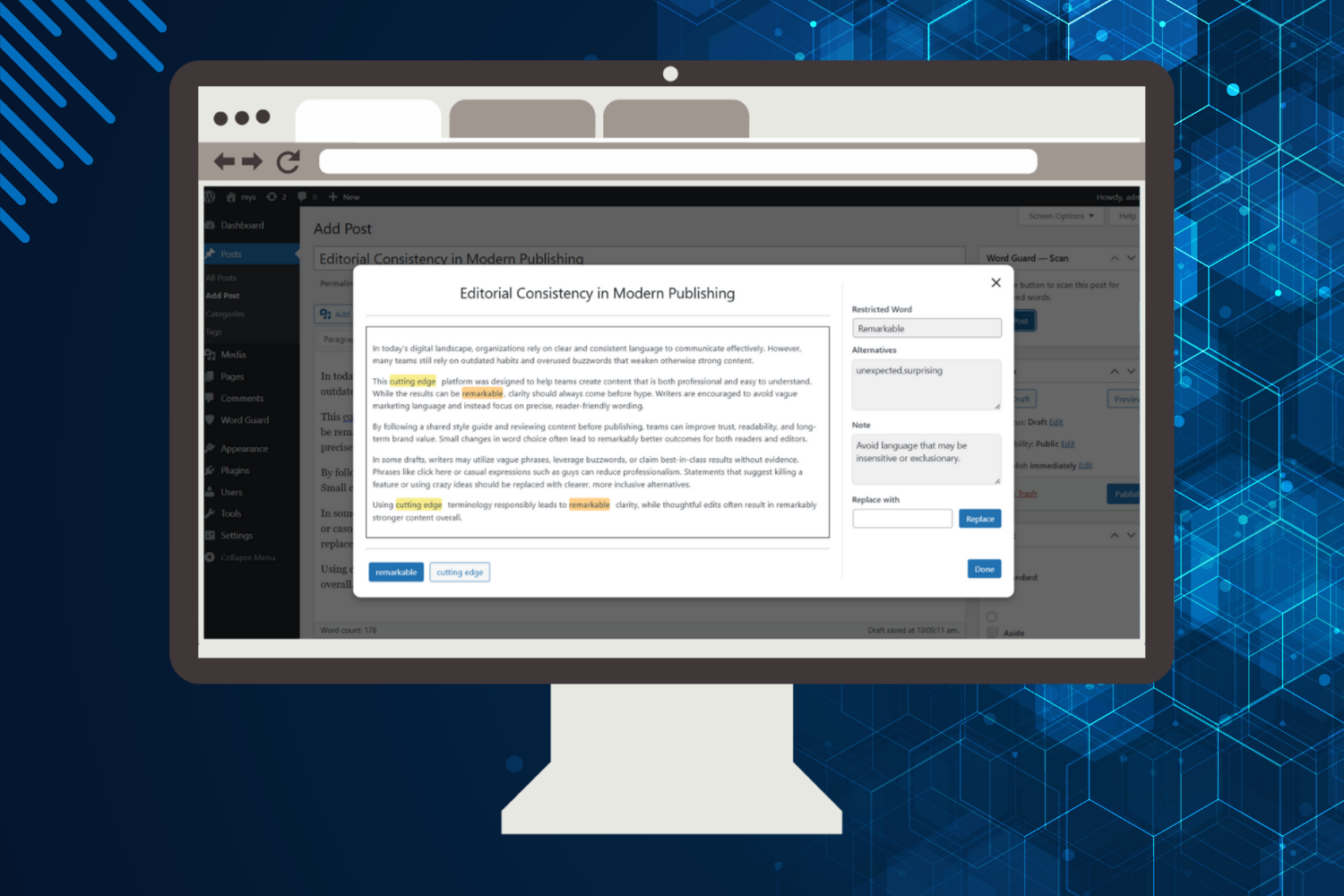
Administrators can define a custom editorial styleguide by specifying keywords or phrases to flag, along with one or more preferred alternatives. Editors can then scan content directly from the WordPress editor to identify non-compliant language, highlight flagged terms, and replace them with approved alternatives in just a few clicks.
Unlike automated rewriting tools, Word Guard keeps editors in full control. Scans are manual, changes are intentional, and no content is modified without user approval.
Word Guard works seamlessly with both Gutenberg and the Classic Editor, making it ideal for modern WordPress sites as well as legacy setups.
This plugin is especially useful for:
- Editorial teams
- Publishers and news sites
- Agencies managing multiple writers
- Organizations enforcing brand or legal language standards
安装:
- Download the plugin
.zipfile. - Upload to your WordPress site:
- Go to Plugins > Add New > Upload Plugin and choose the
.zipfile. - Activate the plugin from the Plugins menu.
- Go to Word Guard to configure your styleguide.
- Edit or create a post and run a manual scan from the editor interface.
屏幕截图:
常见问题:
Does Word Guard automatically change my content?
No. Scans are manual, and replacements are only applied when the editor chooses to do so.
Is my content stored or sent externally?
No. All scans are performed locally within your WordPress installation.
Does Word Guard affect site performance?
Word Guard is optimized for performance and scans typically complete in under 2 seconds for average-length posts.
更新日志:
1.0.1
- Improved content scanning accuracy for keyword and phrase matching.
- Enhanced editor integration for better compatibility.
- Performance optimizations for faster scans on longer posts.
- Improved UI feedback during scan and replacement actions.
- Initial release with styleguide management, content scanning, and editor integration.