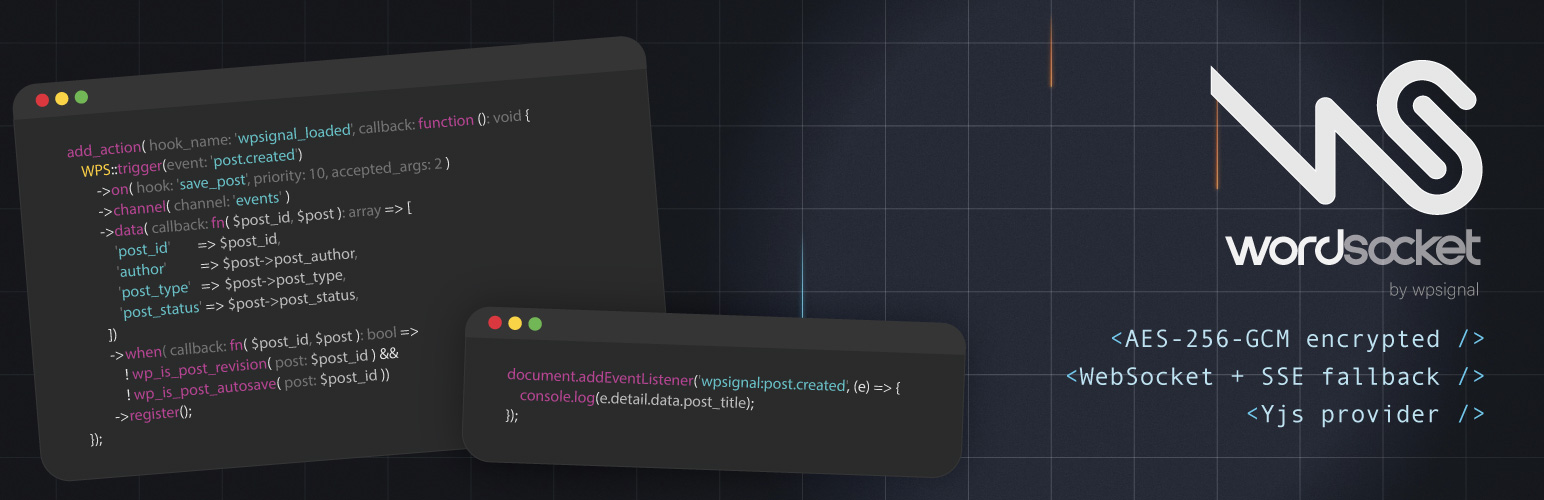
WordSocket
| 开发者 |
wpsignal
jaredrethman |
|---|---|
| 更新时间 | 2026年10月1日 03:34 |
| PHP版本: | 8.2 及以上 |
| WordPress版本: | 7.1 |
| 版权: | GPL-2.0-or-later |
| 版权网址: | 版权信息 |
详情介绍:
- One-click automatic connection via the WPSignal dashboard (no API key required)
- Manual connection via API key for advanced setups
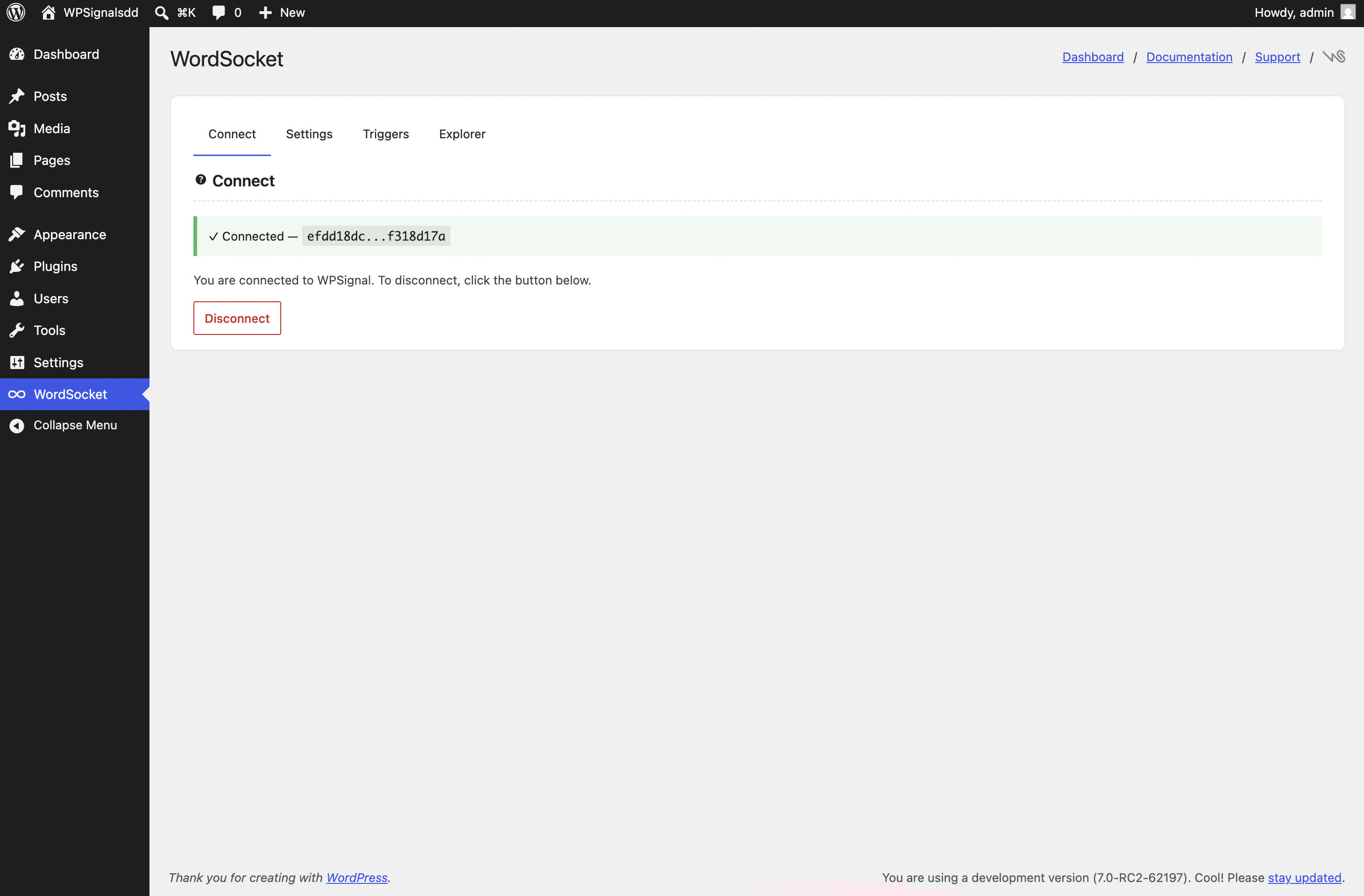
- Disconnect button with inline confirmation: the site is archived on the server, its usage history is kept, and reconnecting the same URL restores it
- WebSocket-first with automatic SSE fallback
- Per-site JWT signing secrets: each site's connection tokens are cryptographically isolated
- AES-256-GCM encrypted event payloads: the WPSignal relay never has access to their plaintext
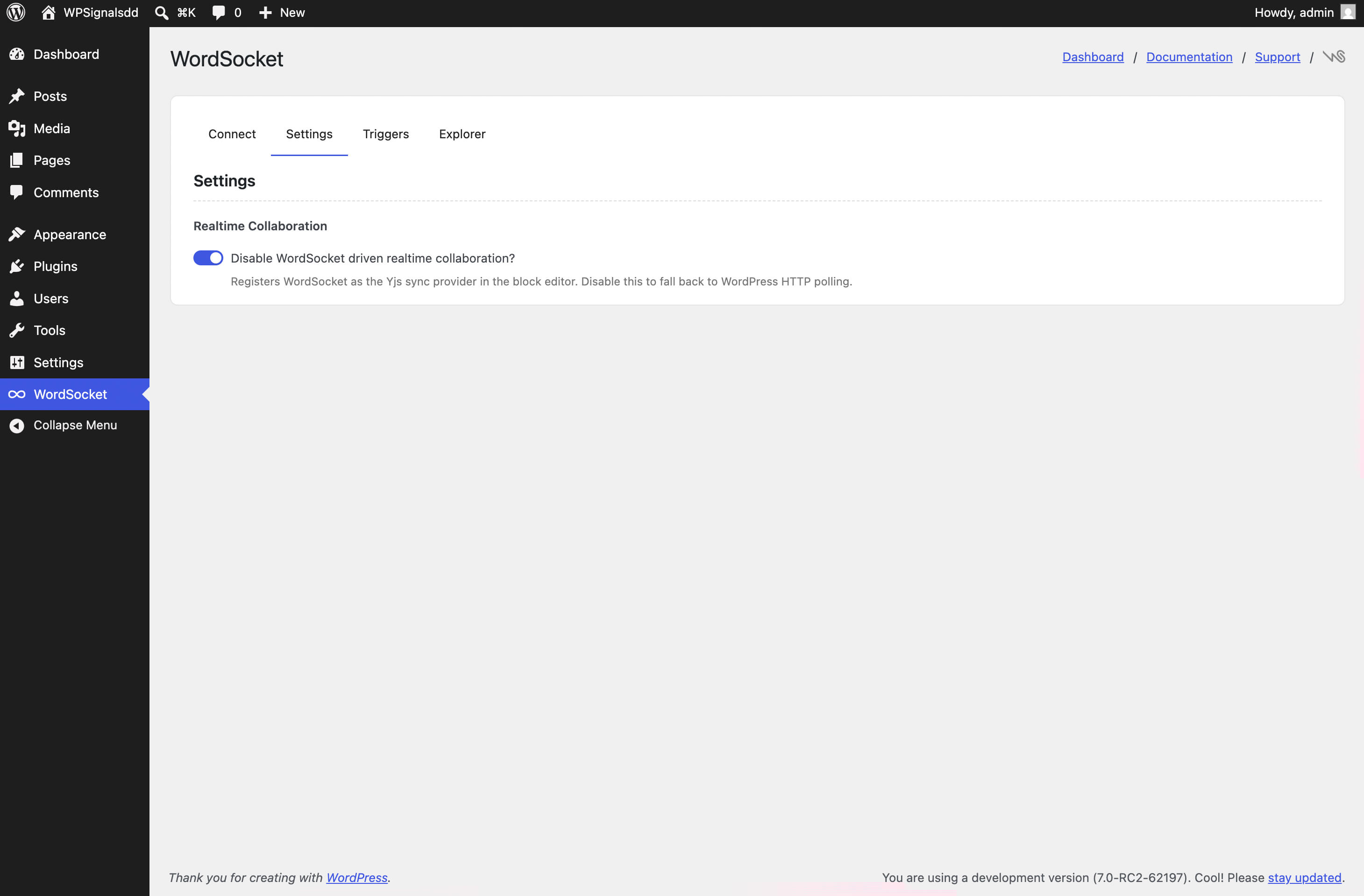
- Admin toggle to disable the collaboration provider and fall back to Gutenberg's HTTP polling
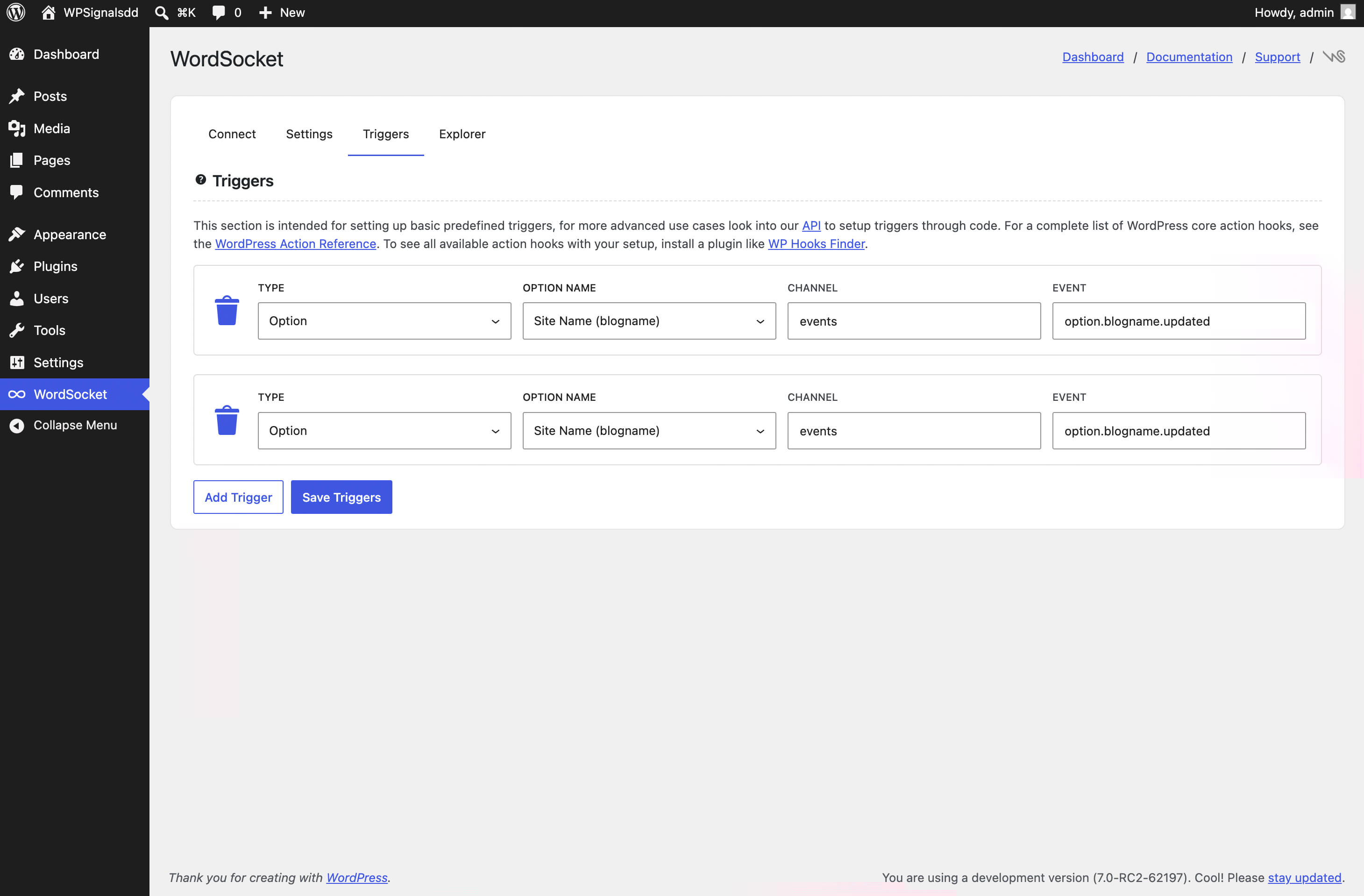
- Built-in triggers for post updates and custom post types
- Custom trigger builder: map any WordPress action hook to a realtime event
- Public JavaScript API (
window.WPS) for themes and plugins to share the connection - Extensible connection token:
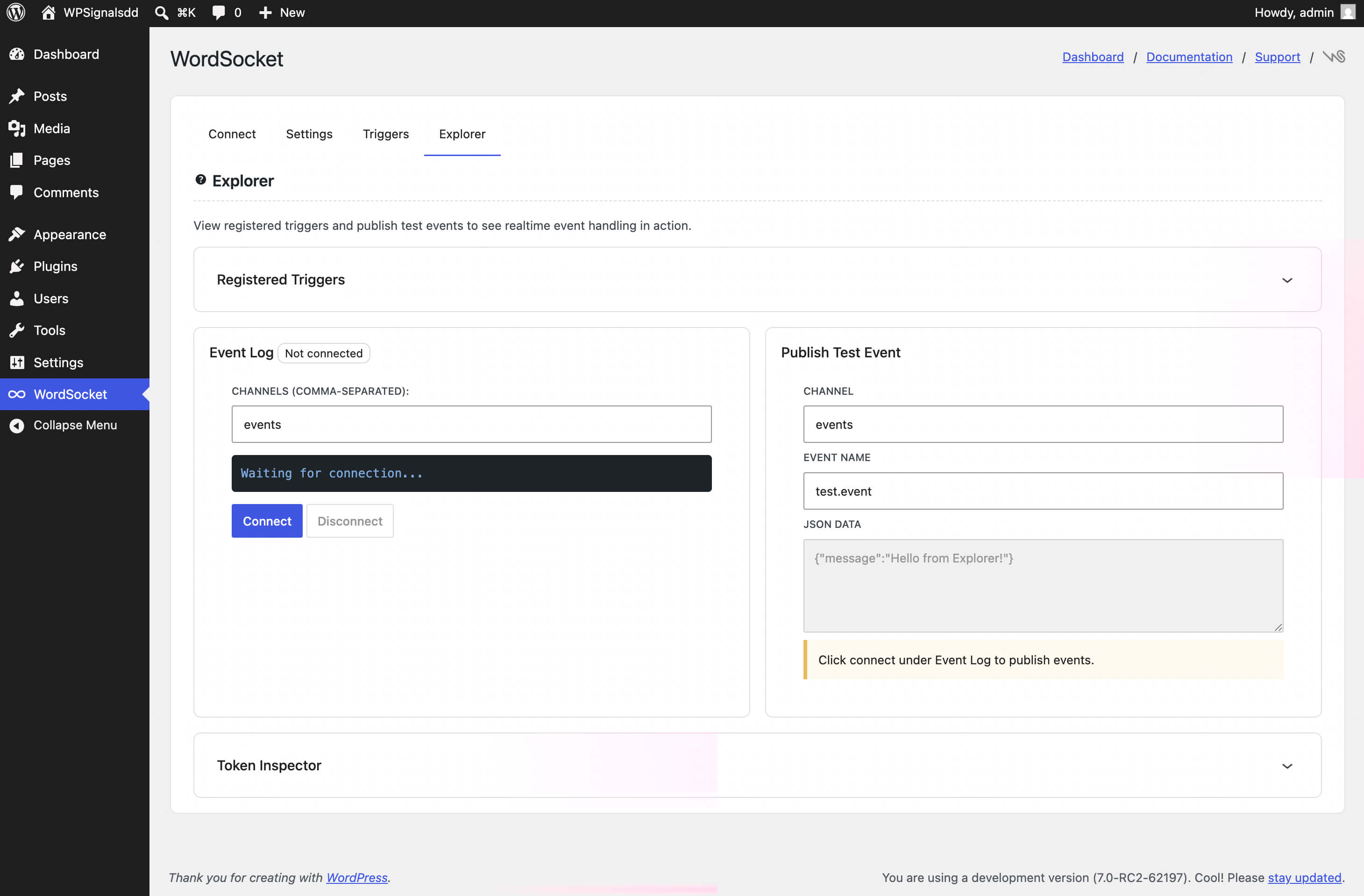
wpsignal_token_channelsandwpsignal_token_channel_prefixesfilters let other plugins add channels and namespace permissions to the JWT without modifying core - Admin explorer page with live event log, publish form, and token inspector
- Short-lived JWTs (5 min) with automatic refresh
- Install the plugin and connect to the WPSignal service.
- When content changes in WordPress, the plugin encrypts and publishes an HMAC-signed event to the WPSignal server.
- The server pushes the ciphertext to all browsers subscribed to that channel.
- The browser decrypts the payload and dispatches
wpsignal:*DOM events. The relay never sees the payload's plaintext. - When real-time collaboration is available on the site, the block editor uses the same WebSocket connection for collaborative editing with no extra configuration.
- The Gutenberg plugin is active. Real-time collaboration was removed from WordPress core before the 7.0 release and is only available through the Gutenberg plugin.
- Real-time collaboration is enabled under Gutenberg > Experiments > Enable real-time collaboration (Gutenberg 23.8 and later; earlier versions used Settings > Writing).
- The site is connected to WPSignal, since the provider shares the plugin's WebSocket connection.
- Site registration: when you connect in the admin (via the automatic one-click flow or by entering an API key manually), the plugin registers your site with the server and receives credentials.
- Event publishing: when a trigger fires (e.g. a post is saved), the plugin sends an encrypted, HMAC-signed HTTP request to the server.
- Realtime connections: logged-in users' browsers connect to the server via WebSocket or SSE to receive events.
- Collaborative editing: when real-time collaboration is enabled through the Gutenberg plugin, editors' browsers relay Yjs document updates (binary diffs of the post being edited), cursors and presence to each other through the server, over the same WebSocket.
安装:
- Upload the
wordsocketfolder to/wp-content/plugins/, or install directly from the WordPress plugin directory. - Activate the plugin through the "Plugins" menu in WordPress.
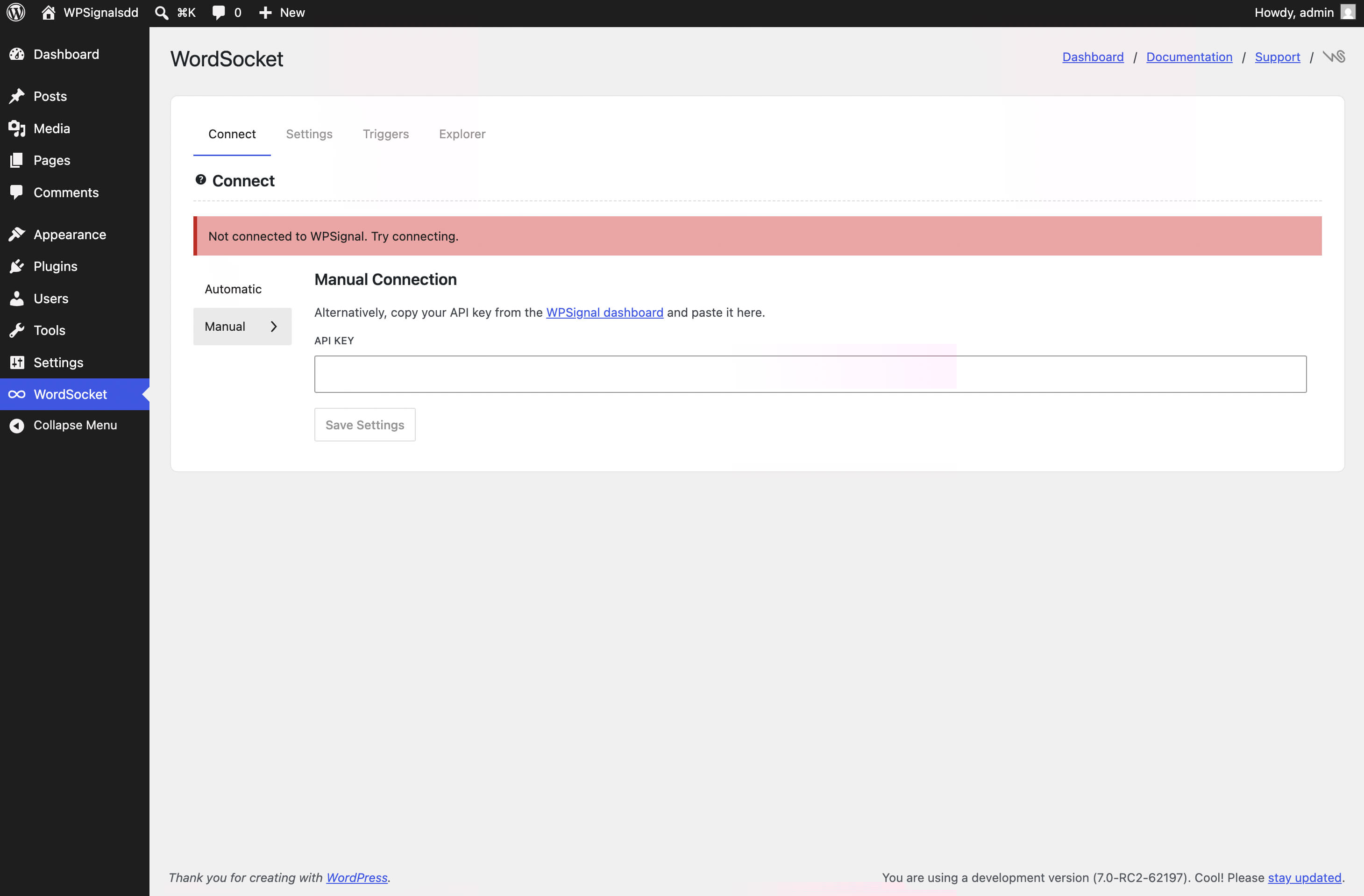
- Go to WordSocket > Settings and open the Connect tab.
- Choose a connection method:
- Automatic (recommended): Click Connect with WPSignal. You will be redirected to the WPSignal dashboard to authorize the connection. No API key entry required.
- Manual: Switch to the Manual tab, paste your API key, and click Save Settings.
- The plugin registers with the server and saves credentials automatically.
屏幕截图:
常见问题:
What is WPSignal?
WPSignal is a realtime event delivery service for WordPress. It pushes events from your site to connected browsers the moment they happen, without polling.
Do I need a wpsignal.io account?
Yes. The plugin requires a WPSignal account to relay events. Create a free account at wpsignal.io.
What data is sent to the WPSignal server?
During registration: your site URL and name. During normal operation: event payloads, AES-256-GCM encrypted on every site including plain HTTP ones, with a key derived from your site's WordPress salts that the server never receives, so it never sees their contents. Channel names stay readable because the server routes on them. When real-time collaboration is enabled, Yjs document updates (binary diffs of block editor content) are also relayed. These are not encrypted, so the server could read them; it forwards them by channel and never parses or stores them. All data is delivered in realtime and is not stored on the server. See our Privacy Policy for full details.
Are my event payloads private?
Event payloads are encrypted with AES-256-GCM before leaving WordPress. The encryption key is derived from your WordPress salts and site key using HKDF-SHA256, and is never sent to the WPSignal server. This means the relay cannot read your message content. Note: all logged-in users on the same site share the same derived key. Per-user message privacy is out of scope for the current version.
Why is real-time collaboration unavailable on my site?
Real-time collaboration was removed from WordPress core before the 7.0 release and currently ships with the Gutenberg plugin as an experiment. Install and activate Gutenberg, then turn on Gutenberg > Experiments > "Enable real-time collaboration". The WordSocket Settings tab shows a "Gutenberg detected" badge when the feature is available, and the sync provider activates automatically once collaboration is enabled. Post types without custom-fields support are excluded by Gutenberg itself.
Does this work for logged-out visitors?
The built-in client script and the token endpoint (/wp-json/wpsignal/v1/token) are limited to logged-in users by default. To open them to all visitors, return true from the wpsignal_allow_client filter:
add_filter( 'wpsignal_allow_client', '__return_true' );
Tokens minted for visitors carry user ID 0 and are scoped to your site, so keep in mind that anyone can then subscribe to your site's public channels and publish over the WebSocket.
What happens when I disconnect?
The plugin tells the WPSignal server to archive the site, then deletes the stored credentials (site key, secrets, and the API key if you connected manually). Your usage history stays on the server, and connecting the same site URL again restores the site with fresh secrets. On a manual connection you will need to paste the API key again. If the server cannot be reached, nothing is deleted and you can retry.
Why was my connection refused?
The WPSignal dashboard refuses to authorize a site when your plan's site limit is reached (the message names the site to disconnect first), when your account email is not yet verified, or when the account has been deactivated. The Connect tab shows the exact reason returned by the server.
How do extensions plug in?
An extension is a separate plugin built on WordSocket (WooCommerce, Live Blog, and Chat are on the way). Its settings appear on the WordSocket settings page under the Extensions tab, which also lists what is available. Developers: register on wpsignal_loaded with WPS::instance()->extensions()->register(), enqueue a settings script on the wordsocket_settings_enqueue action with wpsignal-settings as a dependency, and render window.wordsocket.ExtensionPanel from a plugin registered with wp.plugins.registerPlugin( slug, { scope: 'wordsocket', render } ). An extension with settings of its own adds a tab to this page with window.wordsocket.registerTab( { name, title, render } ) (0.28).
Can I make a channel private?
Yes. Reserve a namespace on wpsignal_loaded: WPS::instance()->channels()->reserve( 'orders', 'manage_woocommerce' ) (a capability, or a callable receiving the user ID). The relay then refuses subscribe and publish frames on that namespace from anyone else. Once any namespace is reserved, tokens list channels explicitly instead of allowing every channel of the site, so register each channel you subscribe to through the wpsignal_token_channels filter. Payload encryption is site-wide and is not a privacy boundary between users; the channel gate is.
Why did events stop?
Each plan has a monthly message quota. When it is reached the server answers publishes with "quota exceeded" and the plugin pauses publishing until the first day of the next month (UTC). The Connect tab on the WordSocket settings page shows this, as well as rejected credentials (disconnect and connect again) and an unreachable server, and clears the warning as soon as the server answers again. There is no admin notice.
What happens if WebSocket is unavailable?
The client falls back to SSE for receiving events. window.WPS.subscribe() and window.WPS.unsubscribe() work on SSE connections: channel changes are tracked and applied immediately via a lightweight SSE reconnect (50 ms debounce). Collaborative editing needs WebSocket, because SSE is receive-only: if the editor opens while the client is on SSE, collaboration stays off for that editor until the page is reloaded with WebSocket available. You can also disable the collaboration provider from the WordSocket Settings tab to use Gutenberg's HTTP polling for all editors instead.
更新日志:
- New: extensions can add their own tab to the WordSocket settings page (
window.wordsocket.registerTab()); ShopSocket's settings live there
- The browser client closes its connection when a page is left and opens a new one when a page comes back from the browser's back/forward cache, so a site's connection count follows open tabs rather than pages visited
- The client waits for a prerendered page to be shown before connecting
- The Extensions tab offers ShopSocket, now on WordPress.org, with a button that opens the plugin installer in place
- Keeps collaboration working when Gutenberg stops exposing the
wp.syncglobal. The provider now takes the editor's Yjs instance from theYoption Gutenberg passes it, and still reads the global on older versions
- Events are now encrypted on plain HTTP sites too. The browser client decrypts with a bundled AES-256-GCM implementation where SubtleCrypto is unavailable, so the relay reads ciphertext on every site, not only HTTPS ones
- Fixed: the Explorer tab could not connect on a plain HTTP site. It chose
ws://from the page's scheme instead of the relay's, so the TLS handshake failed (close 1006) - Fixed: extension rows on the Plugins screen sorted to the top of the list instead of under WordSocket
- Hide future slot fill
- New: extensions are listed with WordSocket on the Plugins screen, renamed "WordSocket: " (the name that screen sorts by) and indented under it, so the family stays together;
wordsocket_nested_plugin_rowsfilters the rows and an empty array switches it off
- New:
WPS.uuid()returns a v4 UUID and works on plain HTTP sites too, where browsers do not offercrypto.randomUUID - New:
WPS.visitorId()is a stable per-browser id shared by every tab and extension on the site, for counting people rather than connections - New:
WPS.onChannel( channel, expected )tells a handler whether an event arrived on the channel it claims, so events published elsewhere can be ignored
- New:
GET /wpsignal/v1/statsreports how many browsers are connected to the site right now and the plan's connection limit (WPS::instance()->publisher()->stats()in PHP), for extension dashboards - Security: connection tokens separate what a browser may read from what it may write. Once a plugin reserves a channel namespace, channels registered for reading are read-only unless a reservation's publish grant (
reserve( $ns, $read, $write )) or thewpsignal_token_publish_prefixesfilter says otherwise - Fixed: a client that fell back to SSE while the relay was restarting stayed on SSE until the page reloaded; it now returns to WebSocket as soon as the stream opens, or at its next token refresh if the socket is blocked, so presence and publishing come back; and while on SSE every event now arrives, not just four fixed names
- New:
WPS.setPresence()for connection-scoped presence (who is here right now); subscribers receivewps.presencejoin/leave/sync events,WPS.setPresence( channel, null )leaves at once, and a member drops the instant its connection closes - Fixed: installing an extension that reserves a channel namespace switched real-time collaboration off; the collaboration channels now stay open to users who can edit posts
- Changed: releases are published to WordPress.org by the GitHub release workflow after a successful build, instead of by hand
- New: Extensions tab on the settings page listing available extensions, plus an API for extension plugins to render their settings there (
window.wordsocket,wordsocket_settings_enqueue,WPS::instance()->extensions()) - New: private channel namespaces:
WPS::instance()->channels()->reserve( $namespace, $capability )gates a channel at the token level; once any namespace is reserved, tokens list channels explicitly - Changed: requires PHP 8.2
- Fixed: with the relay unreachable, the SSE fallback let the browser reconnect every few seconds forever; after three misses the client's own backoff takes over
- Fixed: the client is no longer loaded while the server rejects the site's credentials (regenerated key, deleted site), so a dead connection does not retry until someone reconnects
- Changed: the publish-failure admin notice added in 0.20.0 is gone; the Connect tab is the one place that reports a failing connection, and it clears as soon as the server answers again
- Fixed: a site whose credentials were revoked on the server (API key regenerated in the dashboard) re-minted tokens in a tight loop instead of stopping with authentication-failed; retry state now resets only once a connection has stayed open
- Fixed: Disconnect was refused after the dashboard API key had been regenerated, leaving the site stuck with dead credentials; a rejected key now clears the local copy like a forgotten site
- Security: the token endpoint (/wpsignal/v1/token) now requires a logged-in user by default; sites that serve visitors opt in with the wpsignal_allow_client filter
- New: publish failures are visible: an admin notice (Dashboard and WordSocket screens) and the Connect tab report a reached monthly quota, rejected credentials, or an unreachable server
- New: reconnects use exponential backoff with jitter (1s doubling to a 60s cap) instead of fixed delays, for the WebSocket, token fetch, and token refresh
- New: the relay now closes refused sockets with application codes; a revoked token re-mints once and then reports authentication-failed in the editor instead of retrying forever
- New: window.WPS.onStateChange() and window.WPS.state expose the connection state, last error, and next retry
- Improved: real-time collaboration matches Gutenberg 23.9: the editor's connection lost dialog appears after repeated failed reconnects, providers are not registered where core disables collaboration (site editor), and updates over 1 MiB report document-size-limit-exceeded
- Improved: instructions and docs point to Gutenberg > Experiments > Enable real-time collaboration
- Fixed: a failed manual connection left the Save button stuck in the busy state
- Fixed: SSE fallback connections reported as connected after the stream died
- Fixed: disconnect kept local credentials when the server refused, instead of pretending it succeeded; the confirmation explains that history is kept
- Fixed: the trigger Remove control is a real button, reachable by keyboard and screen readers
- Fixed: debug logging respected the wrong flag and was never silent on production sites
- Fixed: the settings endpoint no longer returns the full API key
- Fixed: quota throttling and the last publish error are cleared on connect, disconnect, and uninstall
- Improved: dashboard links follow the configured server URL; typos and untranslated strings
- New: real-time collaboration re-enabled via Gutenberg detection: the Yjs provider activates when wp_is_collaboration_enabled() reports RTC available and enabled, with a Gutenberg detected badge in the Settings tab
- Fixed: collection-level sync providers (collaborative notes) crashed on the missing awareness instance, breaking notes realtime
- Fixed: idle sessions stopped syncing: awareness keepalive renewals are now relayed (update event instead of change) and doc updates are no longer gated on peer presence
- New: stale-socket watchdog force-reconnects zombie connections after sleep or background suspension, and a 30s state-vector resync heals dropped frames
- Improved: sync status contract matches Gutenberg 23.7: typed connection error codes and a truthful auto-retry countdown in the editor disconnect dialog
- Security fixes
- Pluggable WS/SSE transports with window.WPS.status
- Frictionless reconnection and persistent channel subscriptions
- WPSignalEvent, client debug helpers, and isDebug config rename
- Prevent connection attempts when no auth
- Remove rtc functionality and added feedback form
- Fixed: skip Yjs update and awareness messages when no peers are connected
- Fixed: real-time sync on remote server — channel subscribed after SYNC_STEP_1 sent
- Revamp admin ui, moved explorer to settings app
- remove self-hosted text
- Updated screenshots
- Exclude BETA.md from plugin build
- feat: skeleton preloader for app.feat: disable automatic authentication for non-ssl.fix: disable encryption when on non-ssl.
- Fix: non-ssl default to manual authentication
- Improved: Connections UI. Reduced connections from 2 to 1 on connections page.
- Fix: option key change for RTC enabled.
- New: Automatic connection flow. Admins can connect via the WPSignal dashboard with a single click, without entering an API key. Uses a CSRF-protected OAuth-style code exchange.
- New: Disconnect button in the Connection tab. Removes the site from the WPSignal server and clears all local credentials, with inline confirmation before proceeding.
- New: Per-site JWT signing secrets. Each site's connection tokens are now signed with a unique secret, isolating sites cryptographically and eliminating cross-site token forgery risk.
- Improved: Connection tab redesigned with Automatic and Manual sub-tabs to clearly separate the two connection methods.
- Improved: Disconnect works correctly regardless of how the site was connected: API key authentication for manual connections, publish-secret authentication for automatic connections.
- New: Plugin renamed to "WordSocket" to comply with WordPress.org plugin directory guidelines.
- Improved: Settings Connection tab revamped: server URL field removed, flow simplified to API Key entry and a single Connect action.
- Improved: API key validated client-side before attempting connection.
- Improved: Connection tab now surfaces WordPress real-time collaboration (RTC) availability and WP version compatibility, with clearer, more descriptive warnings when collaborative editing is unavailable.
- Improved: PHP documentation blocks updated across all core classes for better tooling and doc parser support.
- Developer:
.potlanguage file added (eventra-for-wpsignal.pot).
- Fixed: WordPress 7.0 Beta 2 compatibility for the Yjs sync provider. Collection-level providers (e.g. collaborative notes) receive a null
objectId; the provider now maps this to a shared"collection"channel suffix so all peers join the same channel. - Fixed:
ProviderCreatorOptionstype updated to acceptobjectId: string | number | null, matching the Beta 2 provider creator API.
- New:
wpsignal_token_channelsfilter: plugins can append channels to the initial auto-subscribe list in the minted JWT. - New:
wpsignal_token_channel_prefixesfilter: plugins can add channel-prefix permissions to the JWTallowed_channel_prefixesclaim, enabling server-enforced access to custom channel namespaces. - Improved:
window.WPS.subscribe()andwindow.WPS.unsubscribe()now work on SSE connections. Channel changes are tracked in a persistent set and applied immediately via a debounced SSE reconnect, so plugins that call these methods do not need to know the current transport. - Developer:
forceSSEconfig flag available for testing the SSE transport without browser tooling.
- New: AES-256-GCM encrypted event payloads. The WPSignal relay receives and forwards ciphertext only: plaintext message content never leaves WordPress.
- New: Encryption key derived from WordPress salts and site key via HKDF-SHA256. Key is never transmitted to the WPSignal server.
- New:
wpsignal_encryption_seedfilter for plugins and themes to supply custom key material. - New:
SubtleCryptodecryption in the browser client: events are dispatched only after successful decryption.
- New: Real-time collaborative editing in the block editor (WordPress 7.0+) via Yjs WebSocket sync provider.
- New:
publishBinary()andonBinaryMessage()methods onwindow.WPSfor binary WebSocket frames. - New:
transportproperty onwindow.WPSexposes the current connection type ('ws','sse', ornull). - New: Admin toggle in Settings to enable or disable the real-time collaboration provider independently.
- Improved: Collaboration provider emits
disconnectedstatus when WebSocket is unavailable, allowing WordPress to show its "not synced" indicator.
- New: Custom trigger builder: register triggers from the admin UI without code.
- New: Settings page rebuilt as a React app with Connection and Triggers tabs.
- New: Explorer (Kitchen Sink) admin page with 5 interactive panels.
- New: Public JavaScript API (
window.WPS): subscribe, publish, event listeners. - New:
WPS::trigger()fluent builder andWPS::publish()facade methods. - New: Support for self-hosted servers (configurable server URL).
- Improved: OOP architecture with PSR-4 autoloading under the
WPSignalnamespace. - Improved: TypeScript source with
@wordpress/scriptsbuild pipeline.
- Initial release.