Workbook Connector for Microsoft 365
| 开发者 | westerndeal |
|---|---|
| 更新时间 | 2026年10月10日 17:09 |
| 捐献地址: | 去捐款 |
| PHP版本: | 7.4 及以上 |
| WordPress版本: | 6.9 |
| 版权: | GPLv2 or later |
| 版权网址: | 版权信息 |
详情介绍:
Workbook Connector for Microsoft 365 allows you to seamlessly connect your WordPress website with Microsoft Excel files stored in Microsoft 365 / OneDrive.
The plugin enables automatic transfer of form submissions into Excel tables — no manual exports, no CSV files, no complex workflows.
Designed for reliability, performance, and ease of use, this plugin uses the official Microsoft Graph API for secure communication with Microsoft services.
✔ Automatically send Fluent Forms entries to Excel\
✔ Works with Excel files stored in OneDrive\
✔ Select workbook, worksheet, and table\
✔ Secure OAuth connection with Microsoft\
✔ No coding required
This plugin is ideal for:
• Lead collection\
• CRM workflows\
• Data logging\
• Reporting & analytics\
• Automation pipelines
安装:
- Upload the plugin to the
/wp-content/plugins/directory\ OR install via WordPress Plugins screen. - Activate the plugin through the Plugins menu.
- Navigate to:
屏幕截图:

常见问题:
Does this plugin require Microsoft API credentials?
No manual configuration is required. The plugin handles Microsoft authentication securely using OAuth.
Where should my Excel file be stored?
Your Excel file must be stored in OneDrive associated with your Microsoft 365 account.
Why must I use Excel tables?
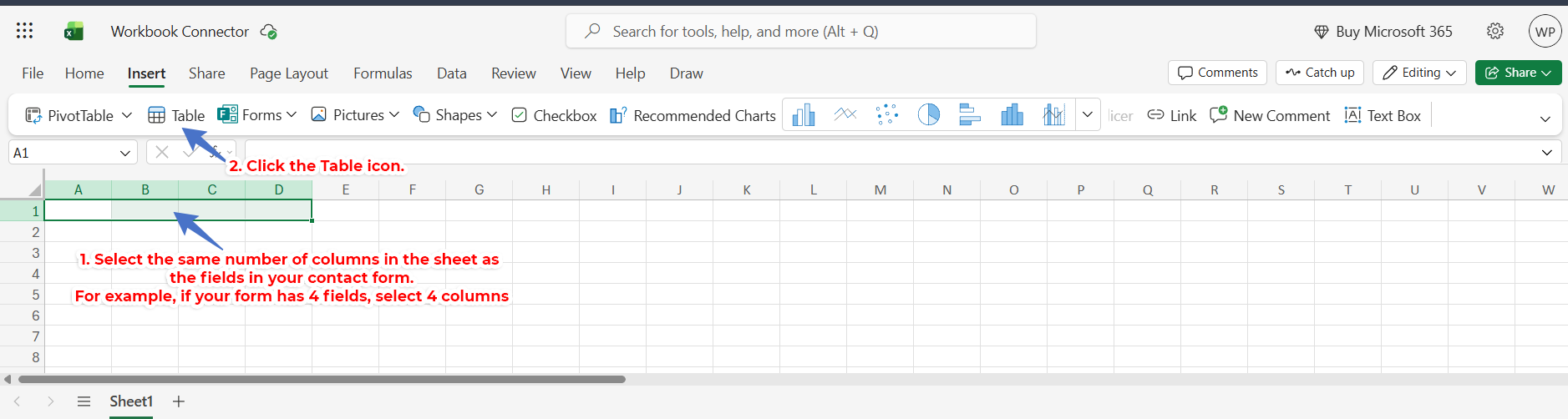
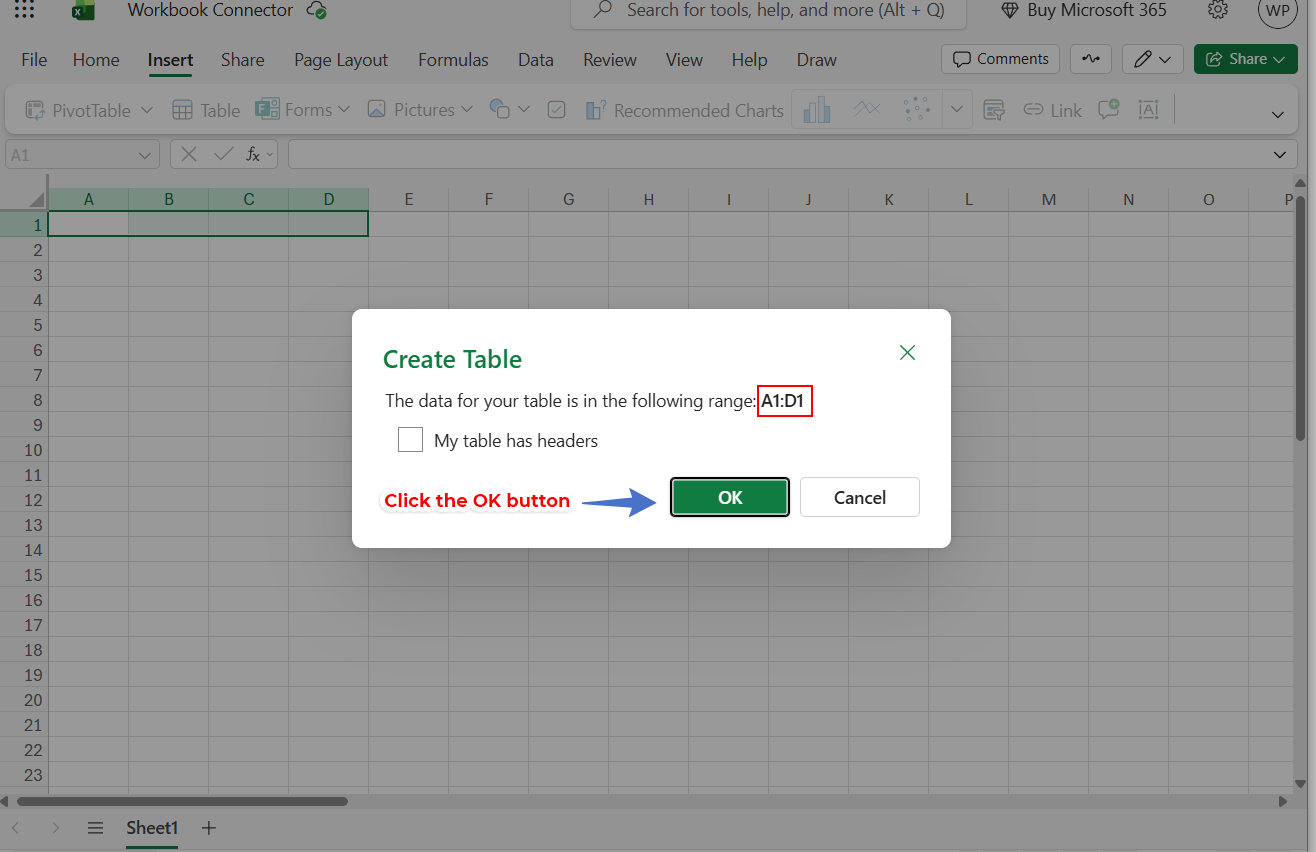
Excel tables ensure structured, reliable data insertion and prevent column mismatch issues.
Can I connect multiple forms?
Yes. You can create multiple feeds for different forms and Excel files.
Does this plugin work with other form plugins?
Currently optimized for Fluent Forms. Support for additional form plugins may be added in future versions.
Is this plugin affiliated with Microsoft?
No. This plugin is independently developed and not affiliated with Microsoft.
What permissions does the plugin request from Microsoft?
The plugin requests only the permissions required to read Excel files and insert data into selected workbooks using Microsoft Graph API.
更新日志:
1.0.2
- Solved Nonces and User Permissions Needed for Security
- Updated the readme as per (Guideline 6, 7 & 9)!
- Initial release
- Connecting WordPress based Fluent Forms to Microsoft Workbook to send the form submissions
- Integration Method as per Standards
- Form Feed Settings to Send Fluent Form Submissions