
Workparcel
| 开发者 | favouradjenuvurhe |
|---|---|
| 更新时间 | 2026年9月23日 06:11 |
| PHP版本: | 7.4 及以上 |
| WordPress版本: | 7.1 |
| 版权: | GPLv2 or later |
| 版权网址: | 版权信息 |
详情介绍:
- Built for shipping and logistics businesses — manage every shipment from a professional, purpose-built dashboard instead of spreadsheets.
- Branded, not generic — your company name, logo, and accent color appear on the admin dashboard, the public tracking page, and shipment emails.
- Works with WooCommerce — link any WooCommerce order to a shipment and its tracking status shows automatically on the customer's order page and order emails. High-Performance Order Storage (HPOS) compatible.
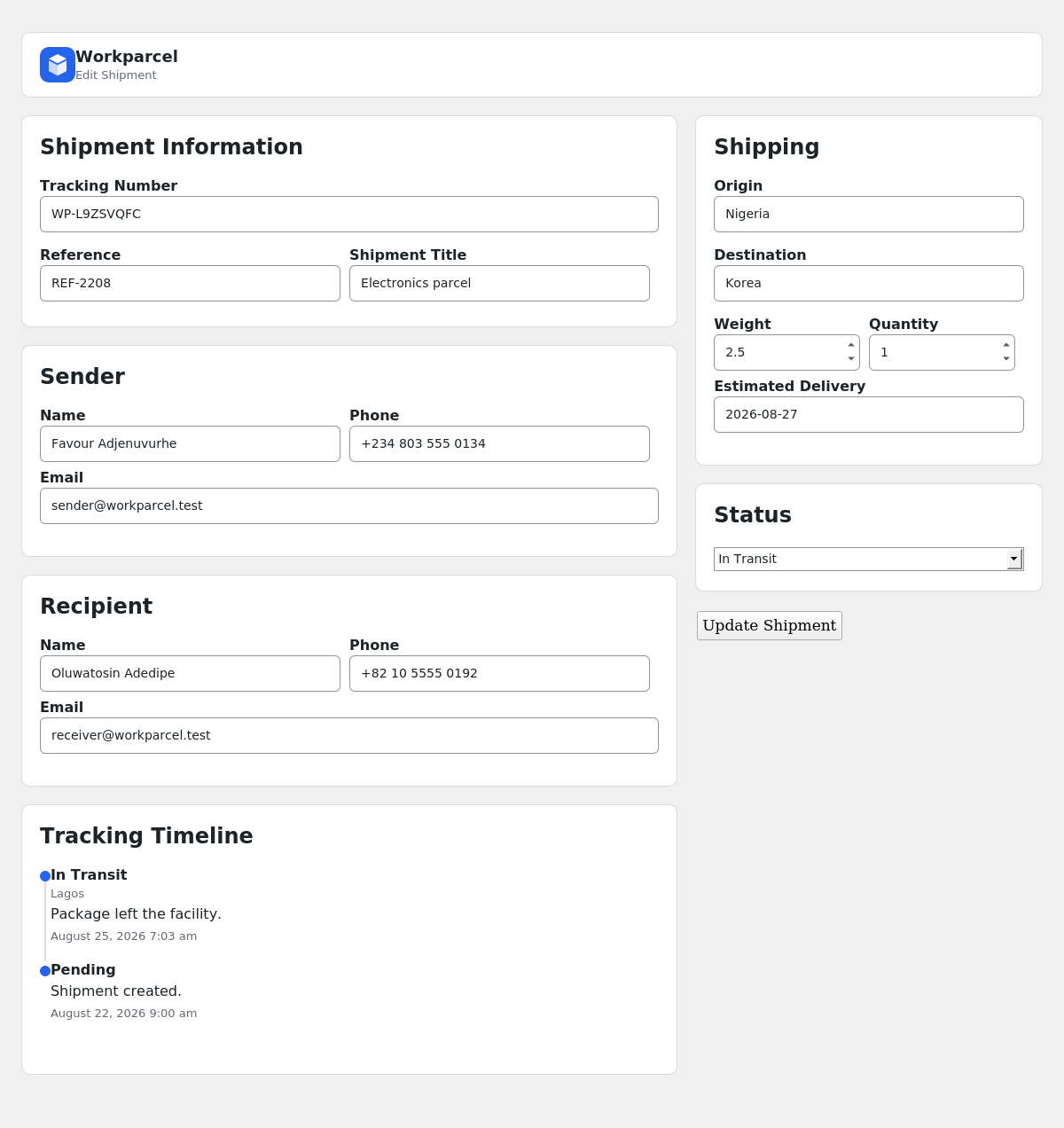
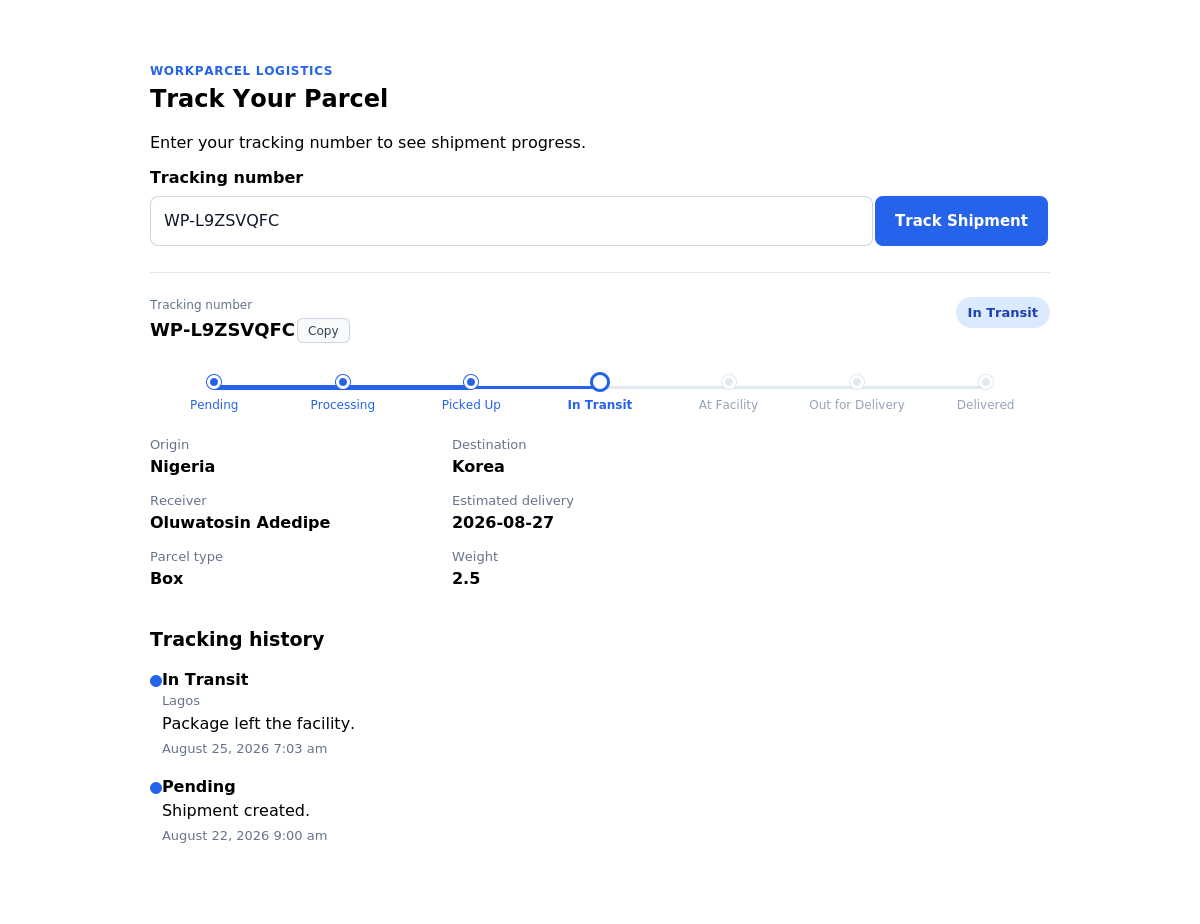
- Real tracking history — every status change (Pending, Processing, Picked Up, In Transit, At Facility, Out for Delivery, Delivered, Failed Delivery, Cancelled) is logged with a location, a note, and a timestamp, and shown to customers as a visual progress stepper.
- Automatic email notifications — shipment-created and status-update emails can go out to the sender, the receiver, and the site admin, using a clean HTML template with your branding. By default emails only send when a working SMTP sender is detected, so you never get silent failures from unreliable default mail delivery; a setting lets you send anyway if your host or mail plugin is reliable.
- Extensible for developers — filter and action hooks (
workparcel_statuses,workparcel_shipment_created,workparcel_shipment_updated,workparcel_status_changed,workparcel_tracking_event_added) let you connect Workparcel to other plugins and custom workflows. - Fast and self-contained — its own database tables, its own capabilities, no bloat, no page builder dependency, and admin assets that only load on Workparcel screens.
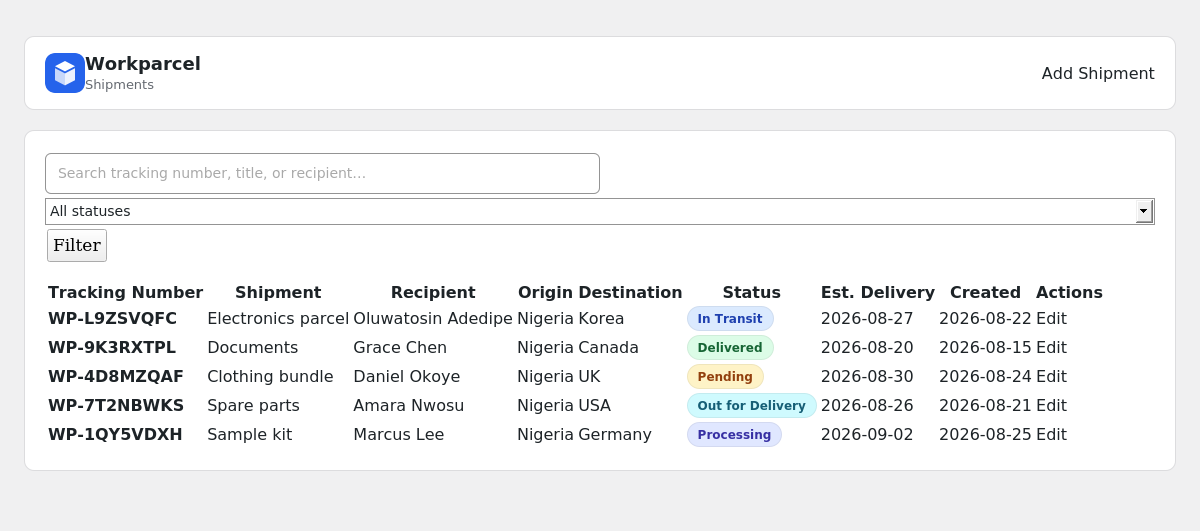
- Shipment management dashboard with live stats and recent shipments
- Automatic, prefixable tracking number generation
- Shipment statuses (extendable with the
workparcel_statusesfilter) with a visual progress stepper on the tracking page - Full tracking history/timeline per shipment
- Public tracking page via the
[workparcel_tracking]shortcode — plain, full-width, and theme-agnostic so it matches any WordPress theme instead of fighting it - Search and status filtering in the admin shipment list
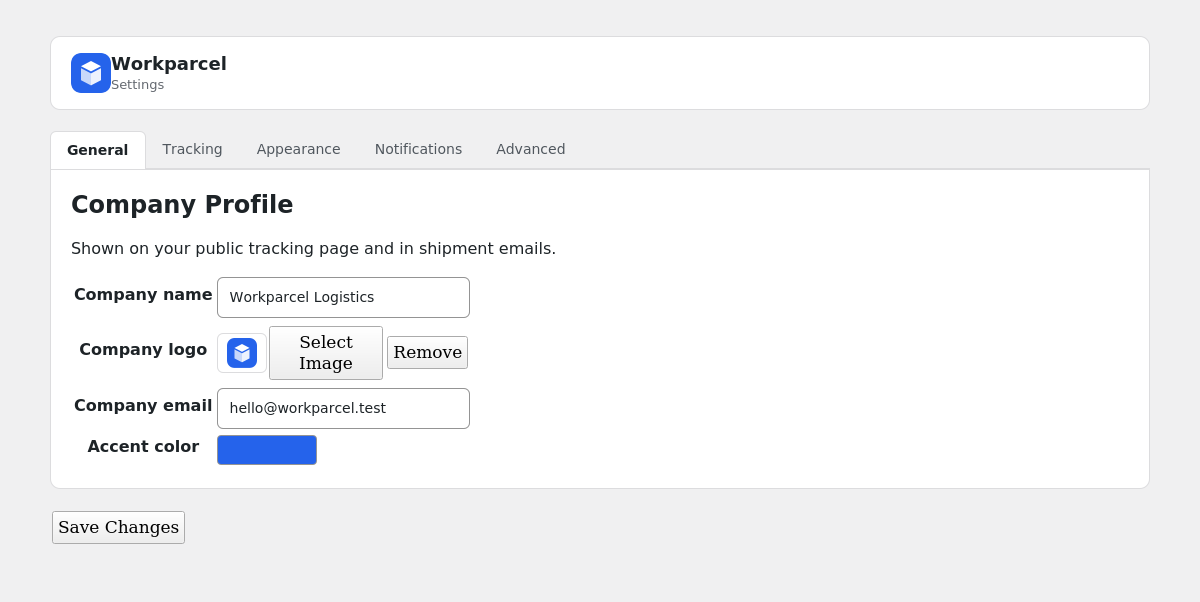
- Company branding: logo, name, address, phone, email, and a custom accent color
- WooCommerce order tracking integration (HPOS compatible)
- HTML email notifications for shipment creation and status updates (sender, receiver, admin)
- Role-based capabilities for viewing, creating, editing, and deleting shipments
- Translation-ready strings
- Developer hooks and filters for third-party integrations
- Printable/PDF-ready shipment invoice with a real, scannable Code 128 barcode, shipper/receiver details, package info, and tracking history
- Optional shipment photo and Proof of Delivery (signature + photo) uploads, shown on the invoice and in emails when set
- Optional, shortcode-based Scan page: create shipments, update status, or assign a driver/customer by scanning with any USB/Bluetooth barcode scanner — no wp-admin login required
- Customers registry: register drivers and receivers, each with an auto-generated Scan ID
- REST API (toggleable) for shipments, customers, and a public read-only tracking lookup
- Courier and delivery businesses that want their own branded tracking page instead of a third-party tracking widget
- WooCommerce stores that want order tracking without a heavyweight shipping suite
- Freight, cargo, and logistics companies that need an internal shipment dashboard
- Agencies building a shipping/tracking site for a client
安装:
- In your WordPress admin, go to Plugins → Add New → Upload Plugin and upload the Workparcel
.zipfile (or upload theworkparcelfolder to/wp-content/plugins/via FTP). - Activate Workparcel from the Plugins screen.
- Open Workparcel in the WordPress admin menu to see your dashboard.
- Go to Workparcel → Settings and fill in your company name, logo, and accent color.
- Create a page, add the
[workparcel_tracking]shortcode to it, then set that page under Workparcel → Settings → General → Tracking page. - Create your first shipment under Workparcel → Add Shipment.
屏幕截图:
常见问题:
How do customers track a shipment?
Create a page containing the [workparcel_tracking] shortcode and set it as your Tracking Page in Settings. Give the customer their tracking number — they enter it on that page to see live status and history.
Does Workparcel require an external tracking service or subscription?
No. Everything — shipments, statuses, and tracking history — is stored in your own WordPress database. There's no external API and no recurring cost.
Does this work with WooCommerce?
Yes. Workparcel is High-Performance Order Storage (HPOS) compatible. Open any WooCommerce order and use the "Workparcel Tracking" box to link it to a shipment by tracking number — the shipment's status then appears automatically on the customer's order view and order emails.
Will Workparcel send emails automatically?
Yes, if you want it to. Under Settings → Notifications you can choose to email the sender, the receiver, and/or the admin whenever a shipment is created or its status changes. To avoid emails silently failing, Workparcel only sends them when it detects a working SMTP sender (a plugin like WP Mail SMTP, FluentSMTP, Easy WP SMTP, or Post SMTP, or a defined SMTP_HOST). If no SMTP sender is detected, notifications are skipped rather than sent through an unreliable default mail transport — unless you tick "Send notifications anyway" under Settings → Notifications (for example when you use an API-based mailer that Workparcel cannot detect).
Can I change the colors to match my brand?
Yes. Settings → Appearance includes a color picker that sets the accent color used across the admin dashboard, the public tracking page, and email notifications.
Can I delete all shipment data when uninstalling?
Yes. Enable "Delete data on uninstall" under Settings → Advanced before you uninstall the plugin.
Is Workparcel translation-ready?
Yes, all strings are wrapped for translation using the workparcel text domain.
Can I print or download a shipment invoice?
Yes. Open any shipment and click "View Invoice" for a clean, printable invoice with the tracking number, shipper/receiver details, package info, and tracking history. Use your browser's Print → Save as PDF to download it.
Can I attach a photo or a delivery signature to a shipment?
Yes, both are optional. On the Add/Edit Shipment screen you can attach a shipment/package photo and, once delivered, a Proof of Delivery signature and photo — all pulled from your WordPress Media Library. When set, they appear on the invoice and in the shipment emails.
Does Workparcel support barcode scanners?
Yes. Under Settings → Scan & API, enable the Scan page and place the [workparcel_scan] shortcode on any WordPress page — no wp-admin login needed. A logged-in staff member with shipment permissions can use it directly; anyone else (a driver or customer) signs in with their own Scan ID first. Connect any USB or Bluetooth barcode scanner (they work like a keyboard) and scan a label to instantly create a shipment, update its status, or assign it to a driver or customer.
What is a Scan ID?
An automatically generated, 11-character ID given to each driver or customer you register under Workparcel → Customers. It's how they sign in to the public Scan page without needing a WordPress account, and it's also how you assign a shipment to them — scan the shipment, then scan their Scan ID.
Does Workparcel have a REST API?
Yes, under Settings → Scan & API. It's on by default and covers shipments (list, create, update, delete, status changes), customers, and a public read-only tracking lookup. Authenticated endpoints require a WordPress user with the matching Workparcel capability — use an Application Password from your user profile for external access.
更新日志:
- Fixed: updating a shipment through the REST API (for example a PATCH with only a status) no longer wipes the other fields, resets the status to Pending or generates a new tracking number. Missing fields now keep their stored value.
- Fixed: tracking-event times were shifted by the site's UTC offset on the public tracking page, admin timeline, invoice and emails. Dates now use the site timezone and date format everywhere (including estimated delivery and created dates).
- Fixed: a PHP notice on every unfiltered Shipments list load.
- Fixed: saving a shipment could silently un-assign it when the assignee was inactive or beyond the first 100 customers, and erased free-text "Assigned To" names from before 1.1.0.
- Fixed: deleting a customer now un-assigns their shipments; customers need a name; duplicate tracking numbers show a clear message; tracking numbers are stored trimmed and uppercase.
- Privacy: scan and assignment notes no longer include the driver/customer name on the public tracking page or the public REST lookup. Who made an update is kept privately (new
actorfield, shown to staff only). Existing older notes are not rewritten. - Scan page: failed requests now show an error instead of nothing; the nonce is refreshed automatically so page-caching plugins no longer break it; all server text is escaped before display; repeated unrecognized Scan IDs are temporarily blocked; new
workparcel_scan_actor_canfilter to restrict what drivers/customers may do. - The invoice now has a real, scannable Code 128 barcode and prints correctly (table header and barcode were invisible with default print settings).
- Added Settings → Tracking: Default status (was stored but never used) and Currency (shown next to fees on invoices and emails).
- Added Settings → Notifications: "Send notifications anyway" plus a detection status line.
- Emails and buttons pick black or white text automatically so light accent colours stay readable.
- WooCommerce: plain-text order emails no longer receive HTML, and a deleted tracking page no longer produces a link to the current page.
- Admin UI: dashboard cards link to the filtered list and include Out for Delivery and Failed Delivery; Invoice button in the Shipments list; the Workparcel menu stays open on the Invoice and Add/Edit Customer screens; Settings tabs wrap on small screens and remember the open tab after saving; corrected the misleading Status help text; RTL-friendly spacing.
- Public tracking page: vertical progress stepper on phones (no stray connector lines), better contrast for upcoming steps.
- The database upgrade now runs on the first request after an update, not only in wp-admin. Removed unused admin scan files.
- Moved the barcode Scan tool out of wp-admin entirely: it's now the
[workparcel_scan]shortcode, off by default (enable it under Settings → Scan & API), so it can be placed on any WordPress page and used without a wp-admin login. - Added Workparcel → Customers: a registry of drivers and receivers. Each gets an automatically generated, unique 11-character Scan ID (unambiguous character set — no 0/O or 1/I/L mix-ups).
- The Scan page is protected: a logged-in staff member with shipment permissions can use it directly; anyone else must sign in with a registered, active Scan ID first. Every scan action is re-verified server-side — nothing is trusted from the page alone.
- Assigning a shipment to a driver/customer is now done through the Customers registry instead of free text — pick them from a dropdown on Add/Edit Shipment, or scan their Scan ID directly on the Scan page.
- Added a REST API under
workparcel/v1(toggleable in Settings → Scan & API, on by default): shipments (list/get/create/update/delete/status), customers, and a public read-only tracking lookup. Authenticated endpoints use standard WordPress capability checks — pair with an Application Password for external access. - Added a
workparcel_customer_createdaction hook. - Database schema updated (new
customer_idcolumn on shipments, new customers table — no data loss), applied automatically via the existing safe upgrade routine.
- Added a printable shipment invoice ("View Invoice" on any shipment): tracking number with a barcode-style header, shipper/receiver details, package info, container/driver info, Proof of Delivery, and full shipment history — styled to be cleaner and more modern than typical cargo-invoice templates, and works with your browser's Print → Save as PDF.
- Redesigned the shipment-created and status-update emails to match the new invoice look: barcode header, shipper/receiver blocks, container/driver info, Proof of Delivery images, and recent activity — still HTML-table based so it renders correctly across email clients.
- Added optional shipment photo and Proof of Delivery (signature + photo) fields on Add/Edit Shipment, using the WordPress Media Library. All optional — nothing is required to keep using the plugin as before.
- Added Container No. and Assigned To (driver/customer) fields to shipments.
- Added Workparcel → Scan: a barcode-scanner-friendly tool with three modes — Create Shipment (scan a new label to create it instantly), Update Status (scan, then confirm a new status), and Assign Driver/Customer (scan, then assign) — works with any USB/Bluetooth barcode scanner, which behaves like a keyboard.
- Added a
workparcel_shipment_assignedaction hook, fired when a shipment is assigned to a driver/customer. - Refactored status-changing logic into a shared
Shipment::update_status()method used by both the manual "Add Tracking Event" form and the new Scan tool, so behavior (including notification emails) stays consistent everywhere a status change happens. - Generalized the company-logo image picker into a reusable component now also used for the new shipment photo and signature fields.
- Database schema updated (new columns only — no data loss) with a safe upgrade routine that runs automatically on your next admin page load after updating.
- SEO and WordPress.org directory overhaul: rewritten description, features, and FAQ; added a Screenshots section with real interface previews; refreshed plugin icon and banner assets.
- Added a Company Profile section in Settings (logo, email, phone, address, website) used across the admin dashboard, the public tracking page, and email notifications.
- Added an Appearance tab in Settings with a color picker — pick your own accent color and it's applied consistently across the admin UI, the public tracking page, and shipment emails.
- Added HTML email notifications for shipment creation and status changes, sent to the sender, the receiver, and/or the admin (each independently toggleable in Settings → Notifications), using a branded "invoice style" template with shipment, sender, recipient, and fee details.
- Emails are only sent when a working SMTP sender is detected (a known SMTP plugin, a defined SMTP_HOST, or a configured mail transport) — otherwise notifications are silently skipped instead of relying on unreliable default mail delivery.
- Company logo can now be selected from the WordPress Media Library and appears in the admin header, the public tracking page, and email notifications.
- Public tracking page: removed the boxed/card container styling. The search form and results now render as plain, full-width content with a simple divider line, so it blends into any WordPress theme instead of fighting its design.
- Public tracking page now fills 100% of its containing column instead of capping its own width, so it always reads as "full length" regardless of theme.
- Admin: added a consistent, explicit style ruleset for all Workparcel form fields (text, email, number, date, datetime-local, textarea, select) — uniform padding, borders, border-radius, and focus states across every screen.
- Fixed several admin inputs that were missing an explicit type="text" attribute, which had been silently skipping some of the form-field styling.
- Added WooCommerce compatibility: declares High-Performance Order Storage (HPOS) compatibility, adds a "Workparcel Tracking" meta box on the WooCommerce order edit screen to link an order to a shipment by tracking number, and automatically displays tracking status on the customer-facing order view and order emails when linked.
- Added developer hooks for third-party/plugin integrations:
workparcel_statusesfilter, andworkparcel_shipment_created,workparcel_shipment_updated,workparcel_status_changed, andworkparcel_tracking_event_addedactions.
- Fixed the public tracking page "squeezing"/zoom issue on mobile: the tracking number input had no explicit font size, which triggers an automatic page zoom on focus in mobile Safari/Chrome when a field's text is under 16px.
- Fixed the public tracking page layout to be fully fluid and defensively boxed (box-sizing, explicit widths, wrapping form row) so it can no longer be squeezed or overflowed by a theme's surrounding layout.
- Added a visual shipment progress stepper to the public tracking result (Pending → Processing → Picked Up → In Transit → At Facility → Out for Delivery → Delivered), with a distinct alert state for Failed Delivery/Cancelled shipments.
- Added a "Copy" button next to the tracking number for one-tap copying.
- Added Parcel Type, Weight, and Quantity to the public tracking result (previously only shown in admin).
- Added your Company Name as a small branded label above the tracking form (from Settings → General).
- Color-coded public status badges to match the admin Shipments list.
- Public tracking page now uses a responsive auto-fit details grid instead of a fixed breakpoint, so it reflows cleanly at any screen width.
- Fixed a critical fatal error on the Dashboard, Shipments, Add/Edit Shipment, and Settings screens caused by an unqualified class reference in the admin templates (PHP namespace resolution bug introduced in the 1.0.2 UI update).
- Fixed the admin menu icon: the crash on Dashboard made the menu item appear broken/unresponsive; this is resolved now that the page loads correctly.
- Fixed the Settings page branded header rendering outside the page container, which was breaking the layout of the settings form.
- Rebuilt the Settings tabs using a pure CSS technique so they work reliably even if a browser fails to load/cache the admin JavaScript.
- General verification pass on Add/Edit Shipment: confirmed the Add Shipment button, all form fields, and all status dropdowns render and submit correctly.
- Redesigned Workparcel admin interface.
- Added Workparcel admin branding.
- Added custom Workparcel admin menu icon.
- Improved dashboard interface.
- Improved shipment management interface.
- Improved shipment forms.
- Improved tracking event presentation.
- Improved responsive admin experience.
- Added/updated WordPress.org branding assets.
- Improved accessibility and general UI consistency.
- Fixed invalid nested-form markup on the Add/Edit Shipment screen.
- Updated internal plugin version.
- Initial MVP release.