
Workshopbeheer – Workshop Booking & Waiting Lists
| 开发者 | workshopbeheer |
|---|---|
| 更新时间 | 2026年10月12日 18:43 |
| PHP版本: | 7.4 及以上 |
| WordPress版本: | 7.1 |
| 版权: | GPLv2 or later |
| 版权网址: | 版权信息 |
详情介绍:
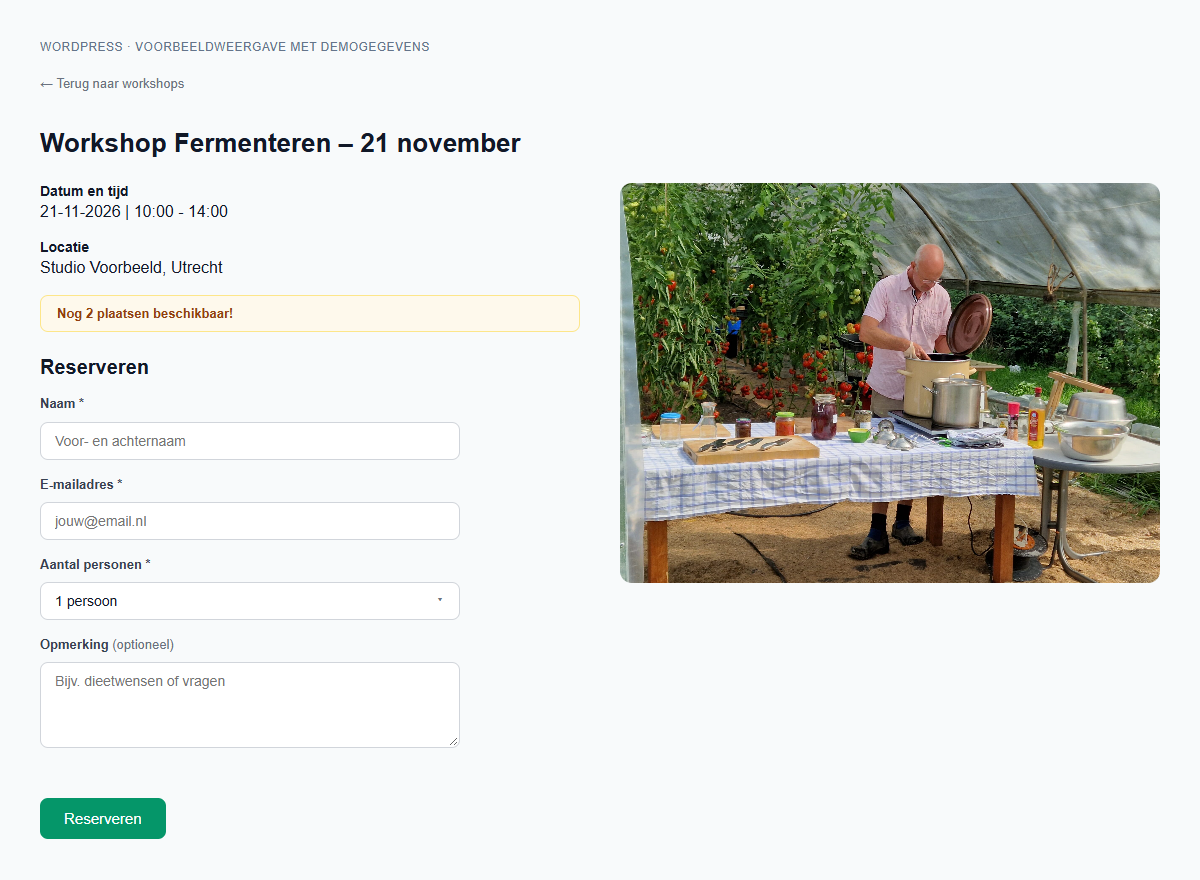
- Display upcoming workshops as cards with a date, time, image and the location configured in your shortcode.
- Let visitors open workshop details and register one or more participants.
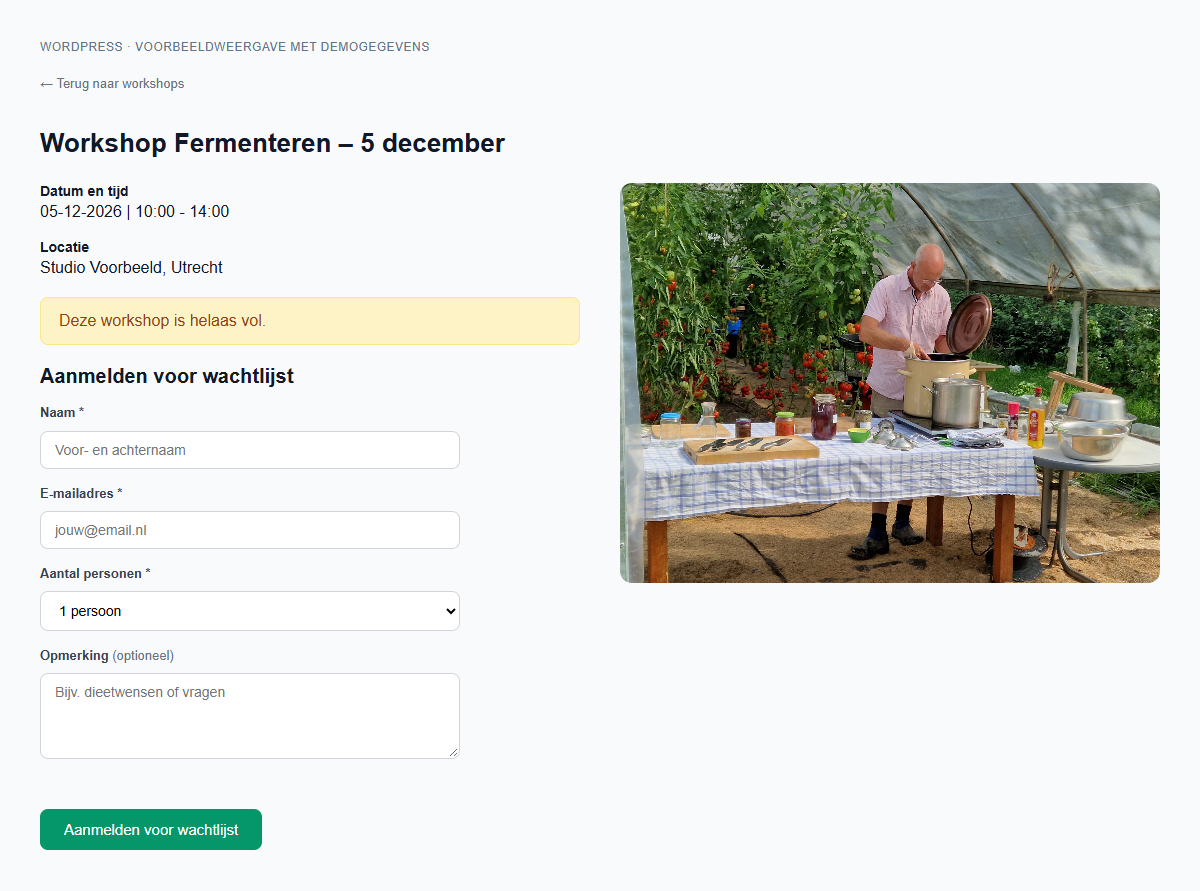
- Show available places and a waiting list form when a workshop is full.
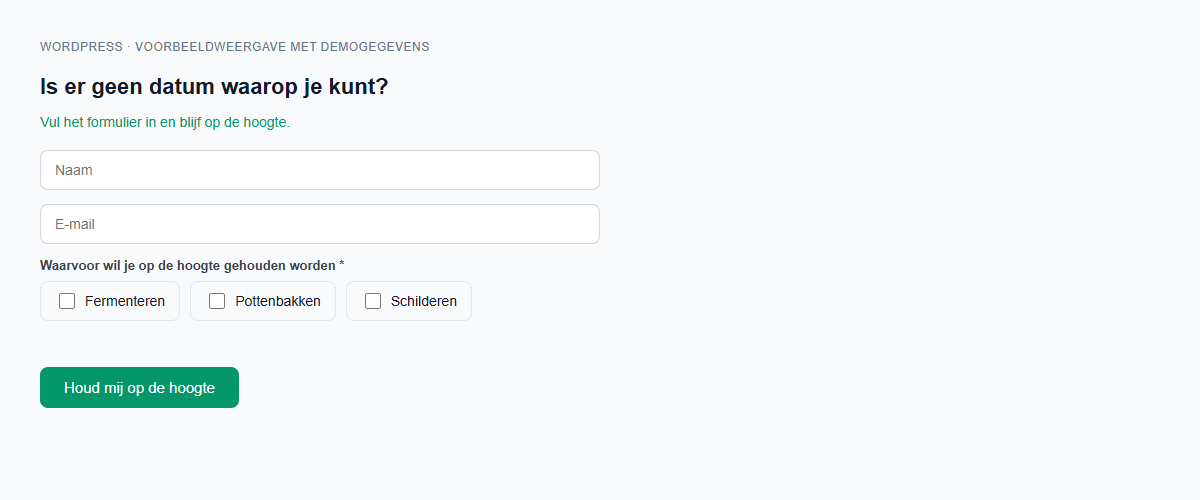
- Collect interest in workshop types when visitors cannot find a suitable date.
- Display a compact workshop date list on a page about a specific workshop type.
- Render the extra registration questions configured in your account.
- Optionally collect applications for manual review before a place is confirmed. The organiser assigns a workshop date and sends the booking confirmation from the Workshopbeheer app.
- Use your account's button colour on the forms.
[workshopbeheer_workshops locatie="Studio Voorbeeld, Utrecht"]— upcoming workshops with links to registration forms; use your own venue address.[workshopbeheer_workshops type="fermenteren" locatie="Studio Voorbeeld, Utrecht"]— workshops of one type.[workshopbeheer_workshops exclude="proeverij" locatie="Studio Voorbeeld, Utrecht"]— exclude a workshop type.[workshopbeheer_workshopdata type="fermenteren"]— a compact list of workshop dates.[workshopbeheer_interesse]— an interest form with workshop types to choose from.
type value is the workshop type slug from your account. Set locatie explicitly: the current default is Vormerseweg 12, Wijchen; it is not automatically taken from your account.
Learn about the WordPress registration integration.
Upgrading from a manually installed plugin or version 2.8.0
Version 2.8.1 uses unique shortcode names. Replace the old shortcodes on your pages, widgets and page-builder templates when activating this version:
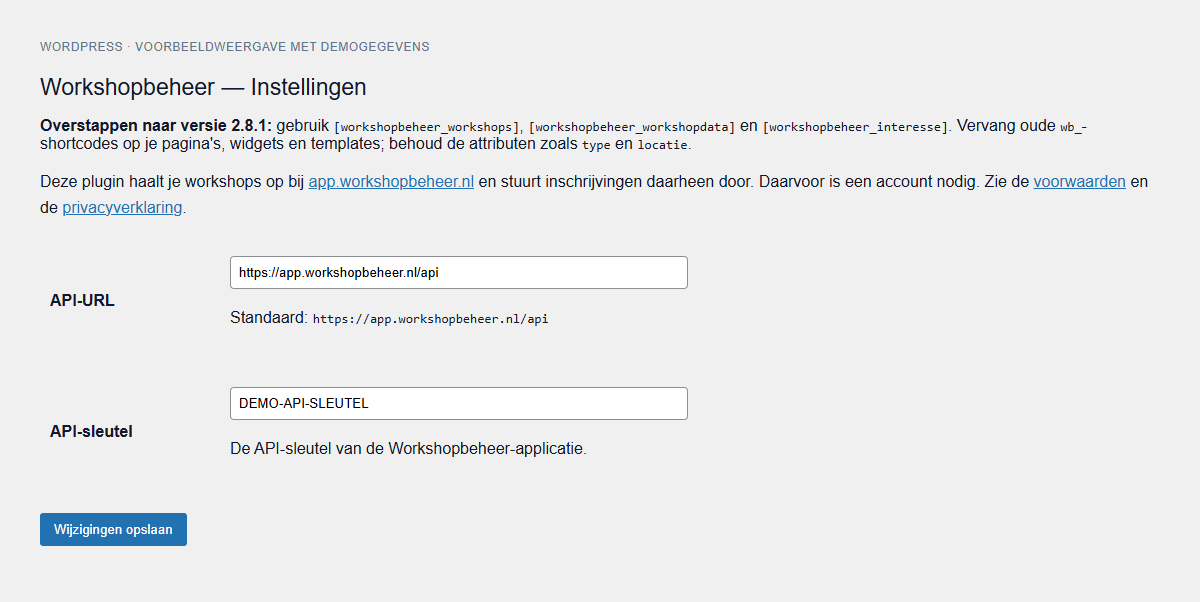
In Settings > Workshopbeheer, the migration tool previews stored post content and converts each item after your confirmation. It includes saved blocks and block templates. It keeps a backup and can restore it if the converted content has not changed. Check every scan page and check widgets, theme files and separate page-builder fields manually. Run the migration immediately after activation; old shortcodes are not rendered by this version.
wb_workshopsorwb_cursussenbecomesworkshopbeheer_workshops.wb_workshopdataorwb_cursusdatabecomesworkshopbeheer_workshopdata.wb_interessebecomesworkshopbeheer_interesse.
type and locatie. The old shortcode names are not registered by this version. If switching from the separate manually installed plugin, deactivate that plugin after updating your pages. Your existing API settings are retained. Existing sites may keep using their older plugin until they are ready to migrate.
== External services ==
This plugin connects to Workshopbeheer to retrieve workshop information and process registrations, waiting list entries and interest signups. A Workshopbeheer account is necessary for these functions.
Service: https://workshopbeheer.nl/
API endpoint: https://app.workshopbeheer.nl/api (configurable in the plugin settings)
Data sent and when
- When a shortcode is rendered: API requests may include your configured API key, the plugin version, workshop type or exclusion filters, and the selected workshop ID. Requests retrieve workshop information, public form definitions and the configured button colour. The button colour may be cached.
- When a visitor opens a shortcode page: the browser sends the signed public shortcode configuration and selected workshop ID to this website's public POST endpoint
/wp-json/workshopbeheer/v1/weergave(or itsrest_routeequivalent). WordPress retrieves fresh public output from the service. Upstream responses are reused for up to 15 seconds, and concurrent requests for the same resource are limited. These read requests contain no participant details. They do not change workshops or settings. - When a visitor submits a form: the browser sends their name, email address and selected workshop or workshop types to the API. Depending on the form, this also includes participant count, remarks and configured extra answers such as phone number, dietary wishes or allergies, plus form revision information and the API key.
- Registration, application and waiting-list forms also send the optional, unchecked choice for emails about new workshops. The service records an affirmative choice separately from messages needed for a booking or waiting-list place. The interest form itself requests emails about the selected workshop types. Announcement emails include an unsubscribe link.
- If the organiser enables application review for a workshop type, a registration form creates a pending application instead of a confirmed booking. The service emails an acknowledgement that the place is not yet confirmed. A confirmation follows only after the organiser approves and assigns the application in the app.
- The service receives normal connection information associated with these requests, including the connecting IP address. Form submissions are sent directly from the visitor's browser.
dataLayer. These may include workshop type, date, participant count and booking value. An analytics or tag manager setup already installed on the website can consume these events. The website owner controls that setup and its consent handling.
Terms of service: https://workshopbeheer.nl/voorwaarden
Privacy policy: https://workshopbeheer.nl/privacy
安装:
- Install and activate the plugin.
- Create a Workshopbeheer account and add a workshop type and a published workshop date.
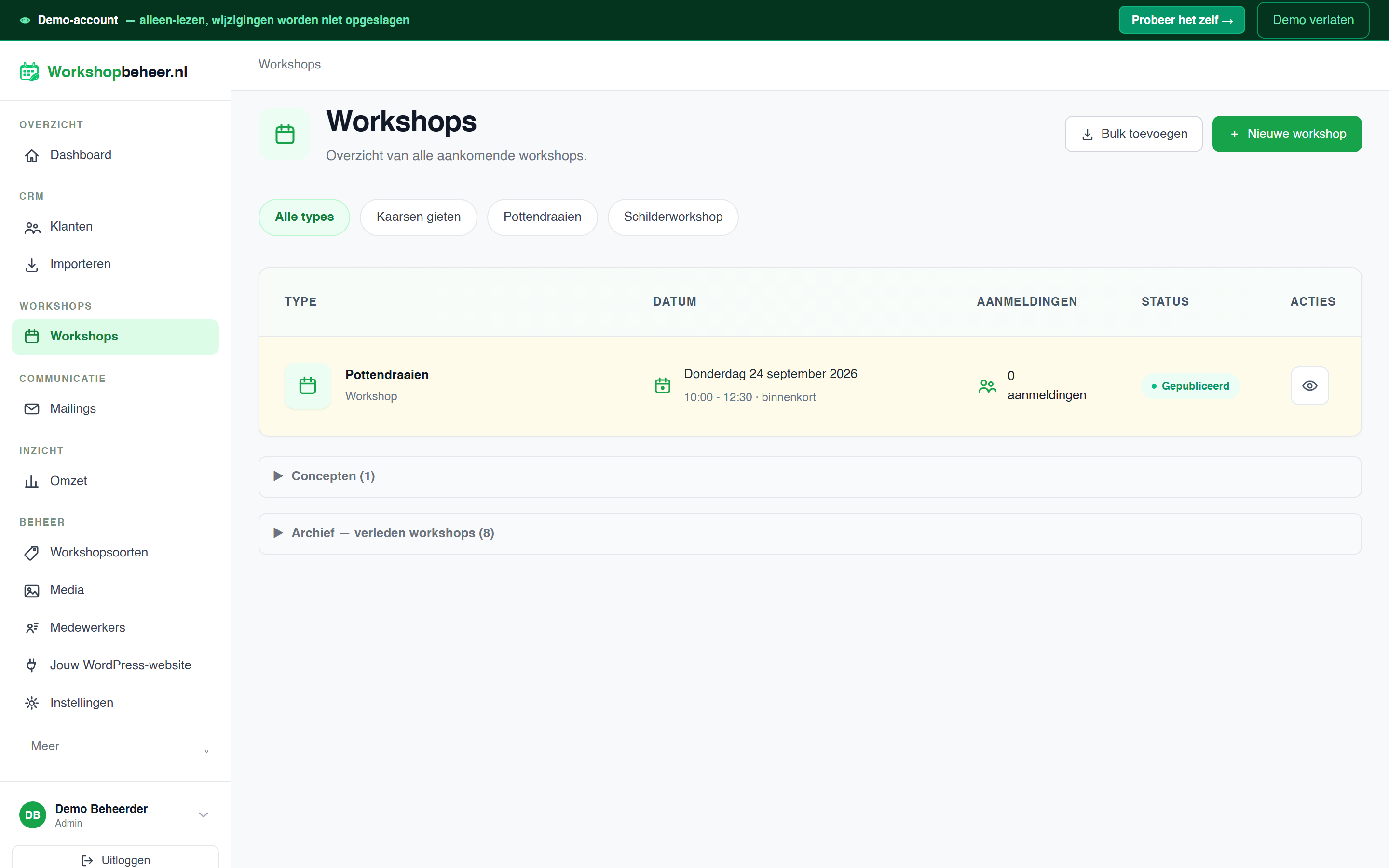
- In the web app, open Jouw WordPress-website and copy the API key from the plugin connection instructions.
- In WordPress, open Settings → Workshopbeheer and paste the API key. Leave the default API URL unless you intentionally use another service installation.
- Add a Shortcode block with
[workshopbeheer_workshops locatie="Your venue address"]to a page. Replace the example address with your own venue. - Preview the page and test a registration with your own email address. Verify the registration in the app and any confirmation email enabled there.
- After first connecting the account, clear the page/CDN cache once and open the published public shortcode page. For eligible new accounts this successful server render starts the trial; editor previews and visitor-side refresh requests do not. If the service was temporarily unavailable, open the page again after clearing the full-page cache.
屏幕截图:
常见问题:
Do I need to log into WordPress after publishing a workshop?
No. From version 2.8.2, workshop lists, details, date lists and interest forms refresh when visitors open the page, independently of its full-page cache. Allow up to 15 seconds for the public data cache. This does not continuously update an already open page. Form input is preserved if someone starts using the form before the refresh finishes; availability is checked by the service when they submit.
After upgrading, clear your page/CDN cache once so previously cached pages include the new JavaScript. Existing wb_ shortcodes still require migration. If JavaScript is disabled, only the server-rendered fallback is shown and it can remain cached.
If a firewall or security plugin blocks the public endpoint, the existing content remains with a warning and a retry button. Allow only the /workshopbeheer/v1/weergave route if needed, keep its responses outside caches, and ensure JavaScript optimisation does not delay the plugin script until user interaction. No extra WordPress user account is required. This cannot guarantee compatibility with every hosting, cache or firewall configuration.
Is the plugin free?
Yes. The plugin is free, and a Workshopbeheer account is required to use the connected service. Workshopbeheer offers a 30-day free trial followed by a paid subscription. Current service pricing is available at https://workshopbeheer.nl/.
Does this work without WooCommerce?
Yes. The plugin needs neither WooCommerce nor an additional form plugin. It collects registrations; it does not provide an online payment checkout.
Where do registrations and emails appear?
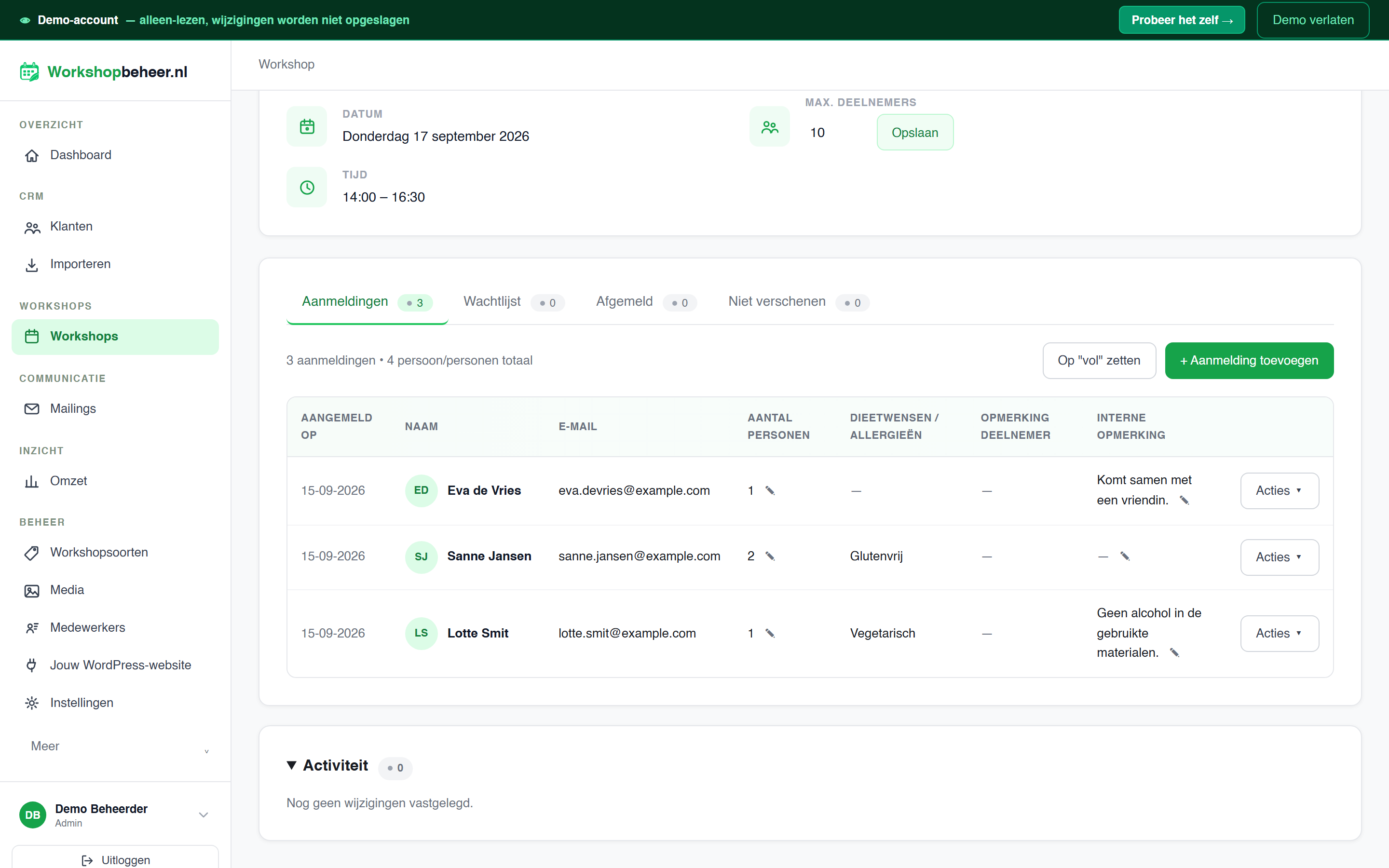
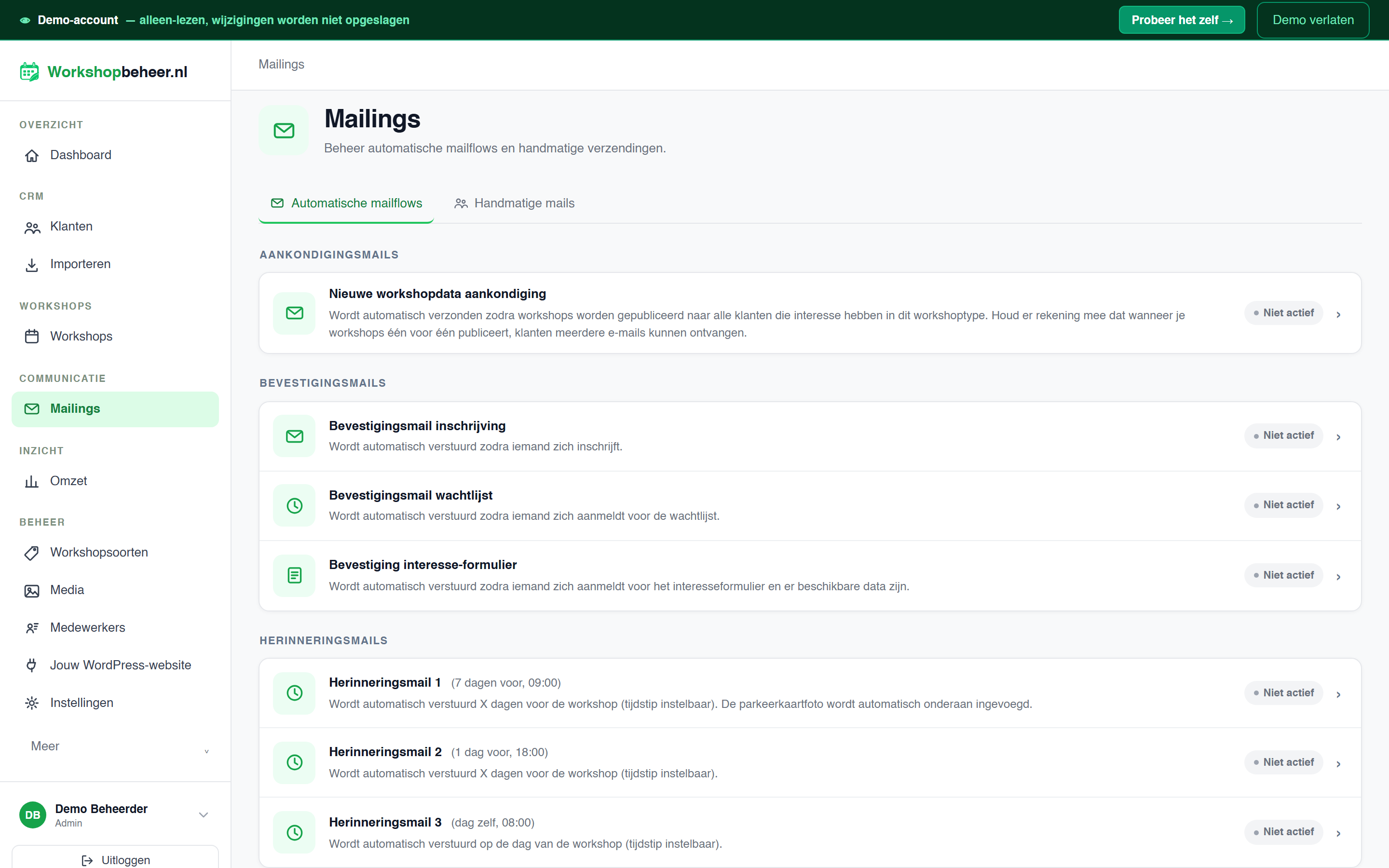
Registrations appear in the Workshopbeheer web app, linked to the selected workshop. Manage participants and configure automatic emails there. Confirmation emails and reminders depend on the mailflows enabled in your account.
What happens when a workshop is full?
Visitors are offered a waiting list form. Their details are stored with that workshop in your account, where you manage follow-up and available places.
Can I add my own registration questions?
Yes. Configure extra fields per workshop type in the app. The plugin renders the published field definitions and sends the visitor's answers with their registration or waiting list entry.
Can visitors register interest without choosing a date?
Yes. Add [workshopbeheer_interesse] to let visitors choose workshop types and leave their name and email address, for example when no suitable date is available.
How do I set the workshop location?
Use [workshopbeheer_workshops locatie="Your venue address"]. This address is shown on the workshop cards and detail pages produced by that shortcode. Set it explicitly: the current default is Vormerseweg 12, Wijchen.
Does it work with the block editor or Elementor?
Place a shortcode in the WordPress Shortcode block or Elementor's Shortcode widget. A page builder is optional.
Is the interface available in English?
The settings and visitor forms are currently in Dutch. This readme documents the plugin in English and includes a Dutch introduction for its primary audience.
更新日志:
- Start the 30-day trial for eligible new accounts when a connected shortcode first renders successfully on a published public website page.
- Keep previews, the WordPress editor and background refresh requests from starting a trial. Existing trials and paid accounts retain their dates.
- Report the canonical page URL server-side; failed reports are retried on a later page render.
- Add an optional, unchecked choice for emails about new workshops to registration and waiting-list forms; booking and waiting-list service emails remain independent of this choice.
- Let organisers edit or hide that choice for all registration and waiting-list forms in the web app.
- Clarify the email preference on the interest form.
- Show an accurate interest-form success message without promising an immediate confirmation email.
- Keep live form status messages within the text column and add space below the form on workshop detail pages.
- Optional approval workflow per workshop type: visitors submit a request and receive a receipt that does not promise a reserved place.
- Workshop organisers review requests, assign a date and explicitly send a booking confirmation.
- Organisers can edit separate application receipt, approval and rejection emails in the web app, including per-workshop-type text. Direct bookings keep their own confirmation template.
- Older plugin versions cannot submit requests when approval is enabled, preventing misleading booking confirmations.
- Refresh public workshop lists, details and interest forms independently of the page cache when visitors open a page.
- Preserve form input and show a retry message if fresh data cannot be retrieved.
- Reuse public API responses for up to 15 seconds to limit service requests.
- Load frontend CSS and JavaScript through the WordPress enqueue APIs.
- Use workshopbeheer_ shortcode names; see the migration instructions above.
- Add an administrator-confirmed shortcode migration tool in Settings > Workshopbeheer, with per-item previews, backups and guarded restore.
- Handle connection failures in the waiting list form and updated capacity after a booking conflict.
- First release in the WordPress plugin directory.
- Updates use WordPress.org; settings from earlier manually installed versions are retained.
- Documented the external service, account requirement and analytics events.
- Corrected the settings link and output escaping, and updated directory descriptions and screenshots.
- Registration form fields follow the order set in your account.
- Added an interest form for workshop types.