
WP Add Custom CSS and JS
| 开发者 |
d3logics
vinit-sharma devshubham715 narenchouhan |
|---|---|
| 更新时间 | 2026年6月4日 19:53 |
| 捐献地址: | 去捐款 |
| PHP版本: | 7.0 及以上 |
| WordPress版本: | 6.8 |
| 版权: | GPLv2 or later |
| 版权网址: | 版权信息 |
详情介绍:
- Add custom CSS to restyle your theme without touching theme files.
- Add custom JavaScript for tracking codes, animations, widgets, and tweaks.
- Your code is safe when you switch or update your theme.
- Perfect for quick design fixes and adding third-party snippets.
- Unlimited snippets — add as many custom CSS and JS codes as you want.
- Management screen — every snippet is listed in a table (like Posts) where you can edit, enable/disable, and delete.
- Live code editor with syntax highlighting, line numbers, bracket matching, search, and CSS / JavaScript autocomplete (powered by CodeMirror).
- Per-snippet options:
- Print the code inline (internal) or save it to an external cached file.
- Load the code in the header or the footer.
- Apply the code on the front end, the admin area, or both.
- Automatic minification — compress your CSS/JS for the fastest possible load time.
- External files are cached — no database queries on the front end, so there is no performance hit.
- Keeps your code when you change themes.
- Secure — capability checks and WordPress nonces on every action.
- Lightweight, translation-ready, and works with any theme.
安装:
- From the WordPress admin, go to Plugins → Add New and search for "WP Add Custom CSS and JS", or upload the plugin ZIP.
- Click Install Now, then Activate.
- A new Add Custom CSS & JS menu appears in your admin sidebar.
- Click Add Custom CSS to add CSS, or Add Custom JS to add JavaScript.
- Write your code, choose your options, and click Publish. Your minified code is applied to the site immediately.
屏幕截图:
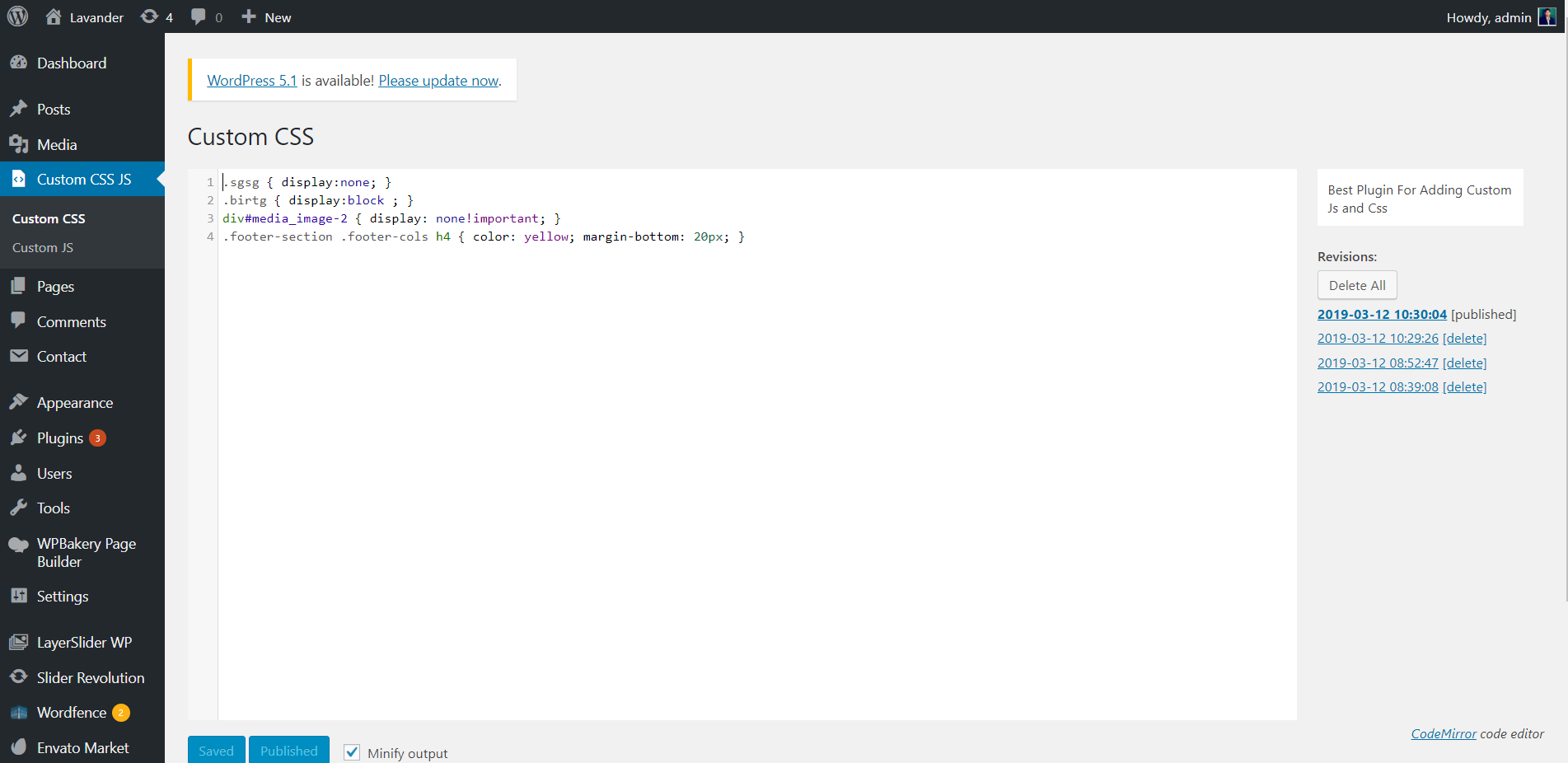
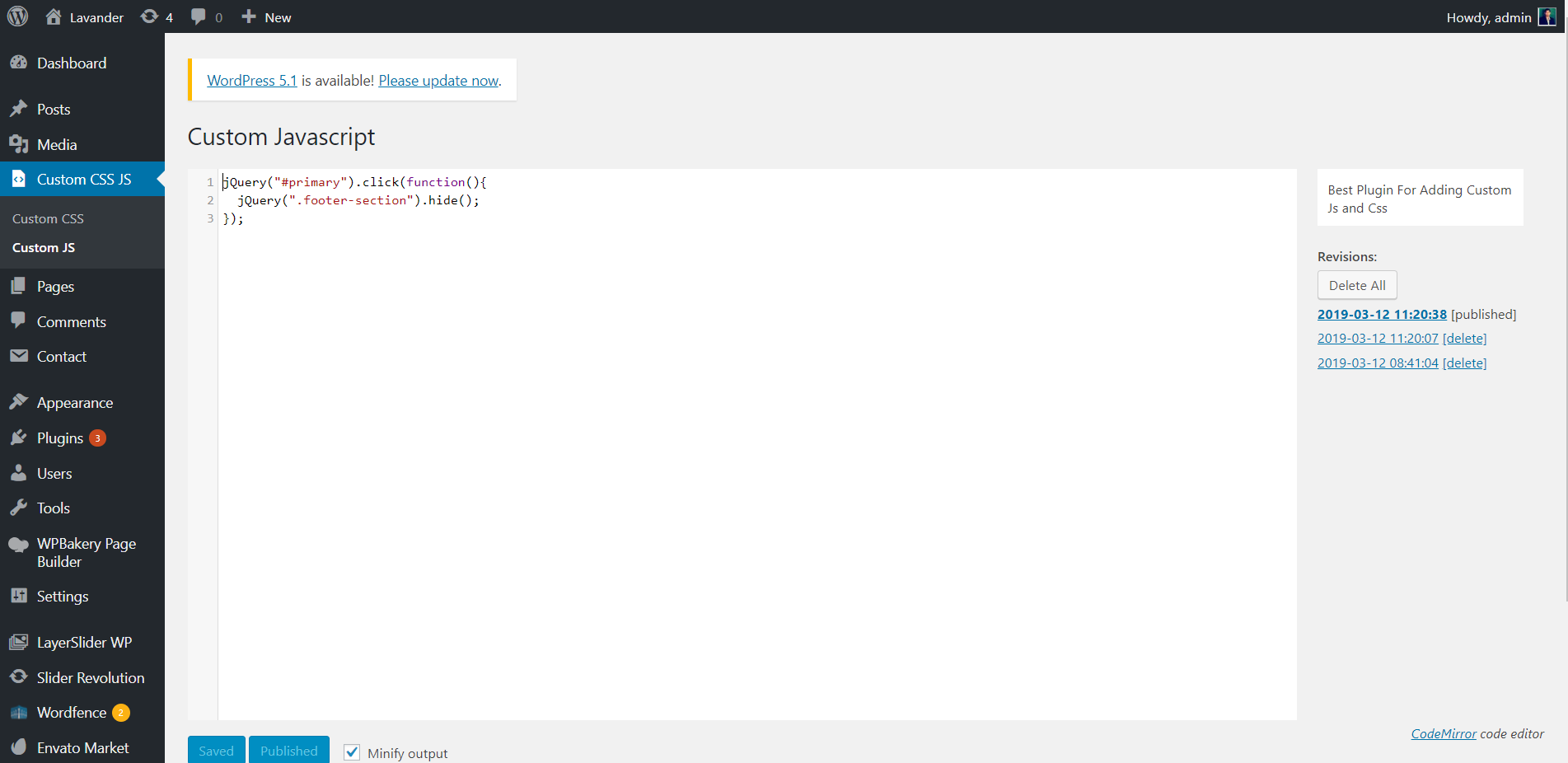
常见问题:
How do I add custom CSS in WordPress?
Go to Add Custom CSS & JS → Add Custom CSS, write your CSS in the editor, choose where it should load, and click Publish. It is applied to your whole site instantly — no theme files touched. For a full walkthrough, see our guide: How to Add Custom CSS and JavaScript in WordPress.
How do I add custom JavaScript in WordPress?
Go to Add Custom CSS & JS → Add Custom JS, write your JS, and click Publish.
Can I add more than one CSS or JS code?
Yes. You can add unlimited separate snippets. Each one has its own title, options, and on/off state, and they are all listed in the management table.
What is the difference between "Internal" and "External"?
Internal prints the code inline directly in the page. External saves the code to a cached .css/.js file that loads as a normal file — best for larger code and performance.
Does it minify (compress) my code?
Yes. With "Minify output" enabled (the default), each snippet is automatically compressed when you save it.
Will this plugin slow down my site?
No. External snippets are served as cached static files and minified output keeps them small, so there are no extra database queries on the front end.
My code does not show on the website. What should I do?
- If you use a caching plugin, clear the cache after saving.
- Make sure the snippet status is Published (not Draft or Trash).
- Confirm the snippet's "Apply on" option matches where you are looking (Front end vs Admin).
- Check that the
wp-content/uploads/wp-add-custom-css-and-javascriptfolder exists and is writable (used for external files).
Will my code be lost if I change my theme?
No. Your custom CSS and JS are stored independently of the theme, so they stay active when you switch or update themes.
Can I reference an image in my CSS?
Yes. Upload the image to your Media Library, then refer to it by its direct URL inside your CSS, for example:
body { background-image: url('https://example.com/wp-content/uploads/2026/01/bg.jpg'); }
;)
Can I use CSS rules like @import and @font-face?
Yes. Your CSS is output exactly as written.
Who can add or edit the code?
Only administrators (users with the edit_theme_options capability) can add, edit, or delete custom CSS/JS. Every action is also protected by a WordPress nonce.
Does it work on Multisite?
Yes, the plugin works on a WordPress Multisite network (activate it per site).
Where can I get support or more plugins?
This plugin is built by d3logics. Visit d3logics.com/plugins for support and our other free WordPress plugins.
更新日志:
- Packaging fix to ensure all 2.0 files are published correctly.
- Improved plugin page content, FAQs, and SEO.
- New: Add unlimited custom CSS and JS snippets, each managed from a list table like Posts.
- New: Per-snippet options — internal (inline) or external (cached file), header or footer, and front end / admin / both.
- New: Autocomplete in the editor for CSS properties and JavaScript.
- New: Each snippet can be enabled or disabled independently.
- New: Existing CSS/JS from version 1.x is automatically imported into snippets on upgrade.
- Security: Capability checks and nonce verification throughout; PHP 8 compatible.
- New: Published CSS and JS are automatically minified (compressed) for faster page loads.
- Fix: Removed
get_magic_quotes_gpc(), which caused a fatal error on PHP 8.0+. - Security: Added nonce verification to all AJAX actions and escaped all output.
- Minor fixes.
- Initial release.