
WP Content Copy Protection & No Right Click
| 开发者 | wp-buy |
|---|---|
| 更新时间 | 2026年10月21日 20:25 |
| PHP版本: | 7.4 及以上 |
| WordPress版本: | 7.1.3 |
| 版权: | GPLv2 or later |
| 版权网址: | 版权信息 |
标签
下载
详情介绍:
This wp plugin protect the posts content from being copied by any other web site author , you dont want your content to spread without your permission!!
The plugin will keep your posts and home page protected by multiple techniques (JavaScript + CSS), this techniques does not found in any other wordpress plugin and you will own it for free with this plugin
PRO Version Features
Protect Your Valuable Content with WP Content Copy Protection & No Right Click
Are you tired of seeing your original content copied and spread across the web without your permission? The WP Content Copy Protection & No Right Click plugin is here to safeguard your posts and home page from unauthorized copying.
安装:
Installation steps
- Download the package.
- Extract the contents of WP-Content-Copy-Protection.zip to wp-content/plugins/ folder You should get a folder called WP-Content-Copy-Protection
- Activate the Plugin in WP-Admin.
- Goto Settings > **WP-Content-Copy-Protection** to configure options.
- You will find **4 options** to protect your content,images,homepage and css protection. dont forget to **save** the changes before exit
屏幕截图:


更新日志:
4.4
- New feature: "Ask AI for help" in the Error Monitor, free for the top 3 issues in the list. One click copies a ready-made prompt about that error, ready to paste into ChatGPT, Claude or any AI assistant, and the button changes to "Ready prompt copied". The button is still a PRO feature for the other issues.
- Ask AI for help: the prompt includes the severity, the full message, the file and line, the plugin or theme behind the error with its version, how often it happened in the selected period and in the whole log, and the first and last seen dates. It also lists your WordPress version, PHP version, active theme and whether the site is a multisite, and asks for a plain-language explanation and a safe, step-by-step fix.
- Ask AI for help: copying also works on admin pages served over plain http (no https), and the prompt text is translatable.
- Interface: a cleaner settings page. Notifications from other plugins, themes and WordPress are hidden on the plugin settings page only, behind a "Show hidden notifications" button that shows how many there are. One click shows them again, and dismiss buttons keep working. The plugin's own notices stay visible, and every other admin page is unchanged.
- Interface: the plugin icon in the admin bar glows softly while you hover it, focus it with the keyboard or have its insights card open.
- Fix: a single right-click now shows your alert message. Before, the context menu was blocked silently and the message only appeared on a double-click.
- Fix for Mac users: copy shortcuts are now blocked with the Cmd key too (Cmd+A, Cmd+C, Cmd+S, Cmd+U and the Safari source and developer tools shortcuts), not only with Ctrl. Text fields and editable areas still accept them.
- Fix for Mac users: in Safari, a Force Click on the trackpad no longer selects a word and opens the Look Up popup on protected pages. Text fields and editable areas are not affected.
- Fix: right-click protection and CSS protection now also cover search results pages, using the same setting as the homepage and archives. Selection protection already did.
- Fix: the "Start it!" button in the subscribe box at the top of the settings page opens the subscription page again, with your email filled in. Before, it opened the PRO product page instead.
- Admin Bar Insights on the front end: the insights card now also opens when you hover the plugin icon in the admin bar while viewing your site, not only inside wp-admin. It stays hidden in the Customizer preview and on small screens.
- New feature: New errors count on the admin bar icon. A red counter next to "Protection" shows how many new error issues appeared since you last opened the Error Monitor (or in the last 24 hours if you have not opened it yet), the same number as the "New issues" tile in the card. It shows "99+" above 99, is hidden when there is nothing new, and is reset once you open the Error Monitor.
- New errors count: repeated lines of an error the logs already had are not counted again, so old noise such as the same deprecation notice logged every day does not keep the counter up. Only problems that were not happening before are counted.
- New errors count performance: page loads only read the stored error snapshot. When the snapshot is older than 10 minutes the count is refreshed in the background after the page has loaded, so your pages are never slowed down by reading log files.
- Notifications: the "New activity" dot is no longer shown while the new errors count is visible, so the icon never carries two signals at once.
- Interface: the insights card is protected against front end theme styles (list bullets, link borders, text alignment), so it looks the same on your site as in wp-admin.
- New feature: Protection Center, free for everyone. See your protection working instead of guessing: it counts how often visitors run into the protection that is really active on a page (blocked right-clicks, blocked text selections, blocked copy shortcuts, image interactions and print attempts) and shows what happened since your last visit.
- Protection Center: Summary cards for visits with blocked actions, blocked interactions and pages with activity, with a comparison to the week before and the time and page of the last blocked action.
- Protection Center: "Visits with blocked actions per day" chart for the last 7 days next to the 7 days before, with a hover tooltip, keyboard navigation and a table view.
- Protection Center: "Most interacted-with protected content" list ranks the pages and posts people try to copy the most, and "Text or images?" shows whether visitors reach for your text, your images, right-clicks or printing.
- Protection Center: "What your protection covers" card shows, for posts, pages and the homepage, which protection layers (selection and shortcuts, right-click, CSS layer) are on or off, with a link to change them.
- Protection Center: The tab opens once 500 visits with blocked actions are on record, and a one-time admin notice tells you when it is ready. A small count next to "Copy Protection" in the admin menu shows new visits with blocked actions since you last opened it, and a "Content protection activity" dashboard widget gives the headline numbers.
- Protection Center: Optional weekly email summary sent to the site admin every Monday, only in weeks that had activity, with a "Send me a preview" button.
- Protection Center privacy: no IP address, cookie, user agent or personal data is stored, only counts per page, per action type and per hour. Logged-in editors and admins are never counted, bots are ignored, and one visit counts each kind of action at most 5 times.
- Protection Center control: switch recording on or off, delete all recorded activity with a confirmation popup, and choose whether deleting the plugin also deletes the data (off by default). Old counts are removed automatically after 90 days.
- Protection Center performance: a small deferred tracker script with no dependencies sends nothing unless something was blocked, and then only one request per visit, so page speed is not affected. Every admin action checks the user's permissions and a security nonce.
- New feature: Admin Bar Insights. Hover over the plugin icon in the top admin bar, anywhere in wp-admin, and a small card opens with your latest numbers, so you do not need to open the plugin page to know what is going on.
- Admin Bar Insights: The card shows one headline number (visits that ran into your protection since your last visit, or in the last 7 days), blocked actions and pages, the change compared to last week, a 7 day sparkline and the time of the last activity.
- Admin Bar Insights: An "Error logs" part shows errors today, fatal errors in the last 7 days and new issues, taken from the Error Monitor.
- Admin Bar Insights: Two short insights that change on every hover, such as "Today is already at 3× your usual daily activity", "Today is your busiest day in 60 days of records", "One page suddenly drew 41% of this week's activity", "Most activity arrives around 9:00 pm", "Fatal errors logged today" or "One plugin is behind 70% of this week's errors". Two insights of the same kind are never shown together, and important ones (an activity spike, a fatal error today) are always shown first.
- Admin Bar Insights: Quick buttons in the card open the Protection Center ("See what you missed" when there is new activity) or the Error Monitor.
- Notifications: A small "New activity" dot appears on the admin bar icon when there are new visits with blocked actions, a fatal error today or a new error issue since you last looked. To stay out of your way it shows for at most 5 minutes in every hour, and it is hidden for a day once you open the plugin page.
- Notifications: A warning insight tells you when PHP error logging is switched off, so problems on your site do not go unnoticed.
- Admin Bar Insights performance: nothing is calculated while your admin pages load except the notification dot, which uses cached counts. The card data is loaded only the first time you hover and cached for 5 minutes, and log files are read at most every 10 minutes. Page titles are never sent to the card.
- Admin Bar Insights accessibility: the card also opens with the keyboard (Tab to the icon), you can move through its links with the keyboard and close it with the Escape key. It is shown to administrators only and follows the "top bar icon" visibility setting.
- New feature: Error Monitor tab, free for everyone. It finds the error logs of your site (wp-content/debug.log, the PHP error log set by your server, and the error_log files in the site root, wp-admin and wp-content) and shows what is going wrong in plain language.
- Error Monitor: Repeated errors are grouped into single issues. The same message from the same file and line is shown once with a counter, so an error logged 10,000 times appears as one issue, not 10,000 rows.
- Error Monitor: Every issue shows the plugin, theme or part of WordPress that caused it, with the file and line, first seen and last seen dates, and the full error message.
- Error Monitor: "Errors per day" chart stacked by severity (fatal errors, warnings, notices, deprecated and other messages), with a hover tooltip, keyboard navigation and a table view.
- Error Monitor: "Where they come from" chart that ranks your plugins and theme by the number of errors they produce.
- Error Monitor: Summary cards for occurrences, unique issues, fatal errors and the time of the last error, plus 7 / 30 / 90 day filters, a log file filter and sorting by most frequent, latest or most severe.
- Error Monitor: Download any log file, or clear it with a confirmation popup once its issues are fixed.
- Error Monitor security check: warns you when your debug.log or error_log file can be downloaded by anyone from the web, and shows how to block it on Apache, LiteSpeed and Nginx.
- Error Monitor: Debug settings card shows the state of WP_DEBUG, WP_DEBUG_LOG, WP_DEBUG_DISPLAY and PHP log_errors, with ready to copy wp-config.php lines to log errors without showing them to visitors. The plugin never edits wp-config.php.
- Error Monitor performance and safety: logs are read only when the tab is opened and only the newest 1 MB of each file is analysed, so huge logs do not slow down the admin. Only administrators (super admins on multisite) can see or clear logs.
- Interface: The settings save bar is hidden on the Error Monitor tab, since there is nothing to save there.
- Major release: the whole admin settings panel has been redesigned from scratch with a modern interface and layout matching the wp-buy.com design system (clean cards, soft shadows, rounded corners and a new color palette).
- Interface: The old tabs strip is replaced by pill style tab buttons. The SimpleTabs jQuery library was dropped for a lightweight script with keyboard navigation (arrow, Home and End keys), accessible tab roles, and it remembers the last opened tab.
- Interface: The old table based layout is replaced by setting cards, every option now sits on one aligned row: title, option and help note.
- Interface: Save Settings, Restore defaults and Preview alert message buttons moved into a new sticky action bar at the bottom of the form.
- Interface: Compact visual scale for a settings page (smaller headings, tabs, inputs, rows and text areas), the panel is now about 24% shorter.
- Interface: Self hosted Inter font, loaded on the plugin settings page only, no external requests and nothing added to the front end.
- Interface: New plugin box logo and icons in WebP format, plus a full set of built in SVG icons across the panel.
- Interface: New featured PRO banner at the top of the panel and a new footer help area with three cards: Get support, Help topics and Leave a review.
- Interface: Glass shine effect on the PRO badges, primary buttons and screenshots on mouse hover and when their tab opens (disabled for users who prefer reduced motion).
- RightClick Protection tab: each "Disable RightClick on" option (Posts, HomePage, Static pages) is now on its own line with a help note, plus a new locked PRO row for any post type, such as WooCommerce and marketplace products.
- More with PRO tab: new Plans / Detailed info toggle. Plans view (default) compares the FREE, ESSENTIAL and COMPLETE plans with their real lifetime prices, the support and updates note and the website discount notice. Detailed info view lists the PRO features grouped into 7 protection modules with icons.
- More with PRO tab: removed the "Basic features" box, since the plugin user already has these features.
- New: The Restore defaults button now opens a confirmation popup before resetting the settings, so they cannot be wiped by a wrong click. The popup can be closed with Cancel, X, the Escape key or a click outside it, and it supports RTL languages.
- Mobile: Full responsive layout for phones and tablets. The PRO banner collapses to its icon and title, the action bar is no longer sticky so it does not hide the screen, and the help cards stack with full width buttons.
- Fixed: The PRO banner icon was stretching to fill the entire screen on small width devices.
- Fixed: Setting labels and descriptions were rendered at the same font size because of a CSS rule conflict, and some option controls were misaligned by 30px.
- Fixed: The newsletter bar email field was taller than intended, and some texts were showing a double escaped "&".
- Links: "Get support" now opens the wp-buy contact page and "Browse plugins" is renamed to "Help topics", opening the copy protection help topics.
- Language support: New translations added for German, Spanish, French, Italian, Japanese, Dutch, Portuguese (Brazil), Portuguese (Portugal), Russian and Chinese (Simplified), with Arabic fully updated. 11 languages, each with all 263 strings translated.
- Language support: The front end alert messages ("You are not allowed to save images!", "Context Menu disabled!", "You are not allowed to copy content or view source") and the admin menu titles are now translatable.
- Code cleanup and consistent formatting inside preventer-index.php, with no change to the protection behaviour. Your saved settings are kept exactly as before.
- Fixed plugin activation hook: `add_action('admin_init', 'wccp_free_load_textdomain')` was incorrectly registered with `admin_init` instead of the correct `init` hook. This caused translations to load late, potentially after some text had already been output without translation.
- Fixed: The "Upgrade to Pro" callout message was being displayed on every page load instead of only once every 15 days. This was due to an incorrect condition in the wccp_free_after_plugin_row function.
- languages/wp-content-copy-protector.pot — regenerated from source. It was stale since 2020 and had drifted badly
- languages/wp-content-copy-protector-ar.po — merged against the new template, keeping all existing translations, then filled the gaps. Went from 90 translated + 2 fuzzy + 12 missing → 97/97 translated, 0 fuzzy
- also rewrote the two fuzzy entries; No right-click or context menu. had been mistranslated as "nobody will right-click on pages and images", now تعطيل النقر بزر الفأرة الأيمن وقائمة السياق.
- Security: Escaped every output in the admin settings panel and the review notice using esc_html_e(), esc_attr_e(), esc_js() and wp_kses().
- Security: All $_POST, $_GET and $_SERVER values are now unslashed with wp_unslash() and sanitized before being used or saved.
- Prefixed all plugin global variables and functions with wccp_free_ to prevent conflicts with themes and other plugins.
- Fixed the deprecated third parameter that was passed to add_option() when creating the settings option.
- Removed dead code: $_POST values that were read and then discarded, and an empty condition block inside wccp_read_options().
- No change to the protection behaviour, the saved settings are stored exactly as before.
- Checking with wordpress version 7.1
- Add survey on plugin deactivation
- keep only one upgrade notice under the plugin name in plugin list table.
- Fixed in preventer-index.php:112-133.
- What was happening: wccp_free_iscontenteditable() did an unguarded target.parentElement.isContentEditable. Every element has a parent except — and document.onmousedown fires with e.target === document.documentElement when the click lands on the html element rather than body content (the gutter/margin area outside , or a page whose body doesn't fill the viewport). parentElement is null there, hence the intermittent throw. Because disable_copy throws before returning, the rest of its logic is skipped for that click
- Fixed in preventer-index.php:33-67.
- What was happening: wpccp_free_disable_copy() never returned early on copy-allowed elements, so if a user selected content inside an allowed or , the script would still throw a preventDefault() on the event and display the alert( ) message. Even though preventDefault() doesn't stop the browser's own copy mechanism, the console error can be jarring, and your code didn't allow for a per-element override when the global switch was enabled
- Checking with wordpress version 7.0.3
- Checking with wordpress version 7.0.1
- Checking with wordpress version 7.0
- Fix admin page tabs view error.
- Security: Escaped JavaScript output using esc_js() to prevent potential XSS vulnerabilities.
- Security: Added nonce verification for $_GET requests to improve protection against CSRF attacks.
- Fix plugin upgrade messages logic into wpccp_after_plugin_row() function.
- Load plugin textdomain function hass been removed because its deprecated.
- Remove wp_enqueue_style('font-awesome.min.css') because including external css file is prevented.
- Checking with wordpress version 6.9.4
- Checking with wordpress version 6.9
- Checking with wordpress version 6.8.2
- Checking with wordpress version 6.8.1
- Checking with wordpress version 6.7.2
- Fix style error inside customizer.php theme options page
- Checking with wordpress version 6.7.1
- Fix security issue related to restore_defaults action inside admin panel
- Checking with wordpress version 6.6.2
- Checking with wordpress version 6.6.1
- Checking with wordpress version 6.4.3
- Checking with wordpress version 6.3
- Fix some sanitization errors
- Checking & some text changes
- Checking with wordpress version 6.2.2
- Checking with wordpress version 6.2
- Checking with wordpress version 6.1
- Fix ReferenceError: on is not defined, e.setAttribute(unselectable, on)
- Checking with wordpress version 6.0.1
- Return to the previous version (3.4.7)with some small fix and new version id (3.4.9) until do more fixes
- error fix for the main page
- Checking with wordpress version 6.0
- Checking with wordpress version 5.9.3
- security fix for the settings form
- Checking with wordpress version 5.9
- Checking with wordpress version 5.8.2
- Checking some code errors
- Checking with wordpress version 5.8.1
- Checking with wordpress version 5.7.2
- Important code fix
- Checking with wordpress version 5.7
- Important code fix
- Checking with wordpress version 5.6
- Fixed, PHP Notice: fread(): read of 8192 bytes failed with errno=21 Is a directory in /wp-includes/functions.php on line 6030
- Important fix for this error, PHP Warning: array_key_exists() expects parameter 2 to be array, preventer-index.php on line 691
- Top icon bar color converted to new very nice color - green
- Testing with wordpress 5.5.3 new version
- Now compatible with (elemenator page builder) plugin
- Now compatible with (siteorigin live editor page builder) plugin
- Now compatible with (WordPress Page Builder – Beaver Builder) plugin
- Now compatible with (Wordpress internal preview mode)
- New control panel (restore defaults) button added
- New control panel (preview alert message) button added
- New name for the top bar icon to fix its default choice in the previous version
- Translation file updated
- Some fixes
- Important fix for content editable tags
- Now compatible with wpDiscuz plugin & some chat wordpress plugins
- Top bar icon has been returned, as it was inside previous version 2.6
- New option inside main settings to control the visibility of the top bar icon
- Stop the auto loading for the alert (warning.png) icon
- Some linguistic mistakes were corrected
- Important fix for 2.7 update
- Add links to dismiss the new start page links
- Disable (CTRL + Shift + I) developer tools shortcut key
- Remove recommended plugins section from admin page
- Add one starting page for all of our plugins
- Code fix
- Test all features with wordpress version 5.5
- Code fix
- Safari update and fix
- checking with new wordpress version
- Admin page Fix
- Copy paste password to log in fields and any other text field is now possible
- Some script fixes
- Admin page Fix (mailing list join message will show your email before submit)
- Admin page Fix (Our other products list is ready to go)
- Admin page Fix
- Fix iphone & ipad posts protection
- Premium feature unlocked!! the second option inside CSS protection tab
- "Review us" admin dismissable notice added
- Translation slug is now the same as the plugin slug
- Arabic translation file included inside the plugin language folder and its also included on wordpress translation plugin page
- Translation is now supported
- wp-content-copy-protector.pot Template translation file included
- Checking with the last update
- Unwanted ad removed
- Fix the error Undefined index: prnt_scr_msg in preventer-index.php on line 171
- Add dismiss button to the end of upgrade message
- New option to show Print preview message instead of showing page content when user try to print your page using CTRL+P key
- Fixes inside admin page layout
- Fix Fatal error: Cannot redeclare plugin_add_settings_link()
- JQuery important hotfix
- Sanetization for all input and output
- Internet Explorer important hotfix
- Testing on wordpress 4.4.2 new version
- Auto remove image url's
- Fix javascript errors
- Adding adminbar link and icon redirecting you to the plugin settings page
- Adding settings link into the plugins list page
- Adding isset() function to all variables
- Improving alert message
- Fixing CTRL + U issue
- Fixing CSS tricks
- Fixing error (Warning: join(): Invalid arguments passed in /home/retailmakeover/public_html/wp-includes/post-template.php on line 478)
- Admin can disable copy protection for logged in/admin users
- disable the possible shortcut keys for copying the Text
- You can also choose where this Plugin should work like All Pages (including Home Page and all other Pages & Posts) or Home Page or Custom Pages/Posts using the Settings Page options.
- Multiple Text and Image Protection methods
- Advanced Image Protection using Responsive Lightbox
- Protect your Text and Images by Disabling the Mouse Right Click and Possible Shortcut Keys for Cut (CTRL+x), Copy (CTRL+c), Paste (CTRL+v), Select All(CTRL+a), View Source (CTRL+u) etc.
- control the protection to be on users only (if admin here dont protect)
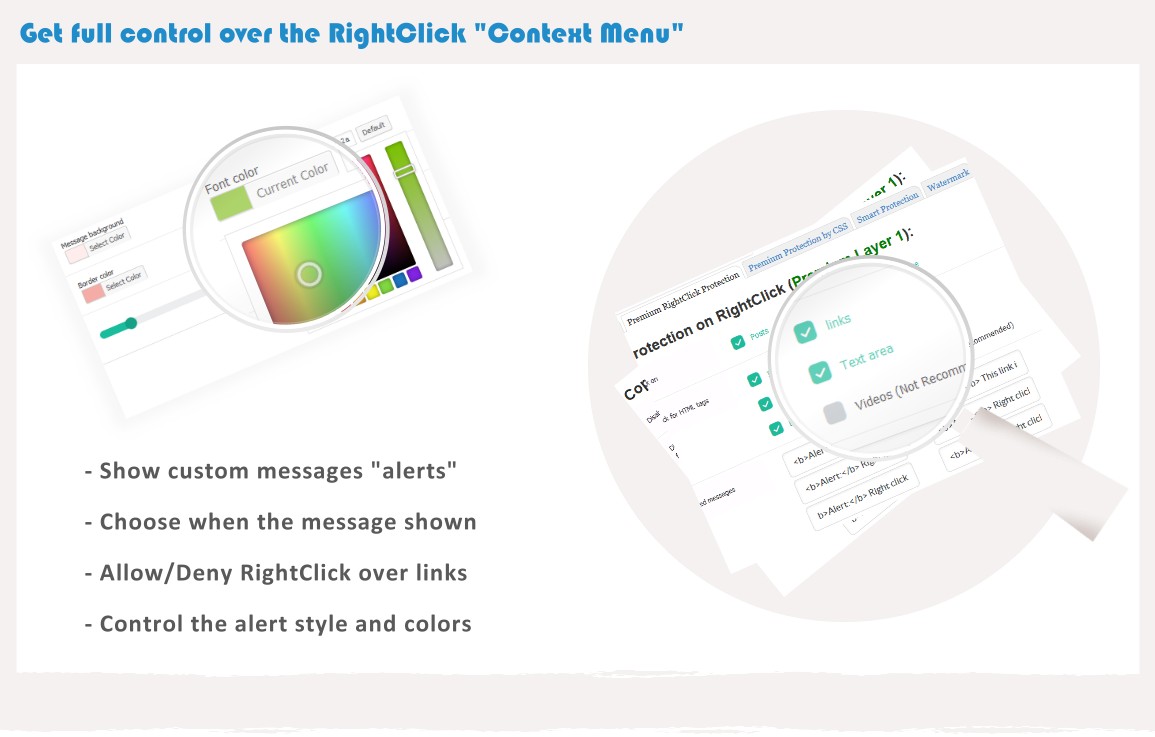
- Option to Display Alert Message on Mouse Right Click.
- Enable Right Click on Hyperlink Option Added
- Right click problem fixed on static pages
- New flat interface
- initial version
- static pages bug fixed
- home page problem fixed
- Add new Style