
WP Document Revisions
| 开发者 | |
|---|---|
| 更新时间 | 2026年7月28日 03:36 |
标签
下载
5.1.2
1.0.3
1.0.4
1.0.5
1.1
1.2
1.2.1
1.2.3
1.2.4
1.3.1
1.3.2
1.3.3
1.3.4
1.3.6
2.0.0
3.0.0
3.1.1
3.1.2
3.2.0
3.2.1
3.2.2
3.2.4
2.2.0
3.3.0
1.0
3.3.1
4.0.3
3.1.0
3.5.0
1.0.1
3.0.1
0.5
5.1.1
0.6
3.6.0
3.6.1
3.7.0
3.7.1
3.7.2
4.0.5
0.1
3.4.0
3.8.0
3.8.1
4.0.0
4.0.1
4.0.2
4.0.4
1.2.2
4.0.6
5.0.0
5.1.0
1.0.2
1.3
4.0.7
5.2.0
1.3.5
5.1.3
5.3.0
详情介绍:
安装:
🚀 Automatic Install (Recommended)
- Log into WordPress Admin - Login to your WordPress site as an Administrator, or if you haven't already, complete the WordPress installation
- Go to Plugins - Navigate to Plugins > Add New from the left menu
- Search - Search for "WP Document Revisions"
- Install - Click "Install Now" next to WP Document Revisions
- Activate - Click "Activate" to enable the plugin
- Download - Get the latest version from WordPress.org or GitHub Releases
- Upload - Unzip the file and upload the "wp-document-revisions" folder to your
/wp-content/plugins/directory - Activate - Log into WordPress admin, go to Plugins, and activate "WP Document Revisions"
bash
git clone https://github.com/wp-document-revisions/wp-document-revisions.git
cd wp-document-revisions
composer install --no-dev
⚙️ Requirements
- WordPress: 5.0 or higher
- PHP: 7.4 or higher
- File Permissions: WordPress must be able to write to the uploads directory
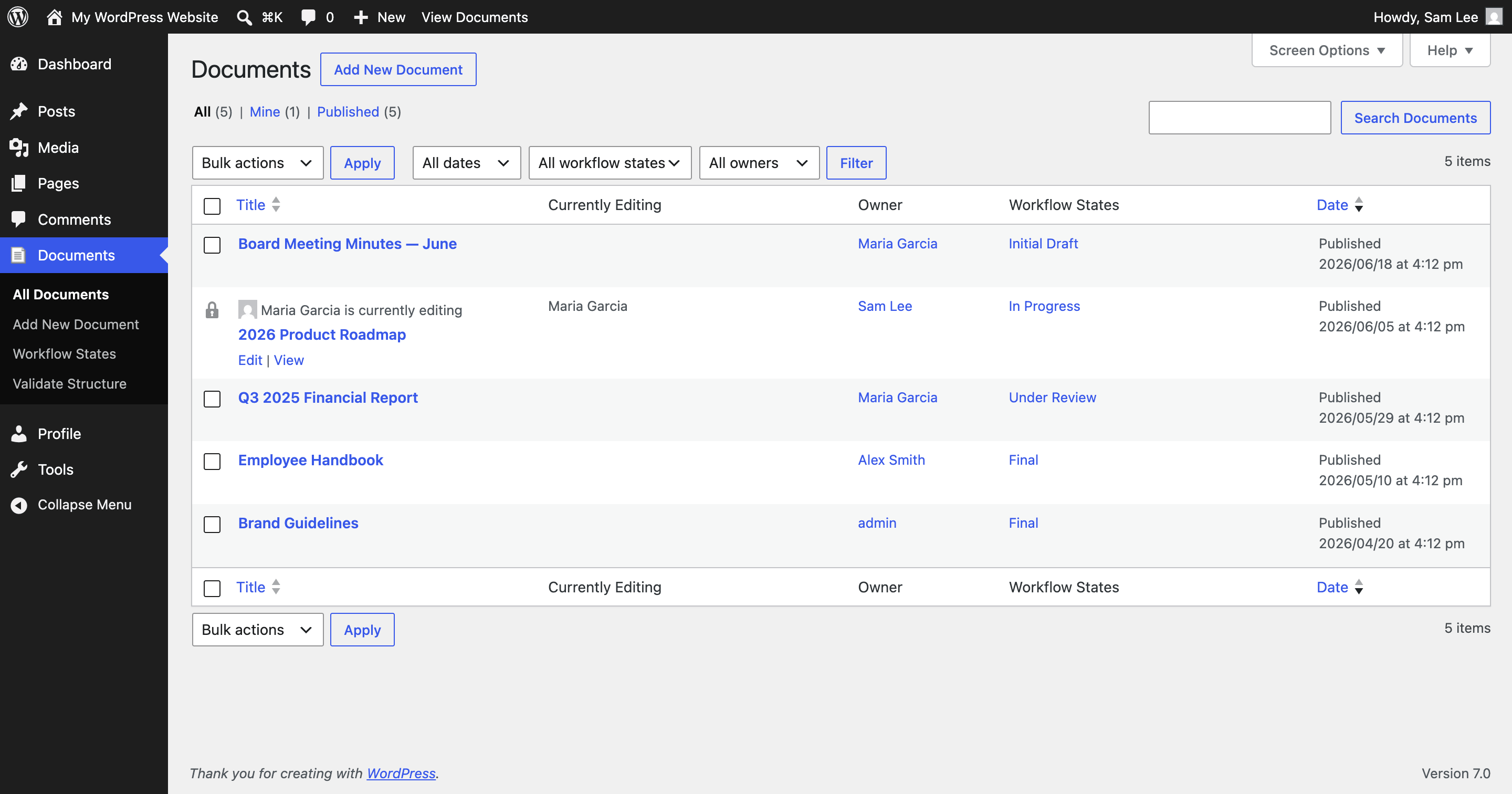
- Creating your first document - Go to Documents > Add New
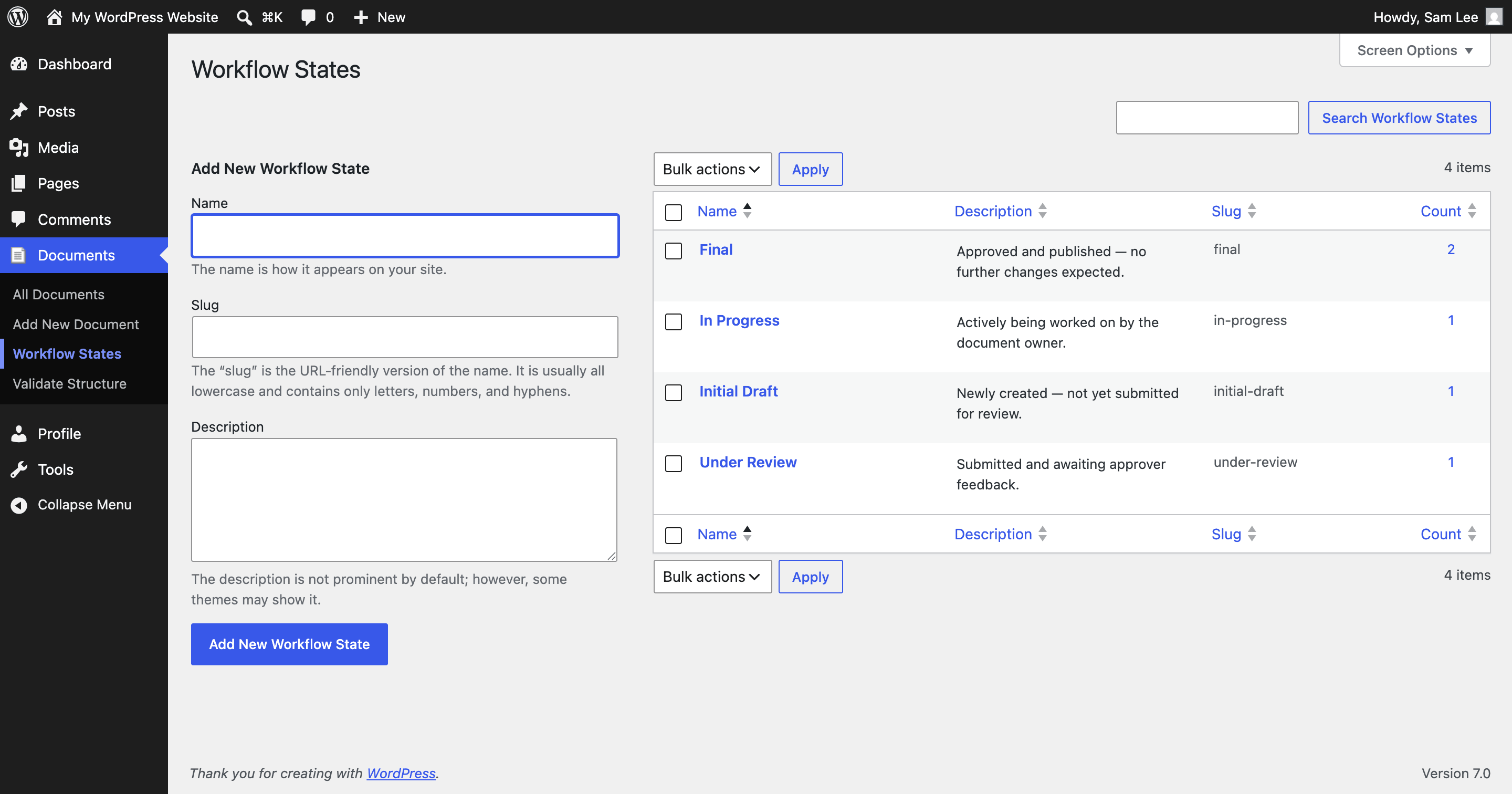
- Setting up workflow states (optional) - Go to Documents > Workflow States
- Configuring permissions - Review Settings > Document Revisions
屏幕截图:
更新日志:
Numbers in brackets show the issue number in https://github.com/wp-document-revisions/wp-document-revisions/issues/
5.3.0
- The WordPress.org "Live Preview" now opens with sample documents that already carry revision history and workflow states, so the preview demonstrates version control and workflow at a glance instead of showing an empty list. (#632)
- Add a first-run prompt on the Documents screen that points new users (and Live Preview visitors) to add their first document, replacing the blank empty-state table. (#632)
- Occasionally invite established users to leave a WordPress.org review — shown only after real, successful use, dismissible, and never repeated once dismissed. (#632)
- Documentation: block editor (Gutenberg) support is now described as supported and opt-in rather than experimental, and the readme leads with the plugin's full-text search and AI-generated revision summary capabilities. (#632)
- The classic-editor admin and block-editor sidebar (document upload and revision log) interface strings are now fully translatable via WordPress's JavaScript internationalization. Previously a number of the plugin's script-side strings could not be translated and always appeared in English regardless of the site language. (#628)
- Add or refresh translations for 31 languages covering the newly-translatable admin and block-editor strings. (#628)
- Under the hood: the plugin's admin JavaScript is now built as ES modules through
@wordpress/scripts, with static type-checking and expanded unit and component test coverage in CI. No change to functionality.