WP EasyCart: Shopping Cart and eCommerce Store
| 开发者 |
levelfourdevelopment
ecommercecart |
|---|---|
| 更新时间 | 2026年10月6日 09:34 |
| PHP版本: | 7.3 及以上 |
| WordPress版本: | 7.1 |
| 版权: | GPLv2 or later |
| 版权网址: | 版权信息 |
标签
下载
详情介绍:
- Unlimited products and orders, with options, variations and stock tracking.
- Stripe, Square and PayPal checkout, including Apple Pay and Google Pay.
- Checkout protection, on by default, that stops bots from testing stolen cards at your checkout.
- Catalog mode to show products without selling them.
- An order screen built for speed: see where each order stands, tick items off as you pack, and ship in one step with tracking and an email to the customer.
- Save the boxes you ship in and have new orders packed into them automatically.
- Shipping rates by price, weight, quantity or percentage, and tracking for every package through to delivery.
- Tax rates by country, state and province, and VAT with VAT number checks.
- Reports with your sales, orders and taxes, and a weekly summary email.
- See where each order came from, including AI assistants such as ChatGPT, Perplexity, Gemini and Copilot.
- Product pages that tell Google, Bing and AI assistants your prices, stock, reviews, return policy and shipping.
- Meta Pixel and Google Analytics, with support for your cookie banner.
- Customer reviews with review request emails.
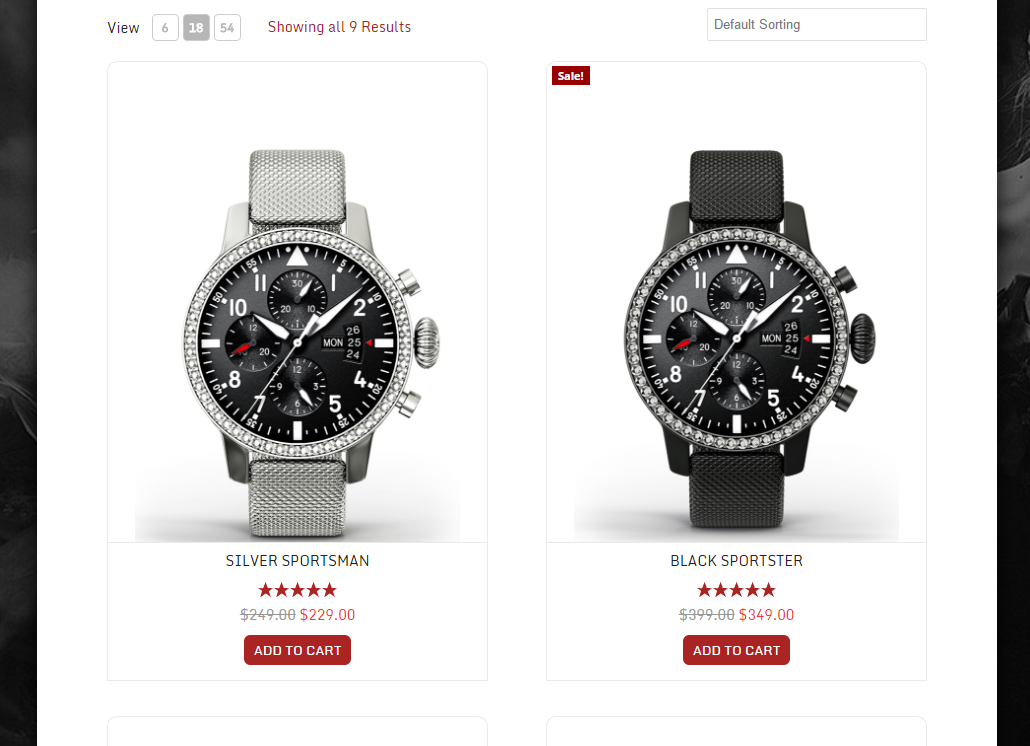
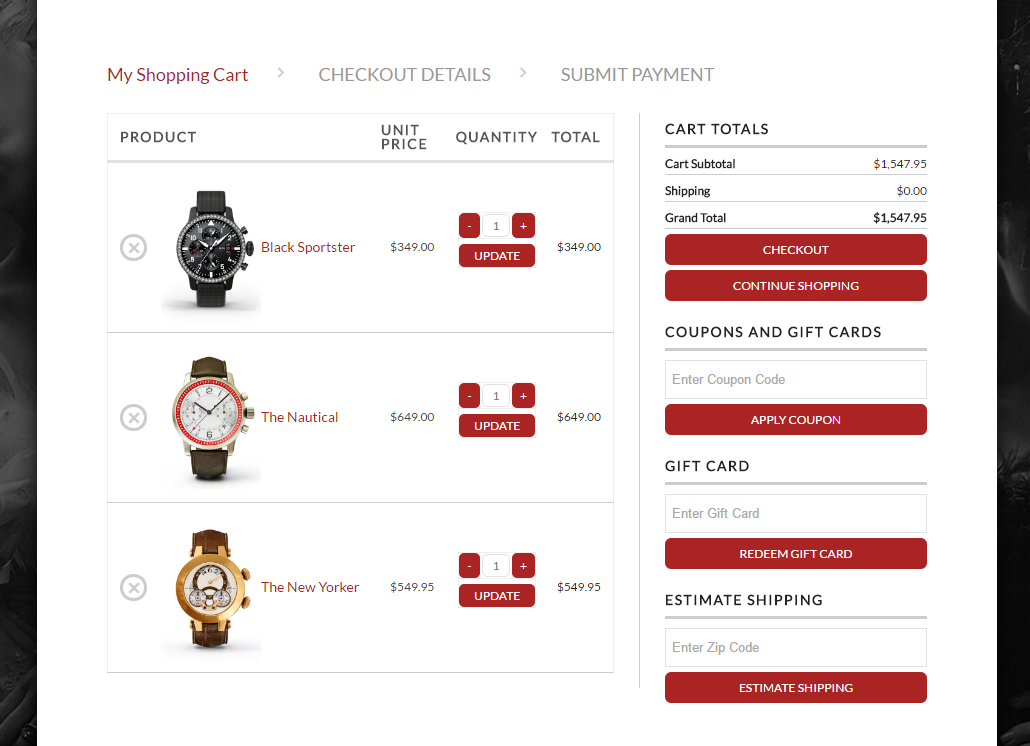
- Works with any theme, with store, cart and account pages created for you.
- Elementor widgets and templates for product, category, shop, cart, checkout and account pages, plus blocks and shortcodes.
- Change any wording your store shows, in any language.
- Works with Complianz, CookieYes, Cookiebot, the WP Consent API and Google Consent Mode.
- Customers are included in WordPress's personal data export and erase tools.
- Card details are entered in your payment provider's own secure fields.
- No WP EasyCart fee on your sales, and 30+ more payment gateways.
- One-page checkout, your own checkout questions, and gift orders.
- Subscriptions, digital downloads and gift cards.
- Live shipping rates from UPS, FedEx, USPS, DHL, Canada Post and Australia Post, Royal Mail prices for UK shops, plus store schedules and pickup locations.
- Automatic sales tax from TaxCloud or TaxJar.
- Coupons, promotions and abandoned cart emails.
- Order editing and refunds, invoices and credit notes, payment terms, and orders you create for phone customers.
- Full reports on products, customers, profit, carts and more, a Google product feed, and MailerLite, Kit and ActiveCampaign sync.
- One-to-one support and 12 months of updates. Try Pro free for 14 days from WP EasyCart › Registration; no card needed.
- Store manager apps for iPhone, iPad, Android and desktop.
- Premium extensions, installed in one click: Facebook & Instagram, Shippo, ShipStation, Stamps.com, QuickBooks Desktop, Avalara AvaTax, AffiliateWP, Email Marketing for Mailchimp and Klaviyo, Zapier and more.
安装:
- In your WordPress admin, go to Plugins › Add New, search for "WP EasyCart", then install and activate it.
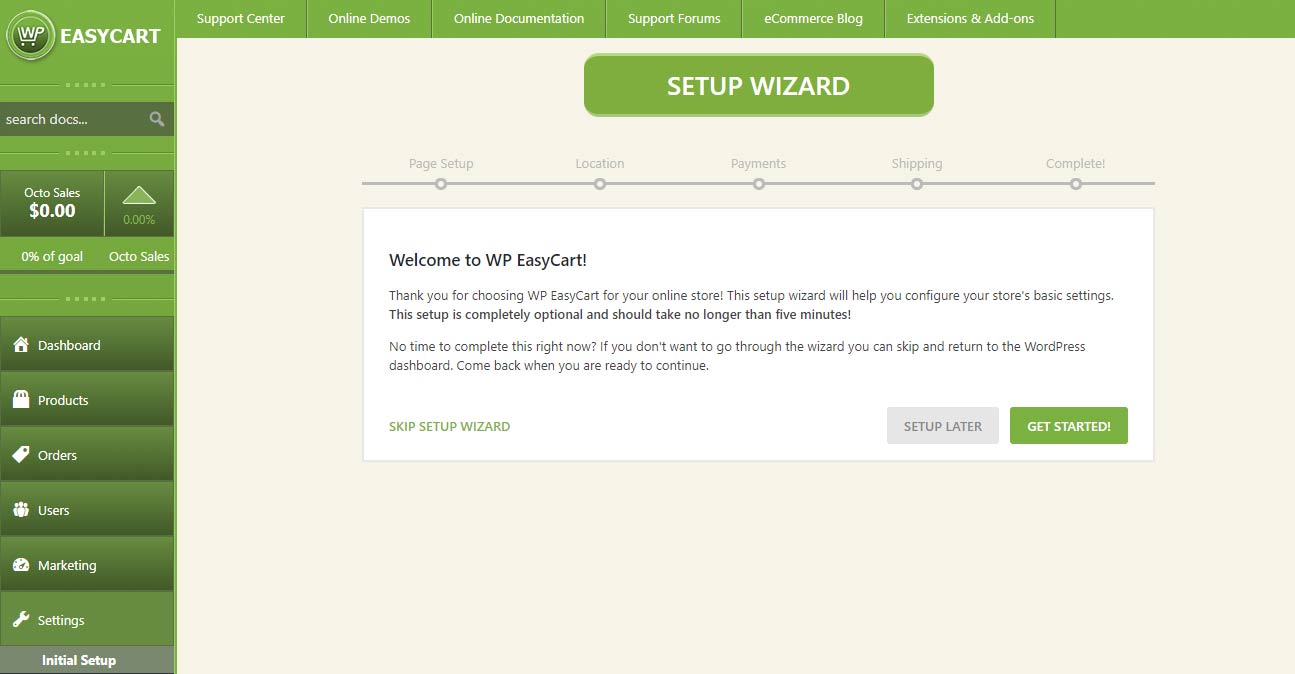
- Follow the setup wizard to create your store pages and choose how you take payments, charge tax and ship.
- Add your products under WP EasyCart › Products.
- Connect Stripe, Square or PayPal under WP EasyCart › Settings › Payments.
屏幕截图:
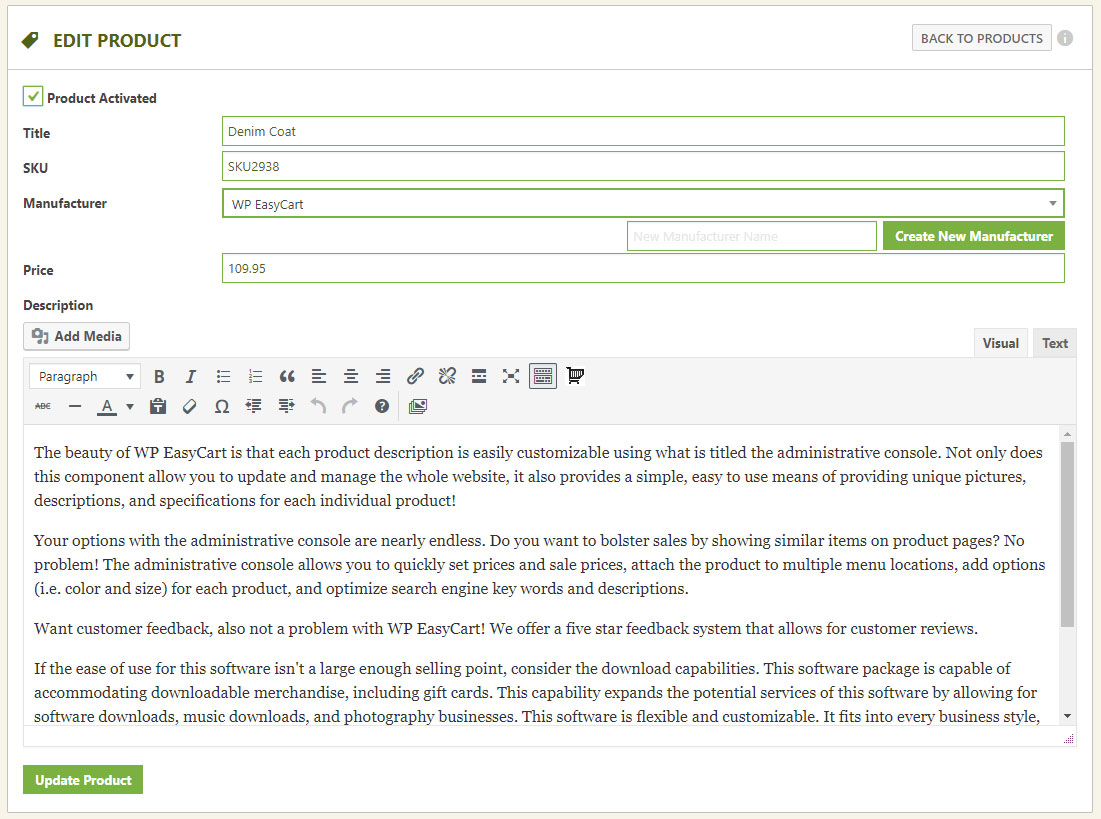
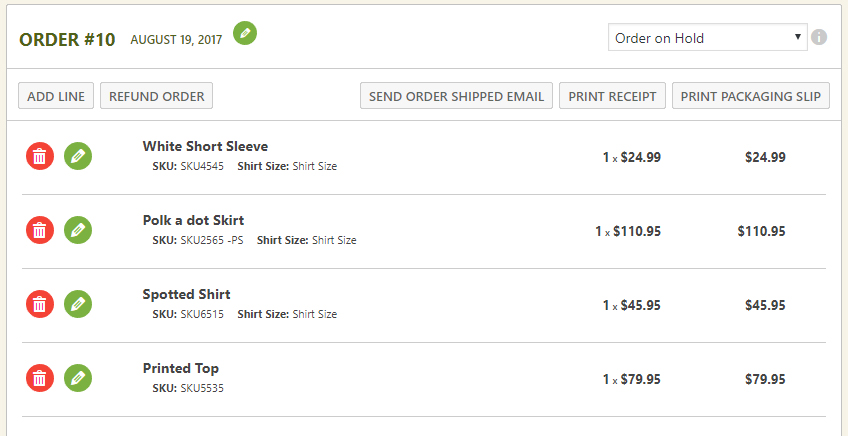
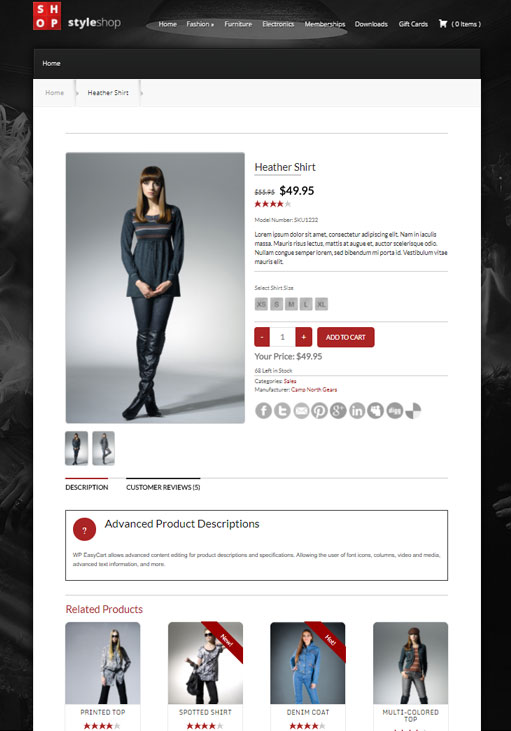



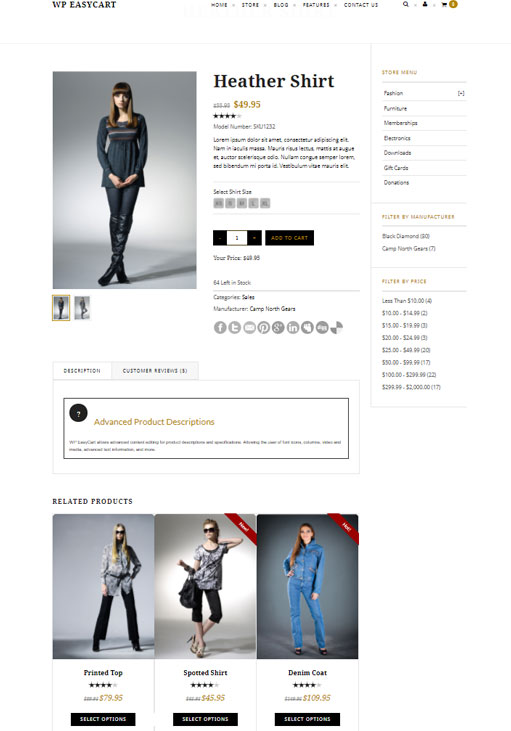
常见问题:
Is WP EasyCart really free?
Yes. The free plugin has unlimited products and orders and no time limit. On the free plan, payments taken through Stripe, Square or PayPal connected with WP EasyCart carry a 2% WP EasyCart fee; Pro and Premium have no WP EasyCart fee. Your payment provider's own processing fees always apply.
What is the difference between Free, Pro and Premium?
Free is a complete store. Pro adds the features a growing store needs, such as 30+ more payment gateways, live shipping rates, subscriptions, coupons, invoicing and full reports, with no WP EasyCart fee. Premium adds the store manager apps and the Premium extensions. Pro and Premium both use the WP EasyCart PRO plugin. See plans and pricing.
Can I try Pro before I buy?
Yes. Start a 14-day free trial of Pro from WP EasyCart › Registration. No card is needed, and WP EasyCart installs everything for you.
How do licenses work?
A Pro or Premium license covers one website and includes 12 months of updates and support. Licenses never renew on their own; renew from your account at wpeasycart.com whenever you choose. You can move a license from a development site to your live site.
Will it work with my theme?
Yes. WP EasyCart works with any WordPress theme and creates its store, cart and account pages for you. You can also design your store pages with Elementor or the block editor.
Can I show products without selling them?
Yes. Turn on catalog mode to show your products without the Add to Cart button.
Which payment gateways can I use?
The free plugin takes payments through Stripe, Square and PayPal, including Apple Pay and Google Pay, and can take manual payments such as bank transfer. Pro adds 30+ more, including Authorize.net, Braintree, NMI, PayTrace, Intuit Payments, Moneris, eWAY and Global Payments.
Can I sell on Facebook and Instagram?
Yes, with the Facebook & Instagram extension that comes with Premium. It keeps your Facebook and Instagram catalog in step with your store.
Does WP EasyCart help with privacy laws such as GDPR?
Yes. It works with the leading cookie banners and Google Consent Mode, so tracking waits for each shopper's consent, and your customers are included in WordPress's personal data export and erase tools.
Where can I get help?
Start with the documentation. Pro and Premium stores get one-to-one support from our team at support.wpeasycart.com.
Where do I report a security issue?
Please report security issues through the Patchstack Vulnerability Disclosure Program. The Patchstack team will help verify the issue and let us know.
更新日志:
- New Feature - Import your store from WooCommerce or Square ( Products › Import ): products with their variations, categories, brands, pictures, stock and reviews, ten products to try first, a report of everything that came across, a one-click undo, and old WooCommerce addresses that keep working.
- New Feature - Sell subscriptions from a pricing table on any page or in Elementor: up to four plans, each sold monthly and yearly, as cards or a compare table, with a monthly / yearly switch, the yearly saving shown, a list of what each plan includes and any free trial, and an offer to switch to yearly for monthly subscribers, and the choice to let customers buy more than one, for licenses or seats.
- New Feature - Subscribers get a reminder email before a yearly renewal and before a free trial ends, each with the date, the price and a link to cancel.
- New Feature - Changing plan in My Account shows what the change costs and when it starts before the subscriber confirms: an upgrade is paid first, a change can wait until the renewal date, and a waiting change can be cancelled.
- New Feature - Move current subscribers to a new price: each is emailed the old price, the new price and the date first, and pays the new price from a renewal at least the notice you choose away.
- New Feature - Royal Mail at checkout for UK shops: 1st and 2nd Class, Signed For, Tracked 24 and 48, Special Delivery, and International Standard, Tracked and Economy, priced by each parcel's size, weight and destination from Royal Mail's Online or Post Office prices, which change over on the day Royal Mail changes them.
- Improvement - Reports show subscriptions by plan and billing period and how many pay yearly, and monthly recurring revenue counts paying subscriptions the same way everywhere.
- Improvement - Choose whether receipts, the order confirmation page and My Account say a payment is still being processed, for stores that take bank transfer, invoice or pay on pickup.
- Improvement - Cancelling an order puts its stock and any gift card balance it used back, each with its own setting.
- Improvement - Add New creates a product as live or as a draft, with its variations and modifiers picked together.
- Improvement - reCAPTCHA keys are tested before spam protection switches on, so a wrong key can never lock shoppers out of signing in.
- Improvement - The Payments settings page is easier to scan: one line for each way customers pay, a gateway list you can search by name or country with the recommended gateways first, and one Save button in each gateway's settings.
- Improvement - Sharing anonymous usage data is clearer: a page lists exactly what is sent, and turning it off deletes what was shared.
- Improvement - Elementor: account forms in a popup open again to show their message or the password reset form, and the Cart and Order Summary widgets load the shopper's cart after the page, so no page cache can hold it.
- Improvement - EasyCart › Extensions says when an extension needs WP EasyCart Premium installed to update, and when Premium can't be installed in one click it says why and offers its download and the install steps instead of sending you to your account.
- Improvement - Invoice PDFs, packing slips and other printed documents use tighter print spacing, so a typical invoice fits on one page, and a long item list now continues onto the next page instead of leaving the first page part empty.
- Improvement - When a label service such as Stamps.com, Shippo or ShipStation is connected, Buy label is the main button where you ship an order.
- Improvement - When WP EasyCart PRO is too old for WP EasyCart, one click installs its latest version, and its update from the Plugins screen goes through, even while its license has lapsed, so you can renew or enter a new license key.
- Improvement - The subscription checkout takes the card in the same Stripe payment form as the regular checkout, in your Stripe theme and layout, with the same progress card while the payment goes through, and a cleaner look that says when a free trial ends, what the first payment will be after any coupon, and what the subscription renews at when a coupon covers only the first payment.
- Improvement - A customer who may buy a subscription again sees the one they already have, with a link to manage it, above the subscription form.
- Improvement - A subscription in its free trial shows Trial in My Account, with when the trial ends and the first payment, instead of a payment date for the free trial; changing plan during the trial keeps it a trial and no longer records an empty $0 order.
- Improvement - Translations brought up to date: the admin in Danish, German, Spanish, French and Italian, and the storefront phrases in every language, including the Elementor widgets, checkout fields and shipping notes that still showed in English.
- Bug Fix - Cancelling a subscription from My Account no longer notifies integrations such as Zapier twice.
- Bug Fix - Stripe's "trial ending soon" notice now emails the subscriber.
- Bug Fix - Connecting Square from the setup wizard now keeps the connection.
- Bug Fix - Importing from Square keeps every item's variations and their prices even without stock, and running it again no longer adds every item a second time.
- Bug Fix - Export All on the products list exports only the products the list shows when it is filtered or searched, such as one manufacturer's products, and each product's picture columns show the picture the store shows.
- Bug Fix - Store pages show a product's first picture instead of the "image not found" picture when its gallery starts with a picture added before the gallery.
- Bug Fix - Cart reminder and review request emails, subscription renewals, items added to an order by hand, free gift and bundle choices, the [ec_product] shortcode, the products list and quick edit show the picture the store shows, never an old picture left behind by the product's gallery.
- Bug Fix - Error and success messages on the store, cart, checkout, subscription and account pages have a cleaner look, and a message no longer pushes the subscription page's billing choices out of place.
- Bug Fix - Subscriptions always charge the product's current price: a changed price or billing period no longer keeps billing the old one, and saving a subscription product in Stripe test mode no longer creates extra Stripe products.
- Bug Fix - One-time option charges on a subscription are charged once with the first payment instead of every billing period.
- Bug Fix - Changing plan in My Account keeps the subscription's quantity, no longer offers products that are switched off, and says when a different billing schedule is charged right away.
- Bug Fix - Members on a free trial, or who cancelled but paid through the end of their period, keep access to members-only content.
- Bug Fix - Subscriptions billed every few days can be saved, and billing periods read correctly in every language, such as "/3 months" and "for 2 years".
- Bug Fix - Product, category and brand pages that use the store page's theme template now load like every other page, so other plugins' redirects, page caching and Elementor's own styles work there too.
- Bug Fix - Elementor: closing the cart panel that opens after adding a product no longer leaves the page unable to scroll on sites with a sticky header, and a cart icon hidden while the cart is empty now opens on the first add.
- Bug Fix - The Renew license item in the WP EasyCart menu opens the renewal page for your license again.
- Bug Fix - On the Registration page of an ended license, Deactivate on this site now releases the license instead of switching off WP EasyCart PRO, and a new license key can be entered there.
- Bug Fix - Royal Mail is back in the order screen's carrier list, which now offers the major carriers for your country first and lets you type any other carrier, with a tracking link in the shipped email for each one it knows.
- Bug Fix - Store Status no longer says no live rates are set up when all of them come from a rate service such as Shippo or ShipStation.
- Bug Fix - The admin screens keep their layout on hosts whose firewall blocks any file with "shell" in its name.
- Bug Fix - Receipts, shipped emails, password emails and invoices greet the customer at the same size as the rest of the text, without a stray colon after "Dear".
- Bug Fix - Percentage offers take whole cents off, so the offer in the cart totals, the item's price in the cart and the product page's price always agree.
- Bug Fix - Gift cards pay exactly what an order still costs, like any other payment: the price after an offer plus shipping, tax, fees and tips, so a card is never charged more than the order and the total never goes below zero.
- Bug Fix - Subscription product pages no longer refuse Sign Up when the product shows a stock count of zero.
- Bug Fix - Deleting WP EasyCart removes all of its database tables, including those for reports, imports and pricing tables.
- Bug Fix - A subscription checkout now only shows and charges the options and quantity chosen for that subscription, never ones picked for another earlier in the same visit, and asks for any required options that were never chosen.
- New Feature - Redesigned order screen: see where every order stands, ship it in one step with tracking and an email to the customer, tick off items as you pack, and move between orders with search and keyboard shortcuts.
- New Feature - Boxes and packages: save the boxes you ship in, have new orders packed automatically, and track every package through to a new Delivered status.
- New Feature - Checkout protection: stops card-testing bots at your checkout, on by default, with automatic extra checks during an attack and support for Cloudflare Turnstile and reCAPTCHA.
- New Feature - Checkout fields: add your own questions to the checkout, show them only when they apply, and keep the answers on the order, in emails and on documents.
- New Feature - Gift orders: shoppers can send an order as a gift with a personal message, and the recipient can get a gift receipt without prices.
- New Feature - Invoicing for business customers: numbered invoices and credit notes, PO numbers, payment terms such as Net 30, rules that pick the right documents for each order, and invoices and receipts customers can download from My Account.
- New Feature - Pay links: send customers a secure link to pay an order, or its remaining balance, by card, PayPal or bank transfer.
- New Feature - Create orders in the admin for phone orders and quotes, then save a draft or email the invoice with its pay link.
- New Feature - Order payments: every order keeps what the customer actually paid, so an edited order shows the balance or refund due, and a refund can be split across several payments.
- New Feature - Order sources: see where every order came from, such as search, ads, email, social media or AI assistants like ChatGPT, Perplexity, Gemini and Copilot.
- New Feature - Rebuilt Reports: accurate totals in your time zone, comparisons with earlier periods, reports for products, customers, codes, carts, sources, profit, fulfillment, searches and subscriptions, CSV exports and a weekly summary email.
- New Feature - Search & AI: product pages tell Google, Bing and AI assistants your prices, stock, variants, reviews, returns and shipping, with a checklist on every product.
- New Feature - Google product feed: a feed that keeps itself up to date for Google Merchant Center, Microsoft Merchant Center and Pinterest, with a one-step connection to Google Merchant Center.
- New Feature - Meta Conversions API: send your store's events from your server as well as the Meta Pixel, counted once by Meta.
- New Feature - Privacy: works with Complianz, CookieYes, Cookiebot, the WP Consent API and Google Consent Mode so tracking waits for each shopper's consent, and WordPress's personal data export and erase tools now cover your customers.
- New Feature - Email marketing: sync subscribers, orders and abandoned carts with MailerLite, Kit and ActiveCampaign, or with Mailchimp and Klaviyo through the Email Marketing extension.
- New Feature - Offer codes in bulk: import, generate up to 10,000 at a time and export codes, use offer codes on subscriptions, and test any code against a product.
- New Feature - Tax services: choose TaxCloud, TaxJar or an extension such as Avalara AvaTax to calculate tax across your store, with built-in connection tests.
- New Feature - Elementor: design product and category pages with templates and ready-made layouts, and build your shop, cart, checkout and account pages with dozens of new widgets, including a side cart.
- New Feature - Fulfillment partners: sell products made and shipped by a print-on-demand partner, with the partner's shipping added at checkout ( Printful and Printify extensions coming soon ).
- New Feature - Extensions page: every WP EasyCart extension in one place, with what is installed and what needs an update.
- New Feature - Choose and reorder the columns on every admin list.
- New Feature - PayTrace payment gateway.
- Improvement - One-page checkout is out of beta and works with every payment method, including 3-D Secure, PayPal, Affirm, Amazon Pay, Apple Pay and Google Pay.
- Improvement - Placing an order shows its progress and locks the checkout, so an order can never be sent twice.
- Improvement - Variations keep their SKU, price and stock when you change a product's options, and can have their own weight and cost.
- Improvement - DHL live rates use DHL's current MyDHL API.
- Improvement - Card fees set in Flex-Fees now also apply to Apple Pay, Google Pay and Link.
- Improvement - Tracking links work with more carriers, including DHL, Canada Post, Australia Post and Royal Mail.
- Improvement - Faster pages for stores with many coupons, and faster Reports and order screens on large stores.
- Improvement - Declined cards show shoppers a simple message instead of the bank's reason.
- Improvement - Payment notifications from Stripe, PayPal and other gateways are confirmed before they change an order.
- Improvement - WordPress User Sync: customers are signed in to your store and WordPress right away, and accounts stay linked when an email or password changes.
- Improvement - The WooCommerce import can pick up where it stopped, keeps your category tree and brings in draft and private products as inactive.
- Improvement - Store Status warns about payment methods left in test mode, a missing store page and search engines blocked by robots.txt.
- Improvement - Every abandoned cart reminder is sent from your Account emails address and shows in the email log.
- Improvement - Bill later can be offered to chosen customer roles, and membership content can be limited by user role.
- Improvement - Subscription products say clearly when they can't be sold because Stripe isn't connected.
- Improvement - Intuit Payments connections renew reliably and show the connected company.
- Bug Fix - Orders paid through Stripe, Square, PayPal, Amazon Pay, Realex, Redsys, SagePay and NMI are marked paid only once the payment is confirmed for the right amount, and returning from 3-D Secure finishes the order.
- Bug Fix - Apple Pay and Google Pay charge the shipping and tax for the address and shipping option chosen in the wallet.
- Bug Fix - Refunds made in your Stripe or PayPal account are recorded on the order.
- Bug Fix - One-page checkout saves VAT numbers, billing addresses, order notes and last-moment changes, and shows any change to the total before payment.
- Bug Fix - TaxCloud and TaxJar no longer tax non-taxable products or lower the tax for gift cards, and report orders and refunds correctly.
- Bug Fix - Live shipping rates include the weight of chosen options, USPS quotes carts shipped in several boxes correctly, heavy Australia Post carts are quoted, and older USPS services show again.
- Bug Fix - Shipping rates from extensions such as Shippo, ShipStation and OptimalShip work with shipping classes and are named on the order.
- Bug Fix - Free and discounted shipping offers come off live rates and the shipping actually charged, coupon codes with a dash work, and savings on each line show with offers again.
- Bug Fix - Subscriptions: coupons and offer codes give the same discount on the subscription page and at Stripe, and the subscription checkout no longer stops with an error on PHP 8.
- Bug Fix - Status changes from the orders list take stock and notify extensions without running twice, and fulfilling never marks an unpaid or refunded order as shipped.
- Bug Fix - Reports count unique customers, VAT, refunds and abandoned carts correctly.
- Bug Fix - Store emails sent through another plugin, such as Mandrill, are no longer lost.
- Bug Fix - Installs and database updates now finish on MySQL 8 and MySQL 5.5 servers where they could not complete before.
- Bug Fix - Creating an account or saving account details without ticking the newsletter box no longer unsubscribes an existing subscriber, and MailerLite, Kit and ActiveCampaign update the right contacts.
- Bug Fix - Search engines get accurate star ratings, stock and prices, and Google product feed variants carry the right prices.
- Bug Fix - Stores using Redis or Memcached show every shopper their own prices and availability.
- Bug Fix - Store rules apply everywhere: add to cart follows catalog mode, inquiry mode, login for pricing and customer roles, downloads need a paid order, and memberships follow one clear rule.
- Bug Fix - Elementor widgets work on PHP 8, with page caches and in popups, and keep their settings, styles and account form details.
- Bug Fix - Review request emails open the review form with the chosen rating, and new reviews are marked as verified purchases.
- Bug Fix - The Membership, Store Table and Category Grid blocks work again.
- Bug Fix - Payment notifications reach stores installed in a subfolder.
- Bug Fix - Cart, product image, menu and category links follow your store page after it is renamed, and Fix product permalinks updates the old saved links.
- Bug Fix - A mistyped license key is reported as not accepted, with a link to find your key, instead of asking you to try again later.
- Bug Fix - The setup wizard no longer offers the free trial to Pro and Premium stores, and shows the payment fee that applies to your store.
- Bug Fix - Diagnostics checks for PHP 7.3, the version WP EasyCart needs, instead of PHP 5.3.
- Bug Fix - Passwords with special characters work for sign-in and password resets.
- New Feature - Order documents: choose what the order receipt, shipped email, packing slip and invoice PDF show, keep several versions of each ( such as a packing slip without prices ) with its own logo, and preview them with your own orders.
- New Feature - Attach the invoice or packing slip as a PDF to order emails.
- New Feature - Send Email on the order screen: send the receipt, shipped email, packing slip or your own message, preview it first and change what it includes for that one send.
- New Feature - Undo deletes: a deleted order, product or customer can be put back for 15 minutes.
- New Feature - Deleting a customer lets you move their orders to another customer or keep them as guest orders.
- Improvement - Local pickup orders are marked picked up instead of going through shipping.
- Improvement - The packing slip matches your store's emails and can show the shipping method, carrier and tracking number.
- Improvement - Choose the email logo and signature image from the Media Library and set their size and position.
- Improvement - Square: inventory notifications are verified and logged, and the Square settings show what syncs and when the last notification arrived.
- Improvement - The setup wizard and Store Status support stores that ship nothing or charge no tax.
- Improvement - Checkout settings can create starting drafts of your terms and privacy pages.
- Improvement - A database change your host can't apply can be skipped, so the rest of the update finishes.
- Improvement - Inventory can be filtered to one product and its variations.
- Improvement - Packing slip and invoice PDF wording now comes in Chinese, Danish, Dutch, French, German, Greek, Hungarian, Latvian, Russian and Spanish.
- Bug Fix - Live shipping rates measure parcels correctly, so USPS, UPS, FedEx and DHL quotes are much closer to the real cost.
- Bug Fix - Removing or reordering one option set in the product editor no longer removes every option set and variation.
- Bug Fix - Changing a variation's stock updates the product's total stock right away.
- Bug Fix - Square sync keeps your product SKUs and links, no longer stops on newer PHP versions, and saving Square settings no longer switches off other payment gateways.
- Bug Fix - Order emails resent from the email queue keep their PDF attachments.
- Bug Fix - Database updates no longer get stuck on "database upgrade in progress".
- Bug Fix - Customer order counts and spend stay correct when orders move between customers or customers are merged.
- Bug Fix - Undo works after deleting subscribers, roles, subscription plans and subscriptions.
- Bug Fix - Store managers can use every settings screen they can open.
- Bug Fix - Product pages with images per option open on the right images.
- Bug Fix - Printing several receipts or packing slips puts each on its own page, and list actions keep working after a print or export.
- Bug Fix - Adding to the cart no longer fails with "Maximum quantity exceeded" because of a related product's quick view.
- Bug Fix - Settings save reliably, including the first time you choose live carrier rates.
- Bug Fix - The order shipped email uses the email method set by another plugin.
- New Feature - Settings redesigned: a Settings home with search across every setting, pages organized into sections with a jump list and clearer wording throughout.
- New Feature - Flex-Fees: a percentage fee can now be calculated on the order total (subtotal + shipping + tax - discounts) instead of the subtotal only, so a card-processing fee such as 2.9% covers the whole charged amount.
- New Feature - Customer file uploads (file upload option) can now be downloaded by staff from the admin order email and the order details screen through a secure link that requires a logged-in administrator or order manager.
- New Feature - Per Page Options: one page size can be starred as the default; the storefront starts shoppers on it.
- New Feature - Customer file upload links in the admin order email can optionally work without signing in, using an expiring private link (Settings › Email › Order emails), with a one-click option to revoke all links already sent.
- New Feature - Text and text area options can now force UPPERCASE, lowercase or Title Case, limit input to letters, letters and spaces, numbers, or letters and numbers, and show placeholder text; rules apply while typing and again when the item is added to the cart.
- New Feature - Email deliverability: send a test email from the Deliverability panel; the result is shown on screen and recorded in the email log.
- New Feature - PDF invoice or receipt to customer and admin order emails (Settings > Email > PDF receipts), with your business details, a file name pattern and A4 or Letter paper, to help meet EU invoicing requirements. Includes an "Email me a sample PDF" button.
- New Feature - Manage offers, coupons and promotions that apply to the product, with status, uses, orders and revenue from the product details.
- New Feature - Stock history on Inventory & Shipping, with the change, reason, resulting quantity and who made it; managed from the product details.
- New Feature - Edit the Yoast SEO title, meta description, focus keyphrase, canonical URL and search visibility from the SEO tab when Yoast SEO is active, directly from the product details.
- New Feature - Price filter in the store sidebar: turn on Settings > Products > Store sidebar > Price filter (or "Enable Sidebar Price Filter" on the Elementor Store element) to list your price ranges with product counts.
- New Feature - File upload options can now limit which file types shoppers may upload (images, documents, design files such as PSD/AI/EPS, archives), with the accepted types shown next to the upload field.
- New Feature - Download the order's PDF receipt from the order actions menu when PDF receipts are enabled.
- New Feature - Product Details: Quick filters on the Offers tab (All, Live, Targets, Used) with counts.
- New Feature - Product Details: Orders using an offer list with search, offer and date filters, and paging.
- New Feature - Inventory: "Send now" in the Alerts box sends the low stock digest immediately as a test, without changing the schedule.
- New Feature - Settings > Email can now send you each subscription email (trial started, trial ending, renewal coming up, subscription ended, payment failed) as a test, built from a real subscription when you have one.
- New Feature - Settings > Email now shows the retry queue: what is waiting, how many attempts it has had, when the next attempt is, with "Send queue now" and per-email retry, plus a "Simulate a failed send" test that never touches customer mail.
- New Feature - Inquiry forms can now require the shopper to be signed in to a store account.
- New Feature - Refused inquiries are recorded under Settings > Log entries with the reason, a masked email address and no stored IP address.
- New Feature - Authorize.net now allows you to upgrade to the Accept.js version, which offers PCI compliance.
- Improvement - Inventory: import and export rebuilt. The export now carries Product ID and Variant ID, so variants that share a SKU can be updated; the import panel previews every row before applying in the background, logs each change to stock history, and explains rows it cannot match.
- Improvement - Add product panel: pricing, media, inventory & shipping and options are cards in the current admin design; option sets are chosen with search and shown as chips with a variant count.
- Improvement - Orders with nothing to ship (downloads, gift cards, subscriptions and services, or products with shipping disabled) removes the fulfill features.
- Improvement - Order details: the Fulfillment card was redesigned. The status strip no longer wraps a boxed Shipping Info panel with duplicate Edit links; shipping method, carrier and tracking number show as one summary with a single Edit, and new orders get a clear "No shipping details yet" prompt with an Add shipping details button.
- Improvement - Product editor: the Pricing & Tax tab now shows the product's current price (and crossed-out Previous Price), updating as you type, with an Edit price button that jumps to the Price field on the General tab.
- Improvement - Countries & Regions: the country list now covers the full ISO 3166-1 set (250 countries) and default regions were added for Mexico, Spain, Germany, New Zealand and Ireland, with Brazil and India completed. Applies to new installs and to "Restore default countries & regions" only; existing stores are never changed.
- Improvement - Countries & Regions: saving a country or adding a region updates the list in place; the drawer closes on save.
- Improvement - Settings menu: "Countries" and "States/Territories" merged into one "Countries & Regions" link; old States bookmarks still open the combined screen.
- Improvement - Store details › Currency: a live price preview, one-click separator and decimal-place choices, currency code suggestions with a one-click "usual format" for common currencies, and exchange rates edited as a list instead of a comma-separated string.
- Improvement - Settings › Shipping rates: switch the shipping method right from the rates page, and the rate tables stay readable and editable on small screens.
- Improvement - Order statuses editor redesigned: compact color, name and paid controls in a grid, built-in and custom statuses grouped.
- Improvement - New stores that use Square or WooCommerce now see an "Import your products" item in the launch checklist, linking to the cart importer; Settings search also finds sections such as Cart importer.
- Improvement - Shipping zones collapse large place lists with expand/collapse controls.
- Improvement - Manage Downloads explains folder and permission problems and adds Create folder, Replace file, Choose existing file, Switch to Amazon S3 and Repair actions.
- Improvement - Email deliverability: step-by-step "How to fix" help for SPF, DKIM, DMARC and sender address checks, with ready-to-copy DNS records and where to add them; a new "Improve delivery in 3 steps" guide when no mail plugin is installed; a mail plugin that takes over WordPress mail is now shown as a passed check with a link to its test screen; the health card explains its state in one sentence.
- Improvement - Abandoned Carts shows the next automatic run, the last run result, WP-Cron warnings and a Run now button; reminder emails include one-click List-Unsubscribe headers and test emails no longer touch real customers' carts.
- Improvement - Stock quantities changed in the product editor are now recorded in inventory history.
- Improvement - Customer file uploads: when an order's file is not on the server, the order screen shows "File not received" instead of a Download link, the admin order email says "file not received", and the download link opens a clear page with Open order and Email the customer buttons for staff instead of a bare error.
- Improvement - Canada taxes: for Quebec addresses the provincial tax is shown as QST instead of PST in the cart, checkout, wallets (Apple Pay / Google Pay), emails, receipts, packing slips and admin order totals. GST, PST, QST and HST names are now editable in the language editor (Cart › Cart Totals), with French defaults TPS, TVP, TVQ and TVH. The Canada tax settings explain that Quebec's QST rate goes in the PST column.
- Improvement - Logs: "View order" is only offered on entries linked to an order.
- Improvement - Live shipping: cart updates only request quotes from carriers that are set up (Australia Post, FedEx, etc. without credentials are skipped), make no carrier requests until the shopper has entered a destination, and reuse the saved quote for up to 30 minutes when the cart, destination and carrier settings have not changed.
- Improvement - Live shipping: Canada Post, FedEx, UPS and USPS are now quoted at the same time instead of one after another, so a cart update waits for the slowest carrier rather than all of them added together.
- Improvement - Live shipping: every carrier request now has a 5 second connection and 10 second overall time limit (Canada Post and USPS had none), and a carrier that cannot be reached, rejects the account or has a server error is skipped for 5 minutes so the cart doesn't wait on the same failure with every change. Saving that carrier's settings, reconnecting UPS or a passing connection test lifts the pause, and each pause is recorded in the logs.
- Improvement - The saved live rate quotes table is indexed by cart and cleaned daily (quotes for carts that no longer exist, or older than 18 days).
- Improvement - Every store email now shares one modern design: 600px layout that stacks on phones, store logo and accent color, address cards, clear item table and totals, and a footer.
- Improvement - Addresses in emails now follow each country's format (postcode before the city in most of Europe, on its own line in the UK) and no longer leave blank lines when a company, second line, state or postcode is missing.
- Improvement - Printable gift card redesigned: the amount and code stand out, the product image no longer fills the page, and it prints cleanly.
- Improvement - User details: saved addresses with no details are labelled "Blank address" with a short explanation instead of "(empty address)".
- Improvement - Inventory: Bulk Update "Adjust quantity by" now asks you to choose a reason instead of defaulting to "Stock received".
- Improvement - Redesigned the customer subscription details page with a status badge, product image, price and billing dates, card on file, purchased options, billing history and grouped actions.
- Improvement - Customer file uploads now check the file's real contents against the option's allowed types, and always refuse scripts, web pages, SVG and names that hide a script extension.
- Improvement - Product inquiry forms are now protected by an invisible honeypot field and a minimum time-to-submit check, so scripted spam is refused before it reaches your inbox.
- Improvement - Inquiries are rate limited per visitor, per email address and per product, with merchant-set hourly limits under Settings > Products > Inquiry form protection.
- Improvement - Inquiry messages are now checked for length, excessive links and a merchant-editable list of blocked words and domains, and forged or mismatched form fields are rejected.
- Improvement - Hardened the inquiry submit handler: the form nonce is checked before any field is read, and every posted field is sanitized once.
- Improvement - The product editor is now always the redesigned editor; the setting that switched between the classic and new editors has been removed.
- Improvement - Legacy admin screens that had been replaced by the redesigned lists, editors and settings pages have been removed from the plugin, along with their scripts and handlers, for a smaller and faster admin.
- Improvement - Store schedule and store locations are now one Settings page with a tab for each, and locations are added and edited in a side panel that also shows where each location is used and which schedules apply there.
- Improvement - When an active extension plugin is on a version that does not match this release, the WP EasyCart admin shows a page to update or deactivate it instead of failing to load.
- Improvement - Feature labels, license and renewal notices, upgrade prompts and locked-feature messages now name the plan your store is on (Pro or Premium) instead of one label for every paid plan.
- Improvement - Shipping settings: carrier accounts are shown one carrier at a time in tabs, starting with USPS, and each carrier's connection status updates as soon as a detail is saved, naming any missing details (such as the origin country) or explaining why the carrier did not accept them.
- Improvement - Order statuses on new and existing stores get default colors (green for completed, amber for in progress, red for problems) where a status was left white; colors you have chosen are kept.
- Improvement - Shipping settings: Australia Post, Canada Post and DHL each have an on/off switch, and turning a carrier off clears its saved details; USPS now shows as simply on or off instead of asking for the retired Web Tools username.
- Improvement - Settings > Schedule & Locations: the Locations tab says when Multiple pickup locations is turned off and links straight to that setting.
- Improvement - Order details: Resend order receipt and Send order shipped email open a send panel with To, Cc and Bcc, starting from the order's current email address (including one just changed on the order), instead of a browser prompt.
- Improvement - On phones, the product, option set, category, customer and role editors keep their section list and health panel in a slide-out behind a menu button, so the screen starts on the settings you came to change.
- Improvement - Page headers redesigned: every admin screen now opens with a card that matches the panels below it, an icon, the page name and a line of context such as the record count, with Help, Import and Add grouped at the right.
- Improvement - Tax rates by state and by country: a saved row reads as text with Edit and Delete, editing happens in the row itself, deleting asks in the table instead of a browser box, and adding happens in the last row of the table.
- Improvement - Mobile admin pass: page headers keep the page name and the full "Add" wording on a phone — the title and its count sit on one row and the actions on the next, with the Add button across the row and Help or Import as tap-sized icon buttons — notices with a button stack instead of squeezing into a column, tables that sit in a card scroll sideways so the Actions column is reachable, the order screen keeps its status and actions on screen under 600px, and the settings save bar stays above the bottom tab bar.
- Bug Fix - On a phone, list screens showed a centred page title with an unlabelled button beneath it instead of the page name and its actions.
- Bug Fix - Settings > Admin > Quick add panel: the four toggles had no effect on the Add product panel since the settings redesign.
- Bug Fix - Choosing the card or spreadsheet view on one list left other lists ( Abandoned Carts, Gift Cards, Flex-Fees, Countries & Regions, Store Schedule, Locations, Downloads, Subscriptions ) stuck in a view they do not offer, with no way back to the table.
- Bug Fix - Reviews > Requests & rules: the Help link was unstyled.
- Bug Fix - A settings section whose advanced rows all sit behind a switch that is off no longer shows a "Show 0 advanced settings" line.
- Bug Fix - Order details: an order with nothing to ship showed as unfulfilled on the order screen while the list showed "No shipping".
- Bug Fix - Log entries search now matches each word across the response and source, finds order numbers and transaction ids reliably, returns to page 1 on a new search, and keeps special characters when paging and exporting.
- Bug Fix - Subscription checkout saved an option's download settings as a file name, creating download records that could not be downloaded; option override files on subscriptions are now read correctly too.
- Bug Fix - Store Status "Fix data folders" created folders with broken permissions and could not create nested folders.
- Bug Fix - Unsubscribing from cart reminders now asks the shopper to confirm (so email link scanners cannot unsubscribe anyone), supports one-click unsubscribe from Gmail and Yahoo, stops all future reminders to that address and marks the carts Unsubscribed in the admin.
- Bug Fix - Color swatches now show as colored chips on the storefront (product page, add-to-cart shortcode, Elementor add-to-cart, color widget) instead of broken images.
- Bug Fix - Customer file uploads (file upload option): a file the store cannot accept (file type, size, or an upload that failed) no longer adds the item to the cart with a missing file. Shoppers see why straight away ("This file type cannot be uploaded. Accepted file types: JPG, PNG, …" or the size limit, editable in the language editor), the file picker only offers accepted types, and the server rejects it too. Failed uploads are recorded in the store log when logging is on.
- Bug Fix - Text and text area options now enforce their minimum length: shoppers see "Please enter at least N characters." (editable in the language editor) instead of adding a shorter value to the cart, and the server rejects it too.
- Bug Fix - Elementor Cart Icon widget: removed a duplicate "alignment" control that triggered a "doing it wrong" notice (it never applied), and the icon hover color now takes effect.
- Bug Fix - Authorize.net: decline reasons were not shown to shoppers, and the legacy URL option stopped charges from going through.
- Bug Fix - Offers: legacy coupons and promotions could disappear from the admin when the conversion check failed (for example on databases with mixed collations), and a failed conversion could switch a legacy coupon off without creating its offer. The Legacy tab now always lists every legacy item, shows why a conversion did not finish, keeps converted items with a link to their offer, and can restore the legacy version with its original dates.
- Bug Fix - DB Compatibility Upgrades.
- Bug Fix - Stripe: when a saved Stripe customer no longer exists on the connected account (account reconnected or test/live switch), checkout now re-creates the customer and continues instead of showing an error.
- Bug Fix - Stripe subscriptions: recurring payment and failed payment webhooks now work with newer Stripe API versions, failed payments are marked correctly, and subscription status is kept in sync with Stripe (including reactivation after a card update).
- Bug Fix - Canada taxes: Quebec QST is calculated on the price before GST (GST 5% and QST 9.975% on the same amount), as Revenu Québec has required since 2013, in the cart, subscriptions, and the Square and Stripe tax rates. A store that needs the old compounded calculation can add the filter wp_easycart_quebec_compound_qst returning true.
- Bug Fix - Canada taxes: New Brunswick and Newfoundland tax settings were applied to each other's addresses; Newfoundland addresses using NL are now recognized too.
- Bug Fix - Fixed a fatal error on the Dwolla checkout return page.
- Bug Fix - Admin lists no longer error when a page size of 0 is requested.
- Bug Fix - Removing an item from the cart ran the cart update listeners (live shipping, tax, payment intent) twice, making deletes roughly twice as slow as quantity changes.
- Bug Fix - UPS live rates: a shipping estimate with only a postcode sent an empty state and address lines, which UPS rejected, and every rejected request was sent a second time unchanged. Empty address parts are no longer sent, and only an expired login is retried (after refreshing it); other UPS errors are logged with their code and message.0
- Bug Fix - USPS live rates: a login token rejected before its expiry is now replaced and the request sent again, instead of returning no rates until the token expired. Single-rate USPS lookups passed their arguments in the wrong order.
- Bug Fix - Logs: carrier rate errors (FedEx, UPS, USPS, Australia Post, DHL) were recorded as OK and successful Canada Post quotes as errors; each now carries the right status, and failed quotes include the HTTP status and carrier message.
- Bug Fix - Australia Post domestic live rates sent the store and customer postcodes reversed.
- Bug Fix - FedEx: the residential address check called the address lookup with the wrong arguments.
- Bug Fix - Shipped email: billing and shipping addresses could break into misaligned columns (for example Canadian addresses in Gmail or Apple Mail), and gift card / download links pointed to the wrong order.
- Bug Fix - Printable gift card showed each label twice ("To: to: name").
- Bug Fix - Order receipt email showed the Tax row when easy Canada tax was on and no tax was charged, and could leave out the billing address.
- Bug Fix - Tax row now shows in refund emails when Easy Canada Tax is on, and the invoice's "print online" gift card link points to the right gift card.
- Bug Fix - Gift cards resent from an order had an empty redeem link.
- Bug Fix - Product inquiry emails showed a literal html characters in the message and could leave out basic option names.
- Bug Fix - Abandoned cart emails no longer switch product images from https to http, and back in stock emails no longer show double-escaped product titles or a missing product image.
- Bug Fix - Refunds: order fees such as a card-processing fee are now refundable - percentage fees are prorated to the amount refunded, fixed fees are all-or-nothing, and the refund modal shows the items/shipping/fees/tax breakdown.
- Bug Fix - Refunds: refunded tax is calculated from the taxed base, so stores that charge tax on shipping no longer over- or under-refund tax on partial refunds.
- Bug Fix - Subscription details in the customer account no longer offer "Change payment method" or "Change my plan" once a subscription is canceled, ended or otherwise not active, and the store now refuses those changes server-side.
- Bug Fix - Subscription details now show the variants, modifiers and sign-up fee chosen at purchase, in the account page and in the admin subscription screen.
- Bug Fix - Subscription past payments now show on the account subscription details page.
- Bug Fix - Subscription next and last bill dates no longer cause a fatal error on PHP 8 when stored as a date string.
- Bug Fix - Changing a subscription plan from the account page no longer sends a quantity of 0 when quantity changes are turned off.
- Bug Fix - Payment settings: CashFree UAE Dirham, PayPal Payflow Danish Krone and SecurePay JPY now save and display the currency shown.
- Bug Fix - Low stock and out of stock admin emails now send for products that track stock by option combination, including two-level variants such as Color and Size.
- Bug Fix - Product page: a default option item now sets the price, stock count, option item image and the hidden option field on load, so add to cart no longer reports a missing option, and a default swatch on a single option no longer loses its highlight when the page loads.
- Bug Fix - A failed Google reCAPTCHA on the inquiry form ended the request silently; the shopper now sees a message explaining what happened.
- Bug Fix - The admin copy of a product inquiry was sent with an empty subject line.
- Bug Fix - Page lock (Restrict Access meta box): the product ids stored on a post are now bound as prepared integers before the purchase check runs, the six wpeasycart_restrict_* keys are protected meta so they cannot be written through the Custom Fields box, XML-RPC or the REST API, and the meta box save requires its own nonce and the right to edit that post.
- Bug Fix - Customer file uploads (file upload option) can no longer be downloaded by guessing their address.
- Bug Fix - Paid digital download files can no longer be downloaded by direct address without buying them.
- Bug Fix - Built-in order statuses (1-19) can no longer be deleted or have their paid setting changed by a direct admin request; previously only the settings screen prevented it.
- Bug Fix - The Duplicate Order link on the order details screen now opens the duplicate drawer on the Orders list instead of doing nothing.
- New Feature - Updated admin design, modernized shell.
- New Feature - Inventory management screen upgraded.
- New Feature - Coupons and Promotions converted into Offers. Offers allows for far more complex means to manage your discounts storewide.
- New Feature - Cart Links added to marketing to allow you to share complex add to cart links to your marketing system.
- New Feature - Product details panel upgraded.
- New Feature - Order list and order details upgraded.
- New Feature - User list and user details upgraded.
- Security - Additional security fixes.
- Security - Hardened product ordering save handlers.
- Bug Fix - Duplication of product and product images bug fixed.
- Bug Fix - PayPal phone number and given name issues fixed.
- Bug Fix - USPS International shipping bug fixed.
- Bug Fix - Complex filter bug fixed.
- Improvement - Upgraded login and forgot password process to a more modern approach.
- Security patches.
- New Feature - Beta Release: New product details admin panel design can be enabled in the additional options section. Upon further review, this new version will be released as the main display.
- Bug Fix - Multiple add to carts using short url, prevent duplicate product adds, instead increase quantity.
- Bug Fix - Square checkout company name fix.
- Bug Fix - Download reports and tax documents fix.
- Bug Fix - Static shipping method sort improvement and fix.
- Bug Fix - Stripe locale information fixed to align between EasyCart and Stripe locale codes.
- New Feature - Admin user details now includes more details about the customer including past orders, order notes, downloads, subscriptions, and more.
- Improvement - SquareUp synced products now display why they are locked as enabled or disabled to prevent confusion.
- Bug Fix - PayPal Venmo fix.
- Bug Fix - Product details manufacturer missing fixed.
- Bug Fix - Public and private post status fixed in a few cases where it was missing.
- Bug Fix - SquareUp product sync upgraded to fix cases for public vs private posts.
- Bug Fix - Method based shipping with ship each item separately enabled caused incorrect sort order.
- Bug Fix - Permalinks checking adjusted to prevent issues.
- Bug Fix - International USPS shipping bug fixed.
- Bug Fix - Inventory bug fix for SquareUp sync.
- Bug Fix - Speed upgrade for product list query.
- Bug Fix - Escaping issue in some cart cases fixed.
- Bug Fix - Order list issue with local timezone being incorrectly displayed (specifically for yesterday or within a week of the order).
- New Feature - Upgraded admin tool for the product list.
- New Feature - New options for the Elementor Search widget.
- New Feature - New options for the Elementor Store Widget.
- New Feature - Square import feature to sync only new products.
- New Feature - Reset default countries / states feature added.
- New Feature - Added Last Year as an option in the reports.
- Bug Fix - Database upgrade issue in last version was not working properly.
- Bug Fix - Coupon issue resolved
- Bug Fix - Upgrade for live shipping to select correct lowest value.
- Bug Fix - Sort order fix for volume pricing and b2b pricing in the admin.
- Bug Fix - Canada tax fix for Quebec.
- Bug Fix - Small fix to shortcodes.
- New Feature - Option to show line item discounts for coupons in the cart, order details, and print receipt.
- New Feature - System passing line item discounts through to the order (future orders only).
- New Feature - Option to show coupon code message on receipt and order details instead of coupon code.
- New Feature - Coupon code message stored to the order (future orders only).
- Bug Fix - USPS V3 fix for some rates not returning.
- Bug Fix - Modifier issue when adding to cart fixed.
- Bug Fix - CSV product export fixed for those that have data errors in their modifiers system.
- New Feature - USPS V3 now available, toggle it on in your shipping settings.
- New Feature - If you are connected to Stripe sandbox and live site, you may enable an EasyCart user as a test user. Test users can checkout through the sandbox for testing while your store is live.
- Improvement - UPS now using updated oAuth API version, which means almost no disconnects moving forward.
- Improvement - Cart session does not start until something is added to the cart to prevent caching issues.
- Improvement - AJAX calls now specifically state top not cache in hopes some server setups do not cache the responses.
- Improvement - The order stores a converted cart ID, which can be used in tracking conversions more easily for third party integrations.
- New Feature - Choose coupons to apply to the first order only.
- New Feature - Enable and connect direct Google Tags integration.
- New Feature - Allow a specific user to enter a different billing from shipping address to override global option.
- New Feature - You may now dupicate an order from the admin.
- New Feature - New Elementor element for cart icon display (typically used in custom menus).
- New Feature - New shortcode for cart icon display: [ec_cart_icon]
- Bug Fix - Advanced swatches, checkboxes, and radio selects (with price changes) display fixed for Elementor product templates.
- Bug Fix - Square coupon fix to prevent order insert errors to Square display.
- Bug Fix - Canada Tax for Quebec calculation fixed.
- Bug Fix - Added US military APO states.
- Bug Fix - BOGO coupon calculation for order display.
- Bug Fix - 5.8.10: Same issue for email receipts fixed where the new signature feature was added in 5.8.8.
- Bug Fix - 5.8.9: Some versions of php had an email receipt error and has been resolved.
- New Feature - Automated email signature can be added in text format and/or image upload format.
- New Feature - Enable automated refund email upon refund submitted.
- New Feature - Send a refund issued email from the admin.
- Improvement - Estimate shipping expanded to automatically detect Canadian provinces/territories from the postal code. Useful for live shipping rates.
- Bug Fix - Subscriptions of zero price caused an error.
- Bug Fix - If you have a one-time fee for subscriptions, next bill total was showing incorrectly.
- Bug Fix - Stripe error for specific combination of features.
- Bug Fix - Object cache issue on updating state or country shipping options fixed.
- Bug Fix - Subscription purchase, account creation, plus recaptcha enabled, and cart disabled fixed.
- Bug Fix - Subscription purchase, account creation, duplicate email error was not properly reloading the recaptcha (if enabled).
- Bug Fix - Redsys api updated to remove deprecated PHP function.
- New Feature - Filter added to allow Stripe automatic action handling to be disabled.
- New Feature - Elementor store widget now allows to show products by dynamic ID to help with category and manufacturer templates.
- New Feature - Stripe subscriptions now allow an upcoming payment alert. Payment alerts are determined in your Stripe account and Stripe webhook.
- Improvement - Feature to trim the gateway log adjusted to prevent memory overflow.
- Improvement - Subscription details page upgraded.
- Improvement - Rating system on front-end requires a click to select your rating, instead of hover.
- Bug Fix - Gift card totals were not applying to Canadian taxes.
- Bug Fix - Order details, order receipt print, and order packing slip (if date enabled) now convert the date to match the WordPress timezone. This should align with order list values.
- Patch from 5.8.3 - Error in creating users from the admin fixed.
- Patch from 5.8.2 - Error in the main store js quick fix.
- Improvement - Order list keeps the name visible.
- Improvement - Order list combined first and last name into a customer name column.
- Improvement - Order list, order date updated to show Today, Yesterday, Tuesday, and so on (if within last week).
- Improvement - Order list, order date that is in the same year removed year from the display for better readability.
- New Feature - Order list, customer name can be clicked to view customer details and quick copy for email and phone.
- Bug Fix - Square importer added checks for missing data coming from Square for syncs.
- Bug Fix - If the admin links to a user that was deleted, it displays the appropriate error message.
- Bug Fix - Improved testing for remote server to use only when required to connect to PayPal or Stripe.
- Bug Fix - PHPMailer file removed and replaced with WordPress version.
- Update - Works with WordPress 6.8!
- Bug Fix - Intuit updated their refresh token format, update to fix token format validation.
- Bug Fix - Corrected translations for typo.
- Bug Fix - Minification error in the JS file fixed.
- Bug Fix - Cookie path upgraded for those that do not have one set.
- Bug Fix - Pickup date/time small adjustment for disabling future dates at the correct time.
- Bug Fix - Newletter popup second h1 bug fixed.
- Bug Fix - Newsletter popup, switched h1 to h2 to prevent seo issues.
- Bug Fix - Australian states/territories with 3 characters were not passing to PayPal correctly.
- Bug Fix - Elementor product details template with modifier images that switch from a radio button selection were not working.
- Bug Fix - For those using different languages, the locale is now passed to Stripe to allow the payment form language to match the selected language.
- Bug Fix - Canada tax element IDs were incorrect, causing the values to not update dynamically.
- Improvement - Tax rates update, if necessary, on update of shipping method selection.
- Improvement - Live shipping rates update table, each item has it's own update button.
- New Feature - Live shipping rates are now sortable via drag and drop.
- New Feature - Basic options can be included in an add to cart direct link using the url variable feature.
- Bug Fix - Duplication of a basic product with stripe fix to stop adding products incorrectly to your Stripe product catalog.
- Bug Fix - Stripe prorate behavior fix.
- New Feature - If product is deactivated, a WordPress admin (or WP EasyCart user role) user can still view the product details.
- New Feature - You can now use modifiers in your ec_add_to_cart URL (if all modifiers have URL keys and are of non-complex types). System will verify data before adding to the cart or redirect the user to the product if missing a parameter.
- New Shortcode - [ec_account_register] to allow you to place the registration account form on any page.
- Bug Fix - For live shipping that relies on SimpleXML, system now handles a failure in response from the live rate provider.
- Bug Fix - Stripe subscriptions and proration fixed.
- Bug Fix - Square with tax on shipping fixed so that orders are created properly in the Square dashbaord.
- Bug Fix - Object cache issue with shipping settings fixed.
- Bug Fix - Store status tax section shows set up with Canada Tax.
- Bug Fix - Button click in admin issue on somse systems fixed.
- Bug Fix - Google Merchant schema output fixed for special characters.
- Bug Fix - Redirect feature for ec_account shortcode fixed.
- Improvement - User list includes user ID.
- Improvement - User list can be searched by user ID.
- New feature - Add your Stripe webhook signing secret for extra webhook security.
- Improvement - Added verification for webhooks.
- New Feature - Order status updates, text notifications, now allow for extra dynamic content. View the docs for details.
- Bug Fix - Fixed our caching error prevention system to work when jquery is loaded deferred.
- Bug Fix - Quickview added h1 tags to your page.
- Bug Fix - Restrict access feature needed to account for value 0, not just empty string.
- New Feature - Option item images now allow for a default image. Defaults may be left blank to continue with the first image being automatically selected.
- New Feature - Verified for WordPress 6.7.
- Bug Fix - Option item images with missing option images fixed to use default or empty image icon if necessary.
- Bug Fix - Missing option item simages with flipbook image display, skips empty option items.
- Bug Fix - Rare case of cart item data for restaurant and pickup dates fixed to only show applicable data in the admin.
- New Feature - Order statuses can now have assigned color codes. Set this up in the checkout settings.
- New Feature - Order status added to mobile display.
- New Feature - UPS added SurePost, which may be useful to some users.
- Bug Fix - Order date bug added in previous version, corrected to match your WordPress timezone again, rather than the server timezone.
- Bug Fix - Inventory updates match the correct color of the row based on the current inventory level.
- Bug Fix - Order export fix to prevent duplicate order details rows.
- Bug Fix - Order quick edit now updating display automatically, broken in previous version if you use the new features.
- Bug Fix - Preorders prevent manual entry of invalid date.
- New Feature - Restaurant style products with open/close times and holidays.
- New Feature - Preorder for pickup style products with open/close times and holidays.
- New Feature - Cart schedule to open and close checkout for retails, restaurant style, and preorder for pickup style products.
- New Feature - Product sync for Square, new option to allow you to deactivate products and variants without the sync reactivating.
- Bug Fix - UPS token issues resolved.
- Bug Fix - Square and PayPal Wallet buttons hidden when appropriate to match Stripe settings.
- Bug Fix - Tip system error when no values entered on setup.
- Bug Fix - Carriage return issue for text areas.
- Bug Fix - Subscriptions with duration set were not cancelling on time.
- Bug Fix - Manufacturers fix for latest PHP versions.
- Bug Fix - Square product sync, timeout issue for large sites.
- Bug Fix - Disabled enter key for add to cart form.
- Bug Fix - Square inventory sync issue for specific product types.
- Bug Fix - AmazonPay fix for hide from cart page feature.
- Bug Fix - Upgraded our table code to hide bulk actions when none exist.
- Bug Fix - SecureNet bug fix.
- Bug Fix - Moneris Canada bug fix.
- Bug Fix - Square product sync, prevent error in update by verifying the model number is not changing to an existing model number.
- Bug Fix - Stripe, prevent multiple payment intents when first cart is loading rapidly.
- Bug Fix - Amazon S3 bug fix.
- New Filter - Filter added to allow you to customize pages where the EasyCart scripts load.
- Bug Fix - Promotion bug fix for specific types of promotions.
- Bug Fix - AWS S3 files fix for a specific version of PHP and web server.
- Improvement - Price now included in inquiry email (unless pricing disabled for inquiry products).
- Improvement - Store sidebar search, includes a clear search button in the box if previous search is shown.
- Bug Fix - Fix the filter open button for an Elementor store display, mobile, when no results.
- Bug Fix - Elementor add to cart feature, when return to page, was showing success for all add to cart elements on the page.
- Bug Fix - USPS weight calculation fix for domestic rates.
- Bug Fix - Fedex rates for the UK fixed county codes to align with Fedex requirements.
- Bug Fix - UPS negotiated rates fix.
- Bug Fix - Promo display feature upgraded to include more promotion types.
- Bug Fix - Subscriptions and applying a coupon fix to show/hide the discount total line when applicable.
- Bug Fix - Subscription option items were not being translated properly.
- Bug Fix - Elementor product swatches fix to not show disabled variants.
- New Feature - Enable showing promotional discount on products and in the cart.
- Improvement - Subscription option labels added to stripe, but only on new modifier items (due to Stripe limitation).
- Bug Fix - Subscriptions and shipping, nonce error fixed.
- Bug Fix - Object cache bug with new modifiers.
- Bug Fix - Price points not saving correctly, nonce error.
- Bug Fix - Divi theme was causing issues with variant titles on swatch images, in some cases breaking them in the cart.
- Bug Fix - Elementor paging links were breaking the selected option filters when multiple were selected.
- Bug Fix - Disabling paging in the default settings was overriding the selection in Elementor or a shortcode.
- Bug Fix - If you are on a page greater than 1, then adjust products per page, it should reset to page 1.
- Bug Fix - Object caching with option filters was not pulling unique lists.
- Bug Fix - Inquiry product with price adjustments was not working.
- Bug Fix - Square sync bug fixed.
- Bug Fix - Quick fix from 5.6.6 to 5.6.7 to fix terms issue on payment page for Paypal.
- Bug Fix - Paypal on payment page with required terms fixed.
- Bug Fix - Splits name into first and last for Mailerlite, ActiveCampaign, and ConvertKit.
- Bug Fix - Error of updating line item totals instead of subtotal on final cart page (specific situations).
- Bug Fix - Abandoned cart email image fix.
- Bug Fix - Gift card amount left now reflects gift card total rather than purchased total on resend.
- Bug Fix - FedEx update to allow for API connection (upgraded).
- Bug Fix - Restricted store login improved to include Recaptch (if enabled) and forgot password link.
- Bug Fix - Force Facebook title meta to correct casing.
- Bug Fix - AmazonPay link fix.
- Bug Fix - Google QR code api depricated, upgraded to built in API.
- Bug Fix - Google Merchant Feed fixed for images and additional images.
- Bug Fix - Visbility with Square products now used.
- Bug Fix - Security patch.
- Bug Fix - Square switched fields to allow more characters in the description, this will improve product syncs with your Square catalog.
- Bug Fix - MailerLite subscriber fix for orders.
- Bug Fix - Subscriber system with square fixed.
- Bug Fix - Subscriptions with override pricing modifiers fixed.
- Bug Fix - Variant SKU passed to order receipt and admin details in place or base SKU.
- Bug Fix - Product quick editor changed to popup overlay for better theme compatibility.
- Bug Fix - Product image settings now available in the product edit screen with image tag options.
- Bug Fix - PayPal experience setting updated.
- Improvement - Manual payments now indicates that the payment has not been received or has been received when you mark paid and resend the receipt.
- Improvement - Google merchant upgraded to include more features and options.
- Improvement - Google merchant upgraded to include variants.
- Patch - New install db error fix.
- Bug Fix - Cookie domain issue on some servers fixed, uses constants if they are available.
- Bug Fix - Square catalog api upgrade to allow multiple categories.
- Bug Fix - Stripe subscriptions fix for modifier pricing.
- Bug Fix - Evalon/Opayo/Sagepay endpoint adjustment.
- Bug Fix - Visual bug for adding modifiers to a product in PRO.
- Bug Fix - Optionitem edit warnings fixed.
- Bug Fix - Stripe payments, there was a small window for an item to be out of stock, but order paid.
- New Feature - Admin filter reviews by product
- New Feature - Sidebar system allows for manufacturer filter.
- New Feature - Dollar off coupon allows for discounting of shipping when subtotal is less than coupon total.
- Bug Fix - Opayo endpoint updates before deadline.
- Bug Fix - Subscription quantity feature was not allowing an update without updating billing.
- Bug Fix - Create account button rounded corners bug.
- Bug Fix - Subscription renewal emails image fix.
- Bug Fix - iOS bug with disabled variants showing in dropdown fixed.
- New Feature - Amazon S3 added in the option item download features (both override and additional files).
- Bug Fix - Add to cart shortcode fix.
- Bug Fix - Variation tracking, improvement to switching from infinite to tracked for single variants.
- Bug Fix - Orders, filter by product, updated to order by product title.
- Bug Fix - Fix for USPS dimensions with option item adjustments.
- Bug Fix - Shipping rate validation implemented.
- Bug Fix - Shipping on Stripe wallet payments had issues.
- Bug Fix - Multiple combo boxes with option item quantity tracking and enable/disable feature didn't always work.
- Bug Fix - Candian tax rate saving fixed.
- Bug Fix - Store manager type now may upload images for products.
- Bug Fix - Subscription renewals were missing the model number in the order details.
- Bug Fix - Subscriptions updated to use products + prices instead of plans so that management of price points is easier.
- Bug Fix - Security fixes.
- New Feature - Will now start logging stock adjustments for orders to help track down changes in stock for managers.
- New Feature - Disable accordion or datepicker js in cases where themes have conflicting elements.
- Bug Fix - Inquiry with SKU changes on variants now showing in email.
- Bug Fix - Twitter icon switched to X.
- Bug Fix - YouTube thumbnails fixed, usuing too small of images.
- Bug Fix - Spaces not allowed in coupons, now stripped on entry of coupon code in the front end to prevent input errors.
- Bug Fix - Special characters in reviews and google meta fix.
- Bug Fix - Flex fees calcualtion fix in the reports.
- Bug Fix - Variant tracking with infinite amount bug.
- Bug Fix - Out of stock admin emails needed to be translated.
- Bug Fix - Coupons causing visual error on shipping rates when not a shippable coupon code.
- Bug Fix - Categories list in admin: Bug from previous version.
- Bug Fix - Product display for option item images with first option disabled or without images. Updated to be more consistent with the product details display.
- New Feature - Square inventory sync, you may now enable webhooks to have instant updates between Square and your store. Only applies to inventory count.
- Bug Fix - Some product elements not clearing object cache on update.
- Bug Fix - Square tokens upgraded to new version prior to the EOL in April of 2024.
- Bug Fix - Product SKU verification no longer case sensitive.
- Bug Fix - Elementor templates for gift cards fixed.
- Bug Fix - Order ID display in order history of accounts.
- Bug Fix - Sort order in tables for admin now includes default as the secondary sort order to break sorting ties.
- Bug Fix - Paypal express button checkout: Address line 2 was missing from order information.
- Bug Fix - Square inventory syncing fixed to sync inventory totals from Square automatically.
- Bug Fix - Square inventory updating to square on purchase fixed, there were cases where the wrong ID would be saved to the database. Users having this issue should resync their products in the cart importer.
- Bug Fix - Purchasing gift cards with coupon codes was not allowed, fixed to allow discounts on gift cards, while still not allowing purchasing gift cards with other gift cards.
- Bug Fix - Shipping + Exclude from calculation feature initialized with no shipping total showing on account order details.
- Bug Fix - Shipping + Exclude from calculation + live rates + handling rates was missing handling fee.
- Bug Fix - Print receipt bug when current session does not match the guest key.
- Bug Fix - PayPal with live rates and no rate selected bug fix.
- Bug Fix - Marketing link in grey menu lead to broken delete links for coupons.
- Bug Fix - Standard shipping message when no items in the calculation, but a handling fee added was not passing through to the order.
- Bug Fix - Having a single payment method was not working with flex-fee filter by payment method.
- Bug Fix - Flex fees with wallet payments fixed (when filtering to card payments).
- Bug Fix - Flex fees with Square payments fixed (when filtering to card payments).
- Bug Fix - Exclude from shipping, but still using handling rates was not working with wallet payments.
- Bug Fix - Wallet payment was not switching payment method, which is needed for flex fees.
- Bug Fix - Exporting images, where images are all in your media library, excel was forcing a comma formatted list into an integer. We have updated the export/import to use the format ml:# (media library:ID) so that it is easier to manage.
- Bug Fix - Back in stock notification email needed to be updated.
- Bug Fix - Category filter on product list page was not pulling in the total items properly, preventing pagination.
- Bug Fix - Product filter on order list page was not pulling in the total items properly, preventing pagination.
- Bug Fix - Option images, with out of stock variations, but backorders allowed was not showing all images.
- Bug Fix - Option images, with out of stock variations, was leading to mismatching image, thumbnails, magnification, and lightbox view.
- Bug Fix - Admin resend gift card email was not working
- Bug Fix - Stock validation in specific situations was causing inconsistent payment results. Typically has to do with items selling out during the checkout process or a max per item limit.
- Bug Fix - Various fixes for shipping rates with excluded shipping as the only product in cart.
- Bug Fix - Various fixes for shipping rates with handling fees.
- Bug Fix - Various fixes for shipping rates with handling fees and discounts.
- Bug Fix - Switching store page was not refreshing permalinks.
- Bug Fix - If you use an image optimizer, that switches out images for webp images, it was breaking thumbnail selection in the image popup for products.
- Bug Fix - With Smush, thumbnails could be losing the data attribute needed to show full image on click, this has been resolved.
- Bug Fix - Required company name was not applying in the account section when enabled.
- Bug Fix - VAT show included/excluded had duplicate wording (wrong for included).
- Bug Fix - PayPal issues with email missing on initial checkout resolved.
- Bug Fix - PayPal issues with method shipping rates in some cases.
- Bug Fix - PayPal transaction id was not storing properly, making refunds not possible directly from WordPress. Please refund directly from PayPal if you see an error from those orders when refunding.
- Bug Fix - Linking issues possible on some servers for tables in the admin (logs, products, orders, etc...), not a common issue.
- Bug Fix - Entering a text value into a percentage field and saving could cause issues on PHP8+.
- Improvement - Moved setting to stay on product details after add to cart from checkout panel to product details settings panel.
- Bug Fix - Firefox had an issue with the admin toggles, which were adjusted to improve mobile compatibility.
- Bug Fix - Problem with shipping coupon discounts resolved.
- Bug Fix - Issues with PayPal when using custom price labels on modifiers.
- Bug Fix - Issue with Stripe when a connection error occurs. Now handles this error case more gracefully.
- New Feature - Elementor elements for all product pieces including everything from images, to pricing, to add to cart, and more.
- New Feature - Post tags added to allow you to target product, category, or manufacturer type posts. You may need to correct this in the diagnostics by fixing post tags.
- New Feature - Post tags added automatically to products when a category is attached. This allows you to target products by category for custom post templates.
- New Feature - Post tags feature, fix post tags, in the diagnostics area.
- New Feature - Min and max characters on text input modifiers.
- New Feature - New checkout setting to require company name field on checkout.
- New Feature - Manage variants more quickly by showing only enabled variants and filter out by specific variant items.
- New Feature - Flex fee can now apply to payment types (card, klarna, affirm, etc...).
- New Feature - Buy now, pay later with Stripe, you can add a custom minimum amount before customers use this feature.
- Improvement - Inquiry mode moved to inline instead of popup.
- Improvement - Upgraded PayPal api, which enables new features and faster checkout.
- Bug Fix - Variants and modifiers both work with inquiry mode emails.
- Bug Fix - Fixed issue of shipping disabled + shipping restrictions.
- Bug Fix - PayPal and other wallets with address restrictions fixed.
- Bug Fix - Object caching flush features added to prevent data being incorrect when using systems like redis.
- Bug Fix - Mobile design correction for entire admin area.
- Bug Fix - Mobile menu improved for easy navigation.
- Bug Fix - Fixed issue with adding products multiple times to a category.
- Bug Fix - Issue with enabling variant quantity tracking, but product has no variants.
- Bug Fix - Backorder products were not allowed in checkout when out of stock.
- Bug Fix - Sandbox for PayPal was not working
- Bug Fix - Shipping restriction setting on free version was not saving properly.
- Bug Fix - Cases where account required to checkout, disable wallets until a user is logged in.
- Bug Fix - Edge cases for variant images fixed, especially useful when images only available for a few of many variants.
- Bug Fix - Stripe buy now, pay later options were not sending emails or labeling the payment method correctly.
- Bug Fix - Category widget was throwing errors in PHP8.
- Bug Fix - Pricing hidden to public was still showing in the meta.
- Bug Fix - Search widget was not working with dashes or underscores.
- Bug Fix - Search was not finding variant model numbers.
- Bug Fix - Add to cart widget upgraded to latest codebase.
- Bug Fix - Correctly resetting variant selections below change when necessary when switching an earlier variant.
- Bug Fix - Can now use a combination of image and html swatches.
- Bug Fix - No quantity tracking was causing issues.
- Bug Fix - Reverted PHPMailer to V5 from V5.5 to fix php issues with 5.5.
- New Feature - If using catalog mode, enable vacation mode messaging (if that is your intent of using catalog mode).
- Bug Fix - Switching subscriptions from EasyCart bug.
- Bug Fix - Intuit connection issues bug.
- Bug Fix - Possible issue with Square payments form, depending on server setup.
- Bug Fix - Product export feature, some servers cannot handle 500 at a time blocks. Added option to set your own block size, defualt is 500.
- Bug Fix - Product importer, escaping specific characters issue.
- Bug Fix - UPS success messages added on connection.
- Bug Fix - UPS diagnostics problem with new connection method.
- Bug Fix - UPS, needed a way to disconnect.
- Bug Fix - Shortcode error with menu system in EasyCart (old shortcode editor).
- Bug Fix - Recaptcha with subscriptions fixed.
- Bug Fix - Stripe V1 method with subscriptions and tax fixed.
- Bug Fix - Intuit payments issue fixed.
- Bug Fix - Stripe subscriptions, fix in admin to switch from one subscription to another.
- Bug Fix - Square, PayPal, and Stripe, preventing checkout with invalid country (wallet payments mostly).
- Bug Fix - Flex fees added to reports and report exports.
- Bug Fix - Flex fees added to order export.
- Bug Fix - PHP Mailer class updated to latest version.
- Bug Fix - Amazon Payments, if missing data prevent error on checkout page.
- Bug Fix - Flexfee not rounding correctly when inserting to the database.
- Bug Fix - GA4 remove from cart issue.
- Bug Fix - Store restriction saving issue fixed.
- Feature - Custom price labels for products. These allow you to add a price label next to a price or replace the price. Choose any combination of product list, product details, and cart.
- Feature - Google Analytics 4 (GA4) can now be used with either standard implementation or Tags Manager.
- Feature - Option to switch off the checkout button on product add to cart. You will still have a message above the product list with this enabled.
- Feature - Option to allow add to cart from product list to go straight into the cart.
- Feature - Move short description below add to cart on product details view.
- Improvement - Remove from cart icon switched for remove text on mobile.
- Improvement - Flipped shipping to top on order details to reflect more important information for a customer.
- Improvement - Mobile remove button uses a text label to make it more obvious how to delete a product from the cart.
- Improvement - Brand added to google GA4 cart.
- Improvement - Coupon added to google GA4 cart.
- Improvement - A subtle loader was added to total and shipping when shipping method is changed.
- Bug Fix - oAuth connection for UPS, refresh token issue fixed.
- Bug Fix - UPS switched to new connection method. Now connect to your UPS account with a single click and begin getting live rates.
- Bug Fix - og:image tag fix for product images.
- Bug Fix - Filter issues in admin for specific panels.
- Bug Fix - USPS added Ground Advantage.
- Patch - From 5.5.3 - Fix for large order sets in the admin impacted other list areas. Fix applied to work with both.
- Feature - Complex category filters, options for initial view (open/close).
- Feature - Complex category filters, choose to and/or between groups to control your filter style.
- Feature - Added a loading symbol on click in checkout (cart, checkout details, shipping).
- Feature - If you have fedex, ups, or usps as the shipping carrier, tracking numbers will automatically link to that carrier.
- Bug Fix - HTML swatch variants now show selected label, the same as the image swatches.
- Bug Fix - Weekly reports bug resolved.
- Bug Fix - Sort by order ID in admin with large datasets bug resolved.
- Bug Fix - Can assign the order as a guest, rather than a specific user.
- Bug Fix - Parent variants with all child variants disabled will no longer show as an option.
- Bug Fix - Category links display bug resolved.
- Patch from 5.5.1 to fix admin search feature.
- Patch from 5.4.11 to fix delayed addition of necessary user capabilities to access the cart admin.
- New Feature - Custom user role and capabilties to allow for a store manager user type.
- Bug Fix - Square orders with flex-fees now working.
- Bug Fix - Multiple flex-fees with paypal buttons fixed.
- Bug Fix - Complex category filters, if no sub-categories in list it does not show that group.
- Bug Fix - iDeal and other redirect based payment methods fixed to prevent timing errors.
- Patch from 5.4.9 - Order print receipt and packing slip issue with nonce verification string.
- New Feature - Flex Fees to add any fee type to your system based on location or product category. This includes price or percentage fees with a minimum and a maximum as well as a custom label.
- New Feature - Product level restrict shipping to a custom shipping zone.
- New Feature - Complex category filters. Build grouped category filters for your store sidebar.
- Improvement - Cart menu can apply to the menu itself OR the theme menu location, making this feature a bit more flexible.
- Bug Fix - Disabling a variant now correctly hides the specific variation on the add to cart side.
- Bug Fix - PayPal with tips was not working.
- Bug Fix - Category sort was incorrect in many places, added indents for better usability.
- Bug Fix - AWS SDK update to be compatible with higher versions of PHP.
- New Feature - WP EasyCart admin dashboard, export report feature includes a tax report option.
- Bug Fix - Login for pricing was showing pricing for option sets.
- Bug Fix - HTML swatch was not switching option item images when using the first modifier.
- Bug Fix - HTML swatch color was not changing on modifiers to indicate selected vs unselected.
- Bug Fix - Login for pricing, show for all user roles was not showing up as selected on load in the product admin.
- Bug Fix - Login for pricing, show for all user roles was causing a cart error in some cases.
- Bug Fix - Square locations were not pulling properly.
- Bug Fix - Social medical link images were not always showing up.
- Bug Fix - Duplicate variant issue fixed.
- Bug Fix - File upload links were incorrect from the file upload option type in the admin.
- Bug Fix - Membership areas with product requirements were having issues with other combo box values causing unexpected problems.
- Bug Fix - User email validation in the admin was not working properly with capital letters.
- Bug Fix - Stripe payment intent updates limited to changes only.
- Bug Fix - Language fixed for a random Stripe popup to translate properly.
- Improvements - Additional hooks added to the admin side for third party integrations.
- Bug Fix - Stripe webhook adds order id to the payment intent description if an order is added.
- Bug Fix - iDeal orders handled in cases where customer does not return to your store immediately.
- Bug Fix - Warning fix for add to cart with options.
- Bug Fix - Subscription renewals had incorrect payment gateway in some cases, causing refunds to not work from EasyCart.
- Bug Fix - Modifier download override, once set was not working to remove value for downloads.
- Bug Fix - Subscriptions with custom price label were not displaying on the checkout form.
- Bug Fix - Duplicating basic options were missing price override value to be incorrect, causing problems if switched to a modifier.
- Bug Fix - Modifiers were not adding new products to the cart, causing multiple of the same product to not add properly.
- Bug Fix - Order status changes in quick edit messing up order list.
- Bug Fix - Some new payment methods for Stripe are losing the id necessary to refund from the WP EasyCart.
- New Feature - QR code included when editing a product, click to expand and download to use however you want.
- Improvement - Subscriptions that only allow a single purchase show message to user about past purchase if they try to purchase a second time.
- Improvement - Payment statuses attached to order statuses now display in the order details and update dynamically on the page.
- Improvement - TaxCloud improved to validate address much less often.
- Improvement - Passing additional info to the order for pricing adjustments to align better with front-end.
- Bug Fix - Stripe when email address not included bug fix.
- Bug Fix - Security issue resolved.
- Patched to 5.4.2 to resolve issues with new stripe payment system in cases of very specific setups.
- New Feature - Stripe payments, MAJOR update to the payment flow. Now uses Stripe payments api instead of card to allow far more payment types.
- New Feature - Stripe payments now allows you to choose a theme and layout for your payment page.
- New Feature - Stripe payments includes the following payment methods: Affirm, Afterpay, Alipay, BECS, Blik, EPS, FPX, Giropay, Grabpay, Klarna, Link, P24, Paynow, Promptpay, and WeChat Pay. Each method depends on your bussiness location and currency, your stripe account settings, and your customer's location.
- New Feature - Subscriptions support both basic option sets and modifiers.
- New Feature - Subscriptions now support price changes for options.
- New Feature - Subscriptions support shipping methods, when enabled globally and locally on the product.
- New Feature - Subscriptions support shipping charges recurring or one-time on first purchase.
- New Feature - Pricing range on products, if only low entered will display "as low as $x.xx".
- New Feature - Export format now available for Stamps to import to their system manually for printing in bulk.
- New Feature - Additional options section added for the packing slip, which is now mostly customizable with on/off toggles.
- New Feature - On mobile, tabs become a simple drop down on products details, which should make this more mobile friendly.
- Improvement - Subscription duration for products upgraded to help simplify setup.
- Bug Fix - Swatch modifiers now can combine html and image swatch types.
- Bug Fix - Swatch modifier text update issue fixed on click.
- Bug Fix - Admin apps with php8 issue resolved.
- Bug Fix - Google Ads code updated to support more sites.
- Bug Fix - Square product sync upgrade.
- Bug Fix - TaxCloud subscriptions bug resolved.
- Bug Fix - Square modifiers were not passing to the receipt.
- Bug Fix - USPS commercial rates were not being used when applicable.
- Bug Fix - Promotions with php8 had a bug that is now resolved on the management side.
- Bug Fix - Promotions had some notices though could show up in some cases.
- Bug Fix - Subscriptions issue resolved.
- New Feature - PRO now includes a TaxJar integration. Set up and start calculating taxes and sending orders to your TaxJar account automatically.
- New Feature - Inventory panel now allows for quick stock adjustments.
- Bug Fix - Intuit Payments could have a JS timing issue in some cases, fixed to prevent this error.
- Bug Fix - Order customer notes missing line breaks.
- Bug Fix - Checkout button in banner message needed css adjustments.
- Bug Fix - EasyCart apps send email receipt had a language bug missing text from that email.
- New Feature - Enable quantity boxes on the product list for add to cart buttons.
- Bug Fix - Varation validation limited to 1k items to prevent lock up with huge variation combinations.
- Bug Fix - Pagination for variations added to prevent huge screen loads with large combinations.
- Bug Fix - Elementor update from previous version meant some options for the product detail defaults were not applying. This has been corrected.
- New Feature - Google Analytics GA4 now available in PRO and Premium.
- New Feature - New sort added, oldest first.
- New Feature - Product option that forces the user to only enter their billing address as a shipping address.
- New Feature - Global option that only collects the billing address as both billing and shipping.
- Bug Fix - Moved some admin inline js to a js file to prevent theme conflicts.
- Bug Fix - Data validation improved for variants to prevent data errors.
- Bug Fix - Using the add to cart with query variable prevents adding an item that requires options to be selected and instead redirects to the product.
- Bug Fix - PayPal with custom option label fixed.
- Bug Fix - Packing slip was missing modifiers when using both basic options and modifiers.
- Bug Fix - Elementor product details was not applying all options.
- Bug Fix - Stripe subscribers were auto-adding even when subscribing was not selected.
- Bug Fix - Add to cart message css updated to get the two messages to look similar.
- Bug Fix - Modifier images swatch that is initially selected not adding to the cart.
- Bug Fix - Admin side allowed multiple initially selected items for types of modifiers that should not allow it.
- Bug Fix - Admin side when option items added to basic option sets we were not adding variants to list on product display.
- Bug Fix - Duplicate cart minimum notices showing on dynamic cart loading.
- Bug Fix - Exporting order list is missing refund value.
- Bug Fix - Exporting report missing advanced option values.
- Bug Fix - Initial price flashes incorrect on bottom.
- Bug Fix - 404 error bug with missing post id fixed.
- Bug Fix - Shopify importer doesn't work with new users, removed from system.
- Bug Fix - Deleting user role was not cleaning up the user role access table.
- Bug Fix - Issue with live shipping rates with no rates available on php8 resolved.
- Bug Fix - Email template, account order details, and more fixed to work with the custom price adjustment label.
- Improvement - Diagnostics now allows you to trim the logging tables to fix size issues.
- Bug Fix - Conditional logic bug correction from latest major upgrade.
- Bug Fix - Conditional logic pricing can cause load to flash from one price to another, fixed to be consistent with intitial value.
- Bug Fix - Changing of the grid type fixed to be compatible with the shortcode feature that was added.
- Bug Fix - Modifier list info now shows the name instead of label.
- Bug Fix - Conditional logic fixed where options should be initially hidden and stops the flashing bug on load.
- Bug Fix - Bad option data caused variants to show when they shouldn't.
- Bug Fix - Bad option data caused quantity tracking issues in some cases.
- Bug Fix - When creating a new modifier it will now show in the conditional logic box.
- Bug Fix - When using a comma decimal character, fixed NaN bug on load of product details.
- Bug Fix - Fixed the delete category to product connections bug on square sync when connections are to WP EasyCart only items.
- Bug Fix - Fixed the delete modifier to product connections bug on square sync when connections are to WP EasyCart only items.
- Bug Fix - Quick edit shouldn't be allowed when Square sync is enabled due to overwriting on sync.
- Improvement - Order display of option items improved to show a label/value set on each line.
- Improvement - Square badge added to products, categories, and option sets that are connected to Square.
- Bug Fix - Categories with items set to not show on main store page were missing due to a conflict with the Elementor system. This is now resolved.
- Bug Fix - Variation SKU and Price adjustments, when mixed with combinations that are not set, can cause the wrong value to show.
- Bug Fix - PHP8 fix for admin updates in a few small areas, including categories.
- Major Upgrade - Square importing and syncing now available. Keep inventory and stock up to date from your Square account.
- New Feature - Categories can be enabled/disabled.
- New Feature - Product shortcode allow order by pricing.
- New Feature - Order receipt link includes guest link code so that clicking link now gives immediate access from the email.
- New Feature - Basic options (variants) allow for custom sku and pricing for each combination.
- New Feature - Basic option managment simplified in PRO for easier variant management.
- New Feature - Basic and advanced options are both now allowed on a product and are listed as basic option sets, variants, and advanced option modifiers.
- New Feature - Sidebar for your store now available and includes category and option selections.
- New Feature - Option items allow you to enable a custom pricing label including no text for your pricing label.
- New Feature - Remove text notifications advertisements from the admin by disabling in the additional settings.
- New Feature - If an order has option items that disable downloads, admin can now enable downloads at the order line item.
- New Feature - Square now has image sets and option item images and WP EasyCart imports them accordingly.
- New Feature - Sidebar can include a search bar for your store.
- New Feature - Elementor store sidebar can include a search bar.
- New Feature - Set the default sort position to organize products without update each page. Customization by page is also available.
- Bug Fix - Avada theme compatibility.
- Bug Fix - PayPal payments pro small bug fix.
- Bug Fix - Square items with no location fix.
- Bug Fix - Login for pricing with show to all user groups fixed.
- Bug Fix - Product import with conditional logic bug fix.
- Bug Fix - B2B pricing with price point filters bug fix.
- Bug Fix - Square importing products with variable pricing do not activate.
- Bug Fix - PHP8 bug fix.
- Bug Fix - Option images on product duplication bug fix.
- Bug Fix - Square import / sync description line return issue fixed.
- Bug Fix - Square import / sync variants and modifiers now both pull into the system.
- Bug Fix - Square import / sync categories issue fixed.
- Bug Fix - Square import / sync option system bug fix.
- Bug Fix - Ordering with Square payment gateway now removes items from inventory on your Square POS.
- Bug Fix - Purchasing an out of stock item correctly handles the situation now with Square payments.
- Bug Fix - Intuit does not allow incorrect country codes and we now prevent users from free input text for countries.
- New Feature - Compatibility update for WP 6.
- New Feature - Square inventory sync available on the cart importer.
- New Feature - Automate square inventory sync in the Square setup.
- New Feature - Square inventory subtracted on sucessful payment.
- Bug Fix - Amazon pay country code variable typo.
- Bug Fix - Terms agreement and square bug.
- New Feature - Export/Import B2B Pricing for product list.
- Bug Fix - Expiration date formatting fixed in cases where there was an issue.
- Bug Fix - VAT by country, plus business, plus logged in had an error.
- Bug Fix - Square payments and manual payments were not working together.
- Bug Fix - Volume pricing with currency formatting non decimal for seperator fix.
- Bug Fix - Role pricing formatting fix.
- Bug Fix - Gutenberg store by category block search issue fixed.
- Bug Fix - Cart widget display and content update fixed.
- Upgrade - SqaureUp payments integration upgraded to latest API.
- Bug Fix - Shipping calculation fix with handling rate and excluded shipping products.
- Bug Fix - Conditional logic reset issue with radio items.
- Bug Fix - Option item quantity update improved to save more easily.
- Bug Fix - Theme specific issues with page options restoring for store page(s).
- Bug Fix - Unlimited images with URL as the first image broken on the details page.
- Bug Fix - PayPal confirmation page redirect failed with some permalinks types.
- Bug Fix - Diagnostics page failed with a very specific setup.
- Bug Fix - Dashicon for adding new images seemed to be missing on some installs, switched to a more common dash icon for compatibility.
- Bug Fix - Unlimited images with quickview issue showing all images in the image flip.
- New Feature - Integration with Mailer Lite. Connect products to groups to enable purchase automation.
- New Feature - Integration with ConvertKit. Purchases are imported automatically to automate post sale emails.
- New Feature - Integration with ActiveCampaign. Connect proudcts to lists to enable purchase automation.
- New Feature - Unlimited images now available in PRO!
- New Feature - Add videos within your product details image gallery. This works with self-hosted, YouTube, and Vimeo.
- New Feature - Enable minified javascript and css for the store in the design settings.
- Bug Fix - Most javascript eliminated from inline html for the product details for increased compatibility between themes.
- Bug Fix - Logo on abandoned cart, shipping emailer, and subscriptions fixed.
- Bug Fix - Pricing update at the top of product details enabled again.
- Bug Fix - Swatch sizing feature on advanced options fixed.
- Bug Fix - Donation amount was not changing pricing.
- Bug Fix - Backorder items not showing in product list when quantity is out.
- Bug Fix - Additional shipping option toggle error.
- Bug Fix - If tip applied and customer returns to first cart page, tip was not showing even though order total reflected the tip amount selected.
- Bug Fix - Account activation for users in the cart success message was missing.
- Bug Fix - Login widget fixed, added recaptcha if enabled.
- Bug Fix - Issues with users returning to free from pro with advanced options.
- Bug Fix - Additional security improvements.
- Bug Fix - Product details with some advanced option types bug fixed.
- New Feature - Order history on order creation shows payment method used.
- New Feature - Option swatch sets can set swatch size.
- New Feature - FedEx live rates determine business or residential automatically and enable shipping rate discounts. Must have AVS enabled on your FedEx account.
- New Feature - In cases where database is missing key data, diagnostics will detect and allow you to repair the database.
- Bug Fix - Share a sale javascript fix.
- Bug Fix - Background add to cart for subscriptions blocked.
- Bug Fix - German language various updates for new installs.
- Bug Fix - Missing ability to use FedEx Ground for B2B sales.
- Bug Fix - Tabs extension update,
- Bug Fix - Removal of featured image fixed for categories, menus, and manufacturers.
- Bug Fix - Missing address line two label.
- Bug Fix - Reports export gateway response coloumn includes all info without line breaks.
- Bug Fix - Stock notification feature fix on the product.
- Bug Fix - Various security updates.
- Bug Fix - Advanced options, swatches type bug fixed.
- Bug Fix - Advanced options, dimensions type bug fixed.
- New Feature - Store shortcode now allows for add to cart in the background (ajax).
- New Feature - Store shortcode can be used with the same product, multiple times on the same page.
- New Feature - Store shortcode can include columns at five different responsive levels to customize any page.
- Bug Fix - Additional email bug fixed.
- Bug Fix - Google Merchant content moved to PRO due to support requirements.
- Bug Fix - Google Adwords content moved to PRO due to support requirements.
- New Feature - Add to cart shortcode allows user to add to cart without leaving or reloading the page.
- New Feature - New setting to enable an extra email field, which will recieve a copy of all order notification emails.
- Bug Fix - ShareASale fix for discounts.
- Bug Fix - Product description with ul and li bug fix.
- Bug Fix - Allowed embedded audio in the product description html.
- New Feature - ShareASale integration for PRO and Premium users. Add your merchant ID in the third party settings to setup.
- New Feature - Stripe wallet payments, hide wallet payments before the payment page.
- Bug Fix - Saving error with country based taxes fixed.
- Bug Fix - Copy button for billing and shipping now includes carriage returns.
- Bug Fix - Re-ordering of advanced options fixed.
- Bug Fix - Stripe V1 settings saving fixed.
- New Feature - Copy billing or shipping address in one click from orders.
- New Feature - AmazonPay feature to turn off button before payment page.
- New Feature - SMS messaging sign up now includes country code box for higher reliability in delivery.
- Upgrade - Intuit payments tokenize cards now implemented to meet Intuit requirements.
- Bug Fix - VAT included + promo using x items to trigger a discount fixed.
- Bug Fix - AmazonPay with faulty setup fixed error out on cart.
- Bug Fix - Price, weight, and quantity based shipping with free local pickup now updates the shipping rate totals live.
- New Feature - Amazon Pay added for PRO users.
- New Feature - Conversion rate added to USPS.
- New Feature - When shipping disabled globally, options and settings disable to let the user know shipping is disabled.
- New Feature - When catalog mode is enabled, notices are shown in the admin to ensure users know they have disabled their cart.
- Bug Fix - Payfast notify url updated.
- Bug Fix - Option item price multiplier of value less than one was not working in the cart.
- Bug Fix - Escaping fix for order export and custom characters in the csv file.
- Bug Fix - Language variables and widgets fixed.
- Bug Fix - No shipping with google pay and Stripe was not working.
- Bug Fix - Email validation on checkout was not stripping spaces, typically happens when copying and pasting.
- Bug Fix - Removed password from user export in the admin.
- Bug Fix - Pass original option item values from original subscription order to future orders.
- Bug Fix - Live shipping with free local pickup, allow users to choose local pickup even when other rates do not apply.
- Bug Fix - VAT with subscriptions and trials was showing incorrectly on initial load.
- Bug Fix - CSS character conversions meant limitations, plus storing line breaks to make updates easier.
- Bug Fix - Preventing large order number errors for users that enter a very large order id in the email settings (limited by MYSQL).
- Bug Fix - Shipping emailer logo issues resolved.
- Bug Fix - Logigng of text message sends now includes send status from the carrier to help troubleshoot spam issues.
- Bug Fix - Customer review escpaing quotes fixed.
- New Feature - Order logs will now be available for future orders and include tracking of all changes with timestamps.
- New Feature - Text notification system available in pro/premium as an upgrade. This allows you to send automated sms notifications to customers.
- Bug Fix - Custom payment gateway was no longer possible, adjusted to allow for developers.
- Bug Fix - VAT rates by country were not saving correctly.
- Bug Fix - Shortcodes in product descriptions were not working with videos or photo galleries.
- Bug Fix - Product custom sorting, expanded to see more of the title.
- Bug Fix - Escaping of characters was incorrectly displayed in product list, quick editor, and exporters.
- Bug Fix - Notice thrown in language when using WPML features.
- Bug Fix - Compatibility need, removed newer programming for elementor that was not needed.
- Bug Fix - PayPal Express final checkout page, added notice to remind shopppers to complete checkout.
- Bug Fix - Fix to prevent embedding of cart and account pages into another website via iFrame.
- New Feature - Elementor Add to Cart Widget added.
- New Feature - New option to hide out of stock products.
- New Feature - Import/Export volume pricing information.
- Bug Fix - Various notices removed from plugin.
- New Feature - Elementor Product Details widget released!
- New Feature - Customize the image fallback for your products, in cases where you do not upload a product image.
- Bug Fix - Language code used on account and cart shortcodes now passed into the dynamic loading function.
- Bug Fix - Unslashing of product title was not working properly.
- Bug Fix - Page restriction for membership content fixed.
- Bug Fix - Product shortcodes for original editor fixed to fall back to correct default columns.
- Bug Fix - Emails from the quick order view working again.
- Bug Fix - Exporting products escaping issues fixed.
- Bug Fix - Maketing tools notices, in some cases, removed.
- Bug Fix - Table rates error (price, weight, quantity, and percentage) implemented during escaping updates.
- Bug Fix - Webhook URLs updated due to WP review and requirements. Please verify your webhook URLs are correct and up to date.
- Bug Fix - Gift Card URL changed due to WP review, updated to direct link to new URL.
- Bug Fix - PayPal Pro processing issue resolved, bug created during WP review.
- Bug Fix - iDeal Users - NOTE: you must be sure your stripe webhook URL is correct and working to process this payment type.
- Bug Fix - Admin side error messages that include html were not being escaped properly.
- Bug Fix - Email header logos - added a link to your store to help email types that were downloading logo on click.
- Bug Fix - Manual product sorting was not saving, issue created during WP review.
- Bug Fix - Product SEO options, deleting featured image was not working.
- Bug Fix - Option item price and weight override to zero was not displaying properly on edit.
- Bug Fix - Shipping methods were not showing default selected due to WP review requirements. Updated to work properly again.
- Bug Fix - Shipping selection where free shipping given at a specific rate was mismatching between selected method and total shown on checkout.
- Bug Fix - Handling rates are removed when free shipping is given, but were not showing consistently between selected method and grand total.
- Bug Fix - Product shortcode using gutenberg editor was defaulting to 4 columns, this has been updated to show as 1 column unless you specific directly (as expected).
- Bug Fix - Shipping selection was not updating dynamically on checkout due to WP review requirements.
- Bug Fix - Inquiry URL not escaping properly, causing issues.
- Bug Fix - Redirects used in shortcodes were not escaping properly, causing issues.
- Bug Fix - Email receipt logo escaping issue fixed.
- Bug Fix - Cart menu feature, forcing cart icon as dashicon to prevent theme conflicts.
- Bug Fix - Admin saving email settings, where emails can be set with alias names, now saving correctly.
- Bug Fix - Various css typos resolved.
- Bug Fix - Various HTML allowed, including option labels, option item names, category short description and a few others.
- Bug Fix - PayPal ordering error fixed for specific cases.
- Bug Fix - Returning items to stock system could cause issues in some cases.
- Bug Fix - Stripe webhook response code was incorrect, although handling correctly.
- Bug Fix - Stripe iDeal, sanitizing array as a string, breaking iDeal checkouts.
- Bug Fix - Advanced file upload fix.
- Bug Fix - Language class stripping out html, updated to allows specific html values.
- Bug Fix - Overall html escaping funciton removed script tag to prevent possible security issues.
- Bug Fix - Admin text input escaping html properly now for specific values that allow html.
- Security Updates - Multiple security updates made to prevent input/output issues in case your administrator account is compromised.
- New Feature - Elementor editor now includes a store block, which includes some new and expanding features!
- New Feature - Update custom post excerpt and featured images to make more compatible with searches within themes.
- New Feature - Option item filters now available with Elementor.
- New Feature - Elementor editor now available with grid and slider product options.
- New Feature - Gutenberg live editor now available, more to come soon!
- New Feature - Search shortcode ec_search, which works with elementor and gutenberg or as a basic shortcode.
- New Feature - Pro users can enable Venmo with PayPal (works with Venmo enabled devices).
- Bug Fix - Download preview icon removed to prevent broken icon for non-image items.
- Bug Fix - Setup Wizard defaulting to kgs for PayPal all users, but should be lbs for many and has been corrected.
- Bug Fix - Gift cards now allow promotions to apply.
- Bug Fix - Cannot purchase gift cards with a gift card.
- Bug Fix - Database repair tool bug fixed.
- Bug Fix - Elementor products widget css fix.
- Bug Fix - Subscriptions without contact info fixed for creating new accounts.
- Bug Fix - Live shipping rates with free local pickup fixed to show the correct selected shipping rate on checkout.
- Bug Fix - Social links fixed to be https instead of http.
- Bug Fix - Backwards compatibility for admin_ajax variable, sometimes used in custom development.
- New Hooks - Various new hooks and filters added to help with customization.
- Bug Fix - USPS First Class saving issue
- Bug Fix - USPS First Class international was not selecting properly
- Bug Fix - USPS GXG rate added for international shipments
- Bug Fix - Tips fixed to prevent invalid values
- Bug Fix - User export fixed
- Bug Fix - Stripe + iDeal payments enabled was causing credit card checkout issues
- Bug Fix - VAT included pricing, with changing VAT rates was not calculating properly.
- Bug Fix - Order date added to the print receipt view.
- Bug Fix - Classes added to the checkout and continue shopping buttons to allow developers to target those elements.
- Bug Fix - Order search in the admin, updated to include business names
- Bug Fix - DHL simpleXML issues resolved.
- Bug Fix - Gift card updates fixed.
- Bug Fix - Coupon applied first to a shopping cart, was sometime applying incorrectly to a subscription.
- Bug Fix - JS dynamic aspects fixed possible conflict with other plugins.
- Bug Fix - JS language issues fixed to allow translation across admin.
- Bug Fix - Yoast compatibility issues should be resolved.
- Bug Fix - Stats were missing on the store status page.
- Bug Fix - Manufacturer quick add missing auto-select of newly added manufacturer.
- Bug Fix - Fixed link and format in readme.
- Bug Fix - Setup wizard payments redirecting better.
- Improvement - Added store status and diagnostics to help users understand their version of the store and what is working properly.
- Bug Fix - Stripe on the account page for updating credit cards fixed.
- Bug Fix - Initial setup, wasn't saving the currency code option off.
- Bug Fix - German language file bug fixed.
- Bug Fix - Coupons and categories on subscriptions - was not verifying the product in a category.
- Bug Fix - Advanced option sets in the quick creator were always saving as required.
- New Feature - Reports can now be filtered by billing and/or shipping country.
- New Feature - Pro version, now allows you to jump to a customer's order to view as they would view.
- New Feature - Option in shipping settings that allows live shipping override rates to only apply when rates are returned from the live shipper, rather than always showing.
- New Feature - Exporting users gives a customer value, which can be used for Facebook custom audiences.
- Bug Fix - Coupon codes and gift cards now automatically trim spaces, prevents copy and paste errors.
- Bug Fix - Net revenue calculation on reporting fixed in single value view.
- Bug Fix - Cashfree payment gateway live url fixed.
- Bug Fix - USPS url fixed to secure only, required soon by USPS.
- Bug Fix - Gutenberg block editor issues resolved.
- Bug Fix - Recaptcha in cart is now an option, rather than required all the time.
- Bug Fix - Volume pricing auto-updates changes, to prevent user error by requiring clicking of save.
- Bug Fix - Stripe iDeal payments issues resolved, please note you must use the webhook with this feature!
- Bug Fix - Subscriptions calling tax update double, this is fixed.
- Bug Fix - Vat included on subscriptions, pricing display was incorrect.
- Bug Fix - Inquiry product with Google Recaptcha fixed, the redirection is back to the product as it should.
- Bug Fix - Subscriptions with shipping addresses fixed for new registration users to make sure the address is filled.
- Bug Fix - Quick fix to resolve issue with recaptcha + login required + checkout from new feature. This bypasses version 5.0.2 as a quick patch.
- New Feature - Products can be filtered in admin by activated / deactivated.
- New Feature - Recaptcha showing on checkout for login and checkout details, if activated.
- New Feature - Bulk approve / deny customer reviews.
- Bug Fix - Reports, filtering by product needed work
- Bug Fix - Shopify, paging through products wasn't correct.
- Bug Fix - Shopify, missing categories, now has custom collections importing.
- Bug Fix - Gift card link was not working and was visible even on non-approved payment methods in the email receipt, both fixed.
- Bug Fix - Recaptcha programming fixed to prevent bypassing.
- Bug Fix - Shopify importer upgraded to allow more imports done in chunks to prevent timeout issues.
- Bug Fix - Checkout, switching the shipping rate quickly could lead to incorrect billing.
- Bug Fix - Stripe logging missing order id.
- Bug Fix - Google Search Console for product data corrected to prevent several errors.
- Bug Fix - French + German language files include small corrections.
- Bug Fix - Installing trial screen did not have scrolling, some cases could cause issues.
- Bug Fix - Sidebar search double submission should be allowed and wasn't.
- Bug Fix - Refunding with Braintree fixed.
- New Feature - Brand new admin design and organization. More great design features coming in future v5 updates!
- New Feature - The admin is now multilingual! We offer a professionally translated Spanish version and a DeepL version for DE, DA, FR, and IT! Leverage something like Loco Translate to create your own translation!
- New Feature - Reports! The dashboard is now reports, which allow you to filter dates, data, and compare ranges!
- New Feature - Shopify Importer, import from your Shopify system and save money on fees.
- New Feature - User importer - now import new users from a previous system or for any other reason.
- New Feature - Added CardPointe to the live gateways system.
- New Feature - Added Cashfree payment gateway, third party gateway.
- Bug Fix - Amazon S3 file downloads were timing out in some instances, updated to prevent this issue.
- Bug Fix - iDeal with dynamic cart loading was not working properly.
- Bug Fix - Login for pricing products, that were added to the cart, now verify the user is still logged in during checkout.
- Bug Fix - Stripe subscription renewal with discount fixed for percentages.
- Bug Fix - Wallet payments fixed when using shipping zones.
- Bug Fix - SMTP fixed if using non-WordPress based email, including PhPMailer when necessary.
- Bug Fix - Beanstream including billing information now.
- Bug Fix - Braintree fixed data and client token errors.
- Bug Fix - Stripe Subscription card updates fixed.
- Bug Fix - Clicking order or download links from emailer, when not logged into store, allows you to login (fixes blank screen error).
- Bug Fix - Added missing update shipping button on mobile and cart payment page.
- Bug Fix - Fixed VAT rate decimal error on email receipt.]
- Bug Fix - Fixed required option error when using basic combos.
- Bug Fix - Fixed Canada tax rounding errors on subsription payment.
- Bug Fix - Conditional logic option sets showing empty values fixed.
- Bug Fix - Filtering products in the admin, save your filters as you click product actions.
- New Feature - Manage Google Merchant Fields within the product for small adjustments.
- Bug Fix - Subscriptions, log in failed message missing when cart caching prevention enabled.
- Bug Fix - Conflict with login for pricing options with our Quickbooks extension.
- Bug Fix - Login for pricing was not hiding volume pricing options.
- Bug Fix - Changing VAT rate not saving as a float, cutting off decimals.
- Bug Fix - Inquiry mode, validate email addresses.
- New Feature - Enable tips / gratuity for checkout. Offer default percentages as well as custom tip amounts.
- New Feature - Add custom order statuses. This should help with custom pickup statuses like Pizza Cooking and Ready for Pickup.
- New Feature - Use the bulk action drop down to send out multiple order shipped emails at once.
- New Feature - VAT by country allows for B2B VAT to be enabled/disabled based on country regulations.
- New Feature - Import and update categories using the product importer and a comma separated ID list of categories.
- New Feature - VAT rounding now available in cases where tax is rounded to the nearest five cents, for example.
- Improvement - Quickly switch accounts for PayPal, Stripe, and Square without disconnecting first.
- Improvement - Reviews now store a reviewer name rather than relying on the customer name in their account (only applies if review name showing option is turned on).
- Improvement - Reviews from a logged in user are connected to an account, which can now be changed in the admin.
- Improvement - VAT rate showing during the checkout process.
- Improvement - Stripe subscription length limits were not being validated by the cart on product setup, it now shows an error to prevent problems.
- Improvement - Database validation tool improved with ability to repair databases in cases where the changes fail to happen between versions.
- Bug Fix - Subscription load issue for Stripe when using cart caching feature fixed.
- Bug Fix - Some payment paths could lead to duplicate removal from stock in the admin, if added back and removed again at some point.
- Bug Fix - Dashboard downloads list was not respecting the order status.
- Bug Fix - Product details classic editor, if set to text, reloading would show line break characters by mistake.
- Bug Fix - Quantities for line items are whole integers only, but the admin was allowing you to enter any value.
- Bug Fix - Product duplicate and delete under the product title was no longer working.
- Bug Fix - Fedex with small product sizes now compiles correct box sizes (as close as possible), previously minimum 1 for length, width, and height, creating weird totals in some cases.
- Bug Fix - Gift card images were not sending correctly from the admin.
- Bug Fix - Canada Post response has changed slightly, updated to process correctly.
- Bug Fix - Stripe subscriptions with collection of shipping address had issue.
- Bug Fix - Square importer handles timeout and curl errors.
- Bug Fix - Subscriptions with default country were not setting the default state/division type.
- Bug Fix - PayPal Express setting for checkout first page missing after update.
- Bug Fix - Dashboard stats upgraded for improved consistency.
- Bug Fix - Setting up quantity tracking for a product wasn't requiring all options all the time.
- New Feature - Edit a download in the order details and update to a new download item.
- Bug Fix - Fix for download key issue on checkout.
- New Feature - Colorize your EasyCart panel in the design settings, under store colors OR in the top right of the admin from any admin page!
- New Feature - Product level, shipping options, exclude an item frmo shipping calculation, while still collecting shipping data.
- New Feature - Phone can be set to required or not required.
- Improvement - If order has been refunded or partially refunded, order receipts will show the refund total.
- Improvement - Product level, settings boxes now expanded by bar instead of just icon.
- Bug Fix - TaxCloud verify address functionality fixed in some random cases.
- Bug Fix - Using UPS negotiated live rates now working.
- Bug Fix - Dashboard totals adjusted to subtract discounts from totals shown.
- Bug Fix - Shipping live rates with promotional discounts fixed.
- New Feature - Quick edit for products now available in the admin.
- Improvement - Admin item titles link to the details more consistently.
- Improvement - When adding live shipping rates, more information shown on connection issues.
- Improvement - Enabling live shipping types will automatically enable the most common live rate options.
- Bug Fix - Google Captcha with cart cache prevention now working together.
- Bug Fix - Subscription upgrade and downgrade fixed.
- Bug Fix - Resend gift card fixed.
- Bug Fix - Square token improvement to prevent issues.
- Bug Fix - Minimum cart totals with wallet payments or cart caching prevention had issues.
- New Feature - Editing an order, assign or change account assignment for an order.
- Bug Fix - Cart caching prevent feature, various details corrected.
- Bug Fix - Multiple product details on a single page, fix for review pagination
- Bug Fix - Handle email exists error in account registration
- Bug Fix - Subscription issue with cart caching and no customer name fixed
- Bug Fix - Order quick view was not including company name
- Bug Fix - Payment formatting with various gateways fixed when using cart caching feature
- New Feature - BOGO promotions and coupons now available.
- Bug Fix - Issue with checkout and default country and dynamic cart (cache prevention) fixed.
- Bug Fix - Fixed additional Email Encoder plugin compatibility with Stripe and Square.
- Bug Fix - Account shortcode, redirect on failed login improved to current page.
- Bug Fix - Issue with forgot password and dynamic cart (cache prevention) fixed.
- Bug Fix - Issue with subscriptions and dynamic cart (cache prevention) fixed.
- Bug Fix - Issue with SSL and dynamic cart (cache prevention) fixed.
- Bug Fix - Issue with cart editor slide out and dynamic cart (cache prevention) fixed.
- Bug Fix - Stripe Google pay fixed to address data format change.
- Bug Fix - PayPal Express with caching cart prevention fix.
- Bug Fix - USPS First Class Mail has multiple types now available. Select specific USPS First Class Type in your shipping rates area.
- Conflict Fix - Email Encoder plugin with Square and Stripe conflict fixed.
- New Feature - Square processor now inserts orders into your system
- New Feature - Square processor now includes Apple and Google Pay.
- New Feature - Allow dynmic cart and accounts for caching pages and speed increases (optional).
- Bug Fix - SG Optimizer plugin conflict with Stripe payment option resolved.
- Bug Fix - Stripe subscriptions with free trial used with various other options fixed.
- Bug Fix - Stripe small payments error now disallows a user from checking out with a bad total.
- Bug Fix - USPS First Class pricing fix for small items.
- Bug Fix - Issue with MIME types and importing products resolved.
- Bug Fix - Various other small issues resovled.
- Bug Fix - Stripe improvements for standard and subscription products
- Bug Fix - USPS updates for minor improvements.
- Bug Fix - Stripe standard possible issues with payment intent.
- Bug Fix - Stripe standard create customer on checkout upgraded.
- Bug Fix - Pricing option saving issue resolved.
- Bug Fix - Stripe javascript in shortcodes were getting paragraph tags added on specific themes.
- SCA Compatibility - Square + Stripe + PayPal Express are now all SCA ready!
- Responsive Shopping Cart - Mobile cart now transforms the table display into a responsive display.
- Stripe Improvements - Upgraded API.
- Stripe Improvements - major improvements to subscriptions and features including tax, promotions, option item basic pricing adjustments, and much more.
- Stripe Improvements - Apple Pay, Google Pay, and Microsoft Pay (if enabled and setup)
- Stripe Improvements - Dynamic payment submission using latest fraud protection for Stripe.
- SquareUp Improvements - Upgraded API.
- SquareUp Improvements - SCA compatibility upgrade.
- SquareUp Improvements - Upgraded oAuth connection.
- Intuit Improvements - Upgraded connection to prevent failure on some systems.
- Login for Pricing Feature - Login and user level requirements to view pricing as well as custom text per button. Allows for login for pricing type stores. Enable on product level.
- Added Hooks - is_wpec_cart to be used with autopmize feature.
- Language Upgrades - Added new language that was hard coded as well as new language packages.
- Customer Reviews - Upgraded to include pagination, less confusing upon submission, and admin notification by email of new reviews. You can also approve via the product reviews list.
- New Permalink Tools - Included in the store status for troubleshooting and fixing possible permalink errors.
- Categories View Button - Added to the category display in the admin.
- Bug Fix - Default values on text and number inputs now work.
- Bug Fix - Various improvements to the WooCommerce importer.
- Bug Fix - Adding multiple donations now updates appropriately based on total donation added to cart.
- Bug Fix - Square payments invalid card was not showing error.
- Bug Fix - Text was incorrect in the checkout settings
- Bug Fix - Free coupon showing error instead of success.
- Bug Fix - Setup wizard with Canada tax now adding correct values.
- Bug Fix - Saving VAT options, custom vat rate number was not saving.
- Bug Fix - Pagination in the admin lists for EasyCart then searching was causing problems with the display.
- Improvement - Inserting category, checks for existing post and creates one if not to prevent permalink failure.
- Improvement - Category details in admin now have a view on site button for easier access to the category on front end.
- Improvement - WooCommerce importer upgraded to use image direct url, less errors.
- Improvement - Store status now offers tool to repair permalinks for various items in the store, use in case of having issues.
- Improvement - Various hooks and filters added to the product pricing display for upcoming extension release.
- Bug Fix - Duplicating product now duplicates conditional logic
- Bug Fix - Updating plugin now properly attempts to add new language if applicable.
- Bug Fix - Model number validation provides more accurate error message
- Bug Fix - Subscription insertion when creating a subscription product from the product slide out.
- Bug Fix - Conditional login any/all was not displaying correctly on page reload.
- Bug Fix - Missing css on next, previous, first, and last buttons on tables.
- Bug Fix - Dashboard graphs now properly adjusts time to local time, which matches the order display.
- Bug Fix - Left stats in admin now match up with orders by adjusting to local time.
- Bug Fix - Dashboard and left stats now remove discounts and refunds from totals for more accurate statistics.
- Bug Fix - Deleting a product was leaving data in database for option items, properly cleaning up now.
- Bug Fix - Various validation improvements.
- New Hooks - Lots of various hooks and filters added to the cart for easier customization by developers.
- New Feature - New Promotion type discount applies when x number of products in cart.
- New Feature - Recaptcha, if implemented in account settings, applies now to the inquiry product form.
- New Feature - Notification that coupon does not apply to cart items when coupon applied.
- Improvement - In the admin, if a product has unlimited stock quantity, now shows the infinite symbol for clarity.
- Improvement - Now update your email for your license in the registration page/
- Improvement - Email receipt for admin has user's email as the reply to email address
- Bug Fix - In the admin, editing a user, changing user email address without actually changing it was throwing error.
- New Feature - Stock notification email subscribers now available.
- New Feature - Advanced option conditional logic, make some options appear or hide based on other options (advanced only).
- New Feature - Page restrictions now allows for successful login and access or no access redirects. Create a login, selling page, and content page with this feature.
- Bug Fix - Small recaptcha validation issue
- Bug Fix - Admin was not accepting all email addresses when creating a new user.
- Bug Fix - Max filesize for uploads expanded to use the server settings.
- Bug Fix - Customer uploads were not deleting on removal from the cart.
- Bug Fix - Google data was including zero value even when it shouldn't show up at all (no reviews).
- Bug Fix - Stripe double click could double submit order if done fast enough.
- Bug Fix - SquareUp Australia version removes postal code due to request from Square.
- Bug Fix - Payfast API change, adjustments made.
- Bug Fix - Quantity within subscriptions plus button fixed.
- Bug Fix - Tax within subscriptions shown prior to submitting payment, updated as address changes.
- Bug Fix - Gutenberg blocks were missing in some cases, updated to show in all cases.
- Bug Fix - Downloads list in admin sorted by order id.
- Bug Fix - Space before search query in admin caused issues
- Improvement - Search in admin now matches more specifically for better, quality search results.
- Improvement - Sign up for newsletter feature may now show on final checkout page.
- New Feature - Facebook and Instagram product feed extension in our premium software coming this week.
- Bug Fix - Stripe subscriptions, update credit card information bug fix.
- Bug Fix - Goals in admin were not subtracting discounts from sales total.
- Bug Fix - Some links within the live editor were incorrect.
- Bug Fix - No quantity tracking issue with plus button on details page.
- New Feature - Stock tracking in cart can be set to seconds, minutes, or hours to hold items for a customer during checkout.
- New Feature - Turn on stock tracking in which adding an item to the cart removes the item from stock for a set number of hours.
- New Feature - Set the number of hours to keep items out of stock in the cart. After that expiration time items are available to new customers to purchase again.
- New Feature - Force all pages to SSL secure for your entire site with a single option in the checkout settings. You must have an SSL to use this feature.
- New Feature - Promotions now have the option to give free shipping on a single product, category of products, or manufacturer.
- Bug Fix - Stripe refunding fixed for the connect method.
- Bug Fix - Virtual Merchant possible bug fixed.
- New Feature - Force reset of a user's password from the admin and the user list bulk actions screen.
- Improvement - Sessions permanently removed from the cart.
- Improvement - If coupon code used on checkout, it will show in the email receipt.
- Bug Fix - Dashboard stats at the beginning of the year had missing data in specific cases.
- Bug Fix - Backorder with max quantity combination had display issues.
- New Feature - Integrated shortcode creator with Gutenberg editor.
- Bug Fix - Order date and time fixed to adjust to your local WordPress timezone.
- Bug Fix - Compatibility fix with Elementor editor.
- Bug Fix - Manage subscriptions missing from account in some instances.
- Bug Fix - Version skip to fix order date display issue in the admin on some systems.
- New Feature - Set the main store page status (featured or not) when creating the product.
- New Feature - The option to show a free in store pickup works for all rate types now.
- New Feature - Order date displays with time now, set to the local date and time of the order for the blog.
- Bug Fix - Promotional date fixed to start at midnight of start date and end at 11:59PM on the end date selected.
- Bug Fix - Promotions free shipping option (or discount) was not updating display of the shipping rate cost.
- Bug Fix - USPS, UPS, and FedEx now prevents errors by having zero weight on a shippable item.
- Bug Fix - USPS, UPS, and FedEx now prevents invalid calculations on carts with mixed shippable and non-shippable items.
- Bug Fix - Admin, categories limit feature would not let the user update the number to display per page.
- Bug Fix - Various pricing issues with combinations of handling fees, free shipping, expedited shipping, etc...
- Bug Fix - Continue shopping custom link now applies to cart, empty cart, and cart success page.
- Bug Fix - If store page gets set to WordPress front page, EasyCart tries to automatically fix this.
- Bug Fix - Static shipping method was requiring a weight on products to show shipping page, but unnecessary for this type. Switched to checking for number of shippable products.
- Bug Fix - Billing/Shipping address was not loading into the cart variables when logging into EasyCart account.
- Bug Fix - Guest order print receipt link could fail if session lost, corrected with guest key.
- Bug Fix - Gift card resend email was not showing a loader in admin on click.
- Bug Fix - Print gift card print in account was not working.
- Bug Fix - Print gift card in guest order in email receipt link was not working.
- Bug Fix - Duplicating an order item sets the sort order to last to make for more consistent ordering on front-end.
- Bug Fix - Specific option types switching between was not working.
- Bug Fix - Advanced option set sorting on a product was not working on the front-end.
- Bug Fix - Multiples of the same advanced option added to a product would not allow a customer to select a different value on the front-end.
- Bug Fix - Dimensions option type was not displaying on the cart.
- Bug Fix - Small cost items with a promotion could cause a rounding error on the unit price, effecting only the display.
- Bug Fix - Promotions were not working with one-time price adjustment option items.
- Bug Fix - Tax Cloud was not handing one-time price adjustments, now sending that information to Tax Cloud as its own line item.
- Bug Fix - PayPal eChecks were setting order to completed immediately, when they should be pending until it clears and the webhook triggers to apporove the order.
- Bug Fix - Large stores have a search box for products on orders, this now allows a search of either the SKU or the product id.
- Bug Fix - Date picker was missing jQuery UI css for most sites.
- Bug Fix - Date picker for promotions start and end date was not formatting output consistently, varied based on WP settings.
- New Feature - Now can add products to cart with options using direct linking and option set url variables.
- New Feature - Coupons can have minimum purchase amounts required. E.g. get 25% off when you buy 2 items.
- New Feature - Order quick view now includes a quick list of products in the order.
- New Feature - Customize the return to store URL with a new setting in checkout settings. Default is the store main page.
- Bug Fix - Coupon was not applying first time when directly added via URL on the cart page.
- Bug Fix - Coupon action rows in admin were disappearing on smaller devices.
- Bug Fix - Deleting a coupon was not removing the custom post type, causing duplicate naming issues in permalinks.
- Bug Fix - Square Importer, redirection issue corrected.
- Bug Fix - Square Importer, fixed variants and variant pricing.
- Improvement - Added service product types to list of product types in the product creation panel.
- Improvement - Classic retail product type sets to shippable by default.
- Improvement - Updated SagePay US to Paya
- Improvement - Escaped title for Google Analytics and Facebook JS.
- Improvement - Notice showing on product details if product is not activated OR not available on main store page.
- New Feature - Optional, single click trial sign-ups for pro now available.
- New Feature - SquareUp product importer added.
- Improvement - Choose product type on product creation (donation, download, subscription, etc...)
- Bug Fix - PayPal express fix for those using mmenu for jQuery (various themes and plugins use to power their menu).
- Bug Fix - Store status duplicate view corrected, cleanup of information as well.
- Bug Fix - Coupon existence check for Stripe fixed.
- Bug Fix - Free item coupon with subscriptions fixed.
- Bug Fix - Min quantity on advanced quantity grid fixed to allow zero of some items, still require one total.
- New Feature - Enable/Disable product quick add features.
- New Feature - Quick add product now add stock, shipping, and tax options through the quick editor slide-out.
- New Feature - You can now display pricing as a range, e.g. $50-$99.
- New Feature - Abandoned cart emails can now be set to any range of days, default is to send email reminder after 3 days.
- New Feature - Braintree now allows refunds from the admin.
- New Feature - Currency can now be switched by adding, for example, ?eccurrency=USD in the URL.
- Improvement - Braintree updated to latest API, uses their JS system to load credit card fields via an iframe for a more secure card processing system.
- Improvement - UPS updated to the latest API requirements.
- Improvement - On invalid login, including forgot password link in the error message.
- Improvement - External apps and external app services updated and bug fixes added.
- Improvement - Coupon code duration options updated to add clarity.
- Bug Fix - Coupon duration in months was not working properly with Stripe.
- Bug Fix - Coupon creation was missing some validation.
- Bug Fix - Coupon cannot have an expiration more than 5 years in the future (Stripe requirement).
- Bug Fix - Advanced quantity grid option was not displaying properly to the admin in the order details.
- Bug Fix - Customer review submit language was missing for German, French, and Spanish.
- Bug Fix - Coupon expiration issues retained on page refresh, rather than showing a valid coupon.
- Bug Fix - Currency conversion fix for converted currency and dynamic pricing loading in cart.
- Bug Fix - Elementor notice can now be hidden.
- New Feature - Now the ability to log in as a user from the admin, this allows for quick admin troubleshooting for customers.
- Improvement - Minimum and maximum quantities now apply to the quantity grid option set.
- Improvement - Order status now showing on order list display in the user's account.
- Improvement - Stats feature added to the product list display, hover to see all time views. Plans to expand this feature in the future.
- Improvement - If using a subscription duration, it is now showing as $xxx.xx/mo for x months.
- Improvement - Can now remove the email logo, delete button added.
- Bug Fix - Option item quantity tracking display issue fixed for swatches option set two.
- Bug Fix - Currency display with comma in place of decimal caused incorrect sub and grand total.
- Bug Fix - Subscriptions with initial fee now allow coupons to be applied to that fee.
- Bug Fix - Compatibility fix for facebook meta where width and height do not properly generate from image.
- Bug Fix - Stripe subscription renewals next and last charge date now correct.
- Bug FIx - Currency radix symbol fixed for previous price display.
- Patch - DB upgrade issues with 4.1.0.
- New Feature - iDEAL payments now available with Stripe (Selling in Euros only)
- New Feature - Google Recaptcha now available in the account settings to require valid users only on login or registration in the account page.
- New Feature - Option items can have custom download products, which override the product's download file.
- New Feature - Option items can have a custom download added to the final purchase (multiple downloads available).
- New Feature - Export/Import of products now includes advanced options so that you can quickly link up advanced options to lots of products.
- New Feature - Option in shipping settings to hide the shipping rate from users on the initial cart page.
- Improvement - Option ID now visible in the option list in the admin.
- Improvement - Sorting by SKU available in the product list.
- Improvement - Design settings now allow you to square off corners in the cart.
- Improvement - Design settings now allow you to change the font shopping cart wide.
- Improvement - If missing a DB table for the cart there is an alert in the admin.
- Bug Fix - Quick product edit link now available for basic product linking with model number in url.
- Bug Fix - Category list in Internet Explorer design fixed.
- Bug Fix - Subscriber note in the admin was mis-labeled.
- Bug Fix - PayPal fixed for orders below 0.50.