
WordPress Persistent Login
| 开发者 |
lukeseager
freemius |
|---|---|
| 更新时间 | 2025年2月10日 03:56 |
| PHP版本: | 7.4 及以上 |
| WordPress版本: | 6.7.1 |
| 版权: | GPLv2 or later |
| 版权网址: | 版权信息 |
详情介绍:
- Selects the 'Remember Me' box by default.
- If left checked, users will be kept logged in for 1 year
- Each time a user revisits your website, their login is extended to 1 year again
- Dashboard stats show you how many users are being kept logged in
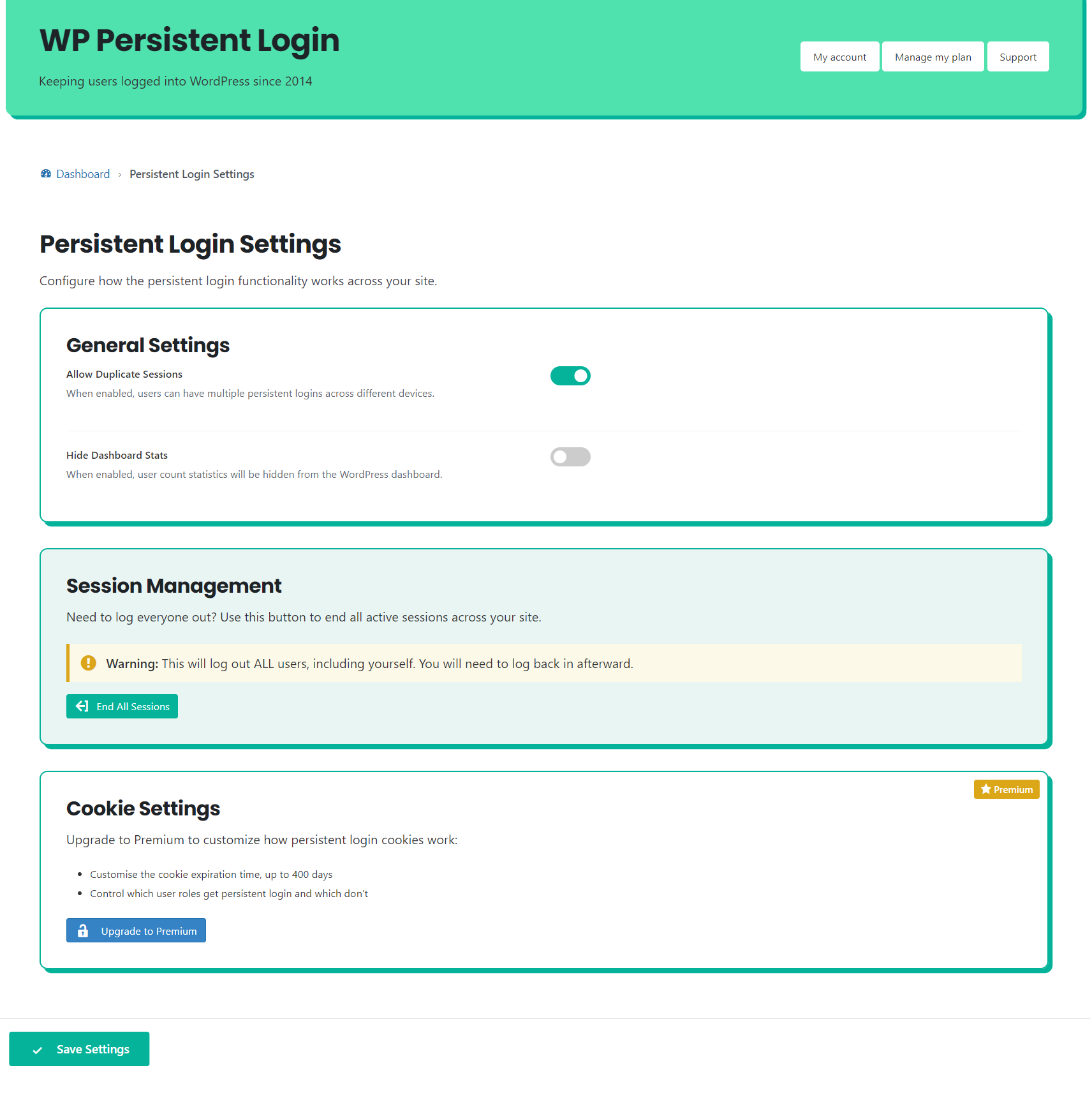
- Force log-out all users with the click of a button
- Users can manage their active sessions from the Profile page in the admin area
- Support for common plugins out of the box
- Secure, fast and simple to use!
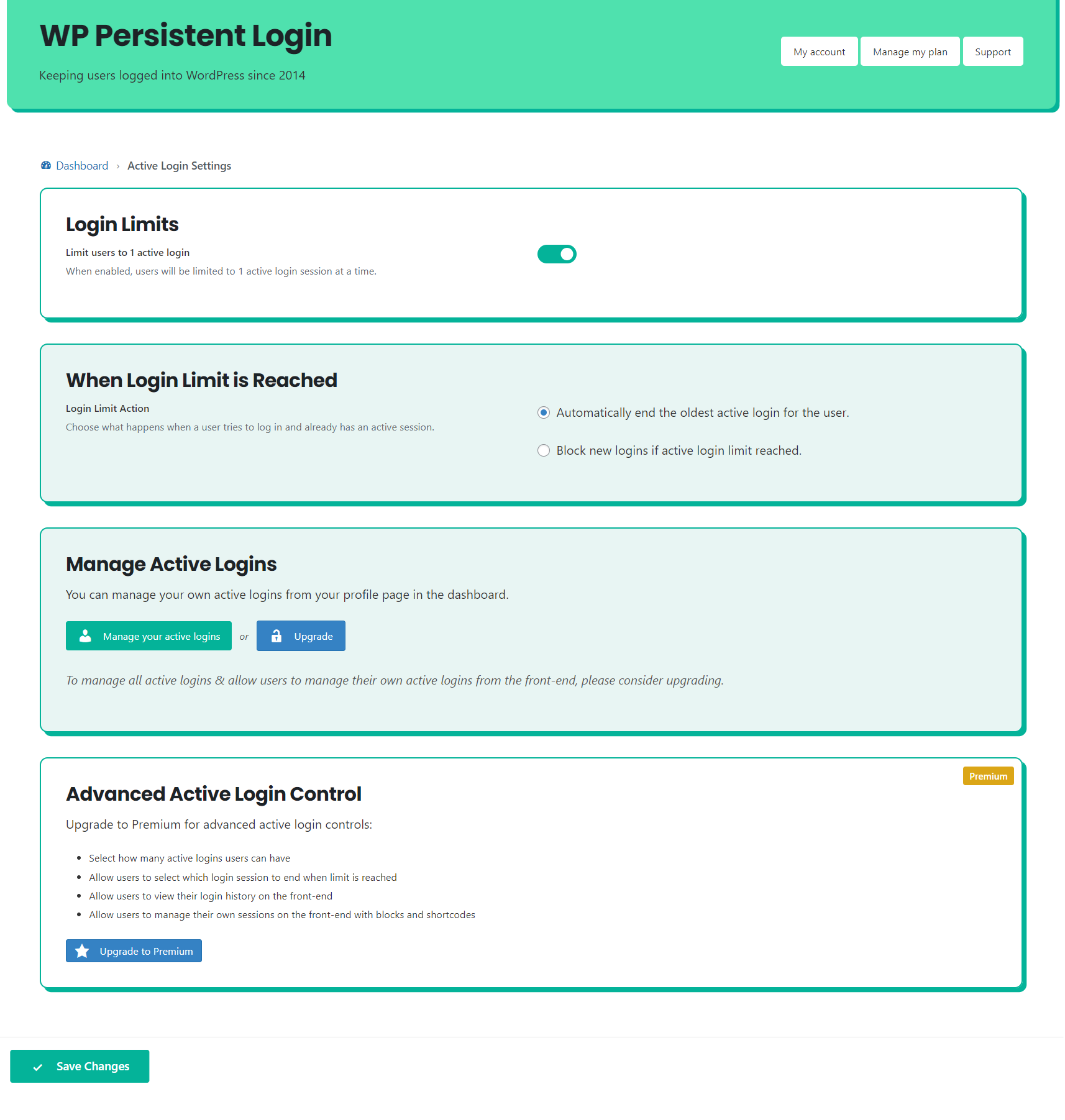
- Option to limit the number of active logins to 1 per user
- New logins can be blocked, or the users oldest login ended automatically
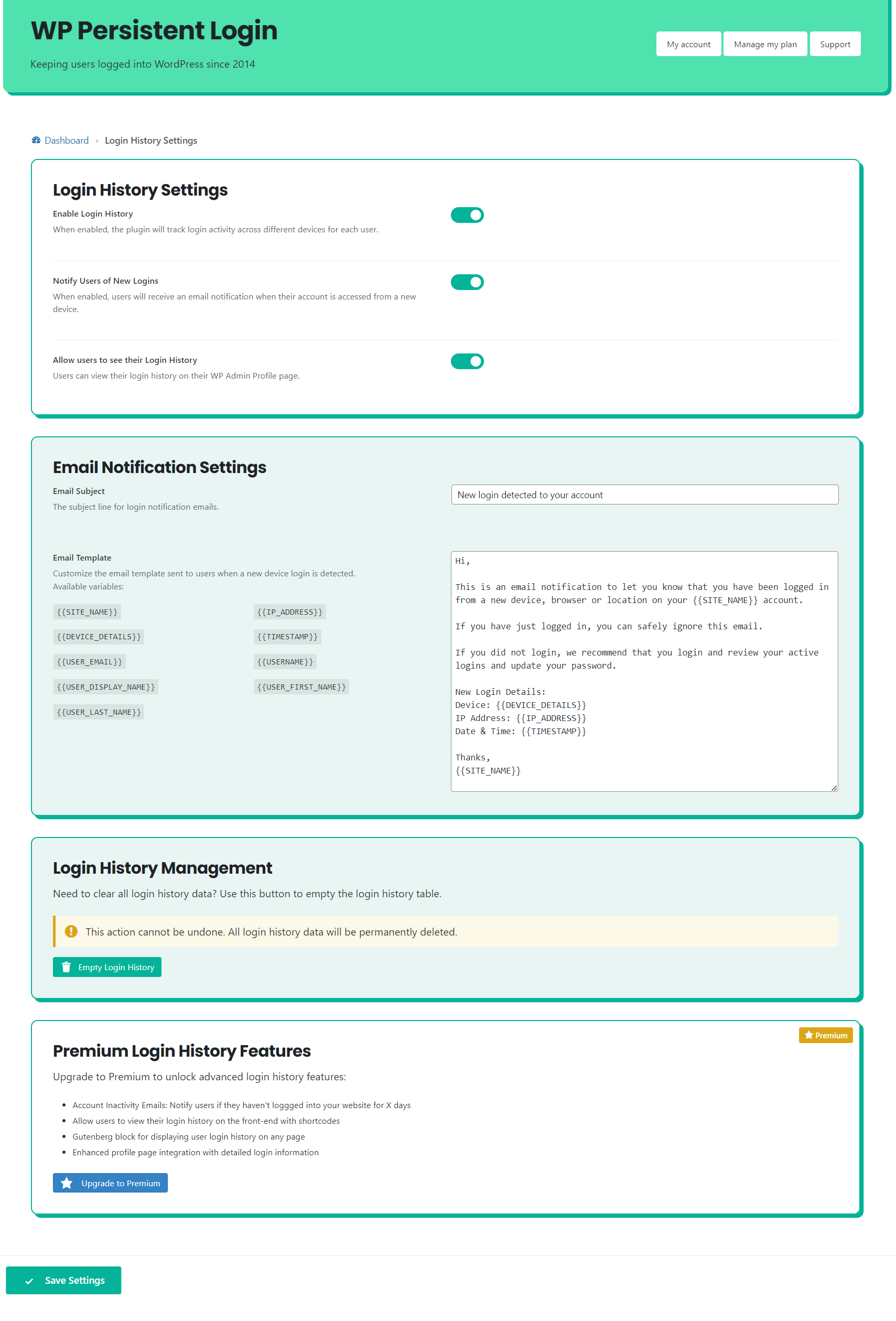
- Notify users of logins from new devices for improved security
- Set your own email notification message that is sent to users
- Manage which user roles have persistent login
- Set how long users are kept logged in for (up to 1 year)
- Hide the 'Remember Me' checkbox, so that users are always remembered
- Session management for users: Users can see all logins. Block Editor and Shortcode support
- Session management for admins: End any users session from the admin area quickly and easily
- Priority Support direct from within WP admin
- Control which roles have active login limits applied
- Select exactly how many active logins users are allowed
- When the limit is reached: Auto-logout oldest login, let the user decide which session to end, or block the login.
安装:
- Download and install the plugin onto your WordPress website
- Activate the plugin
- Click the End all Sessions button on the plugin settings page to force all users to login again
屏幕截图:

常见问题:
How long will it keep users logged in?
If a user visits your website more than once a year, they will be kept logged in forever. The only way for them to be logged out is if they clear their cookies, click logout, or don't return within 1 year.
What is an active login?
Sometimes called concurrent logins, this is the number of devices or browsers one user is logged into. If you limit the number of active logins, users can only be logged into your website once. If a user logs in to a second device, the first device will automatically be logged out.
The Remember Me box isn't checked
If the Remember Me box on a login form isn't checked by default, please open a support request on the Plugin Directory. It is most likely a conflict with another plugin or theme, which can usually be fixed.
Can I hide the Remember Me box?
On the free version, no. You can write your own CSS or JavaScript to remove the Remember Me box from a page if you'd like. You will need FTP access to achieve this. The premium version has a simple setting to hide the Remember Me box by default, and it also works with supported plugins like Theme My Login!
I don't stay logged in on multiple devices
If you're not being kept logged in on multiple devices, try turning on 'Allow duplicate sessions' from the settings page. This is most common if you're trying to login to two machines with the same operating system and browser on the same network.
Can I limit the number of logins each user is allowed? Like Netflix?
Yes, you can now control active logins with WordPress Persistent Login. Just visit the Active Logins tab on the settings page and enable active logins. The premium version allows you to customise the number of active logins, which user roles they apply to and whether users can select which logins they end when they reach the limit.
Is it compatible with WordPress Multisite
No. WordPress Persistent login isn't compatible with multisite installations at the moment.
Is it secure?
You bet! WP Persistent Login uses core WordPress methods to ensure that we're logging in the right user.
Support
Support for a bug can be requested from the WordPress Plugin Directory. Premium users can request support directly from the WP Admin area.
Is it free?
Yes. The free forever version is and always will be free. All of your users will be kept logged-in when they revisit your website. A premium version of the plugin is available if you want to:
- Manage which user roles have persistent login and active login limits
- Set how long users are kept logged in for (up to 1 year)
- Control the number of active logins users are allowed to have
- Allow users to end specific sessions when they reach their maximum login limit
- Allows you to hide the 'Remember Me' checkbox, so that users are always remembered
- Session management for users: Users can see all logins. Block Editor and Shortcode support
- Session management for admins: End any users session from the admin area quickly and easily
- Free localhost licence
- All future features and updates (with a valid licence)
- Priority Support direct from within WP admin Visit persistentlogin.com to learn more.
更新日志:
- Fix: Fixed issue with DISBALE_WP_CRON constant check causing an error on the settings page.
- Namespacing onMailError function to avoid conflicts with other plugins. Renamed to wppl_on_mail_error_log.
- Adding check for WP Cron to ensure it is running.
- Updating Freemius SDK to latest version.
- Feature: Added option to set a subject for the login history email notification.
- Premium Feature (beta): Added account inavctivity email notifications for users that haven't logged in for a set period of time.
- Updating Freemius SDK to latest version.
- Updating Freemius SDK to latest version.
- Updating browser detection library.
- Fix: Removed undefined array index notice on Profile page and Manage Logins block.
- New Feature: Login History - Notify users of logins from new devices for improved security
- PHP 8.2 compatibility (removing warnings)
- Updating Freemius SDK to latest version
- Support for WP Web Woo Social Login plugin
- Updating Freemius SDK.
- Performance improvement: Only updating login cookies once per day.
- Updating browser detection library.
- Fix: Fixed PHP notice of undefined array index.
- Updating freemius SDK.
- Updating Freemius SDK to latest version.
- Further update to support Wordfence and Yoast SEO.
- Updating translation files and text domain to work with .po and .mo files for internationalisation.
- Adding English (UK) translation file.
- Fix: Fix for 500 server error when Wordfence and Yoast SEO are activated.
- Fix: Fixes PHP 8.0.0 requirement for composer dependancy.
- Added option to block logins when Active Login limit is reached.
- Added additional PHP filter for invalid session counts.
- Updated browser detection library to latest version.
- Various performance improvements.
- Tested to WP 6.1.1
- Tested to PHP 8.0.22
- Minor performance improvements.
- Premium: Improved support for hiding labels that wrap 'remember me' checkboxes without the correct name attribute.
- Premium Patch for Nextend Social Login user login error.
- Minor performance improvements.
- Updating plugin link to new dedicated website.
- Improved responsive design of settings page.
- Premium Fix: Added support for Nextend Social Login with Google integration.
- Fix: Removing .gitignore file from plugin directory.
- Premium Fix: Fixed 'hide remember me' issue with compatability with Restrict Content pliugin.
- Removed: Unrequired dependency.
- Improved: Added support for auto-checking remember me boxes on Restrict Content plugin login forms.
- Improved: Resetting user count after ending all sessions.
- Improved: User count messages are now clearer and always show the last completed count breakdown.
- Improved: Wrapped remember me checkbox logic in a JS function for other themes/plugins to use.
- Updated browser detection library
- Fix: Fixed PHP error when using Manage Sessions block.
- Premium Fix: Including user sessions correctly on Edit User admin page.
- Improvement: Entirely re-written plugin in OOP format for improved speed and reliability
- Improvement: Moved Peresistent Login settings to the Users menu
- Improvement: Greatly improved WP Admin interface
- New Feature: Added Active Logins to restrict the number of concurrent logins to one per user
- New Feature: Improved WooCommerce Support - persistent login is enabled by default when users register
- Fix: Security update from dependancy
- Premium Updates:
- Control the number of active logins allowed
- Control which user roles the active logins limit applies to
- Control the logic when users reach the active login limit - auto logout a session or allow the user to select which logins to end
- New Block: Maximum Logins Control lets your users decide which logins to end when they reach their limit
- Fix: Removing code changes to auto-login process.
- Update: Updating Freemius SDK to latest version
- Fix: Fixed PHP warning during user count
- Improvement: Improved logic and performance of auto-logging in users
- Improvement: Updated admin area layout
- Fix: Rollback of 1.3.20 update to fix issue for users with wp-admin area access issues.
- Improvement: Improved session management logic - keeps track of active sessions more accurately.
- Fix: Fixed PHP warning of Invalid argument supplied for foreach() during user login count.
- Update: Updating Freemius SDK version.
- Fix: Fixed user count issue for Persistent Login Free Forever users.
- Minor fix for user count message on settings page.
- Fixing update issue with incorrect files uploaded.
- Performance improvement: Improved performance of logged in user count for websites with large user bases. Tested with 200,000 users.
- Fixing update issue with incorrect files uploaded.
- Updating Freemius SDK to latest version.
- Bug fix for some users experiencing login retention issues.
- Improved performance of login validation for users.
- Performance improvement: Created wp cron job to check the number of logged in users periodically.
- Fixed PHP Notice error
- Updated how settings are stored in database
- Minor improvements to code
- Tested support for WP 5.4.1
- Updated browser detection package
- Tested with WP 5.4
- Updated minimum required WP version to 5.4
- Plugin support: Added support for AR Member login forms - auto-tick remember me boxes
- Premium support: Added support for hiding AR Member remember me checkboxes
- New feature: Admin option to allow duplicate sessions. Useful if you're having trouble staying logged in on multiple devices.
- Improving settings page UI
- General bug fixes
- New premium option: Hide Remember Me boxes from users (premium)
- Minor bug fixes
- Improvement to compatibility with WooCommerce - Social Login Plugin (premium)
- Added support for Ultimate Member Terms & Conditions Extension
- Improved Remember Me box detection
- Security patch
- Users can now manage their own sessions from their Profile page in the WP Admin area
- Premium: Admins can manage all user sessions from the WP Admin area
- Support for Ultimate Member plugin
- Support for Ultimate Member - Social Login Extension (premium)
- Added option to disable dashboard 'at a glance' stats to improve dashboard page speed
- Added fix for where Remember Me box wasn't auto checked on certain themes
- Improved login form detection
- Minor bug fixes
- Premium: Updated browser detection definitions
- Major update: Removed the dependancy of an additional database table & re-writing of plugin
- Big improvements to stability and performance
- New premium feature: Front end session management with Gutenberg & Shortcode support
- Logic to handle removal of data for users that are deleted from WordPress
- Added login timestamps to database in preparation for future feature
- Fixed a bug related to auto-login on Linux operating systems (thanks Paul)
- Minor bug fixes
- Important GDPR compliance update
- Added usage stats based on user roles to settings page
- Improved settings page for free users
- De-cluttered the settings page
- Removed a lot of sales messages
- 7 day free trial added
- Improved settings page for paid users
- Improved look and feel
- Easier to differentiate between information & updatable settings
- Minor bug fixes
- Added usage stats to the 'at a glance' box on the Dashboard homepage
- Fixed auto-install upgrade bug
- Minor fixes to the admin area pages
- New Premium Feature: Allow admin to set maximum time persistent login lasts before the user has to login again
- New Premium Feature: Allow admin to end all persistent login sessions from the Dashboard
- New Premium Feature: Added support for "WooCommerce - Social Login" plugin
- Added usage figures to admin area: Allows admins to see how many users are logged in using Persistent Login
- Fixed issue with cookies not being set across the entire domain
- Fixed issue with removing individual users information from the database when failing to login correctly
- Fixing database column creation bug
- Fixing minor bugs
- Added multi-device persistent login support. Users can now stay logged in on more than one device
- Added security notification email to user if suspicious login attempts are made
- Added functionality to track user IP addresses (prep-work for future update)
- Fixing minor bugs
- Improved upgrade process to premium version
- Fixing minor bugs
- Plugin re-launch
- Updated logic to improve security
- Uninstall features to remove database table and all data correctly
- Freemium model adopted
- Updates plugin to be compatible with WP 4.1
- Fixes login/logout redirect issues
- Removes requirement to have ACF installed, please disable ACF if you don’t use it for anything else
- Updated logic
- General bug fixing
- WordPress Persistent Login Plugin launch