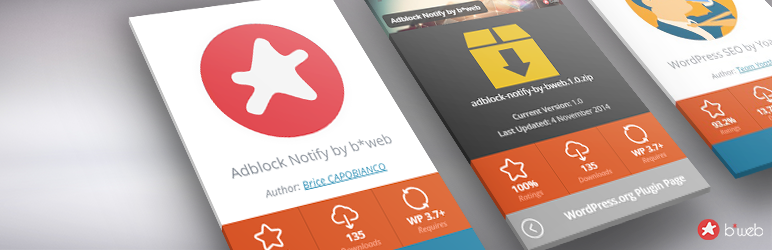
WP Plugin Info Card
| 开发者 |
briKou
ronalfy |
|---|---|
| 更新时间 | 2026年10月8日 02:09 |
| PHP版本: | 6.8 及以上 |
| WordPress版本: | 7.1 |
| 版权: | GPLv2 or later |
| 版权网址: | 版权信息 |
标签
下载
详情介绍:
- Reviewers and Developers wanting to showcase projects, whether hosted on GitHub, WordPress.org, or hosted else-where and custom created.
- WordPress contributors who'd like to display contribution badges or past contributions.
- Users wanting more design choice and layout variation than what is offered by the Core WordPress blocks.
安装:
- Upload and activate the plugin (or install it through the WP admin console)
- Click on the "WP Plugin Info Card" sub-menu
- Follow instructions, every option is documented ;-)
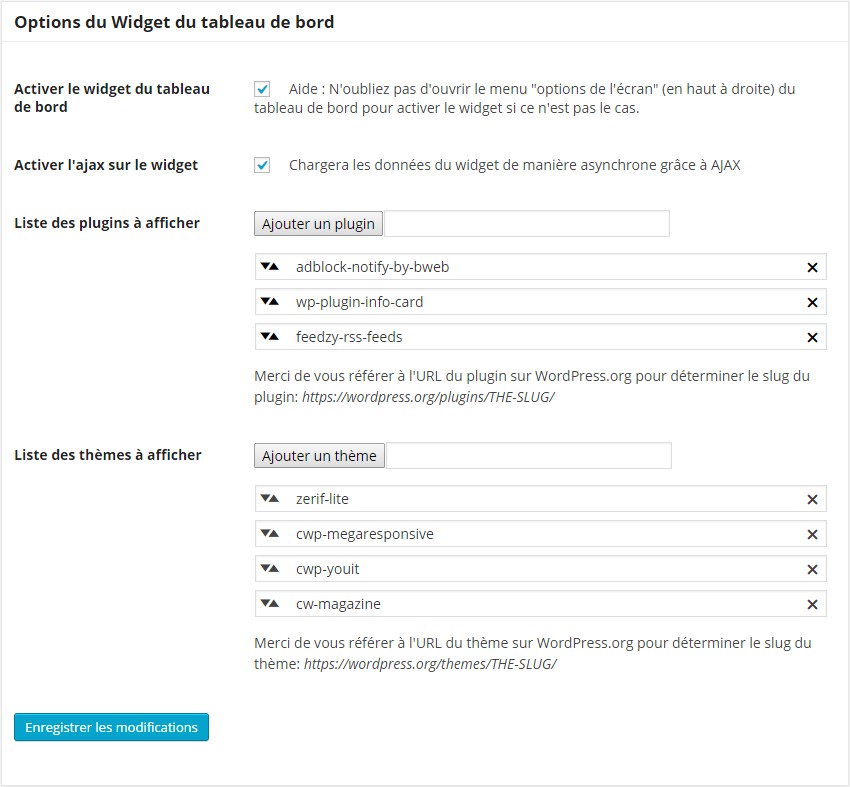
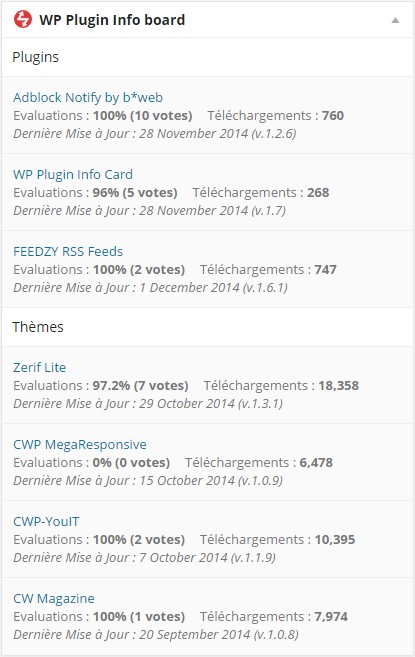
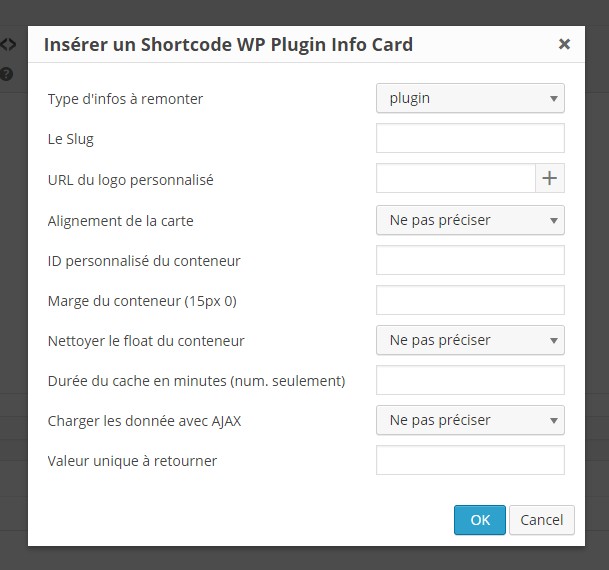
屏幕截图:

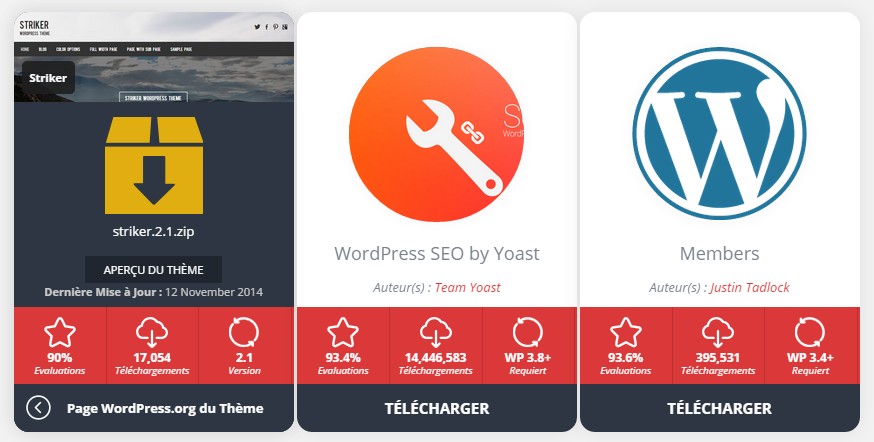
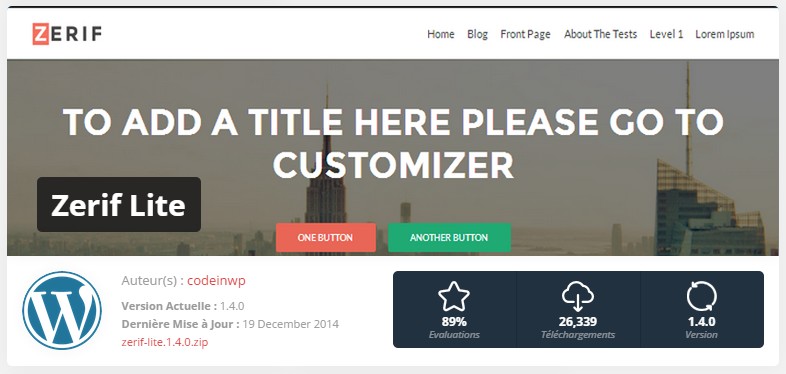
常见问题:
Why use this instead of the default WordPress Plugin block?
The default block only supports WordPress.org plugins and offers limited layout control. WP Plugin Info Card supports multiple sources, including GitHub, Easy Digital Downloads, and third-party plugins, and provides flexible layouts, grid options, and over a dozen card schemes. This makes it easier to create consistent, visually appealing plugin and project showcases across your site.
Can I display GitHub repositories?
Yes. Use the GitHub Info Card block or shortcode to display repositories with metadata and links. When displaying GitHub repositories using the Block Editor, you can add multiple projects to form a gorgeous card grid.
Can I add plugins not hosted on WordPress.org?
Yes. You can add third-party or private plugins, including EDD (Easy Digital Downloads) products.
Does this work with Easy Digital Downloads?
Yes. WP Plugin Info Card supports Easy Digital Downloads, so you can showcase your plugins alongside WordPress.org plugins. For WP Plugin Info Card to work properly with EDD the following add-ons are recommended:
- Software Licensing (Required)
- Product Reviews (optional, but nice to have)
Does this slow down my site?
No, and it shouldn't. If it does, please leave a support request. Everything is designed to be cached and lazy-loaded where appropriate. If you find something loading where it shouldn't, it's not intentional and should be addressed.
Can I use this with classic themes?
Yes, you can use this with classic themes, the Classic Editor, and even your favorite page builder such as Elementor via the plugin's robust shortcode support. If you'd prefer to stick with blocks to build the layouts and use a shortcode to output, I recommend the free companion tool Pattern Wrangler. You can create a new pattern, add and configure the blocks, and copy the shortcode to display anywhere.
Can I use this with a page builder?
The plugin has robust shortcode support, should you need to use this in a page builder such as Divi, Elementor, Beaver Builder, and more. If you'd prefer to stick with blocks to build the layouts and use a shortcode to output, I recommend the free companion tool Pattern Wrangler. You can create a new pattern, add and configure the blocks, and copy the shortcode to display anywhere.
Can I customize the plugin titles being displayed?
Yes, in the block editor, you can customize the title for each displayed plugin in the block editor sidebar.
For shortcodes, where plugins are displayed, simply use plugin-slug="my custom title". For example, for this plugin, you would use: wp-plugin-info-card="My Plugin Info Card".
See shortcode usage for custom titles.
What layouts/color schemes come with the plugin?
For the main plugin card block/shortcode, there are five different layouts, and fourteen color schemes.
Is the default card-flipping effect cross-browser compatible?
Yes, it is compatible with most modern browsers, including iOS Safari/Chrome.
Can I create my own template/layout/card?
Yes, this video shows you how: [youtube https://www.youtube.com/watch?v=hFsVrjQXV_E&t=6s&rel=0]
更新日志:
- Released 2026-10-07
- Security: Shortcode attributes used for AJAX-loaded cards (
type,layout,expiration) were not escaped, allowing Contributor+ users to store a Cross-Site Scripting payload. Attributes are now validated on input and escaped on output. The AJAX card handler and custom image output in card templates were hardened as well. - Security: Extra template hardening thanks to Plugin Check.
- Released 2026-09-23
- Fix: Copying and pasting a theme URL into the block plugin now switches you automatically to the 'theme' asset type.
- Fix: The flex layout's image could overlap the container.
- Released 2026-06-27
- Fix: Updating documentation URLs in the plugin and admin.
- New: GitHub Card Grid blocks have been updated to make it easier to navigate between parent and child blocks.
- Update: Making sure Badges block and shortcode still works with new .org profile changes.
- Released 2026-06-01
- Fix: GitHub Card styles weren't loading for shortcodes.
- Fix: GitHub Card avatars would 404 with no fallback. Avatars are now lazy-loaded with a default if the image fails to load.
- Fix: Profile badges have been updated with the new org layout for scraping.
- Released 2026-05-08
- Fix: Add EDD download would cause nonce error with EDD enabled.
- Released 2026-04-05
- Fix: Certain CSS minifiers would strip out Star Rating CSS or encode it.
- Fix: JavaScript could load in unpredictable places, causing previews to be warped.
- Fix: SVG closing HTML for footer SVGs could break some blocks/query monitor.
- Fix: Resolving PHPStan errors, extra harderning.
- Fix: Multiple cards in the card block would be mis-aligned on tablet.
- Released 2026-02-05
- Fixing nonce validation in custom plugin creation, fixing potential CSRF attacks.
- Released 2025-12-27
- New: Profile Badges block and shortcode. Display your WordPress.org profile badges on your own site.
- New: Screenshots block updated to block.json API version 3, bringing all blocks to v3 in preparation for WordPress 7.0.
- New: Added gallery capabilities to the Screenshots block.
- Fix: Theme and plugin download counts are now consistently rounded down.
- Fix: Resolved navigation style issues in the Screenshots block within the block editor.
- Fix: Resolved alignment issues with the Screenshots block in the block editor and frontend.
- Fix: Corrected icon alignment in the Screenshots block.
- Fix: Download button on the Ratings card has been corrected to extend full-width and height.
- Fix: Removing false height from Large layout card.
- Fix: Fixing alignment in Query block.
- Fix: Fixed overly aggressive sanitization of the author link in the Flex card layout.
- Fix: Prevented grid columns from stretching excessively.
- Fix: Removed a JavaScript warning in the GitHub Info Card block.json.
- Released 2025-12-08
- Bug fix: Dashboard widget wasn't styled correctly.
- Bug fix: TinyMCE button wasn't showing for classic editor.
- Released 2025-09-04
- Bug fix: Multisite installations couldn't access REST APIs for new GitHub Info Cards and also Custom Plugins REST API.
- Bug fix: Screenshots Card was erroring out in the block editor on iframe only installs.
- Released 2025-09-02
- New Feature: GitHub Info Cards released. Now showcase your favorite GitHub repo using a block or shortcode.
- New: Admin panel option for enabling GitHub Info Cards.
- New: Cards support lazy loading for performance.
- Released 2025-08-19
- New feature: Custom Plugin Cards (read the 6.0.0 annnouncement). Create, import, and export these custom plugins.
- New feature: New margin controls on the plugin cards for better appearance.
- New feature: Added transforms to the main card block and the screenshots block.
- Bug fix: A lot of code cleanup has been done.
- Bug fix: Font sizes on title cards were too large and had too much padding.
- Bug fix: Resolved block icons not rendering correctly.
- Released 2025-06-02
- Resolving fatal error when uninstalling the plugin.
- Fixing typo with unterminated quote in SVG code.
- Setting false on script instead of null.
- Released 2025-05-30
- Security fix: Container ID in shortcode / block wasn't properly escaped, resulting in a stored Cross-Site Scripting vulnerability. Props Peter Thaleikis from Wordfence for reporting the issue.
- Released 2025-04-22
- Security fix: Follow up from last release, there is an additional security fix to resolve CSRF issues.
- Released 2025-04-21
- Security fix: Minor CSRF vulnerability reported. This update addresses any non-nonced code.
- Added security info to readme for better contact availability.
- Released 2024-07-20
- Read the full announcement post for this release.
- New feature: override plugin and theme titles, including in the grid layouts.
- New feature: hide a plugin or theme from a grid layout.
- New feature: Query block and shortcode now supports CSS Grid for layout structure.
- New feature: You can now skip and exclude animated GIFs from the plugin screenshots block for performance reasons.
- Block tweak: Main plugin info card block has better usability and overridable titles.
- Block tweak: Query block has been redesigned for more intuitive searching.
- Block tweak: Site Plugins Grid now loads immediately without requiring an extra button click.
- Block tweak: Removed the Edit button from the Site Plugins Grid as it was redundant.
- Bug fix: Lightbox wasn't working on some installs for the screenshots block/shortcode.
- Bug fix: Stats columns in the screenshots block/shortcode looks much better on mobile devices now.
- Released 2024-07-17
- Read the announcement post for more details.
- New Feature: Added Easy Digital Downloads integration.
- Bug fix: Fixing large layout in the block editor.
- Bug fix: Fixing mobile styling in the admin options.
- Released 2024-07-09
- New layout: Ratings. Display plugin or theme ratings in a card format. Read the announcement post for more details.
- New feature: data is stored as options for redundancy and performance.
- Bug fix: Lazy loading the screenshots block was causing layout inconsistencies, so it has been reworked.
- New feature: can clear the backup options from the admin panel.
- Bug fix: Flex layout now has a max-width of 772px to match the smaller banner sizes.
- Bug fix: Fixed broken HTML tag, which was causing columns to invalidate.
- Released 2024-03-06
- New admin panel look and feel.
- New Plugin Screenshots block and shortcode allows you to display plugin screenshots.
- See ?the announcement post for more details.
- Released 2023-12-12
- Fixing translations not being set properly with the text domain.
- Released 2023-10-13
- Bug fix: beginning and trailing slashes broke the output on the frontend.
- Bug fix: editor now strips out slashes on blur.
- Enhancement: copying/pasting a .org URL into the block editor now automatically converts it to a slug.
- Released 2023-08-05
- Fixed a block editor bug where certain plugins were not returning a
requireargument. - Fixed a block editor bug where the site plugin list wasn't loading to due an invalid object type.
- Tested with WordPress 6.3 and resolved any deprecation notices.
- Released 2023-06-17
- Fixed a bug where the WordPress default layout was not saving.
- Added block transforms for the main block so that pasting a theme or plugin URL should pull up WP Plugin Info Card automatically.
- Added block transform to convert from regular embed into info card block.
- Released 2023-02-14
- Fixing undefined index in the main shortcode output.
- Released 2023-01-20
- New shortcode and block: Site Plugins Card Grid.
- The plugin's code and build scripts have been updated to the latest standards.
- Released 2023-01-07
- Added ability to sort results by active installs, downloads, and last updated in the Query shortcode/block.
- Released 2023-01-02
- Fixing defaults not being applied correctly for blocks.
- Released 2022-12-30
- The Plugin Info Card Query block got a bit of a makeover.
- Fixing numerous style and data inconsistencies in the block editor.
- Updating block editor and plugin build scripts. See GitHub.
- Released 2021-06-04
- Re-worked admin panel options.
- Re-worked primary Gutenberg block.
- WordPress 5.5 compatibility.
- Released 2020-01-30
- Improved Gutenberg block loading and edit screens.
- Blocks are full-width by default.
- Added block previews to blocks.
- New multi mode to allow multiple plugin output using one shortcode or one block.
- Added two new color schemes.
- Released 2019-06-23
- Gutenberg block improvements
- New color scheme (Scheme 12) for Magenta.
- Released 2019-06-02.
- Added Center as the default layout choice.
- Added layout to the Gutenberg layout settings upon load.
- Code cleanup and fixes.
- Released 2019-05-24
- Documentation updates.
- New scheme - Dark mode
- Released 2019-05-21
- Fixing card styles not showing properly.
- Released 2019-05-21
- Documentation Update
- Released 2019-05-17
- Gutenberg fixes and enhancements
- New FLEX layout option in Gutenberg and the shortcodes
- Released 2019-05-15
- Adding loading animation to Gutenberg blocks
- Fixed theme download count from active installs to downloads
- Released 2019-05-13
- Fixed float on one column query layouts
- Released 2019-05-13
- Added Query Selector Gutenberg block
- Removing Custom from Gutenberg blocks as it makes no sense from a block perspective
- Fixing PHP error in query Selector
- Adding Reset button to Gutenberg blocks so you can change your settings
- Released 2019-03-18
- Fixing PHP notices and showing theme download count in dashboard widget.
- Released 2019-03-17
- Fixed downloaded being blank (changed to active installs)
- Added Gutenberg block
- Tested on WP 5.1 with success!
- Tested on WP 4.7.3 with success!
- Fix broken image URLs after plugins directory update
- French translation update (thanks to @wolforg)
- Change text-domain to take advantage of language packs translate.wordpress.org
- New: Add "WordPress" layouts for plugins and themes
- New: Add the ability to use custom queries to retrieve plugins & themes by tags, author, etc. (new shortcode: wp-pic-query)
- New: The new shortcode wp-pic-query is able to output items in a grid system (1, 2 or 3 cols).
- New: use wppic_api_query hook to perform query customization
- New: use wppic_query_content to filter what wp-pic-query shortcode returns
- Fix translations + add new string to translations files
- Fix live preview URL for themes
- Fix typo on themes layouts
- Fix a warning in the theme large layout
- Improve API parser (store more data from the API). Eg: active installs, description
- Improve CSS
- Improve register_activation_hook and register_uninstall_hook call for better performance
- Enqueue minified CSS (forget in the previous version)
- Update french translation
- Tested on WP 4.6 with success!
- Fix an issue on options save in the admin page
- Tested on WP 4.4.2 with success!
- Make the shortcode_atts_wppic_default hook available thanks to the shortcode_atts() third parameter
- Fix a minor CSS bug on the large layout height reported by @posykrat: https://wordpress.org/support/topic/height-100-for-large-display
- Best compliance with WordPress coding standards
- New WPPIC_VERSION constant. Will ease improving refresh browser caching after plugin updates (mainly on CSS and JS files)...
- Replace jQuery live() function by on() function to prevent JS error (fix an issue with Visual composer)
- Tested on WP 4.3 with success!
- Fix a PHP warning using is_wp_error if plugin or theme slug does not exists
- Fix a JS bug on the preview card when changing the color sheme on the fly
- Minor CSS fix in the admin with WP 4.2 (.card class is now used by the core in admin)
- Tested on WP 4.2 with success!
- readme.txt update
- Serbo-Croatian translation by Andrijana Nikolic from Web Hosting Geeks
- Targeting user appreciation links to 5 stars :)
- Replace the credit's link target with the plugin's documentation english page
- French translation updated
- New option added to ask for displaying the credit on cards.
- Security issue fix thanks to Julio Potier :)
- Minor CSS fix - max-with 100% for large layout image
- Use PNG icon as SVG fallback on the visual editor button
- Change "Download" into "More info" on card layout
- Translations update
- Deutsch translation by Christian Zumbrunnen
- Minor security improvements
- Minor CSS fix on dashboard widget
- Purge transients on plugin activation/updates
- Fix date format on dashboard widget
- Date internationalization
- Templates update for better date support
- Minor PHP improvements
- Check if Memcache is loaded to prevent unncessary db request during transients purge
- Template update - differents links added on icons
- Remove logo from meta
- Minor CSS updates
- PHP fixes on admin error
- Better performance - options stored in a global var (less db requests)
- Relief of admin page functions (more maintainable)
- FR Translation fixes - backslash issues
- New hook added
- readme.txt update
- Total re-factoring of the plugin core files and structures
- Many hooks added
- CSS updates and fixes
- Translation update
- PHP fixes
- Fixed issue on Widget cache duration (5min)
- Random slug from slugs list (comma-separated)
- Large layout template added
- Color scheme and layout parameters added to WYSIWYG UI
- Custom template layout support
- Better scripts enqueuing (new action)
- New option to force scripts enqueuing
- Tested on WP 4.1 with success!
- New screenshots
- readme.txt update
- Special thanks to Hugh Lashbrooke for his help in improving the plugin :)
- Many hooks added
- More clean code and template render
- Clear cache button in admin
- CSS updates and fixes
- Translation update
- PHP fixes
- Remove ugly paypal donate button in admin
- Random slug from slugs list (comma-separated)
- Large layout template added
- SVG logo in admin menu (base64 encoded)
- Improvement of theme & plugin template
- PHP fix
- Square image for themes card
- readme.txt update
- Media upload in TinyMCE ui modal for default thumb
- Introduction of card template (beta)
- Theme API added + new template
- Using WordPress native functions to fetch data from API, including icon and banner
- Remove banner + logo parameters
- Many PHP bug fixes
- Js improvement (better ui)
- CSS improvement (better ui)
- Widget improvement fot plugins+theme display
- Set transient default lifetime to 720 (before 10)
- Specifice transient for widget (10 min)
- Translation string added
- Form validation in TinyMCE ui modal
- New admin options for theme API
- readme.txt update
- New option for color scheme
- New param for color scheme
- Minor CSS improvements
- 10 new colors schemes/skins
- Polish translation by Kuba Mikita
- Widget UI translation
- Plugin meta translation
- Logo on plugin directory list
- Remove unnecessary files from trunk
- New logo
- Minor CSS fixes
- Admin + widget minor updates
- New param added to ajaxify the card
- Fix minor php issue
- Improve dashboard widget ajax function.
- New admin option to activate or deactivate ajax on widget
- Minor CSS fixes and improvement
- Now use minify css and scripts un front
- Added error message when slug is wrong or plugin offline
- readme.txt update + admin page documentation update
- Shortcode may now be displayed everywhere in the page (content/widget) because JS & CSS are loaded via a global var.
- Ajaxify dashboard widget.
- Fix bug on saving empty plugin list with deactivated dashboard widget
- New param added to specify transient life time
- Daily cron added to purge transients
- Fix on foreach. Related topic: https://wordpress.org/support/topic/errors-on-saving-dashboard-widget?replies=5#post-6197891
- Fix on widget if plugin list is empty
- Typo fix.
- PHP fix if no plugin slug is set during options updates
- CSS fix for transparent logos
- Fix if required version already includes 'WP'
- Now translatable + add French translation
- Update readme.txt
- Typo fix.
- Add link to admin page
- Update readme.txt
- First release.