
WP Rate and Review – Collect Reviews with Images
| 开发者 | krishna121 |
|---|---|
| 更新时间 | 2026年9月16日 19:27 |
| 捐献地址: | 去捐款 |
| PHP版本: | 7.4 及以上 |
| WordPress版本: | 7.1 |
| 版权: | GPLv2 or later |
| 版权网址: | 版权信息 |
详情介绍:
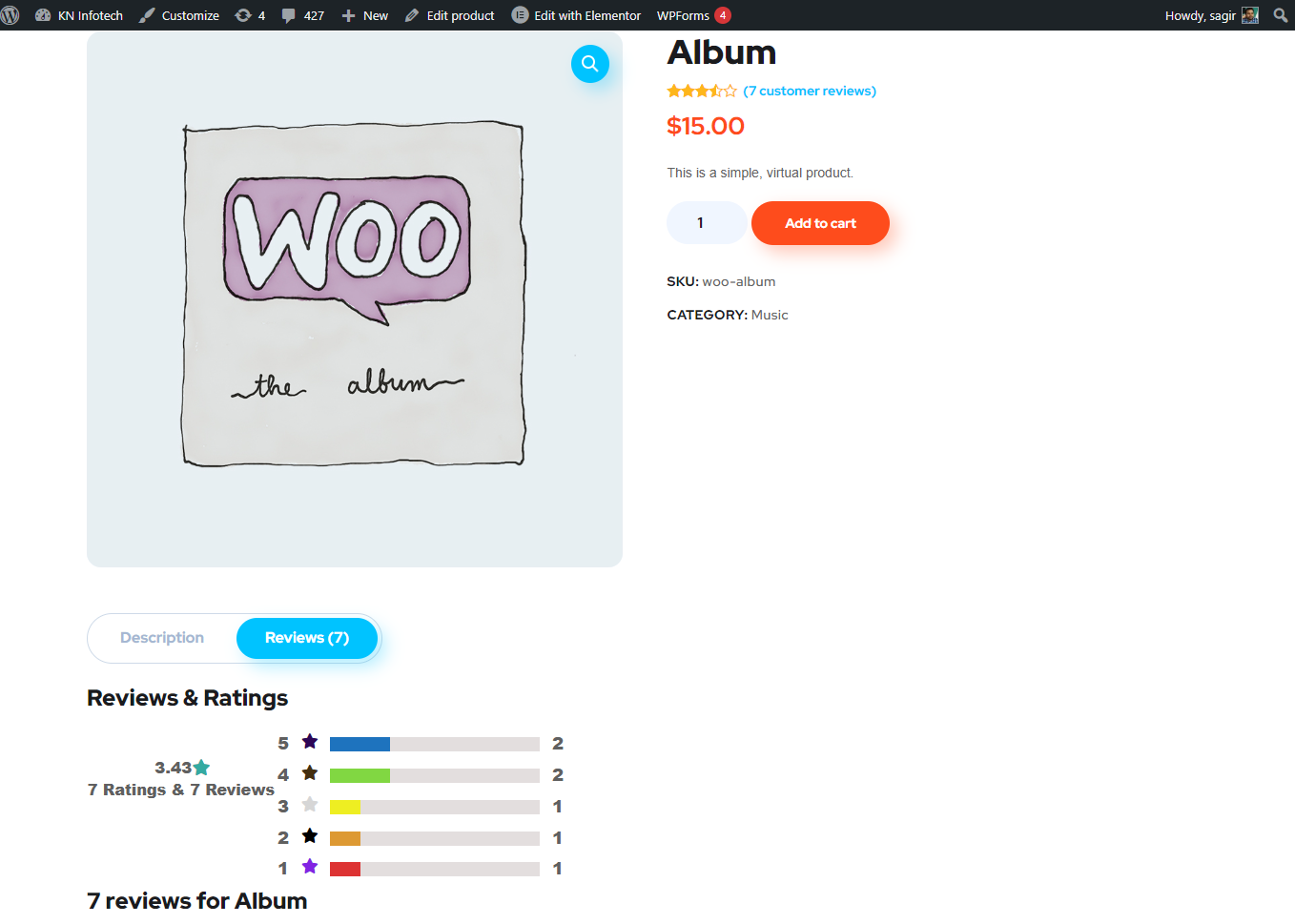
WP Rate And Review is a powerful WooCommerce review solution designed to transform your product pages into engaging, trustworthy, and professional review experiences. Showcase customer ratings, detailed review statistics, and visual feedback in beautiful, customizable layouts.
With the Customer Image Upload feature, shoppers can upload real product images along with their reviews. Visual reviews make customer feedback more authentic and help potential buyers understand the real-world product experience before making a purchase.
The plugin includes beautiful review templates, customizable rating progress bars, detailed rating breakdowns, and image-based reviews, giving you everything you need to present customer feedback professionally.
You get complete control over your review design directly from the settings panel. Customize colors, progress bars, rating displays, review layouts, and customer-uploaded images to match your WooCommerce store's branding.
View Demo: Review Grid Listing
More About Pro: WP Rate And Review Pro Details | Where To Buy: Buy Pro Version
Whether you want to highlight average ratings, show rating distribution, or display review summaries anywhere on your website, WP Rate And Review gives you complete control over how customer feedback is presented.
安装:
- Log-in to your WordPress admin panel.
- Go to plugins page and click on Add New button.
- Upload plugin's zip file from your computer and activate plugin.
- Now you could see "WP Rate And Review" into dashboard menu.
屏幕截图:

更新日志:
1.2.5
- Fixes - WooCommerce compatibility fixed.
- Features - Review Image enabled.
- Fixes - WooCommerce compatibility fixed.
- Settings save issue fixed.
- WooCommerce compatibility fixed.
- Settings page UI updated.
- WooCommerce compatibility fixed.
- Plugin's settings page updated
- Compatible to latest Wordpress and WooCommerce
- WP Rate And Review Pro released
- Plugin page is updated
- Compatible to latest Wordpress and WooCommerce
- Compatible to latest Wordpress and WooCommerce
- Compatible to latest Wordpress and WooCommerce
- Compatible to latest Wordpress and WooCommerce
- Compatible to latest Wordpress and WooCommerce
- Compatible to latest Wordpress and WooCommerce
- Added multiple review template
- Added multiple color progress bar
- Added colorfull star icon
- Show product review summary using shortcode.
- fixed summary show.
- Auto disable plugin if woocommerce not installed.
- New Feature - Exclude Products to show summary.
- Initial version