
WP Stripe Cart - Fast, lightweight Stripe Shopping Cart for WordPress
详情介绍:
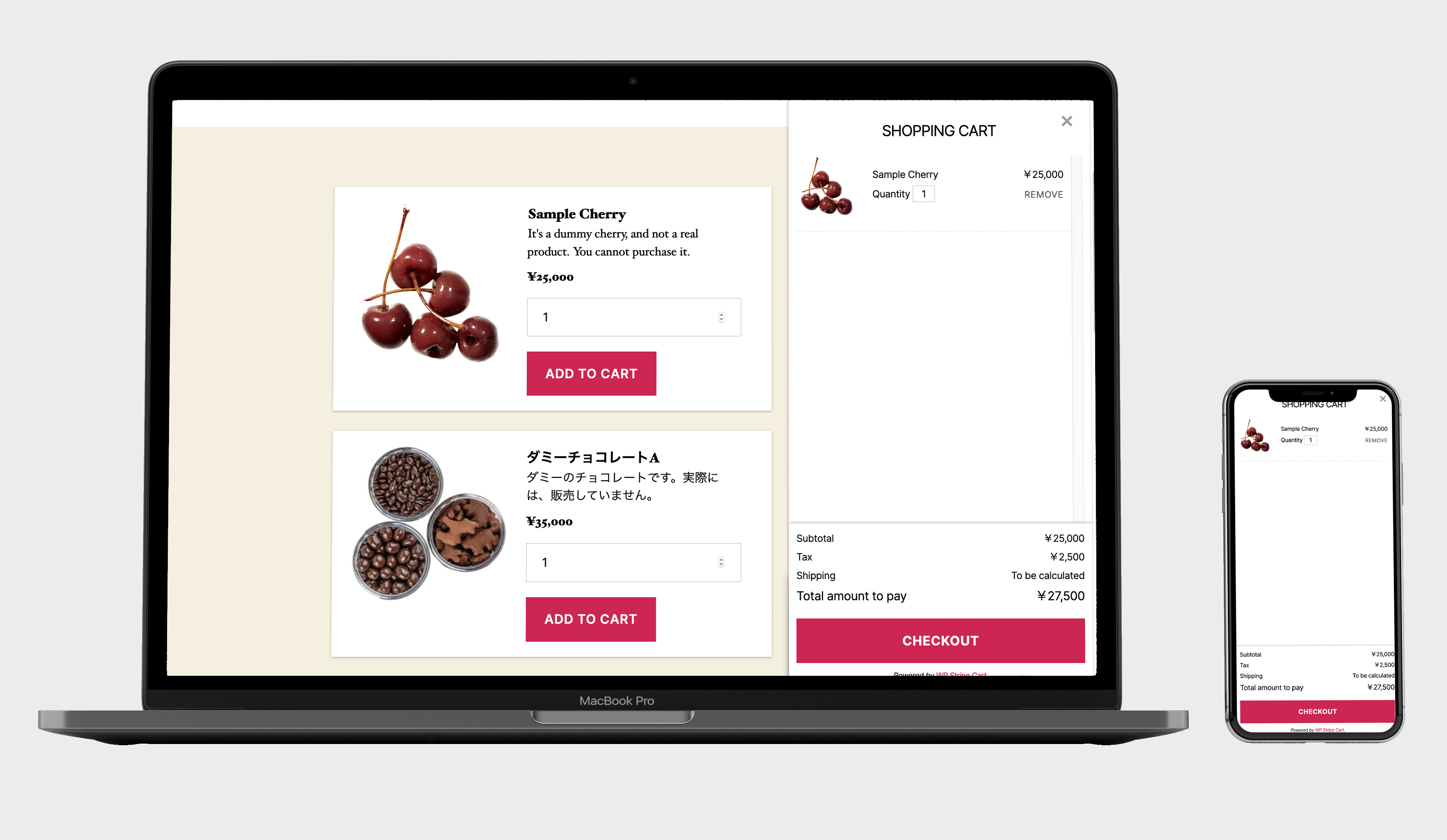
- A real cart, not just a button. Sell multiple items in one checkout — not one-product-at-a-time.
- Lightweight and fast. No page-builder bloat, no dozens of database tables slowing your site down.
- No monthly fees. You only ever pay standard Stripe processing rates.
- Mobile-first checkout. Apple Pay and Google Pay work out of the box for one-tap payments.
- Managed in Stripe. Create and price products in Stripe; display them anywhere with a shortcode.
- Your data stays yours. Order and customer data lives on your own site and in your Stripe account — no third-party store host in the middle.
- Theme-integrated design. Inherits your theme's colors and typography so the cart looks native.
- Multi-currency ready. Handles multiple currencies with correct formatting.
- Translation-ready. Ships with English and Japanese, and is ready for more.
- Digital downloads (ebooks, software, templates, music)
- Physical products with shipping
- Services and bookings
- Memberships
- Donations
- Event tickets
[wsc-get-product product_id="prod_XXXXXXXX"]
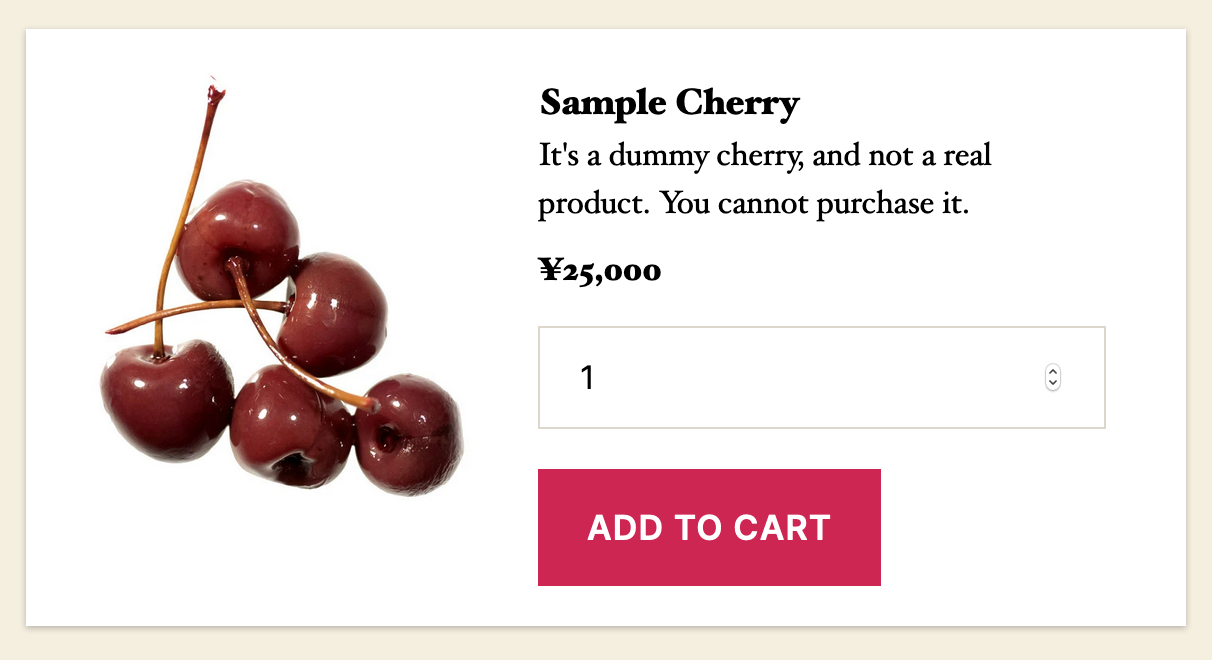
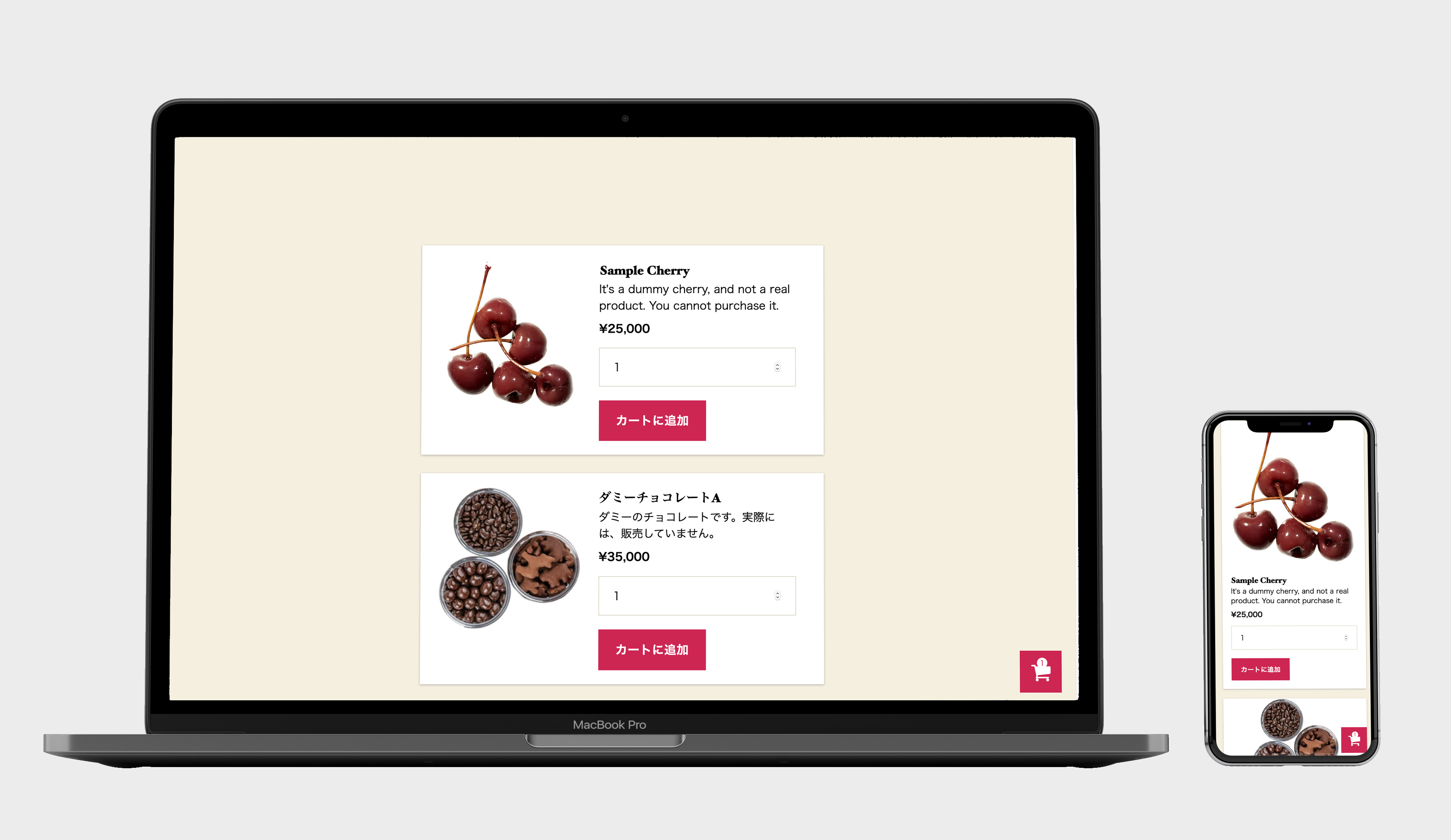
That's it — the product renders with an "Add to cart" control, and checkout works immediately.
A simpler alternative to WooCommerce
If you have looked at WooCommerce and felt it was overkill — too many settings, too many extensions, too much overhead just to take a few payments — WP Stripe Cart gives you the checkout you actually need with a fraction of the setup. And unlike single-payment button plugins, you still get a proper cart when a customer wants to buy more than one thing.
WP Stripe Cart Pro
Upgrade to WP Stripe Cart Pro when you're ready to sell more. Pro adds the tools that turn a cart into growing revenue:
- Coupons & discount codes — run promotions and sales
- Subscriptions & recurring billing — sell memberships and plans
- Cart abandonment recovery emails — win back customers who don't finish checkout
- Conversion tracking — GA4 and Meta Pixel integration
- Stripe Tax support — automated tax calculation
- Custom order status labels — fit the cart to your workflow
安装:
- In your WordPress admin, go to Plugins → Add New.
- Search for "WP Stripe Cart".
- Click Install Now, then Activate.
- Go to WP Stripe Cart → Settings and connect your Stripe account.
- Create products in your Stripe dashboard.
- Add a product to any page or post using the shortcode, for example:
[wsc-get-product product_id="prod_XXXXXXXX"] - Publish the page and start selling.
/wp-content/plugins/ and activating it from the Plugins screen.屏幕截图:
常见问题:
How is this different from WooCommerce?
WooCommerce is a full eCommerce platform with a large product database, many settings, and an ecosystem of extensions. WP Stripe Cart is deliberately lightweight: products live in Stripe, there's minimal configuration, and your site stays fast. If you only need to sell a handful of products or services with a clean cart and checkout, WP Stripe Cart gets you there with far less overhead.
How is this different from single-button Stripe plugins?
Button-only plugins let a customer buy one product at a time and have no cart. WP Stripe Cart gives you a real multi-item cart, so customers can add several products and check out together — while staying just as lightweight.
Are there any monthly fees?
No. The core plugin is free, and you only pay standard Stripe processing rates on your sales. Optional Pro and White Label upgrades are available if you want advanced features.
Do I need a Stripe account?
Yes. WP Stripe Cart uses Stripe to process payments and to manage your products and prices. Creating a Stripe account is free.
Does it support Apple Pay and Google Pay?
Yes. The mobile-optimized checkout supports Apple Pay and Google Pay for fast, one-tap payments where available.
Where is my order and customer data stored?
On your own WordPress site and in your Stripe account. There is no third-party store host sitting between you and your customers.
Can I sell subscriptions or recurring products?
Recurring billing and subscriptions are available in WP Stripe Cart Pro, along with coupons, cart-recovery emails, and analytics integrations.
Can I customize how the cart looks?
The cart inherits your theme's colors and typography by default. For full template control, GUI color editing, and removing the "Powered by" branding, use the White Label add-on.
Is it translation-ready?
Yes. The plugin ships with English and Japanese and is ready to be translated into other languages.
更新日志:
- Fix: Checkout — the card number field is no longer drawn with a double border, and it now fills the row like the other fields.
- Fix: Checkout — a scrollbar no longer appears inside the card number field.
- Improved: Checkout — the country and prefecture dropdowns now have proper spacing above and below, instead of sitting flush against the row edges.
- New: Order status management on the Orders screen — mark each order Open / In progress / Done from an inline dropdown, change several at once with a bulk action, and filter the list by status. (WP Stripe Cart Pro can rename, recolour and add your own statuses.)
- New: Prevents mixing currencies in one cart — a Stripe payment can only charge a single currency, so adding a product in a different currency is blocked (and the checkout is refused server-side as a safety net).
- New: When the Pro add-on isn't installed, the menu shows its revenue features (Coupons, Subscriptions, Abandoned Carts, Conversion Tracking) with a "PRO" badge, each opening a short overview page.
- Improved: The Country list / Varied shipping fee help text now only shows while editing the raw value, and the "Default Fee" field is laid out more clearly. (Groundwork for the visual editors in WP Stripe Cart Pro.)
- Fix: Prices in currencies with decimals (e.g. USD $12.99) are now displayed correctly instead of 100x too large. Amounts are shown in the currency's major unit automatically — no configuration needed. Zero-decimal currencies (JPY, etc.) are unchanged.
- Fix: Desktop checkout — the address fields no longer overflow and get clipped on the right.
- Security: The charge amount is now recomputed on the server from your Stripe prices at checkout, so a tampered cart cannot underpay. Orders are verified against Stripe (PaymentIntent must be paid) before they are recorded, and duplicate records for the same payment are prevented.
- Improved: Shipping is more robust — an empty, malformed, or region-not-listed shipping table no longer produces PHP warnings or a broken cart response. Malformed JSON is now caught and flagged when you save the settings.
- New: A "Default Fee" shipping setting — charged when the buyer's country / prefecture is not listed in the varied-fee table (instead of silently shipping for free). Leave blank to keep the previous behavior.
- Improved: Tax is rounded to a whole currency unit (valid Stripe amount) instead of showing fractional minor units.
- New (developers): The
wsc_tax_amountfilter lets add-ons replace the tax calculation (used by WP Stripe Cart Pro's Stripe Tax mode).
- New: A "How to use" help page under the WP Stripe Cart menu — bilingual (Japanese / English) with tabs; add-ons can add their own tab.
- New: An "Upgrade to Pro" link on the Plugins screen (shown only when the Pro add-on is not active).
- Improved: The card number field is now a comfortable size on desktop as well as mobile, matching the other checkout fields.
- New (developers): Extension points so add-ons can build on the cart without changing the free plugin — the
wsc_cart_calculatedandwsc_payment_intent_argsfilters, thewsc_order_savedaction, andwsc:purchase/wsc:refresh-cartJavaScript events. - New: A compact info panel on the settings screen for the Pro and White Label add-ons.
- Improved: When a recurring (subscription) price is used with the
[wsc-get-product]shortcode, a notice is now shown to administrators only (that shortcode charges a one-time payment).
- Improved: Mobile checkout — larger, easier-to-tap country / prefecture dropdowns and card number field, and extra bottom spacing so the Pay button is never hidden behind the mobile browser toolbar.
- Improved: More robust Apple Pay / Google Pay (Payment Request) availability check.
- New (White Label): Change the cart colors (button, text, accent, corner radius) right from the settings screen — no CSS editing required.
- Improved (White Label): "Powered by" is now removed automatically when the add-on is active, via the
wsc_show_powered_byfilter — no template editing required. - Improved (White Label): Template overrides are now partial — copy only the templates you want to change into your theme's
wsc-template/folder; anything you don't copy falls back to the plugin's up-to-date bundled template. Child and parent themes are both supported. - Fix (White Label): The custom stylesheet placed in the theme was not being loaded (a URL was being checked with file_exists()). It now loads correctly.
- Improved: The styling is split into a small always-on "fixes" layer (layout/overflow only) and a token-based "skin" layer, so functional fixes never override a customized design.
- Dev: New filters
wsc_show_powered_byandwsc_enqueue_theme_css.
- Design: Refreshed the front-end styling to blend with block themes (Twenty Twenty-Four and later). Buttons, colors and typography now inherit the active theme's design tokens via a non-destructive integration stylesheet.
- Fix: Product and cart images no longer overflow their containers.
- Improved: More compact cart drawer items (thumbnail on the left, name and quantity on the right) that stay tidy even with long product names. The checkout button now always stays visible.
- New: The "Added to cart" notice now shows the product name next to the thumbnail.
- New: Setting to adjust the floating cart icon position (offset from the bottom-right), useful when it overlaps a theme's "scroll to top" button. The cart icon is also raised in the stacking order.
- Improved: Larger, easier-to-tap "Add to cart" and "Checkout" buttons.
- New: Modern, simple "No Image" placeholder (SVG) that adapts to light and dark themes.
- Fix: Load the text domain on the
inithook to avoid the "translation loading triggered too early" notice on WordPress 6.7+. - Improved: Front-end assets are now versioned by the plugin version so updates bust the browser cache reliably.
- Tested up to WordPress 7.0.