Min Max Quantity Controls for WooCommerce with Step Control
| 开发者 |
wpbean
imranwpb |
|---|---|
| 更新时间 | 2026年10月9日 00:39 |
| PHP版本: | 7.4 及以上 |
| WordPress版本: | 7.1.3 |
| 版权: | GPL-2.0-or-later |
| 版权网址: | 版权信息 |
详情介绍:
- Plus & Minus buttons with fully customizable styles
- Interactive quantity slider with tooltip support
- Keep the default WooCommerce input or replace it with buttons or slider Global Quantity Settings
- Set global Min, Max, Step, and Default quantity for all products
- Decimal quantity support for weight-based or fractional products
- Allow or restrict manual quantity input with optional validation Display Control
- Enable or disable quantity controls per page: Product, Shop, Archive, and Cart
- Live preview of quantity controls in the settings panel Styling & Customization
- Fully customize button size, color, border, and border radius
- Customize slider thumb, track color, size, and font
- Add prefix and suffix text to quantity fields
- Multiple button skin options Developer Friendly
- Compatible with WooCommerce High-Performance Order Storage (HPOS)
- Clean, well-structured code built with React
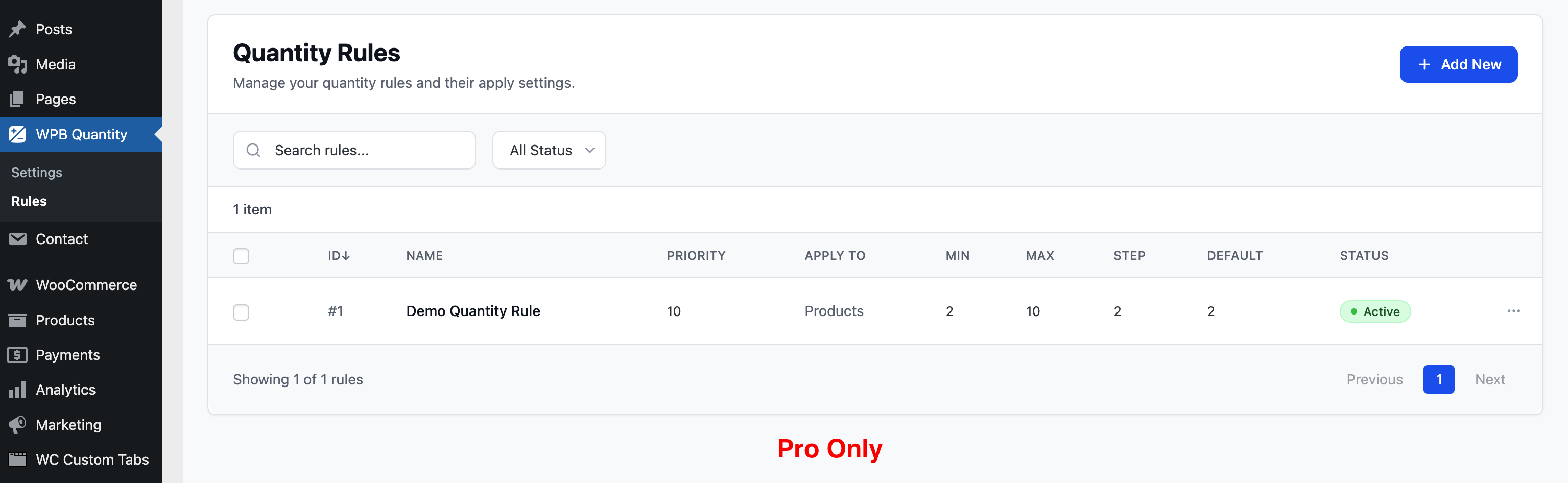
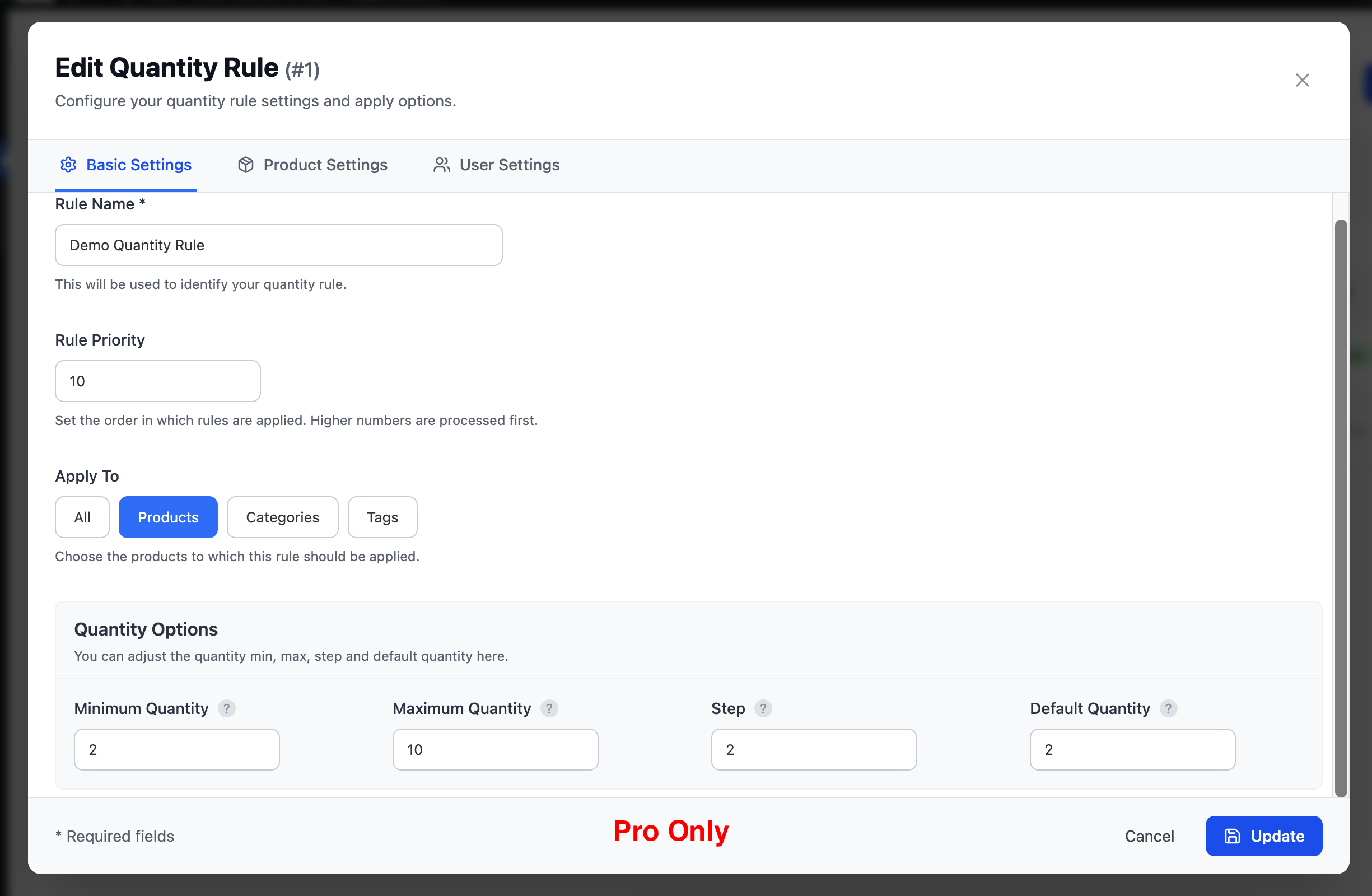
- Create unlimited named quantity rules with custom priority order
- Higher priority rules are processed first, giving you full control Flexible Rule Targeting — Apply Rules To:
- All products globally
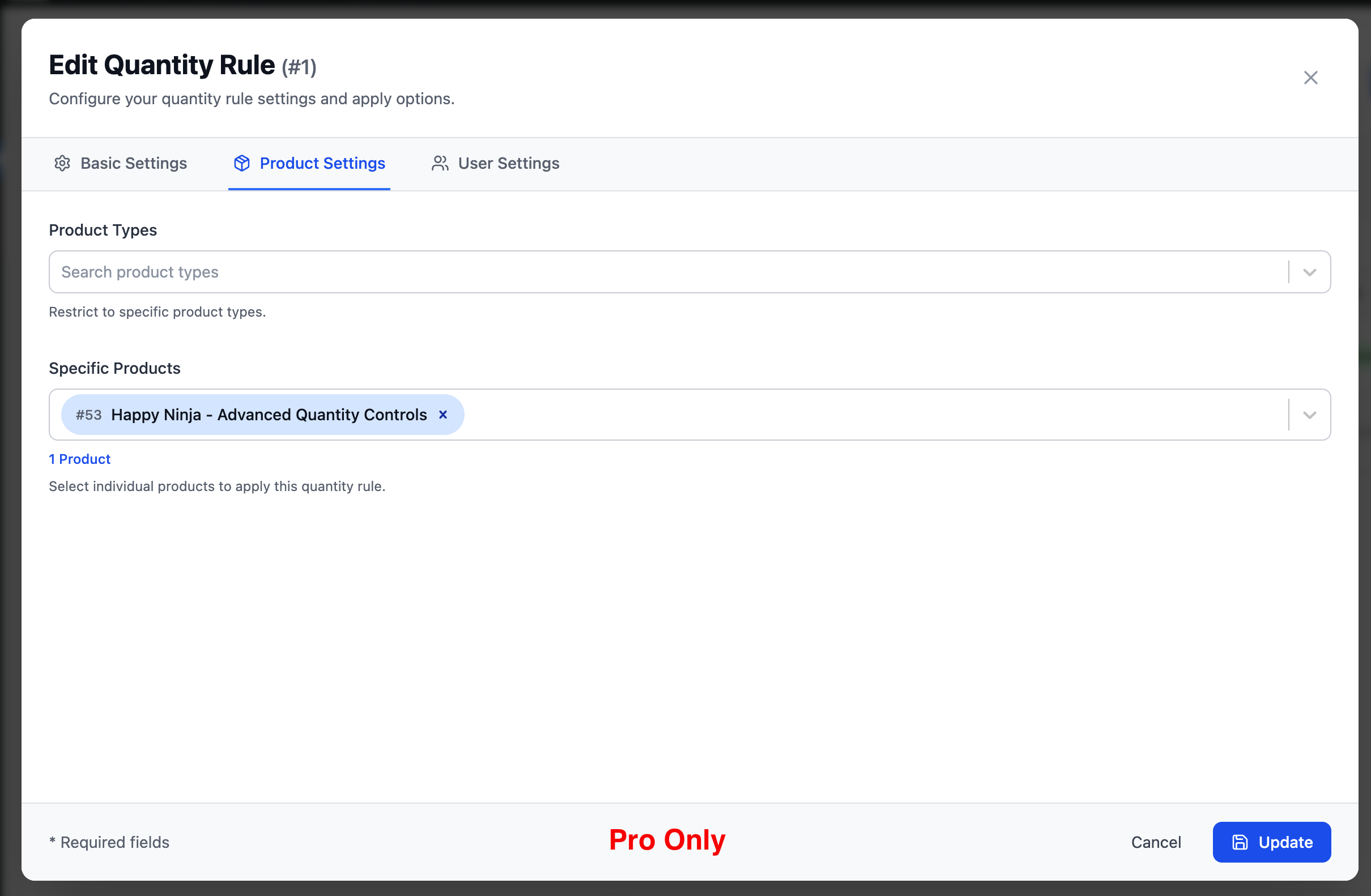
- Specific products (search and select individual products)
- Product categories
- Product tags
- Specific product types Per-Rule Quantity Options
- Set Minimum Quantity per rule
- Set Maximum Quantity per rule
- Set Step increment per rule
- Set Default Quantity per rule User Role-Based Rules
- Restrict or apply rules based on specific user roles
- Perfect for wholesale, B2B, and membership-based stores Rules Management
- Searchable rules list
- Filter rules by status (Active / Inactive)
- Bulk actions support
- Enable or disable individual rules without deleting them 👉 Upgrade to Pro
安装:
- Upload the plugin ZIP file via WordPress Admin → Plugins → Add New → Upload Plugin.
- Activate the plugin.
- Go to WooCommerce → WPB Quantity to configure settings.
- (Pro) Go to WooCommerce → WPB Quantity → Rules to create and manage quantity rules.
屏幕截图:
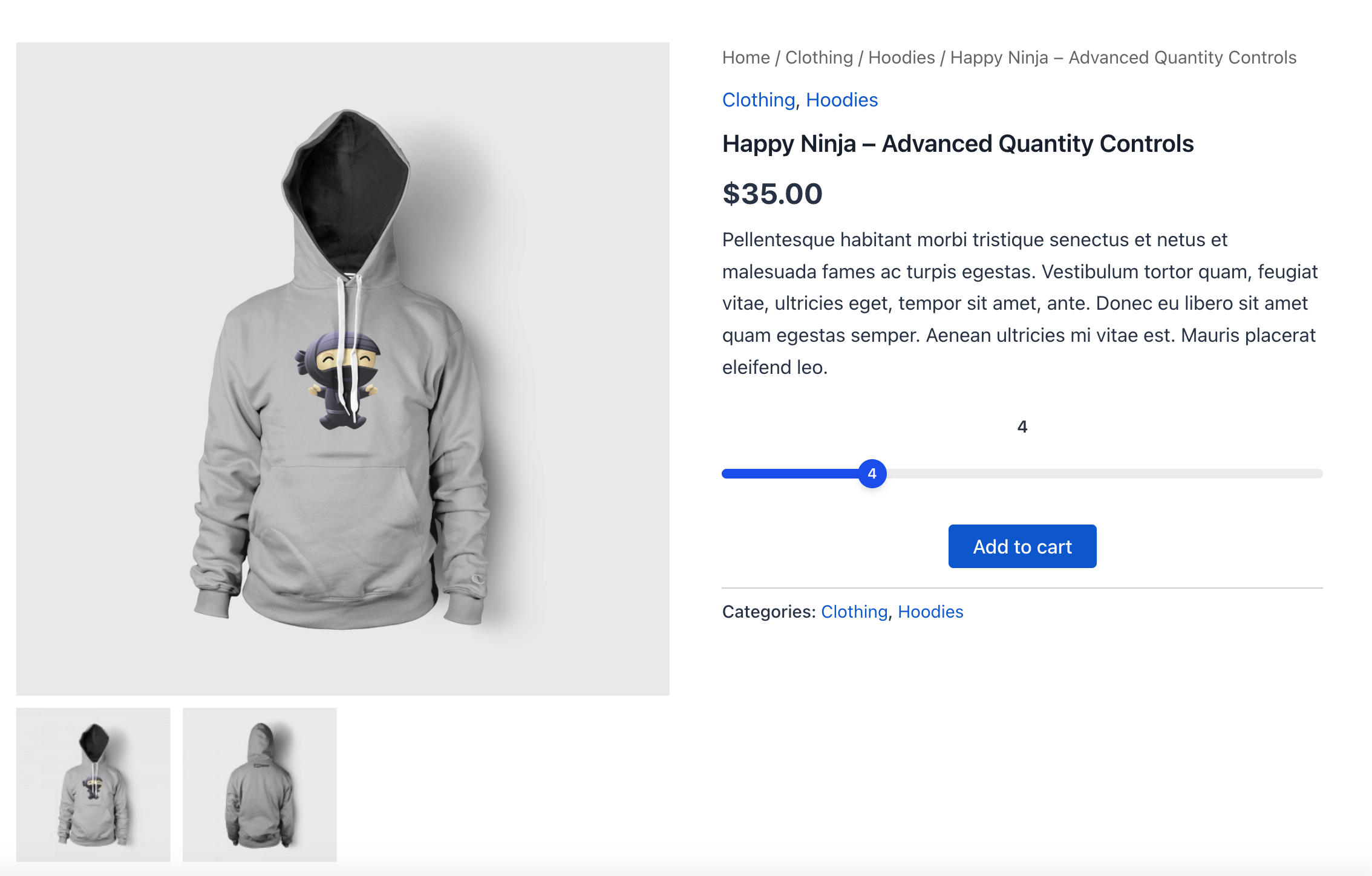
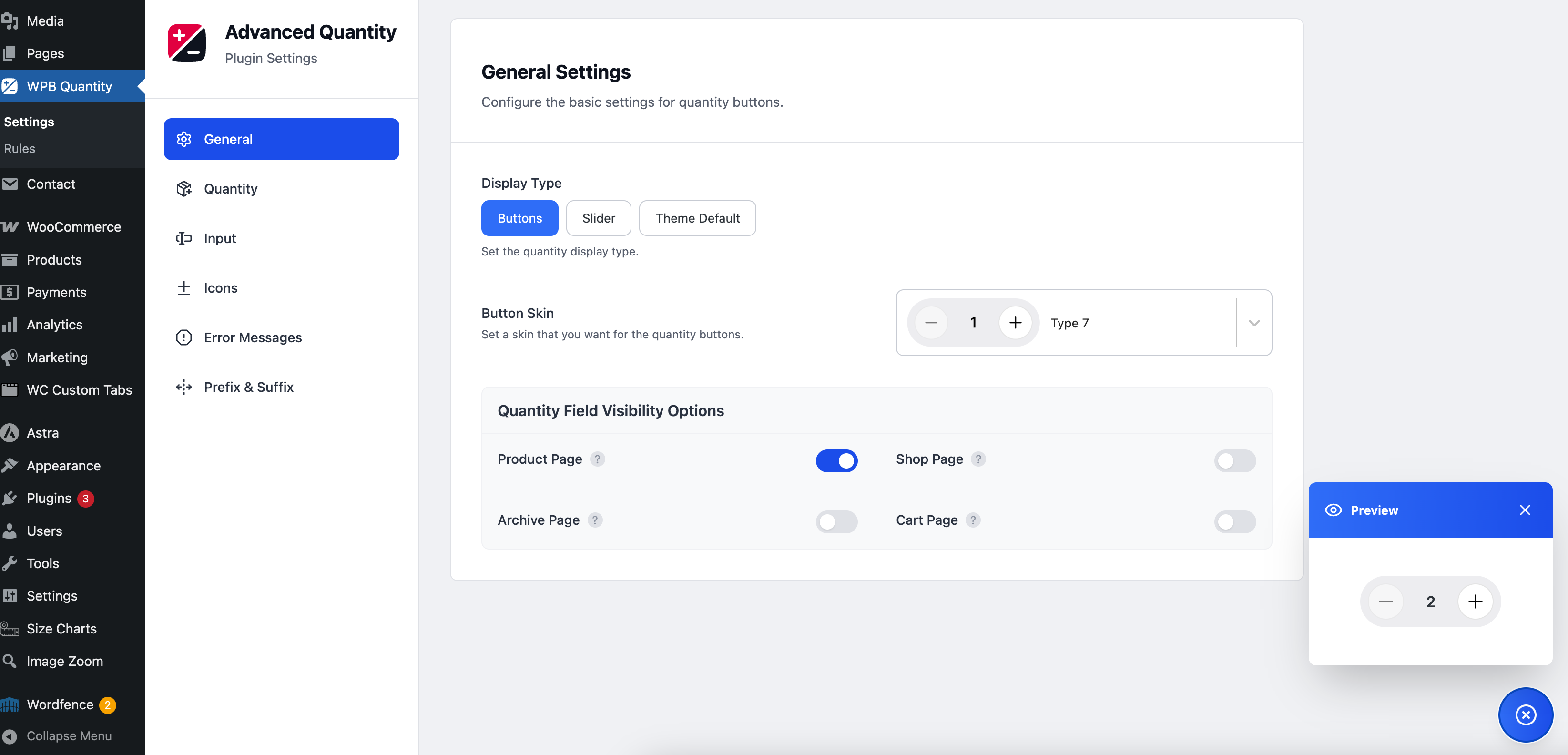
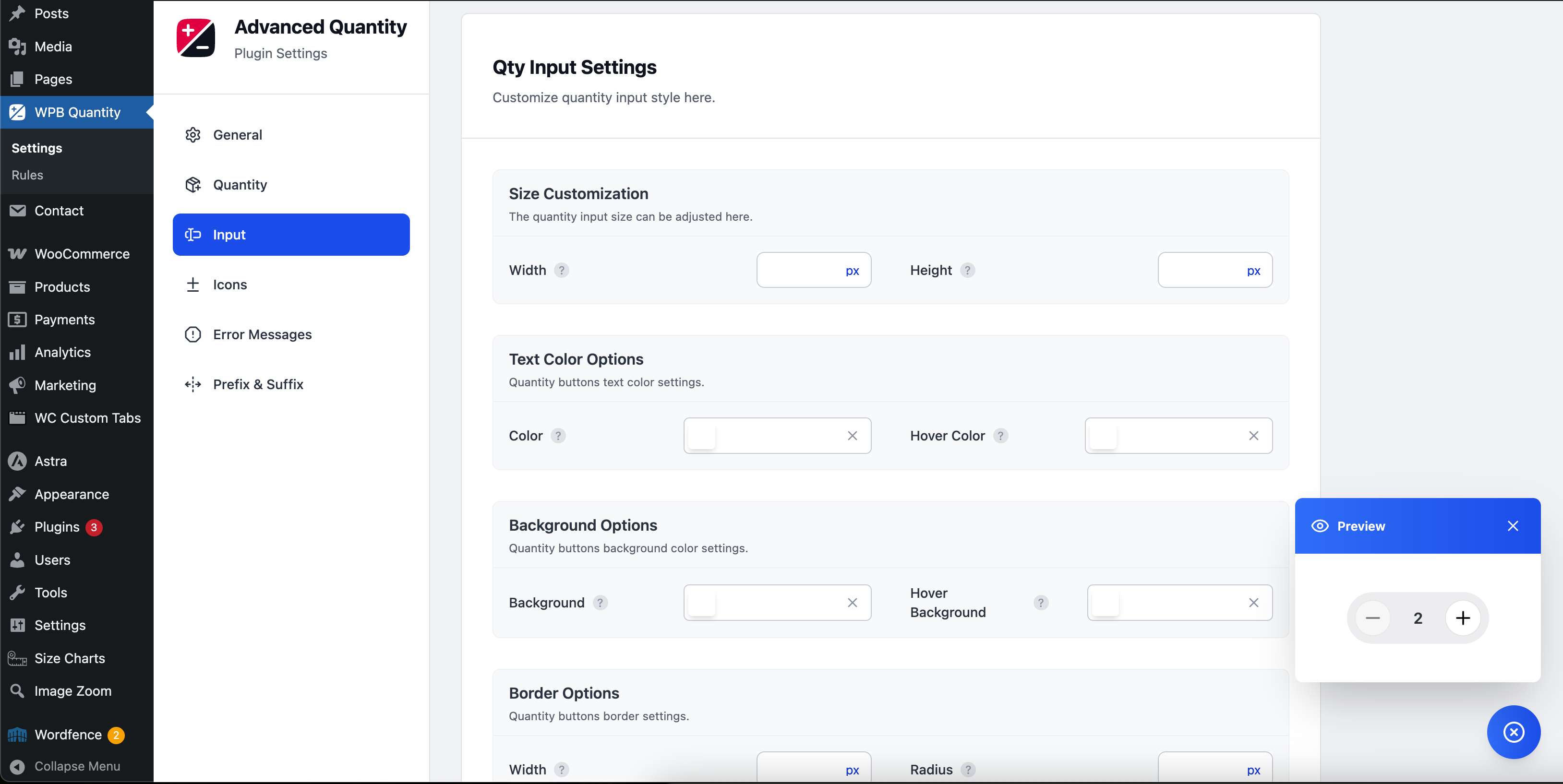
常见问题:
Does this plugin work with any WooCommerce theme?
Yes, it is compatible with most properly coded WooCommerce themes.
Can I set different quantity rules for different products?
Yes, this is available in the Pro version. You can create rules targeting specific products, categories, tags, and product types.
Does it support decimal quantities?
Yes, it supports fractional/decimal quantities, useful for weight-based or measurement-based products.
Can I use it on the shop, archive, and cart pages?
Yes, you can enable or disable the quantity controls individually for the product page, shop page, archive pages, and cart.
Is it compatible with WooCommerce HPOS?
Yes, it is fully compatible with WooCommerce High-Performance Order Storage (HPOS).
What is the difference between the free and Pro versions?
The free version includes Plus/Minus buttons, quantity slider, global Min/Max/Step settings, and full styling controls. The Pro version adds an advanced rules engine that lets you create unlimited quantity rules targeting specific products, categories, tags, and user roles with priority-based processing.
更新日志:
- Updated plugin name and slug per WordPress.org guidelines.
- Freemius SDK updated for WordPress.org compliance.
- Initial release.
- Added Plus/Minus quantity buttons.
- Added interactive quantity slider.
- Added global Min/Max quantity rules.
- Added step quantity control.
- Added user role-based quantity rules (Pro).
- Added decimal quantity support.