
Database Cleaner – Clean & Optimise Database for Better Site Performance
| 开发者 | wpcodeforge |
|---|---|
| 更新时间 | 2026年9月24日 02:20 |
| PHP版本: | 8.0 及以上 |
| WordPress版本: | 7.1 |
| 版权: | GPLv2 or later |
| 版权网址: | 版权信息 |
详情介绍:
安装:
- Download WPCodeForge Database Cleaner.
- In your WordPress administration area, go to Plugins > Add New Plugin.
- Select Upload Plugin.
- Upload the plugin ZIP file.
- Install the plugin.
- Activate WPCodeForge Database Cleaner.
- Open Database Cleaner from the WordPress administration menu.
- Review the available database information and cleanup categories.
- Create a complete database backup before performing destructive operations.
- Select the maintenance operation you want to perform and follow the on-screen instructions.
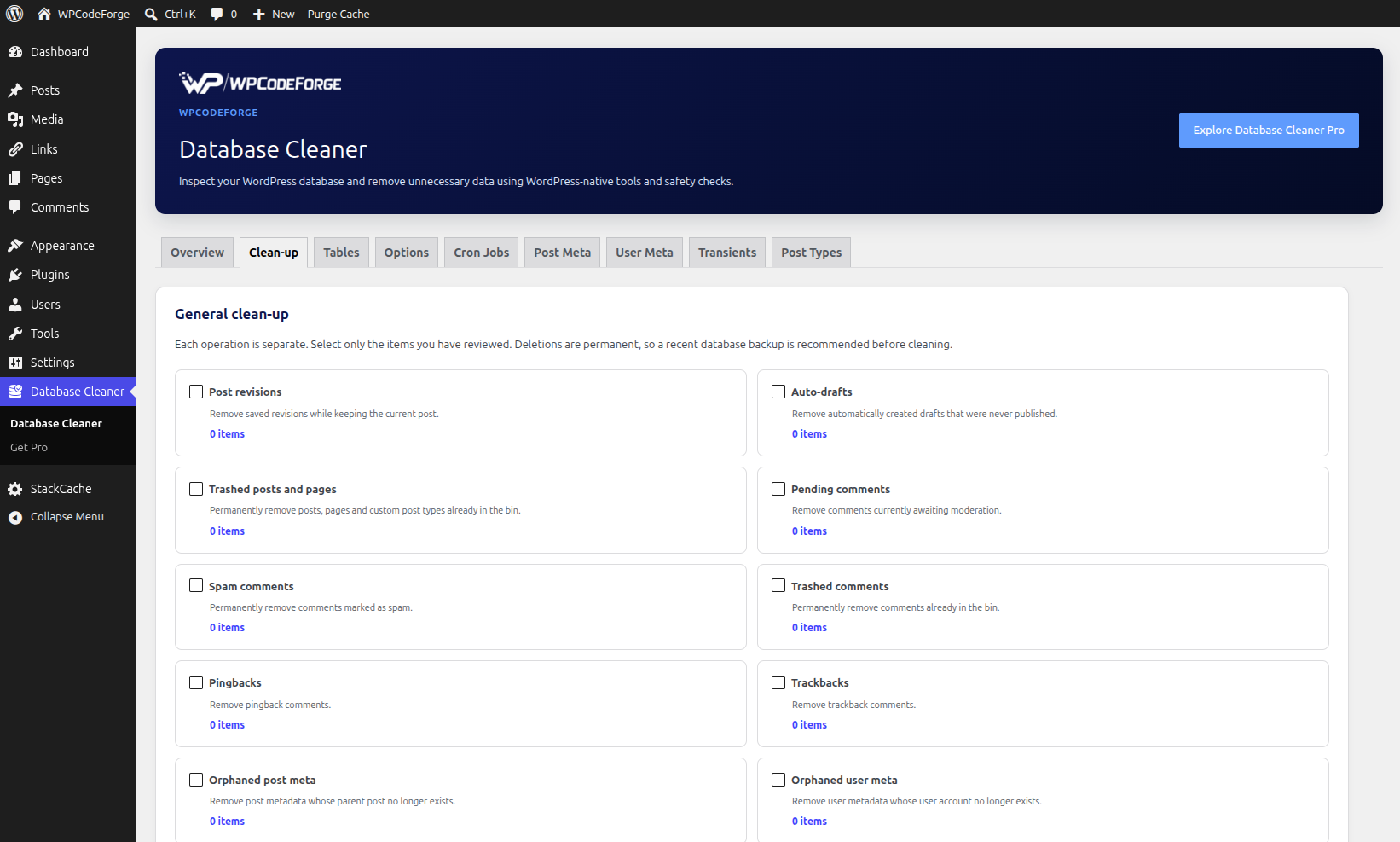
屏幕截图:



常见问题:
Will this plugin delete data automatically?
No. WPCodeForge Database Cleaner does not automatically delete database data simply because the plugin is installed or activated. Cleanup operations require administrator action.
Should I back up my database first?
Yes. Always create a complete and restorable database backup before performing significant database cleanup.
Can this plugin improve website speed?
Removing unnecessary database data can reduce database size and may help with database maintenance and backup operations. However, database cleanup does not automatically make every WordPress website faster. Website performance depends on many factors, including hosting, plugins, themes, caching, queries, images and external services.
Does the plugin require phpMyAdmin?
No. The plugin provides its database maintenance interface directly within WordPress.
Can I inspect database tables?
Yes. The Tables section allows administrators to inspect database tables and review information such as table size, row count, storage engine and indexes.
Can I optimise database tables?
The plugin provides table optimisation functionality where supported by the database server.
Can I inspect WordPress options?
Yes. The Options section allows administrators to inspect option names, values, sizes and autoload information.
Can I delete WordPress options?
Supported options can be removed from the Options interface. Care should always be taken before deleting options because themes and plugins may rely on them.
Can I change option autoload settings?
Yes, where the option is eligible for modification. Changing autoload behaviour can affect how WordPress loads data, so only make changes when you understand the purpose of the option.
Can I clean expired transients?
Yes. The Transients section can identify expired transient data and remove it.
What are orphaned post meta records?
Orphaned post metadata is metadata whose associated post no longer exists. The plugin can identify these records so they can be reviewed and removed.
What are duplicate post meta records?
Duplicate post metadata consists of repeated metadata records associated with the same post and metadata information. The plugin can identify duplicate post meta records for review.
Can I remove cron jobs?
The plugin provides an interface for inspecting scheduled cron events and removing unwanted events. Cron events should only be deleted when you understand which plugin, theme or WordPress functionality created them.
Does the plugin work with custom post types?
Yes. The Post Types section can display registered WordPress post types and their associated information.
Does the plugin work with WooCommerce?
The free version focuses on general WordPress database maintenance and does not provide specialised WooCommerce cleanup functionality. WooCommerce-specific database maintenance may require dedicated WooCommerce tools.
Does the plugin replace a database backup plugin?
No. WPCodeForge Database Cleaner is a database maintenance tool. It is not intended to replace a proper backup and restoration solution.
Does the plugin send database information to WPCodeForge?
No. The plugin does not require remote database scanning or transmission of your database contents to WPCodeForge to perform its core cleanup functions.
Does the plugin require an external service?
No. The core functionality operates locally within your WordPress installation.
Is the plugin compatible with WordPress multisite?
The plugin is designed primarily for standard WordPress installations. Multisite-specific database management requires additional care because network installations have different database and site structures. Always test database maintenance functionality on a staging multisite installation before using it across a network.
更新日志:
- Initial release.
- Added database overview.
- Added general database cleanup tools.
- Added post revision cleanup.
- Added auto-draft cleanup.
- Added trashed post cleanup.
- Added pending comment cleanup.
- Added spam comment cleanup.
- Added trashed comment cleanup.
- Added pingback cleanup.
- Added trackback cleanup.
- Added orphaned post meta detection and cleanup.
- Added duplicate post meta detection and cleanup.
- Added orphaned user meta detection and cleanup.
- Added duplicate user meta detection and cleanup.
- Added orphaned comment meta detection and cleanup.
- Added orphaned term meta detection and cleanup.
- Added orphaned relationship detection and cleanup.
- Added expired transient cleanup.
- Added oEmbed cache cleanup.
- Added database table inspection.
- Added table size and row information.
- Added table structure inspection.
- Added table optimisation.
- Added WordPress options inspection.
- Added option value inspection.
- Added option autoload management.
- Added option deletion.
- Added WordPress cron inspection.
- Added cron event management.
- Added post meta inspection.
- Added user meta inspection.
- Added transient inspection.
- Added post type reporting.
- Added WordPress admin settings.
- Added WPCodeForge branding.
- Added internationalisation-ready plugin structure.
- Added uninstall cleanup.
- Added administrator capability checks and nonce protection.
- Updated the plugin display name.