
XML Sitemap Generator for Google SEO by WPCodeQuill
| 开发者 |
WPCodeQuill
wpcodequill |
|---|---|
| 更新时间 | 2026年10月12日 20:59 |
| PHP版本: | 8.2 及以上 |
| WordPress版本: | 7.1 |
| 版权: | GPL-2.0-or-later |
| 版权网址: | 版权信息 |
详情介绍:
- Zero Bloat & 100% Privacy: No telemetry, no background analytics tracking, no external API calls, and no mandatory account signups. Everything runs locally on your server.
- Transient-Powered Caching: Prevents server slowdowns. Sitemaps are cached using intelligent WordPress transients with hook-based cache invalidation, ensuring lightning-fast response times for Googlebot.
- Seamless Core Integration: Gracefully replaces the default WordPress core sitemap (WP 5.5+) directly at the root (
/sitemap.xml), eliminating duplicate sitemap URLs and preserving crawl budget. - Intelligent 'Noindex' Detection: Works harmoniously with on-page SEO plugins (Yoast SEO, Rank Math, All in One SEO). Automatically detects and respects
noindexmeta tags to prevent indexing conflicts.
- Automated XML Sitemap Indexes: Automatically organizes your content into modular sitemap index files (
sitemap.xml) to easily handle large websites without memory spikes. - Full WooCommerce Support: Native compatibility with WooCommerce products, product categories, and product tags.
- Custom Post Types & Taxonomies: Choose exactly which public post types and taxonomies get exposed to search engine crawlers.
- Search Engine Ready: Fully compatible with Google Search Console, Bing Webmaster Tools, Yandex, and Baidu.
- Developer Friendly: Clean object-oriented architecture following strict WordPress Coding Standards (WPCS) and PHP 8.2+ type safety.
安装:
- Log into your WordPress admin dashboard.
- Navigate to Plugins > Add New.
- Search for XML Sitemap Generator for Google SEO by WPCodeQuill (or upload the
.zipfile via Upload Plugin). - Click Install Now and then Activate.
- Go to Settings > Sitemap Generator in your admin menu to select which post types and taxonomies you want to include.
- Submit your sitemap URL (
https://yourdomain.com/sitemap.xml) directly to Google Search Console under the Sitemaps tab.
屏幕截图:
常见问题:
What is an XML sitemap?
An XML sitemap is a structured file listing a website's critical pages, ensuring search engines like Google and Bing crawl and index your site efficiently.
Where can I find my sitemap once activated?
Your primary sitemap index is available at https://yourdomain.com/sitemap.xml.
Does WordPress already have a built-in sitemap?
Yes. WordPress introduced basic core sitemaps in version 5.5. This plugin cleanly takes over that endpoint to add caching, granular content inclusion/exclusion controls, WooCommerce integration, and automated sitemap indexes.
Can I use this plugin alongside Yoast SEO or Rank Math?
Yes. If you prefer using those plugins for on-page meta titles and descriptions, you can disable their built-in XML sitemaps and let WPCodeQuill handle the generation. Our engine automatically respects their noindex rules.
Is this plugin compatible with WooCommerce?
Yes. WooCommerce Products, Product Categories, and Tags are recognized out of the box and can be toggled on or off in settings.
Does having an XML sitemap guarantee instant Google ranking?
No. Sitemaps allow search engine bots to discover, crawl, and understand site hierarchy faster. Ranking and indexing remain dependent on on-page content relevance and quality.
Does this plugin collect user analytics or telemetry?
No. WPCodeQuill strictly adheres to user privacy. The plugin executes locally on your web host without sending any data offsite.
更新日志:
- Fixing: others ui problems.
- Fixing: Activation problems.
- Added: IndexNow protocol support with automated non-blocking background pings to Microsoft Bing, Seznam.cz, Naver, and Yandex upon post publication.
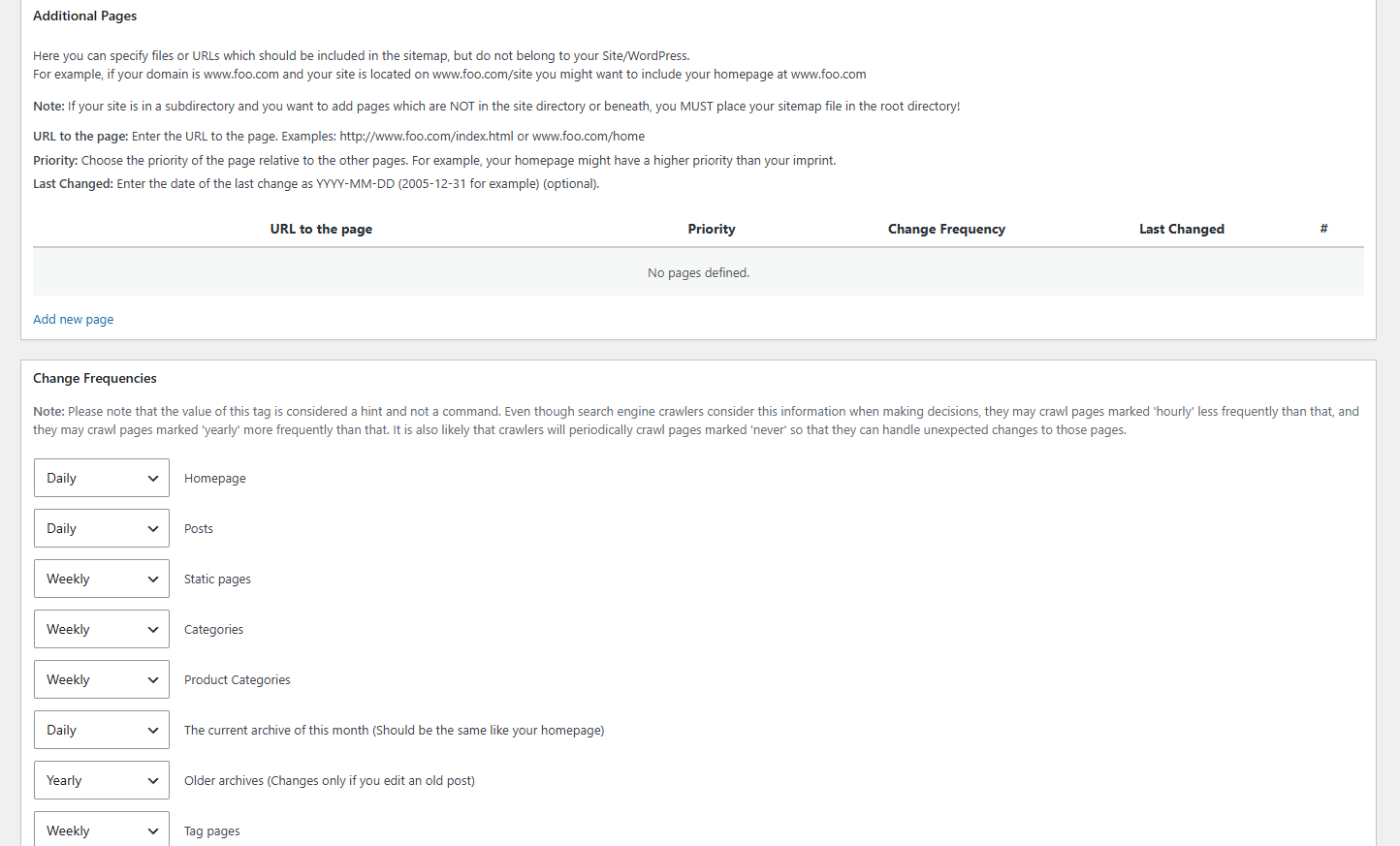
- Added: Dedicated sitemap-misc.xml handler supporting the core homepage and custom "Additional Pages" via a dynamic admin repeater interface.
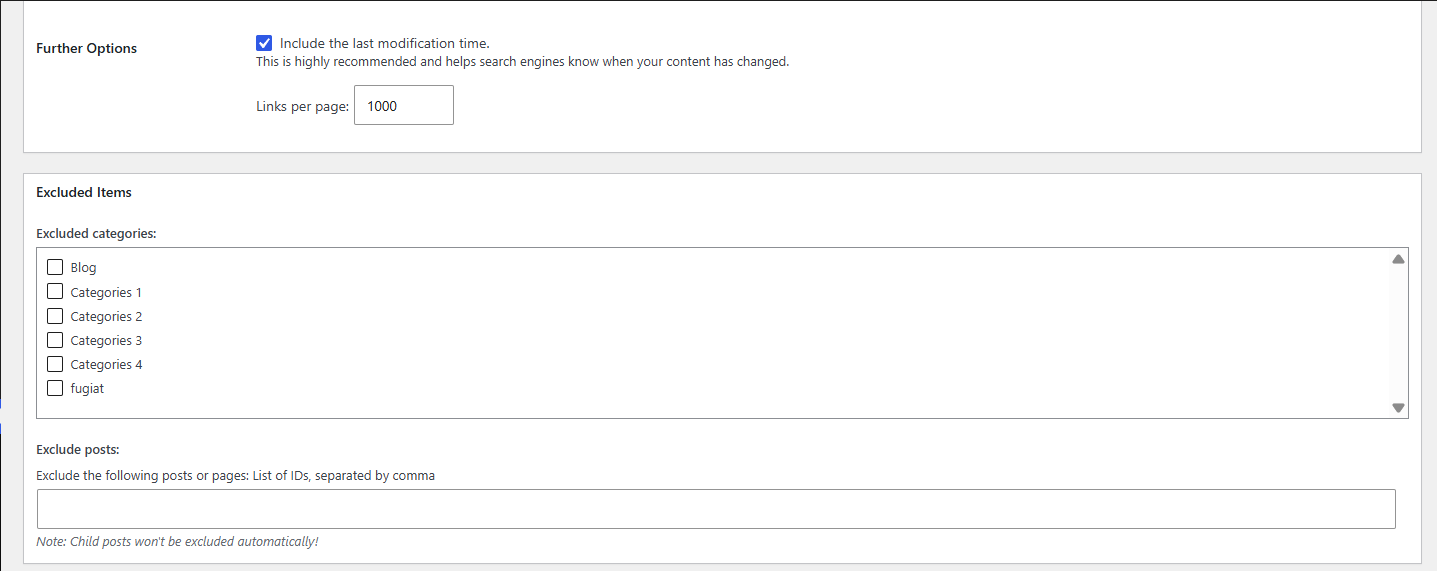
- Added: Comprehensive settings controls for change frequencies, URL priorities, minimum post priority thresholds, and category/post exclusions.
- Added: Custom branded XSLT stylesheet (sitemap-index.xsl) for an optimized human-readable sitemap table view with active lastmod timestamps.
- Optimized: Transient caching system with automatic version bumping and explicit database transient garbage collection to prevent table bloat.
- Refactored: Full codebase alignment with strict WordPress Coding Standards (WPCS), I18n translation comment rules, global variable prefixing, and secure wp_parse_url() implementation.
- Initial official release.
- Automated XML sitemap index and sub-sitemap generation.
- WordPress core sitemap interception and replacement.
- Hook-based transient caching mechanism.
- Native WooCommerce taxonomy and product support.
- Granular post type selection inside WordPress Admin settings.