WPKJ Payment Gateway for FluentCart with Wechat
| 开发者 |
wpdaxue
cmhello |
|---|---|
| 更新时间 | 2025年12月22日 11:05 |
| 捐献地址: | 去捐款 |
| PHP版本: | 8.2 及以上 |
| WordPress版本: | 6.9 |
| 版权: | GPLv2 or later |
| 版权网址: | 版权信息 |
详情介绍:
- Multi-Platform Payment Support – Native Payment for PC desktop with QR codes – H5 Payment for mobile browsers – JSAPI Payment for WeChat in-app browsers [Not yet completed] – Intelligent client detection
- Subscription Management – Manual renewal mode for subscription payments – Trial period support (0-365 days) – Flexible billing intervals (daily, weekly, monthly, yearly) – Subscription cancellation sync with orders (configurable) – Automatic status tracking
- Comprehensive Refund System – Automatic refunds when orders are cancelled – Manual refund processing from admin [Not yet completed] – Full and partial refund support [Not yet completed] – Requires SSL certificates – Detailed activity logging
- Enterprise Security – Dual signature support (MD5 and HMAC-SHA256) – Signature verification for all requests – SSL/HTTPS required – Webhook validation – Amount verification – Secure API communication
- Developer Friendly – Clean PSR-4 autoloading architecture – Comprehensive hooks and filters – Debug logging support – Payment status polling – Extensive documentation
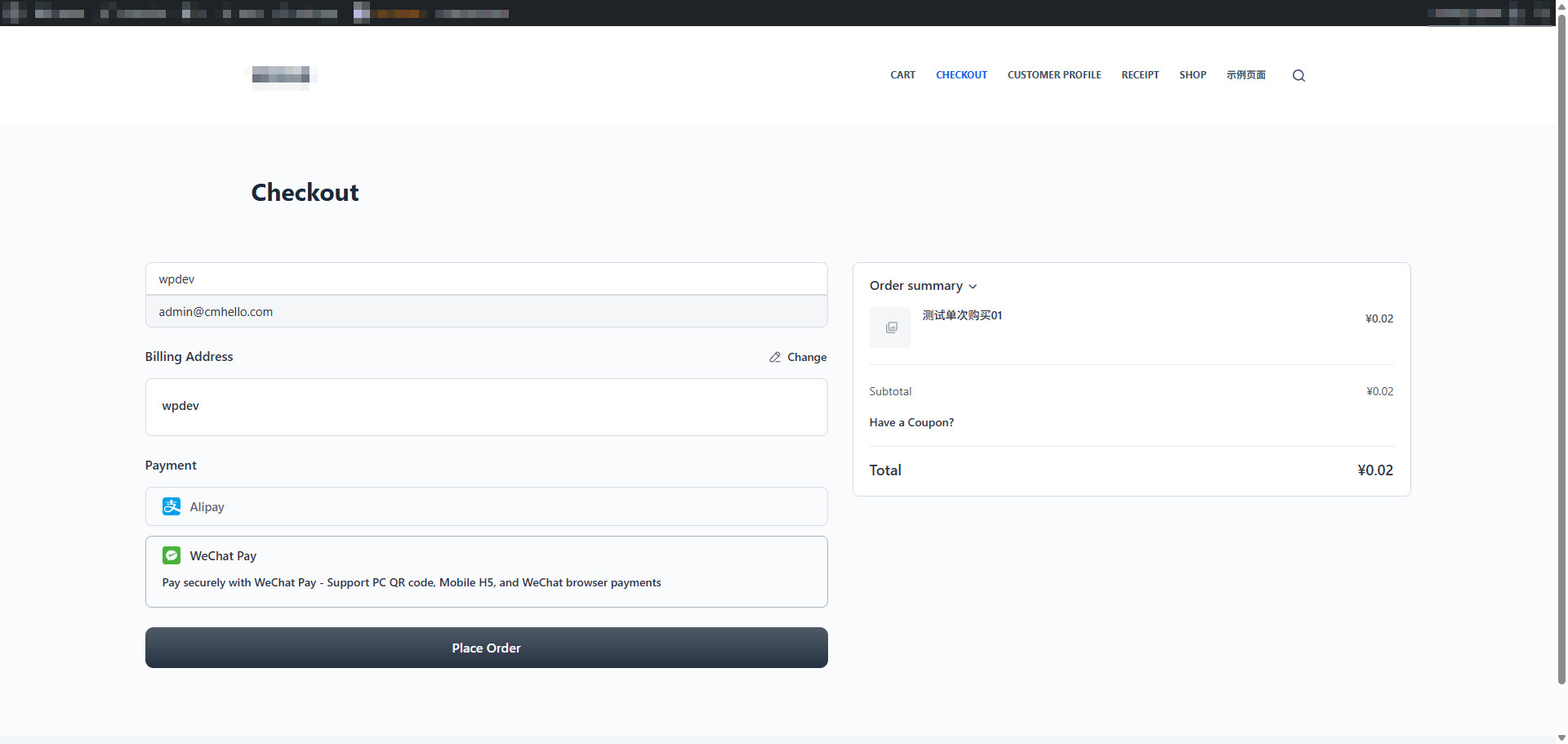
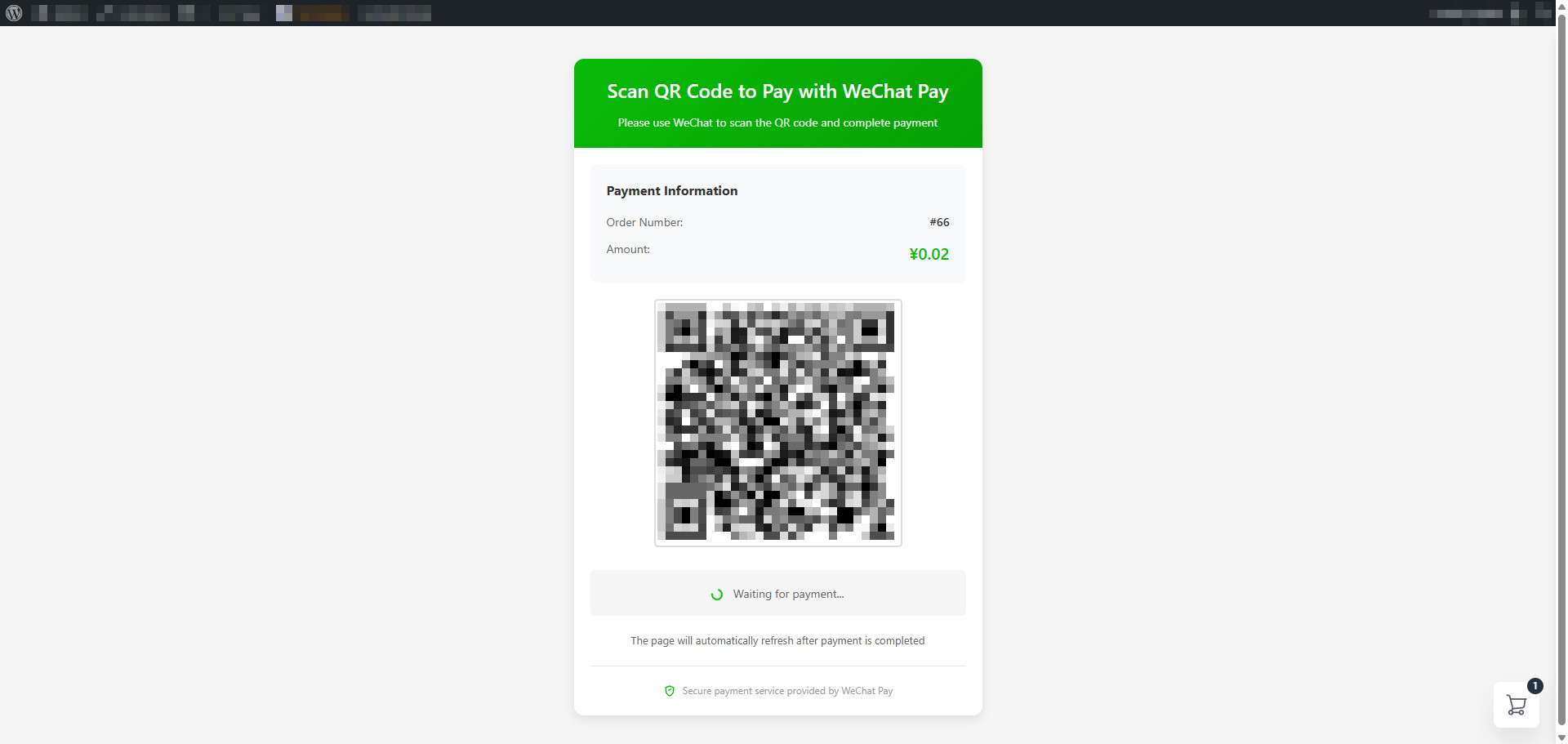
- Native Payment (PC QR Code)
- H5 Payment (Mobile)
- JSAPI Payment (WeChat Browser) [Not yet completed]
- FluentCart 1.2.0 or higher
- WordPress 6.5 or higher
- PHP 8.2 or higher
- SSL Certificate (HTTPS) required
- WeChat Pay merchant account
安装:
- Log in to your WordPress admin panel
- Navigate to Plugins > Add New
- Search for "WPKJ Payment Gateway for FluentCart with Wechat"
- Click "Install Now" and then "Activate"
- Go to FluentCart > Settings > Payment Methods
- Configure your WeChat Pay credentials
- Download the plugin ZIP file
- Upload to
/wp-content/plugins/wpkj-payment-gateway-for-fluentcart-with-wechat/ - Activate through the 'Plugins' menu in WordPress
- Navigate to FluentCart > Settings > Payment Methods
- Configure WeChat Pay gateway settings
- Enable the payment method
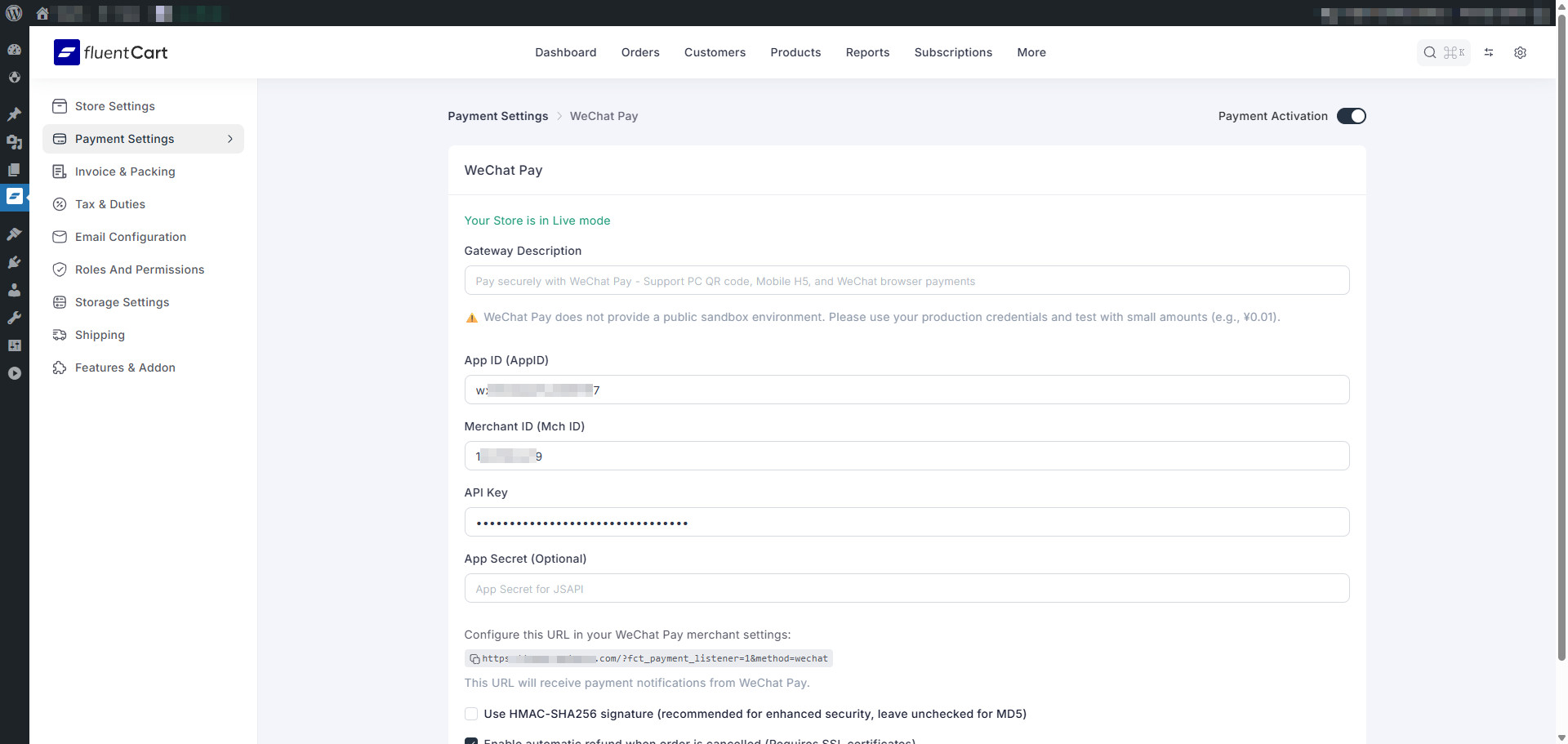
- Obtain Credentials from WeChat Pay: – Register at WeChat Pay Merchant Platform – Complete merchant verification – Get App ID (starts with "wx") – Get Merchant ID (10 digits) – Generate 32-character API Key – Optional: Get App Secret (for JSAPI)
- Download SSL Certificates (For Refunds):
– Login to WeChat Pay merchant platform
– Download SSL certificates
– Upload
apiclient_cert.pemandapiclient_key.pemto server – Enter file paths in plugin settings - Configure Plugin Settings: – Enter App ID, Merchant ID, and API Key – Optional: Enter App Secret for JSAPI – Select signature type (HMAC-SHA256 recommended) – Configure SSL certificate paths for refunds – Enable/disable auto-refund – Enable/disable JSAPI payment
- Configure Webhook: – Copy Notify URL from plugin settings – Add to WeChat Pay merchant dashboard – Save configuration
- Test Your Setup: – Use production environment with ¥0.01 – Make a test purchase – Verify webhook notifications – Test refund functionality
屏幕截图:
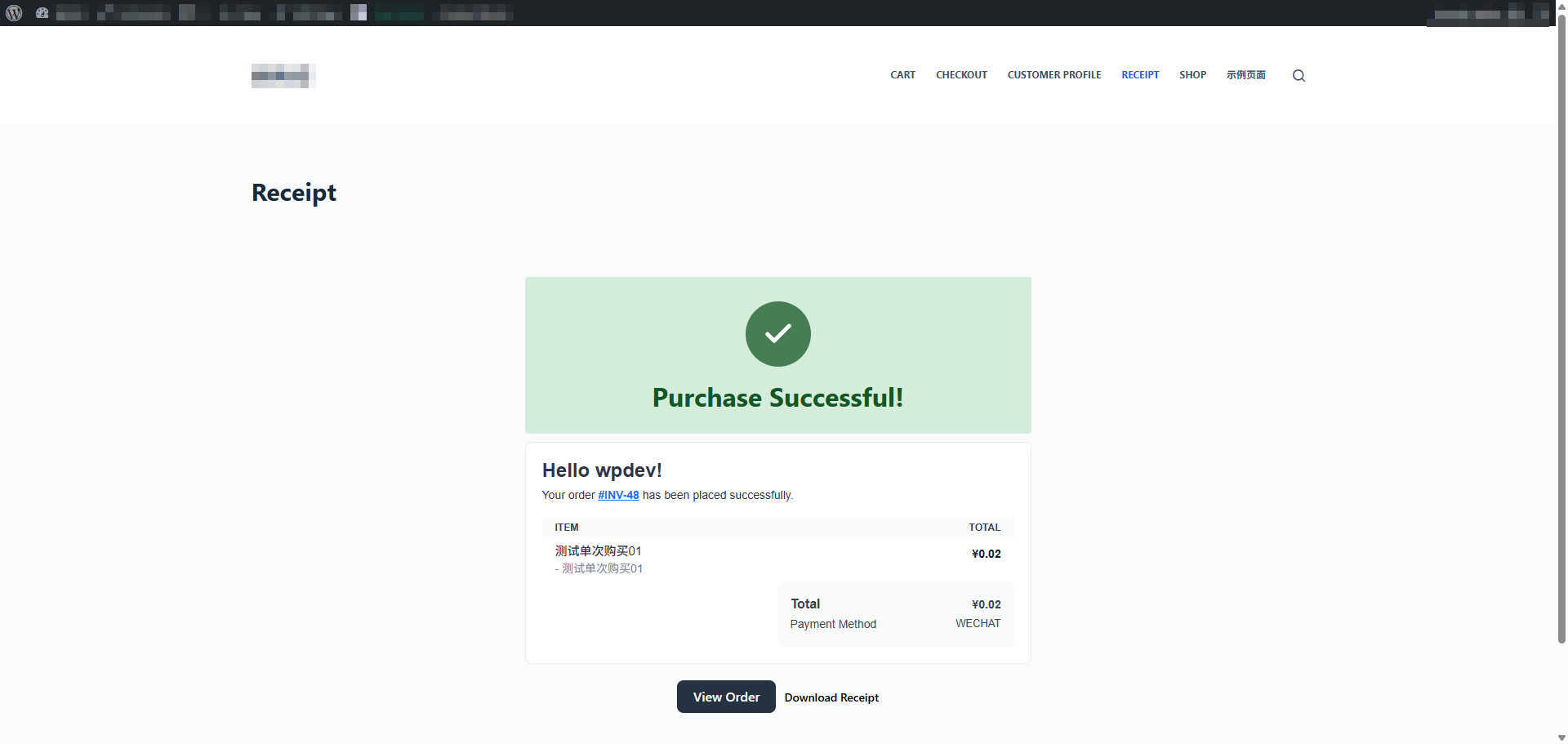
常见问题:
Where do I get WeChat Pay credentials?
Register for a merchant account at WeChat Pay Merchant Platform. After verification, you'll receive App ID, Merchant ID, and can generate an API Key.
Does this plugin support subscription payments?
Yes! The plugin supports FluentCart subscriptions with manual renewal mode. Each renewal requires the customer to manually complete payment, as WeChat Pay does not support automatic recurring charges.
Can I test before going live?
WeChat Pay does not provide a public sandbox. You must test in production using small amounts (¥0.01 is recommended for testing).
How do refunds work?
Refunds require SSL certificates from WeChat Pay merchant platform. Once configured:
- Automatic – Enable auto-refund, cancelling orders triggers instant refunds
- Manual – Process refunds from FluentCart admin panel Both full and partial refunds are supported.
Is the plugin translation ready?
Yes, the plugin is fully internationalized with a POT file included. Chinese and English translations are built-in.
What happens if webhook notifications fail?
The plugin includes a payment status checker that polls WeChat Pay for payment confirmation if webhooks fail, ensuring reliable payment processing.
How does Native payment work?
On PC desktop, the plugin generates a QR code. Customers scan with their WeChat app to complete payment. The page automatically updates when payment is confirmed.
How does H5 payment work?
On mobile devices, customers are redirected to WeChat Pay's mobile interface to complete payment, then returned to your site.
What is JSAPI payment?
JSAPI is for payments within the WeChat browser. It provides a native WeChat Pay experience without leaving the app. Requires App Secret configuration.
Do I need SSL certificates?
Yes, SSL/HTTPS is required for all production payments. Additionally, refund functionality requires SSL certificates downloaded from WeChat Pay merchant platform.
更新日志:
- Fixed: Resolved "Using $this when not in object context" error in validateSettings() static method
- Fixed: Replaced undefined Logger::debug() calls with Logger::info() method
- Fixed: Added phpcs ignore comments for WordPress HTTP API curl configuration (valid usage in http_api_curl hook)
- Enhancement: Improved PHP 8.0+ compatibility by removing deprecated curl_close() function
- Enhancement: Replaced direct cURL usage with WordPress HTTP API (wp_remote_post) while maintaining SSL client certificate support
- Security: Added comprehensive input sanitization for all $_SERVER variables using sanitize_text_field()
- Security: Removed third-party QR code API dependency, now using local QRCode.js library exclusively
- Compliance: Fixed file path handling to use absolute paths without ABSPATH concatenation
- Compliance: Updated all code to meet WordPress.org plugin review standards
- Tested: Confirmed compatibility with WordPress 6.9
- Maintenance: Regenerated translation template (POT file) with latest strings
- Fixed: Corrected non-standard parameter name in payment status check requests (nonce field renamed to wpkj_wechat_pay_nonce)
- Fixed: Unified translator comments for 'SSL certificate file not found' message to ensure translation consistency
- Refactor: Renamed plugin directory from 'wpkj-wechat-pay-gateway-for-fluentcart' to 'wpkj-payment-gateway-for-fluentcart-with-wechat' for better clarity
- Refactor: Updated text domain from 'wpkj-wechat-pay-gateway-for-fluentcart' to 'wpkj-payment-gateway-for-fluentcart-with-wechat' across all files
- Refactor: Renamed main plugin file to 'wpkj-payment-gateway-for-fluentcart-with-wechat.php'
- Enhancement: Updated all plugin URIs and documentation links to reflect new naming convention
- Maintenance: Regenerated POT file with latest translatable strings
- Note: All functionality remains unchanged; this is primarily a maintenance and standardization release
- Fixed: Removed manual
load_plugin_textdomain()call as WordPress 4.6+ automatically loads translations from WordPress.org - Fixed: Replaced deprecated
libxml_disable_entity_loader()withLIBXML_NONETflag for XML parsing security - Enhancement: Improved PHP 8.0+ compatibility by removing deprecated functions
- Compliance: Resolved WordPress.org plugin review issues for better plugin directory standards
- Refactor: Renamed plugin to 'WPKJ WeChat Pay Gateway for FluentCart' for better brand clarity
- Refactor: Updated plugin directory from 'wpkj-fluentcart-wechat-payment' to 'wpkj-wechat-pay-gateway-for-fluentcart'
- Refactor: Updated text domain from 'wpkj-fluentcart-wechat-payment' to 'wpkj-wechat-pay-gateway-for-fluentcart' across 170+ code references
- Refactor: Renamed main plugin file from 'wpkj-fluentcart-wechat-payment.php' to 'wpkj-wechat-pay-gateway-for-fluentcart.php'
- Enhancement: Added comprehensive third-party services section documenting WeChat Pay integration
- Documentation: Updated all plugin URIs and documentation links to reflect new naming convention
- Documentation: Improved plugin metadata and header information clarity
- Maintenance: Synced GitHub repository name to 'wpkj-wechat-pay-gateway-for-fluentcart'
- Note: All historical commit records preserved; functionality remains unchanged
- New: Added Custom Payment API for external system integration
- New: REST API endpoints for programmatically creating payment orders
- New: Support for one-time and subscription payments via API
- New: Payment status query API endpoint
- New: Comprehensive API documentation with usage examples
- Enhancement: Customizable permission checks for API access
- Enhancement: Detailed logging for custom payment operations
- Documentation: Added CUSTOM_PAYMENT_USAGE.md with complete API guide
- Documentation: All documentation moved to docs/ directory for better organization
- Documentation: README.md retained in root for GitHub, readme.txt for WordPress.org
- Security: All exception messages properly escaped with phpcs annotations
- Added: TransactionHelper utility class for idempotency protection
- Added: WechatSubscriptions module for subscription lifecycle management
- Added: Professional subscription status synchronization from WeChat
- Added: Subscription reactivation support
- Security: Enhanced duplicate refund prevention mechanism in automatic refund feature
- Security: Now checks ALL existing refunds instead of just first one to prevent duplicates
- Security: Added comprehensive logging for refund duplicate prevention
- Security: Validates original transaction UUID match before blocking duplicate refunds
- Refactoring: Migrated to FluentCart standard Refund service for all refund operations
- Refactoring: Added WechatGateway processRefund() method using FluentCart standard interface
- Refactoring: Simplified RefundProcessor to use FluentCart's transaction/order management (~70% code reduction)
- Improved: FluentCart now handles all transaction creation, order updates, and event triggering
- Improved: Better separation of concerns - Gateway handles payment API, FluentCart handles business logic
- Improved: Code maintainability with DRY principle - single source of truth for refund logic
- Improved: Architecture now consistent with Alipay payment plugin
- Improved: Separation of payment processing and subscription management
- Improved: Exception message security with esc_html() escaping
- Improved: Code architecture following single responsibility principle
- Improved: Automatic refund now includes detailed security check logs
- Fixed: WordPress coding standards compliance
- Note: Duplicate refund prevention protects against concurrent order cancellation operations
- Fixed: Translator comments for all placeholder strings
- Security: Enhanced XSS protection for all output
- Performance: Optimized transaction lookup and duplicate detection
- Initial release
- Added: Multi-platform payment support (Native, H5, JSAPI)
- Added: Automatic client detection
- Added: Subscription payment support with manual renewal
- Added: Automatic and manual refund functionality
- Added: Configurable subscription cancellation sync with orders
- Added: Dual signature support (MD5 and HMAC-SHA256)
- Added: SSL certificate integration for secure refunds
- Added: Payment status polling as webhook fallback
- Added: Comprehensive webhook handling
- Added: Full internationalization (i18n) support
- Added: Complete translation files (POT + Chinese)
- Added: Detailed logging and debugging capabilities
- Added: Clean PSR-4 autoloading architecture
- Added: Extensive hooks and filters for customization
- Tested: WordPress 6.8.3 compatibility
- Tested: FluentCart 1.2.0+ compatibility
- Tested: PHP 8.2+ compatibility