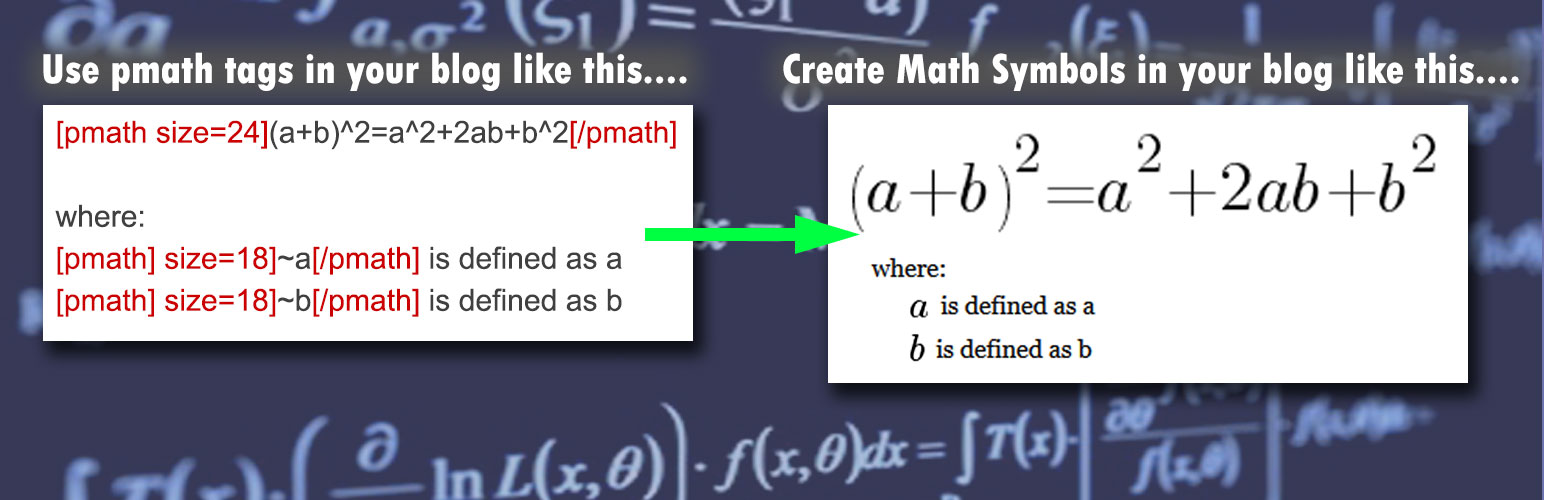
WPMathPub
| 开发者 |
RonF
roof ronf |
|---|---|
| 更新时间 | 2026年5月9日 15:22 |
| 捐献地址: | 去捐款 |
| PHP版本: | 7.2 及以上 |
| WordPress版本: | 6.9 |
| 版权: | GPLv2 or later |
| 版权网址: | 版权信息 |
详情介绍:
- WordPress posts, pages, and comments
- Cached pages
- Environments where JavaScript rendering is not desirable
- RSS feeds and feed aggregators RSS example
安装:
- Upload the plugin folder to the
/wp-content/plugins/directory. - Activate the plugin through the WordPress Plugins menu.
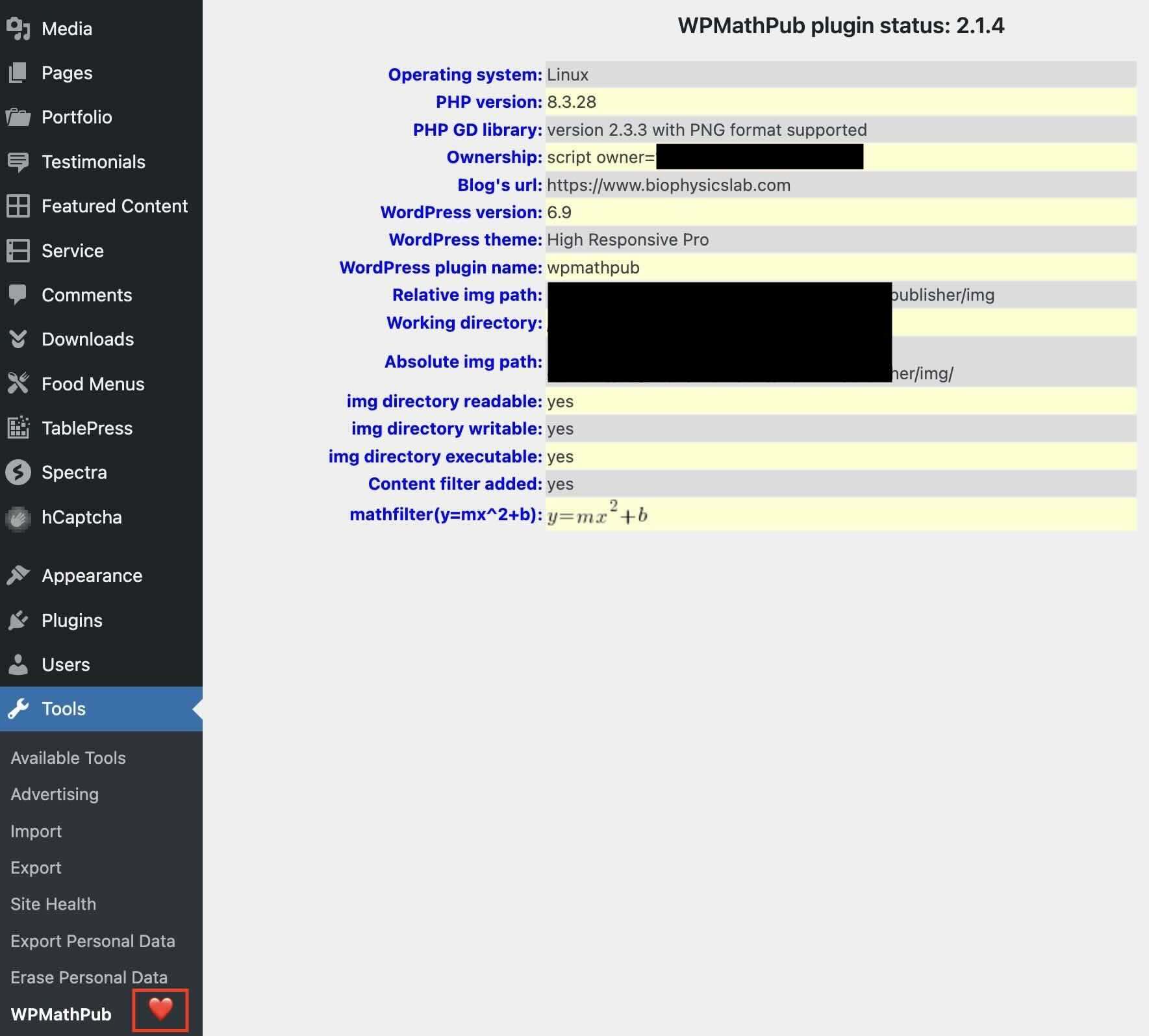
- Optional: change defaults under Tools → WPMathPub.
- Optional: share the Math-Pub Rosetta link in your content to support math enabled comments.
屏幕截图:
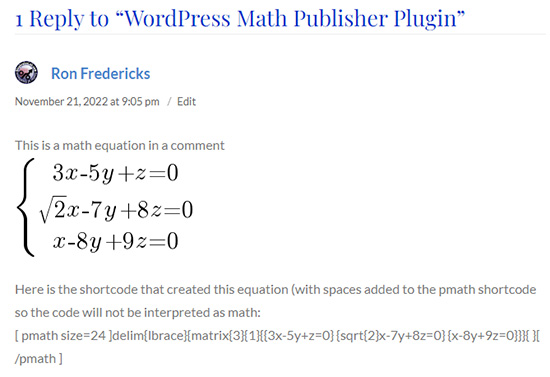
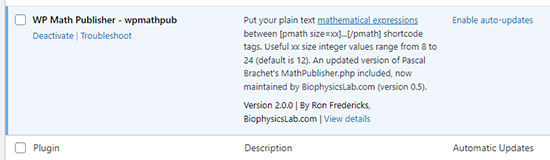
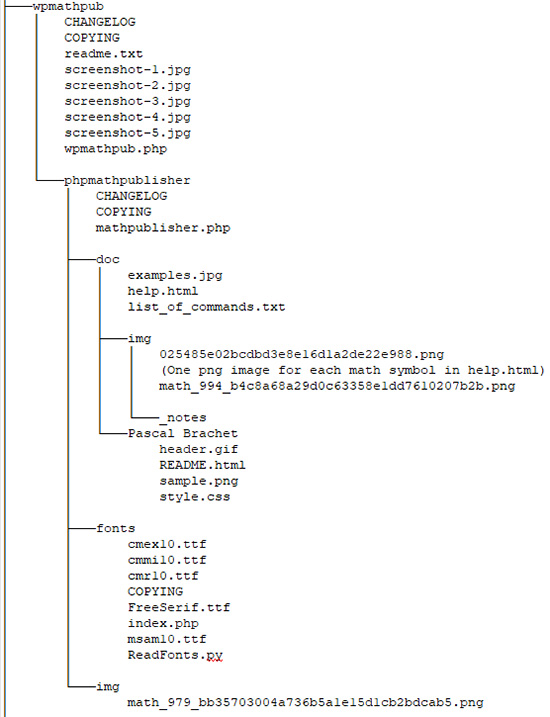


常见问题:
How do I get started with WPMathPub?
Here are four references:
- Check out the WPMathPub math publisher page for the user guide.
- Check out the WPMathPub syntax page for a complete cross-reference of all pmath native and LaTeX supported commands.
- Check out the WPMathPub support page for video tutorials and a donation link in support of this project.
- Test drive WPMathPub features without installing the plugin using Math-Pub Rosetta (Launch the Rosetta app)
Does this plugin require MathJax?
No. WPMathPub renders equations server-side as PNG images using the mathpublisher rendering engine.
Does it support LaTeX?
Yes. WPMathPub includes a server-side LaTeX translator that converts standard LaTeX math commands into native pmath syntax before rendering. The result is identical PNG output — so a LaTeX expression and its pmath equivalent share the same cached image file, with no duplication. See the full command reference on the WPMathPub syntax page.
Where are rendered images stored?
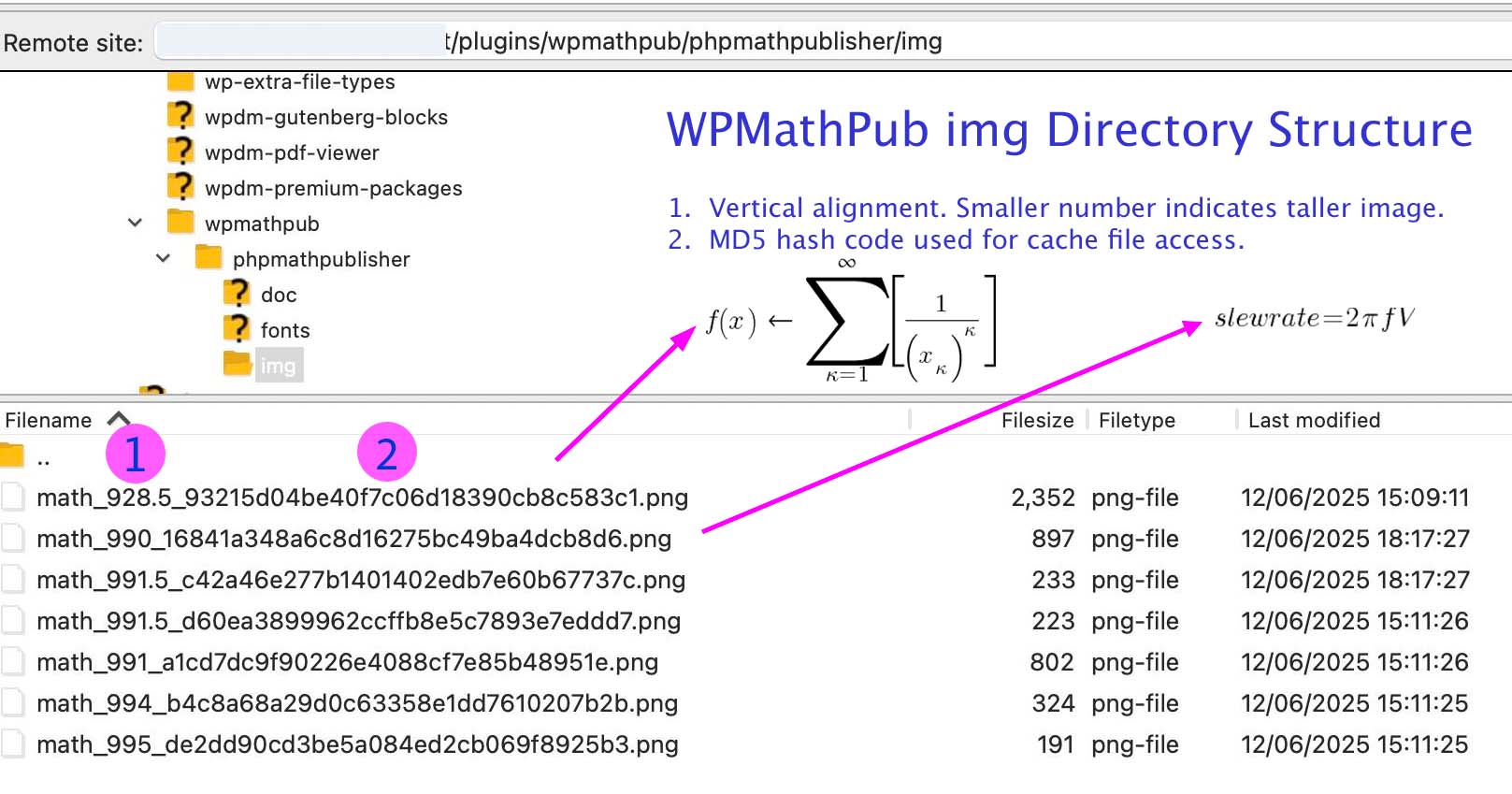
Rendered equation images are cached in:
/wp-content/uploads/wpmathpub/math-img/
The bundled Math-Pub Rosetta demo has its own cache directory:
/wp-content/plugins/wpmathpub/demo/img
Both cache directories can be monitored and cleared from the dashboard:
Tools > WPMathPub
Why does the plugin generate PNG images instead of SVG?
The plugin preserves compatibility with the mathpublisher rendering engine, which produces raster images. PNG output ensures consistent rendering across browsers.
Why do I see a “clear image cache” message after installing a new version of WPMathPub?
WPMathPub uses a high‑speed image cache to serve PNG math equations across your posts, pages, comments, and RSS feeds. Each equation is stored using a unique hash (similar to an MD5 fingerprint), so it only gets regenerated if the image doesn’t already exist in the cache. When you install a new version of WPMathPub, the rendering engine may have improved. However, cached images won’t automatically update because their hash hasn’t changed. Clearing the cache ensures all equations are regenerated using the latest version. As your site loads, WPMathPub will automatically rebuild the image directory with fresh, updated PNGs.
Where do I find the Math-Pub Rosetta standalone application?
A demo version of Rosetta is bundled with the WPMathPub plugin. You can launch it from Dashboard > Installed Plugins, where a link appears next to the WPMathPub entry. The screenshot in this section shows exactly where to click. The latest full version of Math‑Pub Rosetta is available at Math‑Pub.org. The bundled version and the website version work the same way, but new Rosetta features are released independently from WPMathPub plugin updates — so the online version may include enhancements that haven’t yet been packaged with the plugin.
更新日志:
- New: Math-Pub Rosetta — bundled standalone math expression tester (demo/rosetta.php). Visit your local copy via the new "Open Rosetta" link on the Plugins page, or use the full version at math-pub.org. Same syntax engine as the plugin; works portably outside WordPress.
- New: \text{}, \mathrm{}, \mbox{} for upright free-form text — uses bundled Latin Modern Roman font. Useful for "x_{\text{init}} + 5" style annotations and equation labels. \mathit{} for italic free-form text continues to work as before. Previously all four were aliased to italic, which was wrong for \text{}.
- New: \pmb{...} pseudo-bold renderer for any single symbol (image-overprint technique). Renders bolder weight than standard. Example: \vec{\nabla} \cdot E = \frac{\rho}{\varepsilon_0} with \pmb{\rho} bolds the rho.
- New: dot-family symbols — \cdot (centered dot), \bullet (filled bullet), \times (cross multiplication), \because (∵), \therefore (∴).
- Improved: cleaner glyph rendering at small font sizes (12–15) for trig functions, math operators, and Greek capitals. Uses bundled Latin Modern Roman in place of cmr10. Resolves the blob-like appearance where letters merged together (e.g., "tan" rendering with t looking bolder than an).
- Improved: integral symbol height and vertical alignment — smaller, raised slightly to reduce gap above the integrand.
- Improved: post-update admin notice with one-click "Refresh image cache" button. Cached PNGs regenerate on first page view; URLs stay stable so existing posts and RSS feeds keep working. Per-user, per-version dismissal.
- Fixed: white-screen-of-death protection. If mathpub_latex.php or mathpublisher.php goes missing (during update, FTP transfer, or security quarantine), the plugin now shows a clear admin notice and keeps the rest of WordPress running. Previously WordPress would fatal with E_ERROR.
- Fixed: matrix-with-delimiter wrappers were silently dropped. \left[ \begin{matrix}...\end{matrix} \right] now correctly renders matrix with bracket wrapper. Same fix applies to determinant form (\left| ... \right|) and piecewise form (\left{ ... ).
- Fixed: half-open interval form \left[x\right[ was leaving literal "x\right[" in output. Now correctly produces delim{[}{x}{[}.
- Fixed: \lim_{x \to a} f(x) was producing wrong pmath shape with body dropped. Now produces the correct lim{x right a}{f(x)}. \rightarrow recognized as synonym for \to.
- Fixed: \iiint, \iint, \int, \oint with leading position were greedily swallowing trailing operators into their body. "\iint_{a}^{b}x \prod_{a}^{b}x" now tokenizes as two separate operators rather than one giant double-integral.
- Fixed: descender clipping in upright text — bottom row of g, j, p, q, y and lowercase Greek β γ η μ ρ φ ψ χ ξ ζ was clipped by an off-by-one in canvas height. Fix is universal — also resolves a Greek descender clipping that had existed for years but was hidden because trig/operator names have no descenders.
- Fixed: thin space \, was rendering as a regular space. Now correctly maps to ~ (pmath thin space). Also fixed \; \: ! variants.
- Fixed: function keywords \sin \cos \ln \log \exp \det \ker \dim \max \min were passing through with leading backslash. Engine still rendered them, but cache fingerprints differed from bare-keyword pmath, causing duplicate cached images. Now mapped explicitly.
- Fixed: warning messages for empty or malformed pmath tags.
- Internal: extracted inline LaTeX translator into reusable mathpub_latex.php module (zero behavior change for existing shortcodes). Engine bumped to v1.4.1.
- Added \hbar symbol (reduced Planck constant ℏ, Unicode U+210F)
- Fixed LaTeX \frac rendering for multi-token numerators and denominators
- Fixed image rendering failure at certain font sizes caused by decimal value in cached filename
- Fixed small vertical alignment error between inline text and math images
- Removed version salt for stable RSS feed and URL links
- Changed Gutenberg block default math syntax mode from pmath native to LaTeX
- Security: added direct file access protection (ABSPATH check) to wpmathpub.php, mathpublisher.php, and fonts/index.php
- Security: replaced unlink() with wp_delete_file() in wpmathpub.php and uninstall.php
- Security: replaced rmdir() with WP_Filesystem in uninstall.php
- Security: escaped admin page output with wp_kses_post()
- Fixed readme.txt Requires at least version 5.0 mismatch
- Improved error handling
- Improved rendering of PNG images
- Added color= shortcode attribute with hex and named color support
- Added LaTeX input mode via latex=1 shortcode attribute with full PHPMathPublisher syntax coverage
- Added Gutenberg WPMathPub math block with PMath/LaTeX mode switching and real-time preview
- Added admin panel default equation color setting with WordPress color picker
- Added admin panel default equation size setting
- Added uninstall.php to remove plugin database options on delete
- Fixed Greek Omega symbol rendering (three stacked bugs resolved)
- Fixed matrix and tabular LaTeX conversion
- Fixed tabular border string parsing to respect LaTeX | and \hline markers
- Improved PNG image cache handling and cache key discipline
- Improved rendering stability across PHP 7.2 through 8.3