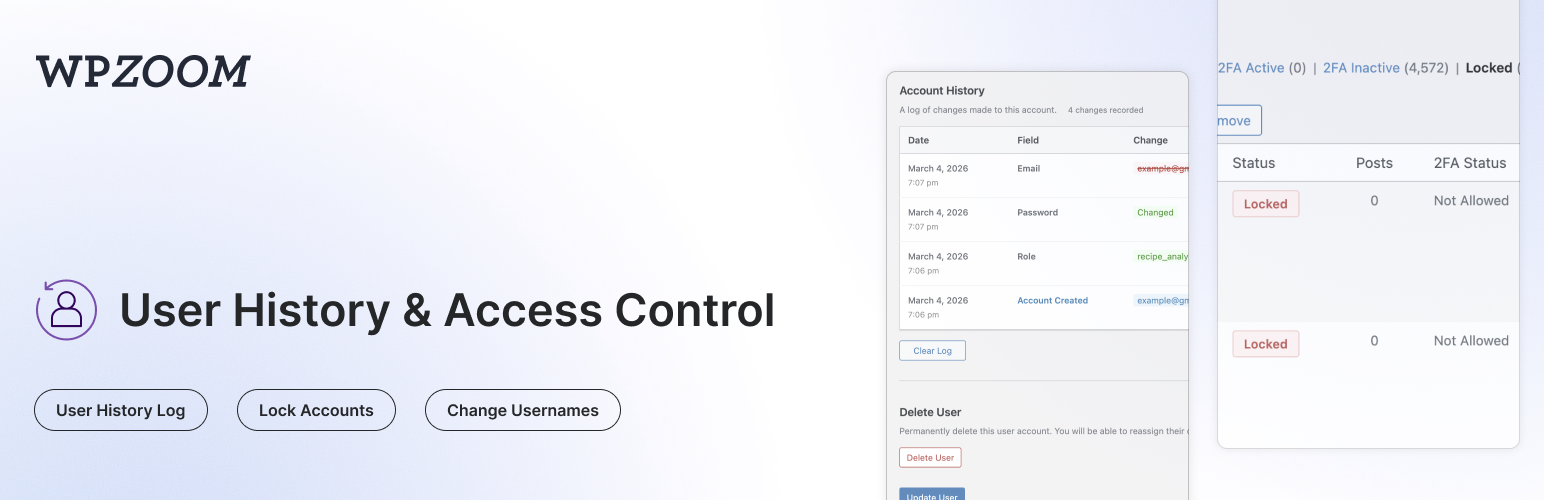
WPZOOM User History - Activity Log, Lock Users & Change Usernames
| 开发者 | wpzoom |
|---|---|
| 更新时间 | 2026年8月25日 04:11 |
| PHP版本: | 7.4 及以上 |
| WordPress版本: | 7.1 |
| 版权: | GPLv2 or later |
| 版权网址: | 版权信息 |
详情介绍:
- Lightweight Site Activity Log - A simple, fast log of what users do on your site, without the bloat of full audit-log plugins
- Content Events - Posts, pages and custom post types created, updated, published, unpublished, trashed, restored or deleted; categories and tags created, edited or deleted
- Media & Comments - File uploads, updates and deletions; comments posted, approved, unapproved, marked as spam, trashed or deleted
- User Events - Users created, registered, deleted, profile and role changes, password resets, username changes, account locks/unlocks
- Login Events - Successful logins, logouts and failed login attempts
- Plugins, Themes & Core - Plugin activation/deactivation/install/update/deletion, theme switches/installs/updates/deletions, WordPress core updates
- Settings Changes - Changes to key WordPress settings (site title, admin email, registration, permalinks, reading/discussion settings...) with old and new values
- Filter & Search - Filter by user, event group or specific event; search by object name or IP; adjustable rows per page
- Choose What to Record - Toggle each event group on or off, or disable the log entirely
- Shared Retention & Privacy - Follows the same retention period and IP-tracking setting as the user history
- Track Profile Changes - Automatically logs changes to username, email, display name, first/last name, nickname, website, bio, and role
- Password Change Logging - Records when passwords are changed (without storing any password data)
- See Who Made Changes - Each log entry shows whether the user changed their own profile or if an admin made the change
- IP Address Tracking - Records the IP address for each change (can be disabled for GDPR compliance)
- Search by Previous Values - Find users on the All Users page by their old email or username
- Clear History - Admins can clear the history log for any user
- Login/Logout Tracking - Records successful logins, logouts, and failed login attempts with date, IP address, and browser info
- Failed Login Attempts - Track failed login attempts for existing user accounts
- Active Sessions - View all active WordPress sessions for any user, including login time, IP address, browser, and expiry
- Log Out Everywhere - Destroy all active sessions for a user with one click
- Browser & OS Detection - Automatically detects and displays the browser and operating system from the user agent
- Lock User Accounts - Prevent users from logging in by locking their account
- Instant Session Termination - Locked users are logged out immediately and all active sessions are destroyed
- Application Password Blocking - Locked users cannot authenticate via application passwords (REST API, XML-RPC)
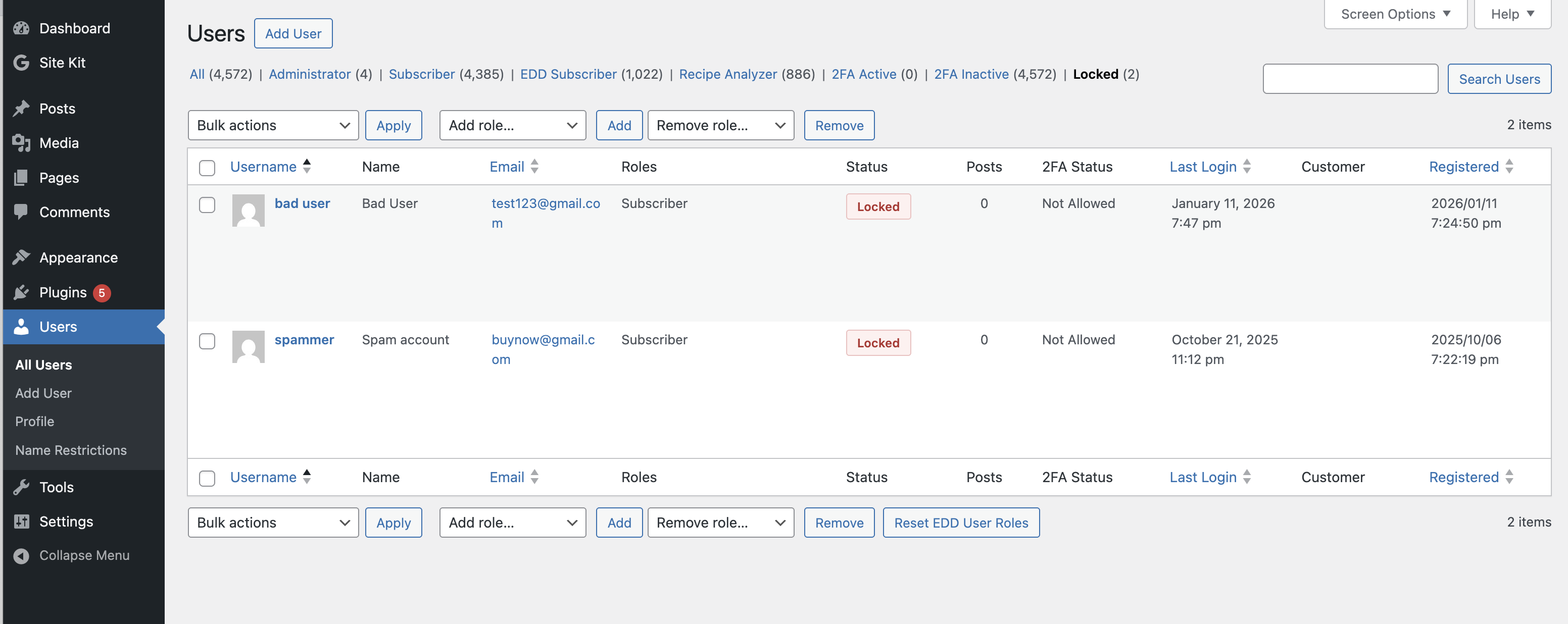
- Status Column - See which users are locked at a glance with a status column on the All Users page
- Bulk Lock/Unlock - Lock or unlock multiple users at once from the All Users page
- Row Actions - Quickly lock or unlock individual users from the All Users list
- Locked Users Filter - Filter the All Users list to show only locked accounts
- Custom Lock Message - Set a custom message shown to locked users on the login screen (User History > Lock Accounts)
- WP-CLI Access - Locked users can still be managed via WP-CLI
- Block wp-admin for Non-Admins - Restrict dashboard access to administrators, editors, authors, or users with any specific capability
- Custom Redirect - Send disallowed users to the homepage or any URL of your choice
- Profile Access Exception - Optionally let restricted users still edit their own profile
- Login Screen Message - Display a custom message above the login form
- URL Allowlist - Exempt specific admin URLs from the restriction, with wildcard support (e.g.
?page=customer-*) - AJAX Blocking - Optionally apply the restriction to admin-ajax.php requests
- Migration from Remove Dashboard Access plugin - Automatically imports settings from the Remove Dashboard Access plugin
- Block Specific Usernames - Prevent visitors from registering with reserved or official-sounding names (admin, support, webmaster...)
- Block Words in Usernames - Reject usernames containing certain text fragments, such as offensive words or a prefix reserved for staff
- Require a Prefix, Suffix or Substring - Force usernames to start with, end with, or contain one of your chosen fragments
- Length Limits - Enforce a minimum and/or maximum username length
- Disallow Spaces - Reject usernames containing spaces (WordPress allows them by default)
- Custom Error Message - Explain your naming rules to visitors who pick a restricted username
- Username Test Tool - Check sample usernames against your rules right on the settings page, with the reason for each rejection
- Broad Compatibility - Works with the WordPress registration form, Multisite signup, BuddyPress, WooCommerce and most registration plugins
- Migration from Restrict Usernames plugin - Automatically imports settings from the Restrict Usernames plugin
- Change Username - Allows admins to change usernames directly from the user edit page (WordPress normally doesn't allow this)
- Delete User Button - Quick access button to delete a user directly from their profile page
- Data Retention - Automatically delete old logs after a configurable number of days (default: 30 days)
- Clear All Logs - Bulk delete all history logs for every user from the settings page
- IP Tracking Toggle - Enable or disable IP address recording for GDPR compliance (User History > Settings)
- Configurable Retention - Set how long logs are kept (1-365+ days, or keep forever)
- Automatic Cleanup - Daily cron job removes logs older than the configured retention period
- Multisite Compatible - Works with WordPress multisite installations, including super admin username changes
- Members Plugin Compatible - Correctly tracks role changes when using the Members plugin for multiple role assignments
- Migration from Lock User Account plugin - Automatically migrates locked users from the Lock User Account plugin
- Find customers who changed their email after making a purchase
- Track when and who changed user roles
- Audit user profile modifications for security
- Monitor login activity and detect suspicious access
- View and manage active user sessions
- Allow username changes without database access
- Lock compromised or suspended accounts instantly
- Temporarily disable user access without deleting accounts
安装:
- Upload the
wpzoom-user-historyfolder to the/wp-content/plugins/directory - Activate the plugin through the 'Plugins' menu in WordPress
- Visit any user's edit page to see their Account History section
屏幕截图:
常见问题:
Where can I see the user history?
Go to Users > All Users, click on any user to edit their profile, and scroll down to the "Account History" section.
How do I change a username?
On the user edit page, click the "Change" link next to the username field. Enter the new username and click "Change" to save.
Does this plugin store passwords?
No. The plugin only logs that a password was changed, along with the date and who changed it. No password values (hashed or otherwise) are ever stored.
Can I search for users by their old email?
Yes! On the All Users page, use the search box to search for any previous email, username, or name. Users who previously had matching values will appear in the results.
What user fields are tracked?
- Username (user_login)
- Email (user_email)
- Password (change event only)
- Display Name
- Nicename
- Website URL
- First Name
- Last Name
- Nickname
- Biographical Info
- Role (including multiple roles with Members plugin)
Is this plugin multisite compatible?
Yes. The plugin works on multisite installations and properly handles super admin username changes.
Does it work with the Members plugin?
Yes. The plugin correctly tracks role changes when using the Members plugin, which allows assigning multiple roles to users.
How do I lock a user account?
There are several ways to lock a user:
- User edit page - Go to a user's profile and click "Lock Account" in the Account Status section
- Row action - Hover over a user on the All Users page and click "Lock"
- Bulk action - Select multiple users on the All Users page, choose "Lock" from the Bulk Actions dropdown, and click Apply
What happens when a user is locked?
- All active sessions are destroyed immediately
- The user cannot log in via the login form
- Application password authentication (REST API, XML-RPC) is blocked
- A customizable error message is shown on the login screen
- WP-CLI access is still allowed so admins can manage the account
How do I customize the locked account message?
Go to User History > Lock Accounts. You can set a custom message that locked users will see when they try to log in. Leave it empty to use the default message.
How do I clear a user's history?
On the user edit page, scroll down to the Account History section and click the "Clear Log" button. To clear all logs for every user at once, go to User History > Settings and click "Clear All Logs".
How do I control how long logs are kept?
Go to User History > Settings. Under "Data Retention", set the number of days to keep logs (default: 30). Old logs are automatically deleted daily. Set to 0 to keep logs indefinitely.
Can I see when users log in and out?
Yes! The Account History section on each user's edit page has a "Logins" tab that shows all login events, logouts, and failed login attempts with timestamps, IP addresses, and browser information.
How do I view a user's active sessions?
On the user edit page, scroll down to Account History and click the "Sessions" tab. You can see all active sessions including login time, IP address, browser, and when each session expires. Click "Log Out Everywhere" to destroy all sessions.
Can I disable IP address tracking?
Yes. Go to User History > Settings and uncheck "Record IP addresses" under the Privacy section. This helps with GDPR compliance.
I was using the Lock User Account plugin. Will my locked users be migrated?
Yes. When you activate User History, any users locked with the Lock User Account plugin will be automatically migrated to the new lock system.
How do I block non-admins from accessing the dashboard?
Go to User History > Dashboard Access. Enable "Restrict Dashboard Access", choose which users keep access (by role preset or a specific capability), and set the redirect URL for everyone else. You can optionally keep profile pages accessible, show a message on the login screen, and allowlist specific admin URLs.
I was using the Remove Dashboard Access plugin. Will my settings be migrated?
Yes. If the Remove Dashboard Access plugin is active when you update, its settings are imported automatically and the restriction stays enabled — you can then deactivate the old plugin. If the old plugin was already deactivated, the settings are still imported but the restriction stays off until you enable it.
How do I restrict which usernames people can register with?
Go to User History > Username Restrictions and enable "Restrict Usernames". You can block exact usernames, block text fragments anywhere in a username, require a prefix/suffix/substring, set a minimum and maximum length, and disallow spaces. Use the "Test Usernames" tool at the bottom of the page to see how your saved rules evaluate sample usernames.
Do username restrictions affect existing accounts or administrators?
Existing accounts are never affected — only new registrations are checked. By default, users who can create accounts (administrators) bypass the rules when adding users in wp-admin or changing usernames; enable "Also apply the rules to usernames chosen by administrators" under Advanced to enforce them there too.
What does the Activity Log record?
Go to User History > Activity Log to see a chronological list of actions performed on your site: content changes, uploads, comments, user management, logins, plugin/theme/core changes and settings changes. Each entry shows the date, the user (with avatar), the event, a description linking to the affected item where possible, and the IP address (if IP tracking is enabled). Use the dropdowns to filter by user, event group or specific event, or search by name/IP.
Can I turn off some activity events, or the whole activity log?
Yes. Go to User History > Settings, scroll to "Activity Log", and untick the event groups you don't need — or untick "Enable the activity log" to stop recording entirely. Activity entries follow the same retention period as user history logs.
Is the Activity Log a replacement for a full audit log plugin?
It's a deliberately lightweight alternative: a single table, no external services, no dashboards or alerts. It covers the events most sites care about. Developers can record their own events with WPZOOM_User_History::get_instance()->activity_log->log( $action, $object_type, $object_id, $object_name, $context ) and describe them via the wpzoom_user_history_activity_log_description filter.
I was using the Restrict Usernames plugin. Will my settings be migrated?
Yes. If the Restrict Usernames plugin is active when you update, its settings are imported automatically and the restriction stays enabled — you can then deactivate the old plugin. If the old plugin was already deactivated, the settings are still imported but the restriction stays off until you enable it. Code using the c2c_restrict_usernames-validate filter can switch to wpzoom_user_history_validate_username, which takes the same arguments.
更新日志:
- Renamed the "General" page to "Settings" and moved it to the end of the User History menu
- Renamed "Lock Account" to "Lock Accounts" in the menu
- Fixed the "Settings saved." notice appearing twice after saving settings
- New top-level "User History" admin menu with Activity Log, Lock Accounts, Dashboard Access, Username Restrictions and Settings pages (old Settings > User History links redirect)
- Added a lightweight Activity Log: content, media, comments, users, logins, plugins/themes/core and settings events, with filters, search, per-group toggles and shared retention
- Added Username Restrictions: block specific usernames or words, require a prefix/suffix/substring, enforce length limits, and disallow spaces in usernames chosen at registration
- Added a custom error message for restricted usernames and a "Test Usernames" tool on the settings page
- Optionally apply username rules to administrators (Add New User and Change Username)
- Lock Accounts page now shows an overview: locked-account stats, how locking works, the currently locked users with one-click Unlock, and recent lock/unlock activity
- Automatic settings migration from the Restrict Usernames plugin
- Added Dashboard Access restriction: block wp-admin for users without a chosen role or capability and redirect them to a custom URL
- Added optional login screen message, profile access exception, AJAX request blocking, and an admin URL allowlist with wildcard support
- Reorganized the settings page into tabs: General, Lock Account, and Dashboard Access
- Automatic settings migration from the Remove Dashboard Access plugin
- Added details about user registration
- Added login/logout tracking with dedicated "Logins" tab showing successful logins, logouts, and failed login attempts
- Added "Sessions" tab showing all active WordPress sessions for a user with login time, IP, browser, and expiry
- Added "Log Out Everywhere" button to destroy all active sessions for a user
- Added IP address tracking for all changes and login events
- Added IP tracking toggle in Settings for GDPR compliance
- Added configurable data retention setting (default: 30 days) with automatic daily cleanup
- Added "Clear All Logs" button in Settings to delete all history logs at once
- Minor fixes
- Add Lock User functionality
- Added Delete User button on user edit page for quick access
- Added Requires at least and Requires PHP headers to plugin file
- Code improvements for WordPress.org plugin directory compliance
- Added Clear Log button to delete history for a user
- Improved role change tracking for Members plugin compatibility
- Fixed false positive password change logging when saving without changes
- Fixed duplicate role change entries
- Added search functionality to find users by previous email/username
- Added database index for faster history searches
- Improved password change logging (no values stored)
- Added table existence check to prevent errors
- Initial release
- Track user profile changes
- Change username feature
- Account History display on user edit page