Linux 软件免费装
Banner图

WS Image Generator for Ideogram AI

开发者 whitestoneitalia
更新时间 2025年12月10日 06:31
捐献地址: 去捐款
PHP版本: 7.4 及以上
WordPress版本: 6.8
版权: GPLv2 or later
版权网址: 版权信息

标签

images social ai yoast ideogram

下载

2.0.1

详情介绍:

WS Image Generator for Ideogram AI creates images for your WordPress posts and pages using a managed integration with Ideogram. It adds a metabox to public post types and a settings page to control model, aspect ratio, style, overlay options, and more. Social-ready outputs: the plugin can automatically generate platform-optimized images for Facebook and Instagram, overlaying your site logo, post title, and domain.\ If Yoast SEO is active, it also auto-populates Open Graph and Twitter image fields, improving your previews on social networks. This project is not affiliated with, endorsed by, or officially connected to Ideogram. “Ideogram” is a trademark of its respective owner and is used here solely to describe compatibility.
The plugin connects to our service at wpideogramai.com which forwards your request to Ideogram and returns the generated image back to your site. See Privacy below.
Features Compatibility – Works with the Block Editor and Classic Editor\ – Any public post type\ – Yoast SEO integration is optional and auto-detected

安装:

  1. Upload the plugin ZIP and activate it.
  2. Open Settings → WS Image Generator for Ideogram AI.
  3. You can paste an API key or simply generate an image once: on first use, a free key is created automatically.\ Upgrades are available later to increase monthly image limits and unlock newer models.
  4. Edit a post/page → use the Generate Ideogram Image metabox → click Generate.\ When finished, the image is saved to your Media Library and set as the Featured Image.\ If Facebook/Instagram generation is enabled, social variants are created, and (optionally) Yoast OG/Twitter fields are auto-filled.

屏幕截图:
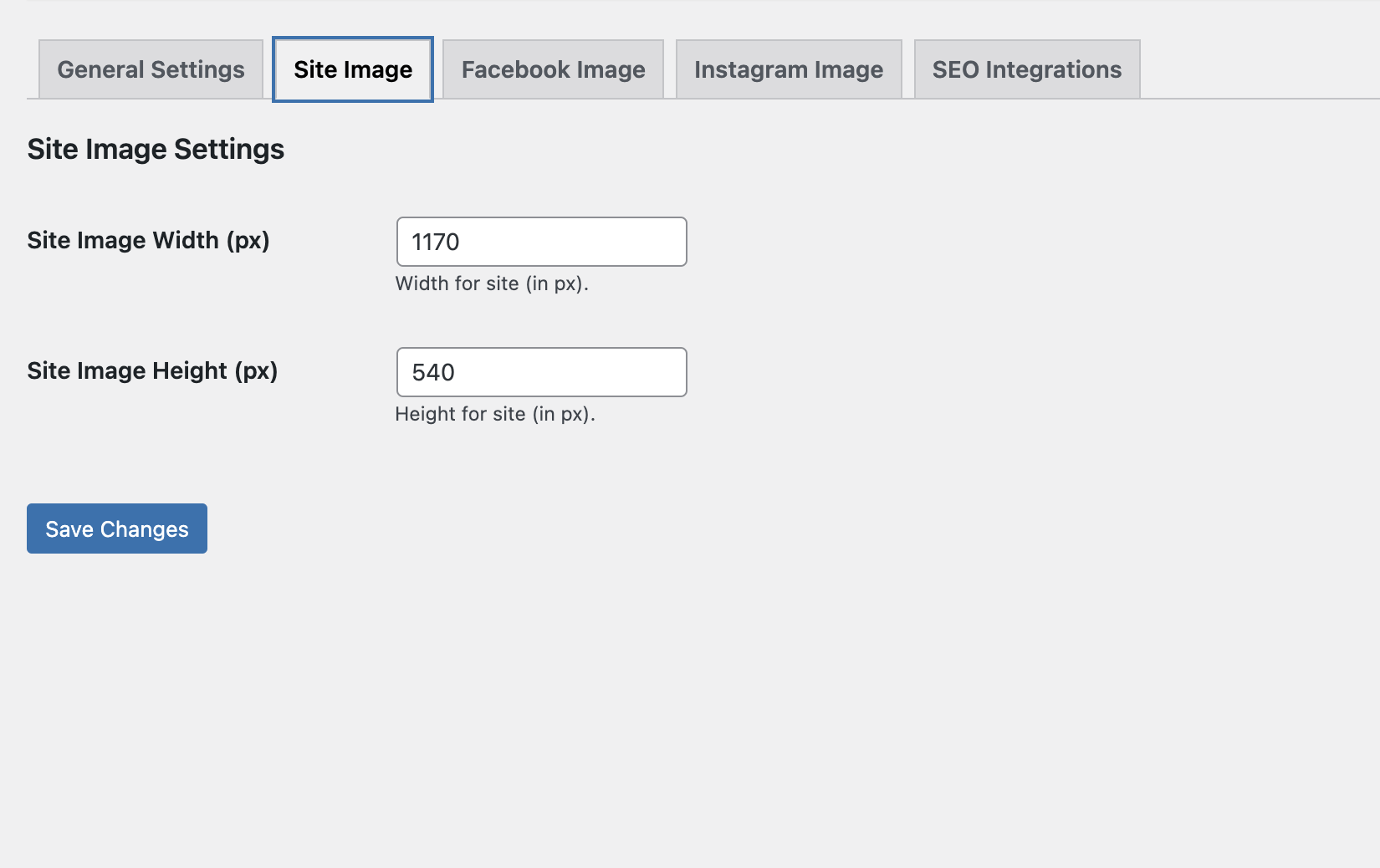
  • Site Image — Set the width and height (px) for the Featured Image the plugin generates for posts/pages. These dimensions are used when saving to the Media Library. (Social sizes are configured in the next tabs.)
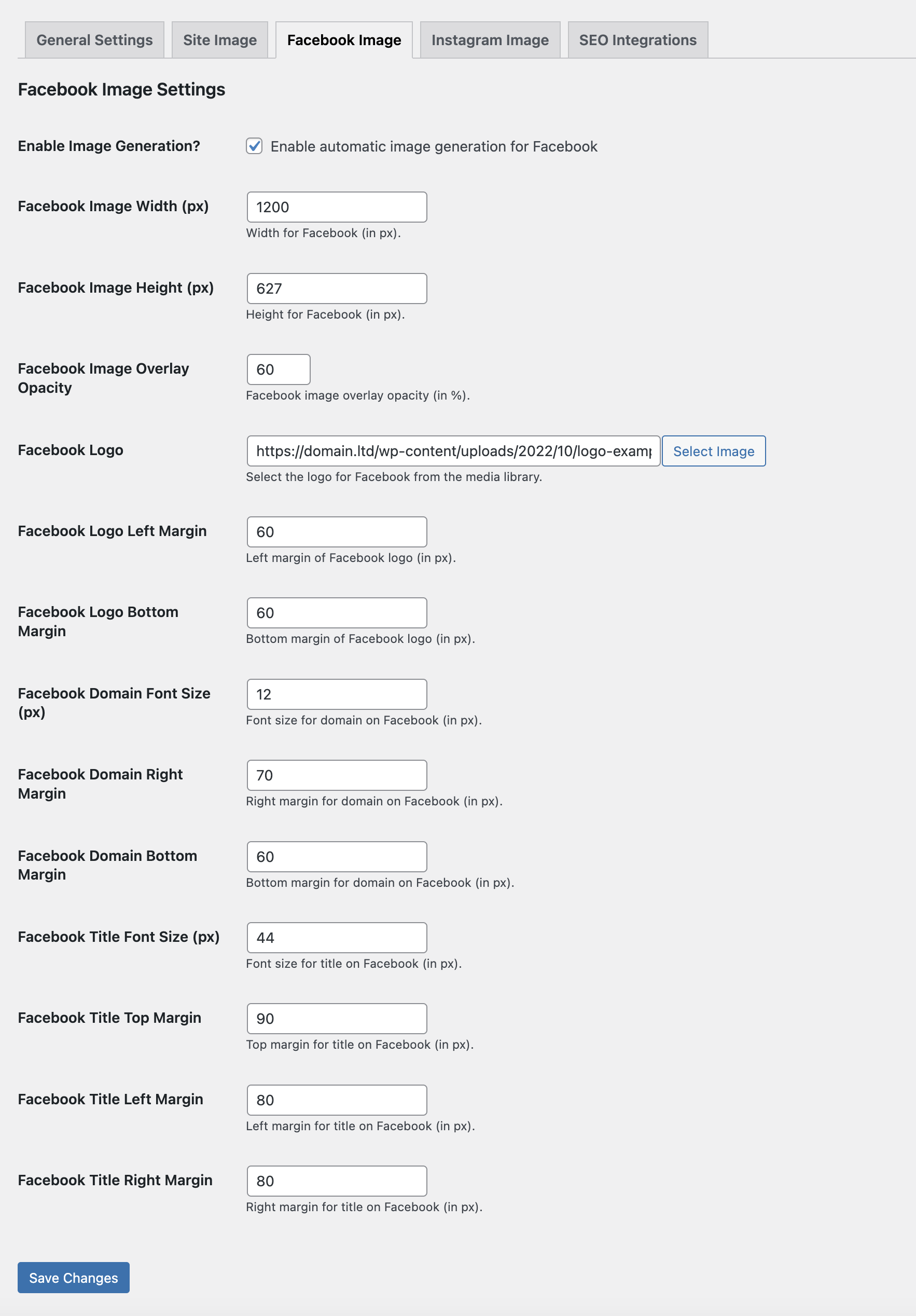
  • Facebook Image — Enable automatic Open Graph image generation for Facebook shares. Configure canvas width/height, background overlay opacity, add your brand logo from the Media Library, and fine-tune margins plus font sizes/positions for the domain label and post title. Each post gets a branded, share-ready image automatically.
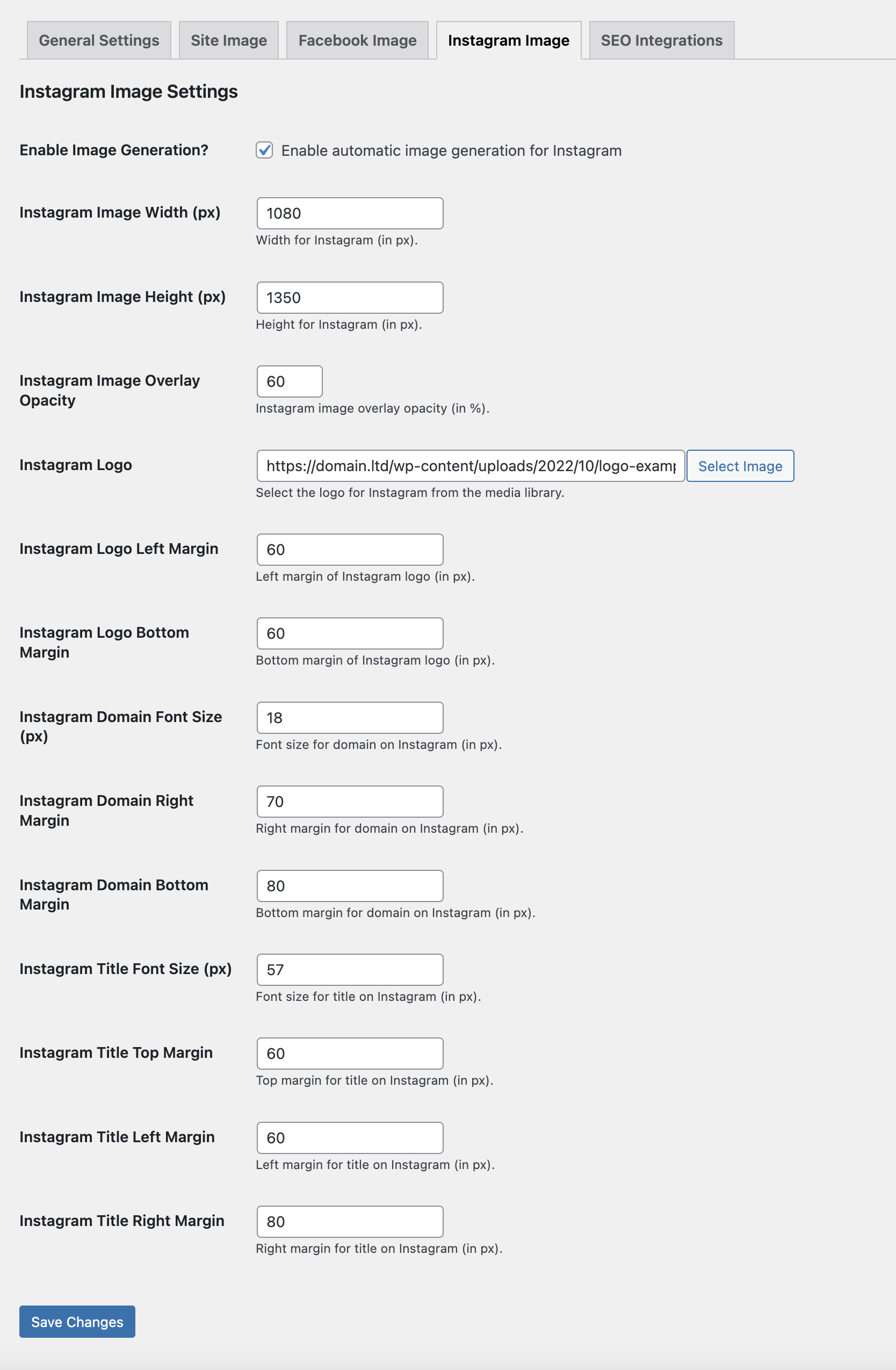
  • Instagram Image — Enable automatic portrait images for Instagram (default 1080×1350). Configure canvas width/height, background overlay opacity, pick a logo from the Media Library, and fine-tune margins. Control font sizes/positions for the domain watermark and post title so each post gets an Instagram-ready visual automatically.
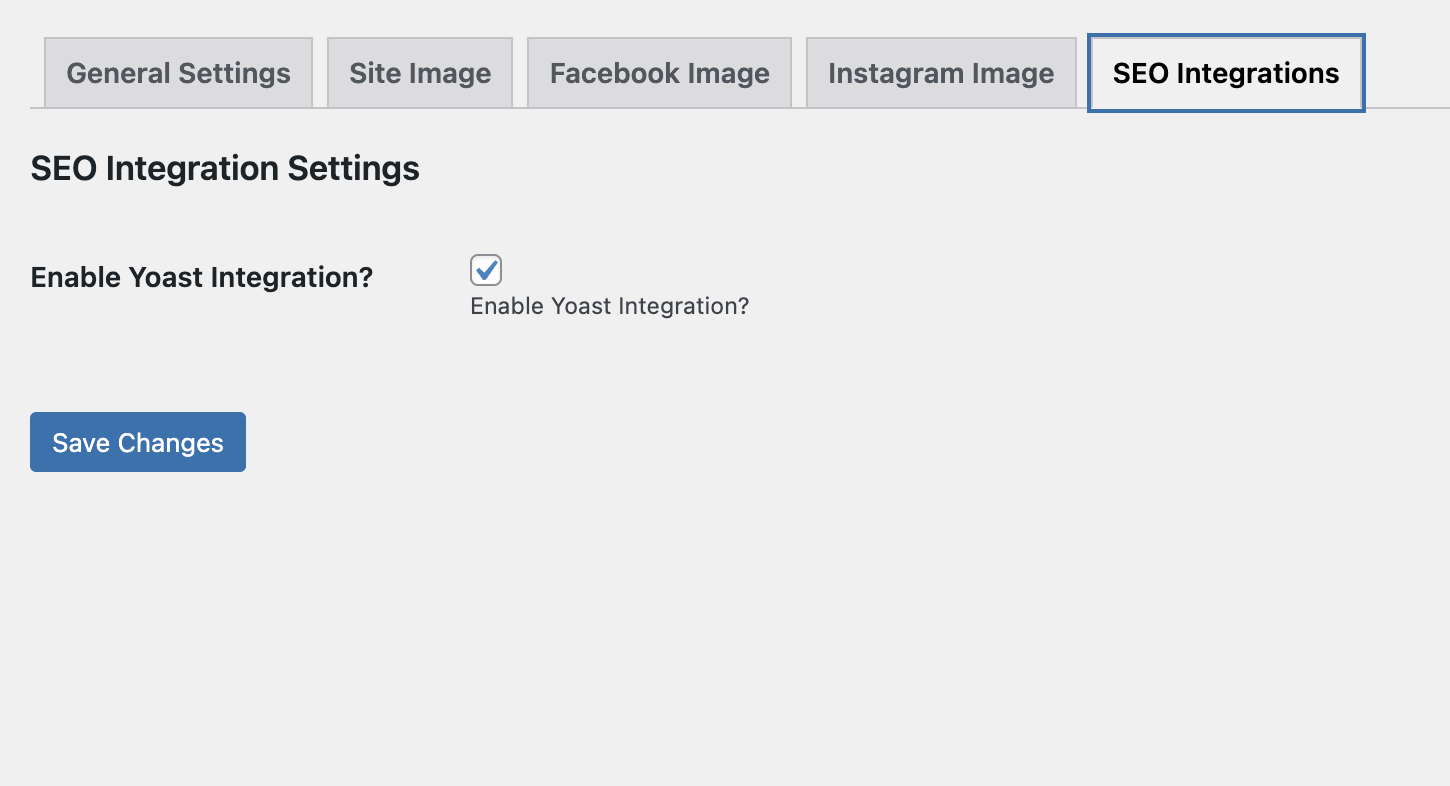
  • SEO Integrations (Yoast) — One-click toggle to enable Yoast SEO integration. When on, the plugin automatically assigns your generated Open Graph image (Facebook/LinkedIn preview) to Yoast’s social metadata for each post. More SEO plugin integrations coming soon.
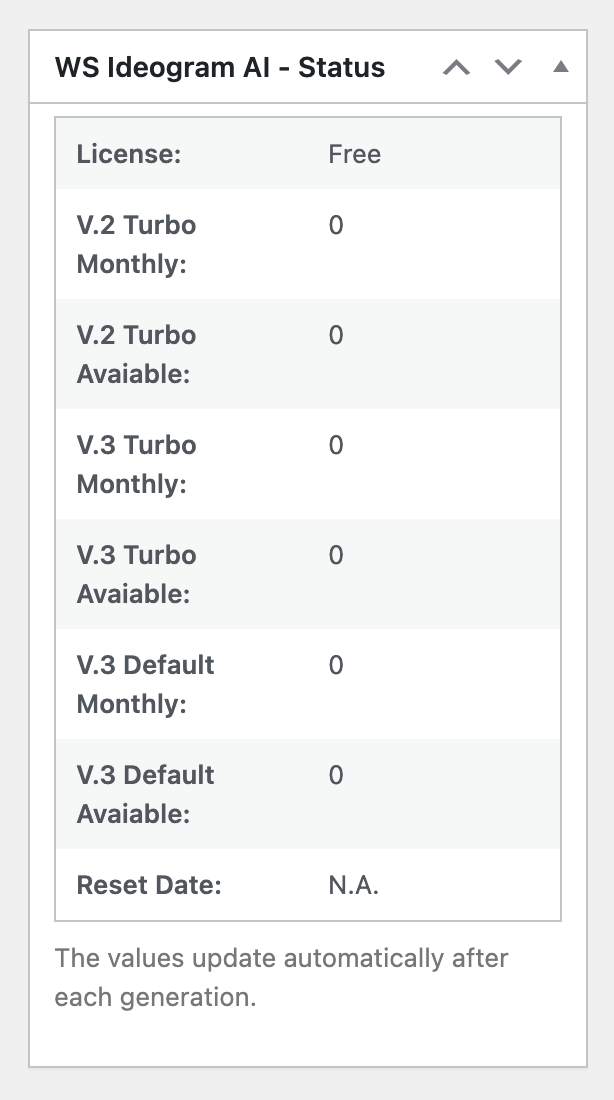
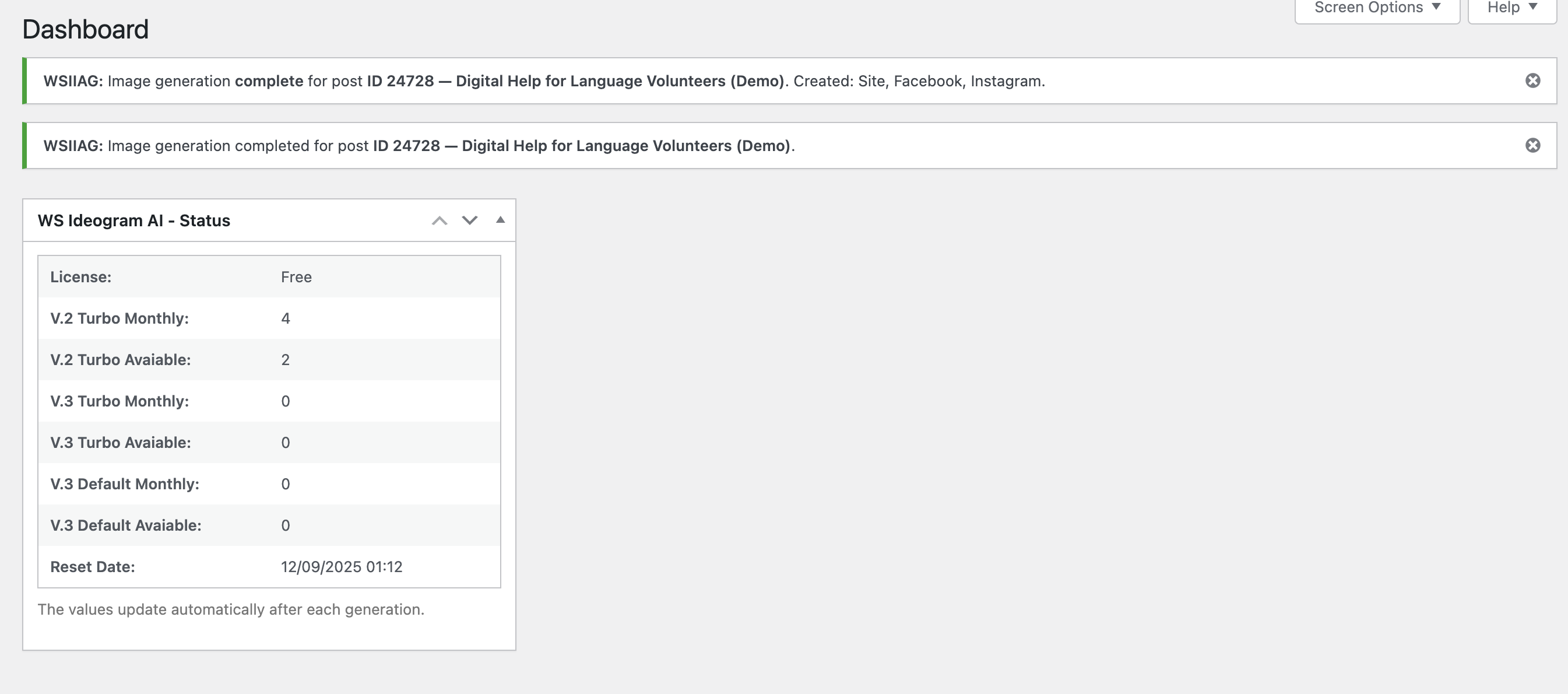
  • Post editor — WS Image Generator Status — Sidebar metabox that shows the active license, monthly quotas per model (V.2 Turbo, V.3 Turbo, V.3 Default), remaining available images, and the next reset/renewal date. Values update automatically after each generation.
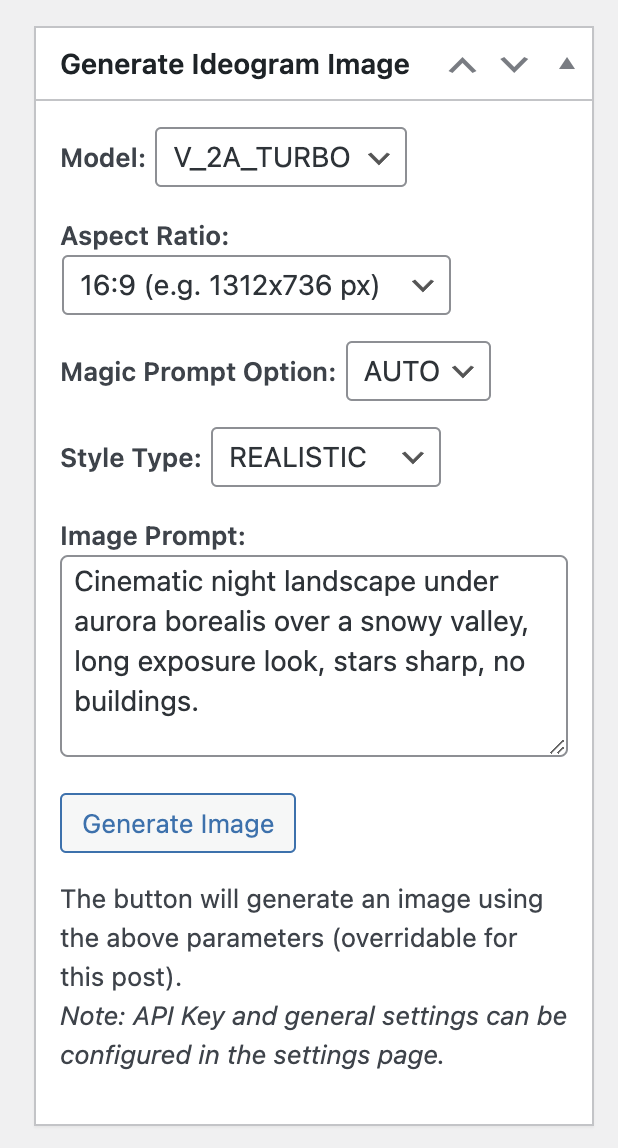
  • Post editor — Generate Ideogram Image — Per-post generator metabox. Choose Model, Aspect Ratio, Magic Prompt, and Style, write your prompt, then click Generate Image to create and attach the image to this post (settings here override the global defaults). If no API key was saved yet, a free key is created automatically on first generation.
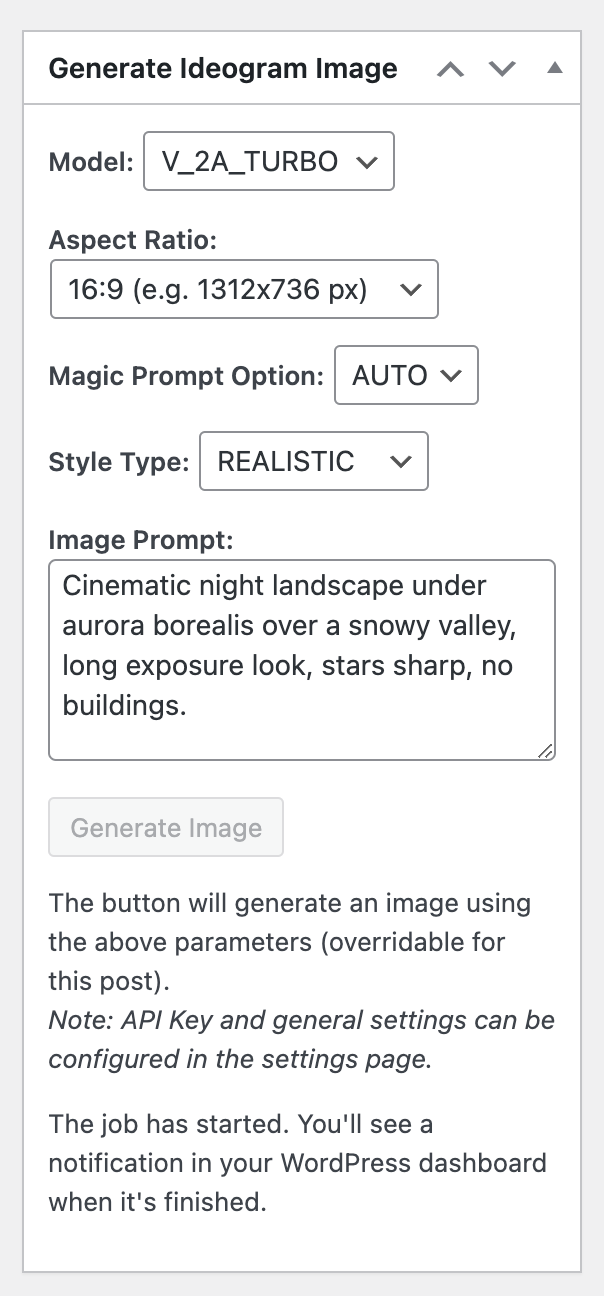
  • Post editor — Generation in progress — After clicking Generate Image, the request is queued and processed in the background. The button is disabled and a notice confirms the job has started; you can keep editing (no need to stay on the page). When finished, you’ll get a WordPress admin notification and the image is saved to the Media Library and attached to the post.
  • Dashboard — Completion notice + Status widget — When a job finishes you get an admin notice with the post title and which variants were created (Site, Facebook, Instagram). The Status dashboard widget mirrors the per-post status: current license, monthly/available images for each model, and the next reset date. Values update automatically after each generation.
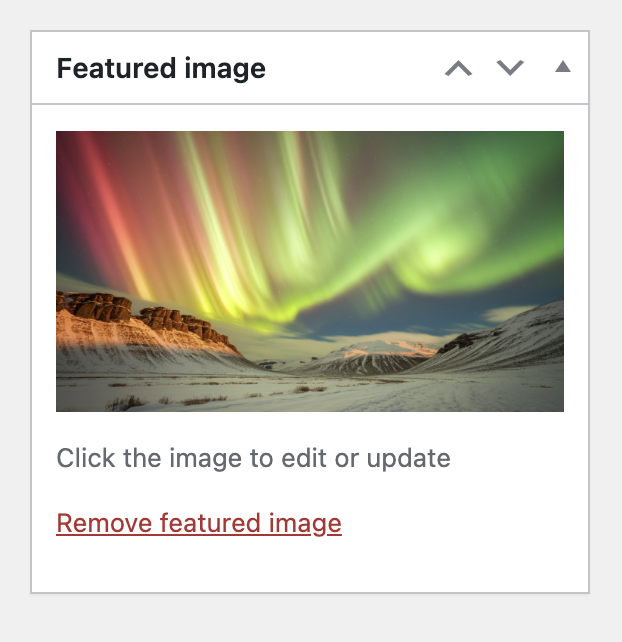
  • Featured image — Auto-set — Once generation completes, the created image is automatically assigned as the post’s Featured image. It’s saved in the Media Library and attached to the post; click the thumbnail to edit or replace it anytime.
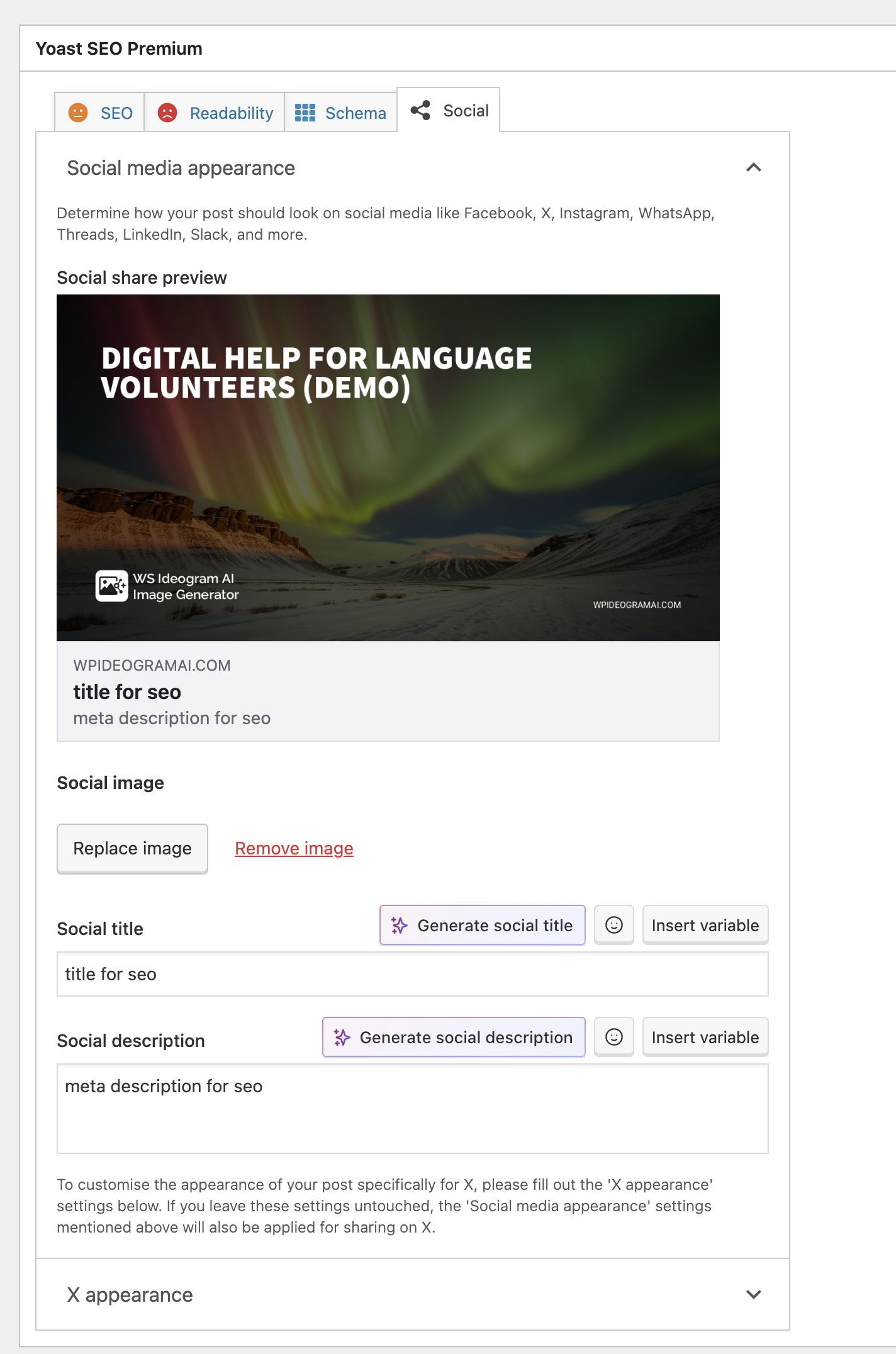
  • Yoast social preview — Auto-assigned social image — If Facebook Image generation is enabled, the plugin creates a Facebook-optimized image (with your logo/title overlay if configured). When the SEO integration is on, that image is automatically set as the Yoast Social image (Open Graph), so shares on Facebook/X use it by default. The screenshot shows the auto-assigned image in Yoast’s preview.
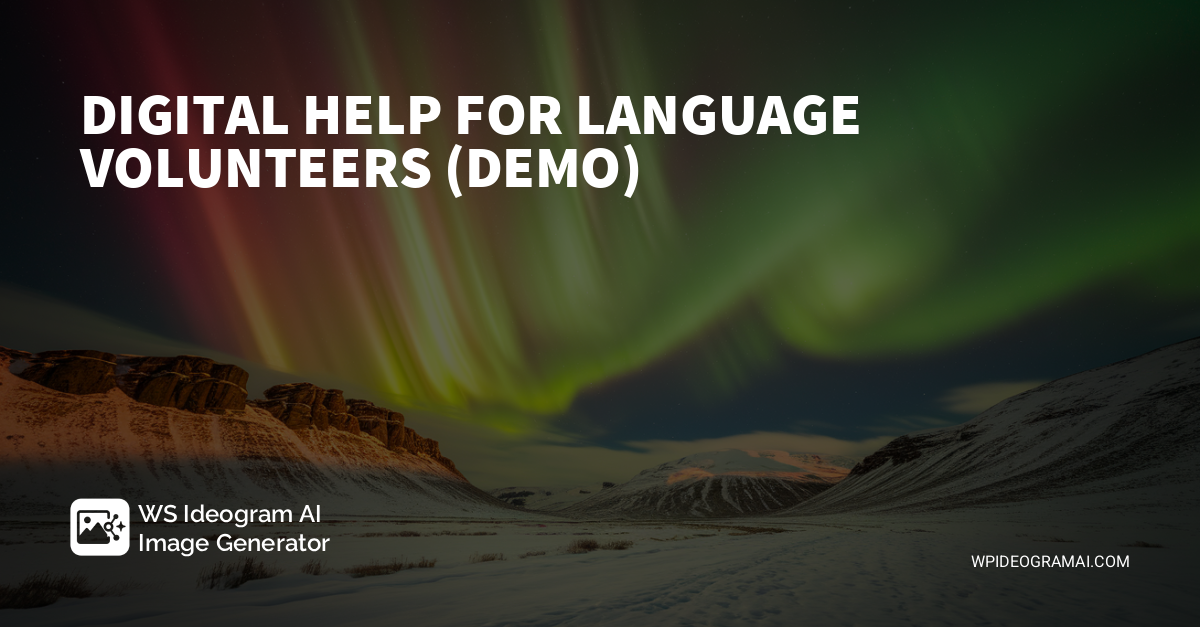
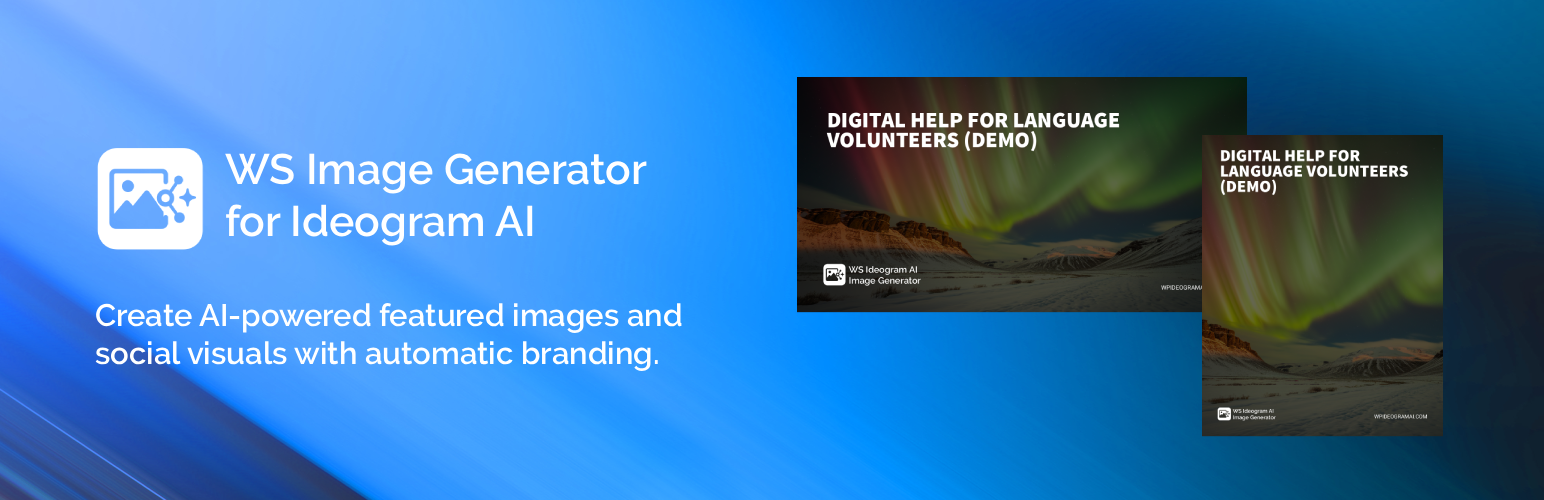
  • Sample Facebook image — Title & branding overlay — Example of the 1200×628 banner the plugin generates for Facebook: post title, optional site logo, and domain applied over the AI image. Saved to the Media Library and, with SEO integration enabled, auto-used as the Open Graph image.
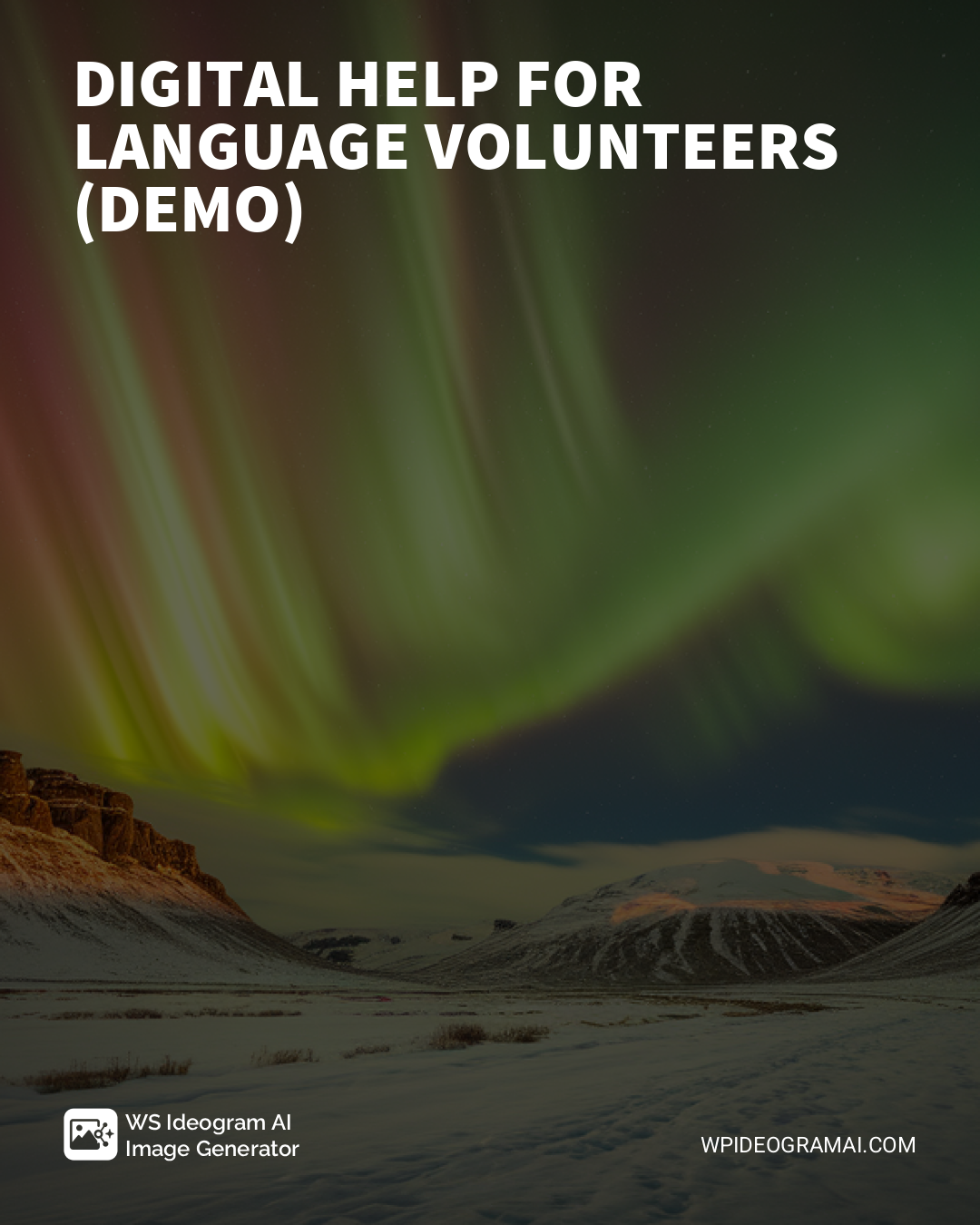
  • Sample Instagram image — Portrait overlay — Example of the 1080×1350 asset generated for Instagram: post title, optional site logo, and domain applied over the AI image. Size, margins, and overlay opacity are configurable under Settings → Instagram Image. Saved to the Media Library and, if SEO integration is enabled, auto-selected for social sharing.

升级注意事项:

2.0.1 Major release with social images, overlays, and Yoast integration.

常见问题:

Do I need an API key?

Not necessarily. On the first generation, a free key is created automatically via our service.\ You can keep using the free tier or upgrade later to raise limits and unlock newer models.

Does it work with custom post types?

Yes, the metabox appears on all public post types.

Does it work with Yoast SEO?

Yes. If enabled in SEO Integrations, the plugin sets the generated Facebook/Instagram image as Open Graph (and Twitter) image in Yoast for that post.

Gutenberg or Classic Editor?

Works with both (metabox).

What data leaves my site?

The plugin sends your text prompt and generation parameters (model, size, style, etc.) to wpideogramai.com, which then calls Ideogram and returns the image URL.\ The final image is downloaded and stored in your Media Library.

Is the plugin translatable?

Yes. Text domain: ws-image-generator-for-ideogram-ai; domain path: /languages. See the “Localization” section below.

更新日志:

2.0.1