WST Block Timer
| 开发者 | webtatsu |
|---|---|
| 更新时间 | 2026年9月11日 12:52 |
| PHP版本: | 8.2 及以上 |
| WordPress版本: | 7.1 |
| 版权: | GPLv2 or later |
| 版权网址: | 版权信息 |
详情介绍:
- One container block ("Block Timer") that holds any inner blocks
- Set a start, an end, or both — leave a side empty to leave it open-ended
- For regular visitors, out-of-range content is left off the page
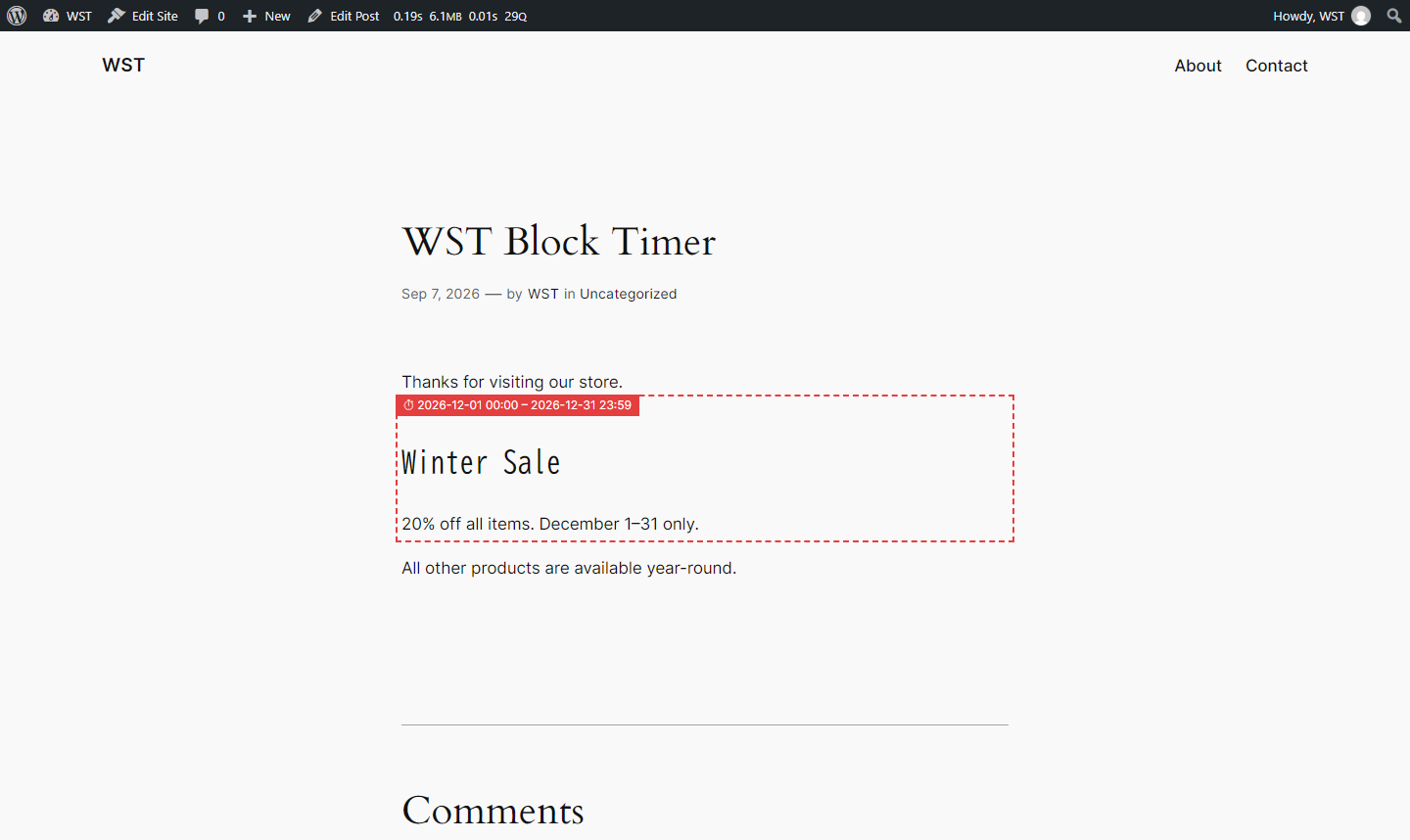
- Optional preview: signed-in staff can see out-of-range content in a dashed box, to check it before it goes live
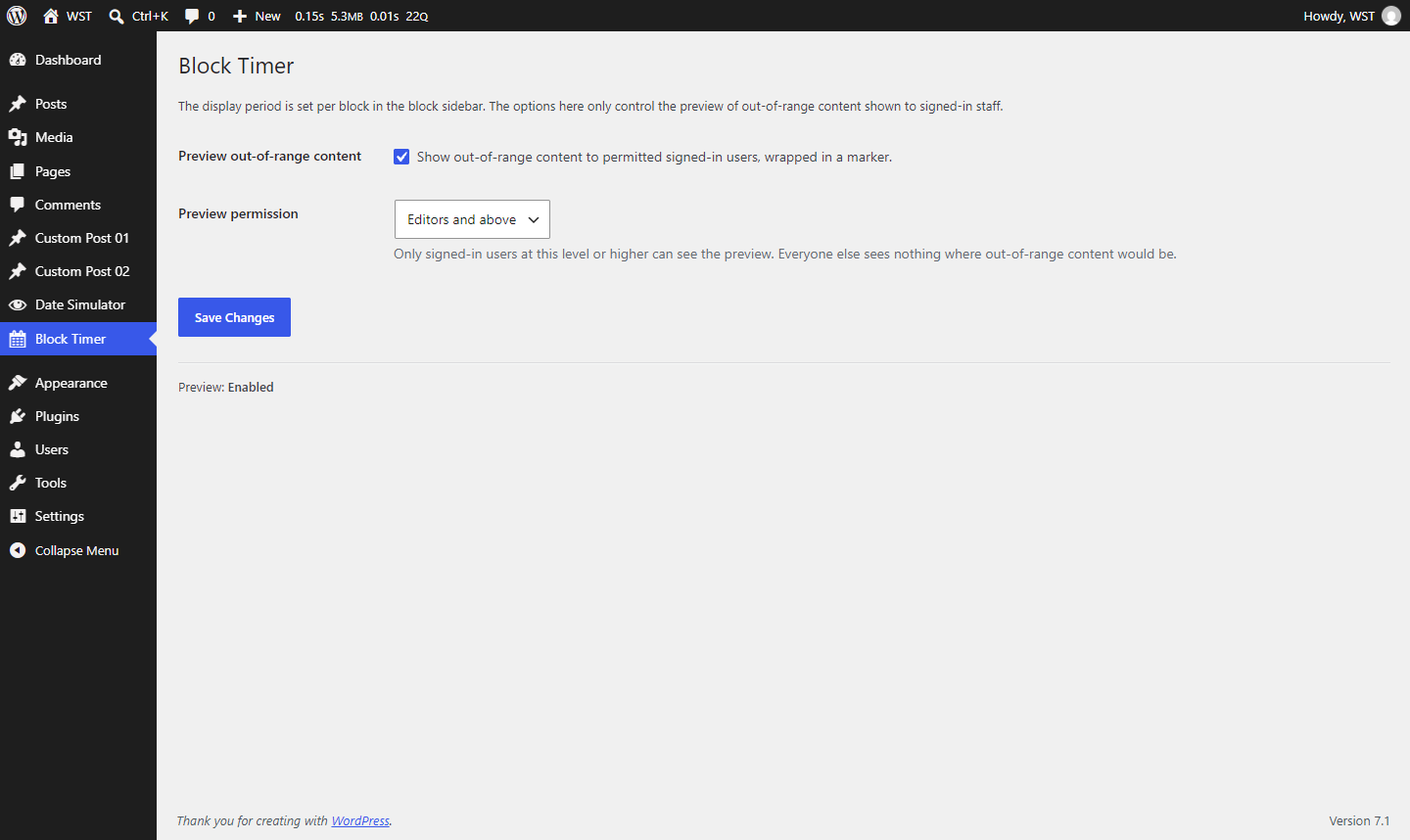
- Choose who sees that preview: Administrators only, Editors and above, or Authors and above
- Times are evaluated in your site's timezone
- While a preview is active, that page's full-page cache is disabled so out-of-range content is not served to regular visitors
- If WST Date Simulator (by the same author) is also active, both plugins use the same simulated time as "now", so a scheduled display period can be previewed together with scheduled posts
- Viewing the preview and changing the plugin's settings use separate permission checks
- Changing the settings always requires an Administrator (manage_options)
- Who can view the preview is configurable on the settings screen (Editors and above, by default)
- This is a presentational schedule, not access control. Hidden content still exists in the post and may be reachable through revisions, feeds, or the REST API. Do not use it to protect secret information.
- Crossing the start or end time does not change a cached page until it is regenerated. Shorten your cache lifetime or exclude the affected pages if exact switch timing matters.
- Deactivating the plugin stops the schedule. Content saved by this plugin is stored in a form that is usually not shown by the browser, but this is not a security measure.
安装:
- Upload the plugin files to
/wp-content/plugins/wst-block-timer, or install the plugin through the "Plugins > Add New" screen in WordPress. - Activate the plugin through the "Plugins" screen.
- In the editor, add the "Block Timer" block, place your content inside it, and set the start/end in the block sidebar.
- (Optional) Go to the "Block Timer" menu in wp-admin to turn on the preview of out-of-range content and choose who can see it.
屏幕截图:
常见问题:
What happens outside the window?
For regular visitors the block outputs nothing. When the preview option is enabled, only signed-in users with the preview permission see the content, in a dashed box labeled with the display period.
Can I set only an end date?
Yes. Leave the start empty and the content is visible until the end. Leave the end empty and it is visible from the start onward. Leave both empty and it is always visible.
What if the start is after the end?
The editor shows an error on the block. On the front end, regular visitors see nothing; users with the preview permission see it flagged as an invalid setting.
Which timezone is used?
Your site's timezone, from Settings > General.
Does it change the actual content or post status?
No. Nothing in the database is changed. While out of range, the inner blocks are simply left off the front end.
Does it work with full-page caching?
Yes. But a cached page stays frozen at whatever it showed when it was cached, until the cache is refreshed: a block can fail to appear after its start time, or fail to disappear after its end time. For pages where the switch time matters, shorten the cache lifetime or exclude them from caching. Pages being previewed by a permitted signed-in user are excluded automatically.
更新日志:
- Initial release