
XC Scribe
| 开发者 | thextracode |
|---|---|
| 更新时间 | 2026年9月7日 21:16 |
| PHP版本: | 7.4 及以上 |
| WordPress版本: | 7.1 |
| 版权: | GPL-2.0-or-later |
| 版权网址: | 版权信息 |
详情介绍:
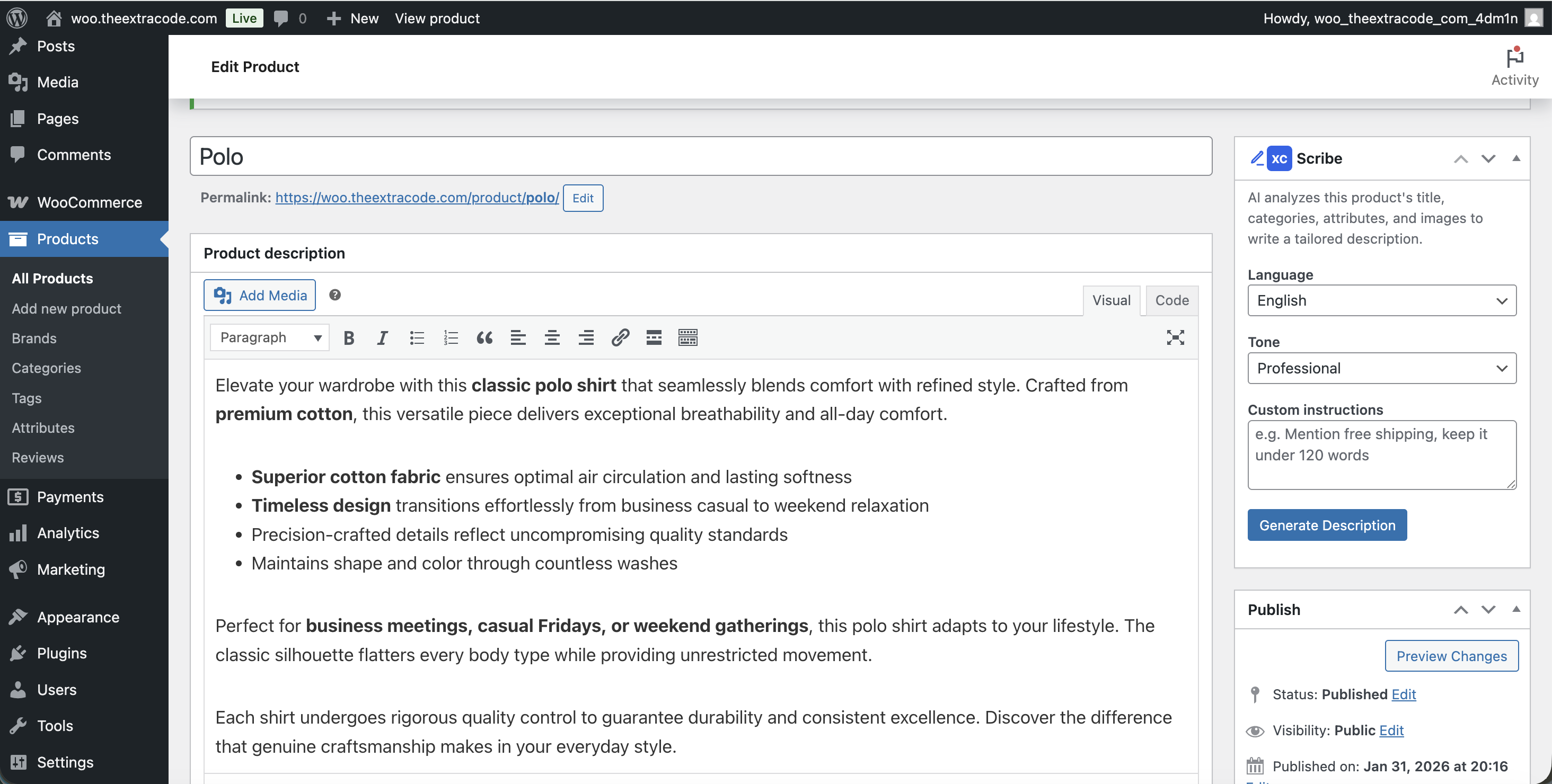
XC Scribe uses AI to generate high-quality product descriptions and blog posts directly from your WordPress admin. It reads your product data — title, categories, attributes, and images — and writes ready-to-publish content in 30+ languages.
Product Descriptions (WooCommerce)
- Generates both long and short descriptions
- Reads product title, categories, attributes, and images for context
- Content is inserted directly into the product editor
- Works with both Classic and Block editors
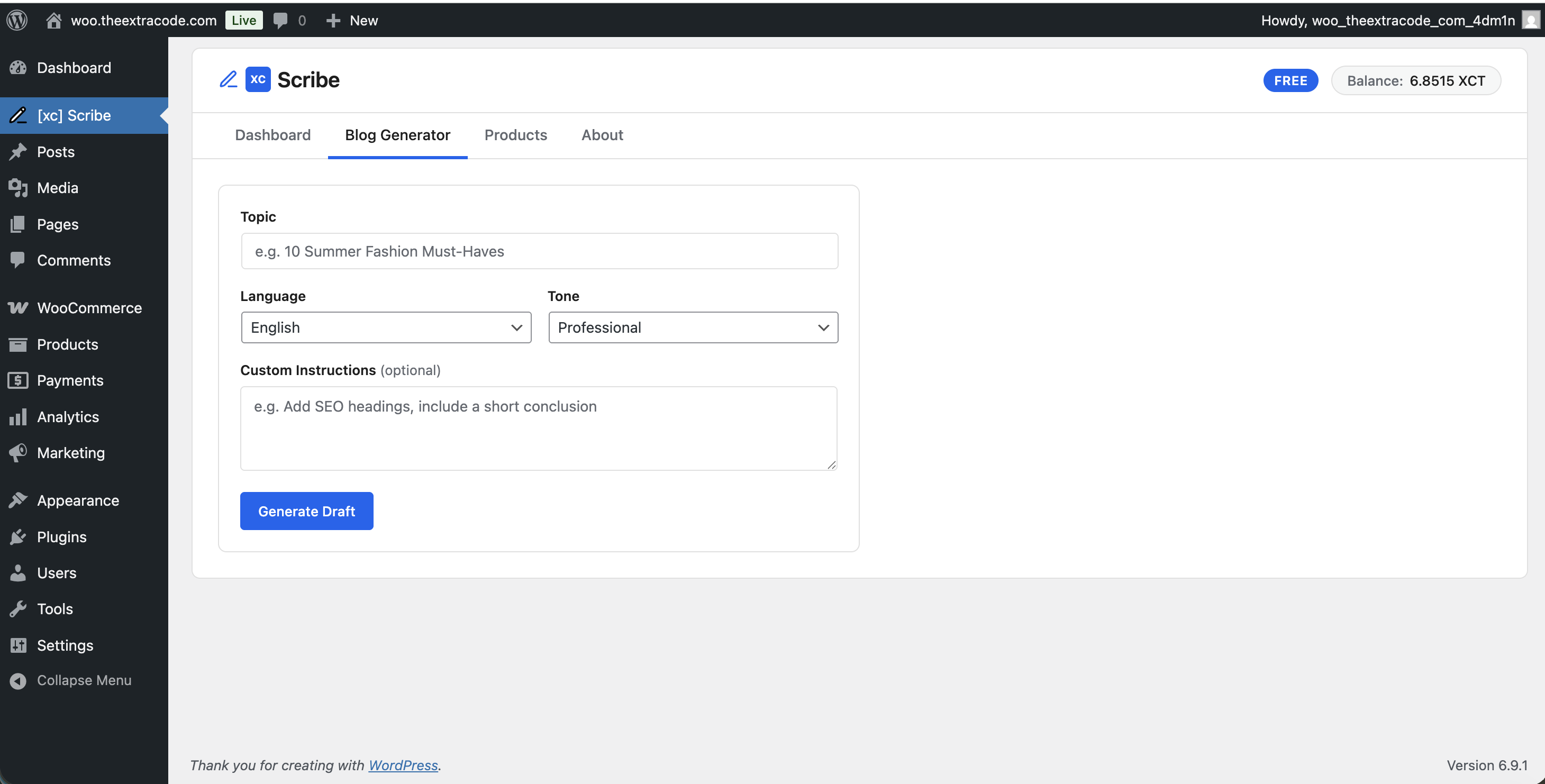
- Enter a topic and get a full draft post
- Optionally link to a product for product-focused content
- Draft is created automatically — edit and publish when ready
- 30+ languages supported
- Multiple tone options (professional, casual, persuasive, etc.)
- Custom instructions for fine-tuning output
- Activity log to track generations and costs
- Works with WooCommerce product editor metabox
安装:
- Upload the
xc-scribefolder to/wp-content/plugins/ - Activate the plugin through the Plugins screen
- Go to XC Scribe in the admin menu
- Enter your API key (from your XC Scribe account)
- Click Save, then Test connection to verify
屏幕截图:
常见问题:
Do I need a WooCommerce store?
No. Blog post generation works on any WordPress site. Product description generation requires WooCommerce.
Where do I get an API key?
Sign up at xcscribe.com and find your API key in account settings.
What languages are supported?
Over 30 languages including English, German, French, Spanish, Italian, Dutch, Polish, Czech, Slovak, Hungarian, Romanian, Bulgarian, Croatian, Serbian, Slovenian, Bosnian, Montenegrin, Macedonian, Greek, Russian, Swedish, Danish, Norwegian, Finnish, Estonian, Latvian, Lithuanian, Irish, Maltese, and Portuguese.
Is my data sent to external servers?
Yes. Product data (title, categories, attributes, image URLs) and generation settings are sent to the XC Scribe API at api.xcscribe.com for AI processing. No customer personal data is transmitted. See the Privacy section below.
更新日志:
1.0.3
- Certification: validated installation and activation with WordPress 7.1 and WooCommerce.
- Release: refreshed compiled admin assets and included readable source files in the plugin package.
- Fix: Per-product permission checks — REST routes now verify
edit_postcapability for the specific product, not just the generaledit_postscapability - Fix: Menu position lowered from 4 to 79 (just above Settings) to avoid displacing core WordPress menu items
- Fix: Include human-readable source code for compiled
assets/admin.jsin thesrc/directory - Fix: Added build instructions to readme.txt
- Fix: Full PHPCS + WordPress Coding Standards (WPCS) compliance — Yoda conditions, doc comments, proper escaping, no short ternaries
- Fix: Removed
$_GETsuperglobal access (replaced withget_the_ID()) - Fix: Bumped "Tested up to" to WordPress 6.9
- Initial release
- Product description generation (long + short) for WooCommerce
- Blog post draft generation
- 30+ language support
- Activity logging
- Async generation with polling