
Yaceen COD
| 开发者 | yaceen |
|---|---|
| 更新时间 | 2026年11月11日 03:22 |
| 捐献地址: | 去捐款 |
| PHP版本: | 7.4 及以上 |
| WordPress版本: | 7.1 |
| 版权: | GPLv2 or later |
| 版权网址: | 版权信息 |
详情介绍:
Cash on delivery sells, but fake and refused orders cost you shipping, packaging and stock. Yaceen COD adds a simple confirmation step between "order placed" and "order shipped".
How it works
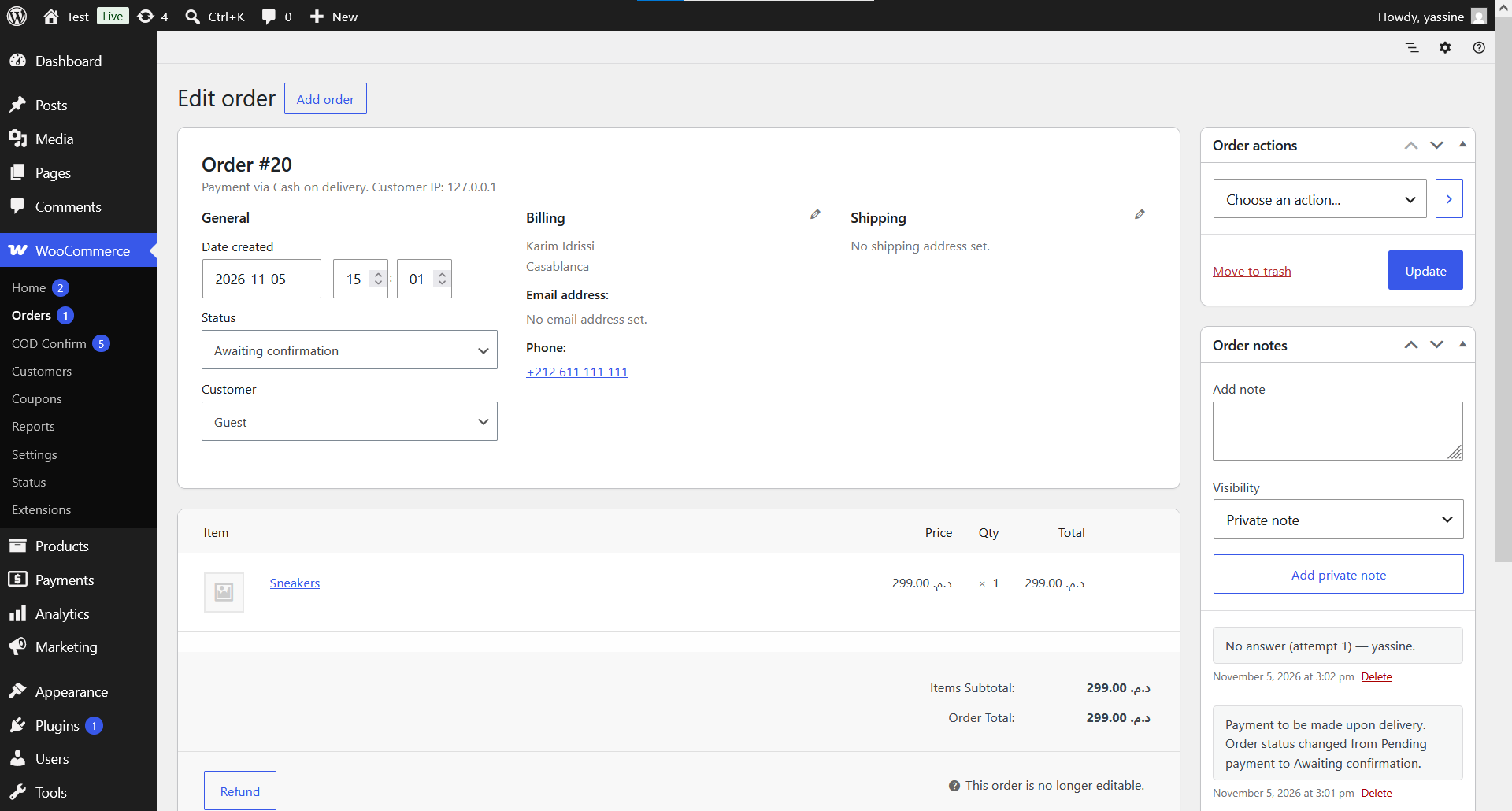
- A customer pays with Cash on delivery. Instead of going straight to Processing, the order waits in Awaiting confirmation and its stock is reserved.
- Your team opens WooCommerce → Yaceen COD and sees every order to confirm, oldest first.
- One click calls the customer, or opens WhatsApp with a ready-made message (name, order number, items, total).
- Click Confirm (order moves to Processing and the customer gets the usual email), No answer (attempt counter goes up), or Cancel.
- If the parcel comes back, set the order to Refused at delivery and the stock is returned.
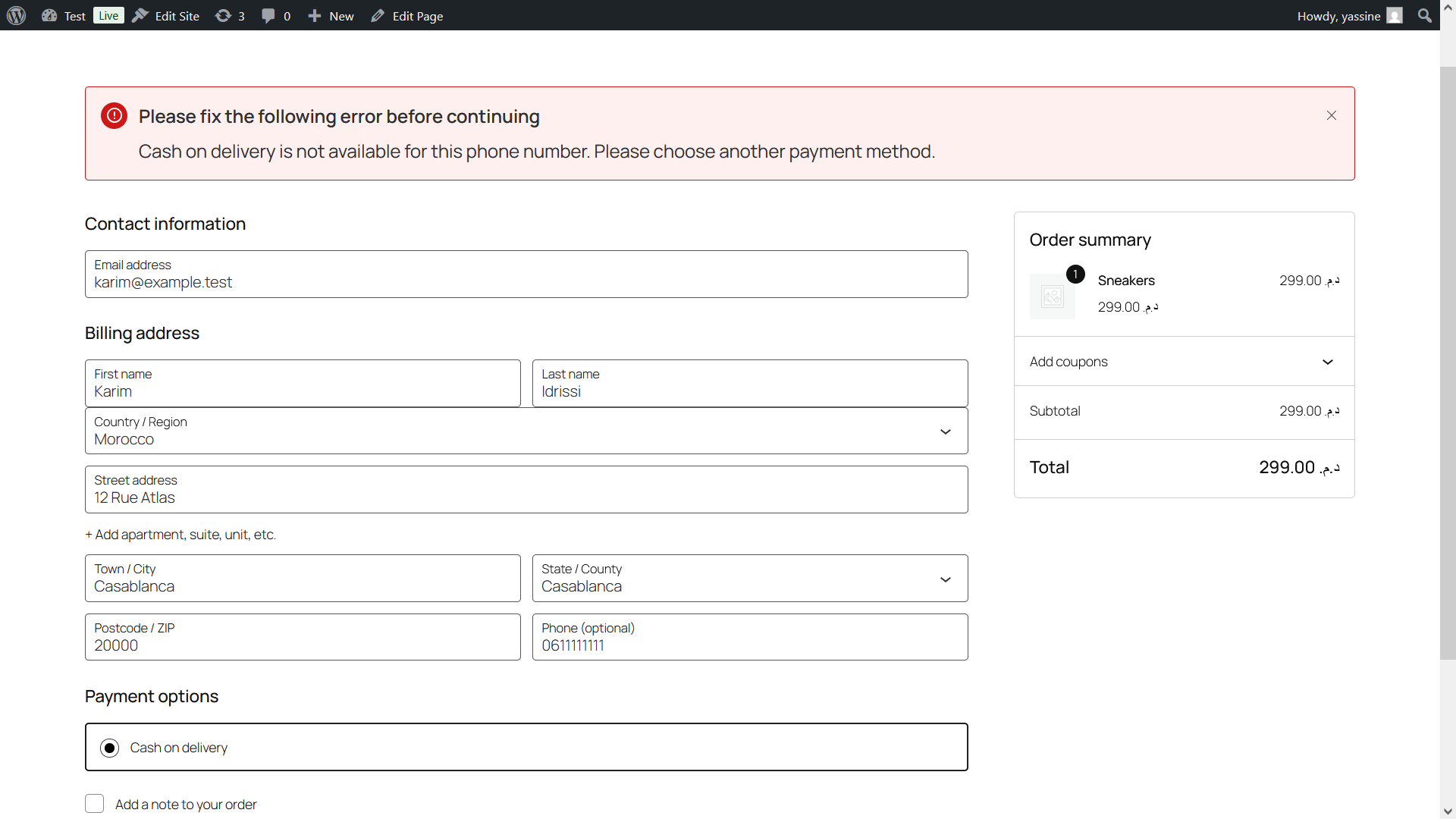
0612345678, +212 6 12 34 56 78, 00212612345678…). The queue shows a warning next to customers with refused or cancelled orders, and after the number you choose, Cash on delivery is refused at checkout for that phone number. The customer can still pay another way.
Features
- Confirmation queue with call and WhatsApp links
- WhatsApp message template with
{name},{order},{items},{total} - Call attempt counter; every action is written to the order notes with the agent's name
- "Awaiting confirmation" and "Refused at delivery" order statuses
- Stock reserved while waiting, returned on cancel or refusal
- Risk warning and automatic COD blocking per phone number
- Last 30 days: confirmation rate and delivery rate
- Works with the block checkout and the classic checkout
- Compatible with High-Performance Order Storage (HPOS)
- No account, no API key, no monthly WhatsApp fees: messages are sent from your own WhatsApp
安装:
- Install and activate WooCommerce.
- Upload the
yaceen-codfolder to/wp-content/plugins/, or install it from Plugins → Add New. - Activate Yaceen COD.
- Make sure Cash on delivery is enabled in WooCommerce → Settings → Payments.
- Open WooCommerce → Yaceen COD to see the queue and adjust the settings.
屏幕截图:
常见问题:
Does it send WhatsApp messages automatically?
No. The WhatsApp link opens a chat with the customer and the message already written; your agent presses Send. This keeps it free and avoids WhatsApp API approval.
What happens to orders that were placed before I activated the plugin?
They keep their normal status. Risk history only counts orders that went through the plugin (awaiting confirmation, cancelled or refused after activation).
Can a blocked customer still order?
Yes, with any payment method except Cash on delivery. Set the threshold to 0 to never block anyone.
Who can use the queue?
Anyone who can edit orders (Shop Manager and Administrator). Only users who can manage WooCommerce can change the settings.
Does it work with HPOS and the block checkout?
Yes, both, as well as the classic posts storage and the classic [woocommerce_checkout] shortcode.
更新日志:
0.1.0
- First release: confirmation queue, WhatsApp links, attempt counter, "Awaiting confirmation" and "Refused at delivery" statuses, risk warnings and COD blocking per phone number, 30-day stats.