Map Block for Yandex
| 开发者 | al5dy |
|---|---|
| 更新时间 | 2026年8月22日 01:48 |
| PHP版本: | 7.4 及以上 |
| WordPress版本: | 7.1 |
| 版权: | GPLv3 or later |
| 版权网址: | 版权信息 |
详情介绍:
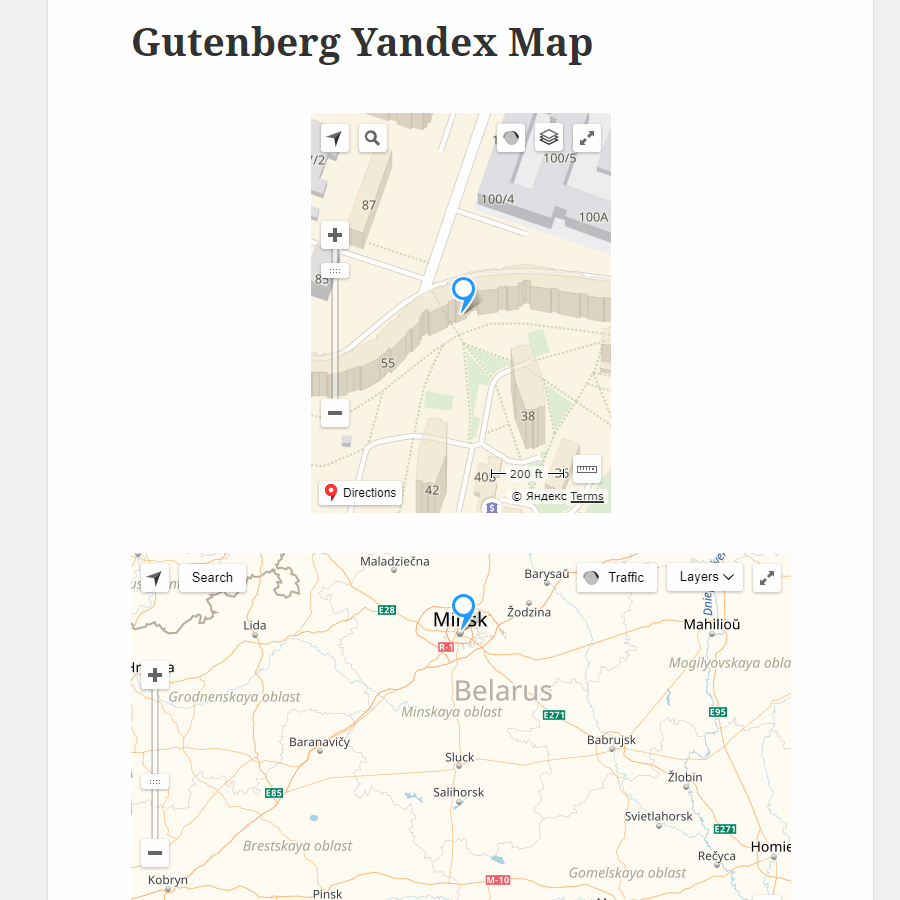
- Add multiple independent maps to any post or page.
- Keep each map isolated in a Web Component with Shadow DOM so theme styles cannot break it.
- Update center, zoom, camera and appearance live from the Gutenberg inspector.
- Keep the editor preview locked against dragging, wheel zoom and other direct map gestures.
- Use responsive width, height, minimum height, aspect ratio, wide and full-width alignment without horizontal overflow.
- Configure center, zoom range, tilt, azimuth, map mode and automatic, light or dark theme.
- Enable selected map behaviors and lightweight zoom, geolocation and fullscreen controls.
- Add, duplicate, search, reorder and remove structured markers.
- Customize marker coordinates, labels, descriptions, links, colors, icons, images, sizes and stacking order.
- Group markers with optional client-side clustering.
- Apply bounded Yandex vector-map customization rules.
- Lazy-load maps near the viewport or require a visitor click before connecting to Yandex.
- Disable the loading overlay, or customize a spinner, bouncing-dots or pulse preloader and map reveal.
- Provide keyboard-visible controls, accessible labels, useful error states and a no-JavaScript fallback link.
- Preserve and migrate blocks created by versions 1.0.0 and 1.0.1.
安装:
- Install the plugin through Plugins > Add New, or upload it to
/wp-content/plugins/. - Activate Map Block for Yandex.
- Open Settings > Yandex Maps and enter a Yandex Maps JavaScript API v3 key.
- Restrict the key to your site's HTTP Referers in the Yandex developer dashboard.
- Add the Yandex Map block in the block editor.
屏幕截图:
常见问题:
Is an API key required?
Yes. Yandex Maps JavaScript API v3 requires a browser API key. When a key is missing or the SDK fails, the block displays an accessible error and fallback link instead of a blank map.
Why can I not drag or zoom the map in the editor?
The Gutenberg preview is intentionally non-interactive so block selection and editing remain predictable. Change the viewport and other settings in the inspector; the preview updates immediately without reloading the editor. The behaviors you enable remain available on the published frontend.
Can I disable or customize the loading animation?
Yes. In Loading and interaction, disable the frontend overlay to reveal the map surface immediately. When enabled, choose a spinner, bouncing dots or pulse and customize its colors, size, accessible text and reveal duration.
Can I use more than one map on a page?
Yes. The SDK loads once and each map maintains its own configuration and lifecycle.
Does it work with classic and block themes?
Yes. WordPress block supports control the outer layout, while the map surface is isolated in Shadow DOM. Full-width mode uses a viewport-safe layout and does not create horizontal page scrolling.
Can I add arbitrary marker HTML or JavaScript?
No. Marker content is rendered as text, URLs are restricted to safe HTTP(S) values, and executable code is never stored in block attributes.
Can the block hold a very large store-locator data set?
Inline markers are intended for normal editorial maps and are limited to 1,000 per block. Large locators require bounded server-side viewport queries and are not included in this plugin.
更新日志:
- Rebuilt the plugin with block.json, Block API version 3 and server-side rendering.
- Migrated the map runtime from Yandex Maps JavaScript API 2.1 to v3.
- Added multiple structured markers, marker editing and client-side clustering.
- Added responsive layout, camera, behavior, control, appearance and loading settings.
- Added Web Component and Shadow DOM isolation for frontend and editor maps.
- Added a non-interactive Gutenberg preview with live inspector updates.
- Added customizable optional preloaders and removed the frontend activation message when click-to-activate is disabled.
- Fixed full-width rendering so it spans the viewport without horizontal overflow.
- Added conditional assets, shared SDK loading and viewport-based initialization.
- Added an API-key and locale settings screen.
- Added English and Russian translations, automated unit tests, coding standards and Chromium smoke tests.
- Added backward-compatible rendering and editor migration for legacy blocks.
- Added compatibility and translation fixes.
- Initial release.