
Yangtics Bulk SEO Editor
| 开发者 | yangtics |
|---|---|
| 更新时间 | 2026年5月13日 14:15 |
| PHP版本: | 8.0 及以上 |
| WordPress版本: | 6.9 |
| 版权: | GPLv2 or later |
| 版权网址: | 版权信息 |
详情介绍:
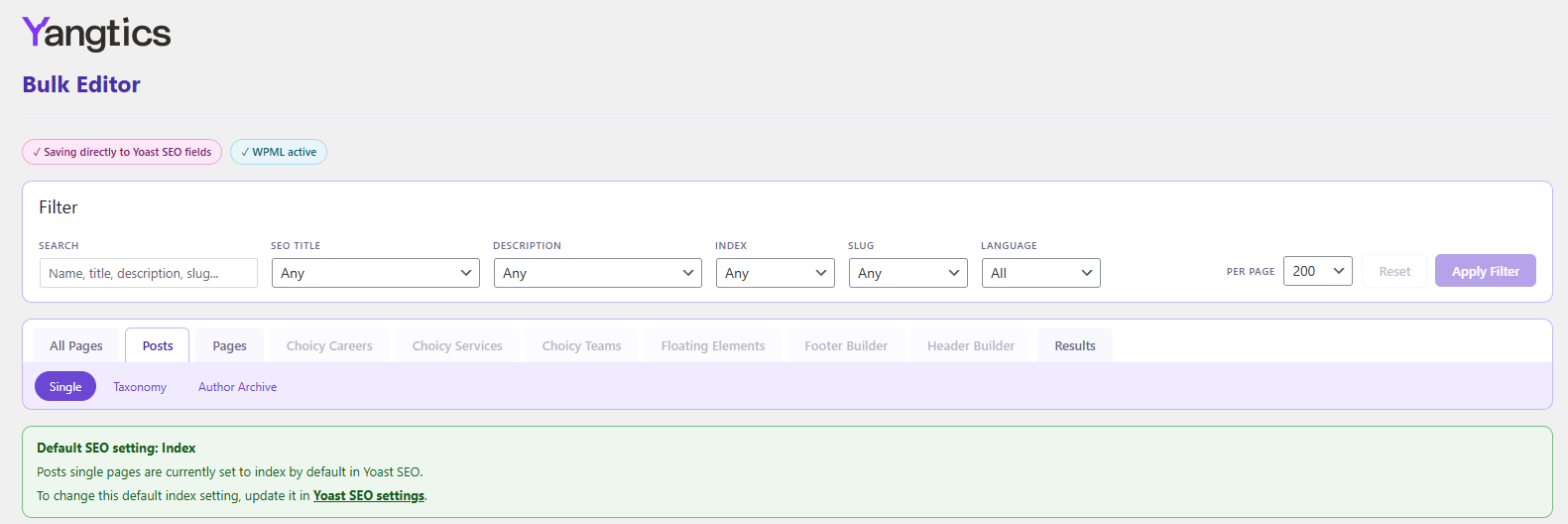
- Bulk edit SEO title, meta description, noindex and slug fields
- Supports WordPress posts, pages, WooCommerce products, custom post types and taxonomies
- Two-level navigation by post type, then by Single, Archive, Taxonomy or Author Archive
- Filter by custom value, template value, duplicate values, noindex status or duplicate slugs
- Search across page name, SEO title, meta description and slug
- Slug conflict detection that reports duplicate slugs instead of silently appending -2 or -3
- WPML-ready interface with visual grouping for translated rows
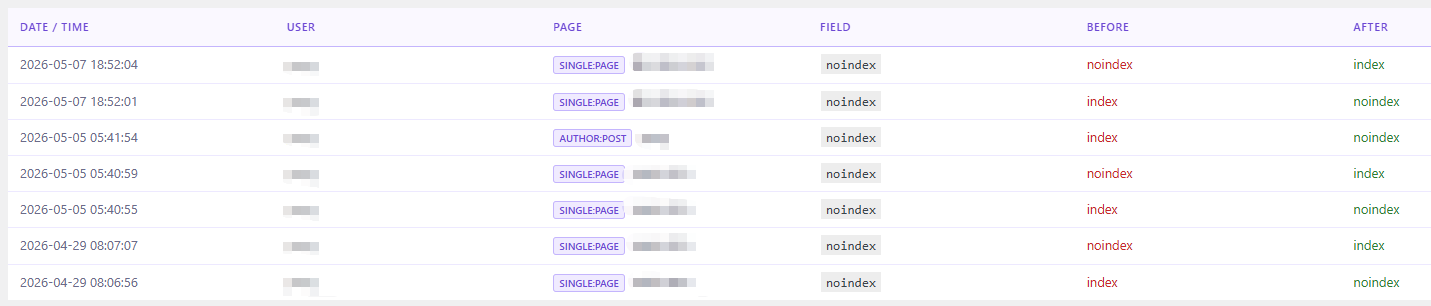
- Full change log with before and after values
- CSV export for the change log
- Works with or without WooCommerce
安装:
- Upload the
yangticsfolder to/wp-content/plugins/. - Activate the plugin through the Plugins screen in WordPress.
- Ensure either Yoast SEO or Rank Math is active, but not both at the same time.
- Go to Yangtics in the WordPress admin sidebar.
屏幕截图:

常见问题:
Does Yangtics work without Yoast SEO or Rank Math?
No. Yangtics requires either Yoast SEO or Rank Math to be active. It saves directly to whichever supported SEO plugin is active.
Can Yoast SEO and Rank Math both be active?
No. Yangtics requires exactly one supported SEO plugin to be active. If both are active, the editor is blocked until one is deactivated.
Will Yangtics overwrite my existing SEO data?
Only fields you explicitly edit and save are updated. Loading the editor or browsing rows does not change SEO data.
Does it work without WooCommerce?
Yes. WooCommerce is optional. Without WooCommerce, Yangtics manages supported WordPress post types and taxonomies.
Does it support WPML?
Yes. When WPML is active, Yangtics can display translated rows together and lets you filter the table by language without changing the WordPress admin language.
What happens if I try to save a duplicate slug?
Yangtics reports the duplicate slug and does not save it. It does not silently append -2 or -3 to the slug.
更新日志:
- Improved Bulk Editor memory usage on large sites by avoiding full-site loading on the default and normal paginated views.
- Initial release.