YeeMenu - Restaurant Menu for WooCommerce
| 开发者 | addonsorg |
|---|---|
| 更新时间 | 2026年9月28日 16:58 |
| PHP版本: | 6.0 及以上 |
| WordPress版本: | 7.1 |
| 版权: | GPLv2 or later |
| 版权网址: | 版权信息 |
详情介绍:
[youtube https://www.youtube.com/watch?v=lGlnYE4PV4c]
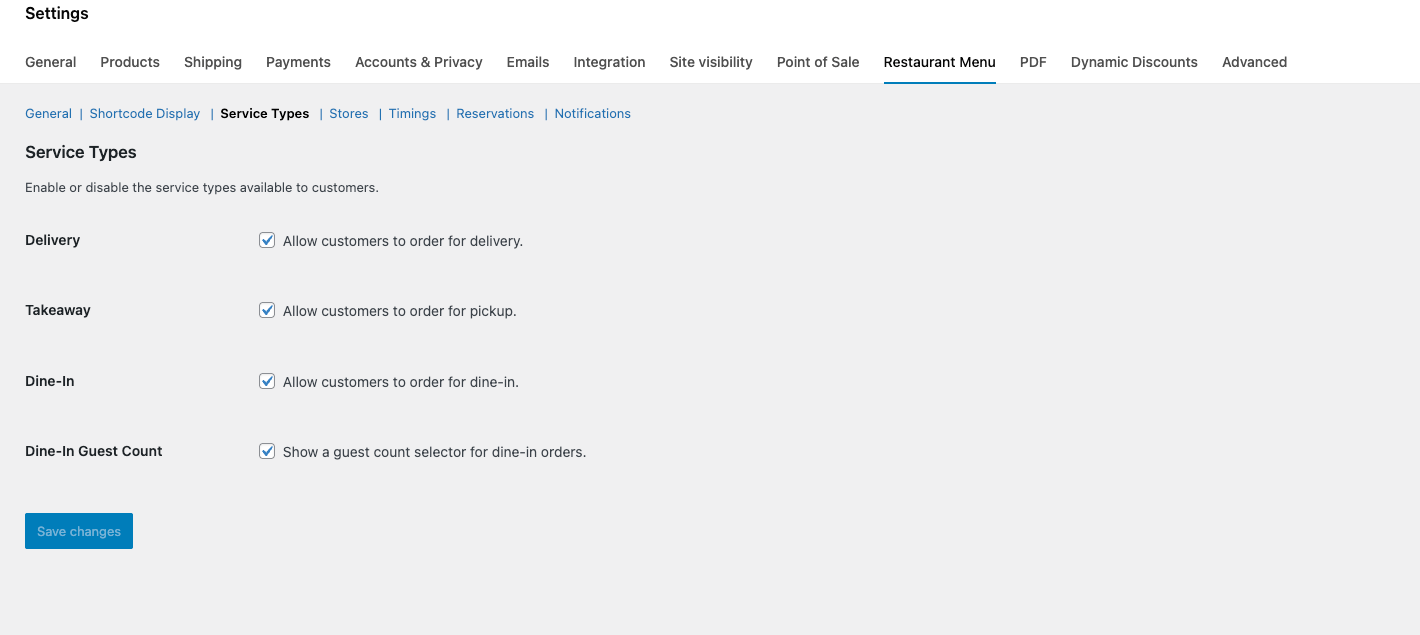
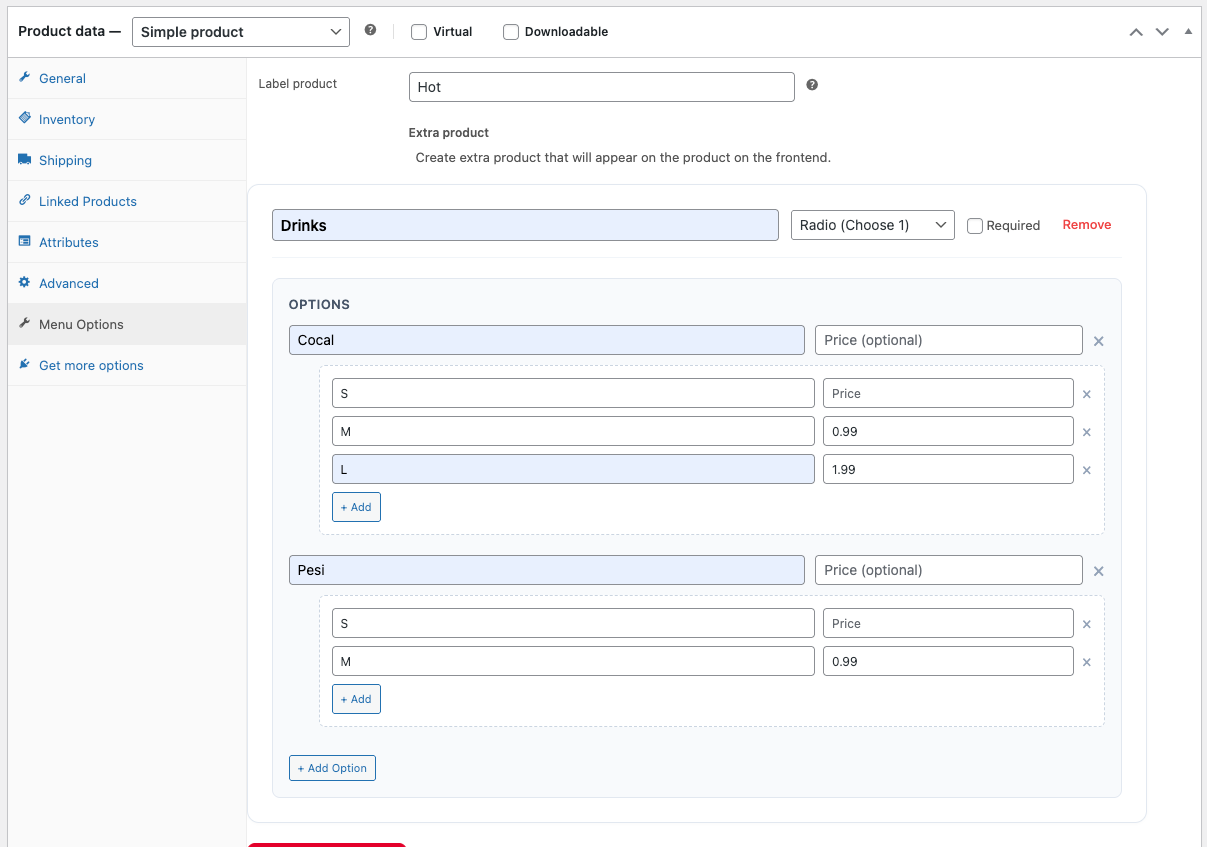
Restaurant Menu transforms your WooCommerce store into a seamless, app-like restaurant ordering platform. Designed specifically for food businesses, it provides a streamlined interface for customers to browse categories, select product add-ons, and choose their dining preferences (Delivery, Takeaway, or Dine-In) without ever leaving the menu page.
Demo: https://demo.add-ons.org/restaurant-menu/menu/
Documentation: https://add-ons.org/document-restaurant-menu-for-woocommerce/
Pro Version: https://add-ons.org/plugin/yeemenu-restaurant-menu-for-woocommerce/
Features:
安装:
- Upload the
yeemenufolder to the/wp-content/plugins/directory. - Activate the plugin through the 'Plugins' menu in WordPress.
- Ensure WooCommerce is active.
- Navigate to WooCommerce > Settings > YeeMenu to configure your store locations, timings, and display options.
屏幕截图:
常见问题:
How do I change the restaurant's opening hours?
Go to WooCommerce > Settings > YeeMenu > Timings. You can set multiple time slots for each day of the week.
Why don't I see the "Branch" and "Guests" columns in my order list?
These columns are hidden by default to keep the interface clean. To show them, click Screen Options at the top-right of the Orders page and check the boxes for Branch and Guests.
What happens when I click "Served"?
It instantly marks the WooCommerce order as Completed and sends the standard completion email to the customer.
更新日志:
1.1.2
- Added: Add-ons & Extensions section in Settings.
- Added: YeeExtra (Free Add-on) for extra features.
- Added: YeePOS (Free Add-on) for POS system.
- Added: Chef View quick filter for the admin order list.
- Added: Quick Action buttons (Served/Skip) for one-click status updates.
- Added: Advanced Filters (Service Type, Branch, Time Slot) to the orders table.
- Added: Live Timing Countdowns in the orders list ("In 15 mins", "Now", etc.).
- Improved: Documentation with new guides and FAQs.
- Initial Release.
- Added support for Full, Left, and Right layouts.
- Implemented multi-slot Restaurant Timings with toggle visibility.
- Integrated WooCommerce Order Summary block aesthetics.