
Yinga Focus
| 开发者 | yinga |
|---|---|
| 更新时间 | 2026年11月4日 17:31 |
| PHP版本: | 8.1 及以上 |
| WordPress版本: | 7.1 |
| 版权: | GPLv2 or later |
| 版权网址: | 版权信息 |
详情介绍:
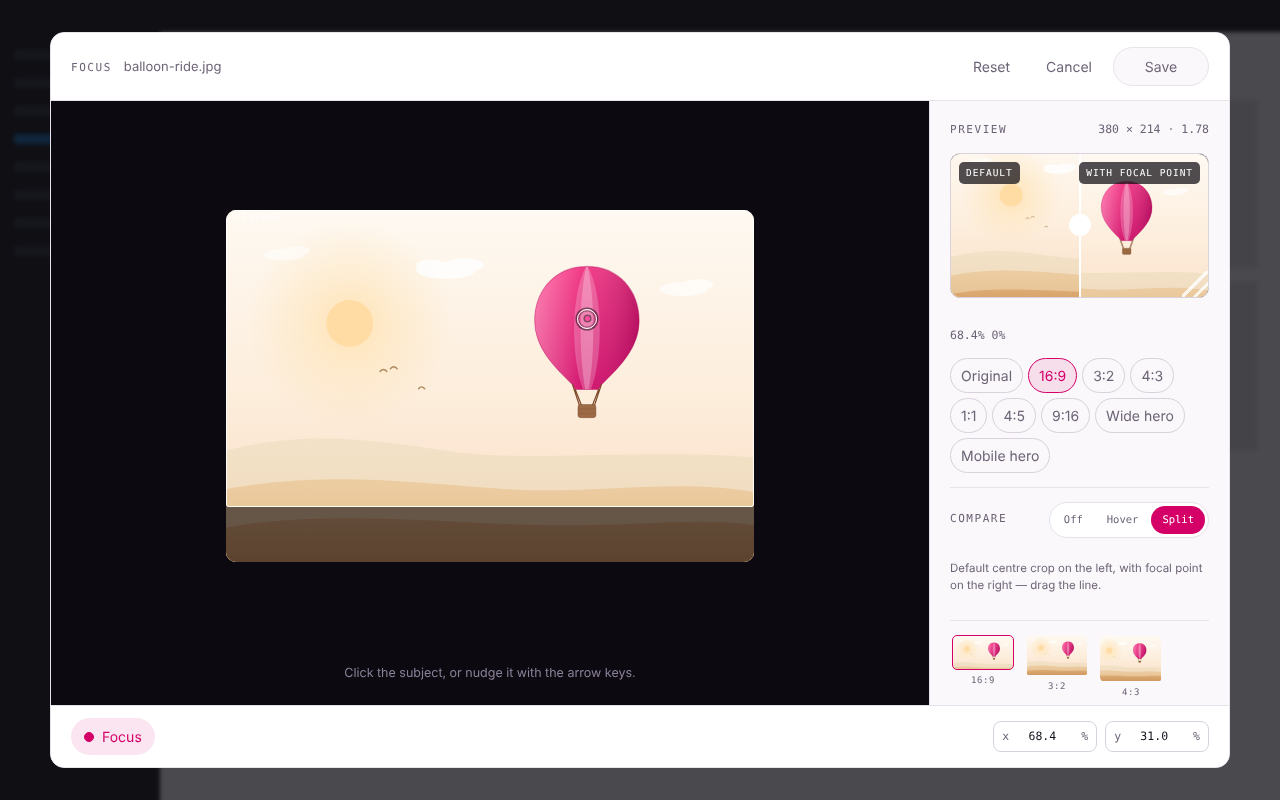
- Open any image in the media library and click the subject. A live preview shows exactly what stays visible at nine common aspect ratios, and you can compare with the default center crop before saving.
- The focal point is stored as native WordPress metadata on the attachment itself. Use the same photo in twenty places — hero, card, thumbnail — and all of them inherit it automatically.
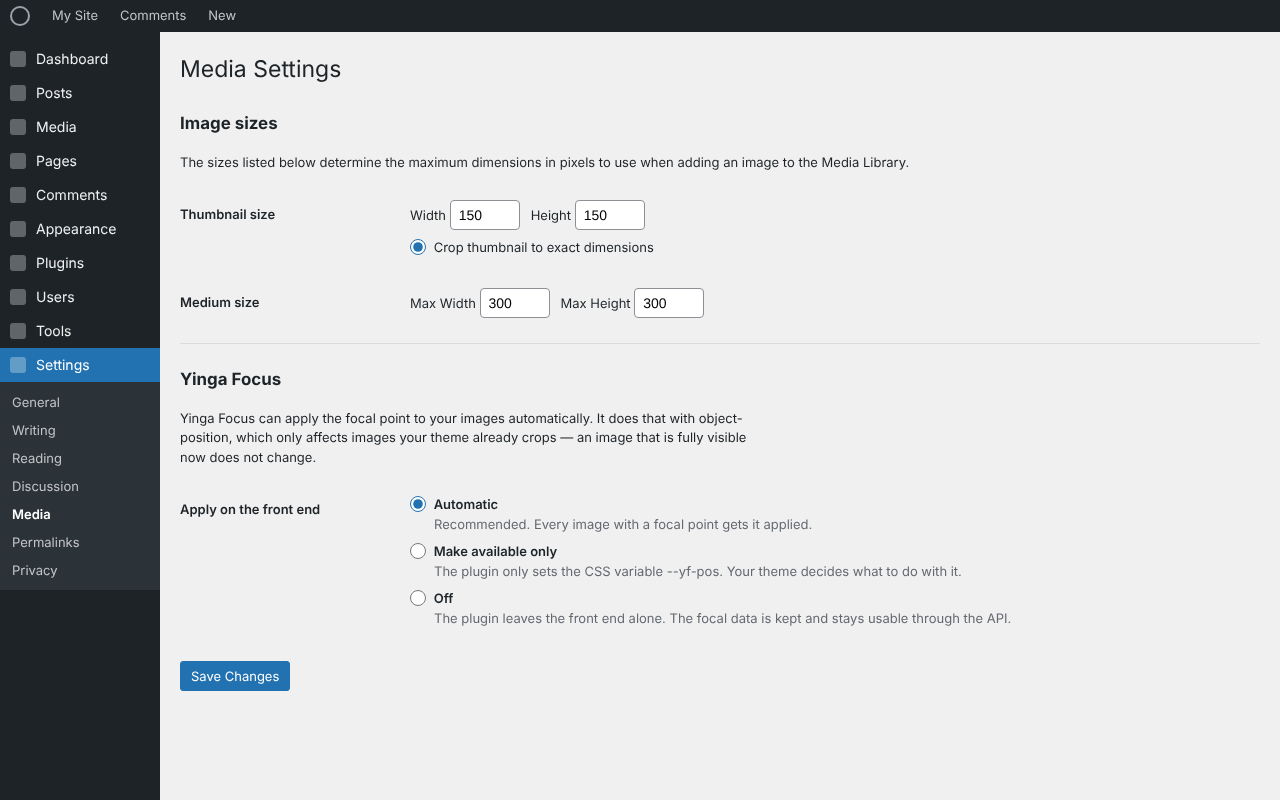
- On the front end the plugin writes only an
object-positionvalue. That is 0 KB of CSS and 0 KB of JavaScript for your visitors, and it is safe by construction:object-positiononly has an effect where your theme already crops. An image that is fully visible today cannot shift.
- Featured images, galleries and everything rendered through
wp_get_attachment_image()— every block theme, GeneratePress, Astra, and friends. - Images in post content and in the image, cover and media-text blocks.
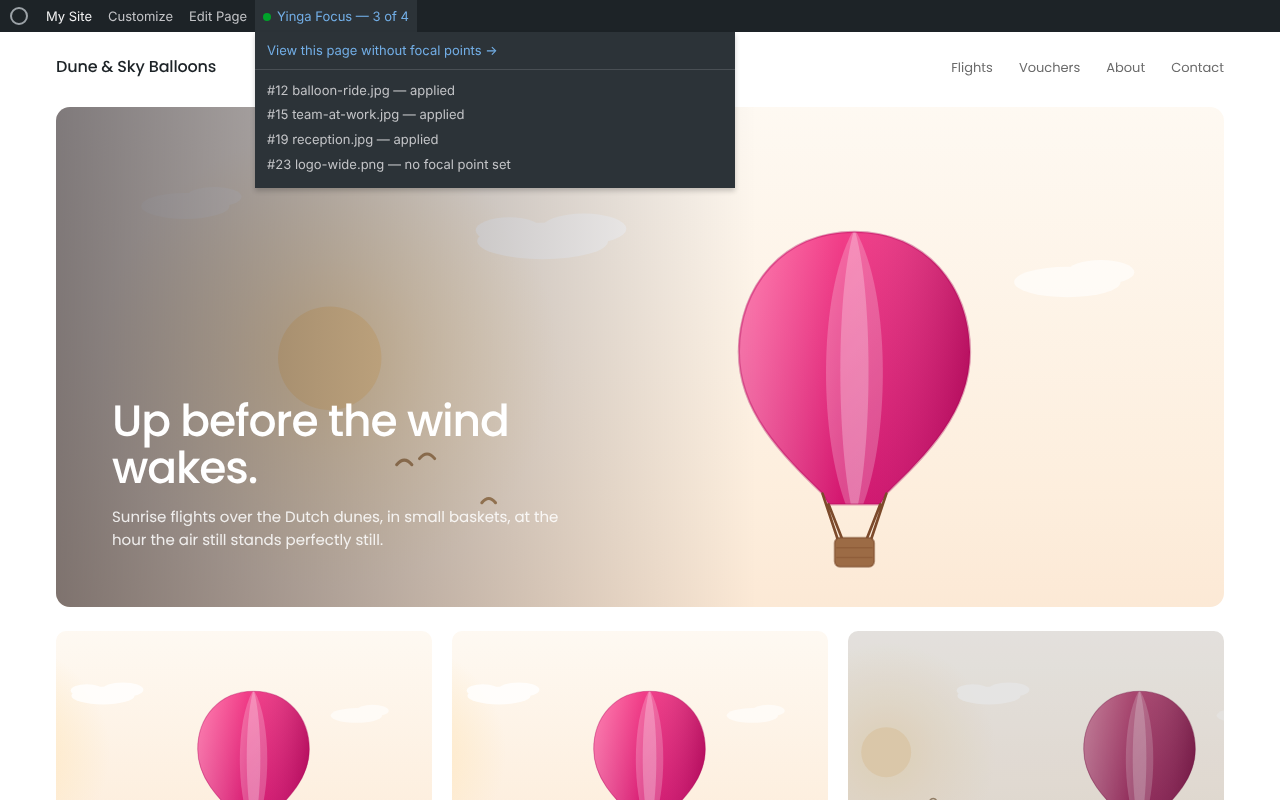
- A report in the admin bar tells you, per page, what happened to each image — and why nothing happened, when nothing did. One click shows the same page without the plugin, for an honest before/after.
- Full REST API with partial updates and a resolve endpoint that returns the engine result for any aspect ratio.
- A public PHP API:
yinga_focus_get(),yinga_focus_css_position(),yinga_focus_resolve()and more. - The crop engine exists in PHP and JavaScript, tested against one shared fixture file — bit-identical results, verified on every release.
安装:
- Install and activate the plugin.
- Open an image in the media library and click "Set focal point".
- Click the subject, check the previews, and save. That is all — the front end follows automatically.
屏幕截图:
常见问题:
Will this change how my site looks right now?
No. The plugin only writes an object-position, which has no effect on images that are not being cropped by your theme. Nothing moves until you set a focal point, and even then only images that were already being cropped shift — toward the subject.
Where is the data stored?
As regular WordPress post meta on the attachment, with a schema version and a migration path. Deactivating or removing the plugin never touches your images or your data.
My hero image does not react. Why?
The admin-bar report on that page will tell you. The usual causes: the theme writes its own <img> tags, the image is a CSS background, or the file is a hard-cropped size. None of those pass through the WordPress image functions, so there is nothing for this plugin to filter. The paid add-on reaches them with a page scanner.
Does it work with WebP/AVIF?
Yes. The engine only cares about aspect ratios, not file formats.
更新日志:
- The admin-bar styles are now added through
wp_add_inline_style()instead of being printed in the footer. - The output buffer the admin-bar report uses is now closed explicitly on shutdown, on its own level, instead of being left to PHP.
- Removed the
Update URIheader; it is meant for plugins hosted outside WordPress.org.
- The version constant now matches the plugin header. It is what browsers use to tell editor builds apart, so after an update you no longer get the previous version's editor from cache.
- Focal data of an image attached to a draft or private post is no longer readable without logging in. An attachment status of
inheritwas being treated as public, which it is not. - The admin-bar report no longer breaks on images whose title contains a dollar sign.
- Deactivating the plugin no longer flushes the whole site's object cache. It never cleared anything of ours.
- Uninstalling no longer removes a setting that belongs to the paid add-on.
breakpointsis now declared in the REST route schema; it was already accepted and sanitised.- Hook names are now written out in full (
yinga_focus/...) and every file guards against direct access in the standard form, so the plugin passes the WordPress.org Plugin Check without warnings on those points.
- The plugin is now fully translatable. Source strings are English, and a Dutch translation (nl_NL) ships with the plugin; other languages can be contributed through translate.wordpress.org.
- The editor translates itself through
wp.i18n, so its buttons and hints are translatable as well — they used to be hard-coded.
- First public release.
- Focal editor in the media library with live previews for nine aspect ratios and a compare mode.
- Automatic application through WordPress rendering (attachment functions, post content, image/cover/media-text blocks).
- Admin-bar report with per-image verdicts and a compare view.
- REST API (partial updates, resolve) and public PHP API.
- Zero front-end payload: no CSS, no JavaScript for visitors.