
YLabs Connector for WPWriter
| 开发者 | ylabs |
|---|---|
| 更新时间 | 2026年8月17日 23:11 |
| PHP版本: | 7.4 及以上 |
| WordPress版本: | 7.0 |
| 版权: | GPLv2 or later |
| 版权网址: | 版权信息 |
详情介绍:
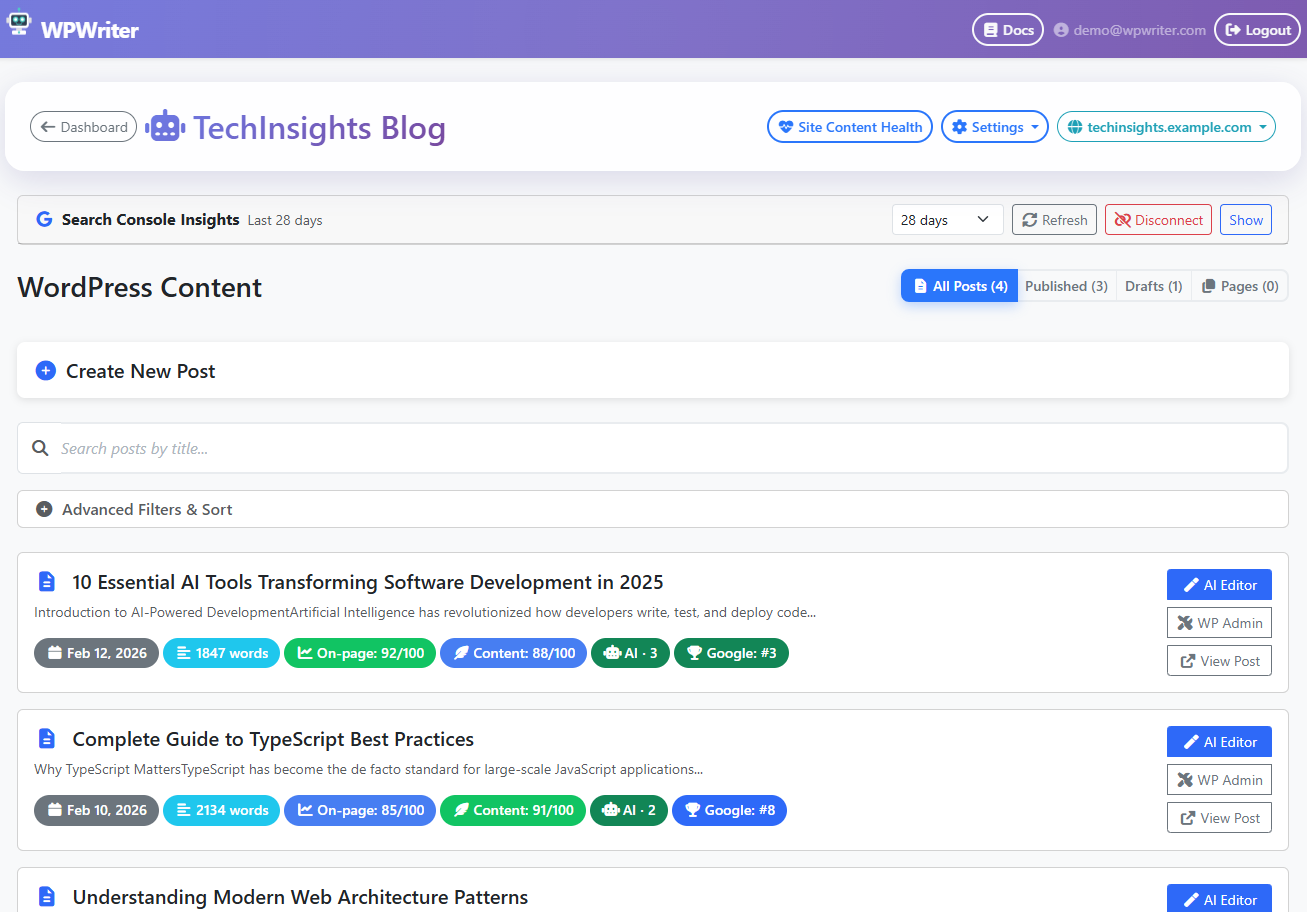
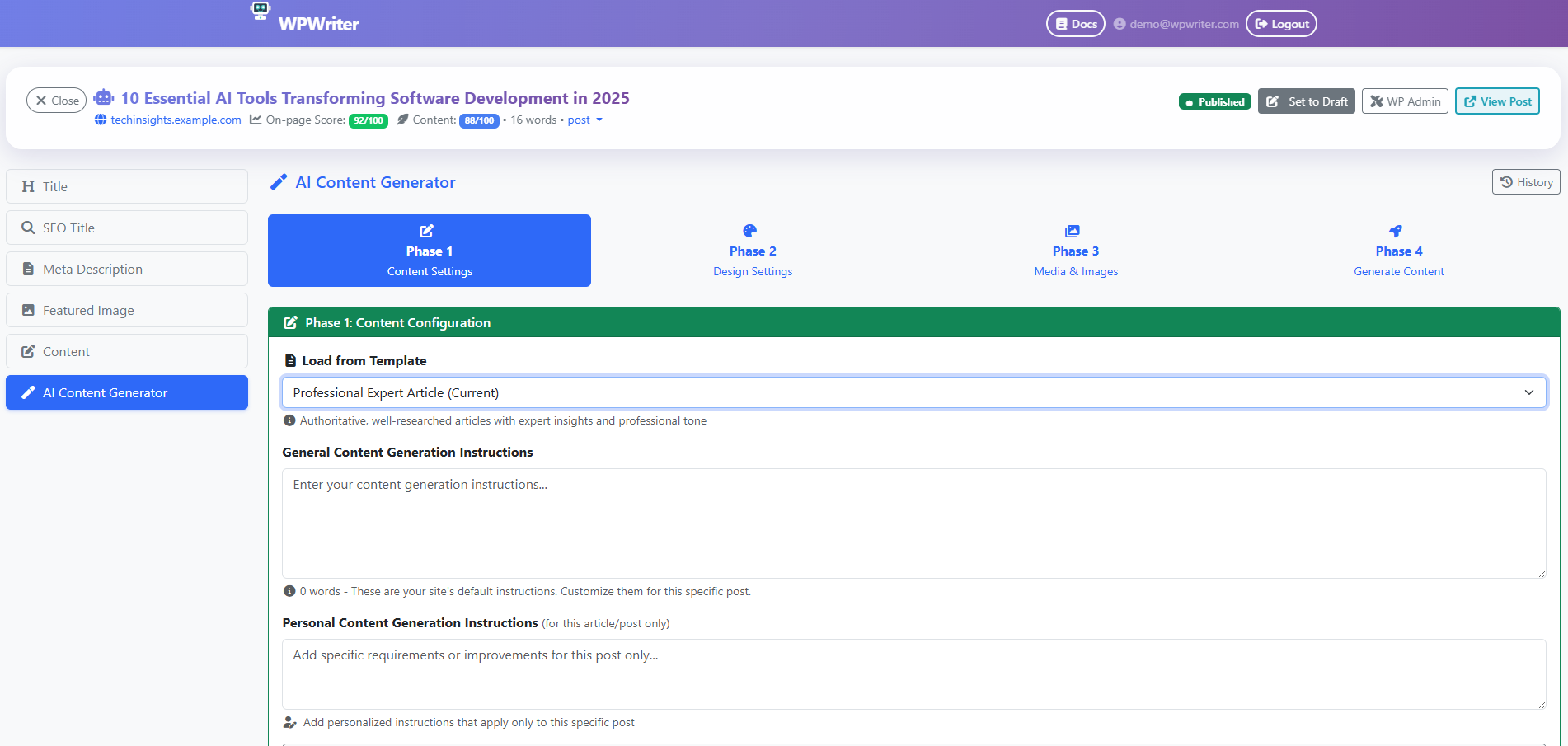
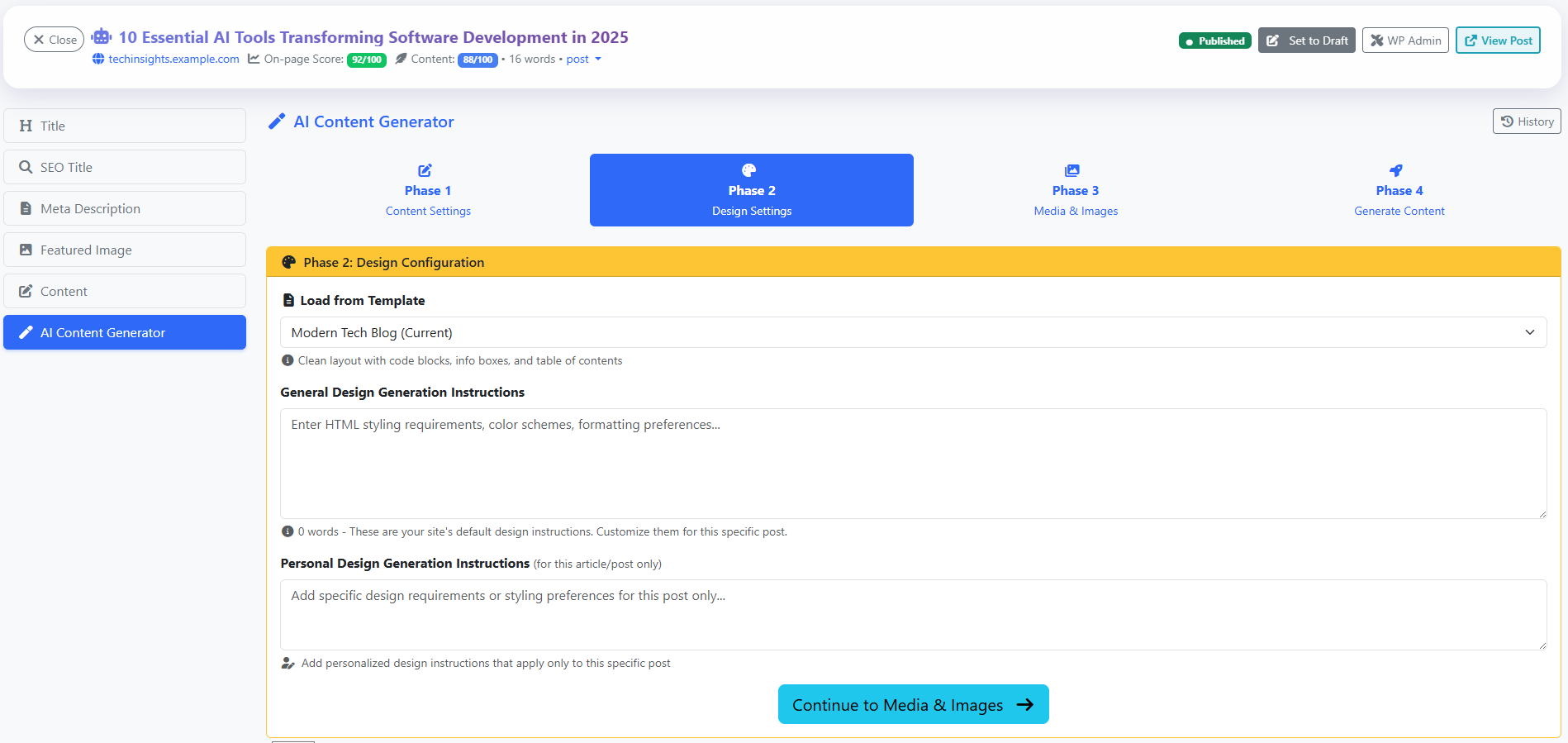
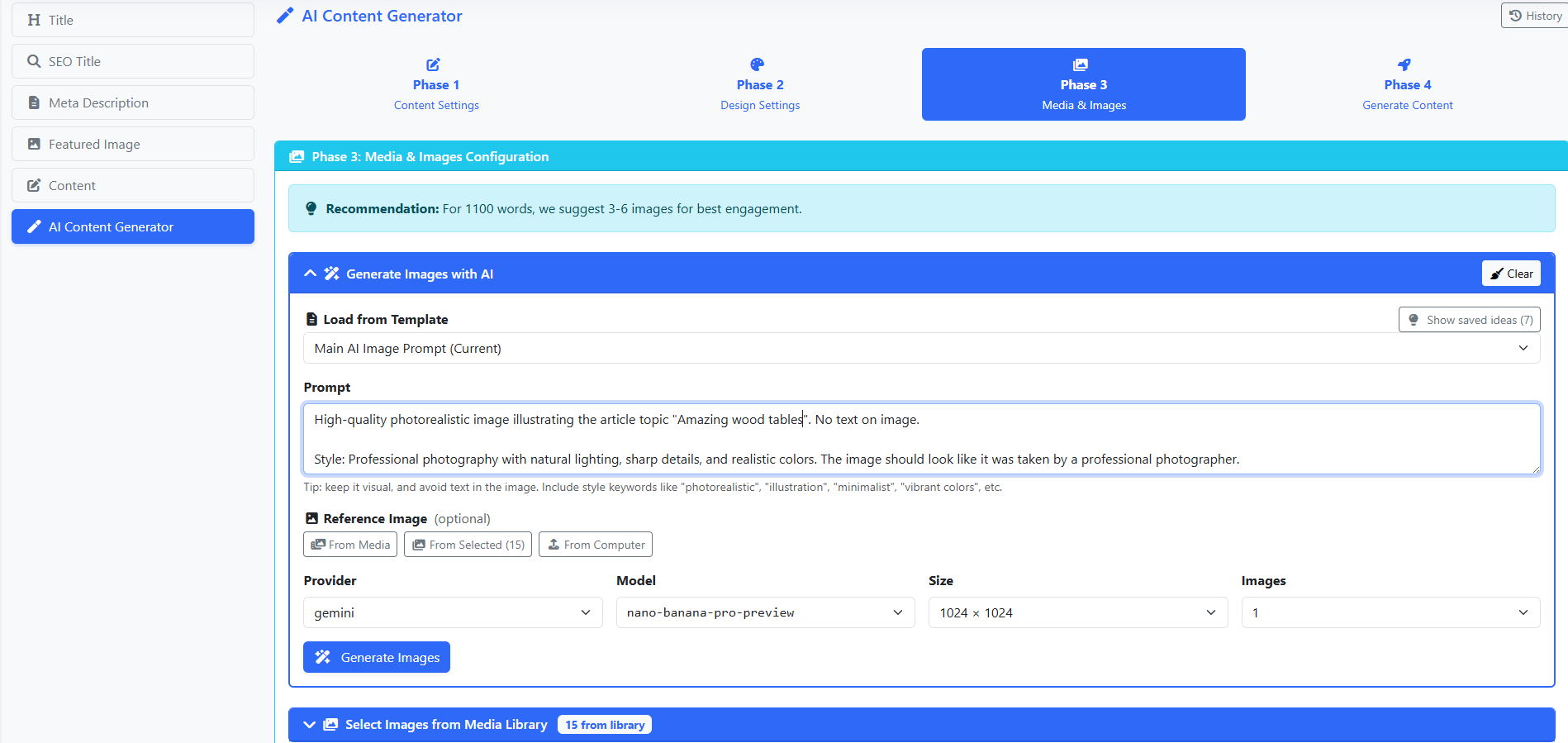
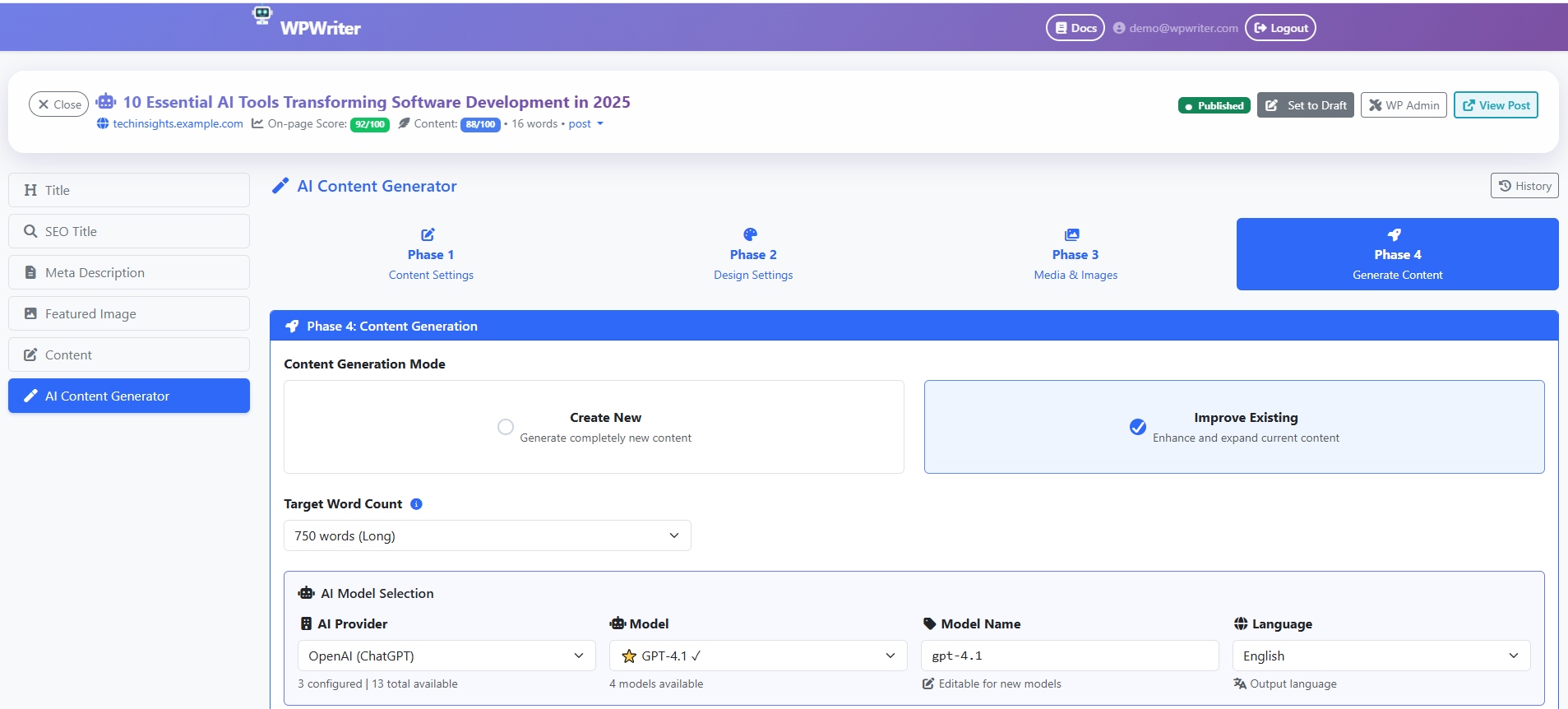
- AI Content Creation — Generate complete, publish-ready articles and pages with a guided wizard: content settings, design settings, media selection, and generation
- Auto-Blogging — Schedule content from a topic queue with draft-first review or quality-gated auto-publishing controls
- AI Image Generation — Create stunning images with DALL-E, Imagen, Nanobanana (Gemini-powered realistic images), Stability AI, and more — with built-in optimization and batch upload
- AI SEO Optimization — Automatically generate SEO titles, descriptions, and supported focus keywords with AI, supporting Yoast SEO, Rank Math, and All in One SEO
- AI Content Improvement — Improve, expand, and rewrite existing posts with AI assistance
- AI Image Enhancement — Upscale, enhance, or reimagine existing images
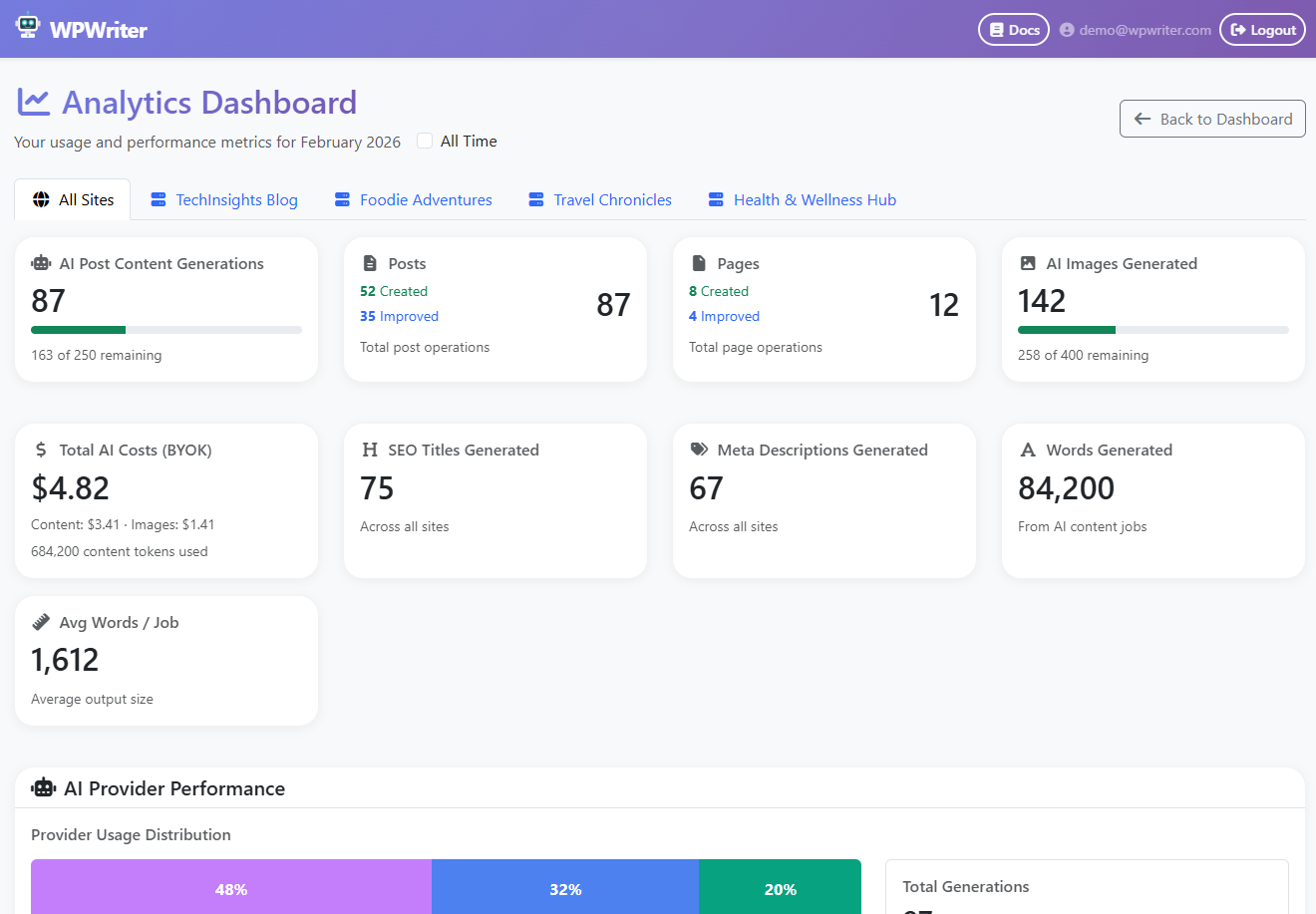
- Site Content Health — Monitor SEO performance, identify weak pages, and get actionable improvement recommendations
- Content Ideas — Get AI-powered topic suggestions tailored to your niche
- Content & Design Templates — Use built-in templates or create your own for consistent content style and HTML design across posts
- Shortcode Embedding — Embed contact forms, videos, product grids, or any WordPress shortcode into AI-generated content
- Featured Image Management — Upload, optimize, and set featured images with automatic resizing and quality control
- Multi-Site Management — Manage multiple WordPress sites from one WPWriter dashboard
- Post Type Conversion — Convert posts to pages or pages to posts with a single click
- Category & Tag Management — Create and organize taxonomies directly from WPWriter
- WordPress 7.0 Connector Key Import — Explicitly import an AI key already saved in Settings → Connectors instead of entering it twice
- Articles & Blog Posts — Expert pieces, friendly advice, technical guides, creative storytelling, SEO-balanced articles
- Product Pages — Feature showcases, comparisons, quick overviews with specs
- Pages with Forms & Media — Contact pages, service pages with quote forms, video tutorial pages
- Home Pages — Landing pages with compelling copy and structured layouts
- Custom Content — Write your own prompt or customize existing templates
- Claude (Anthropic) — Opus 4.6, Sonnet 4.5, Haiku 4.5, and more
- Gemini (Google) — 2.5 Pro, 2.5 Flash, 2.0 Flash, and more
- GPT (OpenAI) — GPT-4o, GPT-4.1, o3, o4-mini, and more Image Generation:
- Nanobanana (Gemini) — Superior realistic images, our top recommendation
- Imagen 4 Ultra / Imagen 4 (Google) — High-quality generation
- DALL-E 3 / DALL-E 2 (OpenAI) — Versatile AI image creation
- Faster page loads — No extra CSS/JS frameworks, just clean HTML styled by your theme
- Better SEO — Search engines easily parse lightweight HTML without page builder bloat
- No plugin lock-in — Your content works with any theme and survives plugin changes
- Lower hosting costs — Less server resources needed to render pages
- Token-based authentication — no WordPress passwords stored or transmitted
- Pairing codes expire after 10 minutes
- Each connection can be individually revoked
- All API requests are authenticated and validated
- Supports multiple simultaneous WPWriter account connections
- Your site URL and connector authentication details are associated with your WPWriter account so authenticated site-management requests can be made
- Content you create, sync, publish, or schedule through auto-blogging is transmitted between WPWriter and your WordPress site as required to perform those actions
- On WordPress 7.0+, if you explicitly choose Import from WordPress, the selected database-stored AI provider key from Settings → Connectors is transmitted to WPWriter and stored encrypted in your WPWriter account for AI requests
- Keys supplied to WordPress through environment variables or PHP constants are not imported by this feature
安装:
- Create a free account at wpwriter.com.
- Install the plugin: upload the
ylabs-connector-for-wpwriterfolder to/wp-content/plugins/, or install directly through Plugins > Add New in WordPress. - Activate the plugin through the Plugins screen.
- Go to WPWriter in your WordPress admin menu.
- Click Generate Pairing Code and enter a name for this connection (e.g., "My Laptop").
- Copy the pairing code and paste it into your WPWriter dashboard to connect.
屏幕截图:
常见问题:
Is WPWriter free?
Yes! The free plan includes 15 AI-generated posts and 20 AI-generated images for one WordPress site. No credit card required. Paid plans unlock more sites, higher word counts, and additional features.
Do I need my own AI API key?
Yes. WPWriter uses a BYOK (Bring Your Own Key) model — you connect your own API keys for OpenAI, Anthropic (Claude), or Google (Gemini). This means zero markup on AI costs. You pay the AI providers directly at their standard rates.
Can WPWriter publish blog posts automatically?
Yes. Auto-blogging lets you build a topic queue and schedule AI-generated posts. You control publication behavior: keep posts as drafts for review or allow publishing after your configured quality checks pass.
Can I import an AI key saved in WordPress Settings → Connectors?
On WordPress 7.0 and later, yes. If you explicitly choose Import from WordPress in WPWriter, the selected database-stored connector key is sent to WPWriter, validated, and stored encrypted in your account. Server-configured keys are not imported.
How is this different from other AI writing plugins?
Four key differences: (1) No token markup — you use your own API keys and pay providers directly, (2) Auto-blogging controls — schedule topic-driven content with draft or quality-gated publishing, (3) 50+ AI models across 3 providers — pick the right model for each task, (4) Design control — a dedicated design step lets you control the visual layout of your content, not just the text.
Is my WordPress password shared with WPWriter?
No. This plugin uses secure token-based authentication. Your WordPress password is never transmitted or stored by WPWriter.
Will this slow down my WordPress site?
The opposite — all AI processing happens on WPWriter's servers, completely outside your WordPress environment. The result is optimized images, clean semantic HTML, and AI-generated SEO metadata delivered as lightweight content that loads fast.
Which SEO plugins are supported?
WPWriter can automatically generate and set SEO titles, descriptions, and supported focus keywords for:
- Yoast SEO
- Rank Math
- All in One SEO
Is there a recommended theme?
WPWriter works with any WordPress theme. For best results, try the WPWriter Theme — a free Astra child theme designed to render AI-generated content beautifully. It includes optimized CSS for article layouts, image galleries, shortcode containers, and responsive design. Download it here: WPWriter Theme Setup. Requires the free Astra theme as a parent.
Are there any recommended companion plugins?
For the best experience:
- Classic Editor — WPWriter generates HTML optimized for the classic editor
- A Lightbox plugin (e.g., Simple Lightbox or Easy FancyBox) — For full-screen image viewing in galleries
- An SEO plugin (Yoast SEO, Rank Math, or All in One SEO) — For AI-generated SEO metadata
Can I connect multiple WPWriter accounts?
Yes. Generate multiple pairing codes to connect different WPWriter accounts or devices to the same WordPress site.
How do I disconnect?
Go to WPWriter in your WordPress admin menu. You'll see connected accounts with a Disconnect button next to each one.
What happens if I deactivate the plugin?
Your connections are preserved. Reactivate anytime and existing connections still work.
What happens if I delete the plugin?
All connection data and settings are removed from your WordPress database.
更新日志:
- The plugin now re-enables WordPress Application Passwords if a security plugin or host turned them off — only where WordPress core itself supports them (HTTPS or local environments). This unblocks WPWriter's one-step connection; the pairing-code path is unchanged. Every Application Password stays individually revocable under Users → Profile.
- Fixed: "Add widget" failed with a critical error on every site. The next widget slot was calculated from all stored widget keys, including the non-numeric "_multiwidget" key WordPress keeps there, which is a fatal error on PHP 8. Widget keys are now filtered to numbers.
- Added: token-authenticated GET /wp-json/wp-manager/v1/status health-check endpoint. Fixes false "disconnected" status on sites whose security plugins block or redirect URLs containing wp/v2/users (user-enumeration protection).
- Fixed: download package used incorrect ZIP path separators, causing "the plugin file does not exist" on activation and an undeletable plugin on hosts without the PHP ZipArchive extension. No code changes — repackaging fix only.
- Added WordPress 7.0 Connectors support — import AI provider API keys you already saved in Settings → Connectors instead of entering them twice
- Database-stored connector keys only (keys supplied via server configuration are not imported)
- Updated directory description to document auto-blogging controls and connector key import consent
- Tested up to WordPress 7.0
- Removed plugin and theme whitelists — any WordPress.org plugin or theme can now be installed via MCP
- Added custom CSS endpoints (get/update Additional CSS)
- Added permalink structure endpoints (get/set)
- Added plugin management endpoints (list, activate, deactivate, install)
- Added sidebar and widget endpoints (list sidebars, list/add/remove widgets)
- Added page hierarchy endpoint (set page parent)
- Added search engine visibility endpoint
- Free tier updated to 15 posts and 20 images
- Added menu locations endpoint for complete navigation management
- Minor stability improvements
- Fixed theme installer fatal error — load full admin bootstrap (admin.php) for Plugin/Theme_Upgrader compatibility
- Fixed fatal error in plugin/theme installer when called via REST API (missing admin includes)
- Added whitelisted plugin installer endpoint (Yoast SEO, Classic Editor, Simple Lightbox, Wordfence, WP Mail SMTP)
- Added whitelisted theme installer endpoint (Astra parent theme, WPWriter child theme)
- Added theme status detection endpoint for design recommendations
- All installer endpoints require proper WordPress capabilities and token authentication
- WP360 shortcode now supports fade parameter for smooth frame transitions
- Minor code cleanup and stability improvements
- Added WP360 product spin viewer shortcode for 360-degree product spins
- Supports both attachment IDs and direct URLs for spin images
- Configurable speed, autoplay, reverse rotation, and fade options
- Added REST support for Yoast and Rank Math focus keyword fields
- Connector SEO meta registration now exposes focus keywords alongside titles and descriptions
- Cancel button now removes stale connections from the pairing attempt
- Added REST API fallback for servers returning HTML instead of JSON (soft 404)
- Improved error messages with actionable guidance and quick-link buttons
- Plugin version displayed in all download and connection instructions
- Changed App URL to read-only display (no longer editable)
- Added Cancel button next to pairing code Copy button
- Removed unnecessary Save Settings form
- Added ?rest_route= fallback for hosting setups where /wp-json/ rewrite rules are broken (common on LiteSpeed)
- Added www/non-www URL fallback for pairing errors
- Friendly error messages instead of raw HTML error pages
- Added connector proxy support for both REST API endpoint styles
- Renamed plugin for WordPress.org directory compliance
- Updated text domain to ylabs-connector-for-wpwriter
- Improved documentation and code comments
- Prepared for WordPress.org submission
- Added support for multiple simultaneous connections
- Added connection labels for easier identification
- Improved admin UI with connection management table
- Added SEO plugin detection (Yoast, Rank Math, All in One SEO)
- Added automatic SEO meta field support via REST API
- Improved REST API proxy for embedded resources
- Added pairing code authentication flow
- Removed direct token display for improved security
- Added configurable hub URL setting
- Added media upload support via REST proxy
- Improved Content-Disposition header handling
- Initial public release
- Token-based authentication
- REST API proxy for WordPress core endpoints