Product Reviews & Photo Reviews for WooCommerce – Yuko
| 开发者 | yukoapps |
|---|---|
| 更新时间 | 2026年10月7日 19:33 |
| PHP版本: | 7.4 及以上 |
| WordPress版本: | 7.1 |
| 版权: | GPLv2 or later |
| 版权网址: | 版权信息 |
详情介绍:
- Customer places an order. You fulfill it.
- Yuko waits your configured delay, then sends a branded review request email.
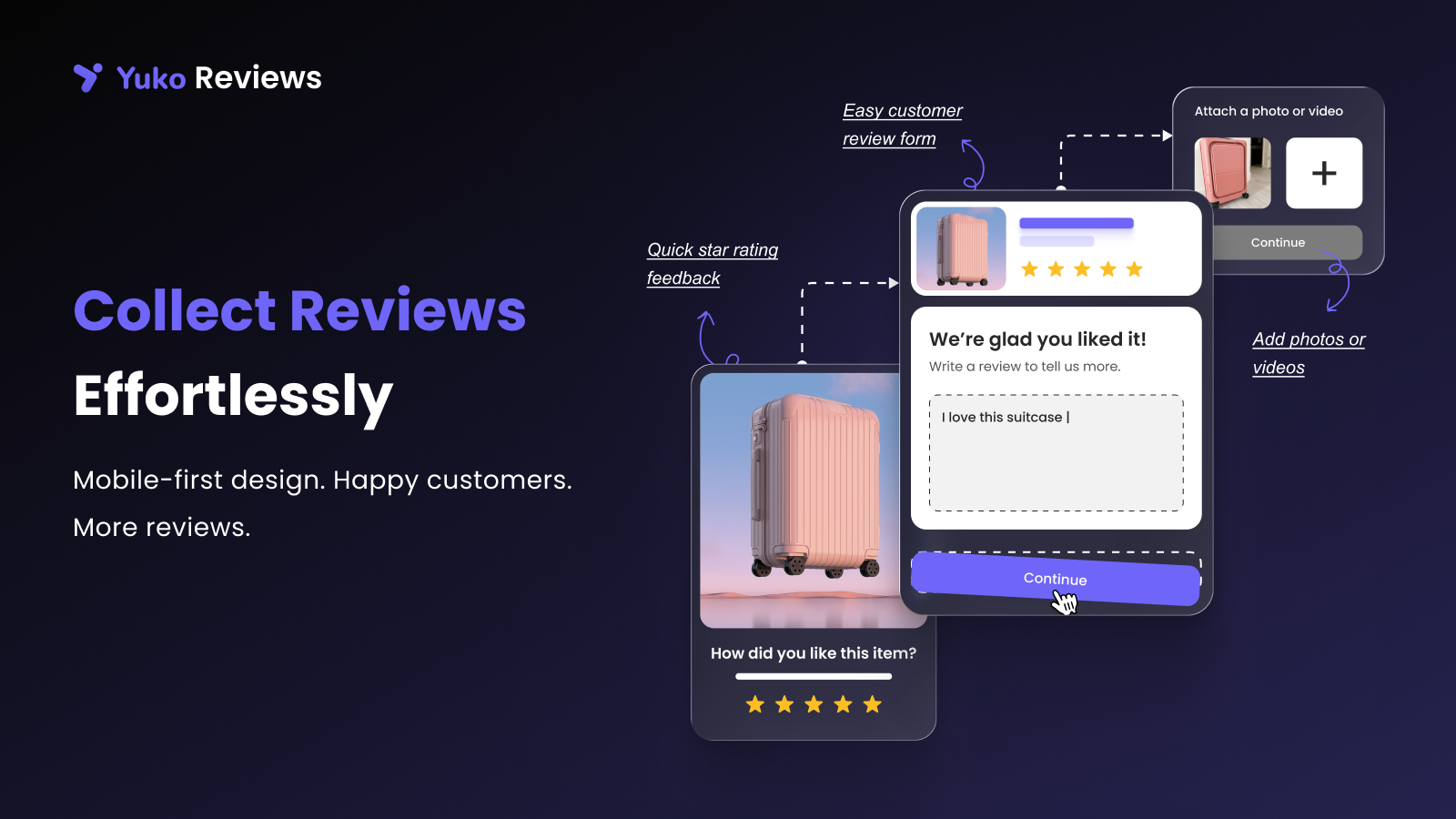
- Customer submits rating, written review, and optional photos — no account required.
- Review enters your moderation queue (or auto-publishes if it meets your rules).
- Review appears on the product page and feeds into Google rich snippets automatically.
安装:
- Create a free account at app.yukoapp.com/platform
- Install and activate the plugin from your WordPress dashboard
- Connect to your Yuko account
- Set your review request email timing (7–14 days after fulfillment is recommended)
- Customize your request email with your logo and brand colours
- Choose widget placements and set moderation preferences
屏幕截图:



常见问题:
Is there a free plan?
Yes. Yuko offers a free tier with no credit card required. Paid plans unlock higher review volumes, advanced workflows, multi-site syndication, and team seats. See current pricing on the Yuko Reviews pricing page.
How is Yuko different from Yotpo, Stamped, and Okendo?
Three things. First, price — Yuko starts free and our paid plans run roughly 40% below Yotpo, Stamped, and Okendo at equivalent feature levels. Second, ownership — you keep full control of your reviews with easy export at any time. Third, speed — Yuko is built on a modern stack, so widgets load fast and the admin doesn't slow your site.
Do I need a Yuko account to use this plugin?
Yes. The plugin connects to the Yuko Reviews platform (a SaaS service) for email sending, review storage, and widget serving. You can create a free account — no credit card required.
How does automated review collection work?
When a WooCommerce order is marked completed (or fulfilled, depending on your trigger setting), Yuko schedules a review request email. The delay is configurable. If the customer doesn't respond, optional reminders are sent at intervals you set. The review form requires no account — one link, one tap.
Can customers upload photos with their reviews?
Yes. The review form includes a photo upload step on all devices. You can optionally offer a discount coupon to incentivise photo submissions. Photo reviews appear in dedicated gallery widgets on your product pages.
How do verified purchase badges work?
Yuko matches the reviewer's email address against completed WooCommerce orders. Reviews from confirmed buyers display a "Verified Purchase" badge automatically — no manual action needed.
Will this plugin add star ratings to my Google search results?
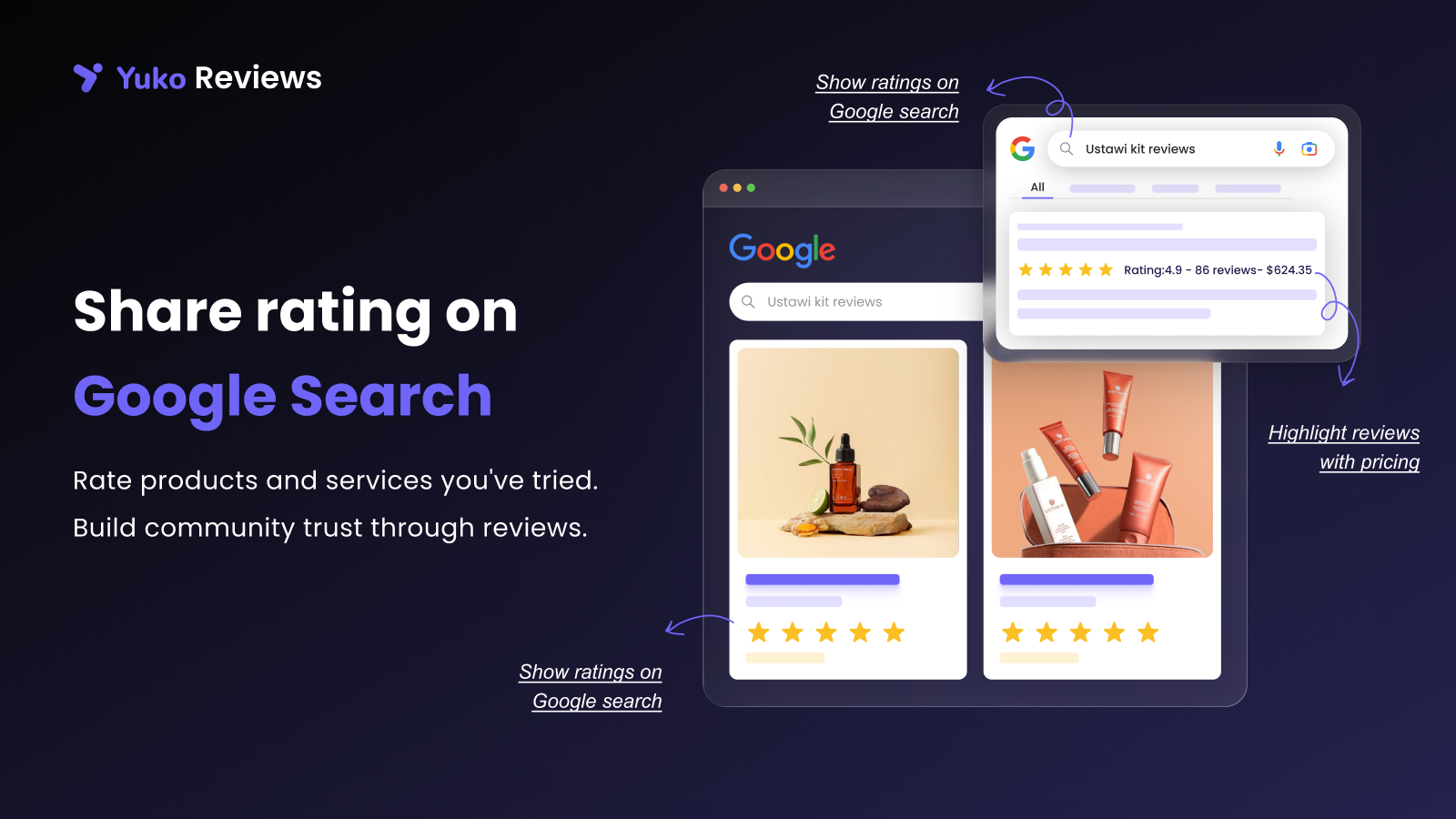
Yuko automatically adds valid JSON-LD schema markup to product pages. This makes your products eligible for rich snippets in Google search. Google decides whether to display them — correct schema is the prerequisite. You can verify your markup using Google's Rich Results Test.
How long before Google shows star ratings for my products?
Once you have valid schema markup and a handful of product reviews in place, Google typically picks up rich snippets within a few days to a few weeks of re-crawling your product pages. Star ratings will not appear instantly — Google needs to recrawl and evaluate each page. You can speed up discovery by submitting an updated sitemap in Google Search Console.
Where can I display customer reviews on my store?
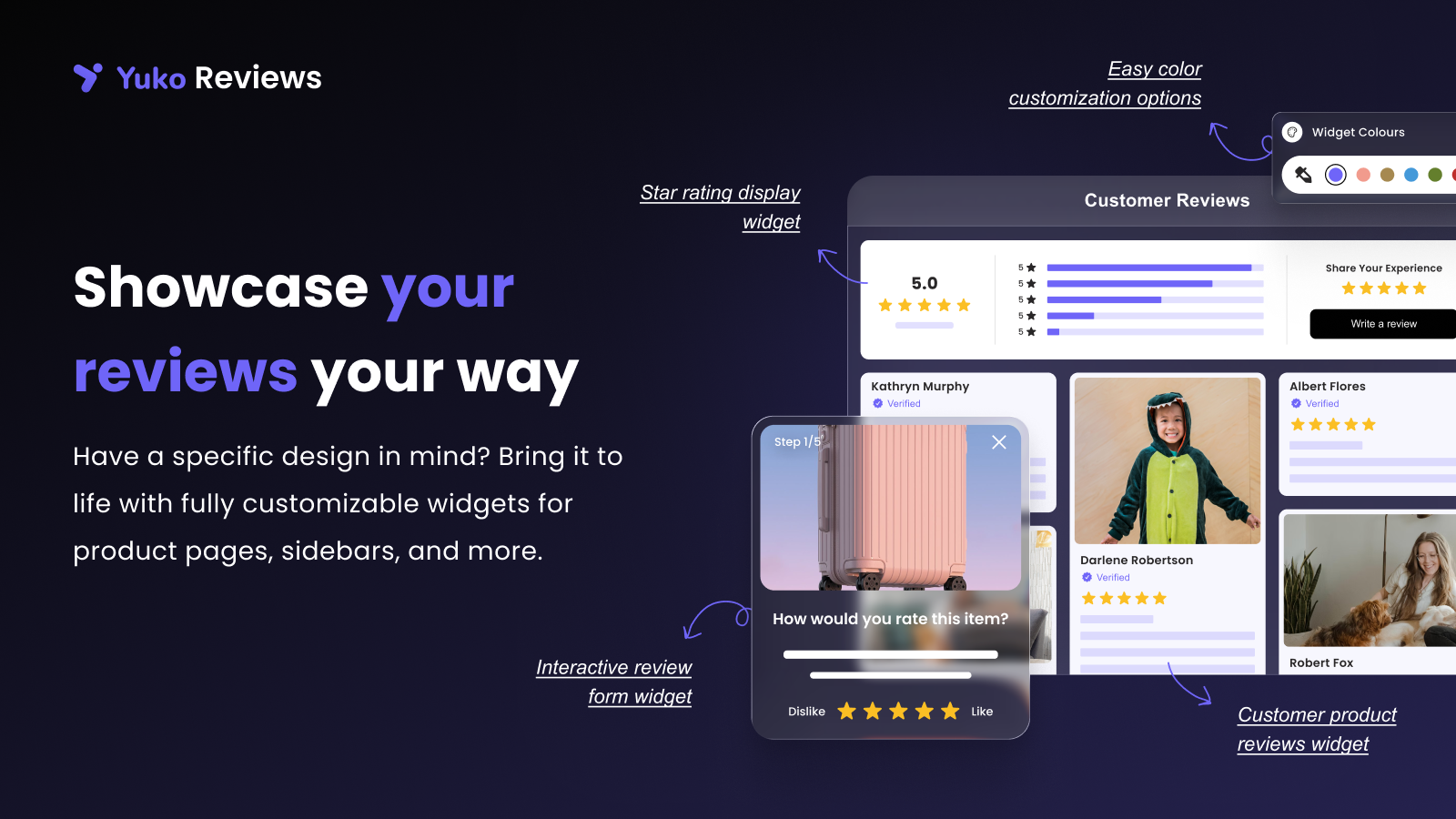
Anywhere. Yuko includes widgets for product pages (review grids, star ratings, Q&A), category pages (aggregate star rating), homepages and landing pages (review carousels), a floating sidebar that follows shoppers site-wide, and a dedicated "Wall of Love" all-reviews page. Every widget is available as a shortcode for custom placement.
Does it work with my theme?
Yuko widgets are designed to work with any properly coded WooCommerce theme. Full customization is available — colours, fonts, border radius, CSS overrides. Tested with Storefront, Astra, Flatsome, Elementor, and Divi.
Can I import my existing reviews from another platform?
Yes. Yuko includes an import wizard that supports Judge.me exports, Yotpo exports, and generic CSV files. The wizard handles field mapping and preserves ratings, text, photos, reviewer names, and original dates. Reach out to our support team for help importing.
How do I manage negative reviews?
You have full moderation control. Require approval before any review goes live, set auto-publish only for reviews above a certain star threshold, reply publicly to address concerns, or reach out privately via WooCommerce order details. Responding thoughtfully to negative reviews demonstrates trust to future shoppers.
Can I incentivise reviews with discount codes?
Yes. Yuko can automatically generate and send a unique WooCommerce coupon code after a review is submitted. When using incentives, ensure your disclosures comply with FTC guidelines and any applicable local regulations.
Does Yuko collect store reviews as well as product reviews?
Yes. The same email flow collects store-level feedback (shipping, packaging, service) in addition to product-specific reviews. Store rating displays in a separate store reviews widget.
Does Yuko integrate with Klaviyo and WhatsApp?
Yes. Trigger review request emails, reminders, and reward emails through Klaviyo Flows. Send review requests via WhatsApp using our Kwik Engage and Engati integrations.
Will Yuko slow down my site?
No. Review widgets load asynchronously and are served from our CDN. The admin dashboard is a separate SaaS platform, so heavy review operations don't run on your WooCommerce server.
更新日志:
- Improved: Google font loading.
- Added: System font support.
- Added: Theme font support.
- Improved: Performance optimization on every page load.
- Improved: Cached page review display.
- Improved: Increased REST API rate limits.
- Added: WooCommerce 10.8 compatibility.
- Added: WordPress 7.0 compatibility
- Improved: Widget rendering logic for better performance across all review display widgets.
- Fixed: Duplicate css loading.
- Added: Rating widget action links hook.
- Improved: Widget rendering performance on product pages with 50+ reviews
- Improved: Code optimisation for faster plugin load on high-traffic WooCommerce stores
- Improved: Compatibility with latest WordPress and WooCommerce versions
- Fixed: Review widget loading speed on first page render
- Fixed: Code optimisation for reduced memory footprint
- Improved: Asset caching for widget JS and CSS
- Fixed: Product reviews grid widget styling conflict with some WooCommerce themes
- Fixed: Floating review sidebar widget display on mobile devices
- Fixed: Order review submission form close behaviour after successful review
- Added: Additional metadata fields for reviews (reviewer location, product variant)
- Improved: Review dashboard filters to support new metadata fields
- Fixed: Review widget visibility setting now correctly displays when at least one review is present
- Improved: Admin settings UI for widget display rules
- Fixed: Review carousel widget save failure with large content volumes
- Improved: Data handling for carousel widgets with 100+ reviews
- Improved: Widget rendering logic for better performance across all review display widgets
- Improved: Reduced database queries on product pages with active review widgets
- Added: itemReviewed property to JSON-LD schema markup for improved Google rich snippet compliance
- Improved: Structured data validation against Google's Rich Results Test
- Added: New REST API endpoints for third-party integrations and headless WooCommerce setups
- Added: API documentation for developers
- New feature: Store reviews / site reviews for WooCommerce — collect shipping, packaging, and service feedback alongside product reviews
- New feature: Questions & Answers for WooCommerce — Amazon-style Q&A on product pages
- New feature: WPLoyalty integration — automatically reward customers with loyalty points for leaving reviews (requires WPLoyalty)
- Improvement: Custom CSS override support for all review widgets
- Improvement: Schema markup enhancements for store-level reviews
- Initial release — complete customer reviews plugin for WooCommerce
- Automated review request email system with configurable timing and reminder sequences
- Photo review uploads with gallery display on product pages
- Verified purchase badge system matched against WooCommerce orders
- Multiple display widget layouts — grid, carousel, list, floating sidebar, Wall of Love
- Review management dashboard with moderation controls and bulk actions
- Owner reply system for public responses to customer reviews
- Import from Judge.me, Yotpo, and generic CSV
- JSON-LD rich snippets and schema markup for Google star ratings
- Discount code incentive system for review submissions
- Review filtering and sorting options
- Full email template customization with drag-and-drop editor
- Review analytics dashboard
- Bulk approve, reject, and delete actions
- Mobile-optimized review forms and widget displays