Zanderio AI
| 开发者 |
sheraz11
zanderio |
|---|---|
| 更新时间 | 2026年7月30日 09:52 |
| PHP版本: | 7.4 及以上 |
| WordPress版本: | 7.0 |
| 版权: | GPLv2 or later |
| 版权网址: | 版权信息 |
详情介绍:
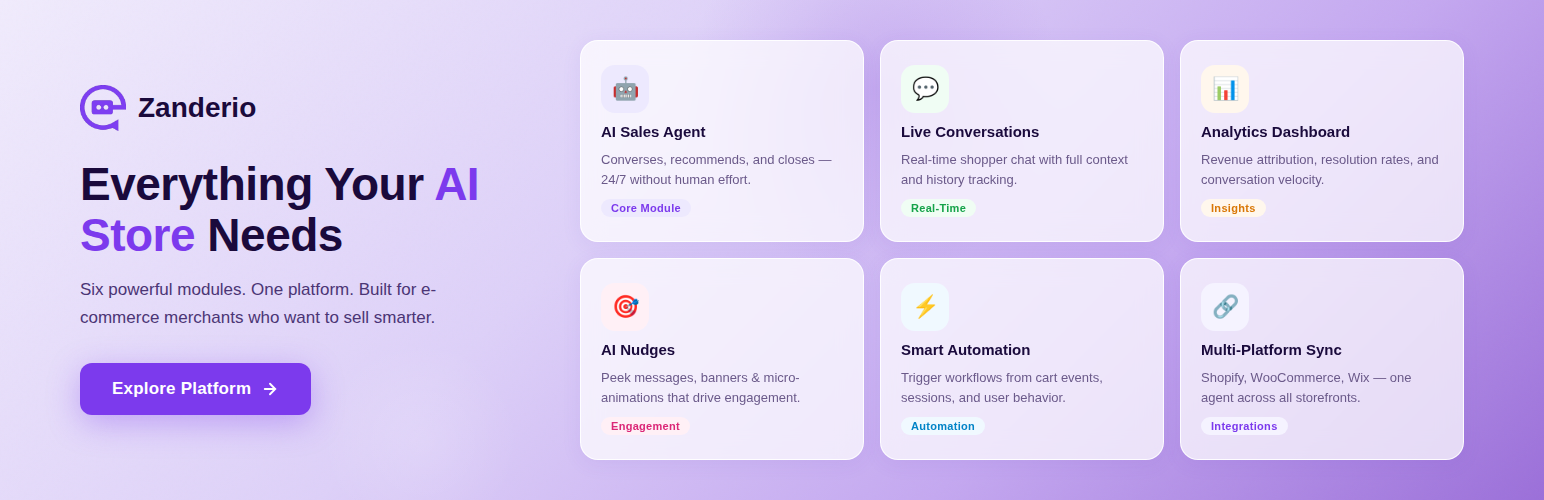
Zanderio AI connects your Wordpress site or WooCommerce store to an AI-powered sales agent that
answers customer questions in real time using your live product and order data.
The chat widget is bundled directly inside the plugin — no external scripts are
loaded or executed at runtime. All communication with the Zanderio service uses
your store's existing Application Password credentials over HTTPS.
Features:
- One-click activation — auto-handshake with Zanderio backend
- Application Password authentication (no manual API keys)
- WooCommerce product/order sync via webhooks
- Widget colour customisation from Settings → Zanderio
- Daily health heartbeat
- Clean uninstall — all data removed from both sides
安装:
Downloaded ZIP File Installation
- Go to the Zanderio AI plugin page on WordPress.org and click Download.
- The plugin ZIP file will be downloaded to your device, for example:
zanderio-ai.1.4.0.zip - Log in to your WordPress Admin Dashboard.
- From the left menu, go to: Plugins → Add New → Upload Plugin
- Click Choose File, select the downloaded ZIP file, and then click Install Now.
- Once the plugin is installed, click Activate Plugin.
- After activation, you will be redirected to
app.zanderio.aito authorize and connect your website with Zanderio. - Complete the authorization process to finish the setup.
- Once connected, Zanderio AI will be ready to use on your WordPress website.
更新日志:
1.7.4
- Fixed the daily health heartbeat and plugin lifecycle notifications (activation/deactivation/uninstall) hitting a stale backend URL missing the API version prefix, which caused them to fail silently.
- Fixed the chat input not receiving keyboard focus on click on some sites, which prevented typing a message.
- Fixed the desktop/mobile widget position setting (e.g. "left") being ignored and always falling back to bottom-right.
- Added the "Powered by Zanderio AI" attribution footer to the chat window.
- Fixed booking selections (event type, location, time) briefly showing as empty message bubbles in the chat.
- The assistant now shows what it's doing while working — searching products, checking availability, confirming a booking — instead of a generic "thinking" indicator.
- Redesigned the appointment time picker into day tabs with a time-chip grid, so shoppers can scan and pick a slot faster.
- Booking now asks for any required custom questions the event type needs, right in the same form as name/email.
- The assistant now suggests relevant follow-up questions after answering, so shoppers can keep the conversation going with a single tap.
- The chat widget now goes live instantly after you activate it during setup, instead of waiting for a background sync.
- Added voice input — shoppers can now ask the assistant questions by speaking instead of typing, with their speech transcribed automatically. Off by default; enable it from Settings → Zanderio.
- Added proactive nudges — the assistant can now surface a contextual prompt bubble based on shopper behavior (e.g. cart activity), in addition to the existing timed welcome bubble.
- Confirmed compatibility with WordPress 7.0.
- The Settings → Zanderio page now checks WordPress.org for plugin updates every time you view it, instead of waiting for WordPress's normal update schedule (up to 12 hours).
- Fixed the chat widget not appearing after a successful connection — the plugin now reliably receives its widget identifier from the Zanderio service and renders the widget on the storefront.
- Fixed the plugin's connection handshake calling a URL missing a required path segment, which made every new install fail immediately with "Route Not Found" and silently prevented the chat widget from ever loading.
- Corrected External Services disclosure to accurately describe the REST-based bootstrap and chat streaming endpoints (previously referenced an unused WebSocket connection).
- Fixed a bug where the chat widget could silently fail to send a shopper's first message right after the page loaded, requiring a manual refresh to recover.
- Redesigned the chat header and message bubbles to match your store's brand color exactly — solid brand color on the header, launcher, and your own sent messages, with a cleaner neutral background for AI replies.
- Added a modern send button that stays muted until you start typing, then fills with your brand color — the same pattern used by today's leading messaging apps.
- Reworked the widget's expanded view into a larger centered window instead of a full-screen takeover, so shoppers keep more of the page visible behind it.
- Added an idle wiggle animation and an optional auto-open delay for the chat launcher button, plus support for showing your own store logo on the launcher instead of the default icon.
- Polished launcher button padding and logo sizing for a cleaner look across screen sizes.
- Migrated the embed to the REST-bootstrap widget: the loader now boots from the public widget key (
window.ZanderioWidgetConfig.key) instead of the legacystoreIdconfig. - The plugin now stores the widget key returned by the connection handshake and only renders the widget once a key is present.
- Hints the WooCommerce platform so in-widget cart adds resolve to the storefront adapter.
- Added cart preview sheet component for in-widget cart confirmation before adding items.
- Enhanced artifact component styling with improved product cards, carousels, notices, lists, tables, and wizards.
- Added cart preview sheet complement styles with quantity controls and product details.
- Improved artifact product card cart button interactions and disabled states.
- Fixed confirmation cards not displaying description text or action buttons — booking confirmations and cart flows now render correctly.
- Fixed wizard step progress not showing step descriptions.
- Improved SSE stream version validation to handle both numeric and string version numbers from backend.
- Consolidated form field schema for improved type safety across all widget surfaces.
- Fixed add-to-cart button not appearing for product recommendations — products now render through the full WooCommerce ProductCard / ProductCarousel regardless of whether they arrive via the new or legacy pipeline.
- Upgraded WordPress widget to the full 10-kind artifact taxonomy (card, select, confirm, notice, feedback, list, table, wizard, text, form), matching the general CDN widget and client-side playground exactly.
- New artifact kinds (booking confirmation flows, datetime slot pickers, quick-reply chips, data tables, multi-step wizard progress, inline forms, notices) now render correctly.
- Removed all legacy message-type dispatching — all AI responses flow through the unified artifact pipeline; product normalization happens once in the message hook before rendering.
- Added searching_calendar skeleton loading state to match the general widget.
- Removed dependency on the separate FeedbackButtons component; feedback is now handled inline via the feedback artifact kind.
- Restored product browsing to a clean arrow-based carousel with minimal store-themed previous and next controls.
- Refined product-card actions so direct WooCommerce adds use a compact cart icon button and choose-options flows show a disabled in-button loader before navigation.
- Updated the product loading state to match the restored arrow-based carousel layout.
- Improved chat refresh recovery by restoring the latest visitor conversation when the persisted conversation ID is missing or stale.
- Replaced the arrow-based product carousel with a gesture-first horizontal swipe rail for browsing product results inside the chat widget.
- Reworked the loading state into full-card skeleton placeholders that match the live product rail layout.
- Reduced the product-card footprint and improved CTA visibility so key actions stay visible inside the widget viewport.
- Prevented unresolved multi-variant WooCommerce products from attempting broken AJAX cart adds by routing shoppers to the product page to choose options first.
- Added a product-card cart confirmation flow for WooCommerce storefronts, including an in-widget bottom-sheet preview before the item is added to cart.
- Added quantity controls and clearer product, variant, and pricing details inside the cart confirmation sheet.
- Limited the product-card cart flow to WooCommerce and WordPress storefronts instead of attempting unsupported storefront cart mutations.
- Improved WordPress store relinking so plugin installs can attach cleanly to an already-connected Zanderio store during reconnect and portal-first install flows.
- Fixed a small streaming-cursor rendering issue that could show an empty message bubble before streamed text arrived.
- Refreshed the chat widget design with improved spacing, contrast-aware accent colors, a pill-style composer, and smoother message-area behavior.
- Improved the in-chat product experience with richer product cards, better variant summaries, swatches, pricing display, and stock-state feedback.
- Added storefront cart actions for WooCommerce with lightweight success and failure toast feedback.
- Improved message rendering with better action button handling, safer external link normalization, and a compact expandable thinking-status pill.
- Added storeId-aware widget bootstrap support in the WordPress plugin.
- Persist the remote store identity from install, reconnect, and authenticated health-check responses.
- Connected stores now self-heal a missing local storeId from the settings page before rendering widget config.
- Inject
storeIdintowindow.ZanderioWidgetConfigwhen known so the widget can bootstrap against the correct store. - Clean up the persisted remote store identity on uninstall to avoid stale local metadata.
- Prepared the plugin for exact-origin widget hardening rollout while keeping the current compatibility path in place.
- Full AI streaming support — real-time SSE responses via fetch + ReadableStream.
- Thread persistence — conversation history survives page reloads.
- JWT authentication for secure AI streaming sessions.
- Thinking status indicators — contextual labels while the AI processes.
- Conversation lifecycle — end states, "Start New Chat" button.
- Proactive engagement — configurable bubble to encourage visitors to chat.
- Feedback buttons — thumbs up/down on AI responses.
- Suggestion chips — quick-reply options from the AI.
- Error handling — friendly messages for 401/403/429/5xx responses.
- Streaming cursor animation and error message styling.
- Nested config support for updated backend schema.
- Widget JS is now bundled inside the plugin zip (assets/loader.js) — no remote script is fetched or executed at runtime.
- Script and CSS enqueued via wp_enqueue_script, wp_enqueue_style and wp_add_inline_style for full WordPress compatibility.
- Added widget host container with fixed-position CSS, matching the Shopify theme extension exactly.
- Added ZanderioWidgetLoaded guard against double-initialisation.
- Added Primary Color picker to Settings → Zanderio.
- Initial release.