
Zero Spam for WordPress
| 开发者 |
bmarshall511
|
|---|---|
| 更新时间 | 2026年2月18日 10:08 |
| 捐献地址: | 去捐款 |
| PHP版本: | 8.2 及以上 |
| WordPress版本: | 6.9 |
| 版权: | GPL v2 or later |
| 版权网址: | 版权信息 |
标签
下载
详情介绍:
- No captchas or moderation queues — no longer a admin’s problem.
- Our system dynamically blocks threats, keeping your site safe.
- Integration with global IP reputation providers for enhanced security.
- Block IPs temporarily or permanently, keep unwanted visitors out.
- Geolocation tracks origins of threats, providing valuable insights.
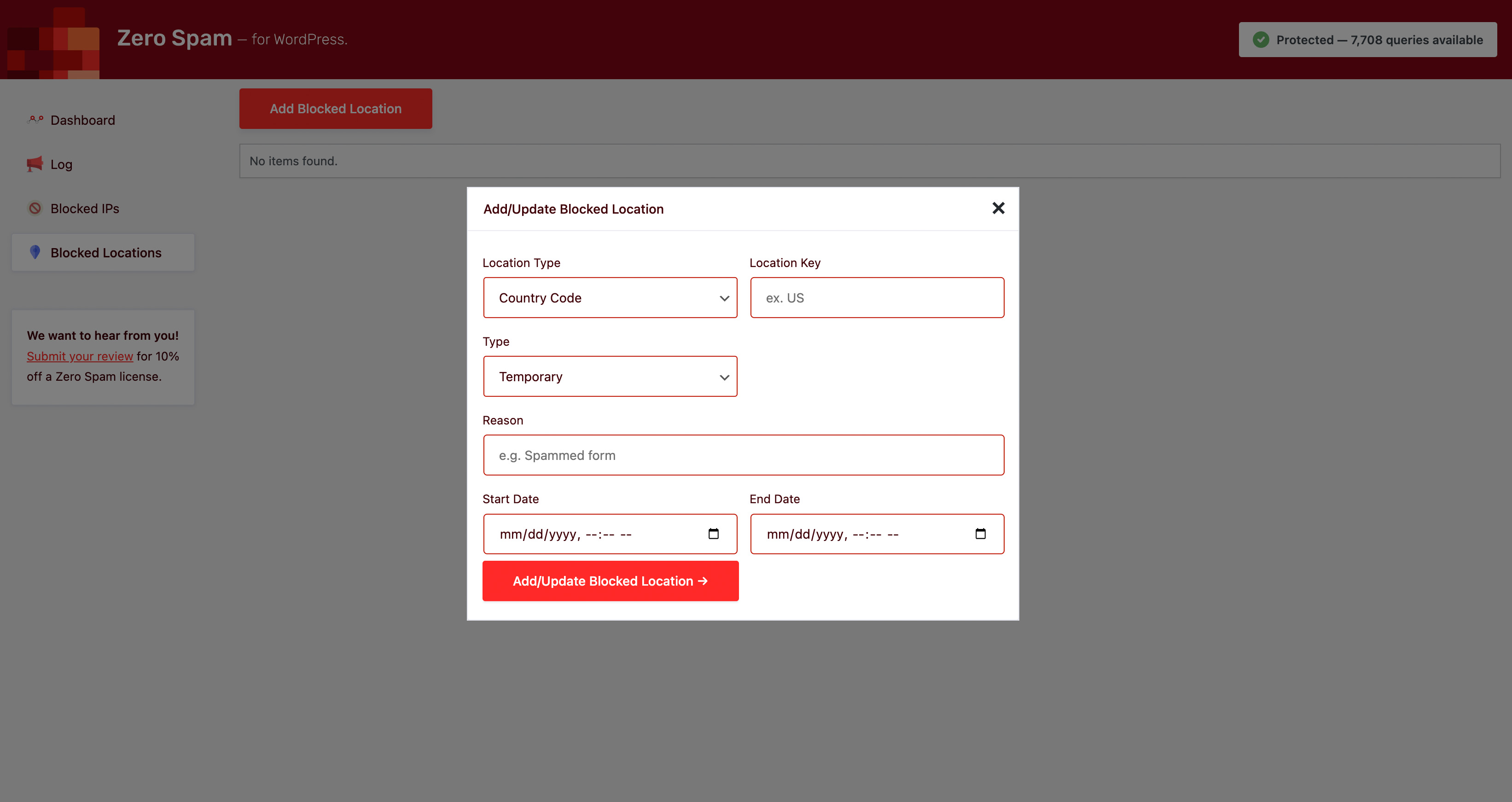
- Ability to block countries, regions, zip/postal codes & cities.
- REST API for programmatic settings management — perfect for CI/CD, staging syncs, and automation.
- Utilize splorp's Comment Blacklist to strengthen your disallowed list.
- Block disposable & malicious email effortlessly with disposable.
- Multiple techniques, including the renowned solution by David Walsh.
- WooCommerce — Secure customer registrations.
- GiveWP — Prevents attempts to test stolen credit cards.
- ProfilePress — Keeps registrations safe & secure.
- Mailchimp for WordPress — Protects sign-ups from abuse.
- Gravity Forms, Contact Form 7, WPForms, Formidable Form Builder, Fluent Forms, wpDiscuz — Versatile form protection.
- Zero Spam - Utilize our real-time IP reputation analysis. Take a look at our Privacy Policy and Terms of Use for more details.
- ipbase.com - Access detailed geolocation information of attackers. Familiarize yourself with their Privacy Policy & Terms of Use.
- ipinfo.io - Gather geolocation details of malicious users. Refer to their Privacy Policy & Terms of Use for further information.
- ipstack - Obtain extensive geolocation insights. Review their Privacy Policy & Terms of Use to learn more.
- Stop Forum Spam - Verify if visitors' IPs have been reported. Explore their Privacy Policy and Terms of Use for additional details.
- Project Honeypot - Check if visitors' IPs have been flagged. Refer to their Privacy Policy and Terms of Use for more information.
- Google Maps - Plot attack locations on Google Maps. Please review their Privacy Policy & Terms of Use for complete details.
安装:
- Upload the entire zero-spam folder to the /wp-content/plugins/ directory.
- Activate the plugin through the Plugins screen (Plugins > Installed Plugins).
- Visit the plugin setting to configure as needed (Settings > Zero Spam).
屏幕截图:


常见问题:
Does Zero Spam for WordPress block user IPs?
Not on its own. Zero Spam for WordPress does not automatically block IP addresses. If a visitor is blocked, it could be due to manual blocking by the site admin or their presence in IP blacklists such as Stop Forum Spam, Project Honeypot, or the Zero Spam. In the event that a legitimate user is blocked, refer to the Log (Admin > Dashboard > Zero Spam > Log) for further details on the reason behind the block. You have the flexibility to adjust the strictness of the 3rd-party blacklist checks or disable them if your users are prone to being flagged as spam or malicious.
Does Zero Spam for WordPress check Jetpack comments?
No, it doesn't. Zero Spam for WordPress does not have integration with Jetpack. If you have any inquiries regarding this, please refer to https://wordpress.org/support/topic/incompatible-with-jetpack-comments for more details.
How do I boost performance of Zero Spam for WordPress?
Enable caching for optimal performance. Enabling caching is highly recommended as it helps prevent repetitive calls to third-party APIs and access checks during each page visit. To further optimize performance, you can adjust the cache and API timeout settings in the admin panel based on your server specifications and specific requirements.
Does Zero Spam support WP-CLI commands?
wp zerospam autoconfigure— Auto-configures with recommended settings.wp zerospam settings— Displays all plugin settings.wp zerospam set --[SETTING_KEY]=[VALUE]— Updates a plugin setting.
Can I manage Zero Spam settings programmatically?
Yes! Zero Spam provides a secure REST API for reading and updating settings remotely. This is perfect for:
- Syncing settings between staging and production environments
- Automating configuration in CI/CD pipelines
- Managing settings across multiple WordPress sites
- Remote administration and monitoring
- Testing configuration changes safely with dry-run mode
Are you getting a ftp_fget PHP warning?
Some hosts have issues with they way they access files. If you're seeing a ftp_fget PHP notice, setting the FS_METHOD constant to direct in wp-config.php above the line /* That's all, stop editing! Happy Pressing. */ should solve the problem:
define('FS_METHOD', 'direct');
If hosting with Pantheon, see their known issues page for more information and what to do to resolve it with their $_ENV['PANTHEON_ENVIRONMENT'] variable check.
Where do I report security bugs found in this plugin?
You can report security bugs through the Patchstack Vulnerability Disclosure Program. The Patchstack team help validate, triage and handle any security vulnerabilities. Report a security vulnerability.
I blocked myself! How do I get back in?
If you have defined the ZEROSPAM_RESCUE_KEY constant in your wp-config.php file, you can bypass all checks by appending ?zerospam_rescue={YOUR_KEY} to any URL. (e.g., https://example.com/wp-admin/?zerospam_rescue=mysecretkey).
If you haven't defined this key, you must manually rename the plugin folder via FTP (wp-content/plugins/zero-spam -> zero-spam-disabled) to gain access.
Why can't I access wp-login.php or XML-RPC anymore?
As of version 5.7.1, Zero Spam now actively protects wp-login.php and xmlrpc.php from blocked IPs. If you are blocked, check your IP reputation or use the Rescue Mode key to log in and whitelist your IP.
更新日志:
- fix(database): corrected table name reference in dashboard widget from
zerospam_logtowpzerospam_log - fix(database): added
blog_idcolumn to log table schema for single-site compatibility - fix(dashboard): resolved SQL errors on single-site installations caused by missing
blog_idcolumn - perf(database): added indexes for
blog_idand compositeblog_datefor improved query performance - feat(database): automatic migration adds
blog_idcolumn to existing installations - fix(dashboard): corrected widget styling to use light theme (removed dark mode support)
- feat(multisite): added independent control for network settings change email notifications
- fix(multisite): resolved issue where changing network settings sent exponential emails in large networks
- feat(multisite): network administrators can now separately control weekly summaries and settings change notifications
- perf(multisite): prevents thousands of emails from being sent when network settings are modified
- fix(ipinfo): migrated to Lite API (unlimited free tier) to resolve 429 quota exceeded errors
- perf(ipinfo): added persistent transient caching to reduce API calls
- refactor(ipinfo): removed ipinfo/ipinfo vendor dependency in favor of native WordPress HTTP API
- feat(multisite): added Notifications tab to Network Settings with toggle for weekly summary emails
- feat(multisite): network administrators can now enable/disable weekly email notifications from the UI
- fix(settings): resolved undefined array key warnings for rescue mode setting
- feat(safety): implemented rescue mode (ZEROSPAM_RESCUE_KEY) to bypass blocks (emergency access)
- feat(security): extended protection to wp-login.php and xmlrpc.php endpoints
- fix(login): implemented intent token mechanism to prevent false positives with multi-step login flows (e.g. 2FA, Math Captcha)
- fix(login): refined error messaging for missing verification fields to avoid incorrect "malicious" labeling
- feat(performance): implemented transient caching for geolocation lookups (1 week) to reduce API calls
- feat(logging): added granular failure reasons to detection logs (e.g. "High Confidence Score: 95%")
- fast(core): removed incorrect main query check that could bypass blocks
- feat(multisite): comprehensive network-wide settings management for agencies managing multiple sites
- feat(multisite): network admin dashboard with overview statistics, site comparison, and application status
- feat(multisite): settings hierarchy system - network defaults with site-level override capability and lock enforcement
- feat(multisite): settings templates system for quick configuration deployment across sites
- feat(multisite): audit trail tracking all network setting changes with user attribution
- feat(multisite): import/export functionality for network settings backup and migration
- feat(multisite): WP-CLI commands for programmatic network settings management
- feat(multisite): REST API endpoints for remote network configuration
- feat(dashboard): unified dashboard widget that intelligently adapts to multisite/single-site context
- feat(dashboard): modern, responsive design using WordPress core components with dark mode support
- feat(dashboard): real-time API usage monitoring with visual progress bars and warning levels
- feat(dashboard): 30-day spam trend visualization using Chart.js 4.x
- feat(dashboard): top 10 sites by spam volume (network admin) and spam types breakdown (single site)
- fix(dashboard): improved permission handling for multisite super admins
- fix(dashboard): added proper hooks for both network and regular admin dashboards
- fix(comparison): corrected override count calculation to show actual differences, not just stored values
- fix(comparison): resolved undefined value errors and improved data validation
- fix(comparison): auto-load comparison data when viewing tab for better UX
- fix(import-export): added 3-second delay before page reload so success messages are visible
- fix(import-export): enhanced validation with file type checking, size limits, and JSON parsing
- fix(import-export): improved error messages and inline status feedback
- fix(ui): polished settings interface with better grouping, descriptions, and visual hierarchy
- fix(ui): inline save feedback that doesn't scroll users away from their work
- fix(ui): simplified setting descriptions to be non-technical and user-friendly
- fix(php8.1): resolved deprecation warnings for number_format() with null values
- fix(admin): resolved issue where "Advanced Protection is enabled but not licensed" notice displayed incorrectly when Enhanced Protection was disabled
- fix(admin): corrected Settings API usage in admin notices for consistency with dashboard widget
- fix(admin): added support for ZEROSPAM_LICENSE_KEY constant check in admin notice logic
- fix(debug): removed testing debug statements
- fix(api): corrected email report submission to use GET method with query parameters (was incorrectly using POST with body)
- fix(api): email reports now properly include report_ip parameter
- fix(api): fixed variable reuse bug by using separate $email_endpoint variable for email reports
- feat(api): API version increment - v2/query to v3/query, v5.4/report to v6/report, v1/get-license to v2/get-license
- feat(api): migrated all protected endpoints from POST to GET method with query parameters
- feat(api): master API key can bypass localhost blocking for testing purposes
- feat(david walsh): rewritten in vanilla JavaScript, removing jQuery dependency
- feat(david walsh): added MutationObserver for dynamically loaded forms (AJAX, React)
- feat(david walsh): implemented daily key rotation with dual-key caching for cached pages
- feat(david walsh): increased key length from 5 to 16 characters for enhanced security
- feat(david walsh): added REST API endpoint for AJAX-based key refresh
- feat(gravity forms): added David Walsh technique support
- feat(formidable): added David Walsh technique support
- feat(elementor): added David Walsh technique support
- feat(woocommerce): added David Walsh validation for checkout (in addition to registration)
- feat(admin): added conversion-optimized promotional notice for Enhanced Protection with lifetime discount offer
- refactor(givewp): removed David Walsh support (incompatible with v3 block-based forms)
- refactor(david walsh): centralized form selector management via filter
- fix(david walsh): removed dead MemberPress selectors from JavaScript
- perf(api): Apache-level validation requires license_key parameter (zero PHP overhead for invalid requests)
- perf(api): v3/query requires ip or email parameter at Apache level
- fix(api): corrected hardcoded api url to use ZEROSPAM_URL constant in query function
- fix(api): wrapped report data in 'data' array for proper API format
- fix(code): corrected remote_request return type docblock
- fix(code): corrected Object→WP_REST_Request param types and increment_license_queries parameter
- ui(david walsh): redesigned settings page with comprehensive how-it-works documentation
- ui(david walsh): added security key status display with rotation countdown
- ui(david walsh): added step-by-step testing instructions for non-technical users
- ui(david walsh): enhanced custom form selectors field with detailed usage examples
- ui(david walsh): added list of currently protected form selectors
- ui(admin): promotional notice displays on dashboard and Zero Spam pages for unlicensed users
- ui(admin): notice is dismissible and reappears after 30 days if no license is added
- ui(admin): notice waits 3 days after plugin activation before displaying
- fix(api): corrected app_type case mismatch and app_details/email_details encoding
- fix(caching): prevented caching of 403 forbidden pages to resolve compatibility with litespeed cache (closes #383)
- fix(david walsh): improved js reliability for comment forms to prevent false positives (closes #378)
- fix(david walsh): resolved conflict where wpforms submissions were blocked when david walsh protection was enabled (closes #364)
- fix(ipinfo): corrected issue where location data was reported as "unknown" in the dashboard widget (closes #360)
- fix(install): resolved database errors on fresh installations due to strict dbdelta requirements (closes #332)
- chore(requirements): updated php and wp version requirements
- chore(standards): fixed issues with strict types
- docs(project): updated project documentation files
- ci(github): updated github workflows and templates
- perf(core): optimized disallowed words option to prevent autoloading large data
- perf(api): implemented async detection reporting to reduce server load
- perf(api): implemented persistent response caching (transients)
- perf(api): implemented circuit breaker pattern for api fault tolerance
- perf(core): optimized disposable email domains storage to prevent autoloading large data
- fix(bypass vulnerability): see https://patchstack.com/database/database/vulnerability/zero-spam/wordpress-zero-spam-for-wordpress-plugin-5-5-5-bypass-spam-protection-vulnerability
- fix(missing tables): fix for missing tables error on multisites, #377
- fix(jquery): fix for jquery not found error when jquery is loaded with defer
- chore(splorp): updated the slorp blacklist
- fix(zero spam): fix for error in the zero spam api
- feat(patchstack): integrating patchstack faqs
- fix(coding standards): updates to better comply with wp coding standards
- fix(vulnerability): fix for bypass using .ico in url or adjusting the x-forwarded-for header
- fix(david walsh): fix for jquery not defined error, related to the zerospamdavidwalsh method, resolves #359
- feat(profilepress): added support for profilepress registrations
- fix(david walsh): fix for missing david walsh dependency, resolves #345
- fix(admin): fix for php notice about missing database_query_arguments
- fix(whitelist): fix for whitelisted ips not getting triggered on comments, resolves #350
- fix(security): fixed sql injection vulnerability in the zero spam admin log table query
- refactor(project honeypot): resolves #344, added additional check & debug info for ip type support
- fix(wpforms): resolves #343, fix for jquery dependency
- fix(registration): resolves #342, fix for failed registration output
- fix(php8): resolves #341, fix for php8+ compatibility issue
- fix(emojis): fix for fatal error when emojis are disabled
- feat(ipbase): added support for ipbase.com
- feat(security): added additional advanced security protections
- feat(dashboard): dashboard ui enhancements
- perf(sharing): performance improvements when sharing data
- fix(memberpress): removed memberpress support, they made fundamental changes to their plugin that's ganna require a rework
- fix(uninstall): fix issue where the plugin couldn't be deleted
- fix(cli): resolves #33
- chore(charts): updated chart.js to 3.9.1
- chore(admin): updated the after-activation message
- chore(spam): updated splorp's wordpress comment blacklist
- feat(givewp): enhanced security using the david walsh method on legacy forms
- feat(admin): major ui enhancements
- feat(gravityforms): adds support for gravity forms
- feat(reports): improved error logs
- feat(wpdiscuz): resolves #327, added support for wpdiscuz
- feat(wpforms): now supports checking blocked email addresses
- feat(email): enhanced email security checks
- fix(double requests): issue with double checks being performed per page visit
- fix(blocks): fix for blocked ips not getting properly blocked
- fix(locations): fix for blocked locations not getting added/updated
- fix(comments): fix for valid comment submissions being flagged
- fix(admin): missing country flag in ip details modal
- fix(woocommerce): fix for login woocommerce registrations fixed
- fix(david walsh): fix for flagged submissions when using the david walsh technique
- perf(misc): misc performance improvements related to 3rd-party api queries
- fix(admin): fix issue with admin notice not dismissing properly, resolves #319
- chore(zero spam api): updated the zero spam api to v2
- chore(readme): documentation updates
- fix(admin): fix for admin notice not getting dismissed when clicked, resolves #318
- chore(readme): added 3rd-party service integration documentation to the readme
- chore(admin): revised the admin message that's displayed with zero spam enhanced protection is enabled, but a valid api key is not provided
- fix(notice): removed dismiss button on initial install to ensure plugin settings are configured before use
- feat(zero spam settings): displays dismissible notices for enhanced protection and invalid license keys
- feat(dates): updated the admin tables to display dates based on the site settings, resolves #305
- fix(ukraine): removed the ukraine banner
- feat(zero spam api): now reports spam and malicious email addresses
- fix(zero spam api): update to limit number of requests when sharing data
- fix(woocommerce): fix for spam getting triggered during woo checkout with create account checked, resolves #313
- refactor(zero spam api): performance improvements when sharing detections
- feat(ukraine): we'll no longer provide protection for .ru, .su, and .by domains & will display a banner of support for the ukrainian people on those sites - united with ukraine
- fix(woocommerce): fixes issues with woocommerce login not working, resolves #310
- feat(woocommerce): added support for woocommerce registrations, resolves #306
- fix(admin): fix for displaying & adding blocked ip addresses, resolves #308
- refactor(wordpress coding standards): misc updates to conform to wordpress coding standards
- fix(security): fixes the missing orderby parameter sanitization in the admin dashboard
- fix(admin settings): fixed whitespace issue in textarea setting fields, resolves #303
- fix(admin log): updated date column to use the local setting date & time format, resolves #305
- fix(security): fixes the missing parameter sanitization in the admin dashboard, resolves #301
- feat(zero spam): you can now define your zero spam license key in wp-config.php using the constant ZEROSPAM_LICENSE_KEY, resolves #298
- fix(admin): fix for setting action buttons not doing anything, resolves #295
- fix(admin): fixes php notice for in_array in class-utilities, resolves #299
- feat(memberpress): resolves #286, added support for the memberpress login page
- fix(memberpress): updated memberpress sign-up hook priority to ensure it runs
- refactor(admin): now using nonces to process zero spam admin actions
- perf(settings): performance improvement to settings being loaded
- style(admin): added check for zero spam license key when enabled
- style(admin): misc. admin interface improvements
- fix(undefined method): fix for undefined types method
- feat(givewp): now checks submitted emails against the blocked email domains list
- perf(everything): refactoring of code for a boost in performance
- docs(readme): misc. readme file updates
- fix(admin): fix for error log not clearing
- feat(memberpress): resolves #283, now supports memberpress registration forms
- feat(mailchimp4wp): resolves #121, now supports mailchimp4wp forms
- refactor(misc): misc. updates to comply with wordpress coding standards.
- style(admin): misc. admin interface improvements
- feat(givewp): now support givewp donation forms
- style(notices): minor update to default detection notice
- fix(db): resolves #281, fixes db update error for multisite installations
- fix(db): fix for unsanitized db log entries
- style(admin): new cf7 icon added for blocked log
- fix(woocommerce): resolves #280, fixes login integration breaking woocommerce login form
- feat(login): now protects user login attempts
- feat(project honeypot): resolves #201, project honeypot ip checks now integrated
- perf(sharing): blocked ips are no longer shared with zerospam.org
- perf(database): doesn't log .ico requests anymore that normally resulted in 2 entries per detection
- style(admin): misc admin interface improvements
- refactor(misc): cleaning up code & wordpress coding standards updates
- refactor(zero spam api): updated version on the zero spam api endpoint
- fix(php notice): fix for some hosts firing a php notice when unable to retrieve the list of recommended blocked email domains
- feat(fluent forms): resolves #276, fluent forms is now supported
- fix(php notice): resolves #277, fix for array_intersect(): Argument #2 must be of type array, bool
- feat(dashboard widget): resolves #275, added the ability to control the dashboard widget visibility
- feat(settings): button to quickly override and update settings to zero spam's recommended
- feat(email domains): resolves #246, ability to block disposable and malicious email domains
- perf(sharing): sharing detections optimized
- perf(disallowed list): removed the unused cron to sync disallowed words
- chore(disallowed list): updated to the latest splorp's disallowed list
- docs(htaccess): added a notice & recommended max number of blocked ips when using .htaccess
- fix(ipinfo): fix for uncaught ipinfo exception
- fix(htaccess): resolves #274, fix for newer apache versions and option to select the method ips are blocked
- perf(blocked ips): moved blocked ips to .htacess for improved performance
- refactor(woocommerce): woocommerce registration forms support dropped in place of 3rd-party IP checks
- docs(admin): misc updates to admin interface
- perf(geolocation): improved performance for geolocation and data sharing
- docs(readme): updated readme file
- refactor(misc): added some functionality to make debugging easier
- fix(ipinfo): resolves #273, loads the ipinfo library only if enabled
- feat(geolocation): resolves #270, added support for ipinfo geolocation
- feat(cli): resolves #271, added WP CLI support
- feat(admin): resolves #237, new admin dashboard widget
- refactor(admin): wordpress coding standards fixes
- refactor(settings): minor update to settings section title
- docs(readme): updated readme file
- feat(ipstack): ipstack errors are logged to the zerospam.log file in the uploads directory
- feat(cloudflare): resolves #267, checks http_cf_ipcountry against blocked countries
- feat(admin): resolves #264, adds ability to export & import settings
- perf(davidwalsh): resolves #266, only loads the david walsh script on pages that are needed
- fix(caching): resolves #258, added no-cache header to the blocked page output
- refactor(stopforumspam): increased the default confidence score for stop forum spam to help prevent false positives
- docs(faq): added common question about how to boost performance of the plugin
- fix(updates): resolves #262, sanitized & escaped variables
- fix(standards): resolved #261, sanitized & escaped variables
- fix(cron jobs): resolves #260, removed the remote call to splorp's blacklist on Github
- Fixed issue with WPForms AJAX forms not getting validated by Zero Spam for WordPress #238
- David Walsh detection technique applied to WPForms & CF7
- Miscellaneous admin UI improvements
- Added ability to disable syncing WP's Disallowed Comment Keys
- Improved protection for comments, CF7, Formidbale, registrations, WooCommerce and WPForms submissions.
- David Walsh detection technique applied to core WP registration forms.
- PHP notice fix
- Performance enhancements
- Various admin UI improvements
- Strengthened comment & registration spam detections
- Fix for admin first-time config notice
- Added first-time configuration notice & auto-configure recommended settings functionality
- Added the ability to regenerate the honeypot ID
- Various admin UI improvements
- WP Disallowed Comment Keys are automatically updated weekly using https://github.com/splorp/wordpress-comment-blacklist
- Strengthened comment spam detections using WP core disallowed list
- David Walsh's spam technique is back! https://github.com/bmarshall511/wordpress-zero-spam/issues/247
- Various admin UI improvements
- Strengthened comment spam detections
- Fix autoloader compatibility with Windows paths (https://github.com/bmarshall511/wordpress-zero-spam/pull/236)
- Various admin UI improvements
- Fix for when checks should be preformed
- Added support for Formidable Form Builder
- Fixed PHP error related to a blacklist call
- Admin UI enhancements
- Added support for WooCommerce
- Added Cloudflare IP address support (https://github.com/bmarshall511/wordpress-zero-spam/issues/220)
- Update to data sharing option
- Added ability to block individual locations (country, region, zip & city)
- Added support for WPForms
- Updated readme file & documentation
- Can now be installed via composer
- Updated the required PHP version
- Initial v5.0.0 release
- Huge performance enhancements
- More control over settings to fine-tune functionality
- Lots of bug fixes & improvements