
Client Handoff
| 开发者 | ezekielapetu |
|---|---|
| 更新时间 | 2026年11月11日 01:07 |
| PHP版本: | 7.4 及以上 |
| WordPress版本: | 6.9 |
| 版权: | GPLv2 or later |
| 版权网址: | 版权信息 |
详情介绍:
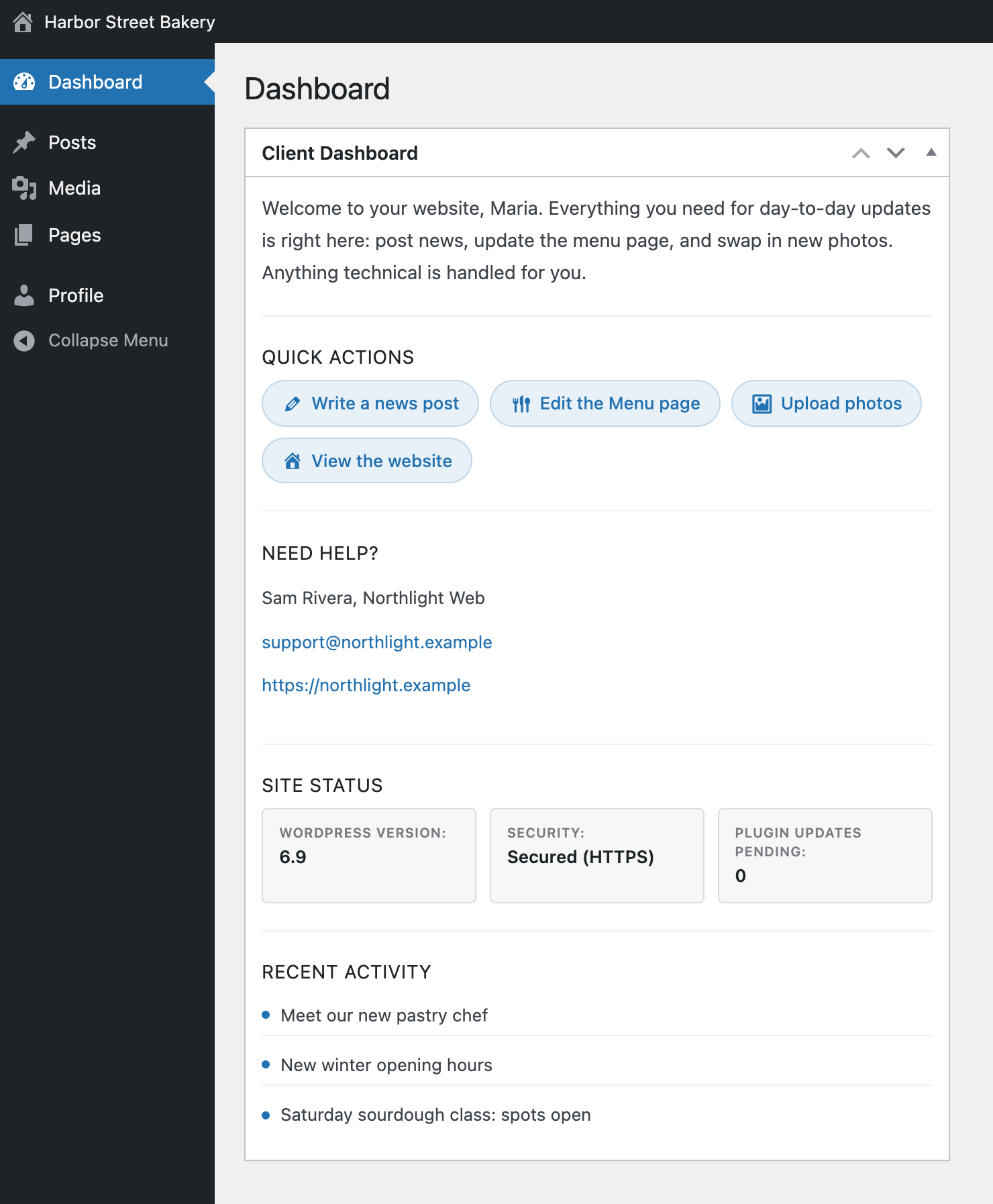
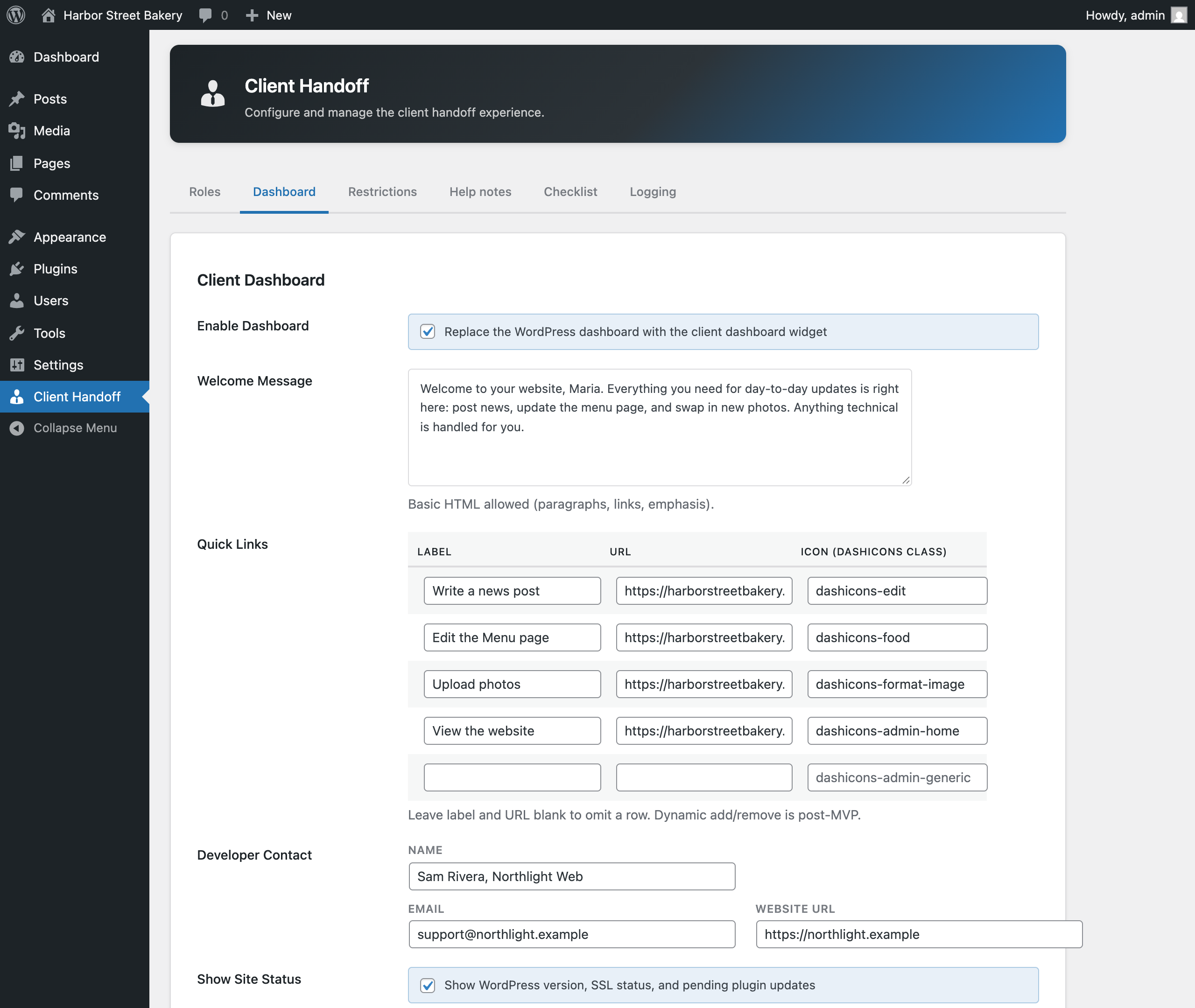
- Replaces the WordPress dashboard for designated client roles with a configurable widget containing a welcome message, quick links, developer contact information, and site status.
- Hides admin menus, admin bar entries, and update nags for client roles without modifying their underlying role capabilities in the database.
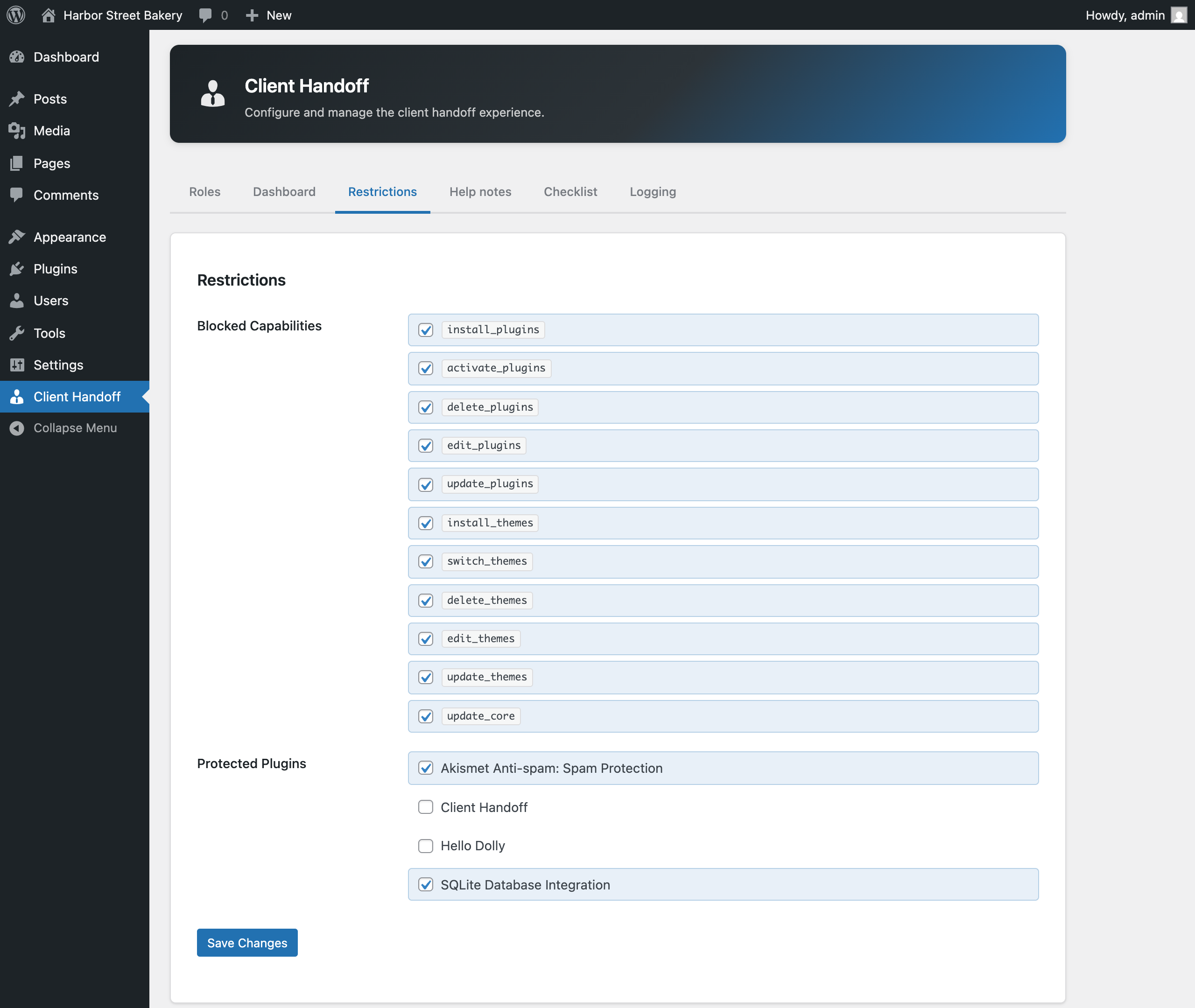
- Blocks deactivation and deletion of plugins the developer marks as protected, intercepting four distinct request shapes (single deactivate, bulk deactivate, single delete, bulk delete).
- Filters eleven codebase-altering capabilities at runtime (including install_plugins, activate_plugins, edit_plugins, switch_themes, update_core, and six others) using WordPress's user_has_cap filter. No changes are written to the role definitions in the database.
- Provides a four-step setup flow (Roles, Dashboard, Restrictions, Activate) that guides the developer through full configuration before handoff mode is enabled.
- Exports and imports the full configuration as a JSON file for multi-site deployment.
- Does not modify role capabilities or role definitions in the database. All capability filtering is runtime-only and disappears on deactivation.
- Does not phone home, send telemetry, or make external API calls of any kind.
- Does not include a premium tier, upsell prompts, or in-admin advertising.
- Does not support network-wide activation on multisite in this version. Single-site activation on a multisite network is supported; network-wide activation is detected and no-ops with an admin notice.
安装:
- Upload the plugin folder to
wp-content/plugins/or install it through the WordPress plugin directory at Plugins → Add New. - Activate the plugin via Plugins → Installed Plugins.
- The plugin is inert until configured. On first activation, a four-step setup flow launches automatically in the admin and walks through role assignment, dashboard configuration, restriction selection, and final activation.
- On the setup flow's final step, click "Activate Handoff Mode" to enable enforcement. The plugin has no effect on the front end or on users who are not in a designated client role.
屏幕截图:
常见问题:
Does this plugin modify user roles or capabilities in the database?
No. Capability filtering happens at runtime through WordPress's user_has_cap filter hook. The filter is only active when the plugin is active and handoff mode is enabled. Deactivating the plugin restores the standard WordPress capability resolution immediately. No data is written to the wp_user_roles option or to user meta.
What happens if I lock myself out by mistake?
Four safeguards prevent permanent lockout. First, user ID 1 (the original admin account) is always exempt from all restrictions. Second, users assigned to a role listed under Admin Roles in the Roles tab bypass enforcement entirely; assigning your own role to Admin Roles restores full access. Third, the activate_plugins capability acts as a hard floor: any user who has it in their role's base capabilities is exempt, regardless of other settings. Fourth, WordPress super-admins on multisite are always exempt.
Can this run alongside BrenWP Client Safe Mode?
Yes. The two plugins operate through different hooks and address different concerns. Client Handoff provides setup flow, dashboard widget, and JSON export/import. BrenWP Client Safe Mode provides deeper restriction controls. Running both is supported. Verify the role and capability configuration in each plugin does not produce conflicting results for your specific setup.
What happens when I deactivate the plugin?
Deactivating the plugin removes all runtime enforcement immediately: menus reappear, capability filters are gone, and the original WordPress dashboard returns. The saved configuration is preserved in the database so the plugin can be reactivated without reconfiguring from scratch. Uninstalling the plugin (Delete via the Plugins screen) removes the saved configuration, activity log, and developer checklist from the database entirely.
Does this work on a multisite network?
Single-site activation on a multisite network is supported: activate the plugin on a specific site and it works within that site's admin. Network-wide activation (activating from the Network Admin → Plugins screen) is not supported at this version. If network-wide activation is attempted, the plugin detects this and no-ops with an admin notice directing the developer to activate on individual sites instead.
更新日志:
- Initial release.
- Core: configuration loading, role resolution, lockout safeguards (user ID 1, admin_roles, activate_plugins floor, super-admin), recursion-safe capability helper.
- Enforcement: capability filter via user_has_cap, screen guard for designated admin screens, plugin protection intercepting four distinct request shapes.
- Cosmetic: per-role admin menu hiding, admin bar simplification, notification and nag suppression.
- Client dashboard: replaces the default WordPress dashboard for protected users with a configurable five-section widget.
- Settings UI: three configurable tabs (Roles, Restrictions, Dashboard) with tab-gated settings registration.
- Setup flow: four-step guided first-run experience (Roles, Dashboard, Restrictions, Activate).
- JSON export and import for multi-site deployment; import uses overwrite semantics against plugin defaults.
- Test suite: 148 unit tests across nine suites covering all pure-logic paths.