Advanced Heading for Gutenberg Block Editor
| 开发者 |
shamim496
selimmw bdthemes |
|---|---|
| 更新时间 | 2026年5月21日 16:02 |
| 捐献地址: | 去捐款 |
| PHP版本: | 7.4 及以上 |
| WordPress版本: | 7.0 |
| 版权: | GPLv2 or later |
| 版权网址: | 版权信息 |
详情介绍:
- Font Selection - Access a vast library of web-safe fonts to match your brand's personality.
- Size & Weight - Precisely adjust font size and weight for perfect visual hierarchy.
- Letter & Line Spacing - Fine-tune character spacing and line height for optimal readability.
- Custom Colors - Apply solid colors, gradients, or transparent effects to make your headings pop.
- Text Transforms - Easily convert text to uppercase, lowercase, or capitalize each word with a single click.
- Text Highlighting - Draw attention to specific words or phrases with customizable highlight effects.
- Gradient Text - Apply beautiful color gradients that flow across your heading text.
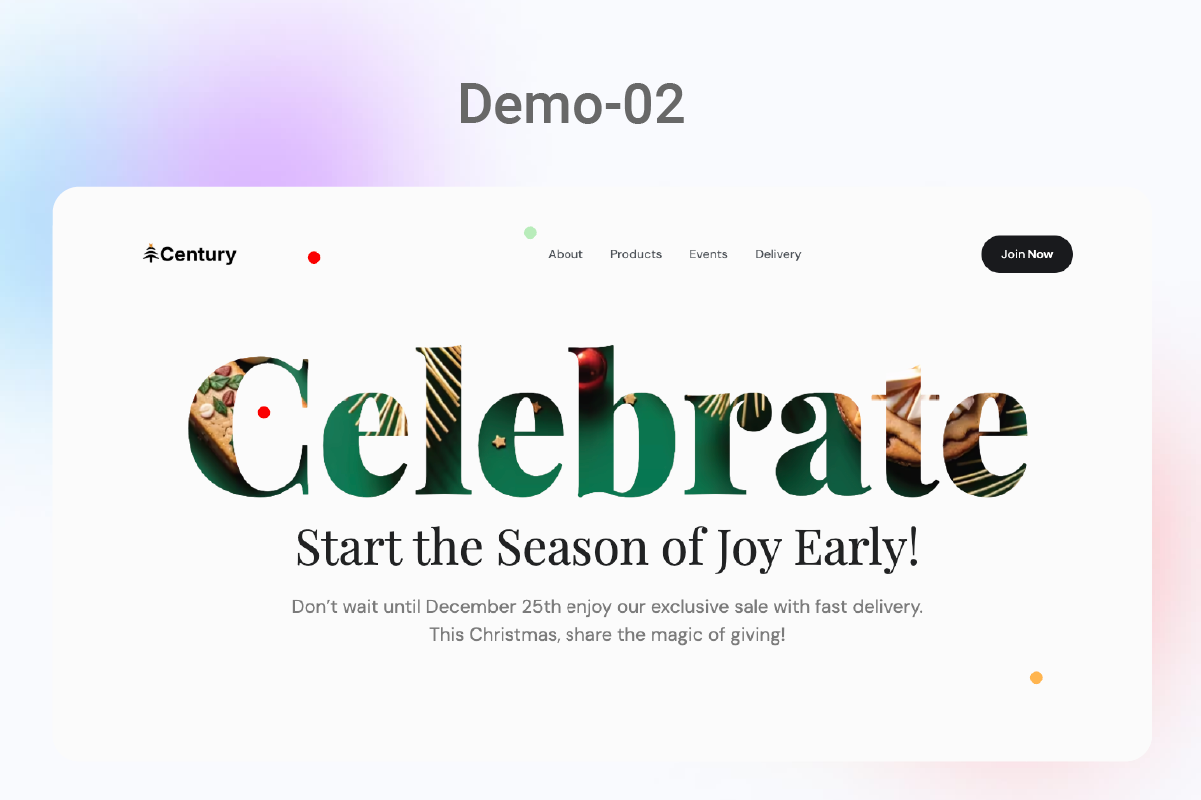
- Image Masking - Create striking visual impact by masking your text with images or patterns.
- Drop Shadows - Add dimension with adjustable shadow effects for depth and emphasis.
- Border Styling - Frame your headings with customizable borders, including thickness, style, and color.
- Background Effects - Apply backgrounds with solid colors, gradients, or patterns behind your text.
- Device-Specific Controls - Customize how your headings appear on desktop, tablet, and mobile devices.
- Visibility Settings - Choose to show or hide specific elements based on screen size.
- Automatic Adjustments - Smart scaling ensures readability regardless of device.
- Intuitive Block Interface - No coding required—just point, click, and customize.
- Block Patterns Support - Save your favorite heading designs as reusable patterns.
- Full-Site Editing Ready - Works flawlessly with WordPress FSE and theme blocks.
- Lightweight Code - Minimal impact on page loading times.
- Optimized Assets - CSS and JavaScript files are minified and only loaded when needed.
- Accessibility Focus - Headings remain screen-reader friendly regardless of styling.
- Regular Updates - Continuous improvements and compatibility updates.
- Secure Coding - Built following WordPress security best practices.
- Professional Support - Access to expert assistance when you need it.
- Blog Posts - Create attention-grabbing article titles that boost readership.
- Landing Pages - Design conversion-focused headlines that drive action.
- WooCommerce Stores - Highlight product categories and special offers.
- Portfolio Sites - Showcase your work with stylish section headings.
- Corporate Websites - Maintain brand consistency across all headings.
- Membership Sites - Clearly distinguish between content sections.
- SEO Enhancement - Create properly structured H1-H6 headings that search engines love.
- Brand Consistency - Maintain uniform heading styles across your entire website.
- Content Hierarchy - Visually organize information for improved user experience.
- Conversion Optimization - Draw attention to calls-to-action and important messages.
- Visual Storytelling - Use creative heading styles to enhance your narrative.
- Custom CSS Support - Add your own CSS classes for advanced customization.
- Filter Hooks - Modify plugin behavior programmatically.
- Clean Code Base - Well-documented code for easy extension.
- Theme Compatibility - Works with virtually any WordPress theme.
安装:
- Log in to your WordPress dashboard.
- Navigate to Plugins > Add New.
- Search for "Advanced Heading" in the search bar.
- Click the Install Now button.
- Once installed, click Activate to enable the plugin.
- Download the Advanced Heading plugin zip file from WordPress.org.
- Log in to your WordPress dashboard.
- Navigate to Plugins > Add New > Upload Plugin.
- Select the downloaded zip file and click Install Now.
- After installation, click Activate Plugin.
屏幕截图:
常见问题:
🔍 How To Use?
- Add the Advanced Heading Block:
- Open the WordPress Block Editor (Gutenberg).
- Click the "+" button to add a new block.
- Search for "Advanced Heading" and select it from the block library.
- Alternatively, type "/advanced heading" and select the block when it appears.
- Customize Your Heading:
- After adding the block, select it to access the block settings in the right-hand sidebar.
- Options available for customization include:
- Font Settings 🔤: Choose font size, weight, and style from our extensive library.
- Color Settings 🎨: Adjust text color, background color, and gradient options with our color picker or preset palettes.
- Alignment ⬅️↔️➡️: Set text alignment to left, center, right, or justified with one click.
- Typography Controls 📝: Fine-tune letter spacing, line height, and font family for perfect readability.
- HTML Tag 🏷️: Change the heading level (H1–H6) based on your content hierarchy needs.
- Apply Advanced Styles:
- Text Highlighting ✨: Select specific words or phrases and apply highlight effects.
- Image Masking 🖼️: Upload an image to use as a mask for your heading text.
- Gradient Effects 🌈: Create beautiful color transitions across your heading text.
- Borders & Shadows 📦: Add custom borders and shadow effects to make your heading stand out.
- Use responsive controls 📱💻: Set different styles for desktop, tablet, and mobile views.
- Add Animation Effects (Pro Feature) 🎬:
- Select from a variety of entrance animations.
- Set animation duration, delay, and easing options.
- Preview animations directly in the editor before publishing.
- Save and Preview 👁️:
- Save your changes and preview the post/page to ensure the heading looks as intended.
- Test responsive views using the responsive preview buttons in the WordPress editor.
- Make any final adjustments before publishing.
- Using Block Patterns (Optional) 📋:
- Save your favorite heading designs as reusable patterns.
- Access saved patterns from the pattern library for quick reuse.
- Maintain consistent heading styles across your entire website.
- Custom CSS (Optional) 🧩:
- Add a custom CSS class in the block settings for further styling.
- Use the Additional CSS panel in the WordPress Customizer for site-wide styles.
- Target specific headings with unique identifiers for custom animations or effects.
🌟 What features does the plugin offer?
Advanced Heading offers a comprehensive set of features including advanced typography controls, text highlighting, image masking, gradient text effects, custom borders, drop shadows, background effects, responsive design controls, and seamless integration with the Gutenberg editor. All these features are designed to help you create visually stunning headings that enhance your content's appeal and readability.
🔄 Does the plugin work with all WordPress themes?
Yes! Advanced Heading is designed to work with any WordPress theme that supports the block editor (Gutenberg). The plugin is built using WordPress core standards, ensuring compatibility with the widest range of themes possible. Whether you're using a popular theme like Astra, GeneratePress, or Twenty Twenty-Three, or a custom theme, our plugin will integrate seamlessly.
⭐ Is there a Pro version available?
Yes, upgrading to the Pro version unlocks additional premium features including:
- 🎭 Advanced animation effects with 50+ animation types
- 🔤 Exclusive font libraries with 800+ web fonts
- 🎯 SVG icon integration within headings
- ✨ Advanced text effects like neon glow, metallic texture, and 3D perspective
- 🛎️ Priority support with 24-hour response time
- 🔄 Regular feature updates and enhancements
🧩 Do I need any page builder like Elementor or Divi to use this plugin?
No, this plugin is built specifically for the native WordPress block editor (Gutenberg) and eliminates the need for third-party page builders. It enhances the core WordPress editing experience rather than replacing it, making it lightweight and integration-friendly. If you already use the WordPress block editor, you can start using Advanced Heading immediately without learning a new interface.
🌈 Can I create multi-colored text with this plugin?
Yes! Advanced Heading allows you to create multi-colored text in several ways:
- 🎨 Apply different colors to selected words or characters within your heading
- 🌈 Use gradient effects that blend multiple colors across your text
- 🔍 Combine background colors with transparent text for creative effects
- 🖼️ Apply image masking for textured or photo-based text effects All color options include a visual color picker with opacity control and the ability to save custom colors for reuse.
🧱 Is the plugin compatible with Full Site Editing (FSE)?
Absolutely! Advanced Heading is fully compatible with WordPress Full Site Editing (FSE). You can use our advanced heading blocks in your theme templates, template parts, and patterns. This makes it perfect for creating consistent heading styles across your entire site, including headers, footers, and custom page templates.
⚡ How does the plugin impact site performance?
We've built Advanced Heading with performance as a top priority. The plugin:
- 🚀 Loads CSS and JavaScript assets only when needed
- ⚙️ Uses efficient code that minimizes processing time
- 📊 Optimizes all visual effects for fast rendering
- 🛡️ Implements WordPress core best practices for resource management Our internal tests show minimal impact on page load times, typically under 50ms of additional load time even with multiple advanced headings on a single page.
💼 Can I use this plugin on client websites?
Yes, you can use Advanced Heading on websites you build for clients. The free version can be used on unlimited sites. If you're an agency or freelancer building multiple client sites, we offer special Pro license options with multi-site usage rights and white-labeling capabilities. Contact our sales team for more information about agency licensing.
🔄 Is it possible to convert existing headings to Advanced Headings?
Yes! Advanced Heading includes a convenient conversion feature. Simply select any existing heading block in your content, click the "Transform" option in the block toolbar, and select "Advanced Heading." All your existing text will be preserved and ready for enhancement with our advanced styling options. This makes it easy to upgrade your content without retyping anything.
⌨️ Does the plugin offer keyboard shortcuts for faster editing?
Yes, Advanced Heading supports several keyboard shortcuts to speed up your workflow:
- 📝
/advanced- Quick insert an Advanced Heading block - 🔤
Alt+Shift+H- Toggle between heading levels (H1-H6) - 🅱️
Alt+Shift+B- Toggle bold formatting on selected text - 🖌️
Alt+Shift+I- Toggle italic formatting on selected text - 🎨
Alt+Shift+C- Open the color picker panel These shortcuts work in the WordPress block editor environment and help you style headings more efficiently.
更新日志:
- Initial release.
- Initial release.
- Fixed: Compatibility issue with WordPress 6.9
- Fixed: WordPress latest version compatibility issue To build the plugin:
- Clone the repository.
- Run
npm installto install dependencies. - Run
npm run buildto compile the plugin.