
Zoobbe - Project Management & Kanban Boards
| 开发者 | seakashdiu |
|---|---|
| 更新时间 | 2026年5月28日 00:22 |
| PHP版本: | 7.4 及以上 |
| WordPress版本: | 7.0 |
| 版权: | GPLv2 or later |
| 版权网址: | 版权信息 |
详情介绍:
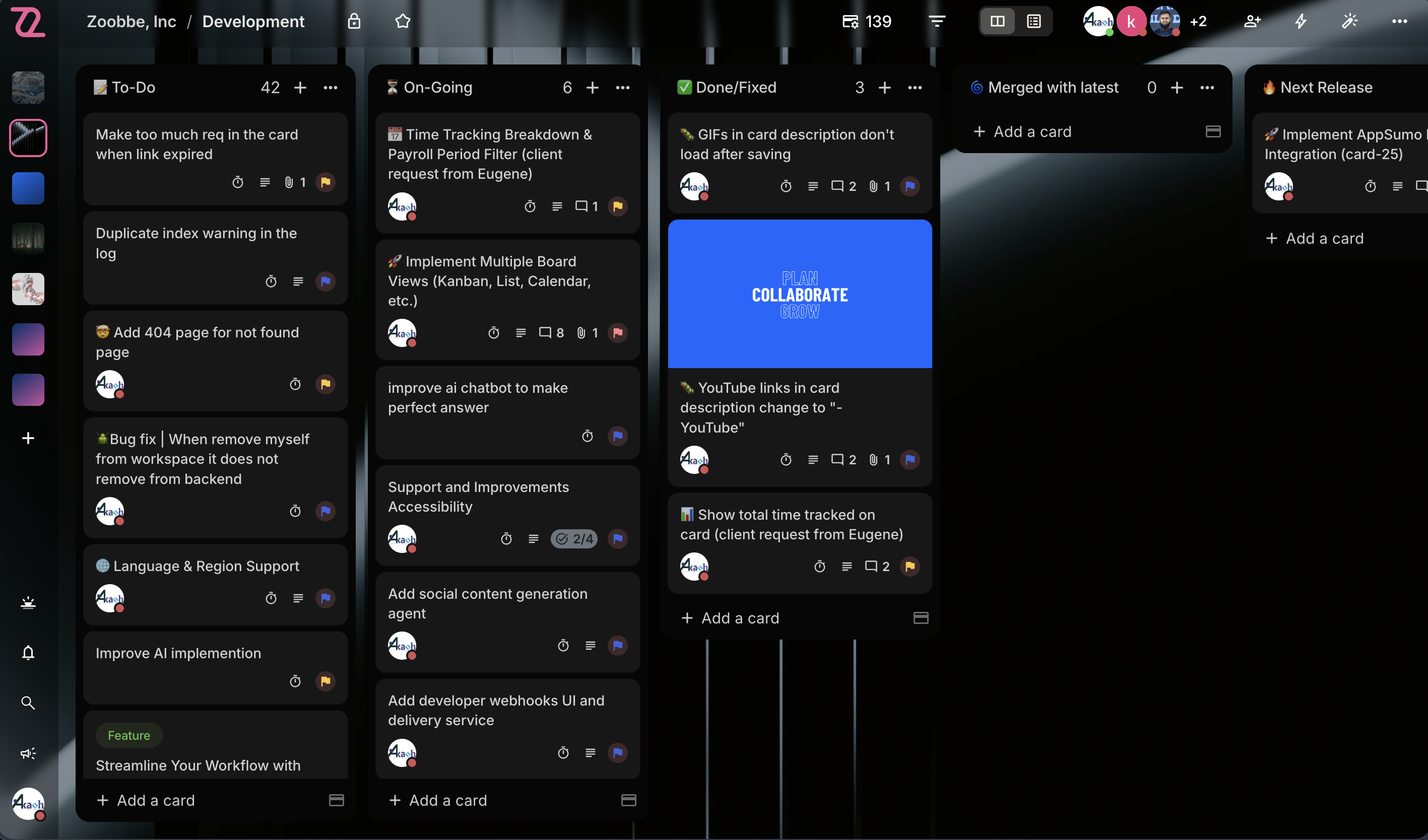
- Kanban Boards — Full drag-and-drop board view with smooth column reordering and card movement
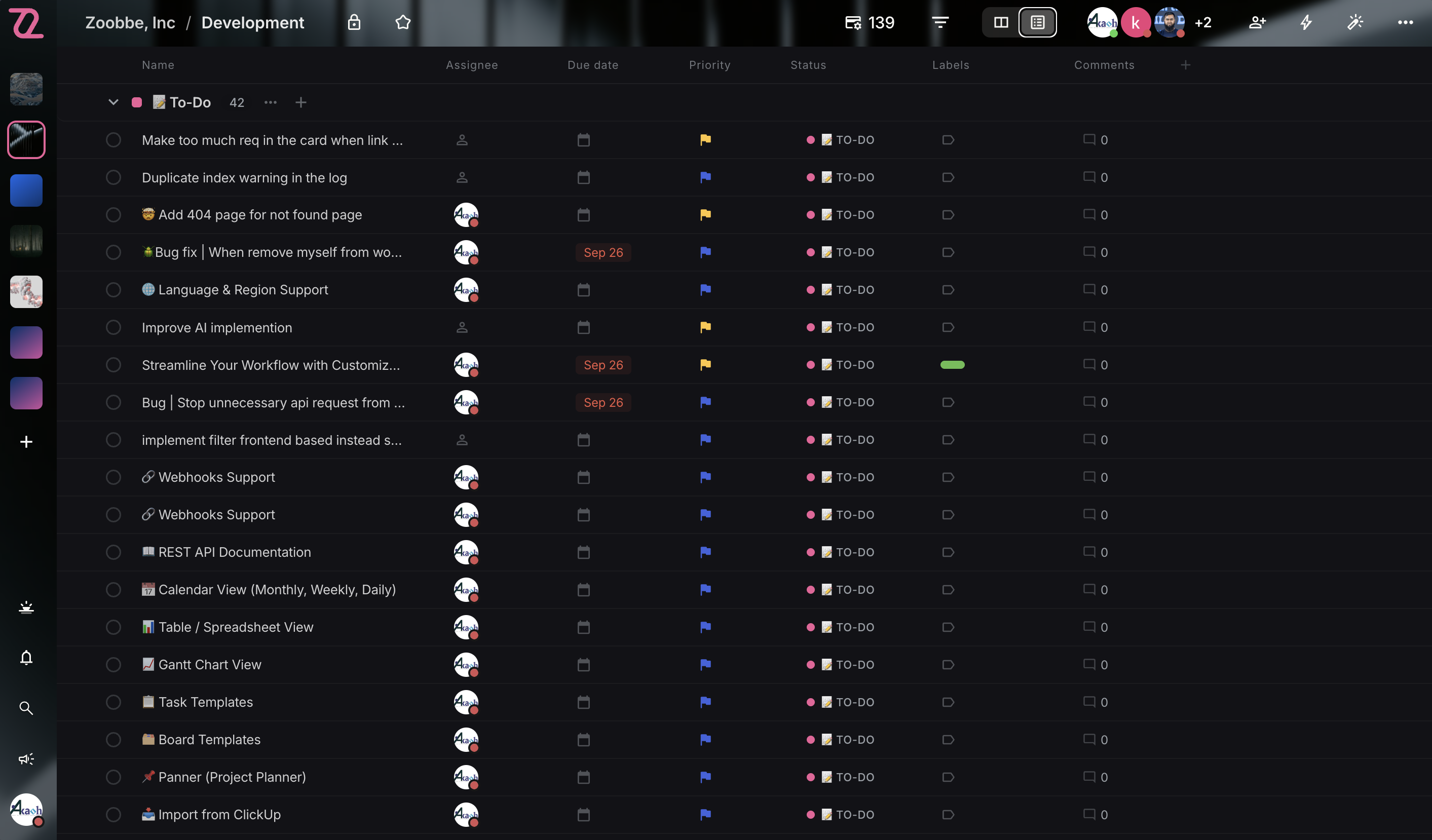
- List View — Spreadsheet-style linear view with sortable columns and inline editing
- Dashboard — Personalized greeting, starred boards, and a recently-viewed boards carousel
- Starred Boards — Pin favorite boards for one-click access from grid, list, and dashboard
- Board Members & Roles — Member management with roles (admin, member, observer) directly from the plugin
- Card Management — Create, edit, move, archive, and delete cards from any view
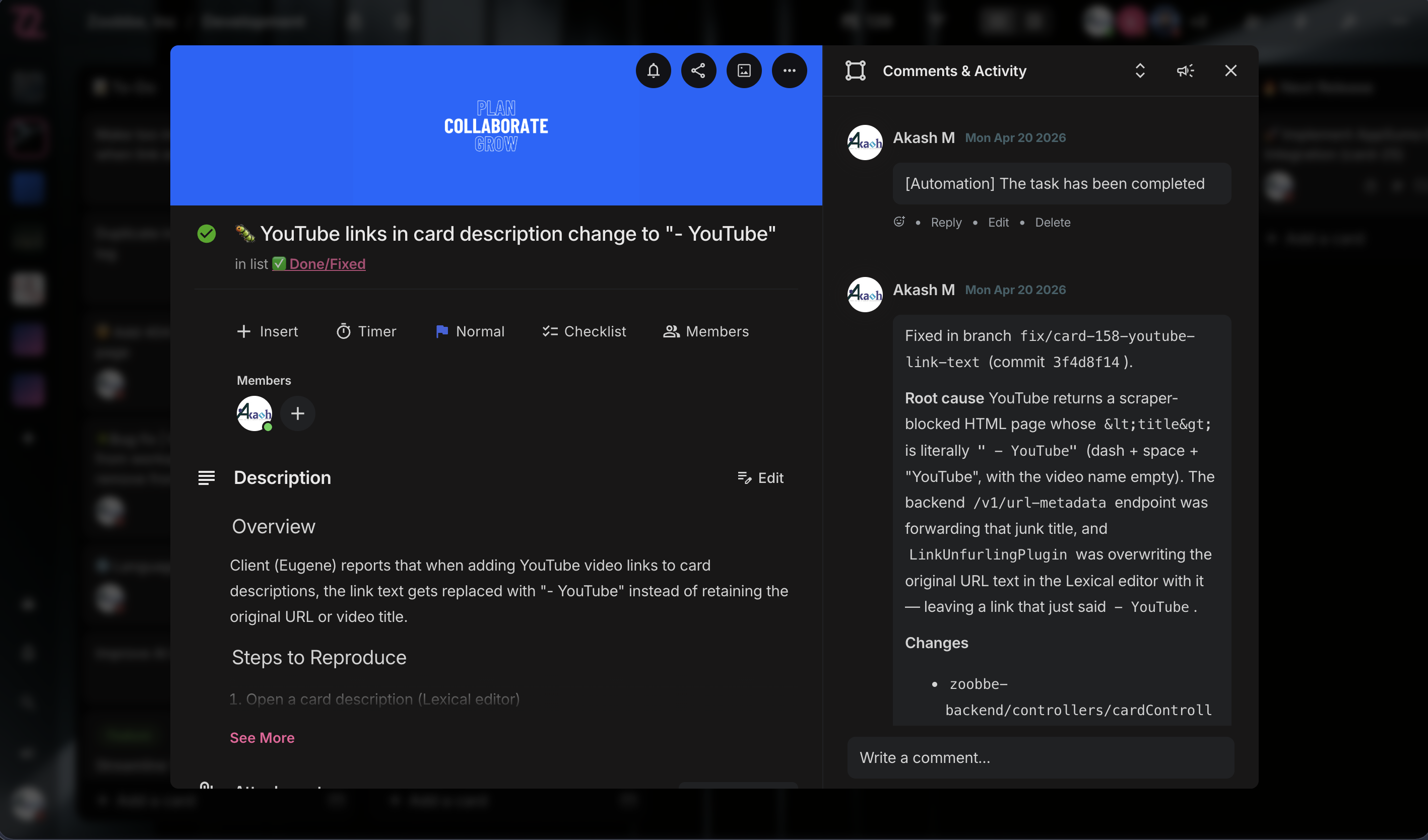
- Rich Text Description — Full Lexical editor with mentions, images, code blocks, and slash commands
- Comments & Activity — Threaded comments and full activity log per card
- Labels & Priorities — Color labels plus priority levels with quick filters
- Due Dates & Reminders — Date picker with overdue indicators and reminder settings
- Checklists — Multi-checklist support with progress tracking
- Attachments — File uploads with image previews via signed S3 URLs
- Watchers & Assignees — Assign multiple members; watchers receive notifications
- My Day — Personal daily task view with priority sorting, progress tracking, and reorder support
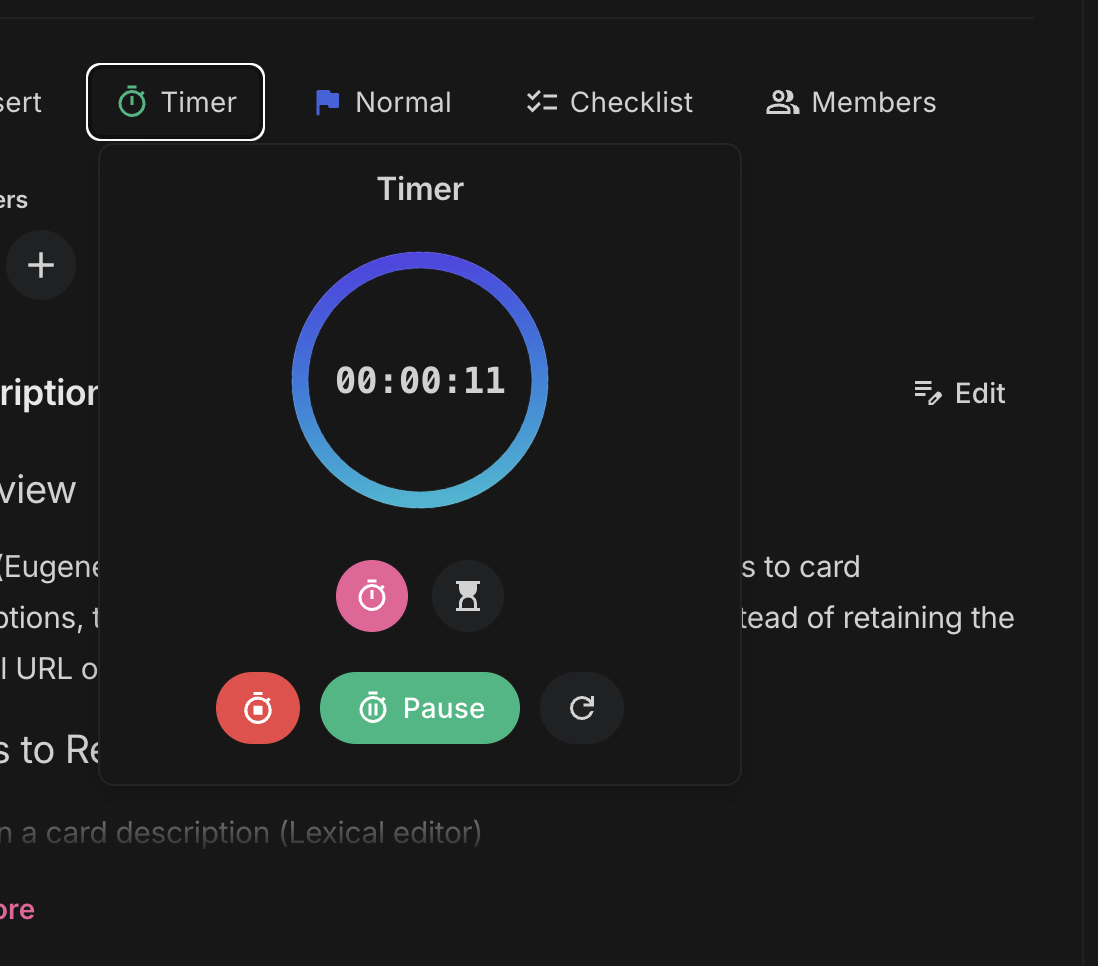
- Timer / Stopwatch — Per-card built-in timer that survives page reloads
- Global Search — Cmd/Ctrl+K modal for instant search across boards and cards
- Notifications — Real-time notification feed plus admin-bar bell icon — never miss a mention or due date
- Keyboard Shortcuts — Power-user navigation throughout the plugin
- Team Management — Admin invites WordPress users to access Zoobbe through the plugin
- Auto-Membership Boards — Team members automatically see Zoobbe boards they belong to — no manual sharing
- Workspace Scoping — Team members are scoped to the admin's workspaces for clean access boundaries
- Per-User Authentication — Each WordPress user connects their own Zoobbe account independently
- Try Demo Mode — Explore the plugin with a pre-populated sandbox workspace before signing up
- Activation Redirect — Land directly on the Zoobbe setup page after activation — zero hunting through menus
- Clean Demo Disconnect — End the demo and switch to your real account in one click
- Light & Dark Theme — Auto-respects your WordPress admin color scheme; manual toggle available
- Custom Dropdowns — Polished native-feeling controls throughout (no jarring browser selects)
- Optimized for wp-admin — Hides distracting WP chrome on Zoobbe pages for a focused workspace
- OAuth 2.0 with PKCE — Industry-standard authorization flow (RFC 7636), no secrets stored in the browser
- AES-256-CBC Encrypted Tokens — Access and refresh tokens encrypted at rest in
wp_usermeta - Per-User Tokens — Each user has their own credential — no shared accounts
- Auto Token Refresh — Background refresh on 401 keeps sessions seamless
- Install and activate the plugin
- Click "Try Demo" to explore right away, OR click "Connect with Zoobbe" to use your account
- Authorize the plugin (OAuth) — the consent page shows exactly which boards will be accessible
- Start managing your projects from WordPress
- WordPress 6.0+
- PHP 7.4+
- A Zoobbe account (free at zoobbe.com) — or use Try Demo mode without one
安装:
- Upload the
zoobbefolder to/wp-content/plugins/, or install via Plugins > Add New - Activate the plugin through the 'Plugins' menu
- You'll be redirected to the Zoobbe setup page automatically
- Click "Try Demo" to explore, or "Connect with Zoobbe" to use your real account
- If connecting: authorize via OAuth, then start using Zoobbe from your WordPress dashboard
- Go to Zoobbe > Settings
- In the Team panel, click "Add" and select a WordPress user
- The team member opens Zoobbe in their own session and connects their Zoobbe account
- They'll see boards from your workspaces where they're a member — fully automatic
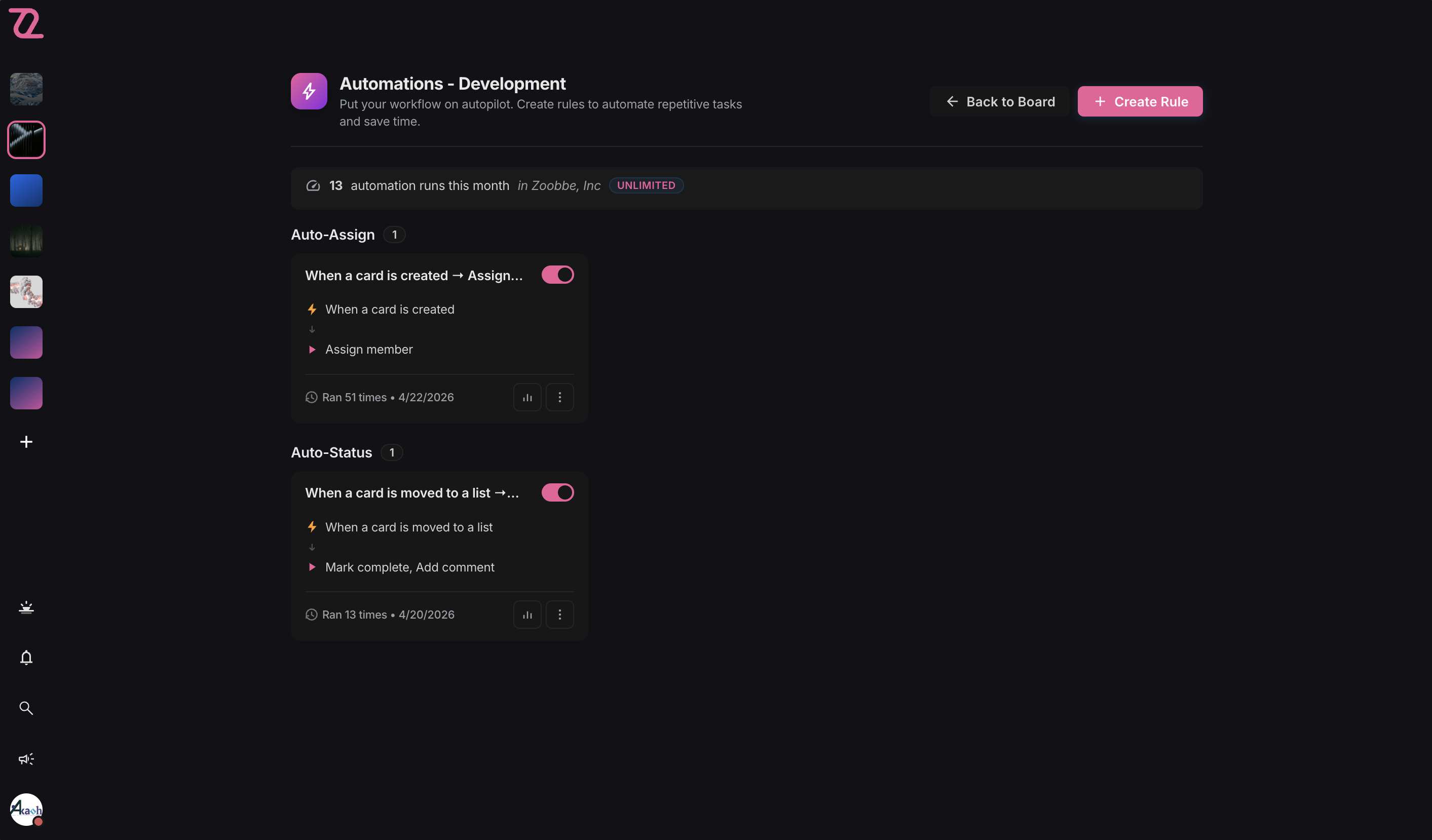
屏幕截图:
常见问题:
Can I run Kanban boards inside WordPress with this plugin?
Yes. Zoobbe gives you full Kanban boards — with lists, cards, drag-and-drop, labels, due dates, checklists, and comments — directly inside the WordPress admin. If you've used a modern Kanban tool before, Zoobbe will feel instantly familiar, with the bonus that everything stays in WordPress.
Can I use Zoobbe as a task manager or todo list inside WordPress?
Absolutely. The "My Day" view is a personal todo list with priority sorting and progress tracking, and every Kanban card is a task with due dates, reminders, checklists, and assignees. You can run a full task management workflow without any other tool.
Does this plugin support team collaboration?
Yes. Admins invite WordPress users to the team, and each member connects their own Zoobbe account. Boards, cards, comments, mentions, and notifications are all real-time and scoped to the admin's workspaces, so collaboration is automatic and secure.
Does Zoobbe include time tracking?
Yes. Every card has a built-in timer / stopwatch that survives page reloads, so you can track time spent on any task without installing a separate time-tracking plugin.
Do I need a Zoobbe account?
You can try the plugin in Demo mode without one. To save your work and collaborate with your team, you'll need a free Zoobbe account at zoobbe.com.
What is Demo mode?
Demo mode gives you an isolated, pre-populated sandbox workspace so you can explore every feature before signing up. Your demo data is wiped when the session ends — no production data is touched.
Where is my data stored?
All project data is stored on Zoobbe's secure servers. The plugin connects to your Zoobbe account via the Zoobbe API — no project data is stored locally in WordPress. Only your encrypted authentication tokens are kept in WordPress.
How does team access work?
When an admin connects the plugin, their workspace scope is saved. When team members connect their own Zoobbe accounts, they automatically see boards from the admin's workspaces where they are a member. No manual board sharing is needed.
Is the connection secure?
Yes. The plugin uses OAuth 2.0 with PKCE (Proof Key for Code Exchange, RFC 7636) for authentication. Access and refresh tokens are encrypted with AES-256-CBC before being stored in WordPress. Tokens are never exposed to the browser.
Does this work with multisite?
Yes. Each site on a multisite network connects independently, and each user connects their own Zoobbe account.
Can I switch from Demo to my real account?
Yes. The "Disconnect Demo" button cleanly ends the demo session, wipes the demo data, and returns you to the connect screen.
Is the plugin free?
The plugin is free. You only need a Zoobbe account, which has free and paid tiers.
更新日志:
- New: Inline card rename — hover a card on the Kanban board and click the pencil icon in the quick-action row to rename without opening the modal
- New: BoardHeader member avatars now open a profile-card popover (name, email, avatar) — click any avatar in the stack
- New: Empty-state CTAs in Card modal — "Add members", "Add labels", "Add a checklist" pills surface the actions when the card has none
- Improved: Share Board modal redesigned — orjja-styled with brand-tinted icon header, hairline borders, backdrop blur, brand-glow Done button; search results now render in a popover anchored to the input so the modal layout never reflows; modal anchors to top with a max-height (no more vertically-centered overflow); role selects render as bordered form fields
- Improved: List View popover edits (priority, due date, labels, members, title) now toast on failure and roll back the optimistic patch — every async mutation has visible feedback
- Improved: List View shows per-list skeleton rows while a list's cards are still being fetched in the background, instead of "No cards to display"
- Fixed: Kanban list drag-and-drop drop event was never firing — Pragmatic DnD's drop-target registry is a WeakMap keyed by element, and registering two drop targets on the same column silently overwrote the first. Consolidated into a single drop target that branches on
source.data.type - Fixed: List reorder is now persisted via the new
/v1/boards/{boardId}/orderproxy — order survives refresh
- New: Calendar view — month grid of cards with due dates; drag a card between days to reschedule, click any day to add a card on that date, and the filter bar (members, labels, priority) applies to calendar pills too
- New: Admin bar Quick-Add — capture a card from anywhere in wp-admin without leaving the page
- New: Saved Filters — name and recall favorite filter combinations per board (stored per-user per-board in localStorage)
- Tested with WordPress 7.0
- New: Share Board modal — invite members, change roles, remove with confirmation
- New: "Drop here" indicator when dragging cards into empty columns
- New: Themed error banner with friendlier rate-limit message (uses Retry-After)
- Improved: Dropdown menus now render as portal popovers — no clipping, no first-open blink
- Improved: Board view skeleton mirrors the real column layout
- Improved: Softer, layered shadows across cards, modals, and popovers (light + dark)
- Improved: Cleaner board header — removed SaaS-only Automations and AI Assistant icons
- Fixed: Drag-and-drop into empty columns now works reliably
- Fixed: 401 / 429 responses keep their real HTTP status instead of becoming 500
- Fixed: Real server error messages now surface in the UI, with a global toast on rate-limit
- New: Plugin Check (wp.org submission) compliance — added a CI workflow running WordPress/plugin-check-action on every push and PR
- Improved: Plugin display name is now "Zoobbe - Project Management & Kanban Boards" for better discoverability on wp.org
- Improved: Refreshed readme — rewritten short/long description, expanded FAQ (Kanban, todo lists, team collaboration, etc.), and updated tags (project management, kanban, task management, todo list, productivity)
- Improved: Replaced raw cURL multi handles with WordPress core's
WpOrg\Requests::request_multiple(with a\Requestsfallback) for parallel API requests — fully WP-native HTTP, no direct cURL usage - Fixed: Plugin always connects to the live Zoobbe API (api.zoobbe.com); removed the WP_DEBUG branch that previously pointed the plugin at a local dev backend
- Fixed: All
error_log()debug calls now guarded byWP_DEBUG/WP_DEBUG_LOG, so production sites stay quiet - Fixed: Annotated direct
$wpdbqueries on the custom cache table, escaped table name withesc_sql(), and prefixed a global inuninstall.php— clears remaining Plugin Check warnings
- New: Client-side cache layer with persistent storage for boards, cards, notifications, and dashboard data — instant load on revisit
- New: Webhook receiver endpoint for server-driven cache invalidation, so changes from the Zoobbe app reflect in WP without a hard refresh
- New: Cache settings panel under Settings — view cache stats and clear cache on demand
- Improved: Boards, Card modal, Dashboard, My Day, and Notifications views now hydrate from cache and refresh in the background
- Improved: API client and
useApihook updated to integrate with the new cache + invalidation pipeline
- New: Try Demo mode — explore a fully-loaded sandbox workspace without signing up
- New: Activation redirect — land directly on the Zoobbe setup page after activating the plugin
- New: Clean Demo Disconnect button — end the demo and wipe sandbox data in one click
- New: Dashboard greeting + recently-viewed boards carousel on the Boards page
- New: Star (favorite) boards from the boards grid and list views; starred boards section on the dashboard
- Improved: Replaced native
<select>controls with a polished custom Dropdown component throughout the UI - Improved: Hide starred / recent sections during initial load instead of flashing skeletons
- Improved: Minor Kanban view polish and bug fixes
- Improved: Plugin now requires WordPress 6.0+ (was 5.8)
- Security: OAuth consent screen now displays the redirect URI host and binds the session token to the originating flow (defense-in-depth on the auth server)
- Improved OAuth connection error messages — server-side error details are now surfaced instead of a generic "Failed to connect" toast
- Initial release
- OAuth 2.0 connection with PKCE security
- Kanban board view with drag-and-drop
- List view for boards
- Card management (create, edit, comments, checklists, labels, priorities, due dates)
- My Day personal task view
- Team management — invite WordPress users with auto-membership board access
- Notifications in admin bar
- Global search across boards and cards
- Rich text editor (Lexical) for descriptions and comments
- AES-256-CBC encrypted token storage