Z UpTime by Zubbin – Uptime & Site Health Monitoring
| 开发者 | zubbin |
|---|---|
| 更新时间 | 2026年10月14日 12:50 |
| PHP版本: | 8.0 及以上 |
| WordPress版本: | 7.1 |
| 版权: | GPLv2 or later |
| 版权网址: | 版权信息 |
详情介绍:
- Fatal error / white-screen capture — records the file, line, and message of the last PHP fatal, so a bad plugin update doesn't leave you guessing.
- WP-Cron health — flags when scheduled tasks stop firing (a silent killer of backups, emails, and orders).
- Database reachability — a real
SELECT 1from inside WordPress, not a guess from the HTTP status code. - REST API loopback — confirms
/wp-json/is actually responding, not just that the front page loads.
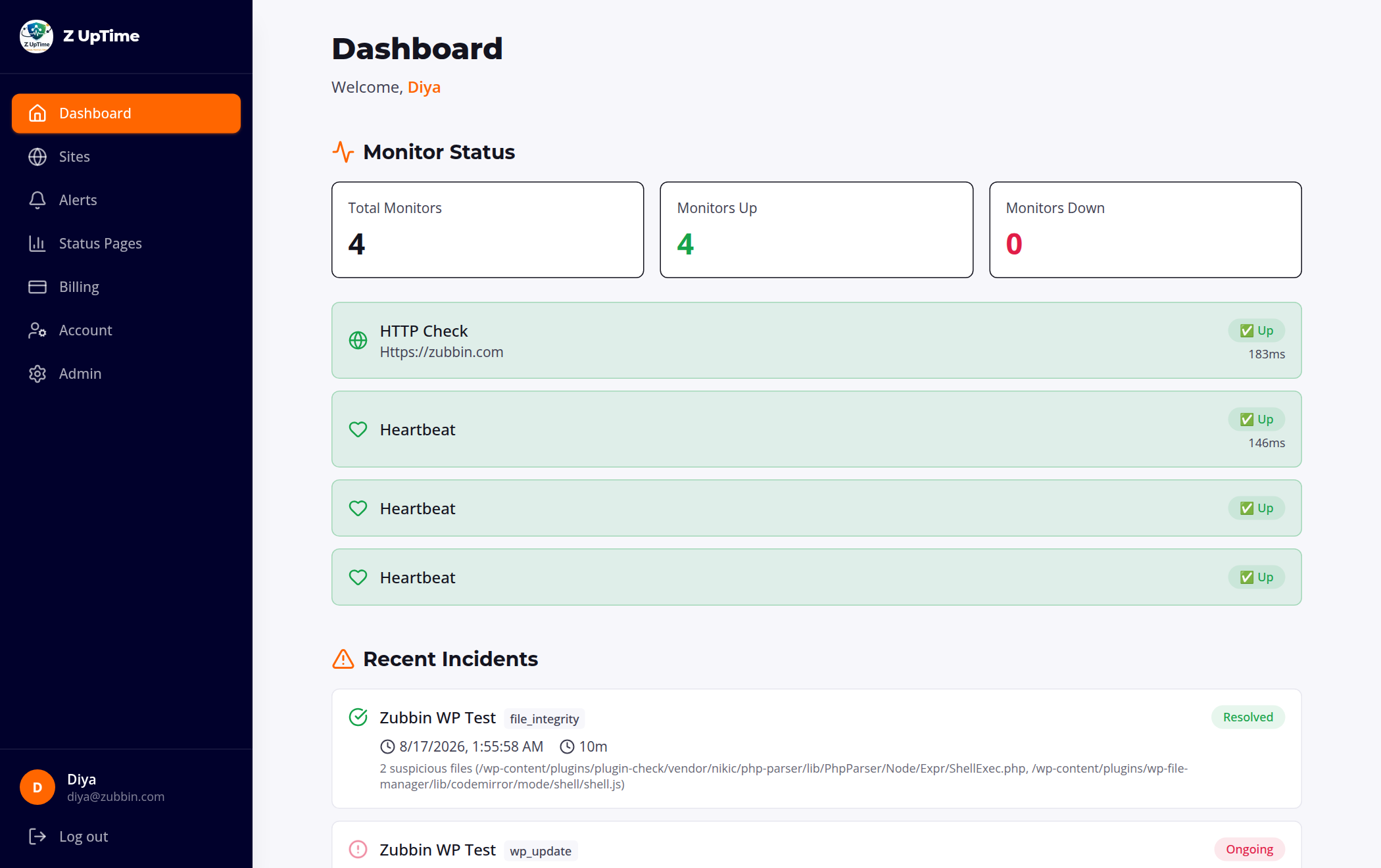
- Periodic heartbeat so Zubbin knows your site is up (scheduled via WP-Cron).
- Health snapshot on every heartbeat: last fatal error, last cron tick, database check, REST check, and response time.
- Inventory reporting: WordPress version, PHP version, active theme, and installed plugins — including which ones have updates available, so you can spot out-of-date, vulnerable components across every site.
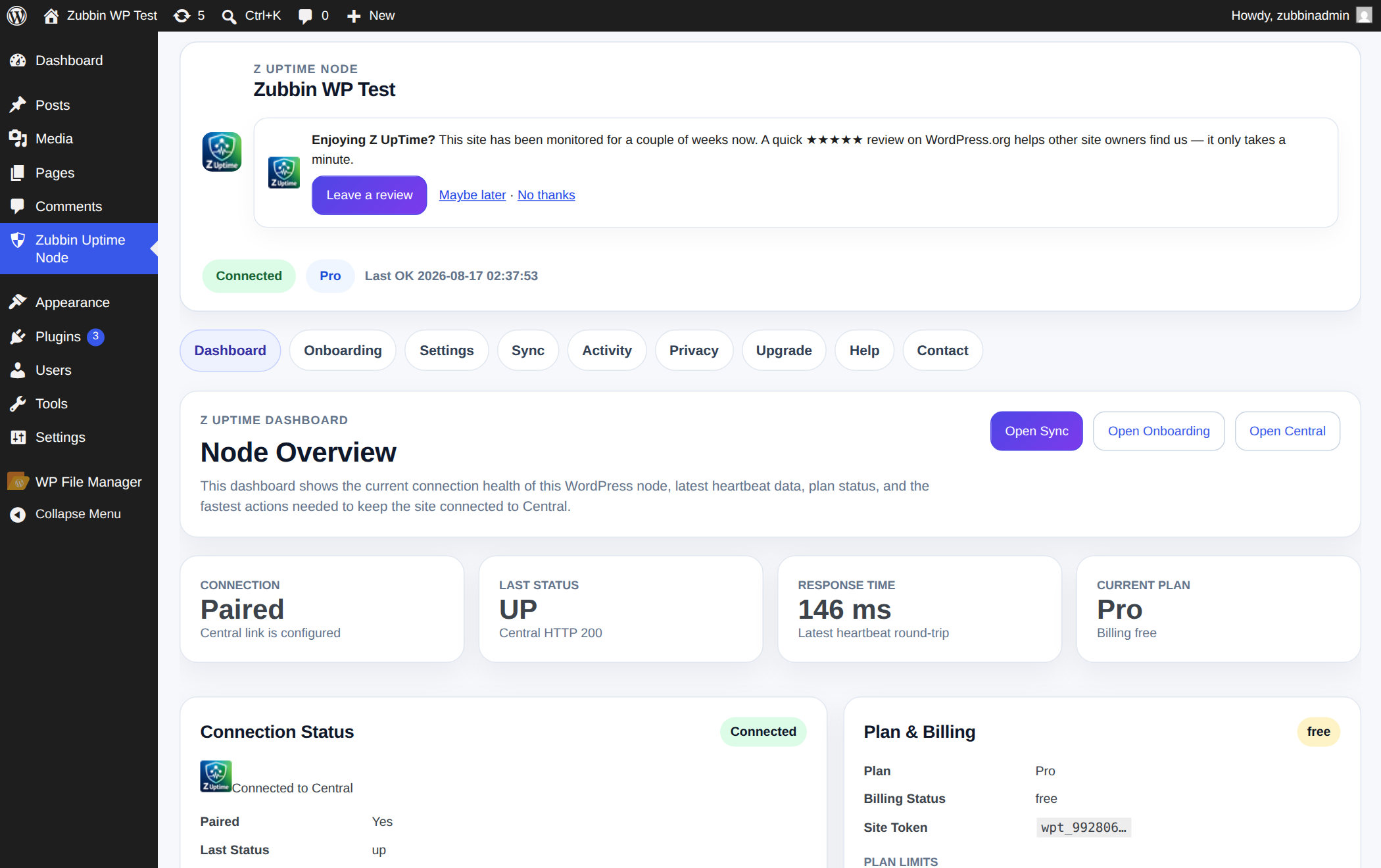
- Self-pairing onboarding and a clear connection/status screen inside wp-admin.
- Fleet-friendly: manage one site or a hundred from a single Zubbin dashboard — built for agencies and site maintainers.
安装:
- Install and activate the plugin from the WordPress plugin directory (or upload the ZIP).
- Open Z UpTime in the wp-admin menu.
- Leave the central server as the default (
https://app.zubbin.com), or paste the registration token from your free Zubbin account to bind this site to it. - Click Connect. (The site also self-registers on the next scheduled heartbeat if you skip the token.)
屏幕截图:
常见问题:
Do I need a Zubbin account?
Yes, and the free plan is enough to get started. The plugin is the reporting node; your account is where monitoring, alerting, and dashboards live. You can sign up at https://app.zubbin.com.
Is it really free?
Installing the plugin and the core external-uptime + health reporting are free. Paid Zubbin plans unlock faster check intervals, more monitored sites, longer history, and advanced WordPress-specific alerting.
How is this different from UptimeRobot, Pingdom, or a plain HTTP monitor?
Those check your site from the outside and can only see the HTTP response of a single URL. Z UpTime runs inside WordPress, so it also reports fatal errors, stalled WP-Cron, database failures, REST outages, and out-of-date plugins — problems an external ping can't detect until they've already caused downtime. Use it alongside external checks, not instead of them.
I manage a lot of client sites. Is this useful for agencies?
Yes. Install the node on each site and manage the whole fleet from one Zubbin dashboard — uptime, health, and pending plugin updates across every site in one place.
What data leaves my site?
See the "External services" section above — status, versions, theme/plugin inventory, and health signals only. No content, credentials, or visitor data.
How do I stop it from sending data?
Deactivate the plugin. Uninstalling also removes its stored settings and local log table.
Does the plugin slow my site down?
No. Reporting runs on WP-Cron in the background, not on visitor page loads.
更新日志:
- New: "Open my Z UpTime dashboard" button in the plugin screen. For a site that is not linked to an account yet it creates your free account and opens the dashboard in one click — no claim code to copy.
- New: if your plan's site limit is reached, the site is still linked to your account and the plugin says so, with a link to upgrade. Previously it was left unlinked.
- Tested up to WordPress 7.1.
- Fix: the plugin screen showed the wrong plan. Sync data arrives wrapped, and the plugin was reading the wrapper instead of the payload inside it, so it kept displaying whatever plan was stored before — sites migrated from the old platform showed a stale plan indefinitely, including paid sites shown as a lower tier.
- Fix: "Features & Support" listed every plan feature as "Off". Your plan's features are sent as a list, but were being rendered as on/off switches, so a full plan looked empty.
- Fix: the file-integrity scan reported false malware. Any file whose name merely started with "shell", "wso",
"c99" and similar was flagged regardless of file type, so ordinary library files — CodeMirror's
shell.jssyntax mode, a PHP parser'sShellExec.php— were reported as webshells on perfectly clean sites. Detection now requires an executable PHP file whose whole name matches a known webshell.
- Fix: "Run Sync Now", first connection, re-pairing and onboarding all fetched your settings from Zubbin but applied only part of them. The status badge key and the file-scan and self-healing switches were left untouched, so those features stayed off until the next scheduled sync (up to 12 hours later) even on a paid plan. Every sync path now applies the full response.
- Fix: the plugin reported its version as 2.2.10 to the Zubbin dashboard. The internal version constant was not bumped in 2.2.11, so connected sites showed a stale version. No change to how the plugin works.
- Compatibility: tested up to WordPress 7.0.
- Fix: the "leave a review" link now goes through
wp_safe_redirect()with an explicit host allow-list. - Housekeeping: removed heredoc syntax from the status-badge block script and aligned the plugin name with this readme, both flagged by the WordPress.org Plugin Check. No functional change.
- New: self-healing (paid plans). Automatically re-triggers a stalled WP-Cron when it falls behind, and adds a "Heal now" action in your Zubbin dashboard to trigger WP-Cron and clear caches (object cache, opcache, and popular cache plugins) on demand.
- New: a daily file-integrity / malware scan (paid plans). Verifies WordPress core files against the official WordPress.org checksums and flags suspicious files in wp-content (PHP in uploads, double extensions, known webshell names). Results appear in your Zubbin dashboard and open a security alert when something looks wrong.
- New: an embeddable "Monitored by Zubbin" status badge — show visitors your site is monitored and its live
uptime. Add it with the
[zubbin_badge]shortcode, the "Zubbin Status Badge" block, or the auto-footer option. The badge image is served by your Zubbin account and updates automatically.
- New: an optional, one-time review request in wp-admin after your site has been monitored for a couple of weeks. It's polite and fully dismissible ("No thanks" / "Maybe later" hide it), only shown to administrators, and never nags again once actioned.
- Improved: the plugin listing now leads with inside-the-site health monitoring (fatal capture, WP-Cron, database, REST) — the problems external uptime pings can't see. No functional changes to the plugin itself.
- Docs: added a comparison FAQ (vs. external-only monitors) and an agency/fleet FAQ.
- New: positioning and docs now lead with inside-the-site health monitoring (fatal capture, cron, DB, REST).
- Fixed: the API base always tracks the configured central server URL (changing the server takes effect immediately).
- Fixed: admin screens (including Sync) no longer overflow horizontally on small screens.
- Added: reports available WordPress/plugin/theme updates; self-registers via cron when unpaired.
- Docs: added external-services disclosure and refreshed the readme.
- Started dashboard v2 redesign.
- Improved plugin admin UX foundation.