
Academic Certificate Verification - Certificate Management & Certificate Validator
| 开发者 | riko910 |
|---|---|
| 更新时间 | 2026年9月22日 02:31 |
| PHP版本: | 7.2 及以上 |
| WordPress版本: | 7.1 |
| 版权: | GPL v2 or later |
| 版权网址: | 版权信息 |
详情介绍:
- Instant Online Verification: Enable visitors to search and verify student certificates using a clean shortcode verification form or direct link.
- Tamper-Proof Credential Security: Unique ID, secure verification code, and customizable status tracking (Active, Expired, Revoked, Inactive).
- SEO-Friendly Custom Verification URLs: Clean permalinks like
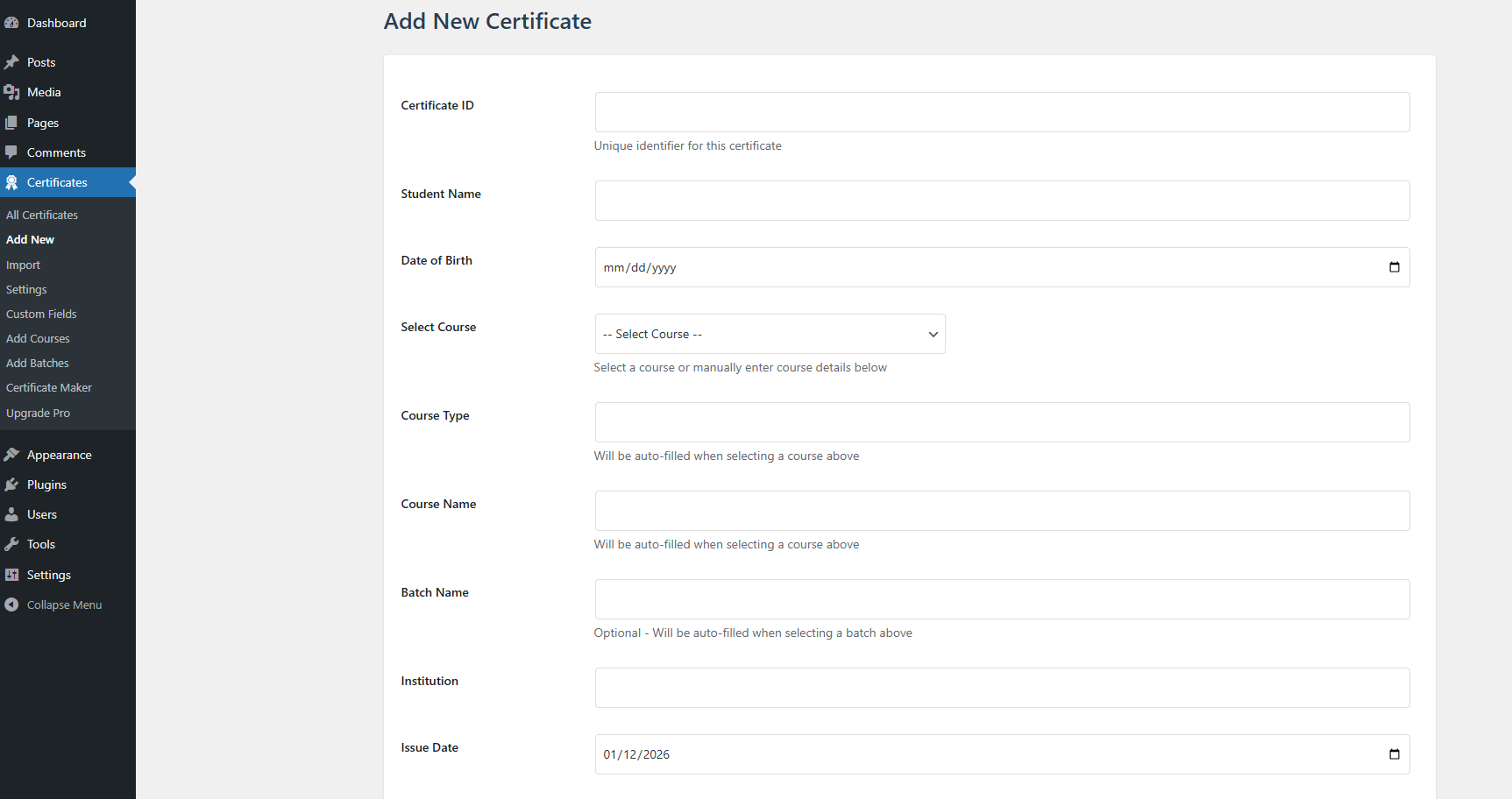
yourdomain.com/verify-certificate/{certificate-id}/{certificate-code}/. - Built-in Certificate Maker & Designer: Easily generate custom styled certificates with student names, course names, issue dates, expiry dates, signatures, and logos.
- Bulk Import & Export (CSV): Seamlessly import thousands of certificate records from CSV spreadsheets and export data whenever needed.
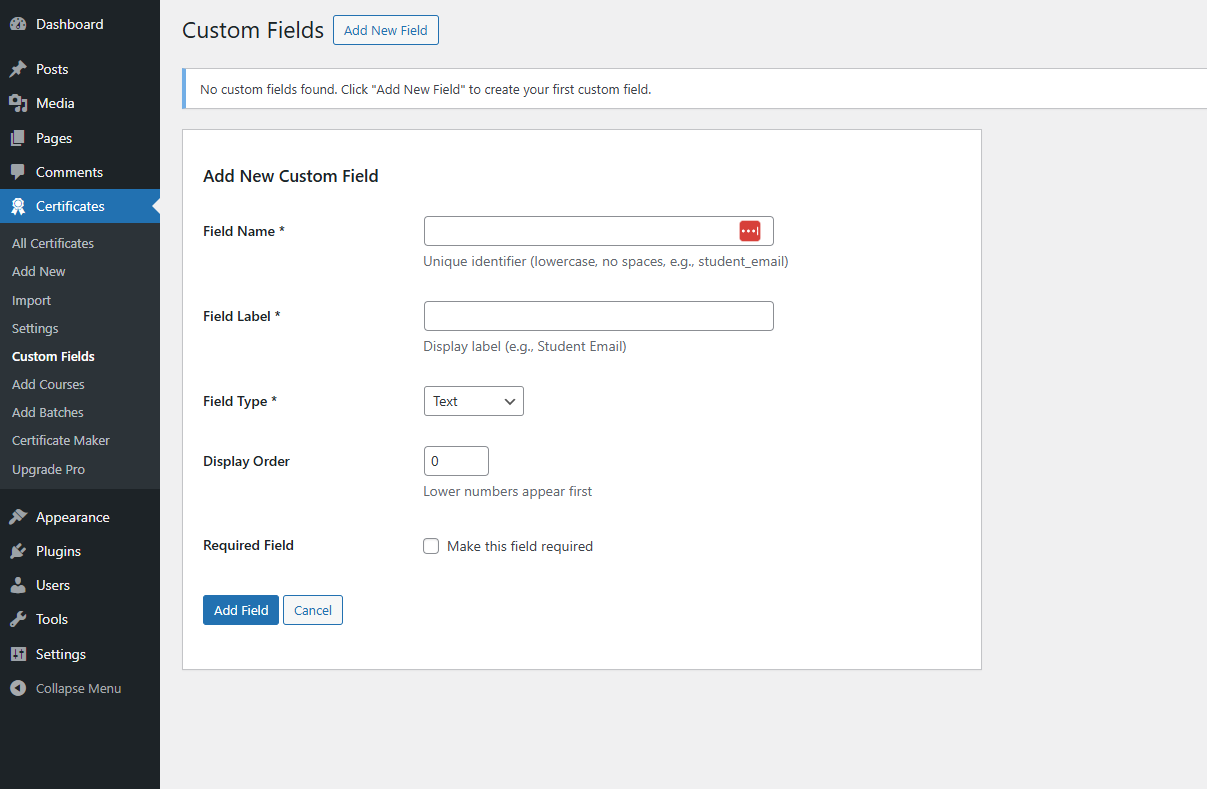
- Custom Fields & Metadata: Add unlimited custom fields such as Student Roll Number, Registration ID, GPA/Grade, Award Category, Institution Name, and Issuing Authority.
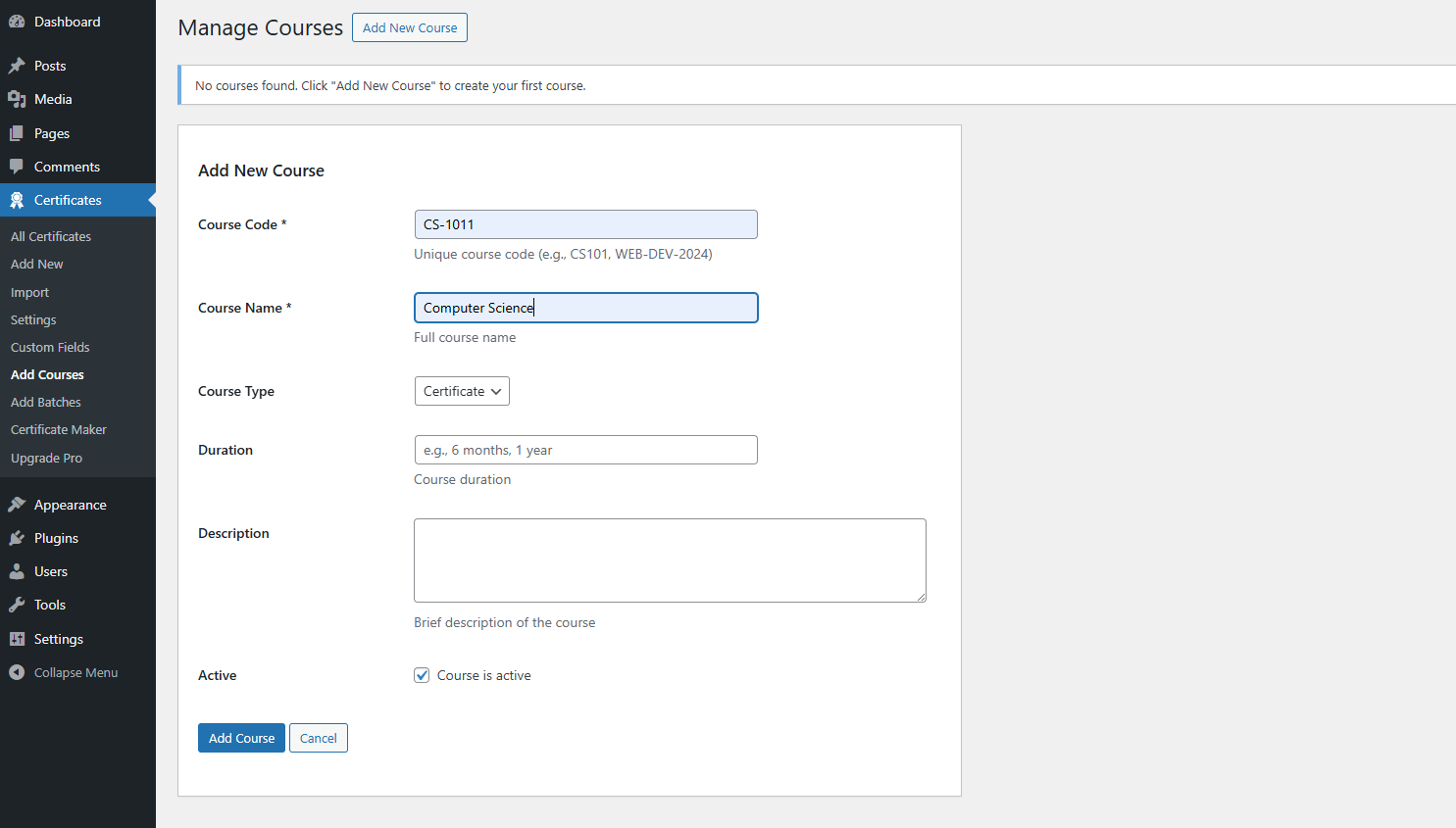
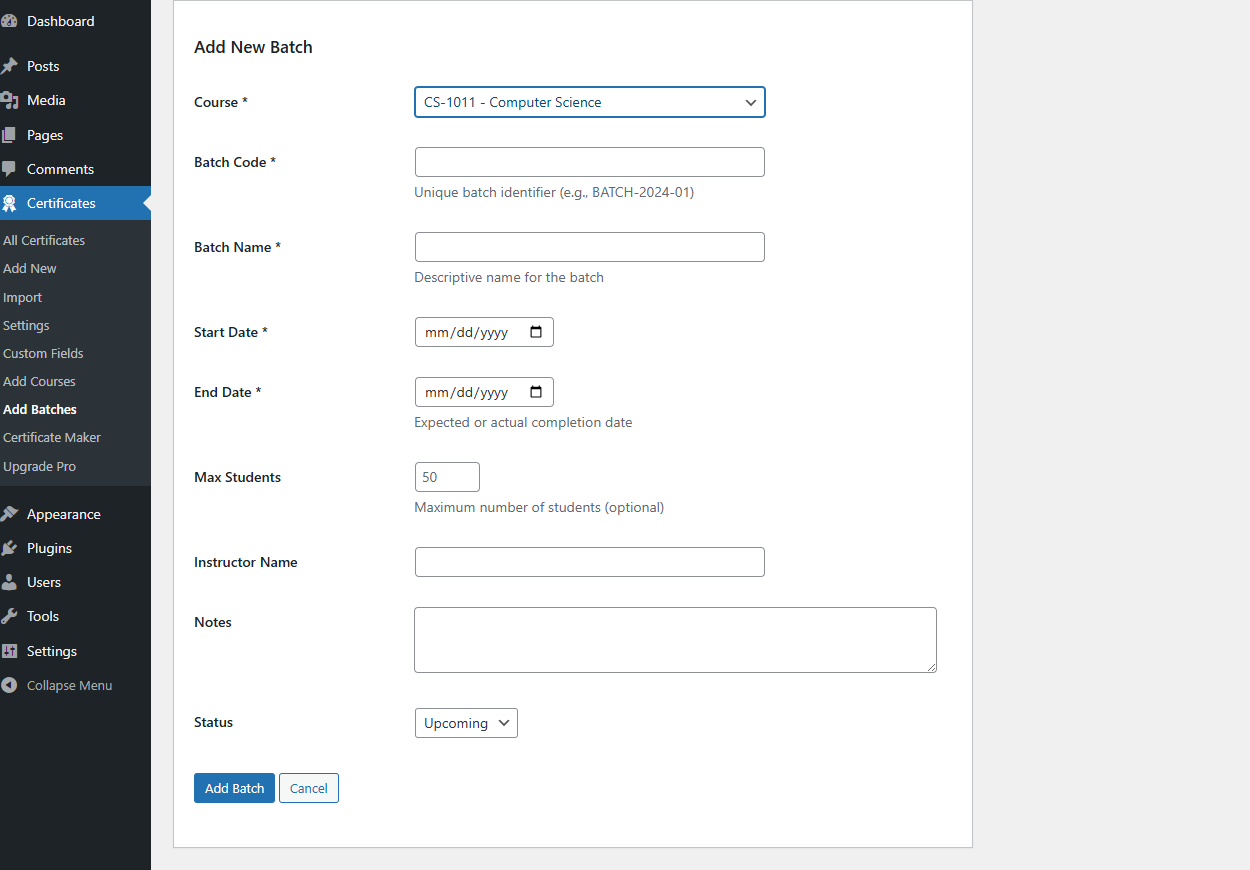
- Course & Batch Management: Categorize certificates by specific courses, academic departments, graduation years, or training batches.
- Instant PDF Certificate Download: Allow students and verifiers to download print-ready PDF certificates with a single click.
- QR Code & Barcode Verification: Scan QR codes on printed certificates using any smartphone camera to verify authenticity immediately.
- Social Media Certificate Sharing: One-click certificate sharing to LinkedIn, Facebook, Twitter/X, WhatsApp, or direct URL copy for student portfolio showcase.
[acceve_certificate_verification]- Displays the interactive Frontend Certificate Verification Search Form. Users enter their Certificate ID and Code to check authenticity.[acceve_certificate_display]- Displays the complete Verified Certificate details dynamically on your verification page (/verify-certificate/).[acceve_certificate_filter](Pro Feature) - Displays an advanced public Certificate Directory & Search Filter Table with multi-criteria search.
- Universities & Higher Education: Verify student degrees, academic transcripts, diplomas, and graduation honors.
- Online Academies & LMS Platforms: Validate course completion certificates for E-Learning platforms, Udemy-style sites, and membership platforms.
- Professional Certification Bodies: Issue and authenticate professional accreditations, IT certificates, and ISO compliance certifications.
- Corporate HR & Employee Training: Verify workplace safety certificates, employee skill badges, and corporate training programs.
- Event Organizers & Workshops: Issue participant certificates for webinars, conferences, hackathons, and workshops.
安装:
- Log in to your WordPress Admin Dashboard.
- Navigate to Plugins → Add New.
- Search for Academic Certificate Verification.
- Click Install Now, then click Activate.
- Download the plugin
.zipfile. - Go to Plugins → Add New → Upload Plugin.
- Choose the
.zipfile and click Install Now. - Click Activate Plugin.
/%postname%/).
3. Click Save Changes.
📄 Displaying the Verification Page
Upon activation, the plugin automatically creates a page named Verify Certificate containing the [acceve_certificate_display] shortcode. You can also place [acceve_certificate_verification] on your Homepage, Contact Page, or any custom verification landing page.
屏幕截图:
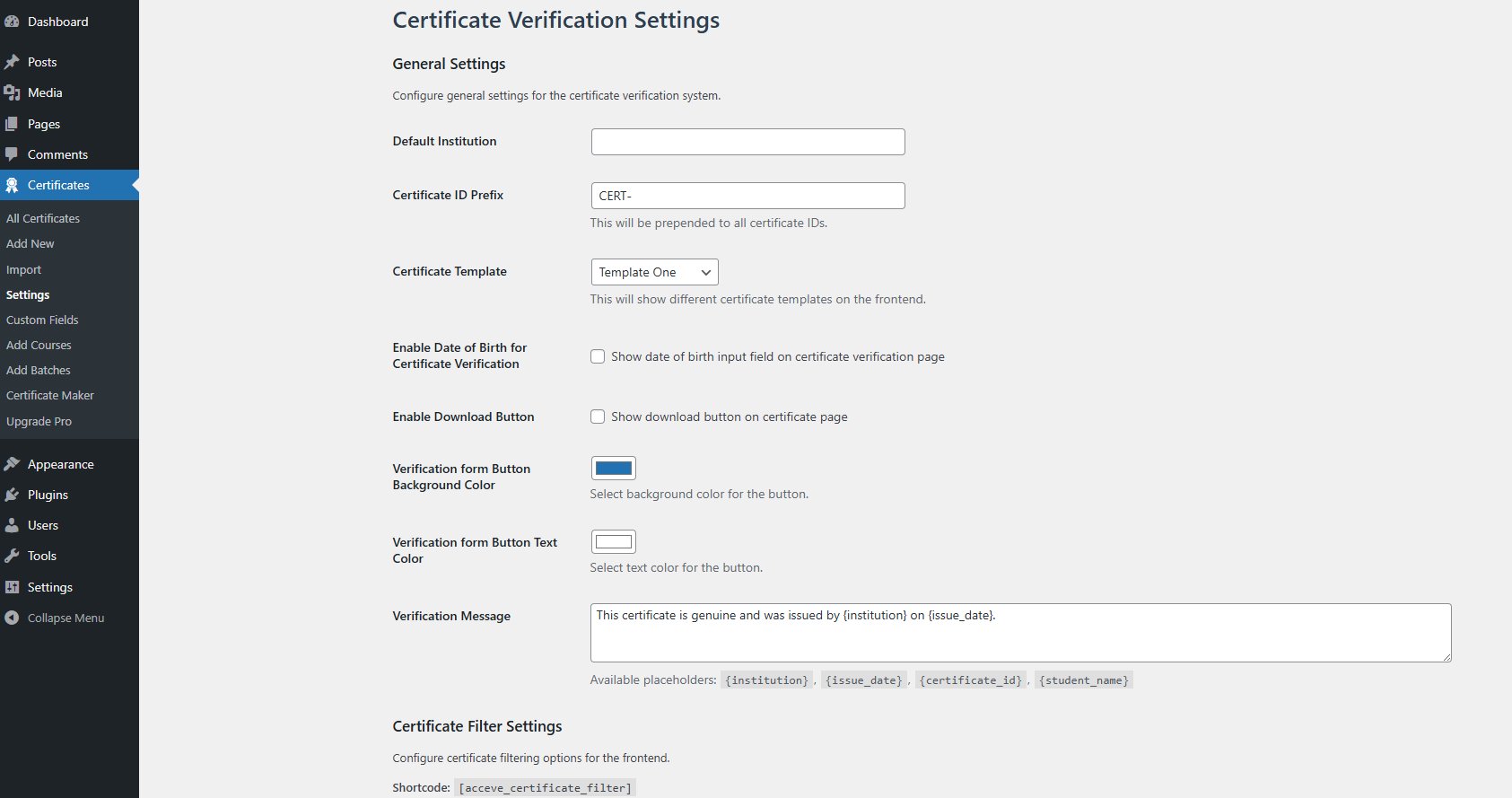
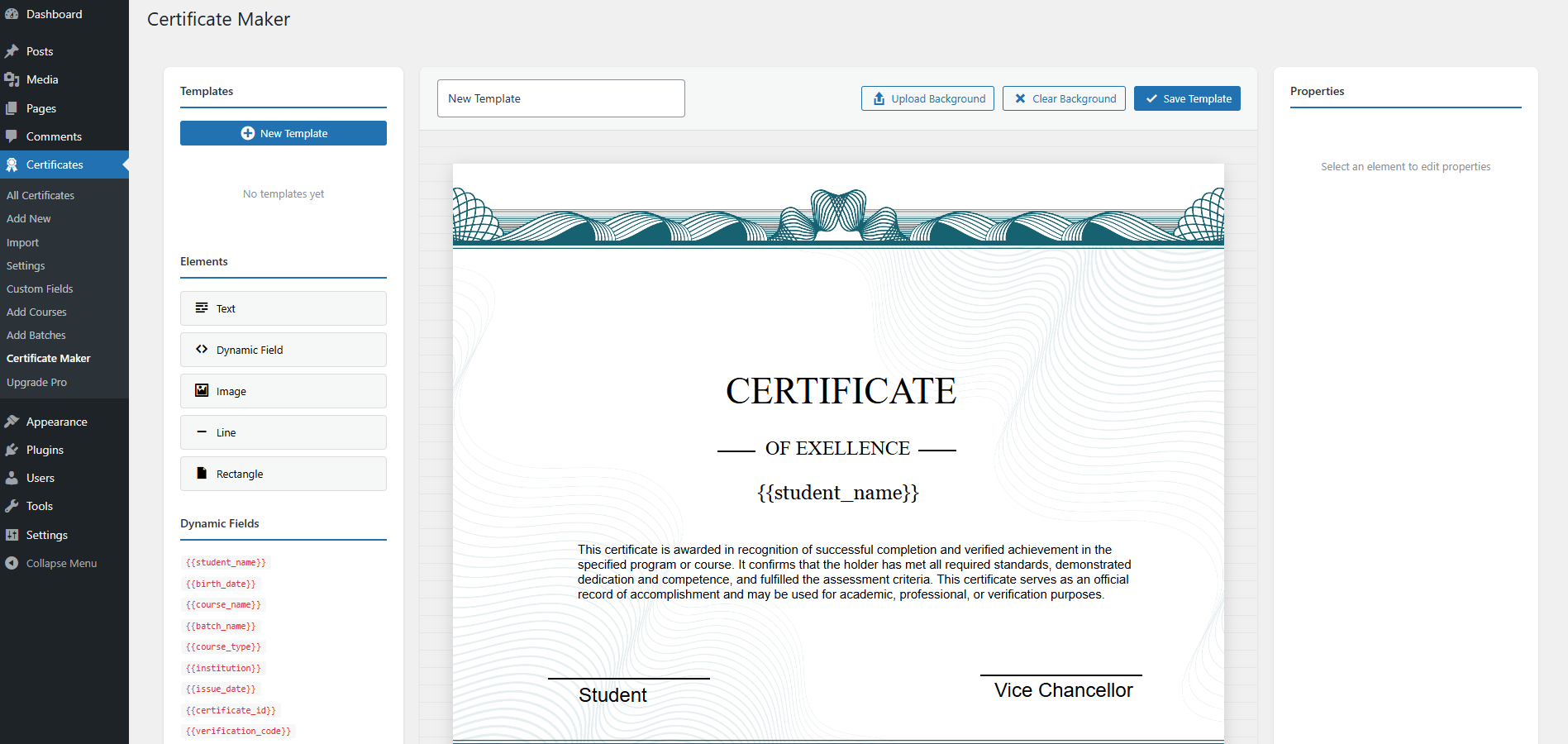
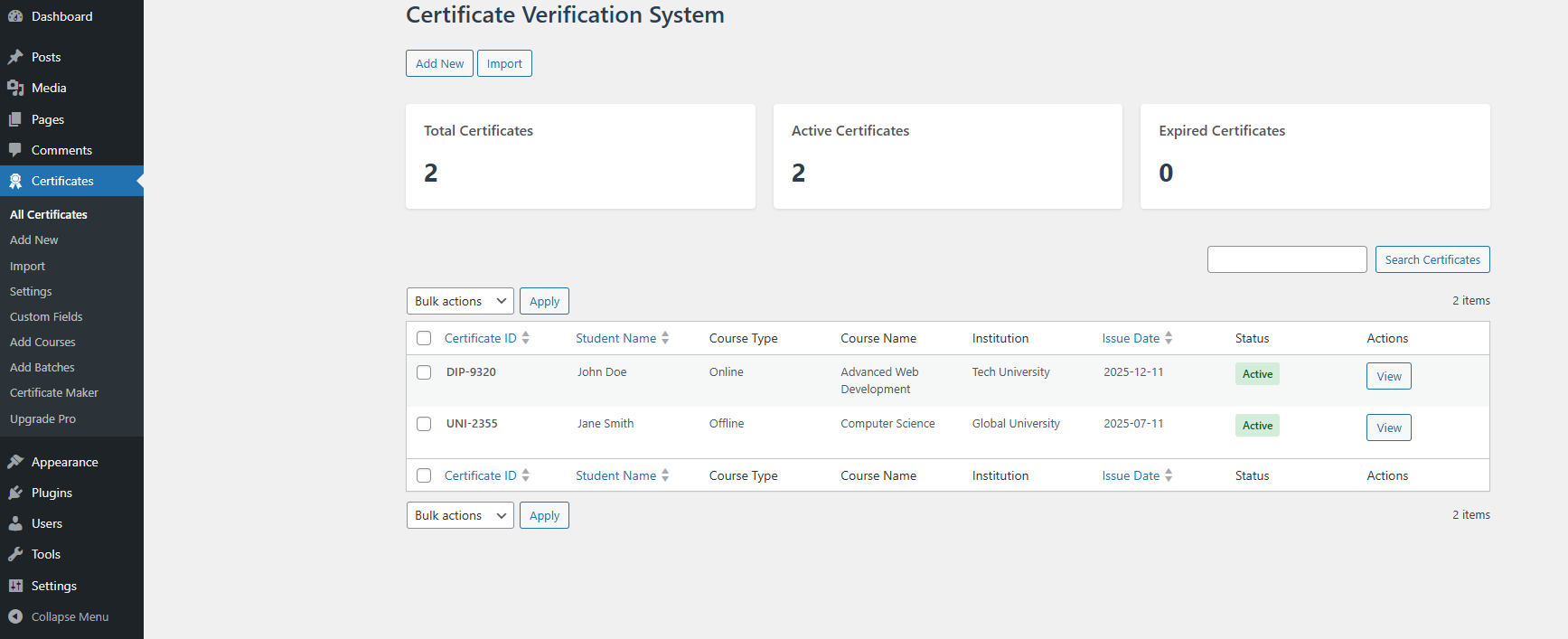
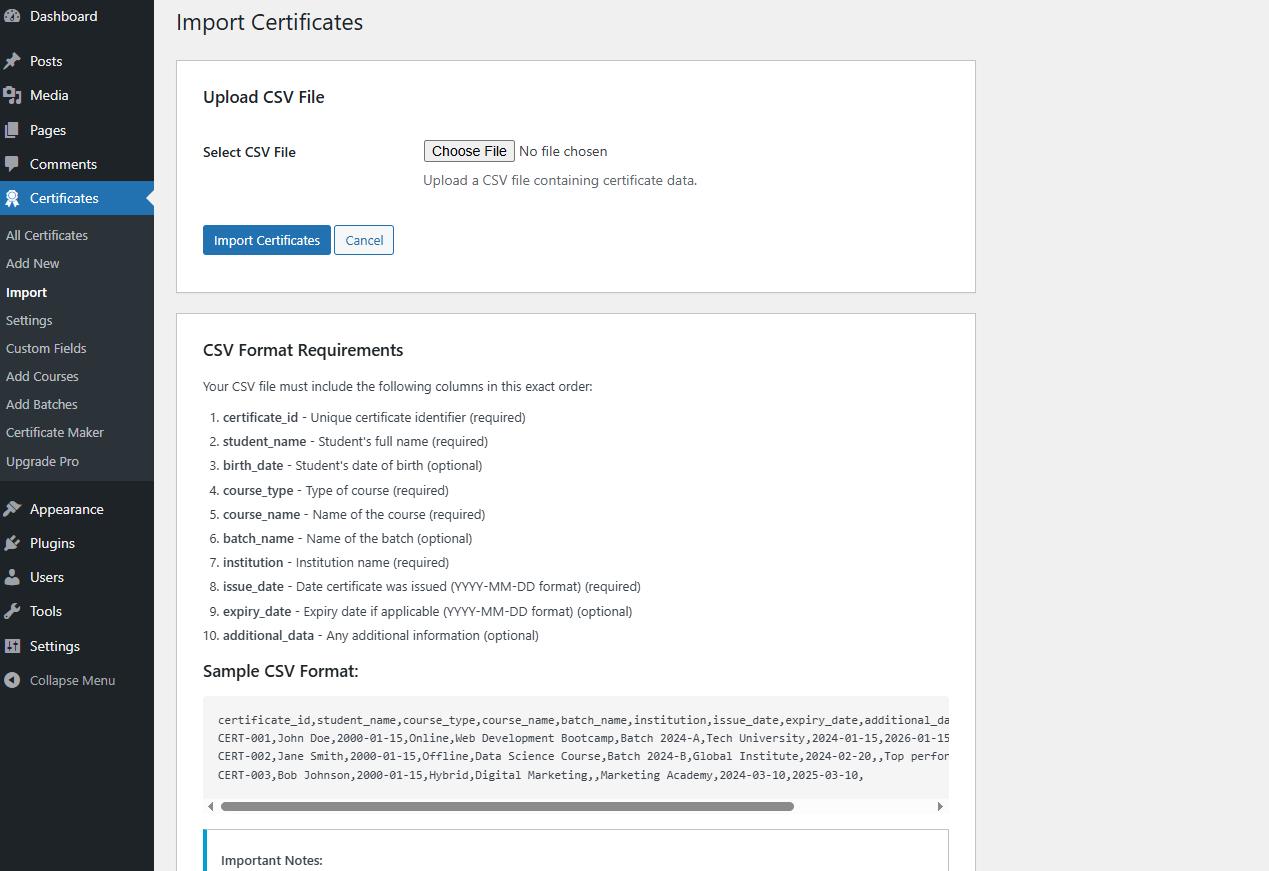
![**Public Certificate Filter & Search Table:** Allow public directory searching (`[acceve_certificate_filter]`).](https://cdn.jsdelivr.net/wp/academic-certificate-verification/assets/screenshot-6.png)
常见问题:
How does the Certificate Verification form work?
Visitors enter the Certificate ID and optional Verification Code into the form generated by [acceve_certificate_verification]. The plugin queries your database and displays the authentic certificate credentials, student details, and verification status.
Can verifiers scan QR codes to verify certificates?
Yes! In the Pro version, every generated certificate includes an embedded QR code and barcode. Scanning the QR code with any mobile device opens the direct verification page immediately.
How do I import certificates in bulk?
Using the Import feature in the Pro version, you can upload a CSV spreadsheet containing hundreds or thousands of student records, certificate IDs, student names, course names, issue dates, and custom fields.
Can users download certificates as PDF files?
Yes, the Pro version includes built-in PDF rendering using FPDF. Students and verifiers can click the Download PDF button on the frontend verification page or admin panel to get a high-resolution PDF certificate.
Is it compatible with LMS plugins like LearnDash or Tutor LMS?
Yes! Academic Certificate Verification works standalone or alongside popular LMS plugins, membership systems, and page builders. You can add certificates for any course or batch regardless of your LMS setup.
Can I add custom metadata fields like Roll Number or GPA?
Absolutely. Under Certificates → Custom Fields, you can define custom attributes (e.g., Roll No, Registration No, Grade, Award Title) and display them on certificate templates.
Can I customize the date format displayed on certificates?
Yes. You can select your preferred date format (e.g., Y-m-d, d/m/Y, F j, Y) directly from Certificates → Settings.
更新日志:
- Update: Certificate verification form design.
- New: Certificate maker updated.
- New: Certificate verification form design.
- New: Certificate maker bullet list.
- New: License deactivation.
- Fix: Fixed admin table certificate search and pagination.
- Fix: Resolved certificate data CSV import parsing issue.
- New: Added customizable Date Format setting in Certificate Settings menu.
- Update: Database query optimization and index improvements for
acceve_certificate_verificationtable.
- Fix: Resolved certificate ID prefix auto-generation saving issue.
- Fix: Corrected CSS layout alignment on custom certificate template render.
- Fix: Fixed backend certificate update saving handler.
- New: QR Code & Barcode generation support for printed certificate verification.
- New: Multi-format modern certificate template styling engine.
- New: Attached instant PDF Download button on Admin dashboard certificates table.
- New: Added PDF Download action button on frontend certificate verification result page.
- New: Social media certificate sharing bar (LinkedIn, Facebook, Twitter, WhatsApp).
- New: Multi-template selection per course and batch assignment.
- Update: Redesigned Admin Settings user interface for faster configuration.
- New: Pro features integration badge and feature toggles.
- Update: Enhanced AJAX verification responses for faster frontend search performance.
- Update: Security hardening on nonces, sanitization, and database query escaping.
- Fix: Fixed expiry date saving logic from backend admin form.
- New: Added
[acceve_certificate_filter]shortcode for certificate searching. - New: Course Management module.
- New: Batch Management module.
- New: PDF Certificate rendering engine.
- New: Visual Certificate Maker builder.
- Initial public release with core verification shortcodes, custom permalinks, and CSV export.