Admin Menu Filter
| 开发者 | alejandromorenomvd |
|---|---|
| 更新时间 | 2026年10月11日 03:30 |
| 捐献地址: | 去捐款 |
| PHP版本: | 5.6 及以上 |
| WordPress版本: | 7.1 |
| 版权: | GPLv2 or later |
| 版权网址: | 版权信息 |
详情介绍:
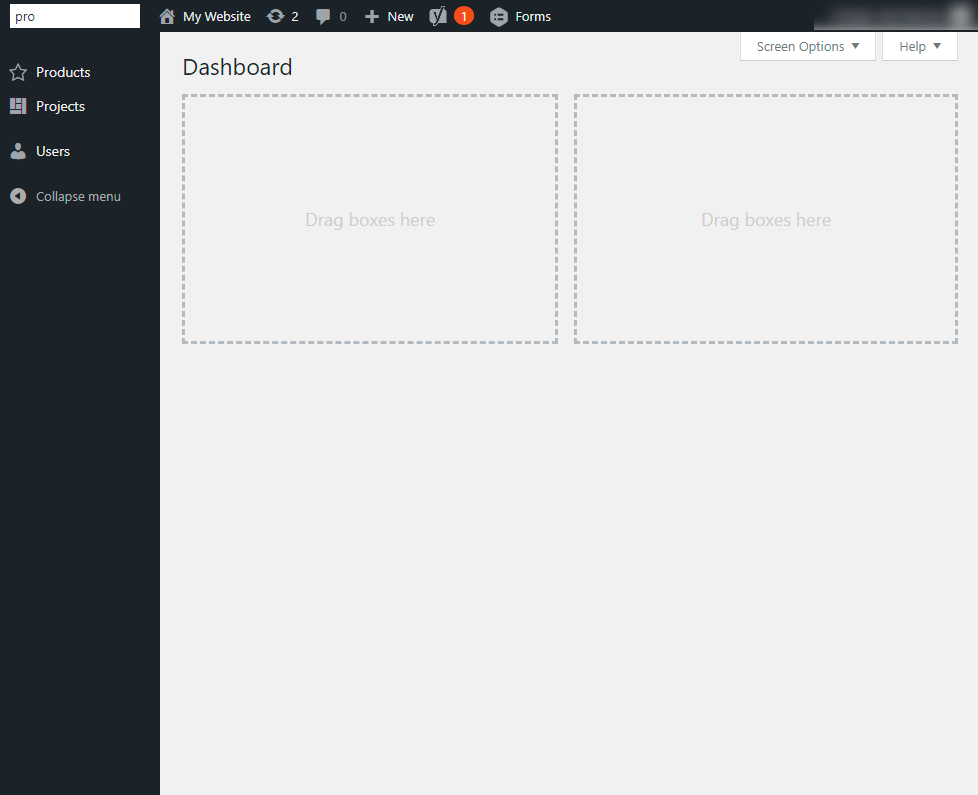
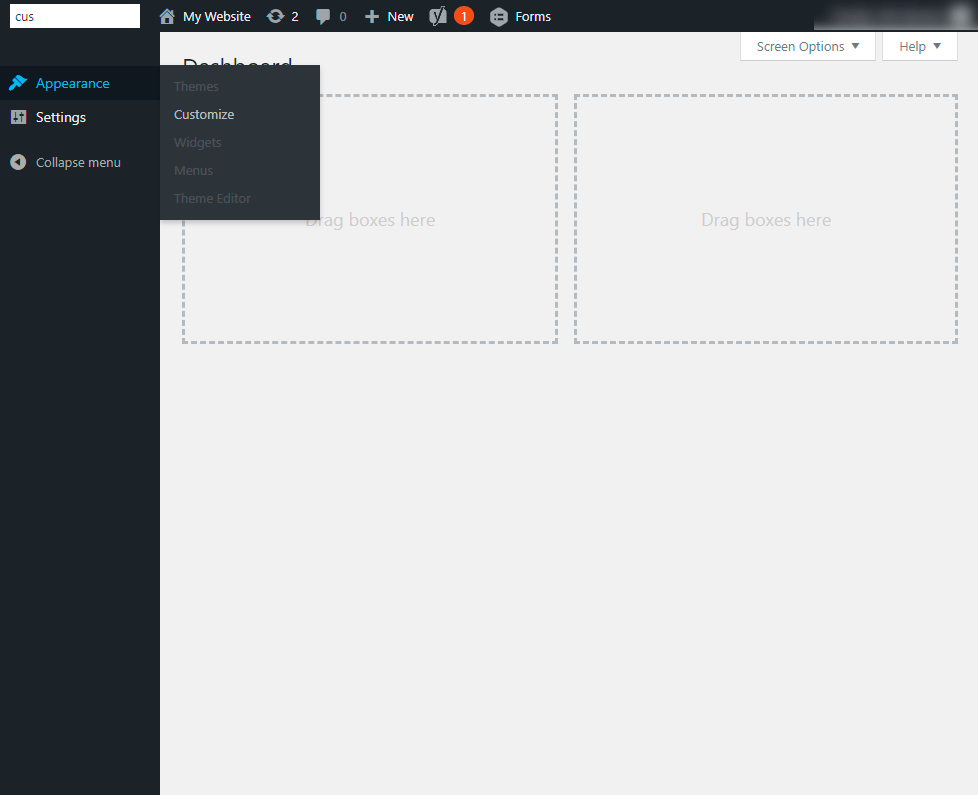
Sometimes you may have a lot of admin menu items based on your WordPress installation. With this plugin, you only need to type a few letters of the item name you're looking for and voila! The plugin uses plain JavaScript (no jQuery) to filter menu items with case-insensitive matching.
Features:
- Instant filtering - Debounced search, so typing stays smooth even with long menus
- Keyboard shortcuts - Press
/to focus the search box (when you are not typing in a field), Escape to clear it - Matching children are reachable - Submenus of the matching items are expanded, no hovering needed
- Accessible - The box is a labelled search landmark and the number of results is announced to screen readers
- No jQuery dependency
- If a top-level item matches, it stays visible together with all of its submenu items.
- If only some submenu items match, those items stay visible (highlighted) under their parent, and the rest are hidden.
- Notification badges and screen reader text are ignored, only the visible name of each item is searched.
安装:
- Upload the plugin files to the
/wp-content/plugins/admin-menu-filterdirectory, or install the plugin through the WordPress plugins screen directly. - Activate the plugin through the 'Plugins' screen in WordPress
屏幕截图:
常见问题:
How do I focus the search box with the keyboard?
Press / anywhere in the admin, as long as you are not typing in a field. Press Escape inside the box to clear the filter. Ctrl/Cmd + F is not used anymore, so your browser's find in page keeps working.
How about mobile devices?
Could be added support on future versions. Currently it's thinking for desktop users. The search box is hidden when the admin menu is folded.
更新日志:
0.3.1
- Fix: the menu was permanently tinted blue, now only the items that match the search are highlighted
- Fix: Ctrl/Cmd + F no longer hijacked on every admin page, use
/to focus the search box instead - Fix: apostrophes in translated placeholders were shown as HTML entities
- A matching parent now keeps all of its submenu items, and matching submenus are expanded while filtering
- Menu separators are hidden while filtering, notification badges are ignored when matching
- Script and styles are now regular enqueued files (compatible with strict Content Security Policies) and are not loaded in iframes
- Search input is now
type="search"inside a search landmark, and results are announced to screen readers - Search box is hidden, and the filter reset, when the menu is folded
- Translatable strings now use a literal text domain
- Complete plugin headers, description typo fixed
- Complete rewrite: Remove jQuery dependency, vanilla JS implementation
- Add keyboard shortcuts (Ctrl/Cmd + F to focus, Escape to clear)
- Implement debounced search for better performance (150ms delay)
- Modern CSS with focus states and smooth transitions
- Optimize description, update styles
- Fix tagging and update WP 6.8.2 compat
- Improve Plugin Tagging
- WP 6.7.2 compat
- WP 6.1 compat
- Improve script init
- Remove Doc Ready wrapper
- Check compatibility WP 5.6
- First release