
Advanced Cron Manager - debug & control
| 开发者 |
bracketspace
Kubitomakita |
|---|---|
| 更新时间 | 2026年3月10日 21:27 |
| PHP版本: | 5.3 及以上 |
| WordPress版本: | 6.9 |
| 版权: | GPLv2 |
| 版权网址: | 版权信息 |
标签
下载
详情介绍:
- See every scheduled event — view all registered cron events with their hooks, arguments, schedules, and next execution times, all in one clean dashboard
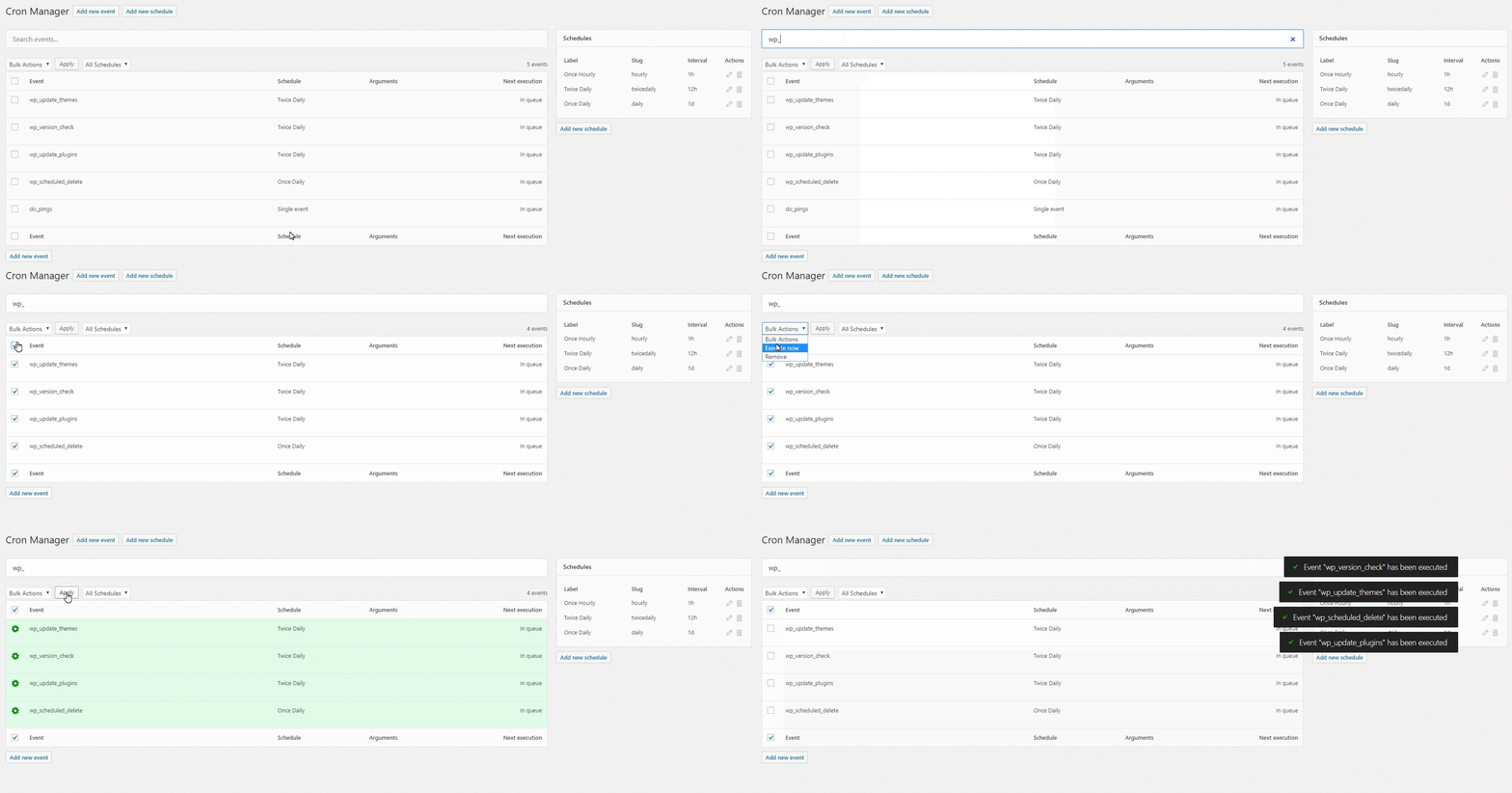
- Search and filter — quickly find the event you're looking for, even on sites with hundreds of cron jobs
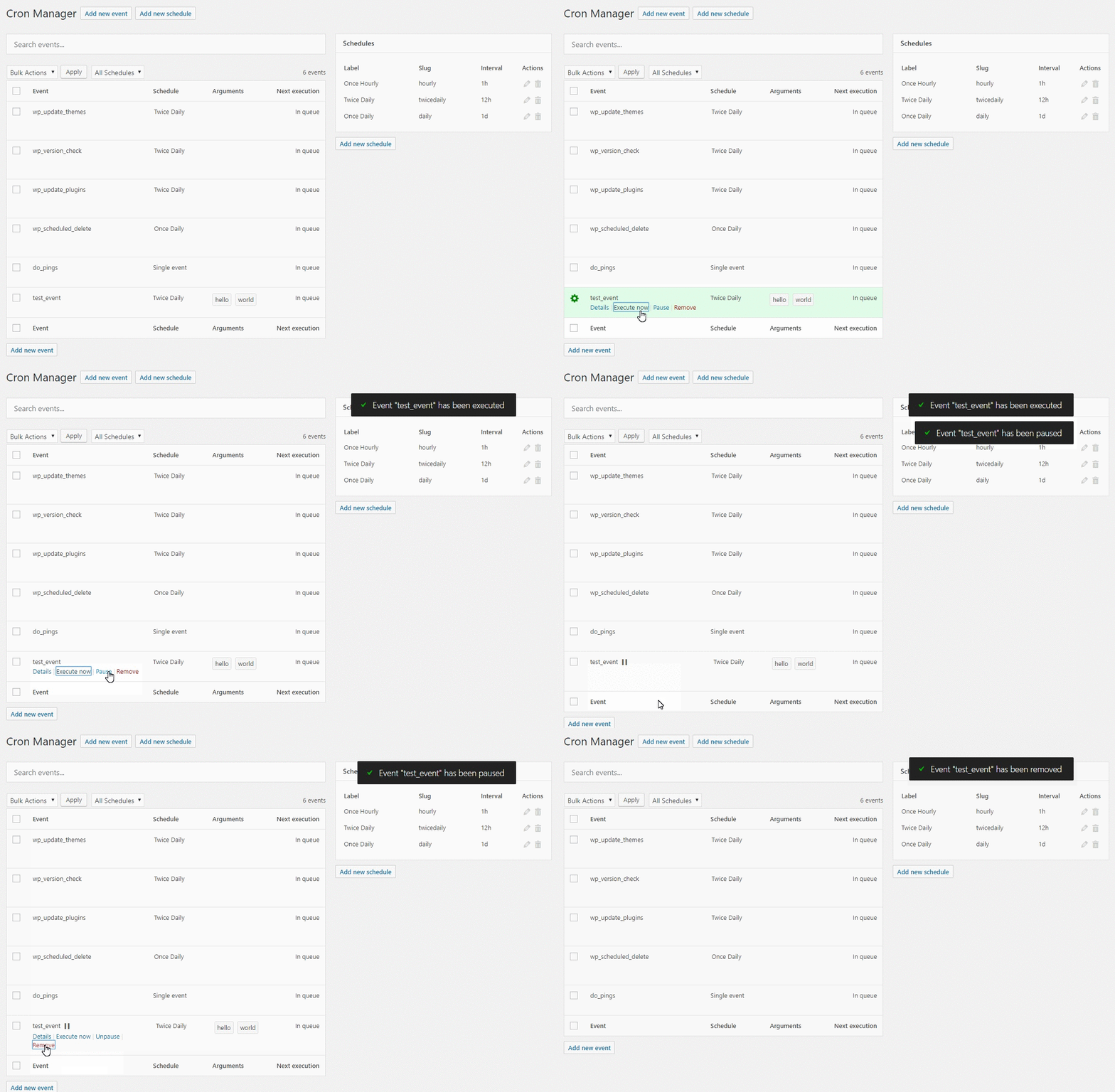
- Run events manually — trigger any cron event on demand to test it or force an immediate execution
- Pause and resume events — temporarily disable events without losing their configuration, perfect for troubleshooting
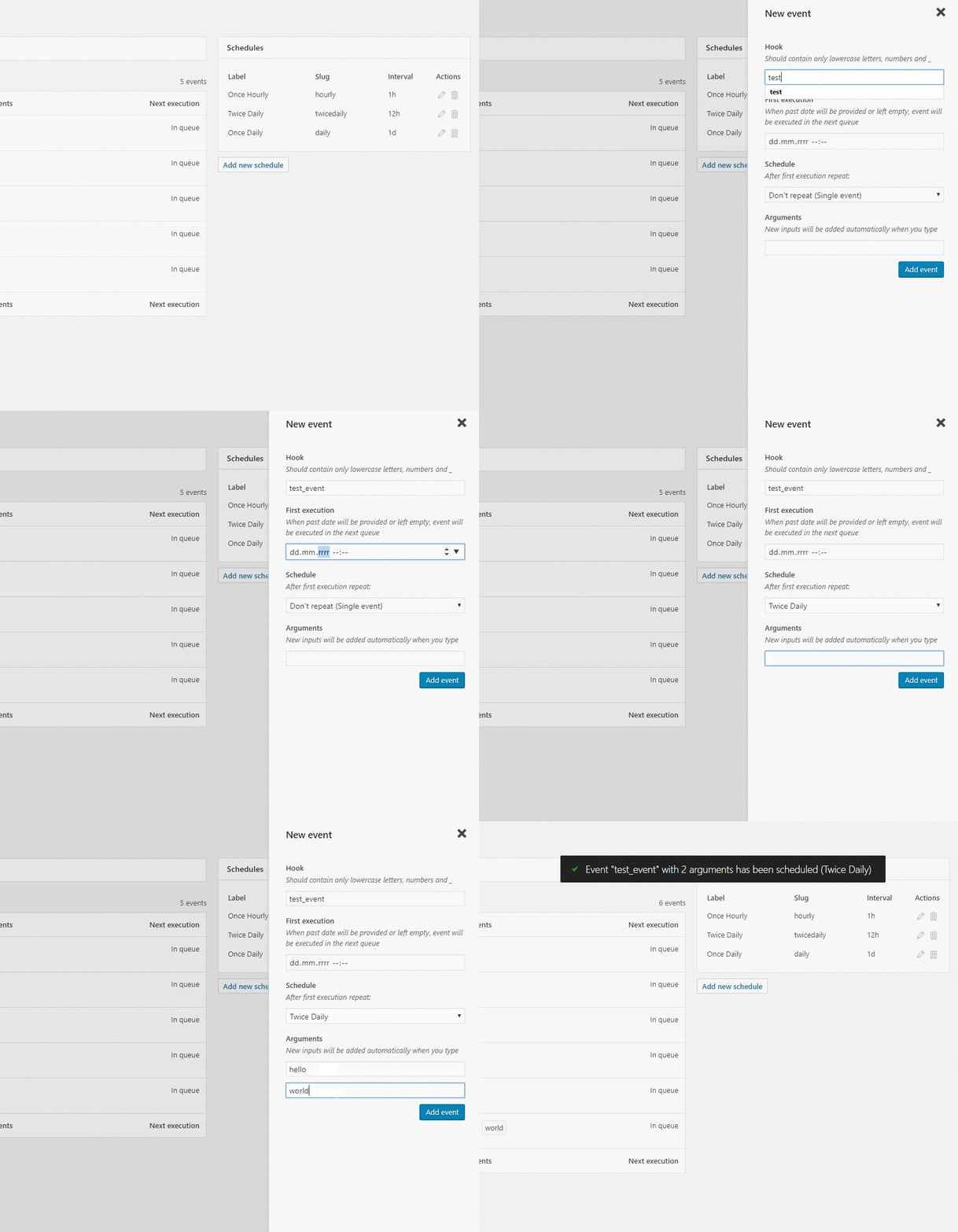
- Add and remove events — create new cron events or unschedule ones you no longer need
- Copy-paste PHP implementation — get ready-to-use code snippets for each event's action hook and callback
- Bulk actions — manage multiple events at once: remove, pause, or unpause in batch
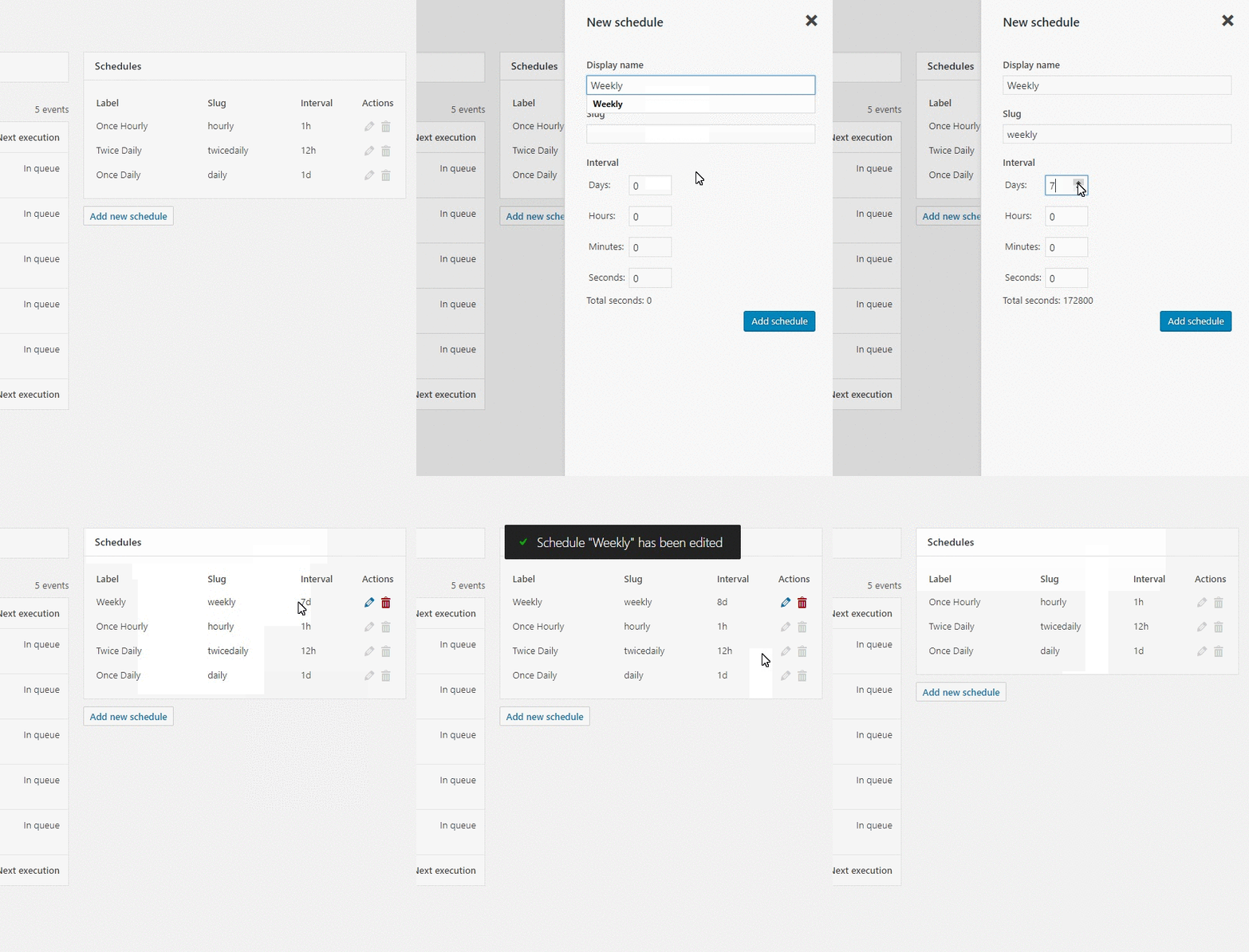
- Manage schedules — view, add, edit, and remove custom cron schedules (intervals)
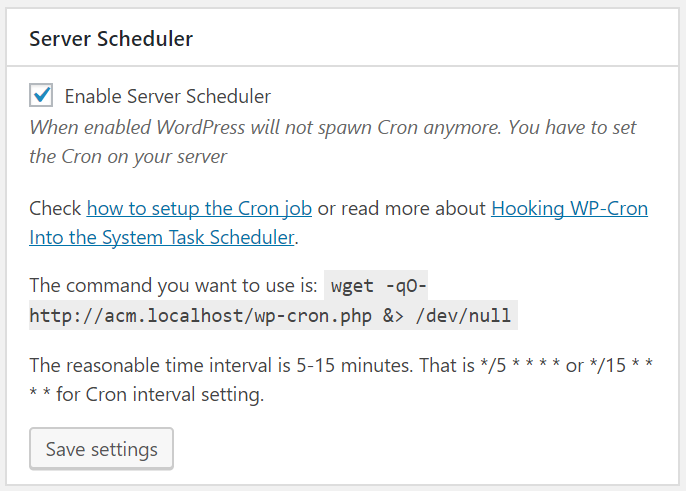
- Server Scheduler — disable WP-Cron's default page-load triggering and get instructions for setting up a real server cron job for more reliable execution
- Cron Logger — full execution history with timestamps and status for every event. Know exactly what ran, when it ran, and whether it succeeded or failed.
- Performance Stats — execution time and peak memory usage tracked per event. Spot slow or resource-heavy cron jobs before they become a problem.
- Error Catcher — automatically catches fatal errors thrown by cron callbacks and displays them in the log. No more silent failures.
- Debug Tool — log custom data from inside your cron callbacks using
do_action('advanced-cron-manager/log'). Get full visibility into what your code is doing during cron execution. - Event Rescheduling — change the next execution date and schedule of any event. Shift heavy tasks away from peak hours to balance server load.
- Event Listeners — see every function and method hooked into each cron event. Understand exactly what code runs behind each hook.
- Advanced Scheduling (Schyntax) — go beyond simple intervals. Schedule events for specific times like noon on the last day of the month, only on weekdays, every Tuesday and Friday, and more.
安装:
屏幕截图:
常见问题:
Tasks and schedules will be still working after plugin deactivation/removal?
Tasks yes. Schedules no.
How does the pausing/unpausing work
When you pause an event it's really unscheduled and stored in the wp_option. If you unpause it, it will be rescheduled. All paused events are rescheduled on plugin uninstall.
What is the Event hook?
It's used for action. For example if your hook is hook_name you'll need to add in PHP:
add_action( 'hook_name', 'function_name' )
Does this plugin allow to add PHP to events like in WP Crontrol plugin?
No. This is not safe. You can, however, copy the sample implementation and paste it into your own plugin or theme's function.php file.
Can this plugin block WP Cron and help hooking it into Server Cron like WP-Cron Control plugin?
Yes, but WP-Cron Control is quite old and it's tactics is not needed anymore. Advanced Cron Manager can disable spawning WP Cron on site visit and will give you useful information about added Server Cron task.
Can you create a plugin for me?
Yes! We're offering a custom plugin development services. Feel free to contact us to find out how we can help you.
How does Advanced Cron Manager compare to WP Crontrol?
WP Crontrol is a popular and well-maintained plugin — it's a solid choice for basic cron management. Both plugins let you view, edit, add, remove, pause, and manually run cron events, as well as manage custom schedules. Where Advanced Cron Manager stands out in the free version: you get copy-paste PHP implementation snippets for every event's action hook and callback, plus bulk actions to manage multiple events at once. The biggest difference is in the PRO upgrade. Advanced Cron Manager PRO adds cron execution logging, per-event performance stats, automatic error catching, and a debug tool for logging custom data from inside your callbacks. These diagnostic features are not available in WP Crontrol. Switching between the two is seamless — both plugins read from the same underlying WP-Cron system, so there's nothing to migrate. You can install Advanced Cron Manager and immediately see all your existing events and schedules.
What about Action Scheduler? Do I need both?
Action Scheduler and Advanced Cron Manager solve different problems. Action Scheduler is a background job queue designed for processing large batches of tasks — it's used by WooCommerce and other plugins to handle things like webhook delivery, subscription payments, and bulk data operations. It has its own database-backed queue separate from WP-Cron. Advanced Cron Manager focuses on WP-Cron — the built-in WordPress scheduling system that handles recurring tasks like checking for updates, publishing scheduled posts, sending emails, and running backups. If you need visibility into what WP-Cron is doing and tools to debug it, that's what Advanced Cron Manager is for. The two plugins complement each other. Action Scheduler manages its own job queue, while Advanced Cron Manager gives you control over WP-Cron events and schedules. Many sites run both without any conflict.
How does Advanced Cron Manager compare to WP Cron Status Checker?
WP Cron Status Checker is a monitoring-only tool — it checks whether WP-Cron is running, logs hook executions, and sends email alerts when something fails. It does not let you view, edit, add, remove, or run cron events. Advanced Cron Manager is a full management tool. You get a complete dashboard for all your cron events and schedules, with the ability to search, add, edit, remove, pause, and manually run any event. With the PRO version, you also get execution logging, performance stats, and error catching — covering the monitoring side as well. If you only need a simple health check for WP-Cron, WP Cron Status Checker does the job. If you want both management and diagnostics in one plugin, Advanced Cron Manager (especially with PRO) replaces the need for a separate status checker.
更新日志:
- [Changed] Event hash no longer includes next execution timestamp, making it stable across reschedulings
- [Fixed] "In queue" cron events failing to delete, run, or pause with "wrong_nonce" error
- [Fixed] Bulk actions (remove, pause, unpause) failing due to parallel AJAX race conditions
- [Fixed] Undefined $errors variable when removing non-protected events
- [Security] Added nonce verification to rerender AJAX endpoints to prevent CSRF
- [Security] Added capability check to form provider endpoints
- [Security] Improved output escaping in implementation code and view templates
- [Security] Improved event hook sanitization using sanitize_text_field() to prevent XSS while allowing valid hook characters
- [Security] Added validation for schedule intervals to prevent invalid values
- [Security] Strengthened authorization checks in admin screen methods
- [Security] Enhanced output escaping in event row view template
- [Security] Standardized nonce verification in AJAX handlers with better input validation
- [Security] Added proper validation and sanitization for server settings
- [Security] Fixed unsanitized input in FormProvider.php schedule slug handling
- [Fixed] Fixed PHP 8.4 deprecation warning with trigger_error() by replacing with exception
- [Fixed] Fixed TypeError on PHP 8.3+ where count() was called on non-countable value in Event implementation
- [Changed] Updated WordPress Coding Standards to version 3.2 and resolved all coding standard warnings
- [Changed] Renamed reserved keyword parameters for better PHP compatibility ($protected to $is_protected, $new to $new_event)
- [Fixed] Fixed translation loading issue that was triggered too early in AdminScreen constructor.
- [Fixed] Fixed AdminScreen instance inconsistency that prevented CSS and JS assets from loading on plugin page.
- [Fixed] Fixed schedules variable conflict that prevented schedules table from displaying properly.
- [Changed] Merged ScreenRegisterer class with AdminScreen class for better code organization.
- [Fixed] Fixed stable package creation issues - moved package exclusions to .distignore and ensured vendor and assets directories are included.
- [Changed] Exclude Claude configuration files from plugin distribution exports.
- [Changed] Add composer and yarn build steps to stable release workflow.
- [Changed] Removed textdomain loading to fix WordPress 6.7+ localization warnings - translations now load automatically from GlotPress.
- [Changed] Server Scheduler section now detects when DISABLE_WP_CRON constant is defined in wp-config.php.
- [Changed] Updated GitHub Actions stable workflow to use latest action versions and simplified deployment process.
- [Fixed] Fixed security issue causing subscribers could see the schedules or events.
- [Fixed] Missing plugin assets in package.
- [Fixed] Undefined variable typo.
- [Fixed] Plugin package.
- [Fixed] Security vulnerability.
- [Added] Custom schedules availability info.
- [Added] Code filters and actions. Required by Advanced Cron Manager PRO v2.7.
- [Security] Some input fields were not sanitized properly.
- [Fixed] Warning while adding new event.
- [Changed] Adding a proper message when you try to delete non-existing event.
- [Fixed] Dynamic property notices.
- [Fixed] Notice when adding event without arguments.
- [Fixed] Server scheduler conditional display logic.
- [Fixed] PHP 8 deprecated dynamic property creation.
- [Changed] Fixed typos.
- [Added] New WordPress protected events.
- [Changed] Updated dependencies (Node >= 12)
- [Changed] Adding a new event form now has more user-friendly argument management.
- [Added] Listeners - with PRO version you can now see all the methods hooked into the particular event.
- [Added] Event argument preview - arguments that contain objects, arrays, or are longer than 10 characters are now nicely formatted inside a modal.
- [Fixed] Link to server scheduler documentation
- [Fixed] Unauthorized actions. Now all the plugin actions are checking if the user is allowed to run them.
- [Fixed] Composer dev dependencies are now not bundled in the production package
- [Fixed] "nul" typo causing fatal errors on newer PHP versions
- [Changed] Updated composer dependencies
- [Added] Event columns sorting
- [Fixed] Cron hook sanitizer doesn't allow usage of slashes
- [Fixed] Update list of protected events
- [Fixed] Preserve search when events table rerender
- [Changed] Don't allow to pause protected events
- [Fixed] A "Trying to get property 'hash' of non-object" warning fix when executed event doesn't exist anymore
- [Added] Action for adding own event row actions
- [Fixed] "non-numeric value encountered" error with event arguments
- [Fixed] Fatal error when even argument was an object. Now, class name is displayed
- [Changed] Now when event is executed manually, DOING_CRON constant is defined
- [Fixed] Events table width
- [Changed] ACF PRO download link
- [Fixed] WordPress <4.7 compatibility
- [Fixed] PHP 7.2 compatibility
- [Fixed] Fatal error when event argument was an object
- [Fixed] Notices
- [Fixed] Arguments list in the events table
- [Changed] Composer libraries updated
- [Changed] Node packages updated
- [Added] Plugin action link on Plugins table = 2.3.4
- [Fixed] wp-hooks script handle, causing the page to not load plugin's JavaScript = 2.3.3
- [Changed] JavaScript hooks library which was conflicting with Gutenberg
- [Fixed] i18n of Apply button
- [Added] Scheduled and Uncheduled actions for events
- [Fixed] Array to string conversion error fix for event arguments
- [Fixed] Missing old plugin file error fix
- [Added] Notification plugin promo box
- [Changed] Proper compatibility with PHP 5.3
- [Changed] Updated composer libraries
- [Changed] Dice Container is not longer used
- [Fixed] Problem with nested Composer environment, thanks to @v_decadence
- [Fixed] Assets vendor directory
- [Added] Compatibility with PHP 5.3 with Dice library
- [Changed] PHP 5.6 requirement to PHP 5.3
- [Changed] Moved Container to separate file
- [Changed] Minimum PHP version to 5.6
- [Fixed] Delete file where DI52 container was still used
- [Changed] Updated composer libraries
- [Changed] Changed DI52 Container to Dice in own namespace
- [Added] Server Scheduler section with information about hooking the WP Cron to server scheduler
- [Changed] Schedules can be registered in the system with 0s interval, thanks to @barryalbert
- [Changed] Requirements lib has been moved to Composer
- [Changed] Utilities classes has been moved to separate composer libraries
- [Changed] Requirements checks
- [Changed] date() function to date_i18n()
- [Fixed] Deprecated function has been updated
- [Fixed] Translations. There was few missing gettext functions
- [Added] Schedules dropdown in add new event form now includes schedule's slug
- [Added] Sanitization of Schedule and Event slugs in Add forms
- [Changed] Pretty much everything. There's new interface and code base.
- [Added] Events search
- [Added] Ability to pause/unpause events
- [Added] Ability to edit schedules
- [Added] Example PHP implementation for each event (action and callback function)
- [Added] Bulk actions
- [Fixed] Manual execution of task which is giving an errors
- [Added] French translation thanks to Laurent Naudier
- [Changed] Promo box from Popslide plugin to Notification
- Metabox promo update
- Fixed executing when args are provided
- Added hooks for PRO version
- Removed PHP closing tags
- Added settings widget
- Fixed arguments passed to the action on AJAX request
- Added promo metabox
- WordPress 4.1 comatybility check
- Updated translation
- Added plugin icon
- Readme improvement
- Added execution button
- Removed debug alert
- Fixed Schedules list from other plugins
- Plugin release