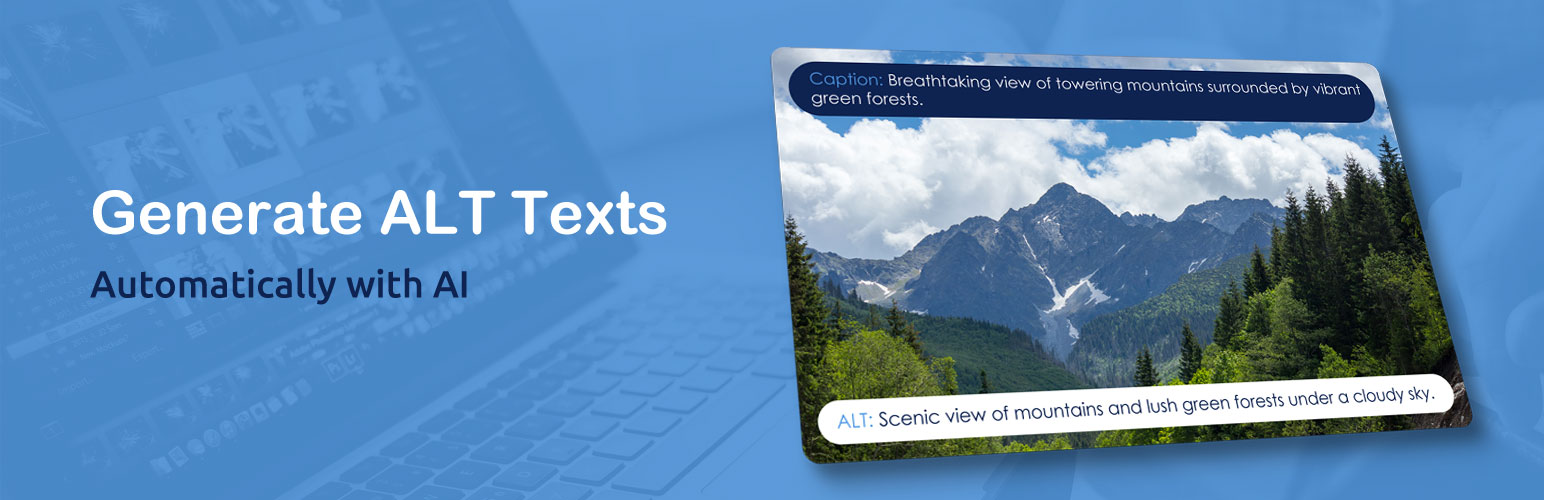
AI Image Alt Text Generator – Imagerr AI
| 开发者 |
andrejdivi
dbeja netrr |
|---|---|
| 更新时间 | 2026年10月6日 20:17 |
| 捐献地址: | 去捐款 |
| PHP版本: | 4.6 及以上 |
| WordPress版本: | 7.1 |
| 版权: | GPLv2 or later |
| 版权网址: | 版权信息 |
详情介绍:
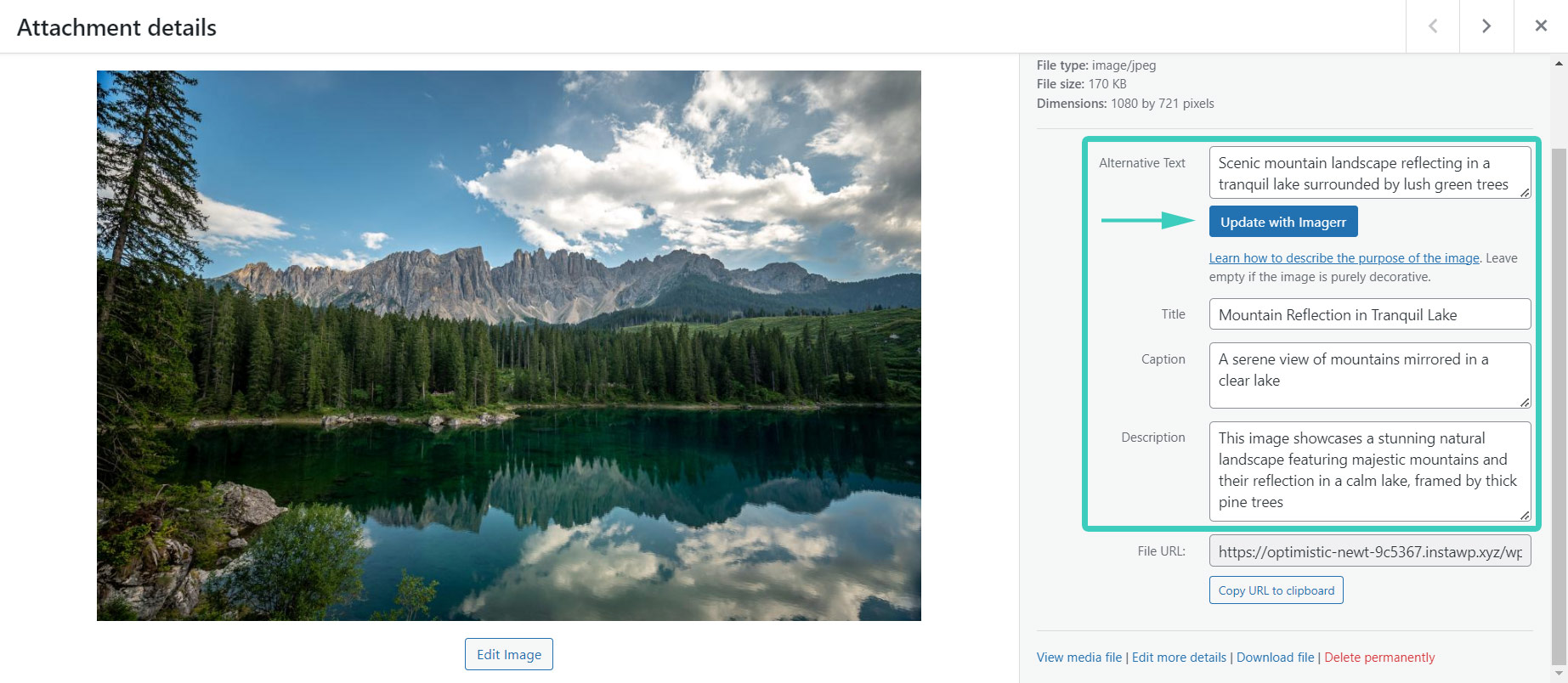
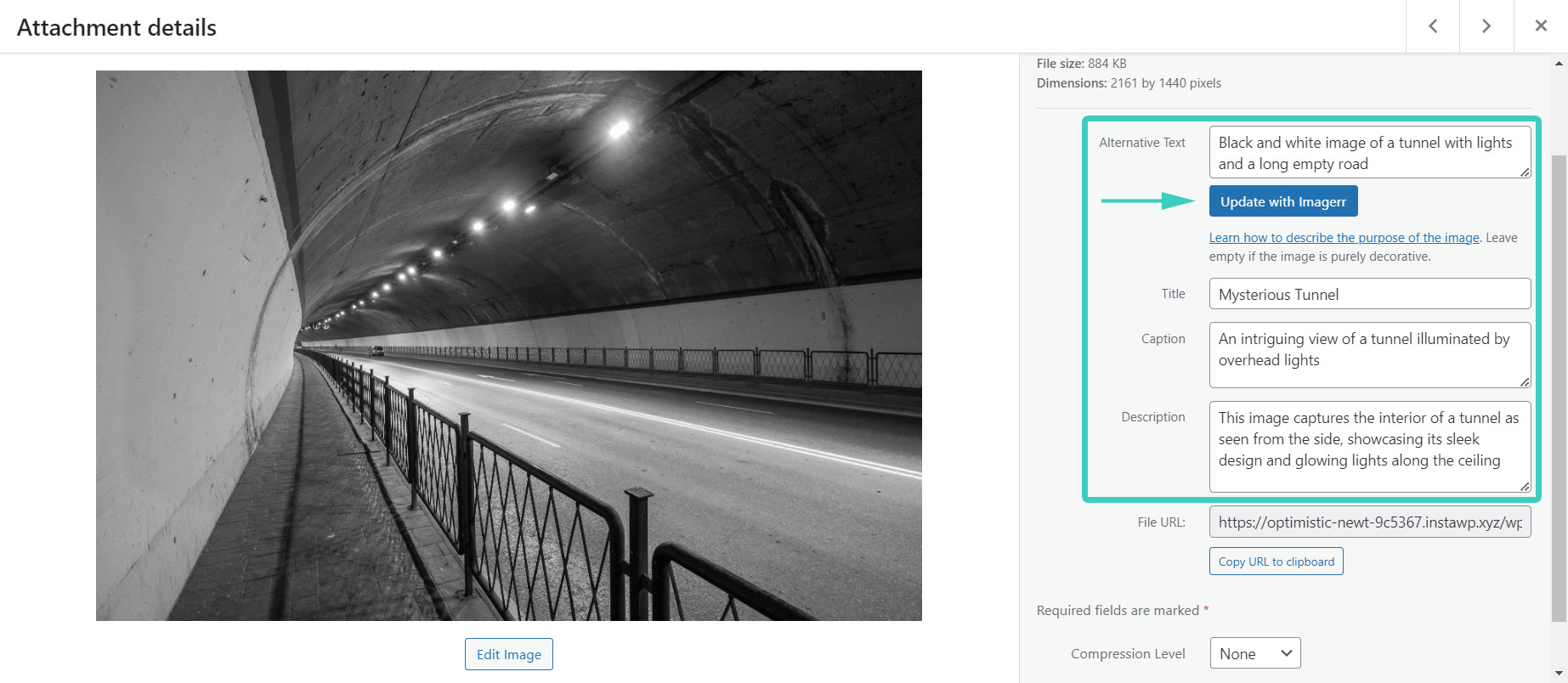
- Image Title
- Image Caption
- Image Description The Imagerr AI plugin has been developed to work specifically with WordPress. It works with any WordPress theme or page builder. You can also use it apart from WordPress, through its web app.
- Free Trial
- Powered by ChatGPT (no API key required)
- Generate Image Titles
- Generate Image Captions
- Generate Image Descriptions
- Add SEO Keywords
- Multilingual (supports more than 130 languages and locales around the world)
- Works with WooCommerce product images
- Bulk Alt Texts
- Alt Texts on Images Upload
- Replace on Posts (updates alt text across all post types, including Elementor & Divi)
- SEO-Friendly
- Improve Your Accessibility Score This plugin works with any WordPress theme and page builder.
安装:
- Search for the plugin in the WordPress plugin directory in your WP admin dashboard
- Click "Install Now" and after that activate the plugin
- Create an account on Imagerr.ai to get some free credits
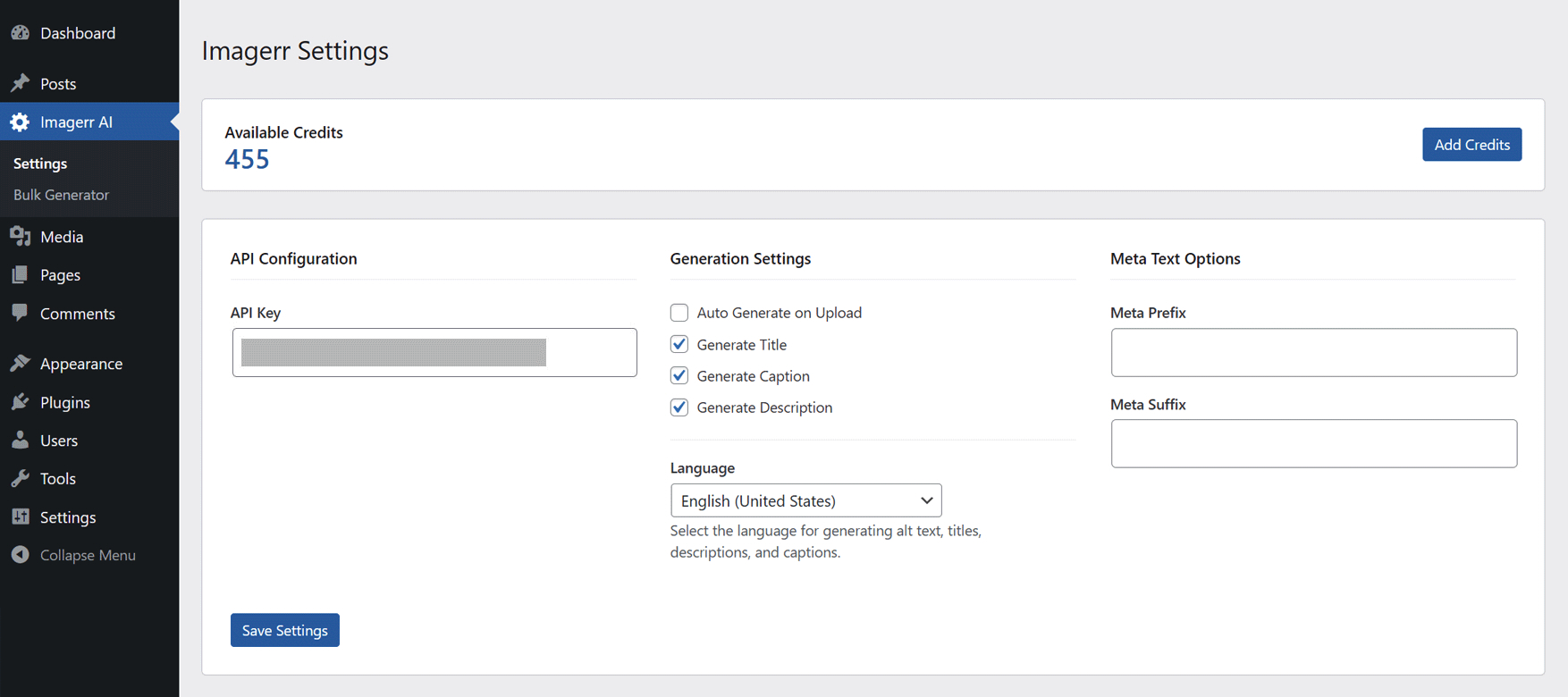
- Adjust the plugin settings in WP admin panel in "Imagerr AI > Settings"
屏幕截图:
常见问题:
What does the Imagerr AI plugin do?
It automatically generates ALT texts, titles, descriptions, and captions for images in your WordPress media library using AI. The generated metadata improves both SEO and accessibility.
Do I need my own OpenAI API key?
No. The plugin includes its own built-in ChatGPT API access, so you can start generating metadata without configuring an external key.
Can the plugin work in languages other than English?
Yes. Imagerr AI supports more than 130 languages and locales, allowing you to generate metadata for multilingual sites automatically.
How does bulk generation work?
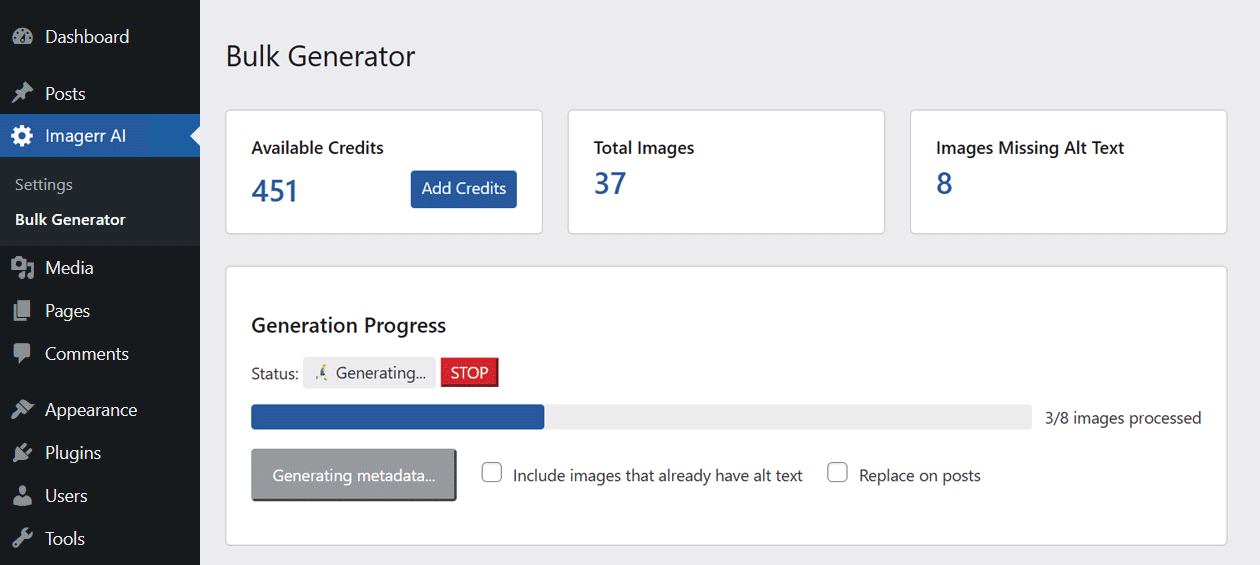
You can select many images (hundreds or thousands if needed) and run a bulk operation. The UI shows the number of images processed and the credits consumed, and you can stop the process midway if required.
Is there a way to customize the generated text?
Absolutely. You can add custom prefixes and suffixes, as well as SEO keywords, in the settings, letting you enforce brand-specific phrasing or style guidelines without editing each image manually.
Does the plugin integrate with popular SEO plugins?
Yes. It can pull focus key phrases from Yoast SEO, Rank Math, All in One SEO, SEOPress, and Squirrly SEO, and incorporates them naturally into the ALT text.
Does the plugin support WooCommerce product images?
Yes. When "Use WooCommerce product information" is enabled, Imagerr AI uses the saved product name, relevant color, and description when generating alt text and other selected image metadata. This works for standard product images, product galleries, and explicitly assigned variation images, in both single and bulk generation. The setting is enabled by default and is independent of "Use post or page title". Save the product and image assignments before generating metadata. Images generated during upload before assignment can be regenerated after saving the product. Images shared by unrelated products use the existing generation behavior. Third-party variation galleries and automatic matching between translated products are not included in this integration.
How are credits priced and can I test the plugin for free?
The service runs on a credit-based model. New users receive 10 free AI credits to try the plugin straight away. After that you can purchase additional credit bundles that fit your volume needs.
Where can I find detailed documentation and support?
Full documentation is available at imagerr.ai/documentation-wp. For plugin-specific help, visit the WordPress.org support tab on the plugin page.
Can I use the AI generator outside of WordPress?
Yes. While the plugin is built for WordPress, the same AI engine is accessible via the standalone web app at imagerr.ai, so you can generate metadata for non-WordPress projects as well.
What browsers and WordPress versions are supported?
The plugin works with any modern browser and is compatible with all current WordPress releases. It also integrates seamlessly with any theme or page builder.
更新日志:
- Added automatic sign-in for credit purchases
- New Feature: Added bulk actions dropdown to filter images without alt text in the Media Library
- New Feature: Added bulk generator action to the bulk actions dropdown for multiple selected posts/pages
- Small UI improvement
- New Feature: The plugin now works with WooCommerce too
- Updated plugin description and FAQ to reflect the plugin's use with WooCommerce
- Small UI improvement
- Added Imagerr AI icon in the WordPress admin menu
- Small translation string fix
- Tested with WP 7.1
- Improved bulk generator speed
- New feature: Added multilingual support for WPML, Polylang, and TranslatePress
- Small UI fix
- Added FAQ section to plugin description
- Tested with WP 7.0
- Improved internal handling of REST API permissions
- Improved bulk process status update
- New major feature: SEO keywords settings
- Added extra debug logging to the background process for easier troubleshooting
- Refined bulk generation and background processing for better reliability
- Added support for palette type images
- Updated texts in the support section
- Added a file-size limit to the debug logs file
- Added bulk generator action to the bulk actions dropdown on the Media Library page
- Also added the bulk action when selecting images in grid mode
- Added support section with debug log
- Fixed issue with image file paths
- Fixed issue when image description was overriding the description with a blank description
- Changed URLs to new faster API server
- Upgraded to faster API server, changed API response and some data validation
- Images uploaded to the API are temporarily converted to .webp to optimize bandwidth usage
- Upgraded to a more recent & faster ChatGPT AI model
- Updated plugin author information to reflect a change of WordPress.org account
- Fixed small issue introduced in 1.2.3
- Fixed issue where success and error messages were not displaying after generating image metadata in media library
- Improved connection reliability with updated API endpoint.
- Added link to plugin documentation on plugin settings page
- New Feature: Multilingual - The plugin now works in multiple languages & locales (over 130)
- Bulk Generation: Now shows the number of images processed and credits used
- Bulk Generation: Improved the ability to stop the process midway during bulk operations
- Fixed issue where the "Update with Imagerr" button didn't work after navigating between images in the media modal
- Added "Update with Imagerr" button to the Edit Attachment page for easier access
- Added "Update with Imagerr" button to the Media Library list view (images table)
- Minor UI tweaks and performance improvements
- Improved bulk generation process with automatic retries for failed images
- Added detailed error messages to show users why an image generation failed
- Added automatic cancellation of bulk process when user runs out of credits
- Various bug fixes and performance improvements
- New: Bulk Generation "Replace on posts" option now searches for images across all post types and updates their alt text everywhere they are used — not just the media library.
- Compatible with Divi and Elementor builder content.
- This ensures consistent alt text across reused images and makes the plugin even more powerful than other similar tools.
- Improved imagerr.ai account registration process and user onboarding
- Initial release