
AltoRewrite – AI Content Rewriter
| 开发者 | reallyusefulappco |
|---|---|
| 更新时间 | 2026年11月21日 00:40 |
| PHP版本: | 7.4 及以上 |
| WordPress版本: | 7.1 |
| 版权: | GPLv2 or later |
| 版权网址: | 版权信息 |
详情介绍:
- No API key or third-party account. The AI runs on our service.
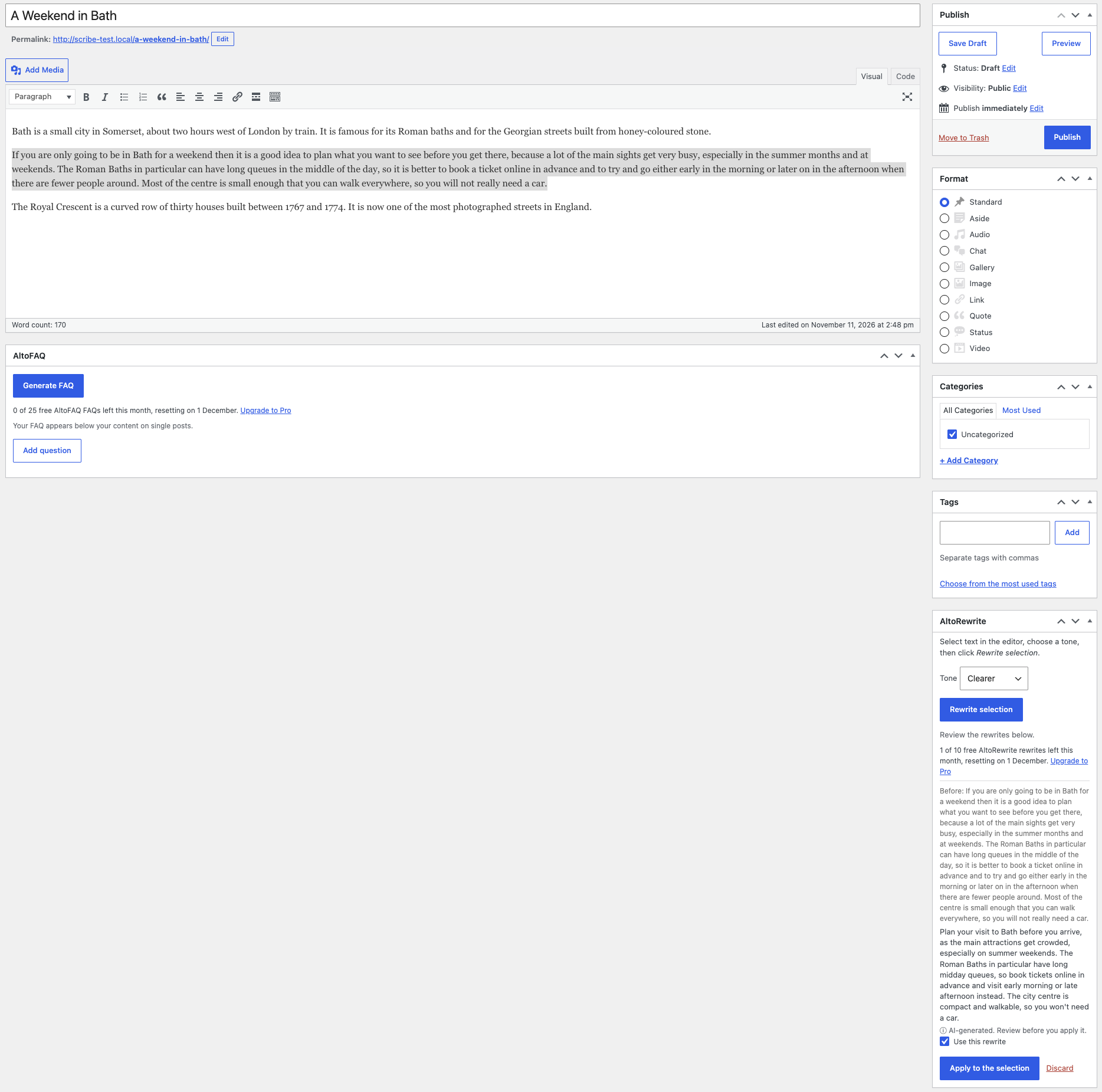
- Works in the block editor (the AltoRewrite pen icon in the top bar) and in the classic editor (the AltoRewrite box beside the editor: select text, then click Rewrite selection).
- Four tones, and you choose for each rewrite.
- Apply or discard each block's rewrite on its own, or apply them all at once.
- Privacy-friendly: nothing is sent until you click rewrite. To write a rewrite we send the post title and the text you selected, with a site ID (a hash of your site URL) and the plugin version. The External services section below lists everything that is sent.
- The free plan covers 10 rewrites a month, and one click on Rewrite is one rewrite however many blocks you selected. AltoRewrite Pro raises that limit (subject to fair use).
安装:
- Install and activate AltoRewrite.
- Go to Settings → AltoRewrite and review the external-service notice.
- Edit a post, select the blocks or text you want to change, and open AltoRewrite: the pen icon at the top of the block editor, or the AltoRewrite box beside the classic editor.
- (Optional) Enter an AltoRewrite Pro licence key to raise the monthly limit.
屏幕截图:
常见问题:
Do I need an AI API key?
No. The AI runs on our service.
Is anything changed without me seeing it?
No. Each rewrite waits in the AltoRewrite panel beside your own text until you apply it, and an applied rewrite reaches your site only when you save or update the post.
Which blocks can it rewrite?
Paragraphs, headings and list items, including those inside lists, quotes and groups. Images, tables and other blocks are left alone.
Does it keep my links and formatting?
It keeps links, bold, italics and inline code. A block whose rewrite would add, drop or change a link is left as you wrote it.
How much can I rewrite at once?
Up to 40 blocks, or about 6,000 characters of English (less for Chinese, Japanese and Korean, which take more of the limit per character). If a selection is too long, the panel asks you to select fewer blocks.
Does it send my content anywhere?
Only when you click rewrite, and only the post title and the text you selected. See the External services section.
更新日志:
- First release: rewrite selected blocks in the block editor or selected text in the classic editor, in one of four tones, and apply or discard each rewrite. Deleting the plugin removes everything it stored on your site.