Table of Contents - AnchorKit
| 开发者 |
smelterstudio
freemius |
|---|---|
| 更新时间 | 2026年9月13日 10:30 |
| PHP版本: | 7.4 及以上 |
| WordPress版本: | 7.1 |
| 版权: | GPLv2 or later |
| 版权网址: | 版权信息 |
详情介绍:
[anchorkit_toc] shortcode, or a sidebar widget. It reads your headings, builds anchor links to each section, and scrolls readers there smoothly.
You design it in a settings page with a live preview, so you see every change before you save. It follows your visitor's light or dark mode, and it is built accessibility-first: semantic navigation markup, a customizable ARIA label, keyboard support, and respect for reduced-motion preferences.
Free features
Placement
- Auto-insert a table of contents on posts, pages, and custom post types
- Choose the position: before the first heading, after the first paragraph, top of content, or end of content
- Only show it when a post has enough headings (1 to 10, you choose)
- Place it manually with the Gutenberg block, the
[anchorkit_toc]shortcode, or the classic widget - Works with the Classic Editor, the block editor, and any page builder that supports shortcodes (Elementor, Divi, WPBakery and others)
- Pick which heading levels to include (H1 to H6)
- Nested (hierarchical) or flat list
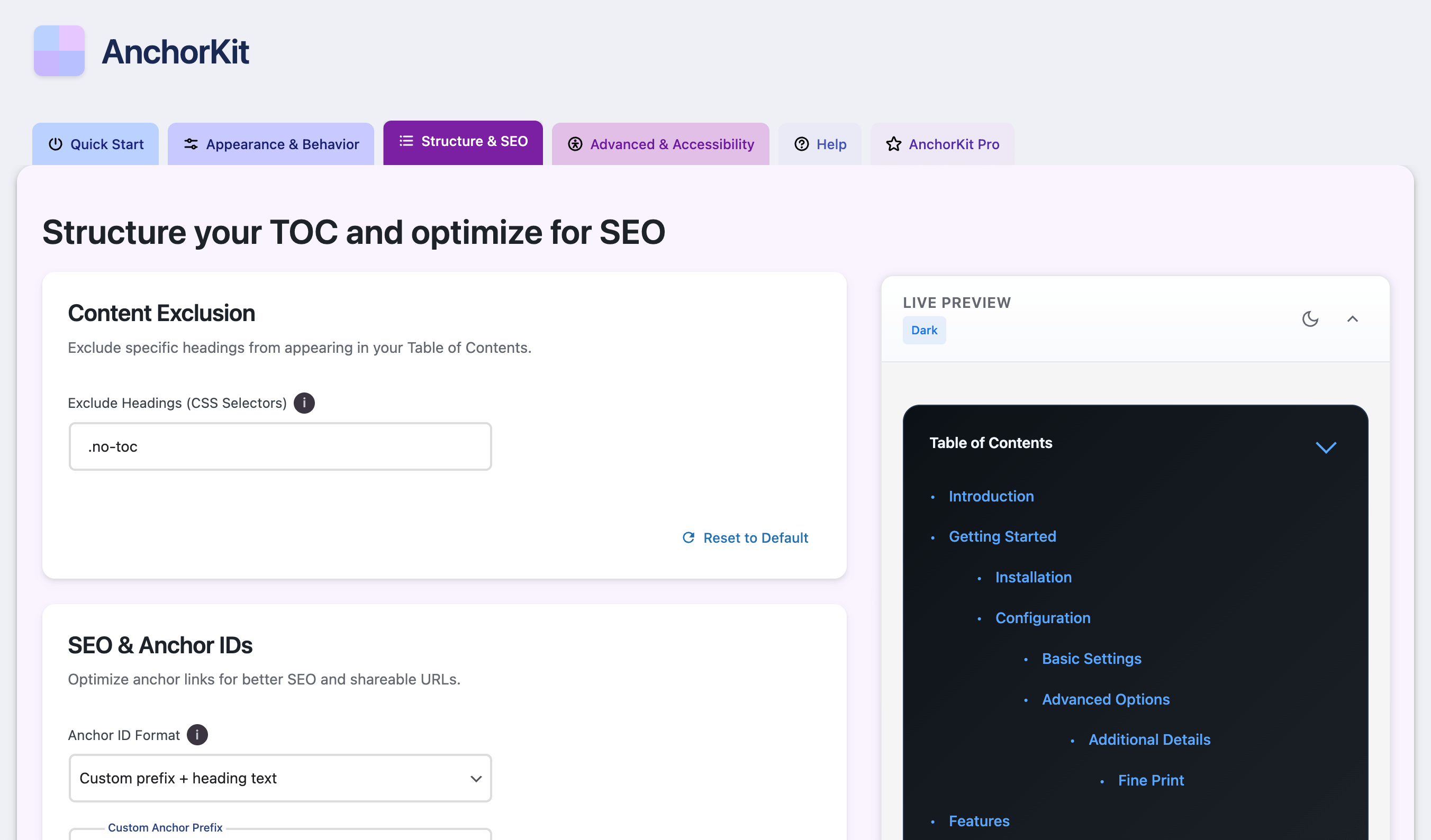
- Exclude headings with CSS selectors, for example
.no-toc - Anchor IDs generated from your heading text
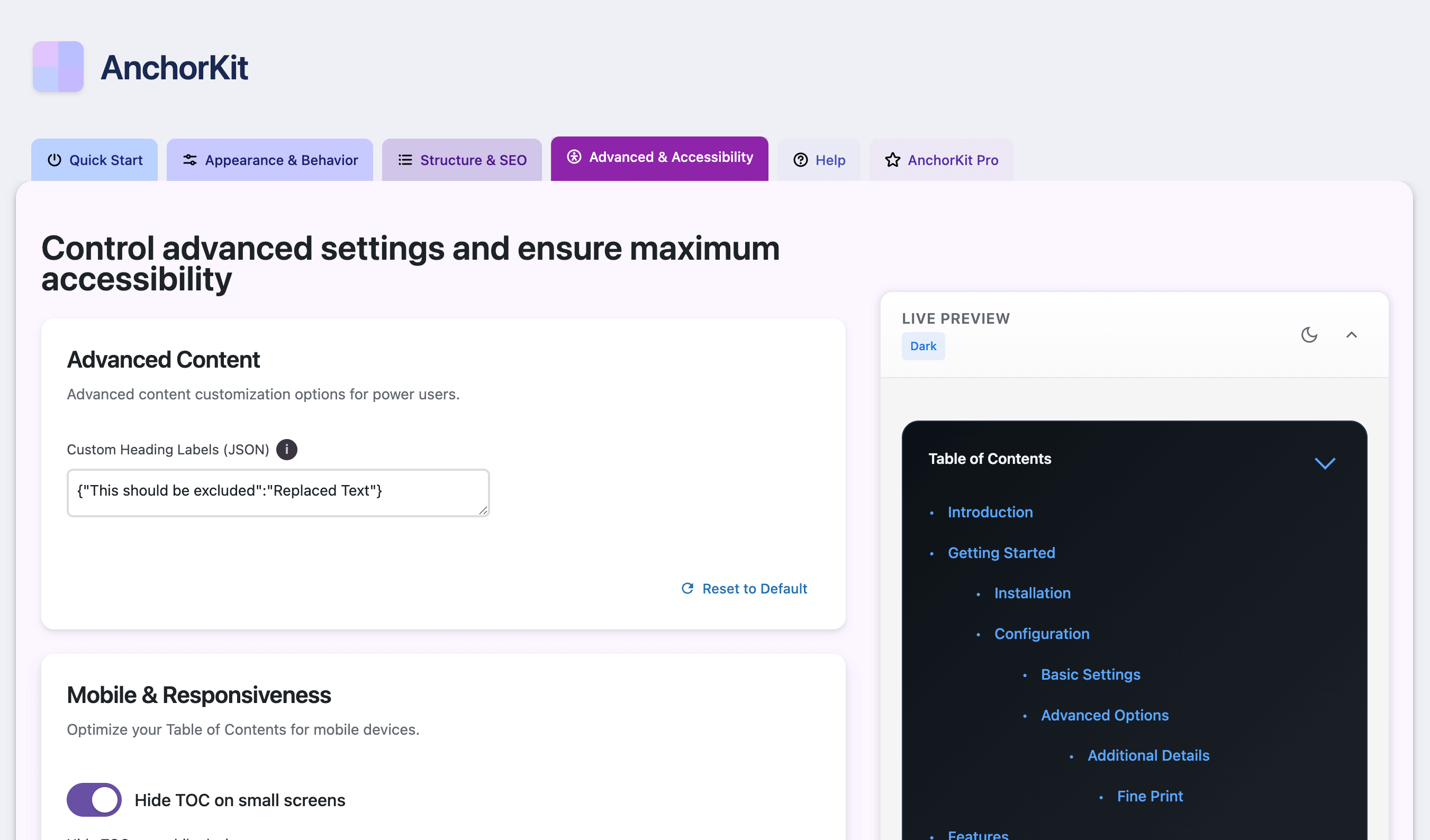
- Replace heading text in the TOC with custom labels
- Live preview while you edit settings
- Light, dark, and automatic (follows the visitor's system setting) themes
- Minimal preset, plus a custom styling mode for colors, fonts, spacing, borders, width, and alignment
- Collapsible TOC that starts expanded or collapsed
- Smooth scrolling with an offset for sticky headers
- Semantic
navmarkup with an ARIA label you can change - Keyboard navigation and screen reader support
- Respects the "reduce motion" setting
- Custom mobile breakpoint and an option to hide the TOC on small screens
- 15+ actions and filters, such as
anchorkit_toc_headings,anchorkit_should_display_toc, andanchorkit_toc_html - 20+ shortcode attributes (see below)
- No front-end tracking and no third-party requests on visitor pages
- Sticky table of contents: keep it in view while readers scroll, inside the content or floating on the left or right
- Scroll spy: highlights the section the reader is on
- Back-to-top link and View more/less for long tables of contents
- Reading time and word count per section
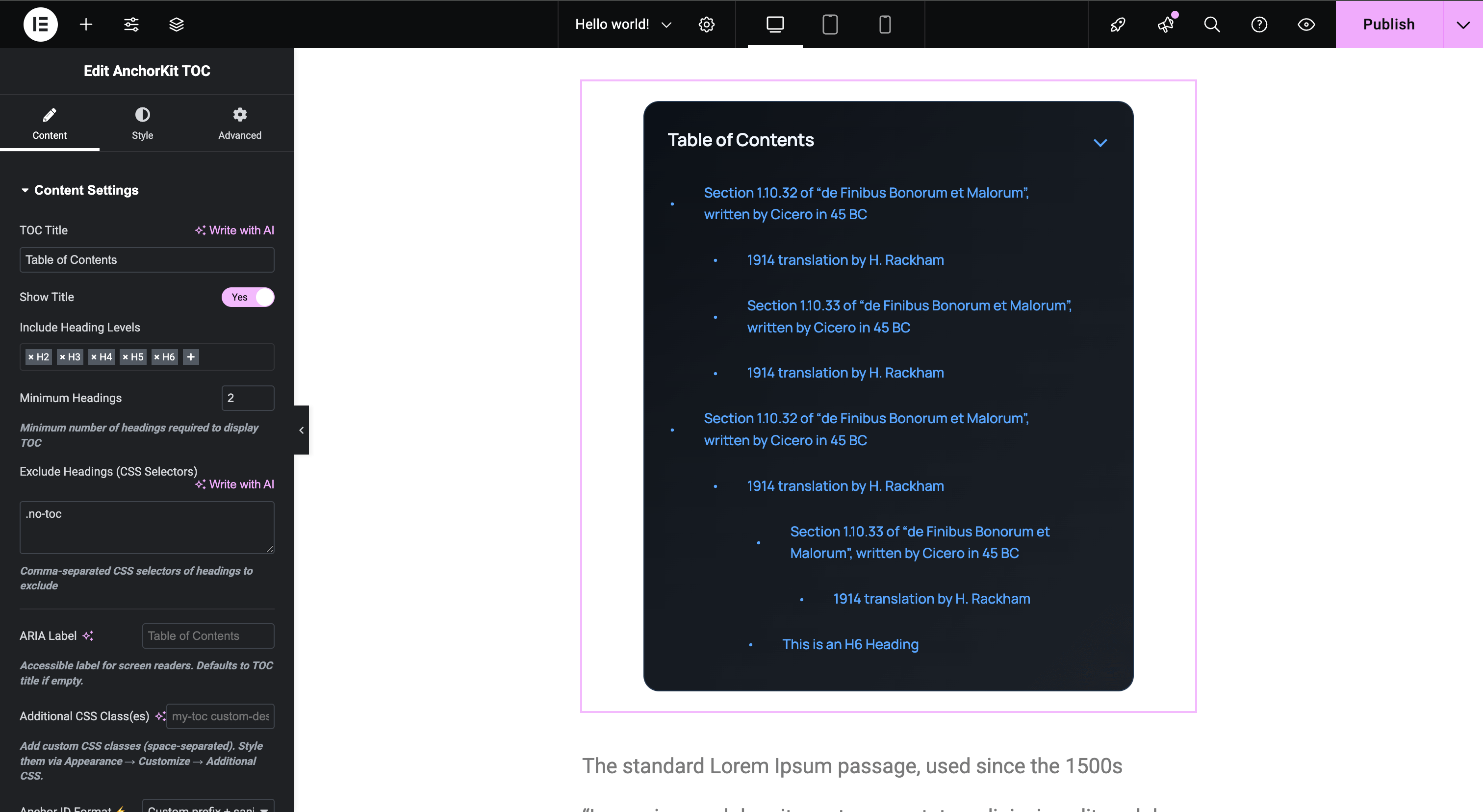
- Elementor widget with live preview, and the full set of options in the Gutenberg block
- More design control: Classic and Modern presets, custom bullets and numbering formats, advanced typography, box shadows, entrance animations, scroll easing, and a custom CSS class
- Smarter headings: exclude by keyword, trim patterns from heading text, and set a minimum and maximum depth
- SEO: Schema.org JSON-LD structured data, plus sequential or prefixed anchor IDs
- Integrations: Advanced Custom Fields (build the TOC from ACF fields) and AMP
- Priority email support
安装:
- In your dashboard, go to Plugins > Add New, search for "AnchorKit", then install and activate it.
- Go to Settings > AnchorKit. In Quick Start, choose the post types that should get a table of contents.
- Leave Automatic Insertion on, or turn it off and add the AnchorKit block or the
[anchorkit_toc]shortcode where you want the TOC.
屏幕截图:
常见问题:
How do I add a table of contents in the block editor?
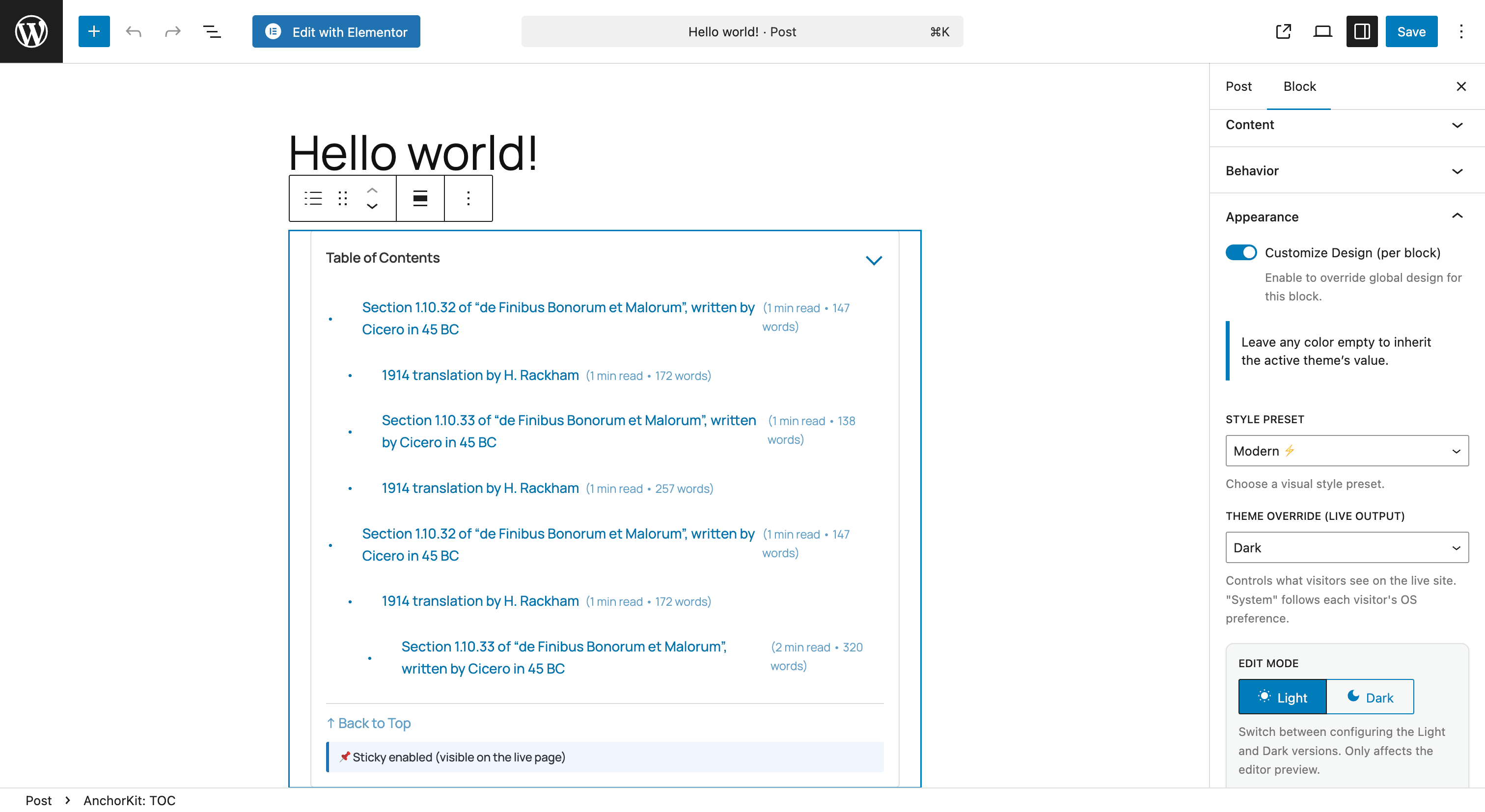
Insert the "AnchorKit: TOC" block and choose which heading levels to include. Your global settings from Settings > AnchorKit apply automatically.
How do I add a table of contents to every post automatically?
Go to Settings > AnchorKit > Quick Start, select your post types, and turn on Automatic Insertion. Then choose where it appears and the minimum number of headings a post needs.
Does it work with Elementor, Divi, or other page builders?
Yes. In any builder, use automatic insertion or put the [anchorkit_toc] shortcode in a shortcode or text element. AnchorKit Pro adds a native Elementor widget with its own style controls and live preview.
How do I exclude a heading from the table of contents?
Add a CSS class to the heading (for example no-toc), then enter .no-toc in Settings > AnchorKit > Structure & SEO > Exclude Headings. Excluding by keyword or pattern is available in Pro.
Can I customize how it looks?
Yes. The free version includes the Minimal preset, light/dark/system themes, and a custom styling mode for colors, fonts, spacing, borders, width, and alignment, all with a live preview. Pro adds the Classic and Modern presets, bullets and numbering, shadows, animations, and advanced typography.
Is AnchorKit accessible?
Accessibility is a core design goal. The TOC uses a semantic nav element with a configurable ARIA label, works with the keyboard and screen readers, keeps focus in the right place when it is collapsed or expanded, and respects the "reduce motion" setting. These features are in the free version.
Will it slow down my site?
No. AnchorKit only loads its small CSS and JavaScript files on the post types where you enabled it, and it makes no requests to third-party servers on visitor pages.
Does it work with custom post types?
Yes. Select any public post type in Settings > AnchorKit > Quick Start.
Does it work on multilingual sites?
Yes. AnchorKit is translation-ready and reads whatever headings are on the page, so it works with WPML, Polylang, and similar plugins.
Does AnchorKit collect any data?
Not unless you agree to it. When you activate AnchorKit, a Freemius screen asks whether you want to opt in to update and security notifications. You can skip it. If you opt in, Freemius receives the data listed on that screen, and you can opt out any time from the AnchorKit Account page. AnchorKit never adds tracking to your visitor pages.
What's the difference between Free and Pro?
Free covers everything you need for a table of contents: automatic insertion, the block, shortcode, and widget, custom styling with a live preview, light/dark mode, and accessibility features. Pro adds a sticky TOC, scroll spy, the Elementor widget, reading time, extra presets and numbering, Schema.org markup, ACF and AMP support, and priority support. See the full comparison under Settings > AnchorKit > AnchorKit Pro.
Where can I get help or request a feature?
Post in the AnchorKit support forum. We read every thread. Pro customers also get priority email support.
更新日志:
- New: A one-time, dismissible notice asks admins for feedback or a review after AnchorKit has shown a table of contents on a few posts for at least a week.
- Fix: The "WordPress.org Support Forum" link on the Help tab led to a page that doesn't exist.
- Fix: The fallback upgrade link pointed to a missing pricing page.
- Tested with WordPress 7.1.
- Readme: lists exactly which features are free and which are Pro.
- Initial release: automatic insertion, Gutenberg block, shortcode, and widget
- Live preview settings page with light, dark, and system themes
- Accessibility features: semantic markup, ARIA label, keyboard navigation, reduced-motion support
- 15+ developer hooks and filters
- Pro: sticky TOC, scroll spy, reading time, Elementor widget, Schema.org, ACF, and AMP