
NB Cookie Consent
| 开发者 | aviyo |
|---|---|
| 更新时间 | 2025年12月21日 20:27 |
| PHP版本: | 7.4 及以上 |
| WordPress版本: | 6.9 |
| 版权: | GPL v2 or later |
| 版权网址: | 版权信息 |
详情介绍:
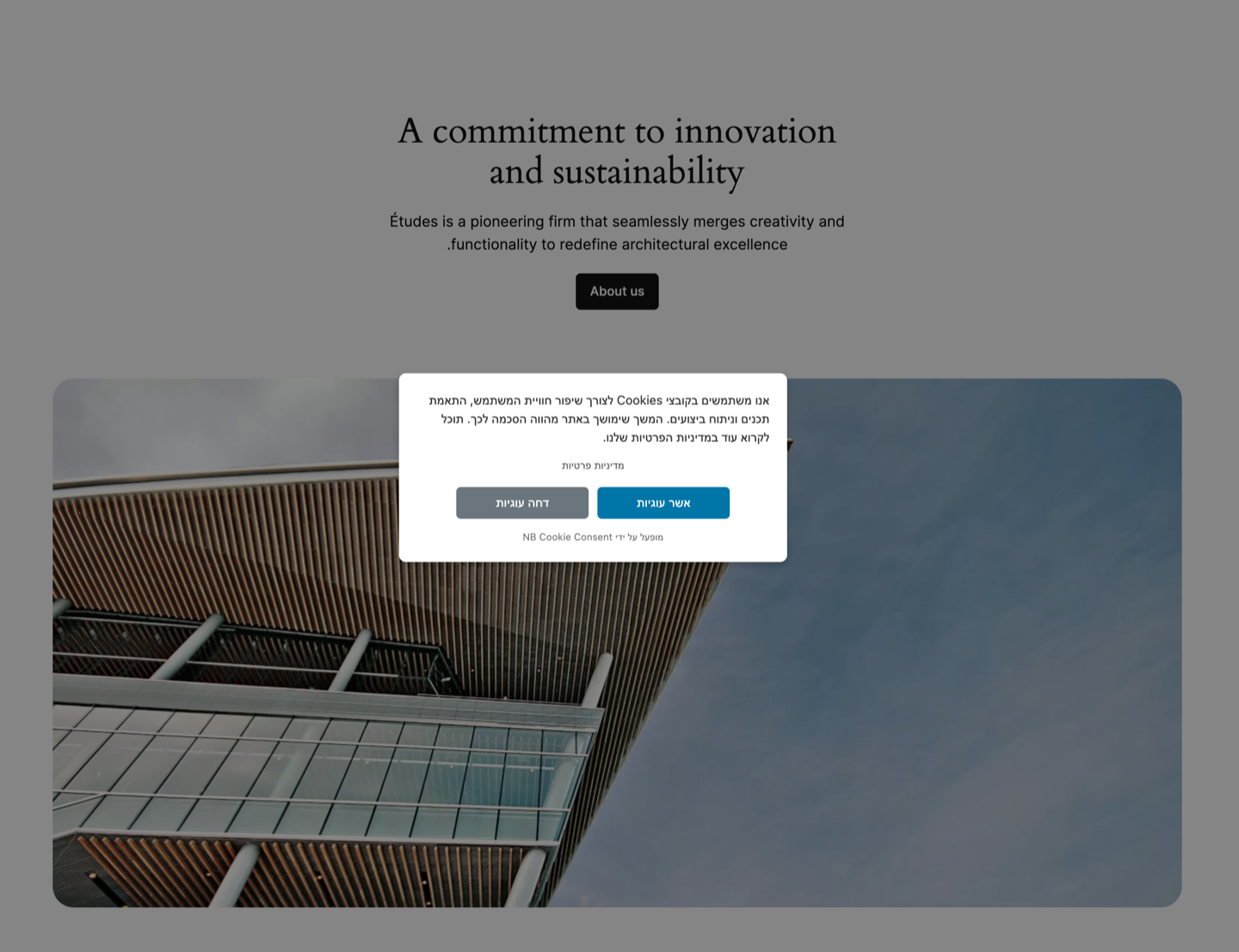
- Accept & Decline cookie buttons (GDPR-friendly)
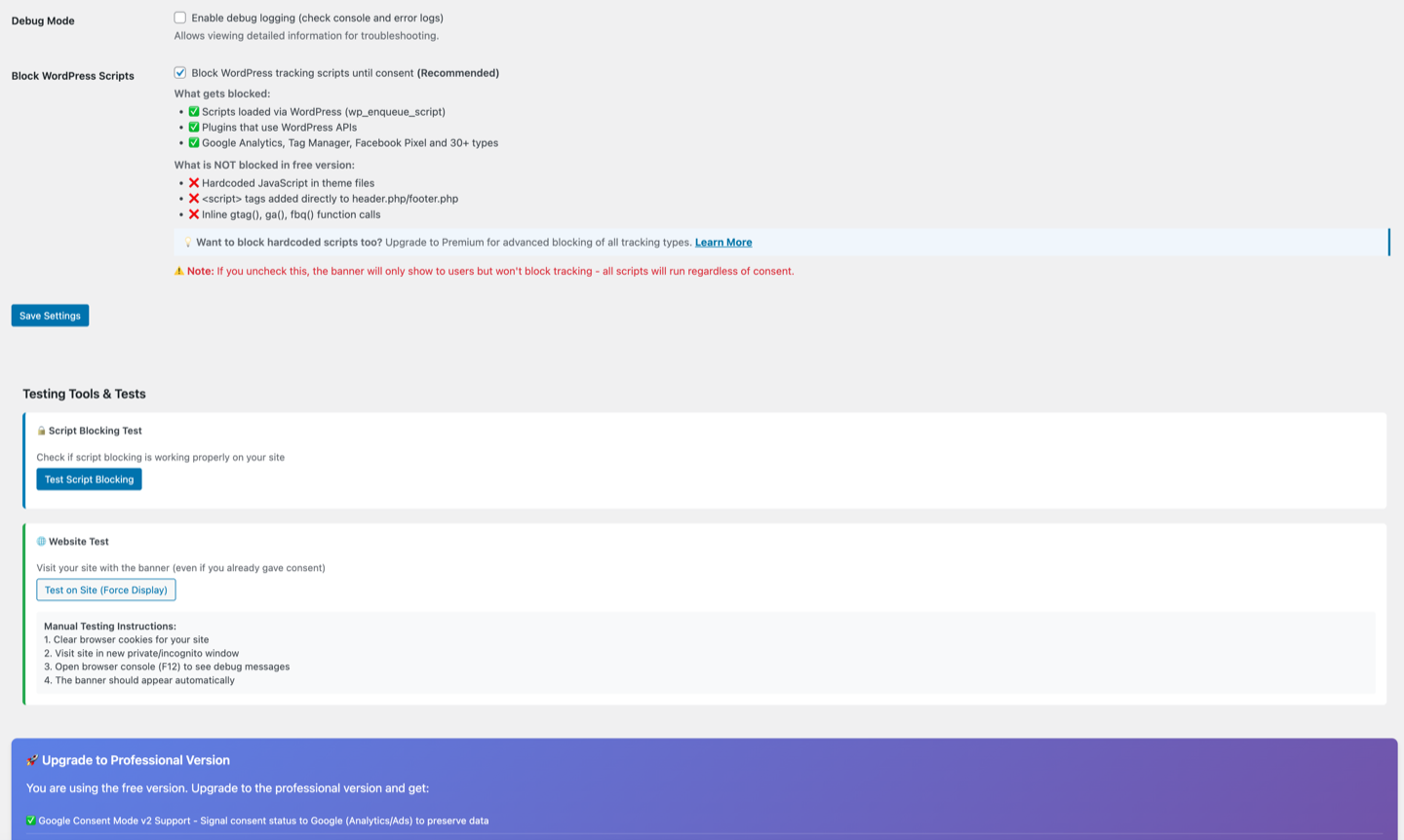
- WordPress script blocking until consent
- One-click Cookie Policy page generator
- Full RTL support (Arabic, Hebrew, Persian & more)
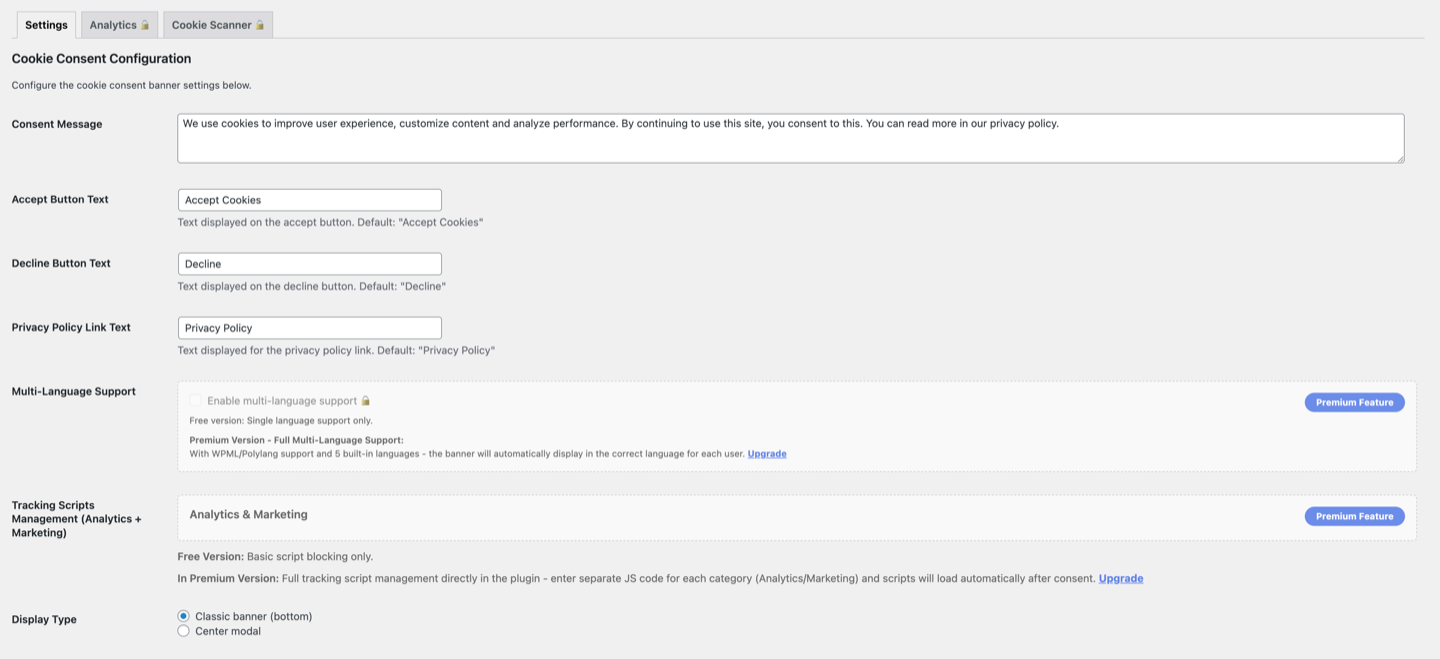
- Banner customization (colors, positioning, button text)
- Custom button text - translate to any language
- Admin testing tools to verify blocking
- Debug mode for developers
- Cookie consent revocation shortcode [nb_cookie_revocation]
- Accessibility Ready (WCAG) - ARIA support, keyboard navigation, screen-reader friendly
- Cache Plugin Compatible - Works with WP Rocket, LiteSpeed, W3 Total Cache & more Blocked Scripts:
- Google: Analytics (GA4, UA), Tag Manager, Site Kit
- Meta: Facebook Pixel, Facebook Events
- Analytics: MonsterInsights, ExactMetrics, Yoast GA
- Behavior: Hotjar, FullStory, LogRocket, Heap
- Marketing: Mixpanel, Segment, Amplitude
- Chat Widgets: Intercom, Zendesk, Tawk.to, Crisp, Drift
-
- Many more automatically detected via WordPress handles Pro Version Available: Upgrade to NB Cookie Consent Pro for additional features:
- Google Consent Mode v2 (Essential for Google Ads)
- Smart Script Blocking - blocks even hardcoded scripts
- Multi-language Support - Auto-detects 5 languages + WPML
- Automatic Scanner & Cookie Categorization
- Consent Dashboard (Analytics)
- Premium Designs - 6 layouts
- Priority support Use Cases:
- WordPress sites needing cookie consent
- RTL language websites (Arabic, Hebrew, Persian)
- Basic privacy compliance requirements Design: LTR & RTL support ready out of the box.
安装:
- Upload the plugin files to
/wp-content/plugins/nb-cookie-consent/ - Activate the plugin through the 'Plugins' screen in WordPress
- Go to Settings → Cookie Consent to configure the banner
- Test the blocking functionality using the admin testing tools
屏幕截图:


常见问题:
Does this plugin actually block tracking scripts?
Yes! Unlike cosmetic consent banners, this plugin uses WordPress's script_loader_tag filter to block tracking scripts until user consent is obtained.
What's the difference between standard and Pro versions?
The standard version includes Accept & Decline buttons and blocks WordPress-enqueued tracking scripts. The Pro version adds Google Consent Mode v2, smart script blocking (hardcoded scripts), multi-language support, cookie scanner, and consent analytics dashboard.
Does this help with privacy regulations?
This plugin blocks WordPress-enqueued tracking scripts until user consent. For specific legal compliance questions, consult with a qualified legal professional.
Can I customize the banner appearance?
Yes, you can customize colors, positioning, and display type (banner/modal) in the admin settings.
Does it work with caching plugins?
Yes, the plugin is compatible with popular caching solutions and includes cache-busting functionality.
How can users revoke their cookie consent?
Place the shortcode [nb_cookie_revocation] on your Privacy Policy page or any other page. When users click it, their consent is reset and the cookie banner will reappear. Shortcode attributes:
- text - Custom button text (default: "Reset Cookie Consent")
- style - "button" or "link" (default: "button")
- class - Custom CSS class (default: "nb-cookie-revoke-btn") Example: [nb_cookie_revocation text="Withdraw My Consent" style="link"]
更新日志:
- Fixed: Cache plugin compatibility - banner now works correctly with WP Rocket, LiteSpeed, etc.
- Fixed: Escape key behavior respects overlay mode setting
- Improved: Accessibility - added ARIA attributes for screen readers
- Improved: Scanner messaging - clearer feedback for hardcoded scripts detection
- Added: One-click Cookie Policy page generator with auto-fill URL
- Improved: Better LTR & RTL support
- Fixed: Banner fallback now uses wp_footer for valid HTML compliance
- Added: "Restore Defaults" button for colors and font size settings
- Changed: Decline button enabled by default for GDPR compliance
- Improved: Cleaner description text (removed mixed language in English version)
- Added: Decline Cookies button - users can now accept OR decline (GDPR-friendly)
- Added: Custom "Decline Button Text" setting - translate to any language
- Added: Decline button color customization
- Updated: Premium features list
- Initial WordPress.org release
- Accept & Decline cookie buttons
- WordPress script blocking (35+ tracking services)
- Full RTL support (Arabic, Hebrew, Persian & more)
- Custom button text settings
- [nb_cookie_revocation] shortcode for consent withdrawal
- Admin testing tools