
Basil
| 开发者 | |
|---|---|
| 更新时间 | 2026年9月12日 01:09 |
| PHP版本: | 8.1 及以上 |
| WordPress版本: | 7.1 |
| 版权: | GPLv2 or later |
| 版权网址: | 版权信息 |
详情介绍:
advanced-cache.php drop-in serves the final response before
WordPress or Composer boots. Logged-in, personalized, query-string, private,
non-HTML, and otherwise unsafe responses bypass the cache.
The plugin makes no external requests and collects no telemetry.
Version 1 supports single-site WordPress installations only. It does not edit
cached HTML, optimize HTML/CSS/JavaScript, cache media, warm pages, or use a
remote cache service.
安装:
- Upload the
basildirectory to/wp-content/plugins/, or install the ZIP from the Plugins screen. - Activate Basil from the Plugins screen.
- Open the Basil dashboard and follow the guided page-cache setup.
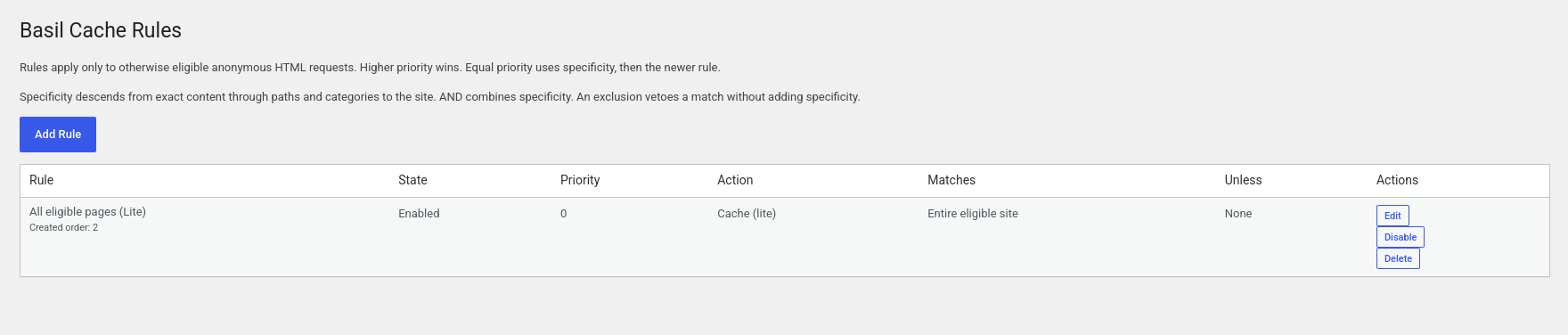
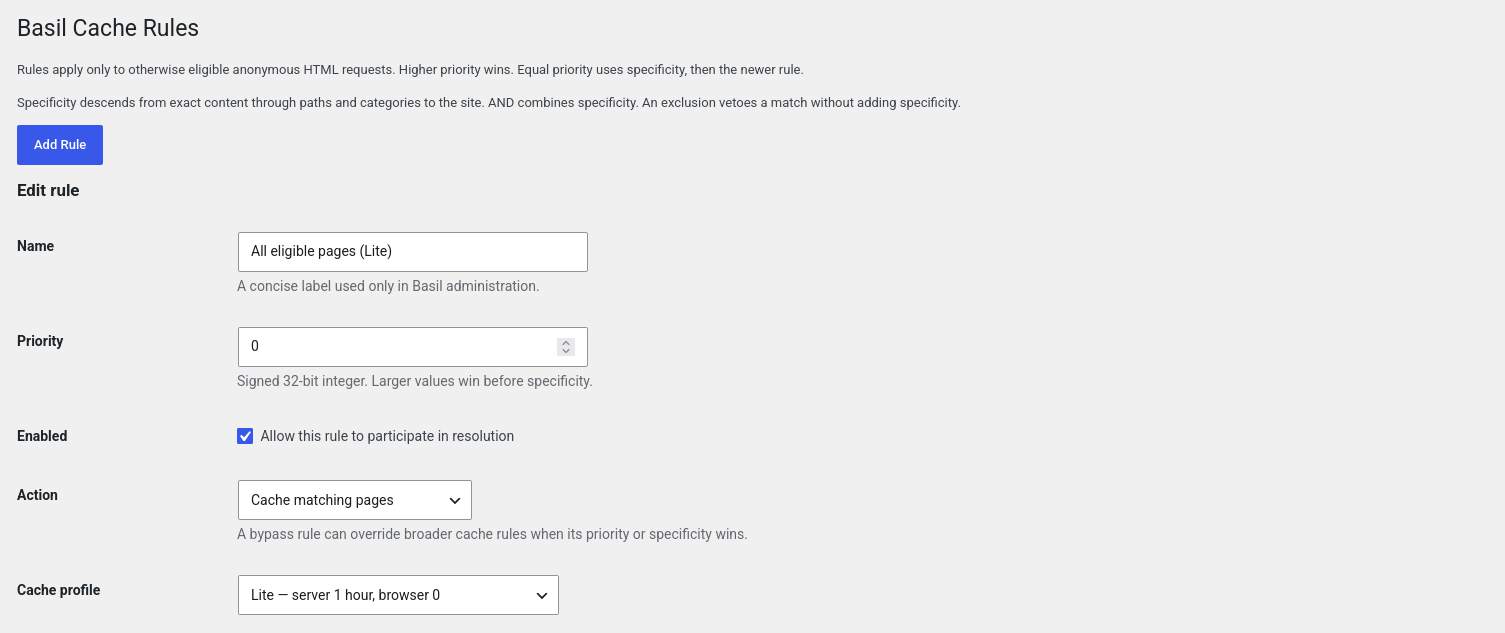
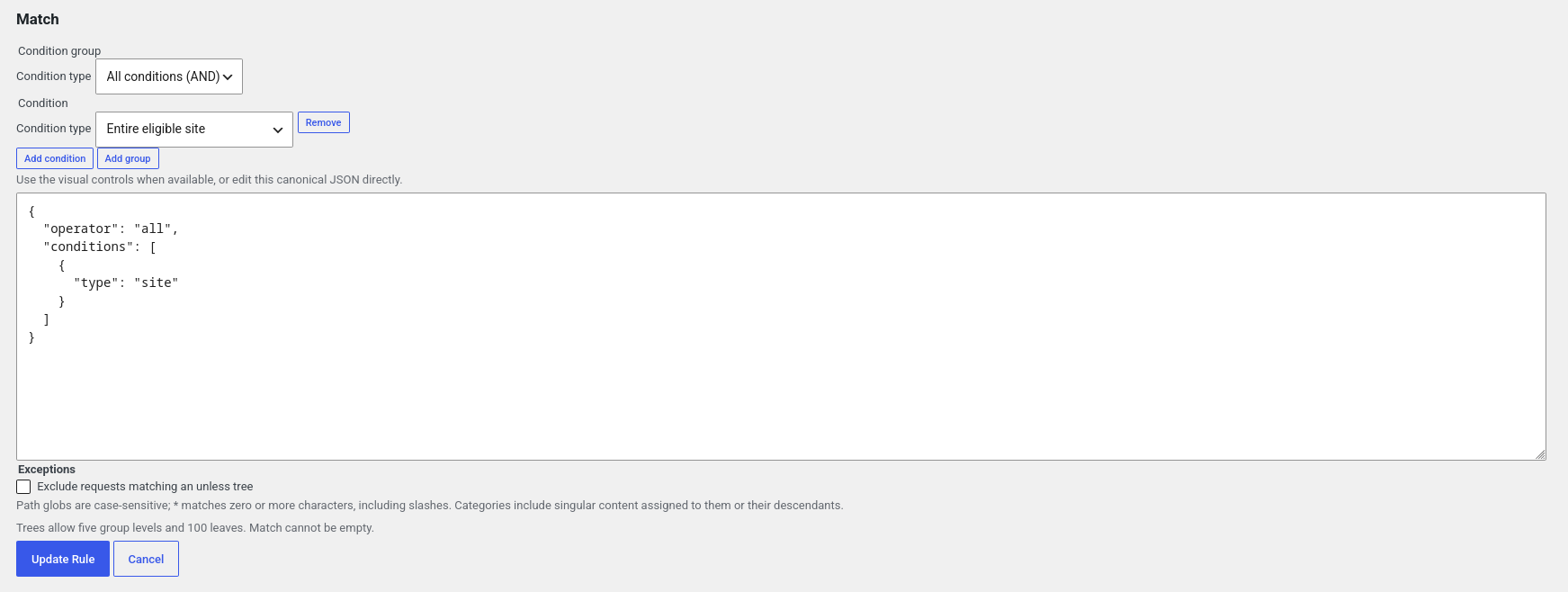
- Add explicit cache rules. Requests that match no rule bypass the cache.
wp-config.php or install a drop-in.
The guided setup asks WordPress for filesystem access. When safe, it creates
cache/basil/ under the configured uploads directory, installs Basil's owned
advanced-cache.php in the configured content directory, and adds a marked
WP_CACHE block near the end of wp-config.php. It leaves an existing
WP_CACHE definition and every foreign drop-in unchanged, and explains when
manual action is necessary.
If another cache plugin leaves Basil's markers stale or incomplete, the
dashboard offers a protected repair action. It removes only exact Basil blocks
and marker comments while preserving other declarations and plugin settings.屏幕截图:
常见问题:
Why does Basil require WordPress 6.9?
Basil captures completed templates through WordPress's native template enhancement buffer instead of opening its own long-lived output buffer. Sites that opt out of this buffer for streaming, or serve pages outside the normal template lifecycle, continue to work but do not generate cache entries.
Does Basil cache pages immediately after activation?
No. Basil defaults to bypassing every request. Page caching requires guided setup and at least one enabled cache rule.
Does Basil cache pages for logged-in visitors?
No. Basil bypasses requests that contain authentication, session, cart, or other known personalization signals.
Does Basil use a remote service or send telemetry?
No. Version 1 uses the local filesystem and makes no runtime external requests.
What files and configuration can Basil change?
Only the guided setup can add Basil's marked WP_CACHE block and owned
advanced-cache.php drop-in. Runtime cache entries stay below
cache/basil/ under the configured uploads base. Basil verifies exact ownership
markers before removing any of these artifacts.
What happens when another page-cache plugin is active?
Basil reports the likely conflict and does not deactivate the other plugin or
overwrite its drop-in. An object-cache.php drop-in is not treated as a
page-cache conflict.
What if another cache plugin changes Basil's wp-config.php markers?
Basil reports that WP_CACHE needs repair and offers a protected dashboard
button. The repair removes only canonical Basil blocks and exact Basil marker
comments. Other WP_CACHE declarations, plugin settings, and unfamiliar
configuration remain unchanged.
What happens on deactivation or uninstall?
Deactivation preserves rules but clears cached pages, scheduled cleanup, and only Basil-owned runtime/configuration artifacts. Uninstall also removes Basil's stored rules and private options. Foreign files and configuration are left untouched.
Is multisite supported?
No. Version 1 detects multisite and keeps page caching disabled.
Can I edit generated cache files?
No. Editable final HTML is intentionally deferred. Manual changes to cache entries are unsupported and may make an entry fail validation and bypass.
更新日志:
- Require WordPress 6.9 and use its native finalized-template buffer for response capture; respect streaming opt-outs.
- Store cache data under the configured uploads directory and honor relocated filesystem paths.
- Move the Basil admin menu below Settings.
- Make Basil dashboard and rule-operation notices dismissible.
- Remember configured-cache notice dismissal per administrator across reloads.
- Preserve visibility of separate safety warnings and remove dismissal data on uninstall.
- Add one-click recovery for stale or incomplete Basil wp-config.php markers.
- Preserve other cache plugins' declarations and configuration during repair.
- Report damaged Basil marker state as "Needs repair" instead of unavailable.
- Add a one-click all-pages Lite quick start.
- Add dashboard, website, contact, and toolbar shortcuts.
- Move Basil higher in the administration menu and name its Dashboard submenu.
- Make the configured-cache notice dismissible and add guarded directory indexes.
- Fix cache generation on FastCGI configurations where PHP does not expose request server fields through
filter_input(). - Show the configured WordPress timezone next to the scheduled cleanup time.
- Initial release of layered cache rules and local static HTML page caching.