
Bluearctic HTTPS Fixer
| 开发者 | mianrashid |
|---|---|
| 更新时间 | 2026年8月19日 11:15 |
| 捐献地址: | 去捐款 |
| PHP版本: | 7.4 及以上 |
| WordPress版本: | 7.0 |
| 版权: | GPLv2 or later |
| 版权网址: | 版权信息 |
详情介绍:
http:// version of your pages. And old http:// links are still sitting in your posts, your theme options and your page builder content, so the browser refuses to show the padlock.
This plugin fixes both, and shows you which one you actually have.
Send everyone to HTTPS
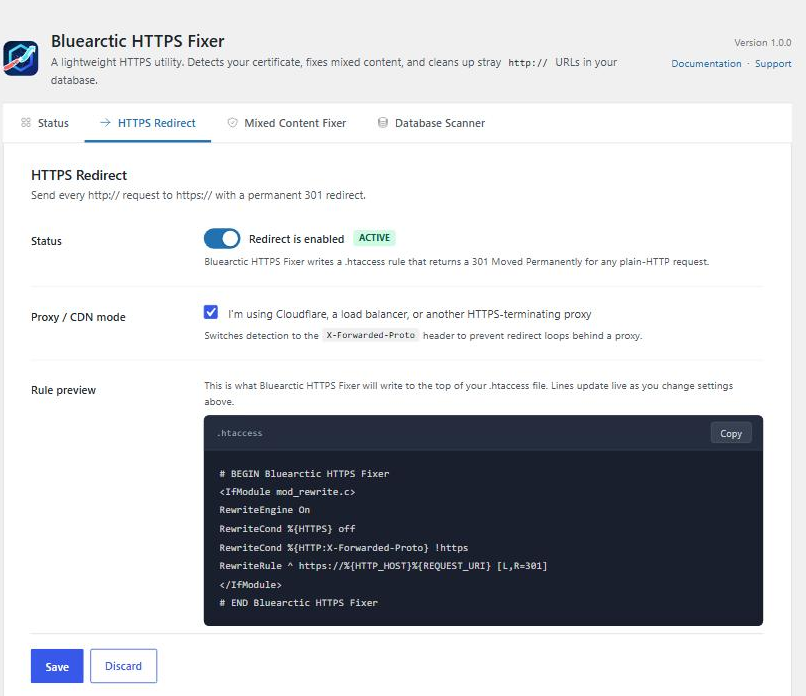
One click writes a 301 redirect so anyone arriving on http:// lands on https:// instead. If your site sits behind Cloudflare or another CDN, tick CDN / Proxy Mode to avoid a redirect loop.
Clear mixed content warnings
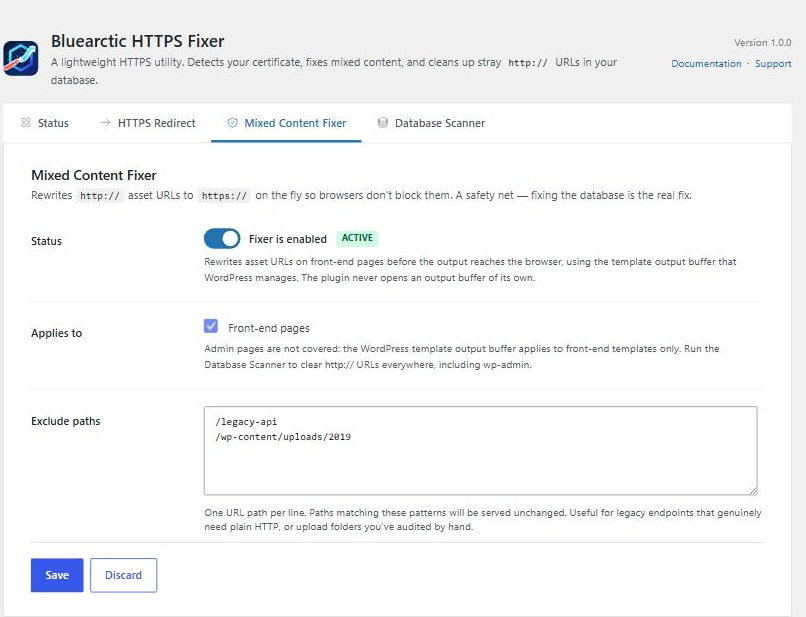
Images, scripts and stylesheets still loading over http:// are what break the padlock. The plugin rewrites them as the page is sent to the browser, so the fix applies everywhere at once. Nothing in your database is touched, and on a site that is not on HTTPS yet it stays switched off, so it is safe to install before your certificate is ready.
This part needs WordPress 6.9 or newer. On older versions use the Database Scanner below, which is the better fix anyway.
Clean up your database
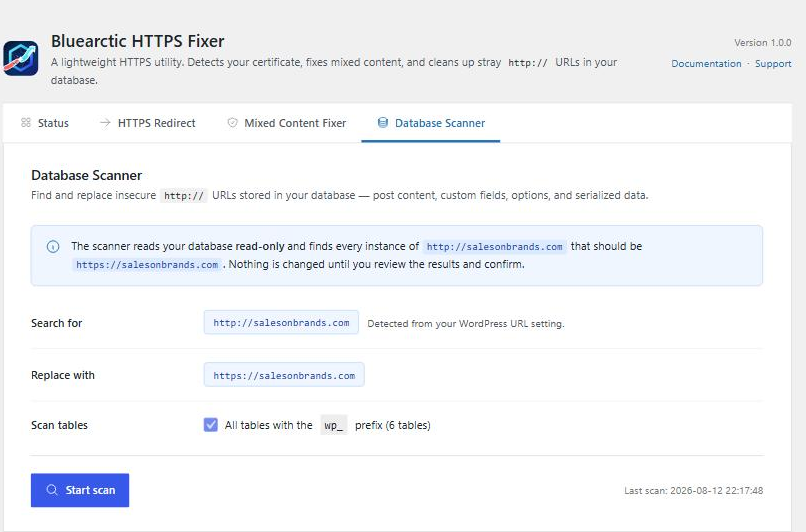
The permanent fix. Scan every table for old http:// links, see exactly what would change, then apply it. Content from Elementor, Divi and WooCommerce is handled safely, which a plain search-and-replace cannot do.
What this plugin does not do
- No firewall
- No vulnerability scanner
- No login protection or 2FA
- No upsells or upgrade prompts
- No external API calls, no phone-home
- No changes to your database unless you ask for them
安装:
- Install from the WordPress plugin directory, or upload the
bluearctic-https-fixerfolder to/wp-content/plugins/. - Activate it on the Plugins screen.
- Go to Settings → Bluearctic HTTPS Fixer.
- The Status tab tells you what your site still needs. Turn on the HTTPS redirect once you have confirmed your certificate works.
屏幕截图:
常见问题:
Will turning on the redirect break my site?
Only if your certificate is not actually working. Load https://yoursite.com and check you get a padlock first. The Status tab warns you if it cannot find a valid certificate.
I use Cloudflare. Is there anything special?
Tick CDN / Proxy Mode on the HTTPS Redirect tab. Sites behind a proxy can end up in a redirect loop without it, because the proxy handles the certificate and your server still sees plain HTTP.
How do I undo the .htaccess change?
Click "Remove Redirect Rules from .htaccess". Only this plugin's block is removed and the rest of your file is left alone. It also happens automatically when you deactivate the plugin.
Does the mixed content fixer change my database?
No. It rewrites links in the page on its way to the browser. Deactivate the plugin and it is as though it was never installed.
My .htaccess is not writable. What now?
The plugin shows you the exact block to paste in yourself, above the WordPress permalink rules. Nginx and IIS do not use .htaccess at all, so on those you add the rule to your server configuration instead. The plugin shows you that version too.
Is the Database Scanner safe to run on a live site?
Scanning changes nothing at all. The fix step asks you to confirm first and works through rows in small batches. Take a database backup before you run it.
Will it damage my Elementor or WooCommerce content?
No. Those store their settings in a packed format that a plain search-and-replace corrupts, which is the usual reason a site breaks after a manual URL swap. The scanner unpacks it, changes the links, and repacks it correctly.
Does it work on multisite?
Not yet. Single site only in 1.0.
What does it store, and does it send anything anywhere?
A few settings in your own database, plus the result of your last scan. Nothing is sent anywhere, ever. Everything is removed if you delete the plugin.
更新日志:
- Initial release.
- One-click HTTPS redirect written safely into .htaccess, removable at any time.
- CDN / Proxy mode for Cloudflare and load-balanced setups.
- Mixed content fixer that rewrites http:// links in your pages without touching the database. Requires WordPress 6.9.
- Status dashboard covering your certificate, redirect, mixed content, database and WordPress URL settings.
- Database Scanner that finds http:// links in every table, previews them, and fixes them on confirmation. Handles Elementor, WooCommerce and Divi content safely.
- One-click fix for a WordPress Site URL still set to http://, offered only while wp-admin is genuinely on HTTPS so it cannot lock you out.
- Clean uninstall — settings, scan log and the .htaccess block are all removed when the plugin is deleted.