
Bulk Images to Posts
| 开发者 | mezzaninegold |
|---|---|
| 更新时间 | 2026年9月29日 20:44 |
| 捐献地址: | 去捐款 |
| PHP版本: | 7.4 及以上 |
| WordPress版本: | 7.1 |
| 版权: | GPLv2 or later |
| 版权网址: | 版权信息 |
详情介绍:
- Create posts in bulk: drag and drop multiple images into the dedicated uploader.
- Set featured images automatically: each new post uses its uploaded image as the featured image.
- Generate post titles: use image filenames, or enable the image metadata title option.
- Choose drafts or published posts: prepare a batch for editing or publish as you upload.
- Use posts, pages or public custom post types: select an existing post type in Settings.
- Organise a batch: apply selected existing categories, tags and supported custom taxonomy terms to the new posts.
- Include images in post content: optionally insert the image into each post's body and choose its display size.
- Photography blogs: turn a photo shoot or travel collection into individual photo posts.
- Artist and illustrator portfolios: create a separate entry for each artwork using your site's existing portfolio post type.
- Event coverage: prepare individual posts from photographs of gigs, exhibitions or weddings.
- Visual archives: give each uploaded image its own post, title and categories.
- Open Bulk > Uploader > Settings and choose your post type, draft or published status, title source and image options.
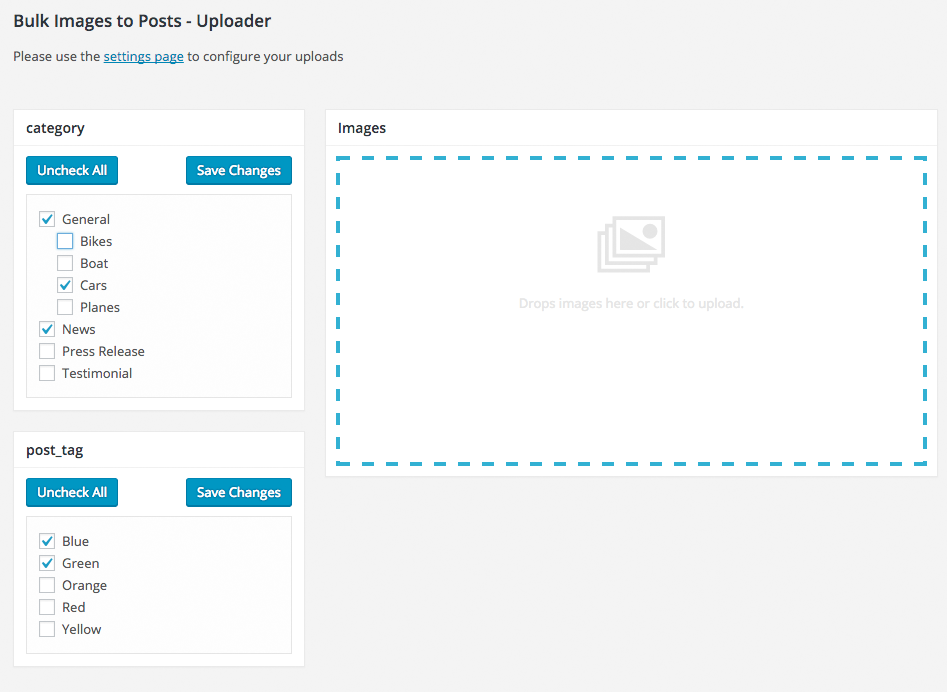
- Open Bulk > Uploader and select the categories or other terms for the batch.
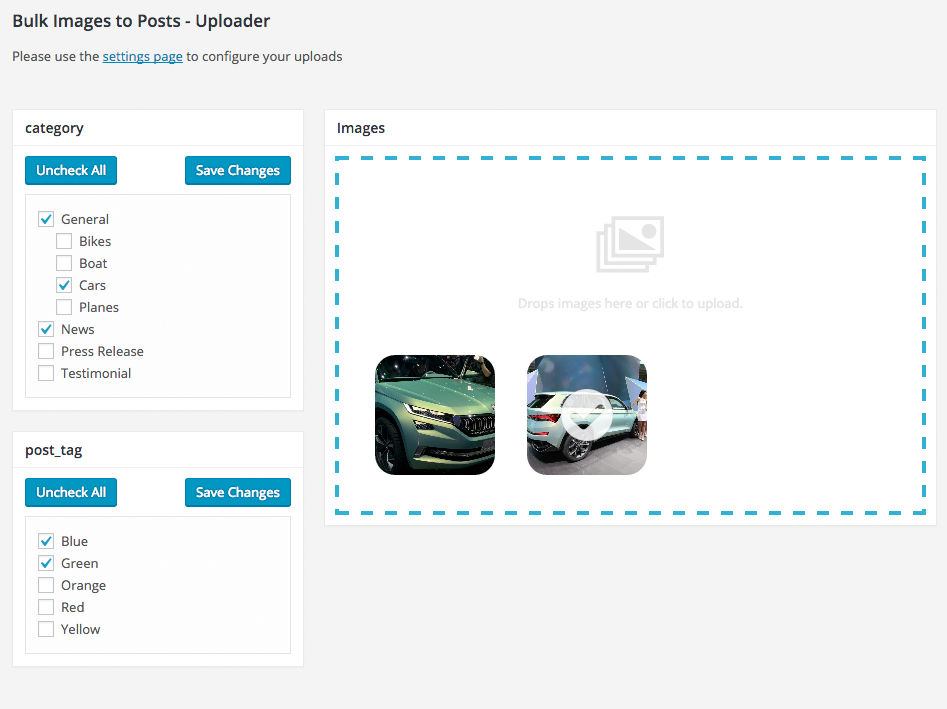
- Drop in your images or select files. Uploads start automatically, creating one post per successfully uploaded image.
- Open the new posts to add captions, descriptions or other content as needed.
安装:
- In WordPress, open Plugins > Add New, search for Bulk Images to Posts, then install and activate it. Alternatively, upload the plugin folder to
/wp-content/plugins/and activate it from the Plugins screen. - Go to Bulk > Uploader > Settings and save your preferred post type, status and image options.
- Go to Bulk > Uploader, select the terms for your batch and add your images. Uploads start automatically.
屏幕截图:
常见问题:
Can I use photo dates and keywords?
Expand Settings on the uploader page. Use date taken and embedded keyword importing are both off by default. EXIF original dates and IPTC dates are supported; dates without timezone information use the site timezone. Missing, invalid or future dates fall back to the upload date. IPTC keywords match existing post tags; enable Allow image keywords to create new tags if wanted. The selected post type must support post tags. XMP keyword extraction is not currently supported.
Does each image become a separate post?
Yes. Every successfully uploaded image creates one new post in your chosen post type, with that image assigned as its featured image. For example, 10 successfully uploaded images create 10 posts.
Can I save the posts as drafts?
Yes. Set Post Status to Draft under Bulk > Uploader > Settings before uploading. You can then review and edit the posts before publishing them.
Can I create posts from images already in the Media Library?
The current uploader works with new files uploaded through Bulk > Uploader. It does not turn existing Media Library items into posts. Uploading the same file again creates another attachment and post.
Does uploading through the normal Media Library create posts?
No. Post creation runs only through this plugin's dedicated Bulk > Uploader screen.
How are post titles created?
By default, the plugin uses the image filename without its extension and replaces hyphens with spaces. For example, coastal-sunrise.jpg becomes coastal sunrise. You can enable Use image metadata title in Settings to use the title WordPress reads from the image when available.
Does it work with custom post types and portfolio entries?
Yes, you can select an existing public custom post type in Bulk > Uploader > Settings. The plugin does not create or register custom post types. Your theme or another plugin must provide the post type and its display templates.
Can I assign categories, tags and custom taxonomies?
Yes. Enable the taxonomies in Bulk > Uploader > Settings, then select existing terms in the uploader before adding images. Only taxonomies associated with your selected post type appear. The selected terms apply to the uploaded batch.
Can the image appear inside the post as well as being its featured image?
Yes. Enable Include the image in the body of the post in Settings and select an image size. How featured images display depends on your theme.
Does this create a gallery containing all the images?
It creates separate posts, one per image. You can display those posts using your theme's blog, archive or portfolio layouts.
Which image formats and file sizes can I upload?
The plugin follows the image formats allowed by your WordPress installation and its upload size limit. SVG uploads are excluded. Successful processing also depends on your server's image support and available resources.
Who can use the uploader?
The uploader requires an account with permission to manage site options, normally an administrator. The account must also be allowed to upload files, create the selected post type and assign the selected terms. Publishing requires permission to publish that post type.
更新日志:
- Show active settings and selected terms above the upload area.
- Add Clear completed to dismiss results without deleting posts or images.
- Add optional EXIF/IPTC photo dates and IPTC keyword-to-tag importing, with separate opt-in tag creation.
- Put settings in an expandable section on the uploader page.
- Give completed uploads their own box and prevent settings changes during uploads.
- Rename the uploader template to remove its legacy Dropzone filename and update references. No upload behaviour changes.
- Show current upload progress and pending count separately from completed uploads.
- Keep upload failures visible in a separate section.
- Show Edit and View post actions on hover or keyboard focus, opening in new tabs.
- Use preview links for drafts and retain visible actions on touch screens.
- Separate current upload progress and failures from completed items.
- Add Edit and View post row actions, shown on hover or keyboard focus and always visible on touch screens.
- Add square thumbnails, post titles and newest-success-first upload results.
- Put Full, Large, Medium and Thumbnail first in the image size menu.
- Improve the plugin description, tags and FAQs.
- Show square thumbnails and post titles for successful uploads, with the newest success first.
- List Full, Large, Medium and Thumbnail before other image sizes.
- Mark the modernized uploader, PHP compatibility and settings validation update as a major release.
- Carries forward the improvements in 3.6.7 with no additional functional changes.
- Use WordPress's bundled upload library instead of the old Dropzone copy.
- Fix PHP 8 compatibility and load translations at the correct time.
- Validate settings, image uploads and user permissions; escape admin output.
- Return clear upload errors and clean up new posts and attachments when creation fails.
- Preserve filename dots, existing settings, metadata titles, post status and custom taxonomies.
- Use WordPress-generated image markup in post content.
- Fix empty term selections and prevent older save requests overwriting newer selections.
- Requires WordPress 6.0 or newer and PHP 7.4 or newer.
- Added Brazilian Portuguese translations by Celso Bessa
- Added translations
- Multiple taxonomies
- Allow image metadata title to be used as the post title
- Allow image to be included in the post content with image size option
- Added post status
- The uploads box is now cleared when new taxonomies are selected and saved.
- Added brief instructions following feedback.
- Minor amends
- Complete rebuild using dropzone.js
- Added to wordpress repository
- Renamed plugin
- Finished testing.
- Custom media uploader on the options panel so that only images uploaded there are added as posts.
- Another change.
- Scan for custom taxonomies and add them to options panel