Cache Purge for Azure Front Door
| 开发者 |
hiberus
juanjoache romerog dromang sllorentedev javiermarin jgmf |
|---|---|
| 更新时间 | 2026年2月9日 20:02 |
| PHP版本: | 7.4 及以上 |
| WordPress版本: | 6.9 |
| 版权: | GPLv2 or later |
| 版权网址: | 版权信息 |
详情介绍:
- Manual Purge Control: Execute a global cache purge (/*) at the click of a button from the admin interface.
- Connection Validator: Quickly verify if your Azure credentials (Tenant ID, Client ID, etc.) are correctly configured.
- Detailed Activity Logs: A comprehensive history of all purge actions, showing who triggered the purge, the result, and the API response time.
- Security Focused: Built using WordPress best practices, including Settings API and secure AJAX handlers.
安装:
- Upload the plugin folder to the
/wp-content/plugins/directory. - Activate the plugin through the 'Plugins' menu in WordPress.
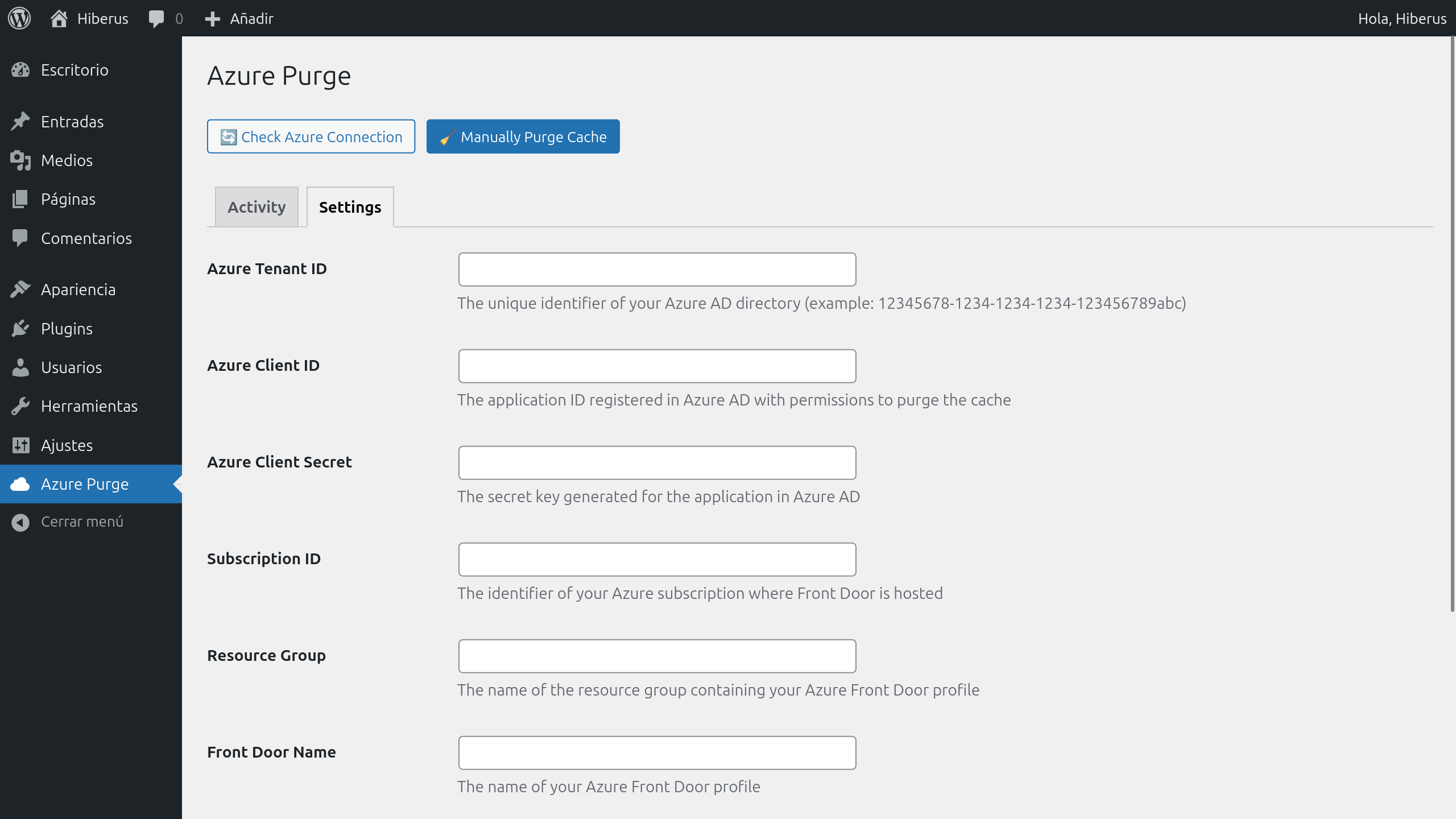
- Go to Azure Purge menu and select Settings tab to enter your Azure credentials (Tenant ID, Client ID, Secret, etc.).
- Go to Azure Purge menu and select Activity tab to verify the connection.
屏幕截图:
常见问题:
Can I target specific URLs?
Currently, the plugin purges /* (all cached content) by default. Custom patterns will be supported in a future version.
Where are logs stored?
The plugin creates a custom database table (wp_azure_cache_logs) to store purge attempts and their results.
What permissions do I need in Azure?
The App Registration used must have at least the "CDN Endpoint Contributor" role on your Azure Front Door resource.
更新日志:
1.3
- Added filters to the logs table: date range (start and end), action, result contains, user, and duration range.
- Improved internationalization: Spanish translations for filter labels and buttons.
- Improved security in AJAX actions by enforcing nonce validation.
- Introduced a custom plugin capability (
access_azure_cache) and replaced all usage ofmanage_options. - Standardized activation and uninstall processes:
- Activation: creates logs table and assigns the plugin capability to Administrators.
- Uninstall: safely removes custom DB table and plugin options.
- Improved internationalization loading (textdomain) and added localized strings to JavaScript.
- Codebase hardening and structural cleanup, without modifying core purge logic.
- Unified menu structure: Single "Azure Purge" menu with "Activity" and "Settings" tabs.
- Added full internationalization (i18n) support.
- Added Spanish translations for all plugin text and JavaScript buttons.
- Added descriptive help text below all configuration inputs in Settings.
- Added Settings API for secure credential storage.
- Implemented Object Caching for log performance.
- Improved security with Nonces and SQL preparation.
- Initial release to the public repository.