
CC Admin Menu Control
| 开发者 | victorcc |
|---|---|
| 更新时间 | 2026年10月17日 21:02 |
| PHP版本: | 7.2 及以上 |
| WordPress版本: | 7.1 |
| 版权: | GPLv2 or later |
| 版权网址: | 版权信息 |
详情介绍:
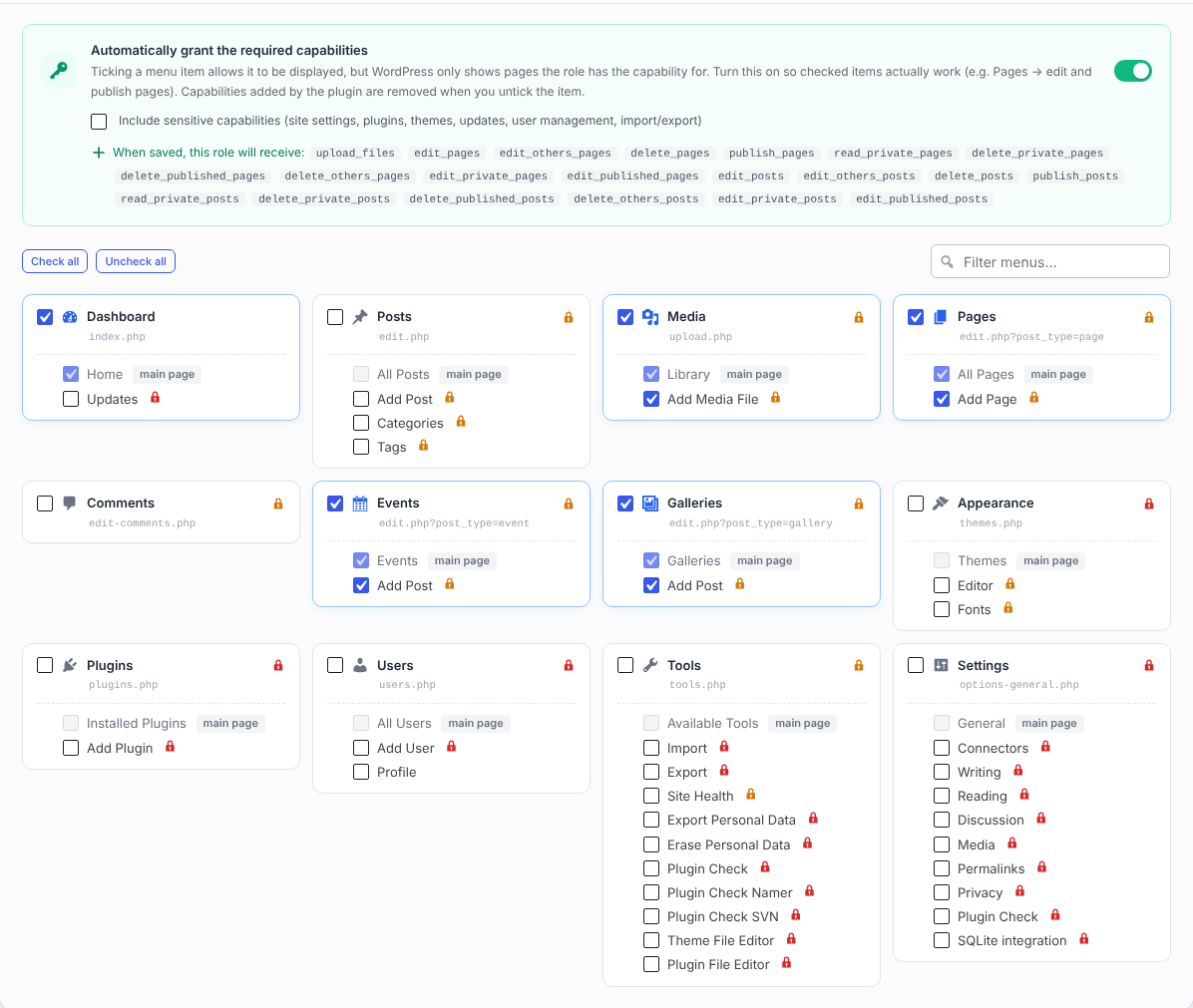
- Every role in a collapsible accordion, with a live counter of visible items.
- Tick the sidebar menu items (and sub-items) each role may see; everything else is hidden.
- Search filter, "check all / uncheck all", automatic parent / child consistency.
- Administrators always keep the full menu.
- Hidden pages are also blocked when opened through a direct link (e.g.
/wp-admin/plugins.php): the user gets an "Access denied" screen. - If the Dashboard is hidden, users land on the first page they are allowed to see.
- Sensitive capabilities (site settings, plugins, themes, updates, user management, import/export) are never granted without your explicit consent.
- Capabilities the role already had are never removed.
- A live summary shows what will be added or removed before you save, and a lock icon flags every item the role cannot use yet.
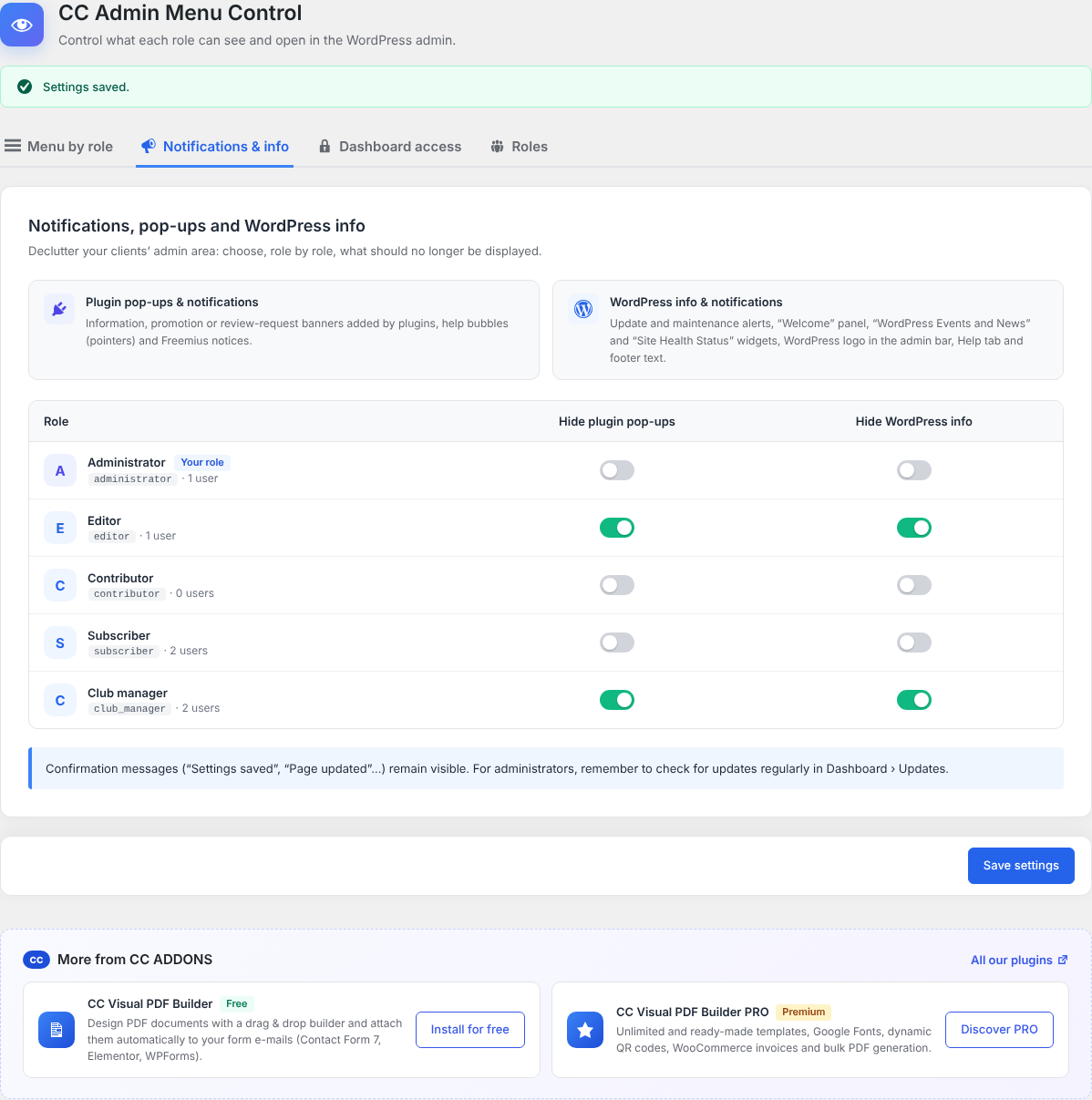
- plugin pop-ups, promotional and review-request banners, help bubbles (pointers) and Freemius notices;
- WordPress update and maintenance alerts, the "Welcome" panel, the "WordPress Events and News" and "Site Health Status" widgets, the WordPress logo in the admin bar, the Help tab and the footer text.
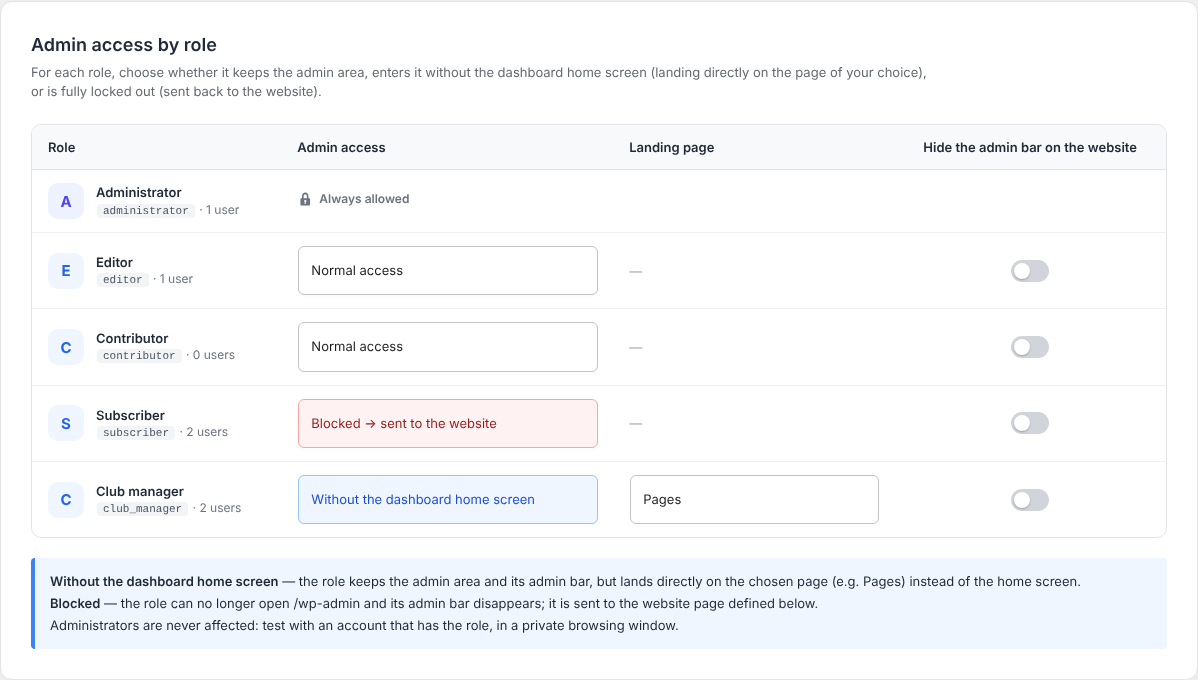
- Normal access;
- Without the dashboard home screen – the role keeps the admin area but lands directly on the page of your choice (e.g. Pages);
- Blocked – the role cannot open
/wp-adminanymore and is sent to the website (home page, WooCommerce "My account" page or any page of the site).
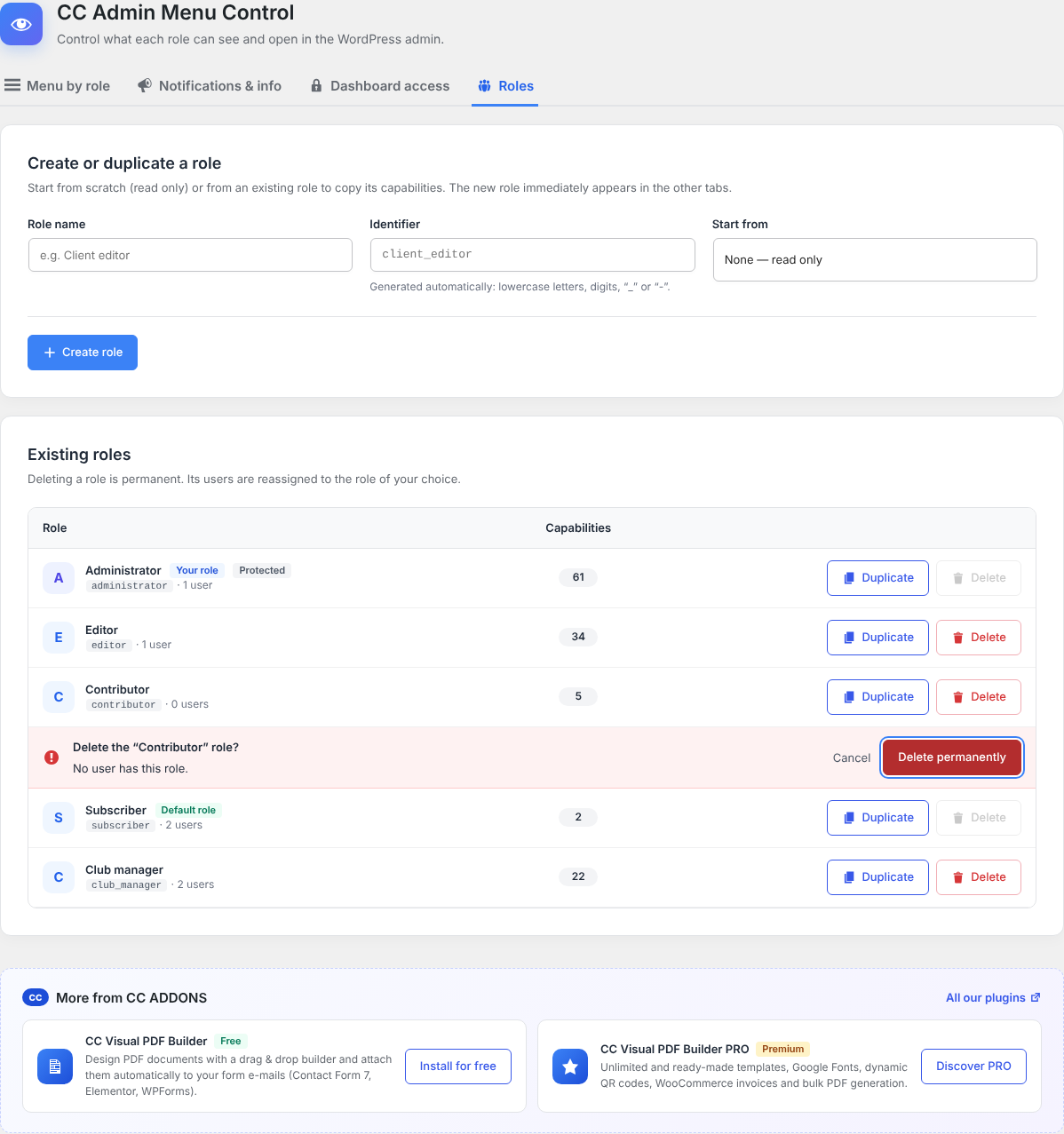
- Create a role from scratch or from an existing role (capabilities and plugin configuration can be copied).
- Duplicate any role in one click.
- Delete roles safely: users are reassigned to the role of your choice; the Administrator role, the default role and your own role are protected.
- CC Visual PDF Builder (free) – design PDF documents with a drag & drop builder and attach them automatically to your form e-mails.
- CC Visual PDF Builder PRO – unlimited templates, dynamic QR codes, WooCommerce invoices and bulk PDF generation.
安装:
- Upload the
cc-admin-menu-controlfolder to/wp-content/plugins/, or install it from Plugins › Add New. - Activate the plugin.
- Open Admin Menu Control in the admin sidebar (a shortcut is also available under Settings).
- In Menu by role, open a role, turn on Restrict, tick the items it should see and save.
屏幕截图:
常见问题:
Can I lock myself out?
No. Administrators always see the full menu, are never blocked and never redirected. Test your settings with an account that has the role, in a private browsing window.
I ticked a menu item but the role still does not see it. Why?
WordPress only displays pages the role has the capability for. Turn on Automatically grant the required capabilities for that role (lock icons show which items are missing a capability). Some plugin pages require the manage_options capability: tick Include sensitive capabilities only if you trust that role with site settings.
Does hiding a menu item delete anything?
No. Menu items are only hidden and their pages blocked for the role. Untick the role's Restrict switch to give it the full menu back.
A plugin added a new menu item. Will restricted roles see it?
No. New items are hidden for restricted roles until you tick them.
What happens when I uninstall the plugin?
Settings are deleted and every capability the plugin added to roles is removed. Roles you created are kept.
更新日志:
- First public release.