Read More Button - Expand Content Without Refresh
| 开发者 | josevarghese |
|---|---|
| 更新时间 | 2026年8月25日 04:03 |
| 捐献地址: | 去捐款 |
| PHP版本: | 7.4 及以上 |
| WordPress版本: | 7.1 |
| 版权: | GPLv2 or later |
| 版权网址: | 版权信息 |
详情介绍:
- Customizable Read More Button: Style your show more button to match your theme.
- Collapse / Show Less Button: After expanding, a "Show Less" button lets users collapse the content back. Both button labels are fully configurable.
- Automatic Content Truncation: Automatically limit posts and pages by line count.
- Instant Expansion: Smoothly reveal text and show hidden content without page reload.
- Shortcode Support: Use
[read_more_button]anywhere in post content for manual control. Wrap content to use line-count logic, or place it self-closing[read_more_button]at the exact split point. - Gutenberg Block: Insert the "Read More Button" block in the block editor to place the split point visually. No shortcode needed.
- Keyboard Accessible: Fully operable with keyboard - buttons respond to Enter/Space and focus is managed correctly after each interaction.
- SEO Friendly: Hidden content remains accessible to search engines.
- Exclusion Options: Exclude specific pages/posts by ID
- Post Type Selection: Choose which post types to apply the functionality to
- Flexible Content Control: Set after how many lines the button should appear
- Custom Button Text: Change the button text to match your site's tone
- Public CPT Support: Works with all public custom post types
- Performance Optimized: Lightweight code that only loads where needed
- Blog posts with long content
- Product descriptions
- Service pages
- News articles
- Any content where you want to improve readability and user engagement
- Install and activate the plugin
- Go to Settings > Read More Button
- Configure your preferences (colors, text, line count, post types)
- The button will automatically appear on your selected content types
安装:
- Upload the plugin files to the
/wp-content/plugins/click-to-read-more-buttondirectory, or install the plugin through the WordPress plugins screen directly. - Activate the plugin through the 'Plugins' screen in WordPress.
- Use the Settings > Read More Button screen to configure the plugin.
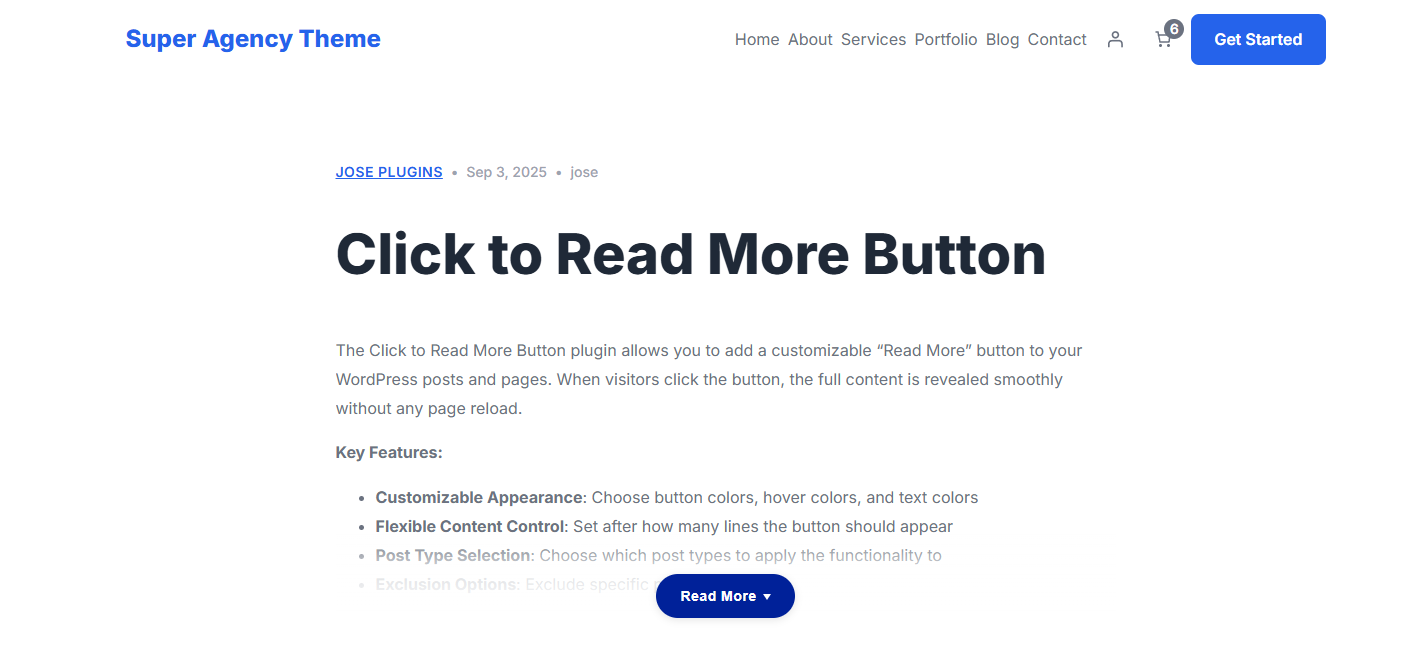
- The Read More button will now appear on your selected post types after the specified number of lines.
屏幕截图:
常见问题:
How do I customize the button appearance?
Go to Settings > Read More Button in your WordPress admin. You can customize:
- Button background color
- Button hover color
- Text color
- Button text
Can I choose which post types show the Read More button?
Yes! In the settings page, you can select which post types should display the Read More button. By default, it's enabled for posts only, but you can enable it for pages and all public custom post types.
How do I exclude specific pages or posts?
In the settings page, there's an "Exclude Pages/Posts by ID" field where you can enter comma-separated IDs of pages/posts you want to exclude (e.g., 1,2,3).
What happens when someone clicks the Read More button?
The full content is revealed smoothly and a "Show Less" button appears, allowing users to collapse the content back at any time. Both button labels are configurable from the settings page.
Can I use a shortcode instead of the automatic filter?
Yes! The [read_more_button] shortcode has two modes:
Placement marker: place [read_more_button] (self-closing) at the exact point in your content where the button should appear. Everything above it is visible; everything below is hidden until the reader clicks.
Wrapping mode: wrap content with [read_more_button]...[/read_more_button] and the plugin applies its line-count logic inside that block. Supports three optional attributes:
text- overrides the Read More button label (e.g.,text="Continue Reading")lines- overrides the line count (e.g.,lines="10")collapse_text- overrides the Show Less button label (e.g.,collapse_text="Hide")
[read_more_button text="Read Full Article" lines="8" collapse_text="Hide"][/read_more_button]
When either shortcode mode is used, the automatic filter is skipped for that post. The shortcode takes full control.
Can I use the block editor instead of a shortcode?
Yes! Search for "Read More Button" in the block inserter. Inserting this block places a visual divider in the editor. Everything below it will be hidden behind the Read More button on the frontend. Only one marker block per post is allowed. When the block is used, the automatic line-count filter is skipped for that post.
Does this work with custom post types?
Yes! The plugin automatically detects all public custom post types and includes them in the post type selection options.
Will this affect my site's performance?
No, the plugin is lightweight and only loads its scripts and styles on pages where the Read More functionality is enabled. It has no impact on pages where it's not being used.
Can I change how many lines are shown before the button appears?
Yes, you can set the number of lines in the settings page. The default is 14 lines, but you can adjust this from 1 to 50 lines based on your content needs.
How does the line counting work?
The plugin uses character counting (approximately 90 characters per line) to determine when to show the button. The actual visual lines may vary based on your content length, font size, screen width, and theme styling.
Is this plugin translation ready?
Yes, the plugin is fully prepared for translation and follows WordPress internationalization standards.
Does the plugin work with caching plugins?
Yes, the plugin is compatible with all major caching plugins as it doesn't use any server-side processing for the Read More functionality.
更新日志:
- Minor tweaks to the modal.
- Added Mobile-Only Truncation option - when enabled, content is truncated only on mobile devices (screens narrower than 768px). Desktop visitors always see the full content without any Read More button.
- Added Gutenberg block "Read More Button" - insert it anywhere in the block editor to set the exact split point. Content above the block is visible; content below is hidden until the reader clicks the button.
- Extended
[read_more_button]shortcode with a placement-marker mode: using it self-closing (no enclosing content) splits the post at that exact point, giving classic-editor users the same manual control without wrapping all content in the shortcode. - When either the placement marker shortcode or the block is used, the automatic line-count filter is skipped for that post so the two methods never conflict.
- Frontend scripts and styles are now enqueued on any post that contains the shortcode or block, regardless of the post-type setting in the plugin options.
- Show Less button now appears at the same position as the Read More button, so users can collapse content without scrolling to the bottom of a long post.
- Fixed shortcode output (forms, galleries, etc.) disappearing when the Read More button is clicked. The previous implementation placed the same content in the DOM twice - once visible and once hidden. Shortcode JavaScript (e.g. contact form plugins) would initialise against the visible copy on page load, leaving the hidden copy empty or broken. Content is now placed in the DOM exactly once and visually clipped by CSS max-height, so shortcodes initialise correctly and full content is always revealed on click.
- Backward compatible with pages cached before this update - the new JavaScript handles both the old HTML structure and the new one.
- Fixed page jumping to the "Show Less" button when clicking "Read More" - the viewport now stays at the user's reading position after content expands.
- Fixed "Show Less" button appearing automatically for existing users who had not yet enabled that option - it now only defaults to enabled for new installs.
- Added collapse / Show Less button - users can now fold expanded content back after clicking Read More. Button label is configurable from Settings > Read More Button.
- Added
[read_more_button]shortcode for manual control over which content is truncated. Supportstext,lines, andcollapse_textattributes. - Improved keyboard accessibility - buttons respond to Enter/Space keys and focus is moved correctly after expand/collapse interactions.
- Added
aria-expandedattributes to Read More and Show Less buttons for screen reader support.
- Implemented completely revamped admin page.
- Included comprehensive Support enhanced user troubleshooting
- Added option to select the icon for the read more button
- Added troubleshooting and support cards to settings page
- Initial release
- Customizable button colors and text
- Post type selection functionality
- Line count configuration
- Exclude specific pages/posts functionality
- Support for static homepage and blog pages
- Auto-detection of public custom post types
- Proper WordPress security and coding standards compliance
- Admin notices for activation and settings saved
- Settings page with version display
- Comprehensive documentation