
Clone Post with Unsaved Changes to a Draft
| 开发者 | alimuzzamanalim |
|---|---|
| 更新时间 | 2026年8月24日 22:41 |
| PHP版本: | 7.4 及以上 |
| WordPress版本: | 7.1 |
| 版权: | GPLv2 or later |
| 版权网址: | 版权信息 |
详情介绍:
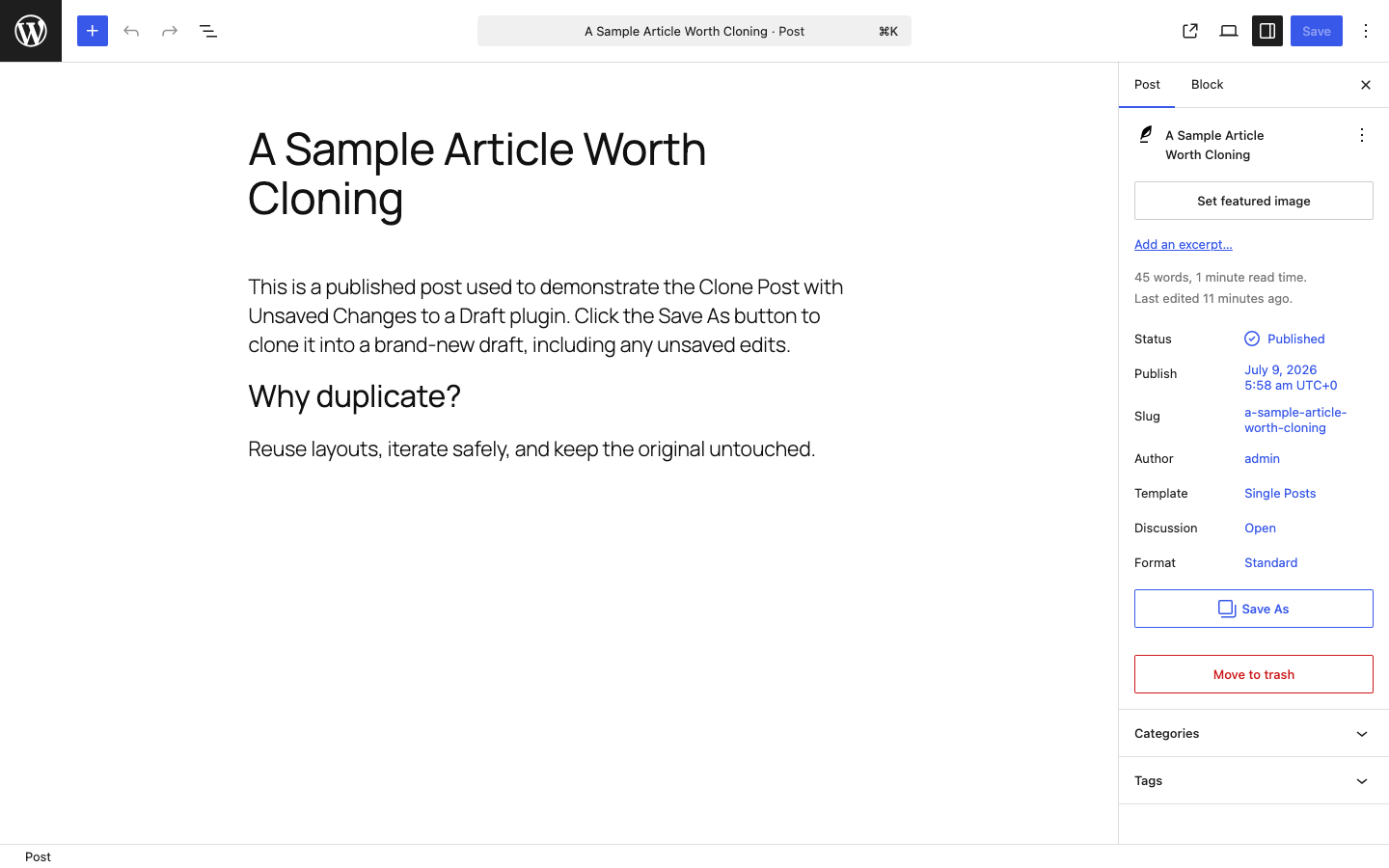
- Save As button in the editor header, next to the native Save button.
- The same action is also available in the post sidebar and the editor's ⋮ (Options) menu.
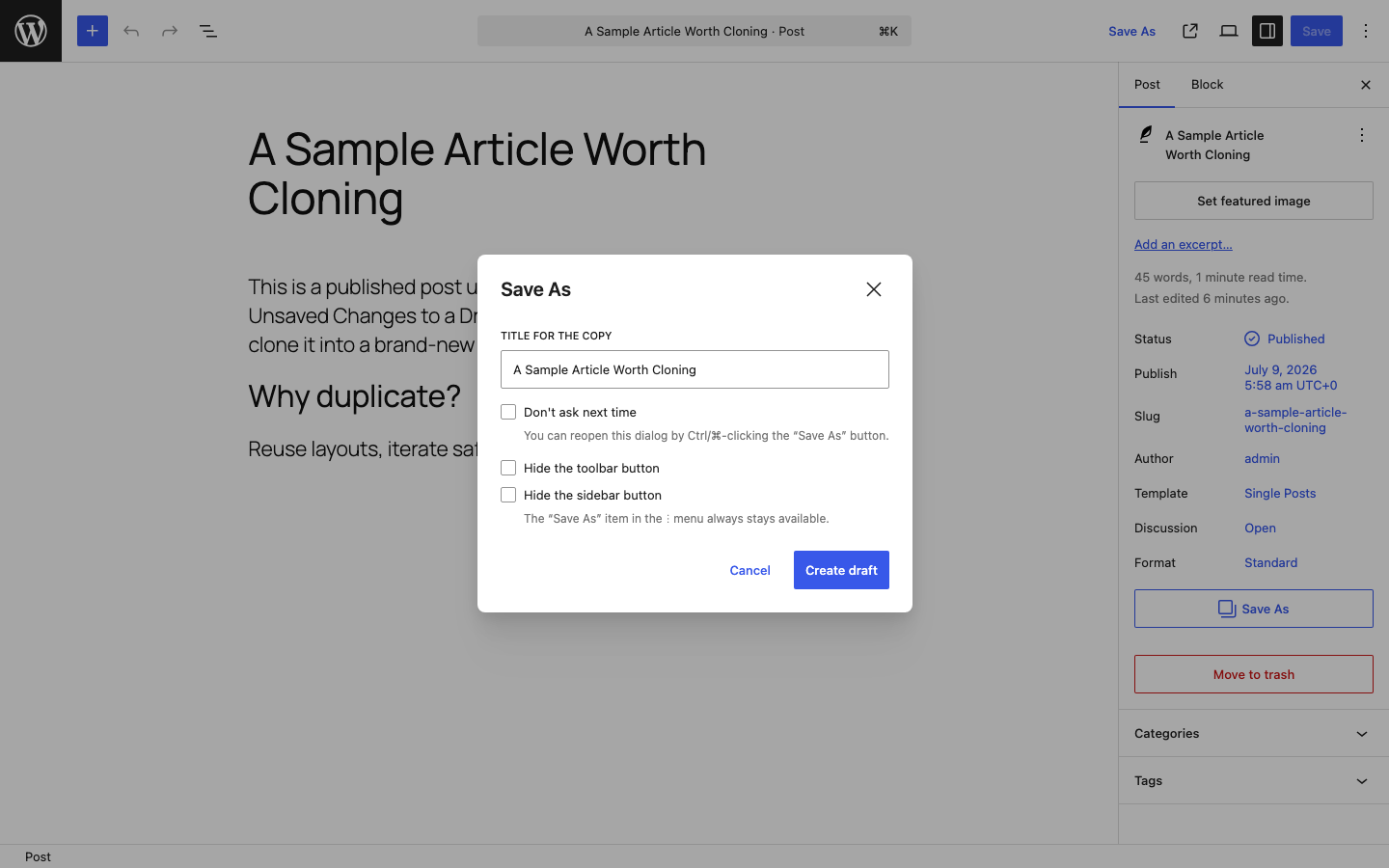
- A confirmation dialog lets you set the new draft's title before copying.
- New draft titles end in (Copy), ready for you to adjust.
- "Don't ask next time" turns the dialog off for instant copies — Ctrl/⌘-click the button to bring it back.
- Press Ctrl/⌘ + Alt + S to open Save As without reaching for the mouse.
- Hide the toolbar and/or sidebar button from the dialog; the ⋮ menu item always stays available.
- Copies are always created as drafts, so you never overwrite the original.
- Uses a dedicated authenticated endpoint with capability checks and request-id idempotency.
- Fully translatable (proper
wp_set_script_translationsintegration).
安装:
- Upload the
clone-post-unsaved-changesfolder to the/wp-content/plugins/directory, or install the plugin through the Plugins screen in WordPress. - Activate the plugin through the Plugins screen.
- Edit any existing post or page — the Save As button appears in the editor toolbar.
屏幕截图:
常见问题:
Does it work on new, unsaved posts?
No. There is nothing to copy until a post has been saved at least once, so the button is hidden on brand-new posts.
Does it copy my unsaved changes?
Yes, for supported block-editor fields: title, content, excerpt, featured media, discussion settings, sticky state for posts, format, template, parent, menu order, REST taxonomies, and registered REST-visible meta. If another dirty field cannot be copied safely, Save As stops before creating a draft.
Does it work with pages and custom post types?
Supported public post types must be available through the REST API and use the block editor. Attachments, autosaves, revisions, and trashed posts are not handled by the generic adapter. WooCommerce products require the native WooCommerce adapter and a block-editor integration; product variations and the standard classic Woo product editor remain unsupported. Custom post types that use Elementor require the separate Elementor adapter.
What gets copied?
Supported core post fields and registered taxonomies are copied, with current editor changes overlaid. The new draft belongs to the current user, has a fresh slug/guid, and does not inherit the source password, dates, status, or author. Sticky state is copied for posts, subject to WordPress's sticky capability. Featured media is reused by ID. Registered show_in_rest meta keys are copied after capability and operational-key checks; a site developer can narrow the exact set with the clone_post_unsaved_changes_allowed_meta_keys filter. WooCommerce product meta is handled only by WooCommerce's native CRUD adapter. The generic adapter does not directly copy files, attachments, comments, revisions, child records, custom tables, or plugin-owned external data.
Does it support Elementor or WooCommerce products?
Elementor 4.2.3 post/page documents use a separate, version-pinned adapter. Save As mirrors Elementor's persistent-setting defaults, captures the current document container settings and element tree without invoking Elementor's save_builder/autosave request, writes the frozen data to a new draft through Elementor's document API, verifies the draft status, persisted element/settings payload, and CSS generation, and checks that the source post, meta, and taxonomy relationships did not change. Other Elementor versions/document types fail closed. WooCommerce products use WooCommerce's own CRUD duplicate workflow for saved product data; unsaved product-specific fields and the normal classic product editor are not claimed as supported.
I hid both buttons — how do I get them back?
Open the editor's ⋮ (Options) menu and choose Save As; that item is always available. Uncheck the "Hide" options in the dialog.
更新日志:
- Add WordPress 7.1 iframe-editor coverage for Save As, including unsaved title, content, and excerpt changes.
- Support REST-enabled custom post types with registered REST-visible metadata and direct source-state checks.
- Add version-pinned Elementor 4.2.3 and bounded WooCommerce native-duplication adapters.
- Make retries idempotent, expire request records, and keep development files out of production archives.
- Prevent duplicate drafts when a Save As request fails for a reason unrelated to post meta.
- New copies now start with a (Copy) title, making them easier to distinguish.
- Add a Ctrl/⌘ + Alt + S keyboard shortcut for Save As.
- Show confirmation while the new draft is opening.
- Fix spacing of the sidebar button and update screenshots to full-page landscape views.
- Initial release.