
Codela Commerce Toolkit
| 开发者 |
codela
freemius |
|---|---|
| 更新时间 | 2026年8月3日 23:07 |
| PHP版本: | 8.0 及以上 |
| WordPress版本: | 7.0 |
| 版权: | GPLv2 or later |
| 版权网址: | 版权信息 |
详情介绍:
- Agreements and consent: Add configurable distance-sales and pre-information agreements to checkout, record customer choices with order-specific document snapshots, provide archived PDFs, and integrate with WordPress personal-data tools.
- Notifications and activity: Send administrator emails through WordPress, configure supported WooCommerce event templates, and review delivery results.
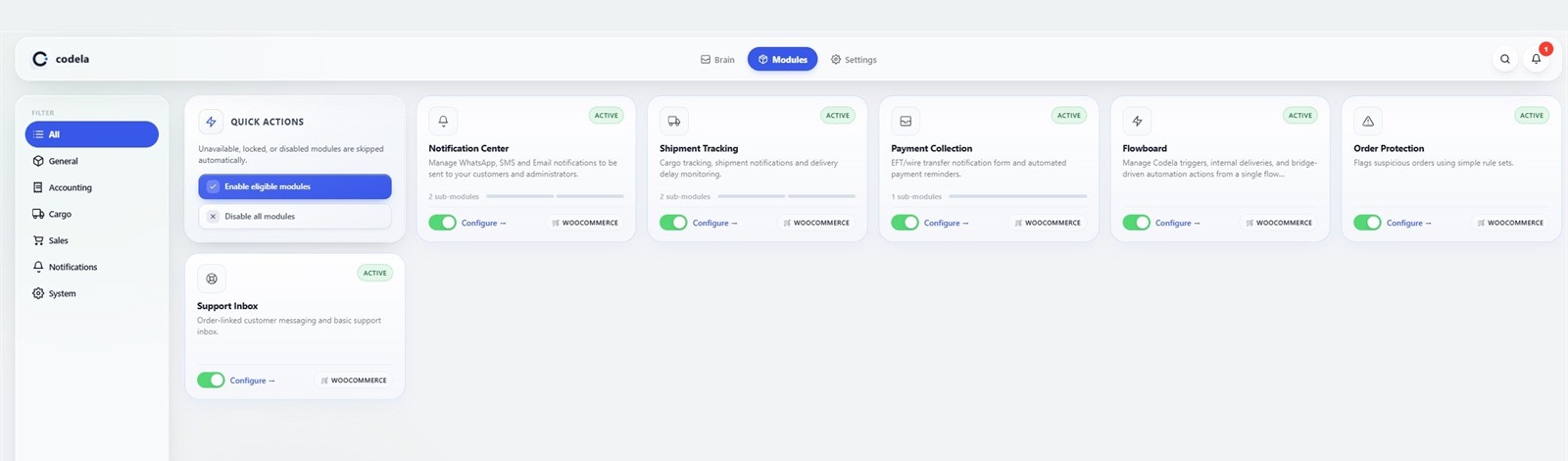
- Shipment tracking: Add a carrier and tracking number to an order, show shipment details in My Account, and send only the shipment updates you enable.
- Stock alerts: Notify store administrators when products reach low-stock or out-of-stock conditions.
- Bank transfer notifications: Let customers submit EFT or wire-transfer details from an order and let administrators review each notification.
- Order protection: Apply configurable rules and flag matching orders for manual review.
- Order-linked support: Keep customer and administrator messages attached to the related WooCommerce order.
- Payment plans: Display configurable installment and payment-plan tables on product, cart, and checkout pages.
- Gift wrap and notes: Offer an optional gift-wrap fee and let customers attach a gift note during checkout.
- Regional addresses: Add province, district, and neighborhood selectors to Turkish WooCommerce checkout and customer address forms.
- Live visitor counter: Show a configurable real-time visitor indicator on product pages.
- Flowboard automation: Connect supported Codela events to internal actions or administrator-configured HTTPS webhooks.
- Guided setup: Use Codela Brain to find enabled modules that still need configuration.
- Store Appearance: Give product details and customer account areas one consistent visual language while keeping each surface optional. Product galleries can stay with the theme, use a full-width swipe layout, or use an editorial image flow while WooCommerce retains product, variation, lightbox, and extension-hook behavior.
安装:
- Install and activate WooCommerce.
- Install Codela Commerce Toolkit from the WordPress plugin directory, or upload its ZIP from Plugins > Add New Plugin > Upload Plugin.
- Activate Codela Commerce Toolkit.
- Open Codela > Modules and enable only the modules you want to use.
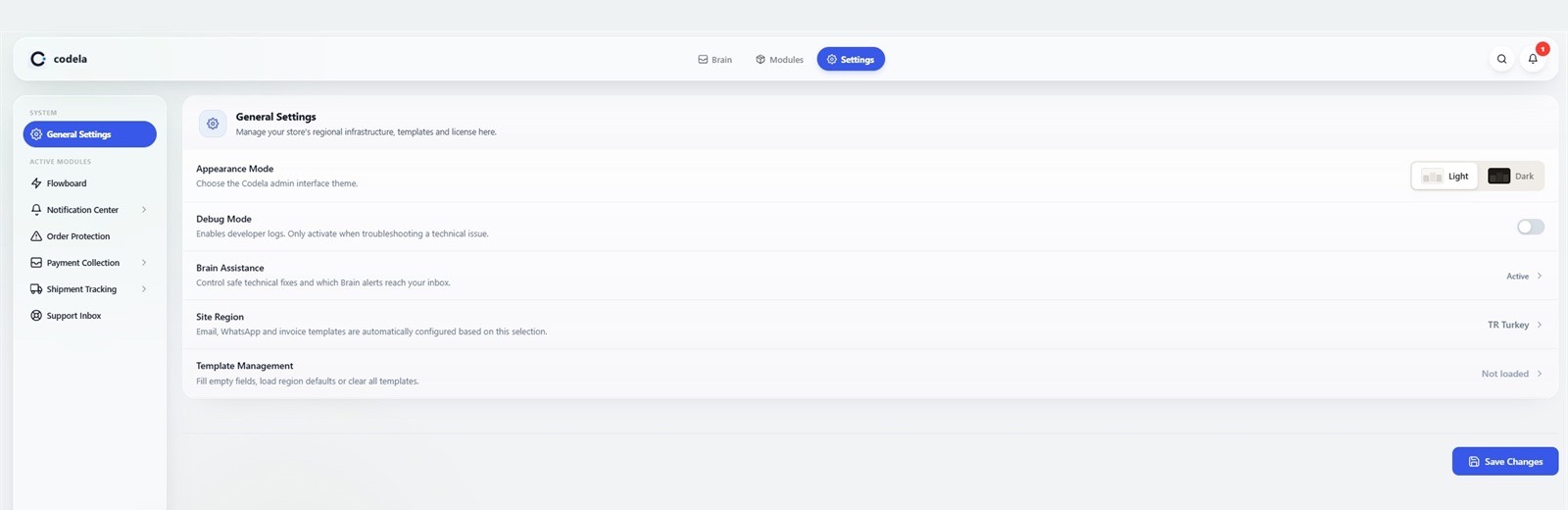
- Open each enabled module's settings and complete its configuration.
屏幕截图:


常见问题:
Does this plugin require WooCommerce?
Yes. WooCommerce must be installed and active.
Does the plugin send messages or data immediately after activation?
No. The related module, event, and delivery option must be enabled first. Twilio messages also require valid credentials, and external Flowboard deliveries require an HTTPS endpoint entered by an administrator.
Which service sends WhatsApp messages?
The optional premium WhatsApp module uses Twilio's WhatsApp API. Enter a Twilio Account SID, authentication token, and an approved WhatsApp sender or sandbox number in the module settings.
Does shipment tracking connect to carrier APIs?
No. Built-in carriers are tracking URL templates. Saving or displaying a tracking number does not contact a carrier; a request is made only when someone opens its link. You can add a carrier name and HTTPS tracking URL template in the module settings.
Can I keep my theme's WooCommerce product and My Account designs?
Yes. Store Appearance is optional, and each surface defaults to the active theme. Product details and My Account can be switched independently. Disable the module at any time to return immediately to the WooCommerce appearance supplied by your theme; saved Codela preferences are retained for later use.
Which product gallery layouts are available?
Theme / WooCommerce leaves the active theme's gallery presentation untouched. Full-width swipe provides a mobile-first horizontal gallery, while Editorial flow places the essential purchase information after the first image and continues the remaining images below it. The setting does not replace WooCommerce product data, variation selection, zoom/lightbox ownership, or extension hooks. Stores can return to the theme option at any time.
更新日志:
- Introduced a monochrome design-token foundation and editorial product layout with variation pills, colour swatches, and a sticky mobile purchase bar.
- Redesigned the My Account shell with a borderless monochrome look, improved mobile menu, and monochrome billing address cards.
- Refined order-detail spacing, unified product and summary groups, and moved the track button into the header.
- Improved cargo card layout with inline track button and numeric dates on mobile.
- Renamed the address page to "Saved Addresses" and removed the redundant WooCommerce intro heading.
- Fixed Plugin Check compliance: translators comments, output escaping, and removed development-only tooling from the distribution.
- Added the independent Store Appearance module with a safe theme fallback and migration of existing My Account appearance preferences.
- Added an independently selectable product-detail presentation with theme, full-width swipe, and editorial gallery choices while preserving WooCommerce product, variation, lightbox, and extension-hook behavior.
- Added a lightweight Store Appearance preview and hardened popup initialization during AJAX settings navigation so the first visit never exposes dialog content in the page flow.
- Improved responsive My Account and order-detail states, including real product thumbnails, a filtered order summary, registry-driven order services, clearer failed-order shipment feedback, and removal of duplicate detail actions.
- Hardened HPOS order metadata access and free-plus-premium module discovery regardless of plugin load order.
- Expanded Turkish translations, accessibility fallbacks, regression coverage, and WordPress.org package validation.
- Moved Agreements and Consent into the free package and WhatsApp Alerts into the optional premium package.
- Moved Payment Plans, Gift Wrap and Note, and Live Visitor Counter into the free package.
- Moved the Turkish province, district, and neighborhood address layer into the free package.
- Refined the responsive My Account, order list, order details, checkout address, and customer preference interfaces.
- Moved the optional My Account presentation into the independent Store Appearance module with a safe theme fallback.
- Improved shipment progress, tracking availability feedback, payment notification actions, and order-linked support indicators.
- Fixed cart recovery timing, template installation reliability, checkout compatibility, and several administrator interface alignment issues.
- Updated Turkish translations and completed compatibility, security, and package validation.
- Added an optional, responsive My Account layout with a configurable accent color.
- Fixed shipment save and status flows and improved order, support, and administrator list behavior.
- Improved translations, module compatibility, security checks, and WordPress.org documentation.
- Initial WordPress.org release.
- Added modular notifications, shipment tracking, stock alerts, bank-transfer notifications, order protection, support, and automation tools.
- Added region-aware defaults, translation support, an HPOS compatibility declaration, and security hardening.